Introduction
Requirements management tools help teams capture, organize, track, and manage product or project requirements throughout the development lifecycle. These tools ensure that business goals, technical specifications, and stakeholder expectations are clearly documented and aligned. Instead of scattered documents or spreadsheets, teams use structured systems to maintain traceability and consistency.
In modern development environments, especially with agile and DevOps practices, requirements management tools have evolved beyond static documentation. They now support real-time collaboration, version control, impact analysis, and integration with development pipelines. This makes them essential for delivering high-quality products while minimizing miscommunication and rework.
Common use cases include:
- Managing product requirements and specifications
- Tracking requirement changes and version history
- Aligning stakeholders and development teams
- Supporting compliance and audit processes
- Enabling traceability from requirements to delivery
What buyers should evaluate:
- Requirement traceability and linking
- Collaboration and workflow management
- Integration with development and testing tools
- Reporting and analytics capabilities
- Scalability for large projects
- Security and compliance features
- Ease of use and onboarding
- Cost and licensing model
Best for: Product managers, business analysts, system engineers, QA teams, and enterprises managing complex projects.
Not ideal for: Small teams with simple workflows or projects that do not require formal requirement tracking.
Key Trends in Requirements Management Tools
- AI-assisted requirement analysis for detecting gaps and inconsistencies
- Cloud-based collaboration for distributed teams
- Integration with DevOps pipelines for end-to-end traceability
- Low-code customization for workflows and templates
- Real-time collaboration features like commenting and approvals
- Enhanced reporting dashboards for stakeholder visibility
- Compliance-focused features for regulated industries
- API-driven ecosystems for extensibility
- Agile and hybrid workflow support
How We Evaluate Requirements Management Tools (Methodology)
- Market adoption and enterprise usage
- Feature completeness including traceability and workflows
- Integration ecosystem with development tools
- Performance and scalability
- Security and compliance readiness
- Ease of use and onboarding
- Customer support and documentation
- Value for money across pricing tiers
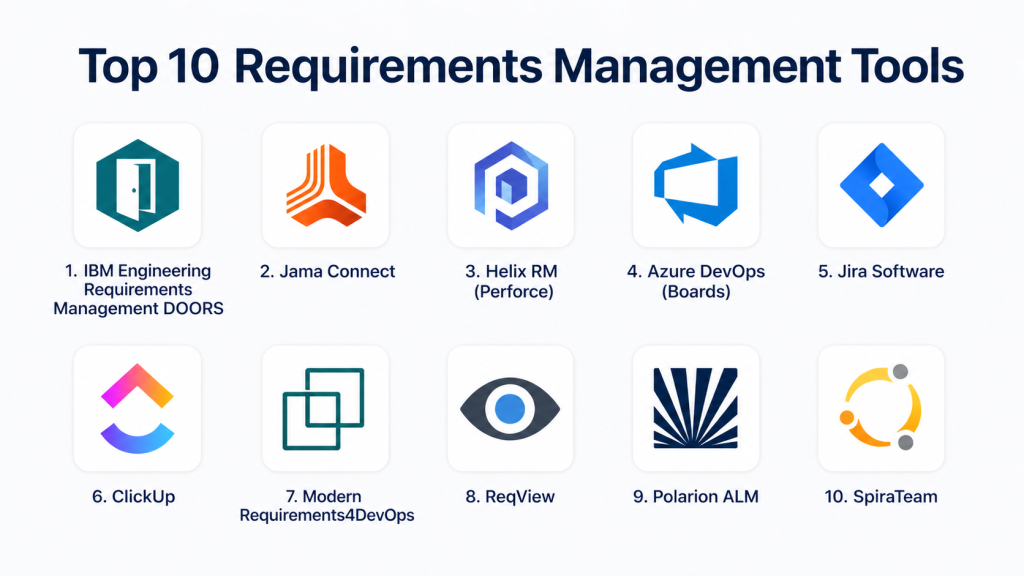
Top 10 Requirements Management Tools
#1 — IBM Engineering Requirements Management DOORS
Short description:
IBM DOORS is a leading enterprise requirements management solution. It is widely used in regulated industries such as aerospace and automotive. The platform offers strong traceability and compliance features. It supports large-scale projects with complex requirements. DOORS is known for its reliability and depth.
Key Features
- End-to-end traceability
- Requirements versioning
- Impact analysis
- Collaboration tools
- Compliance support
Pros
- Enterprise-grade capabilities
- Strong traceability
Cons
- Complex interface
- High cost
Platforms / Deployment
Windows / Cloud / On-premise
Security & Compliance
RBAC, audit logs, compliance support
Integrations & Ecosystem
Integrates with engineering and development tools
- Jira
- Rational suite
- Git tools
Support & Community
Enterprise-level support
#2 — Jama Connect
Short description:
Jama Connect is a modern requirements management platform designed for product development teams. It focuses on traceability and collaboration. The platform is widely used in regulated industries. It provides real-time visibility into requirements. Jama is known for ease of use compared to legacy tools.
Key Features
- Live traceability
- Collaboration tools
- Review workflows
- Reporting dashboards
Pros
- User-friendly
- Strong collaboration
Cons
- Expensive
- Limited customization
Platforms / Deployment
Cloud
Security & Compliance
SSO, compliance features
Integrations & Ecosystem
Integrates with development tools
- Jira
- Azure DevOps
Support & Community
Good enterprise support
#3 — Helix RM
Short description:
Helix RM is a requirements management solution by Perforce. It is designed for agile and hybrid workflows. The platform supports traceability and version control. It integrates well with development pipelines. Helix RM is suitable for engineering teams.
Key Features
- Traceability
- Version control
- Workflow automation
- Reporting
Pros
- Strong integration
- Flexible workflows
Cons
- Learning curve
- Limited UI modernization
Platforms / Deployment
Cloud / On-premise
Security & Compliance
RBAC, audit logs
Integrations & Ecosystem
Works with DevOps tools
- Git
- CI/CD tools
Support & Community
Enterprise support
#4 — Azure DevOps (Boards)
Short description:
Azure DevOps Boards provides requirements and work item tracking within a DevOps ecosystem. It supports agile workflows and backlog management. The platform integrates deeply with Microsoft tools. It is ideal for teams using Azure DevOps.
Key Features
- Work item tracking
- Agile boards
- Reporting
- Integration with CI/CD
Pros
- Strong ecosystem
- Scalable
Cons
- Complex setup
- Requires Microsoft stack
Platforms / Deployment
Web / Cloud
Security & Compliance
SSO, RBAC, enterprise compliance
Integrations & Ecosystem
Deep Microsoft integration
Support & Community
Enterprise support
#5 — Jira (Requirements via plugins)
Short description:
Jira can be extended for requirements management using plugins. It supports agile workflows and issue tracking. The platform is highly customizable. It is widely used across industries. Jira is suitable for teams needing flexibility.
Key Features
- Requirement tracking
- Workflow customization
- Reporting
- Plugin ecosystem
Pros
- Highly flexible
- Large ecosystem
Cons
- Requires plugins
- Complexity
Platforms / Deployment
Web / Cloud / Self-hosted
Security & Compliance
SSO, RBAC
Integrations & Ecosystem
Extensive integrations
Support & Community
Large community
#6 — ClickUp
Short description:
ClickUp is a versatile project management tool with requirements tracking features. It supports custom workflows and documentation. The platform is suitable for SMBs and growing teams. It combines tasks and requirements in one place.
Key Features
- Task and requirement tracking
- Custom workflows
- Dashboards
- Collaboration tools
Pros
- All-in-one solution
- Flexible
Cons
- Feature overload
- Learning curve
Platforms / Deployment
Web / Cloud
Security & Compliance
RBAC, GDPR
Integrations & Ecosystem
Wide integration ecosystem
Support & Community
Strong support
#7 — Modern Requirements4DevOps
Short description:
Modern Requirements4DevOps is built on Azure DevOps. It enhances requirement management capabilities. The platform provides traceability and documentation tools. It is ideal for teams using Microsoft ecosystems.
Key Features
- Traceability
- Documentation tools
- Review workflows
- Integration with Azure
Pros
- Strong Azure integration
- Good traceability
Cons
- Requires Azure DevOps
- Limited standalone use
Platforms / Deployment
Web / Cloud
Security & Compliance
Enterprise controls
Integrations & Ecosystem
Azure ecosystem
Support & Community
Vendor support
#8 — ReqView
Short description:
ReqView is a lightweight requirements management tool. It focuses on simplicity and traceability. The platform is suitable for small teams. It offers offline capabilities and easy setup. ReqView is user-friendly.
Key Features
- Traceability
- Requirement linking
- Reporting
- Offline support
Pros
- Simple
- Lightweight
Cons
- Limited advanced features
- Smaller ecosystem
Platforms / Deployment
Windows / Web
Security & Compliance
Not publicly stated
Integrations & Ecosystem
Limited integrations
Support & Community
Basic support
#9 — Polarion ALM
Short description:
Polarion ALM is an enterprise application lifecycle management tool. It includes requirements management features. The platform supports traceability and compliance. It is widely used in regulated industries.
Key Features
- Requirements tracking
- Traceability
- Workflow automation
- Reporting
Pros
- Enterprise-grade
- Strong compliance
Cons
- Expensive
- Complex
Platforms / Deployment
Web / Cloud / On-premise
Security & Compliance
RBAC, compliance features
Integrations & Ecosystem
Integrates with development tools
Support & Community
Enterprise support
#10 — SpiraTeam
Short description:
SpiraTeam combines requirements management with test management. It supports traceability across the lifecycle. The platform is suitable for QA-driven teams. It offers reporting and workflow tools.
Key Features
- Requirement tracking
- Test management
- Reporting
- Workflow tools
Pros
- Integrated lifecycle
- Good traceability
Cons
- UI could improve
- Limited scalability
Platforms / Deployment
Web / Cloud / On-premise
Security & Compliance
RBAC
Integrations & Ecosystem
Supports integrations
Support & Community
Vendor support
Comparison Table
| Tool Name | Best For | Platform(s) | Deployment | Standout Feature | Public Rating |
|---|---|---|---|---|---|
| IBM DOORS | Enterprises | Windows/Web | Hybrid | Traceability | N/A |
| Jama Connect | Regulated industries | Web | Cloud | Live traceability | N/A |
| Helix RM | Engineering teams | Web | Hybrid | Version control | N/A |
| Azure DevOps | DevOps teams | Web | Cloud | Integrated workflows | N/A |
| Jira | Agile teams | Web | Cloud/On-prem | Custom workflows | N/A |
| ClickUp | SMBs | Web | Cloud | All-in-one | N/A |
| Modern Requirements4DevOps | Azure users | Web | Cloud | Azure integration | N/A |
| ReqView | Small teams | Windows/Web | Local | Simplicity | N/A |
| Polarion ALM | Enterprises | Web | Hybrid | Compliance | N/A |
| SpiraTeam | QA teams | Web | Hybrid | Lifecycle integration | N/A |
Evaluation & Scoring of Requirements Management Tools
| Tool | Core | Ease | Integrations | Security | Performance | Support | Value | Total |
|---|---|---|---|---|---|---|---|---|
| IBM DOORS | 10 | 6 | 9 | 9 | 9 | 9 | 6 | 8.6 |
| Jama Connect | 9 | 8 | 8 | 9 | 8 | 8 | 7 | 8.2 |
| Helix RM | 9 | 7 | 8 | 8 | 8 | 8 | 7 | 8.0 |
| Azure DevOps | 9 | 7 | 9 | 9 | 9 | 9 | 7 | 8.5 |
| Jira | 9 | 7 | 10 | 8 | 8 | 9 | 7 | 8.4 |
| ClickUp | 8 | 8 | 9 | 7 | 8 | 8 | 8 | 8.1 |
| Modern Requirements4DevOps | 8 | 7 | 8 | 8 | 8 | 8 | 7 | 7.9 |
| ReqView | 7 | 9 | 6 | 6 | 7 | 7 | 9 | 7.6 |
| Polarion ALM | 10 | 6 | 9 | 9 | 9 | 9 | 6 | 8.6 |
| SpiraTeam | 8 | 7 | 7 | 7 | 7 | 8 | 8 | 7.6 |
Which Requirements Management Tool Is Right for You?
Solo / Freelancer
ReqView or ClickUp works well due to simplicity.
SMB
ClickUp and Jira offer flexibility and affordability.
Mid-Market
Helix RM and Jama Connect provide scalability.
Enterprise
IBM DOORS and Polarion ALM are ideal for complex environments.
Budget vs Premium
Open-source and lightweight tools are budget-friendly. Enterprise tools provide advanced features.
Feature Depth vs Ease of Use
Simple tools are easy to use, while enterprise tools offer depth but complexity.
Integrations & Scalability
Choose tools that integrate with DevOps pipelines.
Security & Compliance Needs
Enterprises should prioritize compliance and audit capabilities.
Frequently Asked Questions (FAQs)
1. What are requirements management tools?
They help capture, track, and manage project requirements. These tools ensure alignment between teams. They provide traceability and documentation. They improve project clarity. They are essential for complex projects.
2. Why are they important?
They prevent miscommunication and scope creep. They improve collaboration. They ensure requirements are met. They support compliance. They enhance project success.
3. Are they only for large enterprises?
No, small teams can also benefit. However, simpler tools may be sufficient. Enterprises need advanced features. Choose based on project complexity. Scalability matters.
4. Do they integrate with DevOps tools?
Yes, many tools integrate with CI/CD and version control. This ensures traceability. Integration improves efficiency. It connects requirements to delivery. This is critical for modern workflows.
5. Are there free tools available?
Some tools offer free plans. Open-source tools are also available. Free tools may have limitations. They are suitable for small teams. Paid tools offer advanced features.
6. What features should I look for?
Look for traceability, reporting, and integration. Collaboration features are important. Security matters for enterprises. Ease of use is critical. Choose based on needs.
7. Can these tools scale?
Yes, many tools support large projects. Enterprise tools are highly scalable. They handle complex workflows. They integrate with other systems. Scalability is important.
8. Are they secure?
Most tools offer security features like RBAC. Compliance varies by tool. Enterprises should review policies. Proper configuration is key. Security ensures data protection.
9. How do they improve productivity?
They centralize requirements. This reduces confusion. They improve collaboration. They automate workflows. This leads to better outcomes.
10. What are alternatives?
Alternatives include spreadsheets and project tools. However, they lack advanced features. Dedicated tools are more effective. They improve traceability. They are recommended.
Conclusion
Requirements management tools play a crucial role in ensuring that projects are delivered successfully with clear alignment between stakeholders and development teams. They provide the structure needed to manage complex requirements, maintain traceability, and support collaboration across the entire lifecycle. From lightweight tools for small teams to enterprise-grade platforms for regulated industries, the range of options allows organizations to choose solutions tailored to their needs.
Selecting the right tool depends on your workflow complexity, team size, and integration requirements. Instead of choosing based on popularity alone, evaluate tools based on how well they fit your processes. Shortlist a few options, test them in real-world scenarios, and ensure they meet your scalability, security, and usability expectations before making a final decision.
