Introduction
Platform-as-a-Service (PaaS) is a cloud computing model that provides developers with a full environment for building, deploying, and managing applications without needing to manage underlying infrastructure. It abstracts servers, storage, and networking, allowing teams to focus on development, innovation, and scaling.
PaaS is critical for modern IT strategies because it accelerates application delivery, reduces operational overhead, and integrates with DevOps and AI pipelines. It is especially useful for businesses adopting cloud-native development or hybrid cloud environments. Common use cases include web and mobile application development, microservices deployment, API orchestration, DevOps automation, and AI or machine learning application hosting.
When evaluating PaaS platforms, buyers should consider scalability, deployment options, integrations, monitoring and observability, security and compliance, language and framework support, pricing, developer tooling, extensibility, and support resources.
Best for: Developers, IT teams, startups, SMBs, and enterprises seeking fast deployment, integrated tools, and cloud-native application delivery.
Not ideal for: Organizations that need full control over physical infrastructure or run static applications better suited to IaaS or on-premises solutions.
Key Trends in Platform-as-a-Service (PaaS)
- AI and ML integration to enhance application workflows
- Event-driven and serverless function support
- Hybrid and multi-cloud deployment options for flexibility
- Automated security and compliance monitoring
- Low-code and no-code development environments
- Native DevOps pipelines with CI/CD support
- Real-time monitoring, logging, and analytics
- Support for multiple languages and containerized runtimes
- Granular pay-per-use pricing for cost optimization
- API-first and microservices-ready architecture
How We Selected These Tools
- Evaluated market adoption and industry recognition
- Reviewed feature completeness including scalability, CI/CD, and monitoring
- Measured performance and reliability using uptime metrics and SLAs
- Assessed security posture and compliance certifications
- Analyzed integrations and ecosystem support
- Considered customer fit for solo developers, SMBs, mid-market, and enterprises
- Compared pricing transparency and flexibility
- Verified platform and deployment options
- Evaluated developer tooling and ease of use
- Balanced open-source and proprietary solutions for flexibility
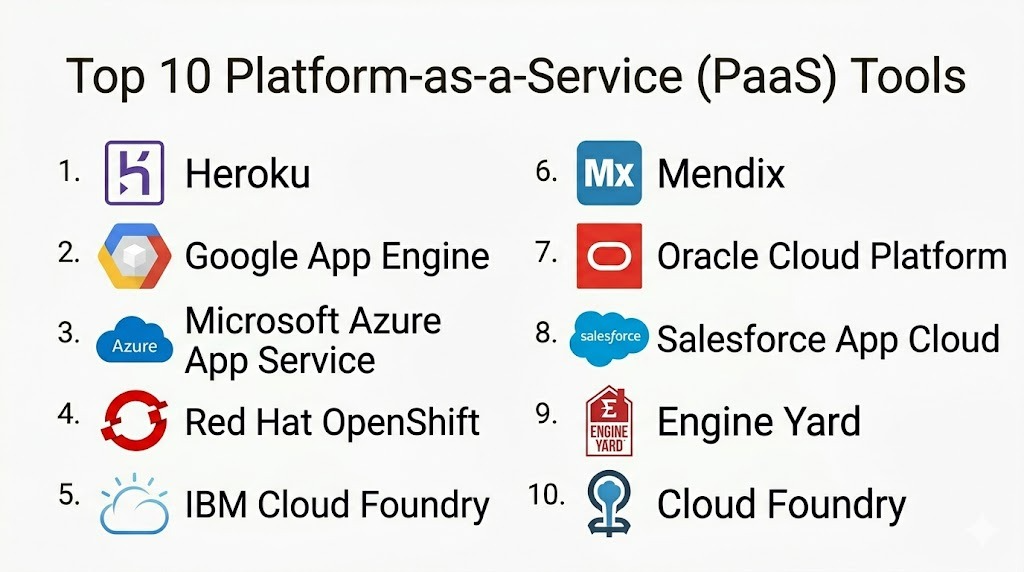
Top 10 Platform-as-a-Service (PaaS) Tools
#1 — Heroku
Short description: Heroku is a cloud PaaS platform for web applications, APIs, and microservices, designed for rapid deployment and minimal operational overhead.
Key Features
- Multi-language support: Node.js, Python, Java, Ruby
- Integrated add-ons marketplace
- Continuous integration and delivery pipelines
- Auto-scaling based on app traffic
- Git-based deployment workflow
- Logging and monitoring tools
- Team collaboration features
Pros
- Rapid deployment
- Simple interface
- Extensive add-ons
Cons
- Higher enterprise costs
- Limited infrastructure customization
Platforms / Deployment
- Web / Windows / macOS / Linux
- Cloud
Security & Compliance
- SSL, encryption, audit logs
- SOC 2, GDPR
Integrations & Ecosystem
- GitHub, GitLab
- PostgreSQL, Redis
- Messaging, caching, analytics add-ons
Support & Community
- Strong documentation and forums
- Paid enterprise support available
#2 — Google App Engine
Short description: Google App Engine offers a fully managed environment for scalable applications, automating infrastructure management.
Key Features
- Multiple programming languages supported
- Auto-scaling for traffic spikes
- Standard and flexible runtime environments
- Integrated security and monitoring
- Event-driven triggers
Pros
- Tight Google Cloud integration
- Highly scalable
- Supports containerized workloads
Cons
- Learning curve for non-GCP users
- Costs increase with high traffic
Platforms / Deployment
- Web / Windows / macOS / Linux
- Cloud
Security & Compliance
- SSO/SAML, encryption
- SOC 2, ISO 27001, GDPR
Integrations & Ecosystem
- BigQuery, Cloud SQL, Firestore
- Cloud Build CI/CD pipelines
- Event-driven APIs
Support & Community
- Extensive documentation and enterprise support
#3 — Microsoft Azure App Service
Short description: Azure App Service provides PaaS for web apps, APIs, and mobile backends with integrated DevOps and hybrid cloud support.
Key Features
- Multi-language and containerized support
- GitHub and Azure DevOps CI/CD integration
- Auto-scaling and high availability
- Built-in monitoring and diagnostics
- Integration with Azure databases and services
Pros
- Enterprise-ready
- Strong DevOps support
- High reliability
Cons
- Complex pricing
- Overwhelming for smaller projects
Platforms / Deployment
- Web / Windows / macOS / Linux
- Cloud / Hybrid
Security & Compliance
- SSO/SAML, encryption
- SOC 2, ISO 27001, HIPAA
Integrations & Ecosystem
- Azure SQL, Cosmos DB, Event Grid
- API Management, Logic Apps
- CI/CD pipelines
Support & Community
- Active developer community
- Enterprise support
#4 — Red Hat OpenShift
Short description: OpenShift is a Kubernetes-based PaaS enabling hybrid cloud deployments, container orchestration, and DevOps automation.
Key Features
- Kubernetes-native platform
- Multi-cloud and on-premises support
- Containerized app deployment
- CI/CD pipelines and logging
- Developer self-service environment
Pros
- Enterprise and hybrid cloud support
- DevOps automation
- Open-source flexibility
Cons
- Requires Kubernetes knowledge
- Complex setup
Platforms / Deployment
- Web / Windows / macOS / Linux
- Cloud / Hybrid / Self-hosted
Security & Compliance
- RBAC, encryption, audit logs
- SOC 2, ISO 27001
Integrations & Ecosystem
- Red Hat middleware and databases
- Jenkins, CI/CD pipelines
- Container registry
Support & Community
- Enterprise support
- Strong open-source community
#5 — IBM Cloud Foundry
Short description: IBM Cloud Foundry deploys applications and microservices with minimal infrastructure management.
Key Features
- Multi-language support
- Auto-scaling and monitoring
- Integration with IBM Cloud services
- Built-in CI/CD pipelines
- Hybrid cloud support
Pros
- Enterprise-ready
- AI service integration
- Reliable deployment
Cons
- Smaller community
- Learning curve for new users
Platforms / Deployment
- Web / Windows / macOS / Linux
- Cloud / Hybrid
Security & Compliance
- Encryption, audit logs
- SOC 2, GDPR
Integrations & Ecosystem
- IBM Watson, Cloudant, Event Streams
- API management and analytics
Support & Community
- Enterprise support
- Documentation and tutorials
#6 — Mendix
Short description: Mendix is a low-code PaaS for web and mobile applications that accelerates development cycles.
Key Features
- Visual low-code development
- Cloud-native deployment
- AI-assisted development
- CI/CD integration
- Monitoring and analytics
Pros
- Fast development
- Minimal coding required
- Cloud scalability
Cons
- Limited flexibility for complex apps
- Licensing costs may be high
Platforms / Deployment
- Web / Windows / macOS / Linux / iOS / Android
- Cloud / Hybrid
Security & Compliance
- Encryption, RBAC
- SOC 2, ISO 27001
Integrations & Ecosystem
- REST APIs and microservices
- Salesforce, SAP, database connectors
- Cloud integrations
Support & Community
- Active community
- Onboarding guides
#7 — Oracle Cloud Platform
Short description: Oracle Cloud PaaS enables application deployment, integration, and analytics for enterprise workloads.
Key Features
- Multi-language support
- Oracle Cloud service integration
- Auto-scaling and monitoring
- Containerized support
- CI/CD pipelines
Pros
- Enterprise-ready
- Strong database integration
- Scalable and reliable
Cons
- Complex for small teams
- Limited non-Oracle ecosystem support
Platforms / Deployment
- Web / Windows / macOS / Linux
- Cloud
Security & Compliance
- SSO/SAML, encryption
- SOC 2, ISO 27001
Integrations & Ecosystem
- Oracle DB, API Gateway
- Middleware, analytics
- CI/CD pipelines
Support & Community
- Enterprise support
- Documentation
#8 — Salesforce App Cloud
Short description: Salesforce App Cloud is a PaaS for CRM-focused applications with low-code and declarative development tools.
Key Features
- Low-code app builder
- Integration with Salesforce CRM
- Workflow automation
- Cloud deployment
- Built-in security
Pros
- Rapid low-code development
- Tight CRM integration
- Enterprise-ready
Cons
- Limited outside Salesforce ecosystem
- Licensing costs
Platforms / Deployment
- Web / Windows / macOS / Linux / iOS / Android
- Cloud
Security & Compliance
- SSO/SAML, encryption
- SOC 2, GDPR, HIPAA
Integrations & Ecosystem
- Salesforce APIs, AppExchange
- Analytics and AI
Support & Community
- Extensive documentation
- Active community
#9 — Engine Yard
Short description: Engine Yard provides PaaS for deploying Ruby, PHP, and Node.js applications with scaling and monitoring features.
Key Features
- Managed application hosting
- Auto-scaling
- CI/CD pipelines
- Security and backup
- Developer CLI
Pros
- Simplifies deployment
- Multi-language support
- Monitoring and alerts
Cons
- Smaller community
- Limited compared to larger providers
Platforms / Deployment
- Web / Windows / macOS / Linux
- Cloud
Security & Compliance
- Encryption, audit logs
- Not publicly stated
Integrations & Ecosystem
- Git, CI/CD tools
- Database connectors
Support & Community
- Documentation and support
#10 — Cloud Foundry
Short description: Cloud Foundry is an open-source PaaS for deploying and scaling apps across public, private, and hybrid clouds.
Key Features
- Multi-language support
- Kubernetes integration
- CI/CD pipelines
- Logging and monitoring
- Multi-cloud deployment
Pros
- Vendor-neutral
- Open-source flexibility
- Hybrid cloud ready
Cons
- Requires technical expertise
- Learning curve
Platforms / Deployment
- Web / Windows / macOS / Linux
- Cloud / Self-hosted / Hybrid
Security & Compliance
- RBAC, encryption
- SOC 2, ISO 27001
Integrations & Ecosystem
- APIs and microservices
- Database connectors
- CI/CD pipelines
Support & Community
- Strong open-source community
- Enterprise support varies
Comparison Table (Top 10)
| Tool Name | Best For | Platform(s) Supported | Deployment | Standout Feature | Public Rating |
|---|---|---|---|---|---|
| Heroku | Developers, startups | Web / Windows / macOS / Linux | Cloud | Add-ons marketplace | N/A |
| Google App Engine | GCP developers | Web / Windows / macOS / Linux | Cloud | Flexible environments | N/A |
| Azure App Service | Enterprise, hybrid | Web / Windows / macOS / Linux | Cloud / Hybrid | DevOps integration | N/A |
| Red Hat OpenShift | Hybrid cloud teams | Web / Windows / macOS / Linux | Cloud / Hybrid / Self-hosted | Kubernetes-native PaaS | N/A |
| IBM Cloud Foundry | Enterprise workloads | Web / Windows / macOS / Linux | Cloud / Hybrid | AI service integration | N/A |
| Mendix | Low-code apps | Web / Windows / macOS / Linux / iOS / Android | Cloud / Hybrid | Low-code rapid development | N/A |
| Oracle Cloud Platform | Enterprises | Web / Windows / macOS / Linux | Cloud | Database and analytics integration | N/A |
| Salesforce App Cloud | CRM-centric apps | Web / Windows / macOS / Linux / iOS / Android | Cloud | Low-code CRM integration | N/A |
| Engine Yard | Web apps | Web / Windows / macOS / Linux | Cloud | Managed app hosting | N/A |
| Cloud Foundry | Multi-cloud deployment | Web / Windows / macOS / Linux | Cloud / Self-hosted / Hybrid | Open-source flexibility | N/A |
Evaluation & Scoring of Platform-as-a-Service (PaaS)
| Tool Name | Core (25%) | Ease (15%) | Integrations (15%) | Security (10%) | Performance (10%) | Support (10%) | Value (15%) | Weighted Total (0–10) |
|---|---|---|---|---|---|---|---|---|
| Heroku | 8 | 9 | 8 | 8 | 8 | 8 | 7 | 8.20 |
| Google App Engine | 9 | 7 | 8 | 8 | 9 | 7 | 7 | 8.05 |
| Azure App Service | 9 | 7 | 9 | 9 | 9 | 8 | 8 | 8.55 |
| Red Hat OpenShift | 8 | 6 | 8 | 8 | 8 | 7 | 8 | 7.80 |
| IBM Cloud Foundry | 7 | 7 | 7 | 7 | 8 | 7 | 7 | 7.20 |
| Mendix | 7 | 9 | 7 | 7 | 7 | 7 | 7 | 7.55 |
| Oracle Cloud Platform | 8 | 6 | 8 | 8 | 8 | 7 | 7 | 7.60 |
| Salesforce App Cloud | 7 | 9 | 7 | 8 | 7 | 7 | 7 | 7.50 |
| Engine Yard | 7 | 7 | 6 | 6 | 7 | 6 | 7 | 6.65 |
| Cloud Foundry | 8 | 6 | 8 | 7 | 8 | 7 | 7 | 7.40 |
Scores are comparative. Higher weighted totals indicate more robust functionality, but the ideal platform depends on workflow, integrations, and skillset.
Which Platform-as-a-Service (PaaS) Tool Is Right for You?
Solo / Freelancer
Heroku, Mendix, or Engine Yard for rapid deployment and minimal infrastructure overhead.
SMB
Google App Engine, Salesforce App Cloud, or Azure App Service balance cost and enterprise-grade functionality.
Mid-Market
Red Hat OpenShift or Cloud Foundry for hybrid cloud, containerized apps, and multi-cloud flexibility.
Enterprise
Azure App Service, IBM Cloud Foundry, or Oracle Cloud Platform for high security, compliance, and enterprise-grade performance.
Budget vs Premium
Open-source or low-code platforms like Mendix or Cloud Foundry suit budget-conscious teams. Premium options offer SLA-backed reliability, integrations, and support.
Feature Depth vs Ease of Use
High feature depth: Azure App Service, Red Hat OpenShift
Ease of use: Heroku, Mendix
Integrations & Scalability
Platforms with APIs, CI/CD support, and hybrid cloud capabilities provide the most flexibility. Validate existing tool compatibility.
Security & Compliance Needs
Enterprises with regulatory requirements should choose PaaS platforms with SOC 2, ISO 27001, HIPAA, or GDPR compliance.
Frequently Asked Questions (FAQs)
1 What is the pricing model for PaaS platforms?
Platforms charge for compute usage, storage, network traffic, and add-ons. Pay-as-you-go reduces upfront costs and scales with demand.
2 Can PaaS platforms scale automatically?
Yes, auto-scaling is built-in for most platforms, adjusting resources dynamically based on application load.
3 Which programming languages are supported?
Common languages include Java, Python, Node.js, Ruby, .NET, and Go. Low-code platforms offer visual development options.
4 How do I deploy applications?
Deployments can be performed via CLI, web console, CI/CD pipelines, or Git integration depending on the platform.
5 Are PaaS platforms secure?
Security varies by provider. Look for encryption, SSO/SAML, audit logs, RBAC, and compliance with SOC 2, ISO 27001, HIPAA, or GDPR.
6 Can PaaS integrate with other services?
Yes, APIs, connectors, and native integrations allow PaaS apps to connect with databases, messaging systems, analytics, and AI services.
7 Are PaaS platforms suitable for mobile apps?
Yes, many platforms provide backend support, APIs, and deployment environments suitable for web and mobile applications.
8 What are common mistakes with PaaS?
Neglecting cost monitoring, underestimating scaling needs, over-relying on proprietary services, and skipping security best practices.
9 Can PaaS work with hybrid or multi-cloud deployments?
Yes, platforms like Red Hat OpenShift and Cloud Foundry support multi-cloud and hybrid environments.
10 How do I choose the right PaaS platform?
Evaluate your team’s expertise, app requirements, integrations, budget, scalability needs, and security/compliance demands before deciding.
Conclusion
Platform-as-a-Service (PaaS) simplifies application development, accelerates deployment, and provides flexible, scalable environments for modern workloads. The best choice depends on your team size, workflow, cloud strategy, and regulatory requirements. To get started, shortlist 2–3 platforms, run a pilot, and validate integrations and security features before full adoption.
