Introduction
Museum Collection Management Software helps museums, galleries, archives, and cultural institutions organize, catalog, preserve, and manage their collections digitally. These platforms centralize artifact records, images, provenance data, conservation history, and loan information into a single system, improving operational efficiency and long-term preservation.
In a modern, digitized environment, museums are no longer just physical spaces—they are data-driven institutions. With growing collections, remote access needs, and digital exhibitions, having a robust collection management system is essential. These tools also support compliance, research accessibility, and public engagement.
Real-world use cases:
- Cataloging artifacts and historical items
- Managing loans, exhibitions, and inventory
- Tracking conservation and restoration activities
- Enabling digital archives and virtual exhibits
- Supporting research and public access
What buyers should evaluate:
- Collection cataloging capabilities
- Image and media management
- Metadata and taxonomy flexibility
- Reporting and analytics
- Integration with digital archives and websites
- User access control and permissions
- Scalability for large collections
- Ease of use and training requirements
- Data migration and import/export features
- Security and backup systems
Best for: Museums, galleries, archives, libraries, and cultural institutions managing physical or digital collections.
Not ideal for: Small organizations with minimal inventory or those needing only basic spreadsheet-based tracking.
Key Trends in Museum Collection Management Software
- Cloud-based collection systems replacing on-premise tools
- Digital archiving and virtual museum experiences growing
- AI-assisted cataloging and image recognition emerging
- Integration with public-facing websites and digital exhibits
- Mobile access for fieldwork and inventory tracking
- Enhanced metadata standards for global interoperability
- Increased focus on data preservation and backups
- API-driven integrations with research and archival systems
- User-friendly interfaces improving adoption
How We Selected Museum Collection Management Software (Methodology)
- Evaluated adoption across museums and institutions
- Assessed cataloging and metadata capabilities
- Reviewed scalability for large collections
- Considered integration with digital platforms
- Analyzed usability and learning curve
- Evaluated reporting and analytics features
- Considered vendor reputation and reliability
- Reviewed flexibility for different collection types
- Checked support and training resources
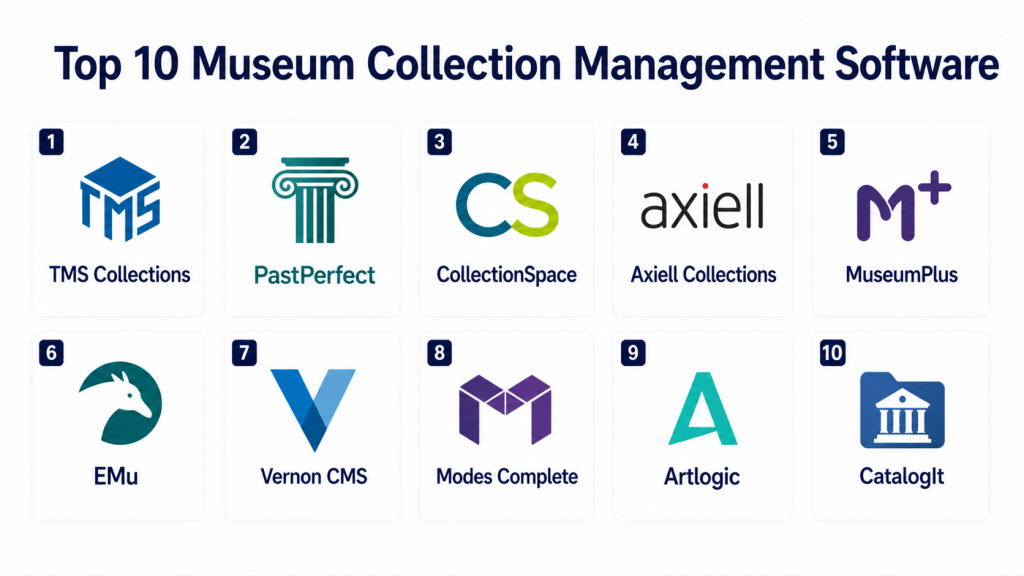
Top 10 Museum Collection Management Software
#1 — TMS Collections
Short description: TMS Collections is a widely used museum management platform designed for large institutions. It offers comprehensive tools for cataloging, conservation tracking, and exhibition management. The system supports detailed metadata and object records. It is known for its scalability and reliability. TMS integrates with digital asset systems for better content management. It is ideal for enterprise-level museums and galleries.
Key Features
- Advanced cataloging system
- Conservation tracking
- Exhibition and loan management
- Detailed metadata support
- Reporting and analytics
- Integration with DAM systems
Pros
- Highly scalable
- Feature-rich platform
Cons
- Complex implementation
- Requires training
Platforms / Deployment
Cloud / On-premise
Security & Compliance
Role-based access, data controls
Integrations & Ecosystem
TMS integrates with museum workflows and digital systems, enabling centralized data management.
- Digital asset management tools
- Collection portals
- APIs
Support & Community
Strong enterprise support with training programs
#2 — PastPerfect
Short description: PastPerfect is a popular collection management software for small to mid-sized museums. It offers tools for cataloging, donor management, and fundraising. The system is easy to use and affordable. It supports multimedia records. It is widely adopted by local museums and historical societies. It provides a balanced feature set for smaller institutions.
Key Features
- Object cataloging
- Donor and membership tracking
- Multimedia support
- Reporting tools
- Fundraising management
Pros
- Affordable
- Easy to learn
Cons
- Limited scalability
- Older interface design
Platforms / Deployment
Windows / Local
Security & Compliance
Not publicly stated
Integrations & Ecosystem
PastPerfect supports basic integrations for small institutions and data exports.
- Data import/export tools
- Reporting modules
Support & Community
Good support for small institutions
#3 — CollectionSpace
Short description: CollectionSpace is an open-source museum collection management system. It is designed for flexibility and customization. Institutions can adapt it to their specific needs. It supports cataloging, conservation, and loan management. It is widely used by organizations seeking open solutions. It offers strong community-driven development.
Key Features
- Open-source architecture
- Customizable workflows
- Cataloging and inventory
- Conservation tracking
- Loan management
Pros
- Highly flexible
- No licensing cost
Cons
- Requires technical expertise
- Limited out-of-the-box features
Platforms / Deployment
Cloud / Self-hosted
Security & Compliance
Not publicly stated
Integrations & Ecosystem
CollectionSpace supports integrations through APIs and customization frameworks.
- APIs
- Custom modules
- Integration frameworks
Support & Community
Active open-source community
#4 — Axiell Collections
Short description: Axiell Collections is a cloud-based solution designed for museums, archives, and libraries. It offers advanced cataloging, workflow automation, and reporting features. The system supports large-scale institutions. It integrates with digital archives and public portals. It is known for flexibility and performance.
Key Features
- Cloud-based management
- Advanced cataloging
- Workflow automation
- Reporting tools
- Digital archive integration
Pros
- Scalable for large institutions
- Strong cloud capabilities
Cons
- High cost
- Complex setup
Platforms / Deployment
Cloud
Security & Compliance
Encryption, access controls
Integrations & Ecosystem
Axiell integrates with digital heritage platforms and content systems for public access.
- Digital archives
- APIs
- Web portals
Support & Community
Enterprise support with onboarding assistance
#5 — MuseumPlus
Short description: MuseumPlus is a comprehensive collection management system designed for large museums. It provides detailed cataloging, reporting, and workflow management tools. The platform supports international standards. It is used globally by institutions managing large collections. It is reliable and feature-rich.
Key Features
- Detailed object cataloging
- Workflow management
- Reporting and analytics
- International standards support
- Multi-user collaboration
Pros
- Robust feature set
- Global adoption
Cons
- Complex interface
- Expensive
Platforms / Deployment
Cloud / On-premise
Security & Compliance
Access controls, data protection
Integrations & Ecosystem
MuseumPlus integrates with museum IT systems and data exchange platforms.
- APIs
- Data exchange tools
- Digital platforms
Support & Community
Professional support services
#6 — EMu
Short description: EMu is a powerful museum management software used by major institutions worldwide. It offers extensive cataloging, reporting, and multimedia support. It supports various collection types. It is highly customizable. It is suitable for large and complex environments.
Key Features
- Multi-collection support
- Advanced reporting
- Multimedia management
- Custom workflows
- Data management tools
Pros
- Highly customizable
- Supports large datasets
Cons
- Steep learning curve
- High cost
Platforms / Deployment
Cloud / On-premise
Security & Compliance
Role-based access
Integrations & Ecosystem
EMu integrates with enterprise systems and digital asset tools.
- APIs
- DAM systems
- Institutional systems
Support & Community
Strong enterprise support
#7 — Vernon CMS
Short description: Vernon CMS is designed for museums and galleries managing art collections. It offers cataloging, reporting, and exhibition management features. It is user-friendly and efficient. It supports collaboration across teams. It is widely used in art institutions.
Key Features
- Art collection management
- Exhibition tracking
- Reporting tools
- Collaboration features
- Data organization
Pros
- User-friendly
- Good for art collections
Cons
- Limited customization
- Smaller ecosystem
Platforms / Deployment
Cloud
Security & Compliance
Not publicly stated
Integrations & Ecosystem
Vernon CMS supports integrations with museum workflows and reporting tools.
- APIs
- Reporting systems
Support & Community
Reliable vendor support
#8 — Modes Complete
Short description: Modes Complete is a flexible collection management system for museums and archives. It provides cataloging, multimedia support, and reporting features. It is suitable for institutions of various sizes. It supports customizable workflows. It is widely used in the UK and beyond.
Key Features
- Flexible cataloging
- Multimedia support
- Custom workflows
- Reporting tools
- Collection tracking
Pros
- Flexible and adaptable
- Good usability
Cons
- Limited global presence
- Interface may feel outdated
Platforms / Deployment
Cloud / On-premise
Security & Compliance
Not publicly stated
Integrations & Ecosystem
Modes integrates with archival systems and reporting tools.
- APIs
- Data tools
Support & Community
Vendor-supported
#9 — Artlogic
Short description: Artlogic is a collection management and gallery software designed for art professionals. It offers inventory management, website integration, and CRM features. It is widely used by galleries. It combines collection management with sales tools. It is ideal for art businesses.
Key Features
- Inventory management
- CRM integration
- Website integration
- Sales tracking
- Reporting tools
Pros
- Great for galleries
- Combines CRM and inventory
Cons
- Not ideal for large museums
- Limited academic features
Platforms / Deployment
Cloud
Security & Compliance
Not publicly stated
Integrations & Ecosystem
Artlogic integrates with gallery workflows and digital platforms.
- Website builders
- CRM tools
Support & Community
Strong support for art professionals
#10 — CatalogIt
Short description: CatalogIt is a cloud-based collection management system designed for small museums and collectors. It offers easy cataloging and mobile access. It supports multimedia and detailed records. It is user-friendly. It is ideal for smaller institutions.
Key Features
- Cloud-based cataloging
- Mobile access
- Multimedia support
- Easy data entry
- Reporting tools
Pros
- Simple and intuitive
- Affordable
Cons
- Limited enterprise features
- Smaller ecosystem
Platforms / Deployment
Web / Mobile / Cloud
Security & Compliance
Not publicly stated
Integrations & Ecosystem
CatalogIt supports basic integrations and data export capabilities.
- Web tools
- Export/import features
Support & Community
Good support for small users
Comparison Table (Top 10)
| Tool Name | Best For | Platform(s) Supported | Deployment | Standout Feature | Public Rating |
|---|---|---|---|---|---|
| TMS Collections | Enterprise museums | Web | Cloud/On-premise | Advanced cataloging | N/A |
| PastPerfect | Small museums | Windows | Local | Affordable system | N/A |
| CollectionSpace | Open-source users | Web | Self-hosted | Customization | N/A |
| Axiell Collections | Large institutions | Web | Cloud | Workflow automation | N/A |
| MuseumPlus | Global museums | Web | Cloud/On-premise | Standards support | N/A |
| EMu | Large collections | Web | Cloud/On-premise | Multi-collection support | N/A |
| Vernon CMS | Art galleries | Web | Cloud | Art-focused tools | N/A |
| Modes Complete | Mid-size museums | Web | Cloud/On-premise | Flexible workflows | N/A |
| Artlogic | Galleries | Web | Cloud | CRM integration | N/A |
| CatalogIt | Small institutions | Web/Mobile | Cloud | Ease of use | N/A |
Evaluation & Scoring of Museum Collection Management Software
| Tool Name | Core (25%) | Ease (15%) | Integrations (15%) | Security (10%) | Performance (10%) | Support (10%) | Value (15%) | Weighted Total |
|---|---|---|---|---|---|---|---|---|
| TMS Collections | 9 | 7 | 8 | 8 | 9 | 9 | 7 | 8.2 |
| PastPerfect | 7 | 9 | 6 | 6 | 7 | 8 | 9 | 7.6 |
| CollectionSpace | 8 | 6 | 8 | 7 | 7 | 7 | 9 | 7.7 |
| Axiell Collections | 9 | 7 | 9 | 8 | 9 | 8 | 7 | 8.4 |
| MuseumPlus | 9 | 6 | 8 | 8 | 9 | 8 | 7 | 8.1 |
| EMu | 9 | 6 | 8 | 8 | 9 | 8 | 7 | 8.1 |
| Vernon CMS | 7 | 8 | 6 | 6 | 7 | 7 | 8 | 7.2 |
| Modes Complete | 8 | 7 | 7 | 6 | 7 | 7 | 8 | 7.4 |
| Artlogic | 7 | 8 | 7 | 6 | 7 | 7 | 8 | 7.3 |
| CatalogIt | 6 | 9 | 6 | 6 | 7 | 7 | 9 | 7.2 |
Interpretation: These scores reflect a comparative evaluation across features, usability, integrations, and value. Higher scores indicate stronger overall capability, but the best choice depends on your institution size, budget, and complexity. Enterprise tools excel in scalability, while smaller tools prioritize ease of use and affordability.
Which Museum Collection Management Software Is Right for You?
Solo / Freelancer
Individual collectors or small independent curators should consider CatalogIt or Artlogic. These tools are simple, cost-effective, and easy to use without requiring technical expertise. They provide essential cataloging features without overwhelming complexity.
SMB
Small museums and local institutions benefit from PastPerfect or Modes Complete. These tools strike a balance between affordability and functionality. They provide enough features for growing collections while remaining manageable for smaller teams.
Mid-Market
Mid-sized institutions should consider Axiell Collections or Vernon CMS. These platforms offer better scalability, workflow automation, and integration capabilities. They support more complex collection structures and team collaboration.
Enterprise
Large museums and global institutions should choose TMS Collections, EMu, or MuseumPlus. These tools provide advanced cataloging, scalability, and enterprise-grade features. They support large datasets and complex workflows required by major institutions.
Budget vs Premium
Budget-friendly tools like CatalogIt and PastPerfect are suitable for smaller organizations. Premium tools like TMS and Axiell offer advanced features but come at higher costs. Choose based on your long-term needs.
Feature Depth vs Ease of Use
Simple tools prioritize usability but may lack advanced features. Enterprise tools offer deeper capabilities but require training. Evaluate based on your team’s expertise and requirements.
Integrations & Scalability
Organizations planning to expand should prioritize tools with strong integration capabilities and APIs. Scalability ensures the system can handle growing collections and workflows.
Security & Compliance Needs
Institutions managing sensitive or valuable data should prioritize platforms with strong access controls and data protection features. Security becomes critical for large-scale operations.
Frequently Asked Questions (FAQs)
1. What is museum collection management software?
Museum collection management software is a digital tool used to catalog, organize, and manage artifacts and collections. It stores detailed information such as provenance, condition, and location. These tools help institutions maintain accurate records. They improve efficiency and accessibility. They are essential for modern museum operations.
2. Why do museums need collection management software?
Museums need these tools to manage growing collections efficiently. Manual tracking is time-consuming and error-prone. Software ensures accurate documentation and easy retrieval. It also supports exhibitions and loans. It improves overall collection management processes.
3. Can small museums use these tools?
Yes, many tools are designed for small museums and independent collectors. Solutions like CatalogIt and PastPerfect are affordable and easy to use. They provide essential features without complexity. Small institutions can start simple and scale later.
4. What features are most important?
Key features include cataloging, multimedia management, reporting, and integration capabilities. Metadata flexibility is also important. User access control helps manage permissions. Choose features based on your needs.
5. Are cloud-based systems better?
Cloud-based systems offer remote access and easier scalability. They reduce maintenance costs. They also provide automatic updates and backups. However, some institutions prefer on-premise for control.
6. How secure are these tools?
Security depends on the platform. Many tools offer encryption and access controls. Institutions should verify data protection measures. Backup and recovery options are important. Security is critical for valuable collections.
7. Can these tools integrate with websites?
Yes, many platforms integrate with websites and digital archives. This allows museums to display collections online. It enhances public engagement. Integration capabilities vary by tool.
8. Is training required?
Most tools require some level of training. Enterprise systems may need extensive onboarding. Simpler tools are easier to learn. Training improves efficiency and usage.
9. How much do these tools cost?
Costs vary widely depending on features and scale. Some tools are affordable, while enterprise solutions are expensive. Pricing depends on deployment and customization. Evaluate based on budget.
10. Can data be migrated from old systems?
Yes, most tools support data import and migration. This allows institutions to transfer existing records. Migration may require planning and validation. It ensures continuity of data.
Conclusion
Museum Collection Management Software has become a critical component for modern museums, galleries, and cultural institutions. As collections grow and digitization becomes essential, these tools provide the structure and efficiency needed to manage artifacts, exhibitions, and historical data effectively. From enterprise-grade solutions like TMS Collections and Axiell to user-friendly platforms like CatalogIt, organizations have a wide range of options to choose from based on their size and complexity.
The right software depends on your institution’s specific requirements, including collection size, budget, technical expertise, and integration needs. Large institutions should focus on scalability and advanced features, while smaller organizations can benefit from simpler, cost-effective tools. The best approach is to shortlist a few platforms, test their usability, and evaluate how well they align with your workflows before making a final decision.
