Introduction
Archive cataloging software helps organizations manage, preserve, and organize historical records, documents, and digital assets. These systems are essential for libraries, museums, government bodies, and enterprises that handle large volumes of archival data. They enable structured metadata management, searchability, and long-term preservation of valuable information.
Modern archive cataloging tools go beyond basic indexing by supporting digital asset management, standards-based metadata, and collaborative workflows. They allow archivists to maintain consistency, improve accessibility, and ensure compliance with archival standards. Choosing the right solution depends on factors like scalability, metadata flexibility, integration capabilities, and ease of use.
Key Trends in Archive Cataloging Software
- Adoption of cloud-based archival platforms
- Support for international metadata standards
- Integration with digital asset management systems
- AI-assisted tagging and indexing
- Enhanced search and retrieval capabilities
- Preservation of both physical and digital records
- Collaboration and workflow automation
- Focus on long-term digital preservation
How We Selected These Tools
- Strength of cataloging and metadata features
- Ease of use for archivists and administrators
- Support for archival standards
- Scalability for large collections
- Integration with external systems
- Search and retrieval efficiency
- Reporting and analytics capabilities
- Overall value and flexibility
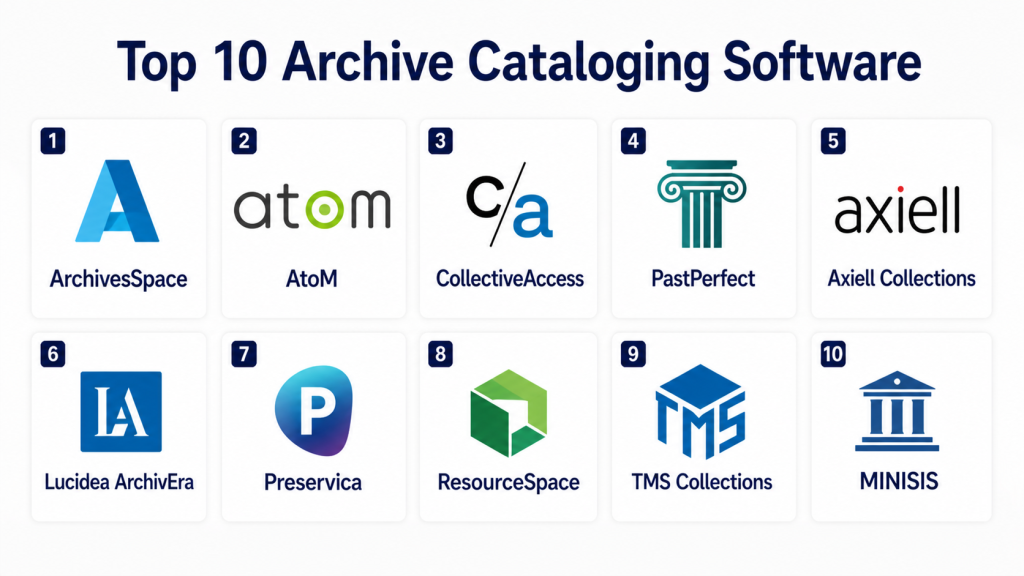
Top 10 Archive Cataloging Software
#1 — ArchivesSpace
ArchivesSpace is a widely used open-source archival management system designed for libraries and institutions. It supports cataloging, metadata management, and digital object tracking. The platform follows archival standards and provides flexible customization. It helps manage both physical and digital collections efficiently. Its community support makes it reliable. It is ideal for academic and research institutions.
Key Features
- Open-source platform
- Standards-based metadata
- Digital object management
- Workflow automation
- Reporting tools
Pros
- Flexible and customizable
- Strong community support
- Scalable
Cons
- Requires technical expertise
- Setup complexity
Platforms / Deployment
Cloud and On-premise
#2 — AtoM
AtoM is an open-source archival description tool that supports international standards. It allows institutions to publish archival descriptions online. The platform is web-based and easy to access. It supports multilingual environments. It is widely used in museums and archives. It is suitable for organizations focusing on accessibility.
Key Features
- Web-based interface
- Standards compliance
- Multilingual support
- Digital asset linking
Pros
- Open-source
- Easy access
- Flexible
Cons
- Limited advanced analytics
- Requires customization
#3 — CollectiveAccess
CollectiveAccess is a flexible cataloging platform designed for museums and archives. It supports complex metadata and multimedia collections. The system allows customization for different workflows. It is suitable for cultural institutions. It supports digital and physical assets. It is ideal for organizations needing flexibility.
Key Features
- Metadata flexibility
- Multimedia support
- Custom workflows
- Cataloging tools
Pros
- Highly customizable
- Supports diverse collections
- Scalable
Cons
- Learning curve
- Requires setup effort
#4 — PastPerfect
PastPerfect is a museum collection management system with strong cataloging capabilities. It helps manage artifacts, archives, and digital records. The platform offers reporting and tracking features. It is designed for ease of use. It is widely used in small to mid-sized museums. It is suitable for organizations needing simplicity.
Key Features
- Collection management
- Reporting tools
- Digital cataloging
- User-friendly interface
Pros
- Easy to use
- Affordable
- Reliable
Cons
- Limited scalability
- Basic integrations
#5 — Adlib
Adlib is a professional archive and collection management system. It supports detailed cataloging and metadata management. The platform is designed for museums and heritage organizations. It offers strong data structuring capabilities. It is scalable and reliable. It is suitable for large institutions.
Key Features
- Advanced cataloging
- Metadata management
- Reporting tools
- Scalable architecture
Pros
- Robust features
- Reliable
- Enterprise-ready
Cons
- Expensive
- Complex setup
#6 — Vernon Systems
Vernon Systems provides collection management software for museums and archives. It focuses on preserving cultural heritage and digital records. The platform offers strong cataloging and reporting tools. It supports collaboration and data management. It is widely used by institutions. It is suitable for heritage organizations.
Key Features
- Collection tracking
- Cataloging tools
- Reporting features
- Collaboration support
Pros
- Reliable
- Scalable
- Good support
Cons
- Pricing not transparent
- Learning curve
#7 — EMu
EMu is a powerful collection management system used by museums and archives worldwide. It supports large datasets and complex metadata. The platform offers advanced reporting and analytics. It is designed for enterprise use. It ensures long-term data preservation. It is suitable for large organizations.
Key Features
- Advanced metadata
- Large dataset support
- Reporting tools
- Scalable system
Pros
- Enterprise-grade
- Highly scalable
- Strong analytics
Cons
- Expensive
- Complex
#8 — ResourceSpace
ResourceSpace is a digital asset management system with strong cataloging capabilities. It supports archiving and retrieval of digital files. The platform is open-source and customizable. It is easy to deploy and manage. It is suitable for digital archives. It is ideal for organizations handling media assets.
Key Features
- Digital asset management
- Metadata tagging
- Search tools
- Open-source
Pros
- Flexible
- Easy to use
- Affordable
Cons
- Limited physical archive support
- Basic analytics
#9 — TMS Collections
TMS Collections is a museum-focused cataloging system designed for managing artworks and archives. It provides detailed metadata and reporting tools. The platform supports digital and physical collections. It is widely used in museums. It is reliable and scalable. It is suitable for art institutions.
Key Features
- Artwork cataloging
- Metadata management
- Reporting tools
- Collection tracking
Pros
- Specialized features
- Reliable
- Scalable
Cons
- Expensive
- Requires training
#10 — MINISIS
MINISIS is a flexible archival management system designed for libraries and archives. It supports cataloging, indexing, and data retrieval. The platform is customizable and scalable. It handles large datasets efficiently. It is widely used in government and institutions. It is suitable for large archives.
Key Features
- Cataloging tools
- Data indexing
- Search capabilities
- Scalable architecture
Pros
- Flexible
- Reliable
- Scalable
Cons
- Complex setup
- Requires training
Comparison Table
| Tool | Best For | Deployment | Metadata Support | Scalability | Standout Feature |
|---|---|---|---|---|---|
| ArchivesSpace | Academic archives | Hybrid | High | High | Open-source |
| AtoM | Public archives | Cloud | High | Medium | Standards support |
| CollectiveAccess | Museums | Hybrid | High | High | Custom workflows |
| PastPerfect | Small museums | On-premise | Medium | Medium | Ease of use |
| Adlib | Large institutions | Hybrid | High | High | Advanced cataloging |
| Vernon Systems | Heritage orgs | Cloud | High | High | Collaboration |
| EMu | Enterprise archives | Hybrid | High | High | Large datasets |
| ResourceSpace | Digital archives | Cloud | Medium | Medium | Digital asset focus |
| TMS Collections | Art institutions | Hybrid | High | High | Artwork cataloging |
| MINISIS | Government archives | Hybrid | High | High | Data indexing |
Evaluation & Scoring Table
| Tool | Core | Ease | Integrations | Security | Performance | Support | Value | Total |
|---|---|---|---|---|---|---|---|---|
| ArchivesSpace | 9 | 7 | 8 | 8 | 8 | 8 | 9 | 8.3 |
| AtoM | 8 | 8 | 7 | 8 | 7 | 7 | 9 | 7.8 |
| CollectiveAccess | 9 | 7 | 8 | 8 | 8 | 8 | 8 | 8.1 |
| PastPerfect | 7 | 9 | 6 | 7 | 7 | 7 | 9 | 7.6 |
| Adlib | 9 | 6 | 8 | 9 | 9 | 8 | 7 | 8.2 |
| Vernon | 8 | 7 | 8 | 8 | 8 | 8 | 8 | 8.0 |
| EMu | 9 | 6 | 8 | 9 | 9 | 8 | 7 | 8.2 |
| ResourceSpace | 8 | 8 | 7 | 7 | 7 | 7 | 9 | 7.9 |
| TMS | 9 | 7 | 8 | 8 | 8 | 8 | 7 | 8.1 |
| MINISIS | 8 | 6 | 8 | 8 | 8 | 7 | 8 | 7.9 |
Which Archive Cataloging Software Is Right for You?
- Small archives: PastPerfect, ResourceSpace
- Open-source needs: ArchivesSpace, AtoM
- Museums: CollectiveAccess, TMS
- Large institutions: Adlib, EMu
- Government and enterprise: MINISIS, Vernon Systems
FAQs
1. What is archive cataloging software?
Archive cataloging software is used to organize, manage, and preserve historical records and digital assets. It helps archivists store metadata, track collections, and improve accessibility. These systems support both physical and digital materials. They ensure proper documentation and long-term preservation. They are essential for libraries, museums, and institutions.
2. What features are important in archive software?
Key features include metadata management, search capabilities, digital asset support, and reporting tools. Scalability and standards compliance are also important. Integration with other systems can improve workflows. User-friendly interfaces help in daily operations. These features ensure efficient archive management.
3. Is open-source archive software reliable?
Open-source tools like ArchivesSpace and AtoM are widely used and reliable. They offer flexibility and customization. However, they require technical expertise for setup and maintenance. Organizations with IT support can benefit from them. They are cost-effective compared to paid solutions.
4. Can archive systems manage digital files?
Yes, modern archive systems support digital files such as images, documents, and videos. They allow easy storage and retrieval of digital assets. Many systems also support metadata tagging for better organization. This helps in managing large digital collections. It improves accessibility for users.
5. Are these tools scalable?
Most archive cataloging tools are designed to scale with growing collections. They can handle increasing data volumes and users. Cloud-based systems offer flexible scaling options. This ensures long-term usability. Scalability is important for expanding institutions.
6. Do archive systems support standards?
Yes, many systems support international archival standards. These standards ensure consistency and interoperability. They help in maintaining proper documentation. This is important for research and data sharing. Compliance improves data reliability.
7. Can archive software integrate with other systems?
Yes, many tools integrate with digital asset management systems and databases. Integration improves workflow efficiency. It allows seamless data sharing. This reduces manual work. It enhances system capabilities.
8. How secure are archive systems?
Security depends on the platform, but most systems offer access control and data protection. Cloud systems provide regular updates. On-premise systems rely on internal security measures. Choosing a secure system is important. It protects valuable data.
9. Who uses archive cataloging software?
These tools are used by libraries, museums, government agencies, and enterprises. They help manage historical and digital records. Researchers and archivists rely on them. They improve organization and accessibility. They are essential for record management.
10. Which archive software is best?
The best software depends on your needs. ArchivesSpace and AtoM are great for open-source users. EMu and Adlib are suitable for large institutions. PastPerfect works well for smaller organizations. Evaluating your requirements helps in choosing the right tool.
Conclusion
Archive cataloging software plays a vital role in preserving and managing valuable records across organizations. These tools help maintain structured data, improve accessibility, and ensure long-term preservation of both physical and digital collections. With advancements in technology, modern platforms now offer automation, analytics, and integration capabilities that significantly enhance efficiency.
Choosing the right solution depends on your organization’s size, technical expertise, and collection type. Open-source tools provide flexibility, while enterprise systems deliver scalability and advanced features. By carefully evaluating your needs and testing available options, you can select a system that ensures efficient archive management and supports future growth.
