Introduction
Plagiarism Detection Tools are specialized software solutions designed to identify duplicate, copied, or unoriginal content across documents, websites, and large databases. These tools use advanced algorithms, AI models, and extensive content repositories to compare text and ensure authenticity. They are widely used in education, publishing, SEO, and enterprise content workflows.
In today’s digital-first world, content volume is exploding due to AI writing tools, global collaboration, and online publishing. This makes plagiarism detection more important than ever. Organizations need to maintain originality, avoid legal risks, and protect brand credibility. These tools help enforce content integrity while improving writing quality and compliance.
Real-world use cases:
- Academic institutions verifying student submissions
- Content teams checking blog and marketing material originality
- SEO agencies avoiding duplicate content penalties
- Publishers ensuring copyright compliance
- Businesses validating internal documentation
What buyers should evaluate:
- Detection accuracy and database coverage
- AI-generated content detection capability
- Integration with LMS, CMS, and writing tools
- Speed and scalability for large documents
- Reporting clarity and similarity scoring
- Ease of use and onboarding
- Data privacy and storage policies
- API availability for automation
- Pricing flexibility and cost efficiency
Best for: Educational institutions, content teams, publishers, SEO agencies, and enterprises handling high-volume content.
Not ideal for: Individuals with very basic writing needs or teams only requiring grammar checking.
Key Trends in Plagiarism Detection Tools
- AI-powered plagiarism detection improving contextual analysis
- Rise of AI-content detection alongside traditional plagiarism checks
- Cloud-based tools replacing offline software
- Real-time scanning becoming standard for faster workflows
- Integration with LMS and CMS platforms increasing
- Multilingual detection expanding for global use cases
- Privacy-first scanning models reducing data storage risks
- API-driven tools enabling automation in content pipelines
- Increased demand in SEO and digital marketing
How We Selected Plagiarism Detection Tools (Methodology)
- Evaluated market adoption and industry usage
- Assessed detection accuracy and depth
- Reviewed database size and content coverage
- Considered AI detection capabilities and innovation
- Analyzed integration flexibility with LMS/CMS systems
- Evaluated performance, speed, and scalability
- Reviewed user experience and reporting clarity
- Considered pricing and value proposition
- Checked security practices and privacy controls
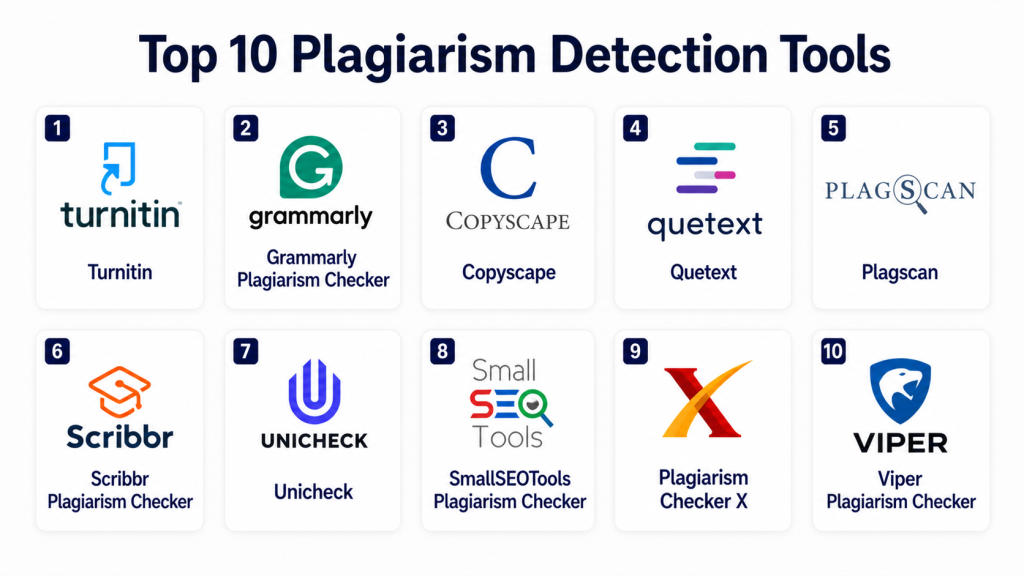
Top 10 Plagiarism Detection Tools
#1 — Turnitin
Short description: Turnitin is a globally recognized plagiarism detection platform used primarily in academic institutions. It compares submissions against a vast academic and web-based database to detect similarities. It provides detailed similarity reports that highlight matched content. The platform also supports grading, feedback, and writing improvement workflows. It integrates deeply with learning management systems for seamless submission handling. Turnitin is ideal for universities, colleges, and large-scale academic environments.
Key Features
- Extensive academic content database
- Detailed similarity reports
- AI writing detection capabilities
- LMS integrations
- Feedback and grading tools
- Assignment workflow management
Pros
- Industry-leading accuracy
- Trusted by global institutions
Cons
- Expensive for individual users
- Limited flexibility outside academia
Platforms / Deployment
Web / Cloud
Security & Compliance
Encryption, institutional controls, role-based access
Integrations & Ecosystem
Turnitin integrates deeply with academic ecosystems and learning platforms. It supports seamless submission workflows and automated grading pipelines.
- Moodle
- Blackboard
- Canvas
- Google Classroom
Support & Community
Strong enterprise-level support with extensive documentation and institutional onboarding assistance
#2 — Grammarly Plagiarism Checker
Short description: Grammarly provides plagiarism detection as part of its broader writing assistant platform. It scans content against billions of web pages to identify duplication. In addition to plagiarism detection, it offers grammar correction and writing enhancement suggestions. It is widely used by professionals, marketers, and students. The tool operates in real time and integrates easily into writing workflows. It is best suited for individuals and teams needing combined writing and originality checks.
Key Features
- Real-time plagiarism scanning
- Grammar and style suggestions
- AI writing assistance
- Web-based comparison
- Browser and document integrations
Pros
- Easy to use
- Multi-functional writing tool
Cons
- Smaller database than academic tools
- Premium plan required for plagiarism detection
Platforms / Deployment
Web / Windows / macOS / Mobile
Security & Compliance
Encryption
Integrations & Ecosystem
Grammarly integrates into everyday writing tools and environments for seamless usage. It enhances productivity by embedding directly into workflows.
- Browser extensions
- Google Docs
- Microsoft Word
- Email clients
Support & Community
Large global user base with strong documentation and responsive support
#3 — Copyscape
Short description: Copyscape is a specialized plagiarism detection tool focused on identifying duplicate web content. It is widely used by bloggers, publishers, and SEO professionals. The platform allows users to check whether their content appears elsewhere online. It provides quick scanning and simple reports. Copyscape is particularly useful for monitoring website originality. It is best suited for digital marketers and content agencies.
Key Features
- Web-based plagiarism detection
- Duplicate content search
- Batch scanning capability
- API access
- Content monitoring tools
Pros
- Fast and efficient scanning
- Strong SEO-focused capabilities
Cons
- Limited academic database
- Pay-per-use pricing model
Platforms / Deployment
Web
Security & Compliance
Not publicly stated
Integrations & Ecosystem
Copyscape integrates with content workflows through APIs and automation tools. It is commonly used in publishing pipelines.
- CMS platforms
- API integrations
- SEO tools
Support & Community
Moderate support with documentation available
#4 — Quetext
Short description: Quetext is a user-friendly plagiarism detection tool designed for students, writers, and small teams. It uses deep search technology to identify similarities across web content. The platform provides color-coded reports that are easy to interpret. It also includes citation assistance to help users correct issues. Quetext is affordable and accessible for individual users. It is ideal for basic to intermediate plagiarism checking needs.
Key Features
- Deep search technology
- Color-coded similarity reports
- Citation assistance
- AI detection support
- Simple interface
Pros
- Easy to understand reports
- Affordable pricing
Cons
- Limited enterprise capabilities
- Smaller detection database
Platforms / Deployment
Web
Security & Compliance
Encryption
Integrations & Ecosystem
Quetext primarily operates as a standalone tool but supports web-based workflows. It is simple to integrate into manual content review processes.
- Web interface
- Exportable reports
Support & Community
Basic support with helpful documentation
#5 — Plagscan
Short description: Plagscan is a professional plagiarism detection solution used by educational institutions and businesses. It provides detailed analysis and document management capabilities. The platform supports multiple file formats and offers flexible usage options. It is known for its focus on data privacy and secure document handling. Plagscan is widely adopted in European markets. It is suitable for organizations that require structured document workflows.
Key Features
- Multi-format document support
- Detailed similarity reports
- Document management system
- API integration
- Privacy-focused scanning
Pros
- Strong privacy controls
- Flexible deployment options
Cons
- Slightly complex interface
- Limited AI detection features
Platforms / Deployment
Web / Cloud
Security & Compliance
GDPR-focused privacy controls
Integrations & Ecosystem
Plagscan integrates with enterprise systems and academic tools, enabling scalable document processing workflows.
- LMS platforms
- APIs
- Enterprise systems
Support & Community
Professional support with onboarding assistance
#6 — Scribbr Plagiarism Checker
Short description: Scribbr is an academic-focused plagiarism detection tool known for its high accuracy. It compares content against a large academic database to identify similarities. The platform also offers proofreading and editing services. It is widely used by students and researchers. Scribbr provides clear and detailed reports. It is best suited for academic writing and research validation.
Key Features
- High-accuracy detection
- Academic database access
- Detailed reports
- Proofreading services
- Citation support
Pros
- Reliable results
- Strong academic focus
Cons
- Expensive pricing
- Limited business use cases
Platforms / Deployment
Web
Security & Compliance
Not publicly stated
Integrations & Ecosystem
Scribbr is primarily a standalone academic tool with limited integrations. It focuses on high-quality report generation.
- Web interface
- Academic workflows
Support & Community
Strong academic support and resources
#7 — Unicheck
Short description: Unicheck is a cloud-based plagiarism detection tool designed for educational institutions. It provides fast scanning and real-time results. The platform integrates with major LMS systems for seamless assignment checking. It supports large-scale usage in schools and universities. Unicheck also offers API access for automation. It is ideal for modern digital classrooms.
Key Features
- Real-time plagiarism detection
- LMS integration
- API support
- Cloud-based scanning
- Detailed reports
Pros
- Fast performance
- Strong integration capabilities
Cons
- Limited features for non-academic use
- Subscription-based pricing
Platforms / Deployment
Cloud
Security & Compliance
Encryption
Integrations & Ecosystem
Unicheck integrates deeply with educational platforms and supports automated workflows for institutions.
- Moodle
- Canvas
- Google Classroom
Support & Community
Reliable support for academic users
#8 — SmallSEOTools Plagiarism Checker
Short description: SmallSEOTools offers a free plagiarism checker widely used by bloggers and marketers. It provides quick and simple content checks. The platform supports multiple languages and is accessible online. It is ideal for basic plagiarism detection needs. While it lacks advanced features, it is convenient for quick checks. It is best suited for individuals and small teams.
Key Features
- Free plagiarism detection
- Multi-language support
- Quick scanning
- Simple interface
- Web-based tool
Pros
- No cost
- Easy accessibility
Cons
- Limited accuracy
- Ads and usage limits
Platforms / Deployment
Web
Security & Compliance
Not publicly stated
Integrations & Ecosystem
This tool operates independently and is best used for quick manual checks. It does not provide deep integration capabilities.
- Web interface
Support & Community
Limited support
#9 — Plagiarism Checker X
Short description: Plagiarism Checker X is a desktop-based tool used by teachers, students, and researchers. It supports offline scanning and side-by-side comparison of documents. The platform is simple and fast for small-scale usage. It supports multiple languages. It is ideal for users who prefer offline tools. It works well for basic plagiarism detection needs.
Key Features
- Offline scanning
- Side-by-side comparison
- Multi-language support
- Fast detection
- Desktop-based tool
Pros
- Works without internet
- Simple interface
Cons
- Limited database coverage
- No cloud integration
Platforms / Deployment
Windows
Security & Compliance
Not publicly stated
Integrations & Ecosystem
This is a standalone desktop solution with no major integrations. It is suitable for isolated workflows.
Support & Community
Basic support available
#10 — Viper Plagiarism Checker
Short description: Viper is a plagiarism detection tool designed for students and educators. It scans documents against online databases to identify duplication. The platform provides reports and insights for improving originality. It is easy to use and accessible for beginners. It offers both free and paid options. It is suitable for basic academic use cases.
Key Features
- Online plagiarism scanning
- Report generation
- Easy-to-use interface
- Academic-focused detection
- Free usage option
Pros
- Beginner-friendly
- Accessible pricing
Cons
- Limited database
- Ads in free version
Platforms / Deployment
Web / Desktop
Security & Compliance
Not publicly stated
Integrations & Ecosystem
Viper is a standalone solution designed for direct use without integrations. It is best for simple workflows.
Support & Community
Basic support
Comparison Table (Top 10)
| Tool Name | Best For | Platform(s) Supported | Deployment | Standout Feature | Public Rating |
|---|---|---|---|---|---|
| Turnitin | Academia | Web | Cloud | Academic database | N/A |
| Grammarly | Writers | Web/Mobile | Cloud | Writing + plagiarism | N/A |
| Copyscape | SEO | Web | Cloud | Web content detection | N/A |
| Quetext | Individuals | Web | Cloud | Deep search reports | N/A |
| Plagscan | Institutions | Web | Cloud | Privacy-focused scanning | N/A |
| Scribbr | Students | Web | Cloud | High accuracy | N/A |
| Unicheck | Education | Web | Cloud | LMS integration | N/A |
| SmallSEOTools | Bloggers | Web | Cloud | Free tool | N/A |
| Plagiarism Checker X | Teachers | Windows | Local | Offline scanning | N/A |
| Viper | Students | Web/Desktop | Cloud | Easy reports | N/A |
Evaluation & Scoring of Plagiarism Detection Tools
| Tool Name | Core (25%) | Ease (15%) | Integrations (15%) | Security (10%) | Performance (10%) | Support (10%) | Value (15%) | Weighted Total |
|---|---|---|---|---|---|---|---|---|
| Turnitin | 9 | 8 | 8 | 9 | 9 | 9 | 7 | 8.5 |
| Grammarly | 8 | 9 | 9 | 8 | 8 | 9 | 8 | 8.4 |
| Copyscape | 7 | 8 | 7 | 7 | 8 | 7 | 8 | 7.6 |
| Quetext | 7 | 9 | 6 | 7 | 7 | 7 | 8 | 7.4 |
| Plagscan | 8 | 7 | 8 | 8 | 8 | 8 | 7 | 7.8 |
| Scribbr | 9 | 8 | 6 | 8 | 9 | 8 | 7 | 8.0 |
| Unicheck | 8 | 8 | 8 | 8 | 8 | 8 | 7 | 7.9 |
| SmallSEOTools | 6 | 9 | 5 | 6 | 7 | 6 | 9 | 7.0 |
| Plagiarism Checker X | 6 | 7 | 5 | 6 | 7 | 6 | 8 | 6.8 |
| Viper | 6 | 8 | 5 | 6 | 7 | 6 | 8 | 6.9 |
How to interpret the scores:
These scores are comparative and based on overall capability across multiple factors such as accuracy, usability, integrations, and value. A higher score indicates a more balanced and robust solution. However, the best tool depends on your specific needs—academic users should prioritize accuracy and database size, while businesses may focus more on integrations and scalability. Always test tools with real content before making a decision.
Which Plagiarism Detection Tool Is Right for You?
Solo / Freelancer
If you are an individual writer or freelancer, tools like Grammarly or Quetext are ideal. They are easy to use, affordable, and combine writing assistance with plagiarism detection. These tools help improve content quality while ensuring originality without complex setup. They are perfect for bloggers, content creators, and students working independently.
SMB
Small and medium businesses should look for tools like Copyscape or Plagscan. These provide better scalability and support for content workflows. They help marketing teams ensure SEO compliance and avoid duplicate content issues. SMBs benefit from tools that balance cost and performance while offering basic integrations.
Mid-Market
Mid-sized organizations require tools with stronger integrations and workflow capabilities. Unicheck and Grammarly Business can support team collaboration and document verification at scale. These tools offer better reporting and automation, making them suitable for growing content teams and educational institutions.
Enterprise
Large enterprises and universities should prioritize Turnitin or similar high-accuracy tools. These platforms offer deep database coverage, advanced reporting, and strong compliance features. They support large-scale deployments and integrate with enterprise systems, making them ideal for regulated environments.
Budget vs Premium
Free tools like SmallSEOTools are useful for quick checks but lack depth and accuracy. Premium tools offer better detection, larger databases, and advanced features. Organizations handling critical content should invest in premium solutions for reliability and performance.
Feature Depth vs Ease of Use
Simple tools are easy to use but may lack advanced capabilities. Enterprise tools provide deeper insights but require training and setup. Choose based on your team’s technical expertise and workflow complexity.
Integrations & Scalability
Tools with API support and LMS/CMS integrations are essential for scaling operations. Organizations should ensure compatibility with existing systems to streamline workflows and reduce manual effort.
Security & Compliance Needs
Institutions and enterprises must prioritize tools with strong privacy controls and compliance support. Data handling policies and encryption are critical, especially for sensitive content.
Frequently Asked Questions (FAQs)
1. What is plagiarism detection software?
Plagiarism detection software is a tool that analyzes text and compares it against large databases and web sources to identify duplicate or copied content. It highlights similarities and provides reports showing matched sources. These tools are widely used in education, publishing, and business environments to maintain content integrity. They help ensure originality and avoid copyright issues. They are essential for both academic and professional writing.
2. Are plagiarism detection tools accurate?
Most premium plagiarism detection tools are highly accurate because they use advanced algorithms and large databases. However, no tool is perfect, and results may vary depending on the content and source availability. Academic tools typically provide the most reliable results. It is always recommended to review reports manually. Combining automated detection with human judgment ensures the best outcome.
3. Can plagiarism tools detect AI-generated content?
Many modern tools now include AI detection features that analyze writing patterns to identify machine-generated text. However, AI detection is still evolving and may not always be fully reliable. These features should be used as a supporting indicator rather than a final decision. Combining plagiarism detection with AI detection provides better insights. Continuous improvements are being made in this area.
4. Are free plagiarism tools reliable?
Free plagiarism tools can be useful for basic checks, but they often have limitations in terms of database size and detection accuracy. They may miss complex plagiarism or paraphrased content. Free tools are suitable for quick checks but not for professional use. Premium tools provide more accurate and detailed results. Users should choose based on their needs.
5. How do plagiarism reports work?
Plagiarism reports highlight sections of text that match external sources. They provide similarity percentages and links to matched content. Some tools offer color-coded results for easy understanding. These reports help users identify problematic areas and revise content accordingly. Understanding how to interpret these reports is important for improving originality.
6. Can businesses use plagiarism detection tools?
Yes, businesses widely use plagiarism detection tools to ensure originality in marketing content, blogs, and documentation. These tools help avoid duplicate content penalties in search engines. They also protect brand reputation by ensuring content authenticity. Content teams rely on these tools for quality assurance. They are essential for SEO and publishing workflows.
7. Is plagiarism detection legal?
Yes, plagiarism detection is legal and widely accepted across industries. It does not violate copyright laws because it compares content against publicly available sources. It is used to maintain ethical writing practices and ensure originality. Many institutions mandate its use. It is a standard practice in education and publishing.
8. Do plagiarism tools store submitted content?
Some plagiarism tools store submitted content to improve their databases, while others offer privacy-focused scanning without storage. Users should review the privacy policies of each tool before using them. For sensitive or confidential documents, choose tools that guarantee data privacy. Understanding data handling practices is important.
9. How fast are plagiarism checks?
Most modern plagiarism detection tools provide results within seconds or minutes, depending on document size and complexity. Cloud-based tools are generally faster due to scalable infrastructure. Real-time scanning is becoming more common. Performance varies by tool and usage load. Speed is an important factor for high-volume workflows.
10. What should I look for in a plagiarism tool?
When choosing a plagiarism tool, focus on accuracy, database coverage, ease of use, and integration capabilities. Consider pricing and value for money. Check security features and data privacy policies. Look for reporting clarity and AI detection features. Testing tools with real content is the best way to evaluate them.
Conclusion
Plagiarism Detection Tools have become essential in ensuring content originality, maintaining academic integrity, and protecting brand credibility in a content-driven world. From enterprise-grade platforms like Turnitin to accessible tools like Grammarly and Quetext, the ecosystem offers solutions for every type of user. The rise of AI-generated content has further increased the need for advanced detection capabilities, making these tools a critical part of modern workflows.
Choosing the right tool depends on your specific requirements—accuracy, scalability, integrations, and budget. Educational institutions should prioritize database depth and reporting accuracy, while businesses should focus on SEO compliance and workflow integration. The best approach is to shortlist a few tools, test them with real content, and evaluate their performance before making a final decision.
