Introduction
Integrated Development Environments (IDEs) are comprehensive tools that combine code editing, debugging, compiling, and testing into a single interface. Unlike lightweight code editors, IDEs are designed to provide everything developers need to build, test, and deploy applications efficiently within one environment.
Modern IDEs support multiple programming languages, frameworks, and DevOps workflows. They are especially valuable for large-scale development, enterprise applications, and complex debugging scenarios. With built-in automation, intelligent code assistance, and deep integrations, IDEs significantly improve developer productivity and code quality.
Use cases include:
- Developing large-scale applications
- Debugging and testing complex systems
- Managing full software development lifecycle
- Building web, mobile, and enterprise applications
- Integrating with CI/CD and DevOps pipelines
Evaluation criteria:
- Language and framework support
- Debugging and testing capabilities
- Performance and scalability
- Integration with tools and platforms
- Ease of use and onboarding
- Cross-platform compatibility
- Plugin and extension ecosystem
- Security and updates
- Collaboration features
- Cost and licensing
Best for: Professional developers, enterprise teams, and projects requiring full development environments.
Not ideal for: Lightweight scripting tasks or users who prefer minimal tools.
Key Trends in IDEs
- AI-assisted coding and intelligent suggestions
- Cloud-based and browser IDEs
- Integration with DevOps and CI/CD pipelines
- Support for containerized and cloud-native development
- Real-time collaboration features
- Multi-language and framework support
- Enhanced debugging and profiling tools
- Remote development capabilities
- Plugin-driven extensibility
- Increased focus on developer productivity
How We Selected These Tools
- Industry adoption and popularity
- Feature completeness for development lifecycle
- Performance and scalability
- Language and framework support
- Integration with modern workflows
- Cross-platform availability
- Community and ecosystem strength
- Ease of use and onboarding
- Security and reliability
- Suitability for different development needs
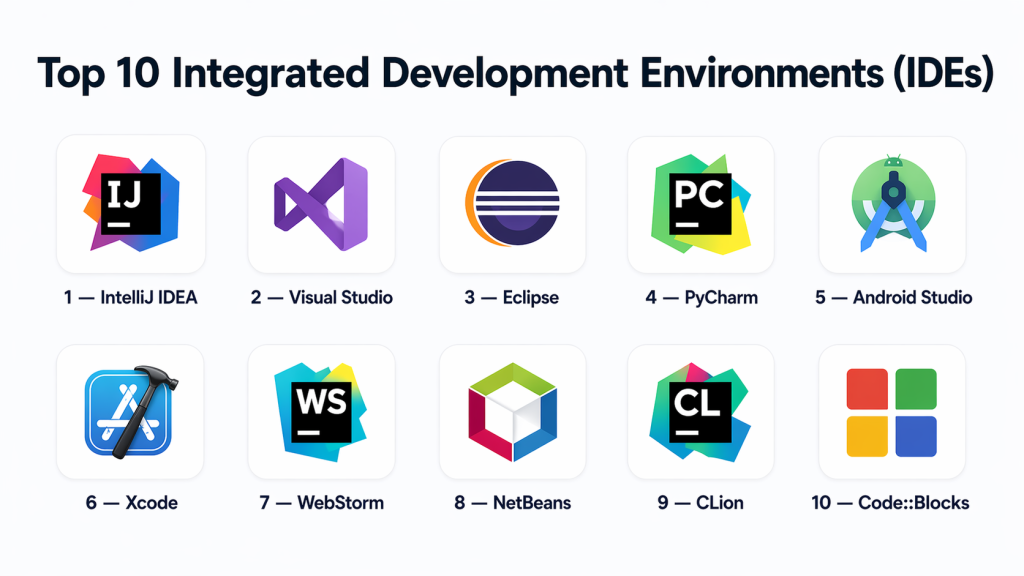
Top 10 Integrated Development Environments (IDEs)
#1 — IntelliJ IDEA
Short description: A powerful and feature-rich IDE designed primarily for Java development but also supports multiple languages and frameworks with strong debugging and automation capabilities.
Key Features
- Advanced code completion
- Smart refactoring
- Built-in debugger
- Framework support
- Version control integration
- Plugin ecosystem
Pros
- Excellent for enterprise development
- Intelligent coding assistance
- Strong ecosystem
Cons
- High resource usage
- Paid version required for advanced features
Platforms / Deployment
- Windows / macOS / Linux
- Desktop
Security & Compliance
- Authentication and encryption
- Not publicly stated
Integrations & Ecosystem
- Git platforms
- Build tools and CI/CD
- Plugin marketplace
Support & Community
- Vendor support
- Large developer community
#2 — Visual Studio
Short description: A comprehensive IDE from Microsoft designed for building applications across multiple platforms with strong support for .NET and enterprise development.
Key Features
- Advanced debugging
- Code profiling
- Multi-language support
- Integrated testing tools
- GUI design tools
- Azure integration
Pros
- Enterprise-grade capabilities
- Strong debugging tools
- Wide language support
Cons
- Heavy resource usage
- Complex interface for beginners
Platforms / Deployment
- Windows / macOS
- Desktop
Security & Compliance
- Authentication, RBAC
- Not publicly stated
Integrations & Ecosystem
- Azure, Git platforms
- CI/CD pipelines
- Extensions
Support & Community
- Microsoft support
- Large ecosystem
#3 — Eclipse
Short description: An open-source IDE widely used for Java development with extensive plugin support for multiple languages.
Key Features
- Plugin-based architecture
- Code completion
- Debugging tools
- Version control integration
- Multi-language support
Pros
- Free and open-source
- Highly extensible
- Strong community
Cons
- Slower performance
- Complex setup
Platforms / Deployment
- Windows / macOS / Linux
- Desktop
#4 — PyCharm
Short description: A Python-focused IDE offering intelligent code assistance, debugging, and support for modern Python frameworks.
Key Features
- Python-specific tools
- Smart code completion
- Debugging and testing
- Web framework support
- Database tools
Pros
- Excellent for Python
- Intelligent suggestions
- Strong debugging
Cons
- Paid version for full features
- Resource-intensive
#5 — Android Studio
Short description: Official IDE for Android development, providing tools for building, testing, and debugging mobile applications.
Key Features
- Android SDK integration
- UI design tools
- Emulator support
- Performance profiling
- Debugging tools
Pros
- Best for Android development
- Integrated tools
- Regular updates
Cons
- High resource usage
- Limited to Android
#6 — Xcode
Short description: Apple’s IDE for developing applications across iOS, macOS, and other Apple platforms.
Key Features
- Swift and Objective-C support
- Interface builder
- Debugging tools
- Performance analysis
- Simulator support
Pros
- Best for Apple ecosystem
- Strong debugging
- Integrated tools
Cons
- macOS only
- Limited outside Apple ecosystem
#7 — WebStorm
Short description: A modern IDE for JavaScript and web development with strong framework support and debugging tools.
Key Features
- JavaScript support
- Framework integration
- Debugging tools
- Code completion
- Testing tools
Pros
- Great for web developers
- Intelligent features
- Strong integration
Cons
- Paid tool
- Resource-heavy
#8 — NetBeans
Short description: An open-source IDE supporting multiple languages with a focus on Java and enterprise development.
Key Features
- Multi-language support
- Code templates
- Debugging tools
- GUI builder
- Version control integration
Pros
- Free
- Easy to use
- Good for beginners
Cons
- Slower performance
- Limited modern features
#9 — CLion
Short description: A C/C++ IDE offering advanced debugging and performance tools for system-level programming.
Key Features
- C/C++ support
- Debugger
- Code analysis
- Refactoring tools
- Build system integration
Pros
- Excellent for C/C++
- Strong debugging
- Modern UI
Cons
- Paid license
- Resource-intensive
#10 — Code::Blocks
Short description: A lightweight IDE for C, C++, and Fortran development with a simple interface.
Key Features
- Multi-language support
- Plugin system
- Debugging tools
- Compiler support
Pros
- Lightweight
- Free
- Easy setup
Cons
- Limited advanced features
- Outdated UI
Comparison Table (Top 10 IDEs)
| Tool Name | Best For | Platform(s) Supported | Deployment | Standout Feature | Public Rating |
|---|---|---|---|---|---|
| IntelliJ IDEA | Java & enterprise apps | Windows / macOS / Linux | Desktop | Smart coding assistance | N/A |
| Visual Studio | .NET & enterprise dev | Windows / macOS | Desktop | Advanced debugging | N/A |
| Eclipse | Open-source Java dev | Windows / macOS / Linux | Desktop | Plugin ecosystem | N/A |
| PyCharm | Python development | Windows / macOS / Linux | Desktop | Python-specific tools | N/A |
| Android Studio | Android apps | Windows / macOS / Linux | Desktop | Android SDK integration | N/A |
| Xcode | Apple apps | macOS | Desktop | Apple ecosystem tools | N/A |
| WebStorm | Web development | Windows / macOS / Linux | Desktop | JS framework support | N/A |
| NetBeans | Multi-language | Windows / macOS / Linux | Desktop | Easy setup | N/A |
| CLion | C/C++ dev | Windows / macOS / Linux | Desktop | Code analysis | N/A |
| Code::Blocks | Lightweight C/C++ | Windows / macOS / Linux | Desktop | Lightweight IDE | N/A |
Evaluation & Scoring of IDEs
| Tool Name | Core | Ease | Integrations | Security | Performance | Support | Value | Weighted Total |
|---|---|---|---|---|---|---|---|---|
| IntelliJ IDEA | 10 | 8 | 9 | 8 | 9 | 9 | 8 | 8.95 |
| Visual Studio | 10 | 8 | 9 | 9 | 9 | 9 | 8 | 9.00 |
| Eclipse | 8 | 7 | 8 | 7 | 7 | 8 | 9 | 7.80 |
| PyCharm | 9 | 8 | 8 | 8 | 8 | 8 | 8 | 8.25 |
| Android Studio | 9 | 7 | 8 | 8 | 8 | 8 | 8 | 8.10 |
| Xcode | 9 | 7 | 7 | 8 | 8 | 8 | 8 | 8.00 |
| WebStorm | 9 | 8 | 8 | 8 | 8 | 8 | 7 | 8.15 |
| NetBeans | 8 | 8 | 7 | 7 | 7 | 7 | 9 | 7.80 |
| CLion | 9 | 7 | 8 | 8 | 9 | 8 | 7 | 8.20 |
| Code::Blocks | 7 | 8 | 6 | 7 | 7 | 6 | 9 | 7.30 |
Frequently Asked Questions (FAQs)
What is an IDE?
An IDE is a software tool that combines code editing, debugging, compiling, and testing in one interface.
How is an IDE different from a code editor?
IDEs provide full development environments, while code editors focus mainly on writing and editing code.
Which IDE is best for beginners?
NetBeans and Visual Studio are good starting points due to ease of use.
Are IDEs free?
Some IDEs are free, while others offer paid versions with advanced features.
Do IDEs support multiple programming languages?
Yes, most IDEs support multiple languages and frameworks.
Can IDEs integrate with Git?
Yes, most IDEs include built-in Git integration.
Are IDEs suitable for large projects?
Yes, IDEs are designed for complex and large-scale development.
Do IDEs support plugins?
Yes, most IDEs offer plugins to extend functionality.
Can IDEs run and debug code?
Yes, debugging and execution are core features of IDEs.
Which IDE is best for performance?
CLion and IntelliJ IDEA are known for strong performance and optimization.
Conclusion
Integrated Development Environments provide a complete ecosystem for software development, making them indispensable for modern developers. They combine coding, debugging, testing, and deployment tools into one unified platform, significantly improving efficiency and code quality. Choosing the right IDE depends on programming language, project complexity, and development workflow. Lightweight IDEs are suitable for smaller projects, while feature-rich tools like IntelliJ IDEA and Visual Studio excel in enterprise environments. Performance, extensibility, and integration capabilities should be key factors when making a decision. Testing multiple IDEs before committing ensures better alignment with team needs and workflows. As development environments continue to evolve, IDEs remain central to productivity and innovation. Selecting the right IDE can greatly enhance development speed, collaboration, and long-term scalability.
