Introduction
Code editors are essential tools for writing, editing, and managing source code efficiently. They provide a lightweight and flexible environment compared to full IDEs, making them ideal for developers who need speed, customization, and multi-language support. From simple scripting to large-scale application development, code editors play a critical role in daily workflows.
Modern code editors now include advanced capabilities such as intelligent auto-completion, debugging, Git integration, and extension ecosystems. These features help developers improve productivity, reduce errors, and streamline collaboration across teams and projects.
Use cases include:
- Writing and editing code across multiple programming languages
- Debugging and testing applications
- Managing large and complex codebases
- Integrating with version control systems
- Rapid prototyping and development
Evaluation criteria:
- Performance and speed
- Language and framework support
- Extension ecosystem
- Ease of use
- Debugging capabilities
- Integration with Git and DevOps tools
- Cross-platform compatibility
- Customization and themes
- Security and updates
- Community and support
Best for: Developers, DevOps engineers, students, and teams building modern applications.
Not ideal for: Users requiring full IDE-level features like heavy debugging or enterprise-scale development environments.
Key Trends in Code Editors
- AI-assisted coding and smart auto-completion
- Growth of cloud-based and browser editors
- Lightweight tools replacing heavy IDE usage
- Deep integration with DevOps pipelines
- Real-time collaboration features
- Multi-language and framework support
- Plugin ecosystems driving extensibility
- Performance optimization for large repositories
- Remote development capabilities
- Increased focus on developer productivity
How We Selected These Tools
- Popularity among developers
- Feature depth and flexibility
- Performance and responsiveness
- Language support and compatibility
- Integration with modern development workflows
- Strength of ecosystem and community
- Cross-platform availability
- Ease of onboarding
- Security and reliability
- Suitability for various development needs
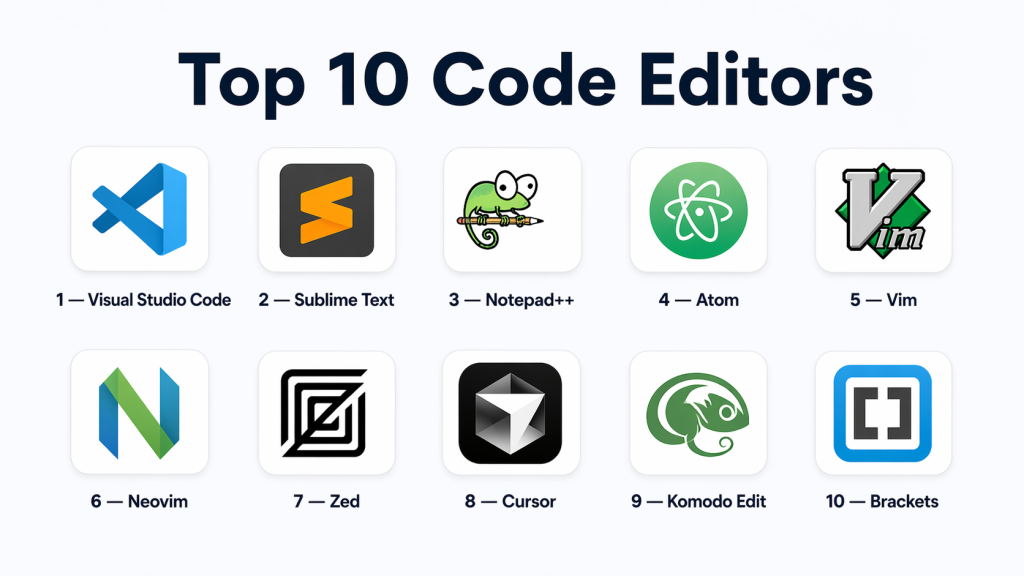
Top 10 Code Editors
#1 — Visual Studio Code
Short description: A powerful and flexible code editor widely used across the industry, offering extensive language support, a massive extension ecosystem, and built-in tools for debugging and version control. It is suitable for beginners as well as advanced developers working on complex applications.
Key Features
- Syntax highlighting
- Extension marketplace
- Integrated terminal
- Debugging tools
- Git integration
- IntelliSense
Pros
- Highly customizable
- Free and widely adopted
- Strong ecosystem
Cons
- Can become heavy with extensions
- Requires configuration for advanced workflows
Platforms / Deployment
- Windows / macOS / Linux
- Desktop / Web
Security & Compliance
- Encryption and authentication
- Not publicly stated
Integrations & Ecosystem
- Git platforms, Docker
- CI/CD tools
- Extensions and APIs
Support & Community
- Large community
- Extensive documentation
#2 — Sublime Text
Short description: A fast and lightweight code editor designed for speed and efficiency, offering a minimal interface and powerful editing capabilities for developers who prefer performance-focused tools.
Key Features
- Multi-cursor editing
- Command palette
- Plugin support
- Syntax highlighting
- Fast performance
Pros
- Extremely fast
- Lightweight
- Clean interface
Cons
- Paid license
- Limited built-in features
Platforms / Deployment
- Windows / macOS / Linux
- Desktop
Security & Compliance
- Not publicly stated
Integrations & Ecosystem
- Plugin ecosystem
- Git integration
Support & Community
- Active community
- Documentation available
#3 — Notepad++
Short description: A simple and efficient code editor primarily for Windows users, known for its speed, low resource usage, and ease of use for beginners and quick coding tasks.
Key Features
- Syntax highlighting
- Plugin support
- Lightweight
- Multi-language support
Pros
- Free and open-source
- Fast and efficient
- Beginner-friendly
Cons
- Windows only
- Limited advanced features
Platforms / Deployment
- Windows
- Desktop
Security & Compliance
- Not publicly stated
Integrations & Ecosystem
- Plugins
- Basic Git support
Support & Community
- Strong community
- Documentation available
#4 — Atom
Short description: A highly customizable code editor that allows developers to modify its interface and features, making it suitable for those who want a personalized development environment.
Key Features
- Customizable UI
- Package manager
- Git integration
- Multi-language support
Pros
- Flexible customization
- Free
Cons
- Slower performance
- Less optimized for large projects
Platforms / Deployment
- Windows / macOS / Linux
- Desktop
#5 — Vim
Short description: A powerful command-line-based editor designed for speed and efficiency, widely used by advanced developers who prefer keyboard-driven workflows.
Key Features
- Keyboard-based editing
- Lightweight
- Plugin support
- Custom scripting
Pros
- Extremely fast
- Highly efficient
Cons
- Steep learning curve
- No GUI by default
Platforms / Deployment
- Windows / macOS / Linux
- CLI
#6 — Neovim
Short description: A modern version of Vim that improves extensibility and integrates better with modern development tools while maintaining high performance.
Key Features
- Plugin support
- Asynchronous processing
- Modern architecture
Pros
- Fast and flexible
- Improved extensibility
Cons
#7 — Zed
Short description: A modern high-performance code editor focused on speed and real-time collaboration, offering a clean interface and advanced editing capabilities.
Key Features
- Real-time collaboration
- High performance
- Modern UI
Pros
- Fast and responsive
- Collaboration-friendly
Cons
- Smaller ecosystem
- Still evolving
#8 — Cursor
Short description: An AI-focused code editor designed to enhance productivity by offering intelligent suggestions, automation, and code generation features.
Key Features
- AI suggestions
- Code generation
- Smart refactoring
Pros
- Boosts productivity
- AI-driven capabilities
Cons
- Depends on AI usage
- Learning curve
#9 — Komodo Edit
Short description: A flexible code editor supporting multiple programming languages, suitable for developers working on diverse projects and requiring customization.
Key Features
- Multi-language support
- Syntax highlighting
- Code folding
Pros
- Flexible
- Free version available
Cons
- Limited advanced features
- Smaller ecosystem
#10 — Brackets
Short description: A code editor designed for front-end development, offering features tailored for working with HTML, CSS, and web technologies.
Key Features
- Live preview
- HTML/CSS editing
- Extensions
Pros
- Ideal for front-end work
- Lightweight
Cons
- Limited language support
- Slower updates
Comparison Table (Top 10 Code Editors)
| Tool Name | Best For | Platform(s) Supported | Deployment | Standout Feature | Public Rating |
|---|---|---|---|---|---|
| Visual Studio Code | All-around development | Windows / macOS / Linux | Desktop / Web | Extension ecosystem | N/A |
| Sublime Text | Speed-focused users | Windows / macOS / Linux | Desktop | High performance | N/A |
| Notepad++ | Beginners & Windows users | Windows | Desktop | Lightweight | N/A |
| Atom | Customization | Windows / macOS / Linux | Desktop | Flexible UI | N/A |
| Vim | Advanced users | Windows / macOS / Linux | CLI | Keyboard efficiency | N/A |
| Neovim | Modern CLI users | Windows / macOS / Linux | CLI | Extensibility | N/A |
| Zed | Collaboration | Windows / macOS / Linux | Desktop | Real-time editing | N/A |
| Cursor | AI-powered coding | Windows / macOS / Linux | Desktop | AI automation | N/A |
| Komodo Edit | Multi-language projects | Windows / macOS / Linux | Desktop | Flexibility | N/A |
| Brackets | Front-end developers | Windows / macOS / Linux | Desktop | Live preview | N/A |
Evaluation & Scoring of Code Editors
| Tool Name | Core (25%) | Ease (15%) | Integrations (15%) | Security (10%) | Performance (10%) | Support (10%) | Value (15%) | Weighted Total |
|---|---|---|---|---|---|---|---|---|
| Visual Studio Code | 10 | 9 | 10 | 8 | 9 | 9 | 10 | 9.30 |
| Sublime Text | 8 | 8 | 7 | 7 | 10 | 8 | 8 | 8.20 |
| Notepad++ | 7 | 9 | 6 | 7 | 9 | 7 | 10 | 8.05 |
| Atom | 7 | 8 | 8 | 7 | 6 | 7 | 9 | 7.55 |
| Vim | 9 | 5 | 7 | 8 | 10 | 8 | 9 | 8.05 |
| Neovim | 9 | 6 | 8 | 8 | 10 | 8 | 9 | 8.35 |
| Zed | 8 | 8 | 7 | 7 | 9 | 7 | 8 | 7.95 |
| Cursor | 8 | 8 | 7 | 7 | 8 | 7 | 8 | 7.85 |
| Komodo Edit | 7 | 7 | 7 | 7 | 7 | 6 | 8 | 7.15 |
| Brackets | 6 | 8 | 6 | 7 | 6 | 6 | 8 | 6.95 |
Frequently Asked Questions (FAQs)
What is a code editor?
A code editor is a software tool used to write and edit source code with features like syntax highlighting and auto-completion.
What is the difference between a code editor and an IDE?
Code editors are lightweight and focus on editing, while IDEs provide full development environments including debugging and build tools.
Which code editor is best for beginners?
Visual Studio Code and Notepad++ are beginner-friendly due to their ease of use and strong community support.
Are code editors free?
Many code editors are free, while some offer paid versions with advanced features.
Do code editors support multiple programming languages?
Yes, most modern editors support multiple languages through built-in features or extensions.
Can code editors integrate with Git?
Yes, most editors provide built-in Git integration or support plugins for version control.
Are code editors suitable for large projects?
Yes, editors like VS Code and Neovim handle large projects efficiently.
Do code editors support plugins?
Yes, many editors offer extension marketplaces to add features and integrations.
Can code editors run code directly?
Some editors allow code execution through integrated terminals or plugins.
Which code editor is fastest?
Sublime Text and Vim are widely known for their speed and efficiency.
Conclusion
Code editors are at the core of every developer’s workflow, shaping how efficiently code is written, tested, and maintained. Choosing the right editor depends on your experience level, programming language, and preferred development style. Lightweight editors like Notepad++ are great for beginners, while powerful tools like Visual Studio Code and Neovim cater to more advanced needs. Performance, extensibility, and integration capabilities should be key decision factors when evaluating options. It is always beneficial to test a few editors to understand how they align with your workflow. A well-chosen editor not only improves productivity but also enhances code quality and collaboration across teams. As development environments continue to evolve, flexible and extensible editors will remain essential. Selecting the right tool ensures long-term efficiency and adaptability in your development journey.
