Introduction
Incident Management Tools help teams detect, respond to, manage, and resolve service disruptions efficiently. In simple terms, they coordinate alerts, assign ownership, streamline communication, and ensure that incidents are handled quickly with minimal business impact. These tools are critical in modern IT environments where downtime directly affects revenue, user trust, and operational continuity.
Incident management has evolved beyond simple alerting into a full lifecycle discipline that includes detection, triage, escalation, collaboration, postmortems, and continuous improvement. With microservices, cloud infrastructure, and always-on applications, teams need structured processes and automation to reduce response time and avoid chaos during outages. Common use cases include on-call alerting, escalation workflows, outage coordination, root-cause tracking, and post-incident analysis. Buyers should evaluate alert routing, escalation policies, on-call scheduling, integrations with monitoring tools, automation capabilities, reporting, collaboration features, mobile access, and compliance support.
Best for: SRE teams, DevOps engineers, IT operations teams, platform teams, and enterprises managing production systems or customer-facing applications. Not ideal for: very small teams with low uptime requirements, where basic alerting or messaging tools may be sufficient.
Key Trends in Incident Management Tools
- Automation-first incident response is becoming standard, reducing manual triage and repetitive tasks.
- AI-assisted alert prioritization is helping reduce alert fatigue and highlight critical incidents faster.
- Tighter integration with observability platforms is enabling faster root-cause identification.
- Runbook automation is gaining importance to standardize incident response processes.
- ChatOps workflows are becoming central to incident collaboration and communication.
- On-call scheduling tools are more advanced, supporting fairness, flexibility, and global teams.
- Post-incident analytics and reporting are being used to improve long-term reliability.
- Multi-channel alerting (SMS, phone, app, email) is now a baseline expectation.
- Compliance and audit logging requirements are increasing in regulated industries.
- Integration with DevOps pipelines is growing to connect incidents with deployments and changes.
How We Selected These Tools (Methodology)
- We prioritized tools with strong market adoption and reliability in production environments.
- We evaluated feature completeness, including alerting, escalation, on-call scheduling, and incident workflows.
- We considered ease of use and onboarding, especially for teams under pressure during incidents.
- We reviewed integration capabilities with monitoring, logging, and DevOps tools.
- We looked at security posture signals such as RBAC, encryption, and audit logging where confidently known.
- We included tools suitable for different team sizes (SMB to enterprise).
- We assessed automation and workflow capabilities, including runbooks and incident playbooks.
- We factored in scalability and performance for high-volume alert environments.
- We considered value vs cost, especially for teams scaling incident response operations.
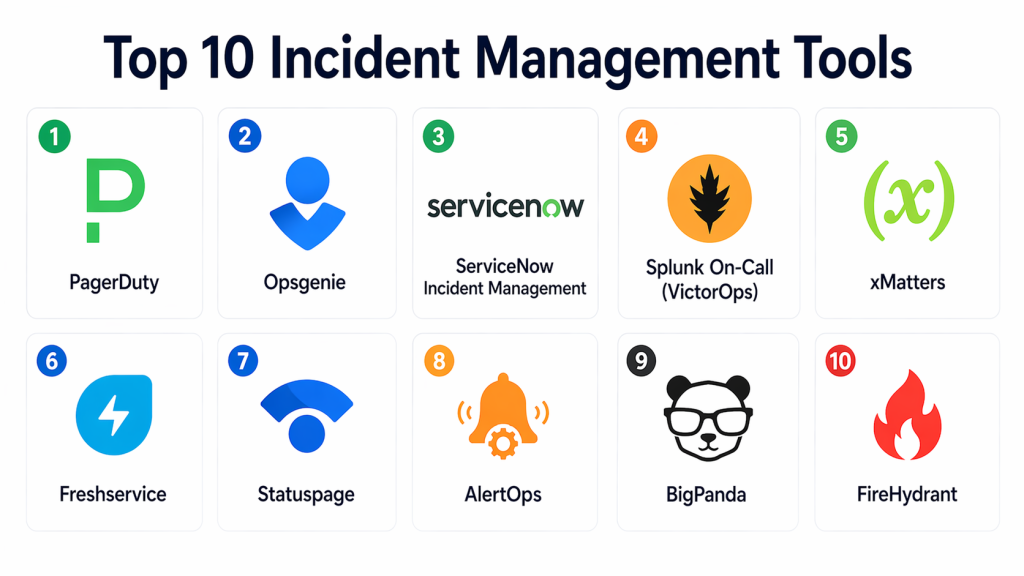
Top 10 Incident Management Tools
#1 — PagerDuty
Short description : PagerDuty is one of the most widely used incident management platforms, known for reliable alerting, escalation workflows, and enterprise-grade incident response capabilities. It is designed for teams that need fast, automated response to critical incidents. The platform integrates deeply with monitoring and observability tools. It is especially strong for large organizations with complex on-call requirements. It has become a standard choice in SRE and DevOps environments.
Key Features
- Real-time alerting and escalation
- On-call scheduling and rotations
- Incident workflows and automation
- Event intelligence and alert grouping
- Multi-channel notifications
- Post-incident reporting
- Integration with observability tools
Pros
- Industry-standard platform with strong reliability
- Excellent alert routing and escalation logic
- Scales well for large teams and enterprises
Cons
- Can be expensive at scale
- Setup complexity for advanced workflows
- May feel heavy for smaller teams
Platforms / Deployment
- Web / iOS / Android
- Cloud
Security & Compliance
- RBAC: Supported
- Encryption: Supported
- Audit logs: Supported
- SSO/SAML, MFA: Not publicly stated
- SOC 2, ISO 27001, GDPR: Varies / N/A
Integrations & Ecosystem
PagerDuty integrates with a wide range of monitoring, logging, and DevOps tools, making it easy to centralize alerts and automate responses across systems.
- Monitoring tools
- CI/CD pipelines
- Cloud platforms
- APIs
- Chat tools
Support & Community
Strong documentation and enterprise support. Large community adoption and widespread industry familiarity.
#2 — Opsgenie
Short description : Opsgenie is a popular incident management and alerting tool known for flexible on-call scheduling and robust escalation policies. It is especially useful for teams needing detailed control over alert routing and response workflows. It integrates well with monitoring tools and DevOps environments. It is suitable for both SMB and enterprise teams. It is often chosen for its balance between power and usability.
Key Features
- Alert routing and escalation policies
- On-call scheduling
- Incident tracking and collaboration
- Multi-channel notifications
- Reporting and analytics
- Integration with monitoring tools
Pros
- Flexible and customizable alert workflows
- Strong scheduling capabilities
- Good balance between features and usability
Cons
- UI can feel complex for new users
- Some advanced features require configuration effort
- Not as feature-rich as some enterprise platforms
Platforms / Deployment
- Web / iOS / Android
- Cloud
Security & Compliance
- RBAC: Supported
- Encryption: Supported
- SSO/SAML: Supported
- MFA, audit logs: Not publicly stated
- SOC 2, ISO 27001, GDPR: Varies / N/A
Integrations & Ecosystem
Opsgenie integrates with many monitoring, ITSM, and DevOps tools, making it a flexible option for incident response workflows.
- Monitoring tools
- ITSM platforms
- Cloud services
- APIs
- Collaboration tools
Support & Community
Good documentation and strong adoption among DevOps teams. Support is generally reliable.
#3 — ServiceNow Incident Management
Short description : ServiceNow Incident Management is an enterprise ITSM solution that includes robust incident management capabilities. It is designed for large organizations that need structured workflows, governance, and compliance. It connects incident response with broader IT service management processes. It is particularly strong in regulated industries. It is best suited to enterprises with complex operational needs.
Key Features
- Incident tracking and lifecycle management
- Workflow automation
- ITSM integration
- Reporting and analytics
- Change and problem management integration
- SLA tracking
Pros
- Strong enterprise-grade capabilities
- Deep ITSM integration
- Excellent for compliance and governance
Cons
- Expensive and complex to implement
- Requires dedicated administration
- Overkill for smaller teams
Platforms / Deployment
- Web
- Cloud / Hybrid
Security & Compliance
- RBAC: Supported
- Encryption: Supported
- Audit logs: Supported
- SSO/SAML: Supported
- SOC 2, ISO 27001, GDPR: Varies / N/A
Integrations & Ecosystem
ServiceNow integrates deeply with enterprise IT systems and workflows, making it ideal for organizations with mature IT operations.
- ITSM systems
- Enterprise tools
- APIs
- Automation workflows
Support & Community
Enterprise-level support and extensive documentation. Widely adopted in large organizations.
#4 — Splunk On-Call (VictorOps)
Short description : Splunk On-Call is designed for real-time incident response with a strong focus on collaboration and alerting. It integrates with monitoring tools and provides visibility into incident timelines. It is useful for DevOps teams needing fast response and communication. It works well in environments already using Splunk. It is a solid option for mid-market and enterprise teams.
Key Features
- Real-time alerting
- Incident timelines
- On-call scheduling
- Collaboration tools
- Alert routing
- Integration with monitoring systems
Pros
- Strong real-time collaboration features
- Good integration with Splunk ecosystem
- Effective for fast incident response
Cons
- Less comprehensive than full ITSM tools
- Best value depends on Splunk usage
- UI can feel dated
Platforms / Deployment
- Web / iOS / Android
- Cloud
Security & Compliance
- RBAC: Supported
- Encryption: Supported
- SSO/SAML: Supported
- MFA, audit logs: Not publicly stated
- SOC 2, ISO 27001, GDPR: Varies / N/A
Integrations & Ecosystem
Splunk On-Call works best when paired with monitoring and logging tools for full incident visibility.
- Splunk platform
- Monitoring tools
- APIs
- DevOps tools
Support & Community
Strong documentation and enterprise support. Popular among Splunk users.
#5 — xMatters
Short description : xMatters is an incident management and alerting platform focused on workflow automation and communication. It helps teams respond quickly by automating incident processes. It is useful for organizations needing flexible workflows and integrations. It works well across IT and business teams. It is a good fit for mid-market and enterprise environments.
Key Features
- Automated incident workflows
- Alert notifications
- On-call scheduling
- Integration with monitoring tools
- Reporting and analytics
- Incident collaboration
Pros
- Strong automation capabilities
- Flexible workflow design
- Good communication features
Cons
- Learning curve for setup
- Less known than some competitors
- UI may feel complex
Platforms / Deployment
- Web / iOS / Android
- Cloud
Security & Compliance
- RBAC: Supported
- Encryption: Supported
- SSO/SAML: Supported
- MFA, audit logs: Not publicly stated
- SOC 2, ISO 27001, GDPR: Varies / N/A
Integrations & Ecosystem
xMatters integrates with many enterprise tools and supports automated workflows across systems.
- Monitoring tools
- ITSM platforms
- APIs
- Automation tools
Support & Community
Good enterprise support and documentation. Adoption is strong in workflow-driven environments.
#6 — Freshservice
Short description : Freshservice is an ITSM platform that includes incident management capabilities along with service desk features. It is designed for teams that want a unified solution for IT operations. It is especially useful for SMB and mid-market organizations. It offers a user-friendly interface and automation features. It is a practical choice for teams starting with structured incident workflows.
Key Features
- Incident tracking
- Workflow automation
- Ticketing system
- SLA management
- Reporting dashboards
- Integration with IT tools
Pros
- Easy to use
- Good for IT service management
- Affordable compared to enterprise tools
Cons
- Less specialized for advanced incident response
- Limited compared to dedicated platforms
- May not scale for large enterprises
Platforms / Deployment
- Web
- Cloud
Security & Compliance
- RBAC: Supported
- Encryption: Supported
- SSO/SAML: Supported
- MFA, audit logs: Not publicly stated
- SOC 2, ISO 27001, GDPR: Varies / N/A
Integrations & Ecosystem
Freshservice works well for IT teams that want incident management integrated with service desk workflows.
- IT tools
- APIs
- Automation workflows
- Reporting systems
Support & Community
Strong documentation and easy onboarding. Good for teams new to structured incident management.
#7 — Statuspage
Short description : Statuspage is a communication-focused incident management tool that helps teams keep users informed during outages. It is often used alongside alerting tools. It provides status dashboards and incident updates. It is especially useful for customer-facing communication. It is best used as part of a broader incident management stack.
Key Features
- Public status pages
- Incident communication
- Notifications and updates
- Integration with monitoring tools
- Customizable dashboards
Pros
- Excellent for customer communication
- Easy to use
- Improves transparency
Cons
- Not a full incident management platform
- Requires integration with alerting tools
- Limited internal workflow features
Platforms / Deployment
- Web
- Cloud
Security & Compliance
- Not publicly stated
Integrations & Ecosystem
Statuspage is used to communicate incidents to customers and integrates with monitoring tools for automated updates.
- Monitoring tools
- APIs
- Communication workflows
Support & Community
Good documentation and easy setup. Widely used for customer-facing status updates.
#8 — AlertOps
Short description : AlertOps is an incident management platform focused on alerting, escalation, and collaboration. It is designed for IT operations teams needing reliable alert handling. It offers flexible workflows and integrations. It is suitable for SMB and mid-market teams. It is a practical option for teams needing structured alert management.
Key Features
- Alert routing and escalation
- On-call scheduling
- Incident tracking
- Reporting and analytics
- Multi-channel notifications
- Integration with monitoring tools
Pros
- Flexible alert management
- Good for IT operations teams
- Cost-effective compared to enterprise tools
Cons
- Smaller ecosystem
- Less feature-rich than top-tier platforms
- Limited advanced automation
Platforms / Deployment
- Web / iOS / Android
- Cloud
Security & Compliance
- Not publicly stated
Integrations & Ecosystem
AlertOps integrates with monitoring and IT tools to centralize alerts and streamline incident workflows.
- Monitoring tools
- APIs
- IT systems
Support & Community
Documentation is available and onboarding is manageable. More niche compared to larger platforms.
#9 — BigPanda
Short description : BigPanda is an AIOps platform that includes incident management features focused on alert correlation and noise reduction. It helps teams reduce alert fatigue by grouping related alerts into incidents. It is especially useful for large environments with high alert volumes. It integrates with monitoring tools. It is best suited for enterprise environments.
Key Features
- Alert correlation
- Incident creation
- Noise reduction
- Automation workflows
- Integration with monitoring tools
- Analytics and insights
Pros
- Strong for reducing alert noise
- Good for large-scale environments
- Useful for AIOps workflows
Cons
- Enterprise-focused pricing
- Less suitable for small teams
- Requires integration setup
Platforms / Deployment
- Web
- Cloud
Security & Compliance
- Not publicly stated
Integrations & Ecosystem
BigPanda works with monitoring tools to correlate alerts and improve incident response efficiency.
- Monitoring tools
- APIs
- Automation systems
Support & Community
Enterprise support available. Best suited for large-scale environments.
#10 — FireHydrant
Short descriptio : FireHydrant is a modern incident management platform focused on incident coordination, response workflows, and post-incident analysis. It is designed for engineering teams that want structured incident response without heavy ITSM overhead. It emphasizes collaboration and incident timelines. It is suitable for startups and mid-market teams. It is a newer, developer-friendly option.
Key Features
- Incident tracking and timelines
- Runbook automation
- Collaboration tools
- Post-incident reporting
- Alert integrations
- Workflow automation
Pros
- Modern interface and workflows
- Strong focus on incident coordination
- Good for engineering teams
Cons
- Smaller ecosystem than major platforms
- Less mature than enterprise tools
- Limited enterprise features
Platforms / Deployment
- Web
- Cloud
Security & Compliance
- Not publicly stated
Integrations & Ecosystem
FireHydrant integrates with monitoring and communication tools to streamline incident workflows.
- Monitoring tools
- Chat tools
- APIs
- DevOps workflows
Support & Community
Growing community and good documentation. Popular among modern engineering teams.
Comparison Table (Top 10)
| Tool Name | Best For | Platform(s) Supported | Deployment | Standout Feature | Public Rating |
|---|---|---|---|---|---|
| PagerDuty | Enterprise incident response | Web / Mobile | Cloud | Industry-standard alerting and escalation | N/A |
| Opsgenie | Flexible alert workflows | Web / Mobile | Cloud | Strong scheduling and routing | N/A |
| ServiceNow | Enterprise ITSM | Web | Cloud / Hybrid | Full ITSM integration | N/A |
| Splunk On-Call | Real-time collaboration | Web / Mobile | Cloud | Incident timelines and alerting | N/A |
| xMatters | Workflow automation | Web / Mobile | Cloud | Automated incident workflows | N/A |
| Freshservice | SMB ITSM teams | Web | Cloud | Easy-to-use service desk + incident mgmt | N/A |
| Statuspage | Customer communication | Web | Cloud | Public status dashboards | N/A |
| AlertOps | IT alert management | Web / Mobile | Cloud | Flexible alert routing | N/A |
| BigPanda | AIOps environments | Web | Cloud | Alert correlation and noise reduction | N/A |
| FireHydrant | Modern engineering teams | Web | Cloud | Incident coordination workflows | N/A |
Evaluation & Scoring of Incident Management Tools
| Tool Name | Core | Ease | Integrations | Security | Performance | Support | Value | Total |
|---|---|---|---|---|---|---|---|---|
| PagerDuty | 9.5 | 8.0 | 9.5 | 8.5 | 9.0 | 8.5 | 7.0 | 8.65 |
| Opsgenie | 8.8 | 8.2 | 8.5 | 8.0 | 8.5 | 8.0 | 8.0 | 8.35 |
| ServiceNow | 9.0 | 6.5 | 9.0 | 9.0 | 9.0 | 8.5 | 6.5 | 8.15 |
| Splunk On-Call | 8.5 | 7.5 | 8.5 | 8.0 | 8.5 | 8.0 | 7.5 | 8.00 |
| xMatters | 8.5 | 7.5 | 8.0 | 8.0 | 8.5 | 8.0 | 7.5 | 7.95 |
| Freshservice | 7.8 | 8.5 | 7.5 | 8.0 | 7.8 | 7.8 | 8.5 | 7.98 |
| Statuspage | 7.0 | 9.0 | 7.0 | 7.0 | 7.5 | 7.5 | 8.0 | 7.55 |
| AlertOps | 7.5 | 8.0 | 7.0 | 7.0 | 7.5 | 7.5 | 8.0 | 7.58 |
| BigPanda | 8.5 | 7.0 | 8.5 | 8.0 | 8.5 | 8.0 | 7.0 | 7.93 |
| FireHydrant | 8.0 | 8.5 | 7.5 | 7.5 | 8.0 | 7.8 | 8.2 | 7.95 |
These scores are comparative, not absolute. Higher scores indicate stronger feature depth and enterprise readiness, but the best tool depends on team size, workflow complexity, and budget.
Which Incident Management Tool Is Right for You?
Solo / Freelancer
Use simple tools like AlertOps or basic alerting workflows. Avoid complex enterprise tools.
SMB
Opsgenie, Freshservice, FireHydrant are good options for balanced features and usability.
Mid-Market
PagerDuty, Splunk On-Call, xMatters offer strong workflows without full enterprise overhead.
Enterprise
PagerDuty, ServiceNow, Dynatrace integrations, BigPanda are best for scale and governance.
Budget vs Premium
- Budget: Freshservice, AlertOps
- Premium: PagerDuty, ServiceNow
Feature Depth vs Ease of Use
- Easy: Freshservice, Statuspage
- Advanced: PagerDuty, ServiceNow
Integrations & Scalability
- Best: PagerDuty, BigPanda, ServiceNow
Security & Compliance Needs
- Strong: ServiceNow, PagerDuty
Frequently Asked Questions (FAQs)
1. What is an incident management tool?
It helps teams detect, manage, and resolve system outages efficiently using structured workflows and automation.
2. Why are these tools important?
They reduce downtime, improve response time, and ensure better coordination during outages.
3. How do they work?
They collect alerts, assign them to teams, escalate if needed, and track resolution progress.
4. Do small teams need them?
Not always, but they become essential as systems scale.
5. What is on-call scheduling?
It assigns responsibility to team members for responding to alerts at specific times.
6. What is alert fatigue?
Too many alerts can overwhelm teams, making it harder to identify critical issues.
7. Are these tools expensive?
Pricing varies widely based on features and team size.
8. Can they integrate with monitoring tools?
Yes, most integrate with observability platforms and DevOps tools.
9. What is incident automation?
Automating repetitive tasks like alert routing and response actions.
10. What is the biggest benefit?
Faster resolution and reduced business impact.
Conclusion
Incident management tools are essential for maintaining uptime and reliability in modern systems. They help teams respond quickly, reduce downtime, and improve collaboration during outages. While tools like PagerDuty and ServiceNow lead in enterprise environments, options like Opsgenie, Freshservice, and FireHydrant offer great flexibility for smaller teams. The best choice depends on your team size, complexity, and operational maturity. Start by identifying your needs, test a few tools, and ensure they integrate well with your monitoring and workflow systems.
