Introduction
On-call Scheduling Tools help teams manage who is responsible for responding to alerts, incidents, and operational issues at any given time. In simple terms, these tools organize rotations, shifts, escalations, and availability so that incidents are handled quickly without confusion or missed ownership. They are a critical part of incident management, ensuring that alerts always reach the right person at the right time.
In modern cloud-native environments where systems run continuously, having a well-structured on-call schedule is essential. Teams use these tools to balance workloads, prevent burnout, manage global teams across time zones, and ensure fair rotation policies. Common use cases include managing 24/7 support coverage, handling escalation policies, coordinating distributed teams, and automating alert routing. Buyers should evaluate scheduling flexibility, escalation workflows, calendar integrations, mobile accessibility, alert reliability, fairness controls, reporting, and integration with incident management and observability tools.
Best for: DevOps teams, SREs, IT operations teams, support engineers, and organizations running production systems that require continuous uptime. Not ideal for: very small teams with low operational demands, where manual scheduling or simple communication tools may be sufficient.
Key Trends in On-Call Scheduling Tools
- Automation-driven scheduling is reducing manual planning and administrative overhead.
- Fairness and burnout prevention features are becoming more important for engineering teams.
- Deep integration with incident management platforms is now expected.
- Global team support with timezone-aware scheduling is increasingly critical.
- Mobile-first alerting and response is a standard expectation.
- AI-assisted scheduling recommendations are emerging in advanced tools.
- Shift swapping and flexibility features are improving team satisfaction.
- Integration with calendars and HR systems is becoming more common.
- Compliance and audit tracking are growing in importance for regulated industries.
- Unified incident + scheduling platforms are replacing standalone tools.
How We Selected These Tools (Methodology)
- We prioritized tools with strong market adoption and reliability in on-call workflows.
- We evaluated feature completeness, including rotations, escalation policies, and availability management.
- We considered ease of use, especially during high-pressure incident situations.
- We reviewed integration capabilities with monitoring and incident management tools.
- We assessed security features such as RBAC, encryption, and audit logs where confidently known.
- We included tools for different team sizes, from startups to enterprises.
- We evaluated automation and flexibility, including shift swaps and overrides.
- We considered global scalability for distributed teams.
- We factored in value vs cost, especially for growing organizations.
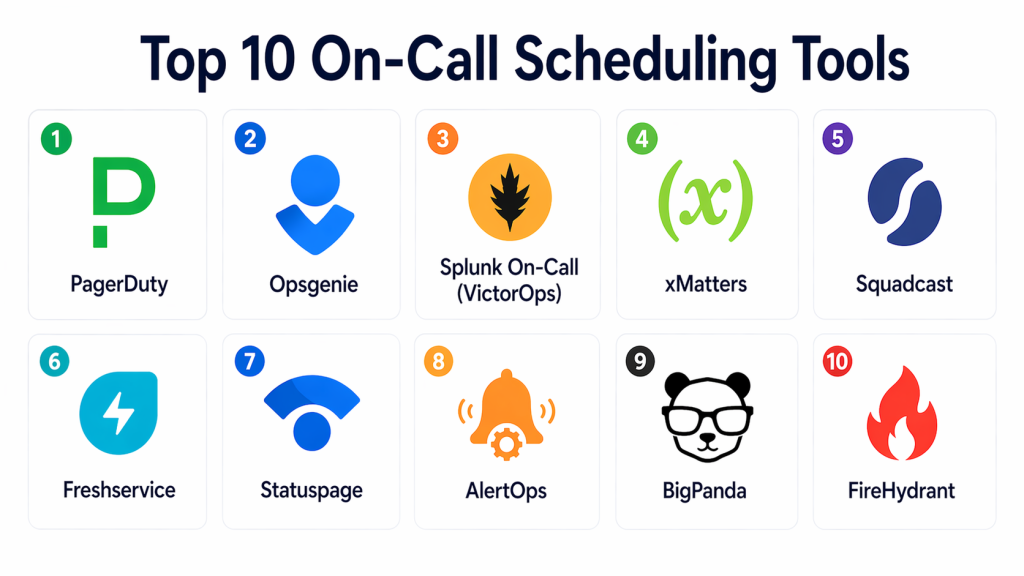
Top 10 On-Call Scheduling Tools
#1 — PagerDuty
Short description (5-6 lines): PagerDuty is a leading platform that combines on-call scheduling with incident management and alerting. It is widely used by DevOps and SRE teams for managing rotations, escalations, and real-time alert handling. It offers strong automation and reliability. The platform is especially useful for large organizations with complex on-call needs. It is considered a standard solution in many production environments.
Key Features
- On-call scheduling and rotations
- Escalation policies
- Real-time alerting
- Calendar integration
- Incident response workflows
- Reporting and analytics
Pros
- Industry-standard reliability
- Strong automation and escalation workflows
- Scales well for enterprise use
Cons
- Expensive for smaller teams
- Complex setup for advanced features
- Broad platform may be more than needed for scheduling alone
Platforms / Deployment
- Web / iOS / Android
- Cloud
Security & Compliance
- RBAC: Supported
- Encryption: Supported
- Audit logs: Supported
- SSO/SAML, MFA: Not publicly stated
- SOC 2, ISO 27001, GDPR: Varies / N/A
Integrations & Ecosystem
PagerDuty integrates with monitoring, logging, and DevOps tools to ensure alerts reach the right person and incidents are handled efficiently.
- Monitoring tools
- CI/CD pipelines
- Cloud platforms
- APIs
- Chat tools
Support & Community
Strong enterprise support and extensive documentation. Large and active user community.
#2 — Opsgenie
Short description (5-6 lines): Opsgenie is a widely used tool for managing on-call schedules and alerting workflows. It provides flexible scheduling options, detailed escalation rules, and strong integrations. It is suitable for both small teams and enterprises. The platform emphasizes reliability and customization. It is often chosen for its balance of usability and control.
Key Features
- On-call scheduling
- Escalation policies
- Alert routing
- Calendar integration
- Reporting dashboards
- Mobile notifications
Pros
- Highly customizable scheduling
- Strong alert routing features
- Good balance of usability and power
Cons
- UI can feel complex initially
- Requires configuration for advanced workflows
- May be more than needed for simple use cases
Platforms / Deployment
- Web / iOS / Android
- Cloud
Security & Compliance
- RBAC: Supported
- Encryption: Supported
- SSO/SAML: Supported
- MFA, audit logs: Not publicly stated
- SOC 2, ISO 27001, GDPR: Varies / N/A
Integrations & Ecosystem
Opsgenie integrates with many DevOps and monitoring tools to automate alert delivery and scheduling workflows.
- Monitoring tools
- ITSM platforms
- APIs
- Collaboration tools
Support & Community
Good documentation and strong adoption among DevOps teams.
#3 — VictorOps (Splunk On-Call)
Short description (5-6 lines): VictorOps, now part of Splunk On-Call, provides on-call scheduling along with incident response capabilities. It is designed for real-time collaboration and alert handling. The tool is particularly useful for teams needing fast communication during incidents. It integrates well with monitoring systems. It is suitable for mid-market and enterprise teams.
Key Features
- On-call rotations
- Alert routing
- Incident timelines
- Collaboration tools
- Escalation workflows
- Reporting features
Pros
- Strong real-time collaboration
- Good integration with monitoring tools
- Effective incident response workflows
Cons
- UI may feel outdated
- Best value depends on Splunk ecosystem
- Less focused purely on scheduling
Platforms / Deployment
- Web / iOS / Android
- Cloud
Security & Compliance
- RBAC: Supported
- Encryption: Supported
- SSO/SAML: Supported
- MFA, audit logs: Not publicly stated
- SOC 2, ISO 27001, GDPR: Varies / N/A
Integrations & Ecosystem
Works well with monitoring and logging systems for real-time alerting and response coordination.
- Monitoring tools
- APIs
- DevOps tools
Support & Community
Strong documentation and enterprise-level support.
#4 — xMatters
Short description (5-6 lines): xMatters is a powerful platform focused on scheduling, alerting, and workflow automation. It allows teams to design flexible on-call schedules and automate incident response actions. It is suitable for organizations needing advanced workflows. It works across IT and business teams. It is a strong option for enterprise environments.
Key Features
- On-call scheduling
- Automated workflows
- Alert notifications
- Escalation policies
- Reporting and analytics
- Integration with monitoring tools
Pros
- Strong automation capabilities
- Flexible workflow design
- Good enterprise features
Cons
- Learning curve for setup
- Complex UI for beginners
- Less known than top competitors
Platforms / Deployment
- Web / iOS / Android
- Cloud
Security & Compliance
- RBAC: Supported
- Encryption: Supported
- SSO/SAML: Supported
- MFA, audit logs: Not publicly stated
- SOC 2, ISO 27001, GDPR: Varies / N/A
Integrations & Ecosystem
Supports integration with monitoring, ITSM, and automation tools for full incident workflows.
- Monitoring tools
- ITSM platforms
- APIs
- Automation tools
Support & Community
Good enterprise support and documentation.
#5 — Squadcast
Short description (5-6 lines): Squadcast is an incident management and on-call scheduling tool designed for reliability and ease of use. It focuses on reducing alert fatigue and improving response efficiency. It is suitable for DevOps and SRE teams. It offers modern UI and strong integrations. It is a good fit for SMB and mid-market teams.
Key Features
- On-call scheduling
- Alert routing
- Escalation policies
- Incident tracking
- Analytics dashboards
- Integration with monitoring tools
Pros
- User-friendly interface
- Good balance of features and simplicity
- Affordable for growing teams
Cons
- Smaller ecosystem than major platforms
- Limited enterprise features
- Less mature than top-tier tools
Platforms / Deployment
- Web / iOS / Android
- Cloud
Security & Compliance
- Not publicly stated
Integrations & Ecosystem
Integrates with monitoring tools and DevOps workflows to manage alerts and scheduling.
- Monitoring tools
- APIs
- DevOps tools
Support & Community
Growing community and accessible documentation.
#6 — Freshservice
Short description (5-6 lines): Freshservice is an ITSM platform that includes on-call scheduling as part of its service management features. It is designed for teams that want a unified solution for IT operations. It is especially useful for SMB and mid-market organizations. It offers an easy-to-use interface. It is a practical option for teams new to structured scheduling.
Key Features
- On-call scheduling
- Ticketing system
- Workflow automation
- SLA management
- Reporting dashboards
- Integration with IT tools
Pros
- Easy to use
- Good for IT service management
- Affordable compared to enterprise tools
Cons
- Less specialized for scheduling
- Limited advanced features
- May not scale for large enterprises
Platforms / Deployment
- Web
- Cloud
Security & Compliance
- RBAC: Supported
- Encryption: Supported
- SSO/SAML: Supported
- MFA, audit logs: Not publicly stated
Integrations & Ecosystem
Works well with IT service management workflows and monitoring tools.
- IT tools
- APIs
- Automation workflows
Support & Community
Strong onboarding and documentation.
#7 — Statuspage
Short description (5-6 lines): Statuspage is primarily used for communication but can complement on-call workflows by informing users during incidents. It is not a full scheduling tool but works alongside others. It helps teams maintain transparency. It is useful for customer communication. It is best used as part of a broader stack.
Key Features
- Status dashboards
- Incident communication
- Notifications
- Integration with monitoring tools
Pros
- Improves transparency
- Easy to use
- Good for communication
Cons
- Not a scheduling tool
- Requires integration with other platforms
- Limited workflow features
Platforms / Deployment
- Web
- Cloud
Security & Compliance
- Not publicly stated
Integrations & Ecosystem
Integrates with monitoring tools to publish incident updates.
- Monitoring tools
- APIs
Support & Community
Easy setup and strong adoption for communication use cases.
#8 — AlertOps
Short description (5-6 lines): AlertOps is a scheduling and alerting tool focused on managing on-call rotations and escalations. It provides structured workflows for IT teams. It is suitable for SMB and mid-market organizations. It offers flexible scheduling. It is a practical option for teams needing structured alert management.
Key Features
- On-call scheduling
- Alert routing
- Escalation workflows
- Reporting dashboards
- Notifications
- Integration with monitoring tools
Pros
- Flexible scheduling
- Cost-effective
- Good for IT operations teams
Cons
- Smaller ecosystem
- Limited advanced features
- Less enterprise-ready
Platforms / Deployment
- Web / iOS / Android
- Cloud
Security & Compliance
- Not publicly stated
Integrations & Ecosystem
Integrates with monitoring and IT tools for centralized alert handling.
- Monitoring tools
- APIs
Support & Community
Manageable onboarding and documentation.
#9 — BigPanda
Short description (5-6 lines): BigPanda is an AIOps platform that includes scheduling and alert management features. It focuses on reducing alert noise and improving incident response efficiency. It is best suited for large environments. It integrates with monitoring tools. It is a strong enterprise solution.
Key Features
- Alert correlation
- Incident management
- Scheduling support
- Automation workflows
- Analytics
Pros
- Reduces alert noise
- Good for large-scale environments
- Strong automation
Cons
- Enterprise pricing
- Complex setup
- Not ideal for small teams
Platforms / Deployment
- Web
- Cloud
Security & Compliance
- Not publicly stated
Integrations & Ecosystem
Works with monitoring tools to improve alert handling and scheduling.
- Monitoring tools
- APIs
Support & Community
Enterprise support available.
#10 — FireHydrant
Short description (5-6 lines): FireHydrant is a modern platform that includes incident management and scheduling features. It focuses on coordination and response workflows. It is designed for engineering teams. It offers a clean interface. It is suitable for startups and mid-market teams.
Key Features
- On-call scheduling
- Incident tracking
- Runbook automation
- Collaboration tools
- Reporting
Pros
- Modern UI
- Good for engineering teams
- Easy to adopt
Cons
- Smaller ecosystem
- Less mature than enterprise tools
- Limited advanced features
Platforms / Deployment
- Web
- Cloud
Security & Compliance
- Not publicly stated
Integrations & Ecosystem
Integrates with monitoring and communication tools for incident workflows.
- Monitoring tools
- APIs
- Chat tools
Support & Community
Growing community and good documentation.
Comparison Table (Top 10)
| Tool Name | Best For | Platforms | Deployment | Standout Feature | Public Rating |
|---|---|---|---|---|---|
| PagerDuty | Enterprise teams | Web/Mobile | Cloud | Advanced escalation workflows | N/A |
| Opsgenie | Flexible scheduling | Web/Mobile | Cloud | Custom alert routing | N/A |
| VictorOps | Real-time collaboration | Web/Mobile | Cloud | Incident timelines | N/A |
| xMatters | Workflow automation | Web/Mobile | Cloud | Automated response workflows | N/A |
| Squadcast | SMB DevOps teams | Web/Mobile | Cloud | Simple and effective scheduling | N/A |
| Freshservice | ITSM teams | Web | Cloud | Integrated service management | N/A |
| Statuspage | Communication | Web | Cloud | Public incident updates | N/A |
| AlertOps | IT operations | Web/Mobile | Cloud | Flexible alert handling | N/A |
| BigPanda | Enterprise AIOps | Web | Cloud | Alert correlation | N/A |
| FireHydrant | Modern teams | Web | Cloud | Incident coordination | N/A |
Evaluation & Scoring of On-Call Scheduling Tools
| Tool | Core | Ease | Integrations | Security | Performance | Support | Value | Total |
|---|---|---|---|---|---|---|---|---|
| PagerDuty | 9.5 | 8.0 | 9.5 | 8.5 | 9.0 | 8.5 | 7.0 | 8.65 |
| Opsgenie | 8.8 | 8.2 | 8.5 | 8.0 | 8.5 | 8.0 | 8.0 | 8.35 |
| VictorOps | 8.5 | 7.5 | 8.5 | 8.0 | 8.5 | 8.0 | 7.5 | 8.00 |
| xMatters | 8.5 | 7.5 | 8.0 | 8.0 | 8.5 | 8.0 | 7.5 | 7.95 |
| Squadcast | 8.0 | 8.5 | 7.5 | 7.5 | 8.0 | 7.8 | 8.2 | 8.00 |
| Freshservice | 7.8 | 8.5 | 7.5 | 8.0 | 7.8 | 7.8 | 8.5 | 7.98 |
| Statuspage | 7.0 | 9.0 | 7.0 | 7.0 | 7.5 | 7.5 | 8.0 | 7.55 |
| AlertOps | 7.5 | 8.0 | 7.0 | 7.0 | 7.5 | 7.5 | 8.0 | 7.58 |
| BigPanda | 8.5 | 7.0 | 8.5 | 8.0 | 8.5 | 8.0 | 7.0 | 7.93 |
| FireHydrant | 8.0 | 8.5 | 7.5 | 7.5 | 8.0 | 7.8 | 8.2 | 7.95 |
Scores are comparative and should guide evaluation rather than decide the final choice.
Which On-Call Scheduling Tool Is Right for You?
Solo / Freelancer
Use simple tools like AlertOps or manual scheduling.
SMB
Opsgenie, Squadcast, Freshservice are strong options.
Mid-Market
PagerDuty, VictorOps, xMatters provide strong balance.
Enterprise
PagerDuty, ServiceNow integrations, BigPanda for scale.
Budget vs Premium
- Budget: AlertOps, Freshservice
- Premium: PagerDuty, xMatters
Feature Depth vs Ease of Use
- Easy: Freshservice, Squadcast
- Advanced: PagerDuty, xMatters
Integrations & Scalability
- Best: PagerDuty, Opsgenie, BigPanda
Security & Compliance
- Strong: PagerDuty, ServiceNow
Frequently Asked Questions (FAQs)
1. What is on-call scheduling?
It assigns responsibility to team members for handling alerts during specific times.
2. Why is it important?
It ensures incidents are handled quickly without confusion.
3. What is escalation?
Automatically notifying the next person if the first responder doesn’t act.
4. Do all teams need it?
Not small teams, but essential for production systems.
5. Can it prevent burnout?
Yes, through fair rotations and scheduling.
6. Are these tools expensive?
Depends on features and team size.
7. Do they integrate with monitoring tools?
Yes, most tools integrate with observability platforms.
8. What is shift swapping?
Allows team members to exchange schedules.
9. What is alert fatigue?
Too many alerts causing missed critical issues.
10. Can it automate responses?
Yes, many tools support automation workflows.
Conclusion
On-call scheduling tools are essential for maintaining uptime and ensuring fast incident response in modern systems. They help teams manage responsibilities, reduce burnout, and improve operational efficiency. While tools like PagerDuty and Opsgenie lead in advanced features, options like Squadcast and Freshservice provide simpler and cost-effective solutions. The best choice depends on team size, complexity, and operational maturity. Start by identifying your needs, test a few tools, and ensure they integrate well with your monitoring and incident workflows.
