Introduction
Geographic Information Systems (GIS) are platforms designed to capture, store, analyze, and visualize spatial and geographic data. They allow organizations to gain actionable insights from maps, location-based analytics, and spatial patterns, supporting decision-making across industries.
GIS platforms are essential for urban planning, environmental management, logistics, and natural resource monitoring. They enable organizations to integrate multiple datasets, perform geospatial analyses, and visualize trends in ways that traditional databases cannot.
Real-world use cases include:
- Urban planners modeling city growth and infrastructure needs
- Environmental agencies monitoring deforestation, water quality, or pollution
- Logistics companies optimizing delivery routes and fleet management
- Utility providers managing assets and monitoring energy distribution
- Emergency services planning disaster response and risk mitigation
Evaluation criteria for buyers:
- Data visualization and mapping capabilities
- Spatial analysis and modeling tools
- Integration with sensors, IoT, and real-time data sources
- API access and developer tools
- Security and compliance features
- Scalability for large geospatial datasets
- Cloud, on-premise, and hybrid deployment options
- User roles and access management
- Support for multiple file formats and GIS standards
- Pricing and total cost of ownership
Best for: Urban planning agencies, environmental organizations, logistics and utility companies, and research institutions.
Not ideal for: Teams with minimal spatial data needs, organizations not requiring geospatial analysis, or those preferring simpler mapping tools.
Key Trends in GIS
- Integration of AI and machine learning for predictive spatial analytics
- Cloud-based GIS for scalable storage and collaboration
- Real-time GIS dashboards for operational decision-making
- Support for open standards and interoperability (GeoJSON, WMS, WFS)
- Mobile GIS applications for field data collection
- Advanced 3D mapping and terrain visualization
- Automated data validation and quality checks
- IoT sensor integration for environmental and urban monitoring
- Increased adoption of GIS APIs for custom application development
- Community-driven open-source GIS platforms gaining popularity
How We Selected These Tools (Methodology)
- Market adoption and reputation across sectors
- Feature richness: mapping, analytics, visualization, and modeling
- Reliability and performance signals, including large dataset handling
- Security posture: authentication, access control, and compliance
- Integration with analytics, BI, and other enterprise platforms
- Fit across small teams, SMBs, mid-market, and enterprise segments
- Deployment flexibility: cloud, self-hosted, hybrid
- Documentation quality and community support
- Cost-effectiveness relative to features
- Active development and platform updates
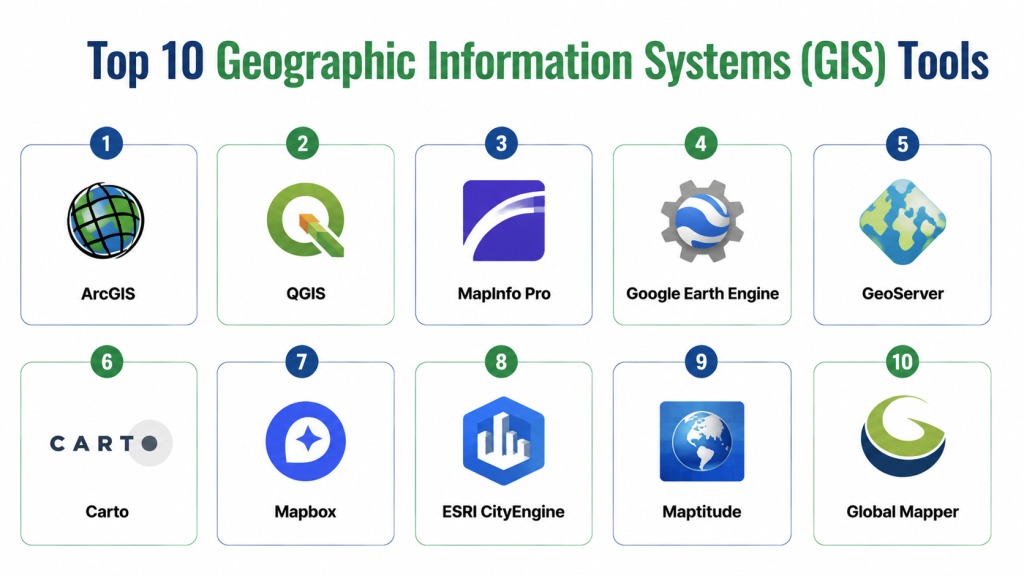
Top 10 Geographic Information Systems (GIS) Tools
1- ArcGIS
Short description: A comprehensive GIS platform widely used in government, research, and enterprise for mapping, spatial analysis, and visualization.
Key Features
- Interactive 2D and 3D maps
- Spatial analysis and geoprocessing tools
- API access for custom app development
- Cloud-based data hosting and collaboration
- Integration with IoT and real-time data
- Rich visualization dashboards
Pros
- Highly reliable and feature-rich
- Large user community and extensive documentation
Cons
- Premium pricing for advanced features
- Requires training for non-technical users
Platforms / Deployment
- Web, Windows, macOS, Cloud, Hybrid
Security & Compliance
- SSO/SAML, encryption, role-based access
- SOC 2, ISO 27001
Integrations & Ecosystem
Integrates with Python, R, Tableau, Power BI, CAD tools, and field apps.
- REST and SOAP APIs
- IoT sensor feeds
- Data import/export in multiple formats
Support & Community
- Comprehensive support tiers
- Documentation, tutorials, and forums
- Active community events and knowledge base
2- QGIS
Short description: Open-source GIS platform for spatial data analysis, mapping, and visualization suitable for research and small to medium enterprises.
Key Features
- Multi-format support for raster and vector data
- Advanced geoprocessing and analysis tools
- Plugin architecture for customization
- Desktop and server deployment options
- Map styling and cartographic tools
Pros
- Free and open-source
- Flexible with strong community support
Cons
- Requires technical knowledge for setup
- Less polished UI compared to commercial platforms
Platforms / Deployment
- Windows, macOS, Linux, Self-hosted
Security & Compliance
- Not publicly stated
Integrations & Ecosystem
- Plugins for analytics and visualization
- Integration with Python and R for scripting
- Connects with PostGIS, GeoServer, and web mapping services
Support & Community
- Large open-source community
- Extensive online tutorials and documentation
- Community forums and mailing lists
3- MapInfo Pro
Short description: Desktop GIS solution for business intelligence and spatial analysis, often used by enterprises and utility providers.
Key Features
- Interactive mapping and visualization
- Spatial analysis and modeling tools
- Integration with databases and Excel
- Thematic mapping and business analytics
- 3D terrain and property mapping
Pros
- Strong analytical capabilities
- Easy integration with enterprise systems
Cons
- Desktop-focused, limited cloud support
- Premium license cost
Platforms / Deployment
- Windows, Cloud (limited), Self-hosted
Security & Compliance
- Not publicly stated
Integrations & Ecosystem
- Connects to Oracle, SQL Server, SAP, Tableau
- Supports GIS file formats (Shapefiles, GeoJSON)
Support & Community
- Official support and training
- Documentation and forums
- Community support varies
4- Google Earth Engine
Short description: Cloud-based platform for planetary-scale geospatial analysis, widely used in environmental research and climate studies.
Key Features
- Access to petabyte-scale satellite imagery
- Cloud computing for geospatial analysis
- Multi-temporal and multi-spectral data analysis
- API access for custom workflows
- Visualization of trends over time
Pros
- Powerful for large-scale environmental analysis
- Cloud-based with no local infrastructure needed
Cons
- Steep learning curve
- Less suitable for enterprise mapping dashboards
Platforms / Deployment
- Web, Cloud
Security & Compliance
- Not publicly stated
Integrations & Ecosystem
- APIs for Python and JavaScript
- Connects with Google Cloud tools and data pipelines
Support & Community
- Documentation and tutorials
- Research community support
- Varies / Not publicly stated
5- GeoServer
Short description: Open-source server for sharing geospatial data across platforms, ideal for web mapping and data interoperability.
Key Features
- Supports WMS, WFS, WCS standards
- Publishes spatial data to web clients
- Styling and thematic mapping
- Integration with databases and spatial servers
- Customizable via extensions
Pros
- Open-source and standards-compliant
- Flexible for web and enterprise applications
Cons
- Requires technical expertise
- Limited out-of-the-box visualizations
Platforms / Deployment
- Web, Linux, Cloud/Self-hosted
Security & Compliance
- Not publicly stated
Integrations & Ecosystem
- Works with OpenLayers, Leaflet, QGIS, and PostGIS
- REST APIs for automation
- Supports various geospatial formats
Support & Community
- Active open-source community
- Documentation and forums
- Community plugins and support
6- Carto
Short description: Cloud-based GIS platform focusing on spatial analytics and location intelligence for enterprises.
Key Features
- Cloud-hosted dashboards and visualizations
- Spatial analytics and modeling
- Real-time data integration
- API access for developers
- Geocoding and routing services
Pros
- Easy-to-use cloud interface
- Strong analytics and business intelligence tools
Cons
- Subscription pricing can be high
- Limited offline capabilities
Platforms / Deployment
- Web, Cloud
Security & Compliance
- Not publicly stated
Integrations & Ecosystem
- Connects to SQL databases, APIs, BI tools
- Python and JavaScript integration
- Supports real-time data feeds
Support & Community
- Documentation and tutorials
- Enterprise support available
- Community forums
7- Mapbox
Short description: Cloud GIS platform for creating interactive maps and location-based applications for web and mobile.
Key Features
- Interactive web and mobile maps
- Custom styling and visualization
- API and SDK for developers
- Geocoding, routing, and analytics tools
- Scalable cloud infrastructure
Pros
- Developer-friendly and highly customizable
- Strong performance and scalability
Cons
- Pricing depends on usage
- Requires coding knowledge for advanced customization
Platforms / Deployment
- Web, iOS, Android, Cloud
Security & Compliance
- Not publicly stated
Integrations & Ecosystem
- APIs for JavaScript, Python, and mobile SDKs
- Integrates with analytics pipelines and mapping apps
- Supports vector and raster tiles
Support & Community
- Documentation, tutorials, and forums
- Enterprise support packages
- Active developer community
8- ESRI CityEngine
Short description: GIS platform specializing in 3D urban modeling and planning for city developers and architects.
Key Features
- 3D city modeling and visualization
- Integration with ArcGIS platform
- Procedural modeling tools
- Data import/export for urban planning
- Analysis for zoning and infrastructure
Pros
- Ideal for urban design and planning
- Strong integration with ESRI ecosystem
Cons
- High cost for small organizations
- Steep learning curve
Platforms / Deployment
- Windows, Cloud
Security & Compliance
- Not publicly stated
Integrations & Ecosystem
- Integrates with ArcGIS, CAD, BIM tools
- Supports city planning datasets
Support & Community
- ESRI support and tutorials
- Documentation and user forums
- Community events
9- Maptitude
Short description: GIS software for business analytics and market research, widely used by companies for location-based decision-making.
Key Features
- Mapping and visualization for business data
- Demographic and market analysis tools
- Route planning and logistics analytics
- Data import/export from multiple formats
- Reporting dashboards
Pros
- Strong business intelligence capabilities
- Affordable for SMBs
Cons
- Less suitable for environmental or urban research
- Limited 3D capabilities
Platforms / Deployment
- Windows, Cloud
Security & Compliance
- Not publicly stated
Integrations & Ecosystem
- Integrates with Excel, databases, and BI tools
- Supports standard GIS formats
Support & Community
- Documentation and tutorials
- Technical support available
- Community forums
10- Global Mapper
Short description: GIS software for spatial data processing, terrain analysis, and mapping for surveyors and engineers.
Key Features
- Terrain and 3D analysis
- LiDAR and DEM data support
- Spatial data import/export
- Geocoding and map creation tools
- Scripting and automation
Pros
- Powerful for engineering and survey applications
- Wide format support
Cons
- UI less modern than competitors
- Limited enterprise collaboration features
Platforms / Deployment
- Windows, Cloud
Security & Compliance
- Not publicly stated
Integrations & Ecosystem
- Connects to CAD, GIS servers, and databases
- Supports LiDAR and raster data
Support & Community
- Documentation and tutorials
- Technical support available
- Community forums
Comparison Table (Top 10)
| Tool Name | Best For | Platform(s) Supported | Deployment | Standout Feature | Public Rating |
|---|---|---|---|---|---|
| ArcGIS | Enterprise | Web, Windows, macOS | Cloud/Hybrid | Advanced analytics | N/A |
| QGIS | Open-source | Windows, macOS, Linux | Self-hosted | Free and flexible | N/A |
| MapInfo Pro | Business | Windows | Self-hosted | Business analytics | N/A |
| Google Earth Engine | Researchers | Web | Cloud | Planetary-scale analysis | N/A |
| GeoServer | Web mapping | Linux, Web | Self-hosted/Cloud | Open-source server | N/A |
| Carto | Enterprise | Web | Cloud | Location intelligence | N/A |
| Mapbox | Developers | Web, iOS, Android | Cloud | Interactive maps | N/A |
| ESRI CityEngine | Urban planning | Windows | Cloud | 3D city modeling | N/A |
| Maptitude | SMB | Windows | Cloud | Market analysis | N/A |
| Global Mapper | Surveyors | Windows | Cloud | Terrain analysis | N/A |
Top 3 Enterprise: ArcGIS, Carto, ESRI CityEngine
Top 3 SMB: QGIS, Maptitude, MapInfo Pro
Top 3 Developers: Mapbox, QGIS, GeoServer
Evaluation & Scoring of GIS Tools
| Tool Name | Core (25%) | Ease (15%) | Integrations (15%) | Security (10%) | Performance (10%) | Support (10%) | Value (15%) | Weighted Total (0–10) |
|---|---|---|---|---|---|---|---|---|
| ArcGIS | 10 | 8 | 9 | 9 | 9 | 9 | 7 | 8.9 |
| QGIS | 8 | 6 | 7 | 7 | 8 | 7 | 10 | 7.6 |
| MapInfo Pro | 8 | 7 | 7 | 7 | 8 | 7 | 8 | 7.6 |
| Google Earth Engine | 9 | 6 | 8 | 7 | 9 | 7 | 8 | 7.9 |
| GeoServer | 8 | 6 | 8 | 7 | 8 | 7 | 9 | 7.6 |
| Carto | 9 | 9 | 8 | 8 | 9 | 9 | 7 | 8.5 |
| Mapbox | 9 | 8 | 8 | 8 | 9 | 8 | 7 | 8.3 |
| ESRI CityEngine | 9 | 7 | 8 | 8 | 9 | 8 | 6 | 8.0 |
| Maptitude | 8 | 7 | 7 | 7 | 8 | 7 | 8 | 7.5 |
| Global Mapper | 8 | 7 | 7 | 7 | 8 | 7 | 8 | 7.5 |
Weighted totals reflect feature completeness, usability, integration capability, performance, support, security, and value.
Which GIS Tool Is Right for You?
Solo / Freelancer
QGIS or Mapbox provides low-cost, flexible options with strong community support.
SMB
MapInfo Pro, Maptitude, or Carto balance cost with usability and analytics capabilities.
Mid-Market
ArcGIS or Carto offers enterprise features, dashboards, and integration.
Enterprise
ArcGIS, ESRI CityEngine, and Carto provide comprehensive 2D/3D mapping, analytics, and governance.
Budget vs Premium
QGIS is ideal for budget-conscious teams; premium tools like ArcGIS and Carto offer advanced support and features.
Feature Depth vs Ease of Use
QGIS and GeoServer allow customization; ArcGIS and Carto focus on usability and visual insights.
Integrations & Scalability
ArcGIS, Carto, and Mapbox integrate with BI, databases, IoT, and scale for large datasets.
Security & Compliance Needs
Select platforms with encryption, SSO, role-based access, and compliance certifications if handling sensitive or regulated data.
Frequently Asked Questions (FAQs)
1- What is a GIS?
A platform that captures, analyzes, and visualizes spatial data for insights and mapping applications.
2- Can GIS integrate with IoT and real-time data?
Yes, many GIS platforms support real-time data feeds from sensors and IoT devices.
3- Which GIS tool is best for beginners?
QGIS offers free access and a supportive community for learning GIS basics.
4- Are GIS platforms secure?
Enterprise-grade platforms include encryption, SSO, audit logs, and compliance features.
5- Can I use GIS for mobile fieldwork?
Yes, platforms like ArcGIS, Mapbox, and Carto offer mobile apps for data collection.
6- What deployment options are available?
Cloud, self-hosted, or hybrid, depending on platform and organizational requirements.
7- Can GIS handle large datasets?
Yes, platforms like ArcGIS, Google Earth Engine, and Carto are designed for large-scale geospatial data.
8- Is open-source GIS reliable for enterprises?
Yes, with proper setup, QGIS and GeoServer provide flexibility and scalability.
9- How do I maintain data quality in GIS?
Use built-in validation tools, metadata management, versioning, and automated checks.
10- What are common mistakes in selecting GIS tools?
Ignoring scalability, integration needs, licensing, and user training can reduce effectiveness.
Conclusion
Geographic Information Systems (GIS) empower organizations to visualize, analyze, and act on spatial data across industries. Tool selection depends on team size, deployment preference, data complexity, and integration needs. Small teams can start with QGIS or Mapbox, while enterprises benefit from ArcGIS, Carto, or ESRI CityEngine for advanced 2D/3D analytics and dashboards. Next steps: shortlist 2–3 platforms, pilot workflows, and evaluate integration, scalability, and security before full deployment.
