Introduction
Webhook Management Tools help businesses send, receive, monitor, secure, and automate event-driven data transfers between applications. Instead of relying on manual exports or delayed syncing, webhooks instantly notify connected systems when something changes—such as a payment being completed, a lead being created, or an order being shipped. These tools make integrations faster, more reliable, and easier to maintain.
Webhook tooling is increasingly important because modern businesses use multiple SaaS platforms, APIs, eCommerce systems, CRMs, payment gateways, and automation tools. Real-time workflows are now expected, and teams need reliable event delivery with retry logic, observability, and security controls. Without dedicated tooling, webhook failures can silently break operations.
Common use cases include:
- Syncing CRM leads from websites or forms
- Triggering alerts when payments succeed or fail
- Updating inventory after purchases
- Sending customer data into automation systems
- Connecting internal systems through real-time events
Buyers should evaluate:
- Delivery reliability
- Retry and queue systems
- Security controls
- Logging and observability
- Ease of setup
- Integration library
- Scalability
- API flexibility
- Pricing model
- Support quality
Best for: SaaS companies, eCommerce brands, startups, product teams, DevOps teams, and businesses running multiple connected apps.
Not ideal for: Very small businesses using only one platform, teams with no real-time workflows, or organizations where simple scheduled syncs are sufficient.
Key Trends in Webhook Management Tools
- AI-assisted webhook error diagnosis and auto-remediation
- Event replay becoming standard functionality
- Built-in schema validation for safer integrations
- Stronger API authentication and secret rotation tools
- Multi-region delivery for global reliability
- Unified event buses with webhook + queue support
- Better no-code workflow integrations
- Usage-based pricing tied to events volume
- Real-time observability dashboards with anomaly alerts
- Compliance-focused audit logging for enterprises
How We Selected These Tools (Methodology)
- Market visibility and product adoption
- Reliability for production event delivery
- Security and authentication capabilities
- Logging, monitoring, and replay features
- Integration ecosystem depth
- Ease of implementation
- Support for startups to enterprise users
- Documentation quality
- Flexibility across developer and no-code teams
- Overall long-term product relevance
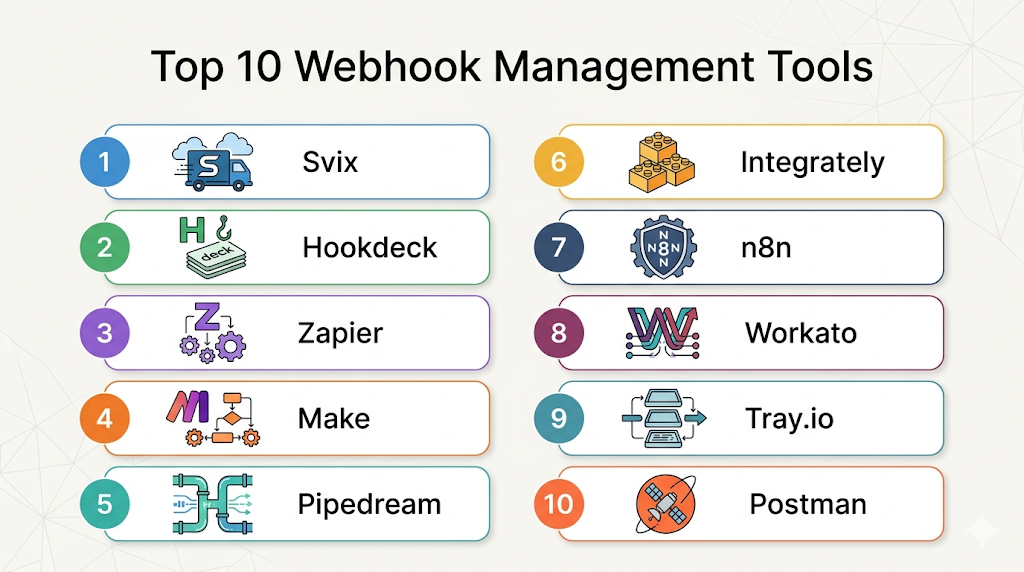
Top 10 Webhook Management Tools
#1 — Svix
Short description (2–3 lines): Svix is a webhook infrastructure platform built specifically for developers who need secure, scalable webhook delivery. Great for SaaS products offering outbound webhooks.
Key Features
- Managed webhook delivery
- Retry logic and dead-letter support
- Signature verification
- Event replay
- Multi-endpoint management
- Detailed logs
- Developer SDKs
Pros
- Purpose-built for webhook delivery
- Strong reliability features
- Great developer experience
Cons
- Focused category use case
- Premium features may cost more
- Best for product teams, less for casual users
Platforms / Deployment
Cloud / Hybrid
Security & Compliance
Encryption, signing secrets, audit features. Other certifications vary.
Integrations & Ecosystem
Strong developer ecosystem for SaaS platforms needing outbound events.
- REST APIs
- SDKs
- CI/CD systems
- Internal applications
Support & Community
Strong documentation and growing developer community.
#2 — Hookdeck
Short description (2–3 lines): Hookdeck focuses on webhook reliability, observability, routing, and debugging. Ideal for teams managing high-volume incoming or outgoing events.
Key Features
- Event routing
- Retries and buffering
- Filtering rules
- Replay tools
- Monitoring dashboards
- Error debugging
- Multi-destination delivery
Pros
- Excellent observability
- Strong for scaling webhook traffic
- Useful debugging workflows
Cons
- Advanced usage may need setup time
- Usage pricing can scale with volume
- Smaller brand awareness than broader platforms
Platforms / Deployment
Cloud
Security & Compliance
Encryption, access controls. Other details vary.
Integrations & Ecosystem
Good fit for API-heavy operations.
- Stripe
- Shopify
- Internal APIs
- Custom apps
Support & Community
Helpful docs and technical support.
#3 — Zapier
Short description (2–3 lines): Zapier offers webhook triggers and actions inside a no-code automation ecosystem. Best for business teams wanting simple automation.
Key Features
- Catch webhook endpoints
- Send webhook requests
- Multi-step workflows
- Templates
- App integrations
- Filters and paths
- User-friendly UI
Pros
- Extremely easy to use
- Huge app ecosystem
- Fast business automation
Cons
- Less ideal for deep engineering control
- Premium plans can rise quickly
- High-scale technical workloads may outgrow it
Platforms / Deployment
Cloud
Security & Compliance
SSO on select plans, encryption, admin controls vary by tier.
Integrations & Ecosystem
One of the largest SaaS integration ecosystems.
- CRM tools
- Marketing tools
- Spreadsheets
- Payment apps
- Support platforms
Support & Community
Large user base and strong tutorials.
#4 — Make
Short description (2–3 lines): Make is a visual automation platform with robust webhook handling and workflow orchestration.
Key Features
- Custom webhook triggers
- Visual builder
- Data mapping
- Conditional logic
- Scheduling + webhooks
- Multi-app flows
- Templates
Pros
- Strong visual automation
- Good balance of power and usability
- Flexible workflows
Cons
- Can become complex in large scenarios
- Pricing tied to operations
- Less engineering-grade observability
Platforms / Deployment
Cloud
Security & Compliance
Encryption and admin controls vary by plan.
Integrations & Ecosystem
Strong no-code automation ecosystem.
- CRM apps
- eCommerce tools
- Marketing systems
- Databases
Support & Community
Good learning resources.
#5 — Pipedream
Short description (2–3 lines): Pipedream combines webhook triggers, code execution, and integrations for technical automation teams.
Key Features
- Webhook endpoints
- Node.js/Python workflows
- API connectors
- Serverless execution
- Logs and debugging
- Reusable components
- Real-time triggers
Pros
- Great for technical users
- Strong flexibility
- Fast API automation building
Cons
- Requires technical knowledge
- Less suited for non-technical teams
- Advanced scale planning may be needed
Platforms / Deployment
Cloud
Security & Compliance
Varies / Not publicly stated.
Integrations & Ecosystem
Excellent for API-centric workflows.
- Slack
- GitHub
- Stripe
- Databases
- Custom APIs
Support & Community
Strong developer docs.
#6 — Integrately
Short description (2–3 lines): Integrately provides easy automation with webhook support for SMB teams.
Key Features
- Incoming webhooks
- One-click automations
- App connectors
- Filters
- Multi-step flows
- Templates
- Fast onboarding
Pros
- Easy for SMB users
- Quick deployment
- Lower complexity than enterprise tools
Cons
- Limited advanced controls
- Smaller ecosystem than leaders
- Less ideal for custom engineering use cases
Platforms / Deployment
Cloud
Security & Compliance
Varies / N/A
Integrations & Ecosystem
Useful for SMB operations.
- CRM
- Email apps
- eCommerce
- Helpdesk tools
Support & Community
Good beginner-friendly support.
#7 — n8n
Short description (2–3 lines): n8n is an open-source workflow automation platform with strong webhook support and self-hosting options.
Key Features
- Webhook triggers
- Visual workflows
- Custom code nodes
- Self-hosting
- Hundreds of integrations
- Error handling
- Open-source extensibility
Pros
- Great flexibility
- Strong value proposition
- Self-hosting available
Cons
- Requires setup for self-hosting
- UI learning curve for advanced flows
- Enterprise support depends on plan
Platforms / Deployment
Cloud / Self-hosted
Security & Compliance
RBAC and admin controls vary by edition.
Integrations & Ecosystem
Strong modern automation ecosystem.
- Databases
- SaaS apps
- APIs
- Internal tools
Support & Community
Strong open-source community.
#8 — Workato
Short description (2–3 lines): Workato is an enterprise automation platform with webhook capabilities and governance features.
Key Features
- Webhook connectors
- Enterprise workflows
- Governance controls
- AI automation support
- Integration recipes
- Monitoring tools
- Scalable architecture
Pros
- Enterprise-ready
- Strong governance
- Broad automation capabilities
Cons
- Higher pricing
- More than needed for small teams
- Implementation may require planning
Platforms / Deployment
Cloud / Hybrid
Security & Compliance
Enterprise-grade controls vary by contract.
Integrations & Ecosystem
Strong enterprise integrations.
- ERP systems
- CRM platforms
- HR systems
- Finance apps
Support & Community
Strong enterprise onboarding.
#9 — Tray.io
Short description (2–3 lines): Tray.io helps businesses automate integrations and workflows with webhook support and API orchestration.
Key Features
- Webhook triggers
- API orchestration
- Low-code builder
- Data workflows
- Reusable connectors
- Error monitoring
- Enterprise scaling
Pros
- Good for ops teams
- Strong integration depth
- Low-code flexibility
Cons
- Pricing may suit larger teams
- Can require implementation effort
- Less ideal for tiny teams
Platforms / Deployment
Cloud
Security & Compliance
Varies / Enterprise details by plan.
Integrations & Ecosystem
Good enterprise connectivity.
- Salesforce
- NetSuite
- Slack
- Databases
Support & Community
Professional support options.
#10 — Postman
Short description (2–3 lines): Postman is widely known for API development and testing, with webhook request testing and automation support.
Key Features
- Mock endpoints
- Request testing
- Webhook simulation
- Collections
- Monitoring
- Collaboration
- API documentation
Pros
- Great for testing workflows
- Familiar developer tool
- Strong collaboration features
Cons
- Not a dedicated webhook delivery platform
- Runtime automation limited vs specialists
- Best for dev workflows
Platforms / Deployment
Web / Windows / macOS / Linux
Security & Compliance
SSO and enterprise controls vary by plan.
Integrations & Ecosystem
Excellent for developer teams.
- CI/CD
- APIs
- Git tools
- Monitoring systems
Support & Community
Very large developer community.
Comparison Table (Top 10)
| Tool Name | Best For | Platform(s) Supported | Deployment | Standout Feature | Public Rating |
|---|---|---|---|---|---|
| Svix | SaaS products | Web | Cloud / Hybrid | Managed webhook infrastructure | N/A |
| Hookdeck | Reliability at scale | Web | Cloud | Event routing + observability | N/A |
| Zapier | Business automation | Web | Cloud | Massive app ecosystem | N/A |
| Make | Visual workflows | Web | Cloud | Powerful scenario builder | N/A |
| Pipedream | Developers | Web | Cloud | Code + webhook workflows | N/A |
| Integrately | SMB automation | Web | Cloud | One-click automations | N/A |
| n8n | Flexible automation | Web | Cloud / Self-hosted | Open-source workflows | N/A |
| Workato | Enterprise automation | Web | Cloud / Hybrid | Governance + integrations | N/A |
| Tray.io | Ops automation | Web | Cloud | API orchestration | N/A |
| Postman | API testing teams | Desktop/Web | Cloud | Testing + collaboration | N/A |
Evaluation & Scoring of Webhook Management Tools
| Tool Name | Core | Ease | Integrations | Security | Performance | Support | Value | Weighted Total |
|---|---|---|---|---|---|---|---|---|
| Svix | 9 | 8 | 8 | 9 | 9 | 8 | 8 | 8.45 |
| Hookdeck | 9 | 8 | 8 | 8 | 9 | 8 | 8 | 8.35 |
| Zapier | 8 | 10 | 10 | 8 | 7 | 9 | 7 | 8.55 |
| Make | 8 | 9 | 9 | 7 | 7 | 8 | 8 | 8.10 |
| Pipedream | 9 | 7 | 9 | 7 | 8 | 8 | 8 | 8.15 |
| Integrately | 7 | 9 | 8 | 6 | 7 | 7 | 9 | 7.75 |
| n8n | 8 | 7 | 9 | 7 | 8 | 8 | 9 | 8.10 |
| Workato | 9 | 7 | 10 | 9 | 9 | 9 | 6 | 8.45 |
| Tray.io | 8 | 7 | 9 | 8 | 8 | 8 | 7 | 7.95 |
| Postman | 7 | 9 | 8 | 8 | 7 | 9 | 8 | 8.00 |
These scores are comparative across this category. Higher scores often indicate broader capability, but not always the best fit for every team. SMB buyers may prioritize ease and value, while enterprises may prioritize governance and scale. Always match scores with your technical and budget realities.
Which Webhook Management Tool Is Right for You?
Solo / Freelancer
Choose Zapier, Make, Integrately, or Postman for fast setup and low complexity.
SMB
n8n, Make, Zapier, and Pipedream offer strong flexibility without enterprise overhead.
Mid-Market
Hookdeck, Svix, Pipedream, and Tray.io fit scaling businesses with growing event volume.
Enterprise
Workato and Svix are strong options where governance, reliability, and security matter most.
Budget vs Premium
Budget-friendly options include n8n and Integrately. Premium options include Workato and enterprise-grade webhook platforms.
Feature Depth vs Ease of Use
Zapier wins on ease of use. Svix and Hookdeck offer deeper specialized webhook capabilities.
Integrations & Scalability
Zapier and Workato excel in integrations. Hookdeck and Svix are stronger for high-volume webhook delivery.
Security & Compliance Needs
Enterprise buyers should prioritize Workato, Svix, and Hookdeck.
Frequently Asked Questions (FAQs)
What are webhook management tools?
They help businesses manage real-time event notifications between systems with better reliability, security, and monitoring.
Why not just build webhooks internally?
Internal systems often lack retries, replay, dashboards, routing, and operational visibility.
Which tool is best for startups?
Zapier, n8n, Make, and Pipedream are strong startup-friendly choices.
Which tool is best for enterprise teams?
Workato, Svix, and Hookdeck are strong enterprise contenders.
Are webhook tools expensive?
Pricing varies widely. Some charge by tasks, others by events volume or enterprise contracts.
What is event replay?
Replay lets you resend failed or historical webhook events to recover workflows.
Are webhooks secure?
Yes, when using signatures, HTTPS, token auth, IP controls, and audit logging.
Which tool is best for no-code users?
Zapier and Make are usually easiest for non-technical users.
Can I self-host webhook tools?
Yes, platforms like n8n support self-hosting.
How do I choose the right tool?
Evaluate scale, integrations, security needs, technical resources, and pricing model.
Conclusion
Webhook Management Tools are now essential for businesses that depend on connected apps, automated workflows, and real-time customer operations. The right platform can reduce integration failures, speed up operations, and improve visibility across systems. Some teams need no-code simplicity, while others need enterprise-grade reliability or developer-focused infrastructure. Zapier and Make are excellent for business automation, while Svix and Hookdeck are stronger for dedicated webhook delivery. Enterprises may prefer Workato for governance and large-scale orchestration. Instead of choosing based only on popularity, focus on your event volume, internal technical resources, required integrations, and security expectations. A startup with limited engineering support may value ease of use, while a SaaS platform sending millions of events needs replay systems, monitoring, and scalability. Begin by shortlisting two or three tools, testing live webhook flows, reviewing error handling, and validating pricing under expected usage. The best webhook tool is the one that reliably supports your workflows today while scaling smoothly with your future growth.
