Introduction
Integration Platform as a Service (iPaaS) is a cloud-based platform that helps businesses connect different software systems, apps, databases, and workflows without building custom integrations from scratch. Instead of manually syncing data between CRM, ERP, HR, finance, marketing, and support tools, iPaaS platforms automate those connections using prebuilt connectors, APIs, workflows, and orchestration tools.
It matters more than ever now because modern companies use dozens—or even hundreds—of SaaS tools. Data silos create delays, reporting issues, customer experience problems, and security risks. iPaaS helps solve this by centralizing integrations and automating business processes.
Real-world use cases:
- Sync leads from marketing tools into CRM platforms
- Connect eCommerce stores with inventory and ERP systems
- Automate employee onboarding across HR and IT apps
- Unify finance data across billing and accounting systems
- Trigger customer support workflows from product events
What buyers should evaluate:
- Number and quality of connectors
- Workflow automation depth
- API management features
- Security controls and compliance readiness
- Ease of implementation
- Scalability and performance
- Pricing model
- Monitoring and error handling
- Governance and RBAC
- Support quality
Best for: IT teams, operations leaders, RevOps, finance ops, enterprise architects, digital transformation teams, and growing companies managing multiple apps.
Not ideal for: Very small businesses using only 2–3 tools, teams needing only one simple Zap-style automation, or companies requiring highly custom code-first middleware.
Key Trends in Integration Platform as a Service (iPaaS)
- AI-assisted integration building with natural language workflow creation.
- Self-healing automations that detect and retry failures automatically.
- Embedded integration marketplaces for SaaS vendors.
- Low-code + pro-code hybrid models for both business users and developers.
- Event-driven architecture support using webhooks, queues, and streaming.
- Stronger governance tools for access control, approvals, and audit trails.
- Industry templates for healthcare, finance, retail, and manufacturing.
- Usage-based pricing models replacing flat-seat pricing.
- Data residency and regional hosting becoming more important globally.
- API + automation convergence where iPaaS overlaps with API management and workflow tools.
How We Selected These Tools (Methodology)
- Strong market recognition and adoption across industries
- Broad connector ecosystem and API flexibility
- Balance of enterprise and SMB use cases
- Workflow automation depth and orchestration power
- Security signals such as SSO, RBAC, logging, encryption
- Reliability, uptime reputation, and scaling capability
- Ease of use for technical and non-technical teams
- Documentation, training, and customer support maturity
- Innovation in AI, low-code, and modern integration patterns
- Overall business value relative to complexity and cost
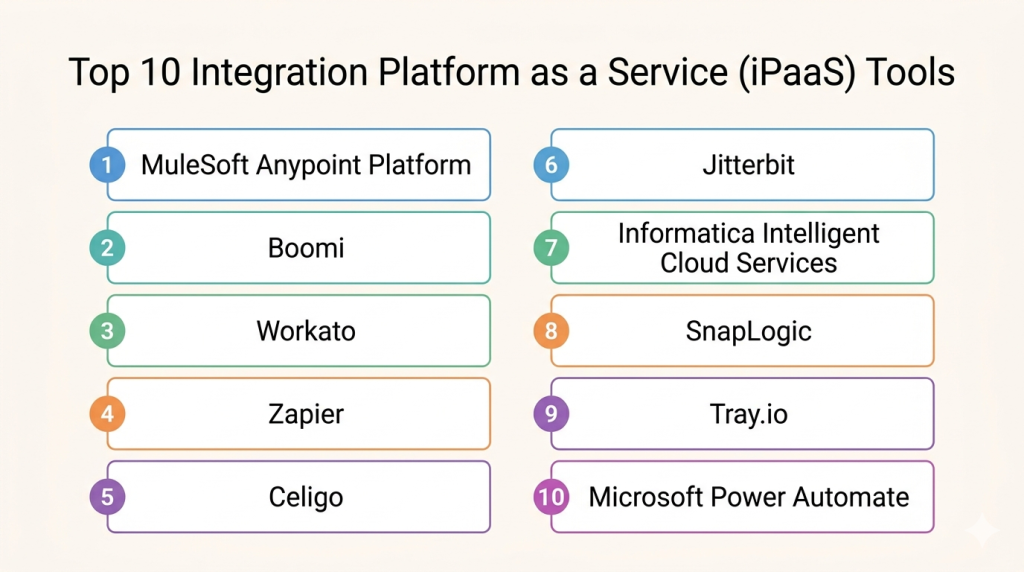
Top 10 Integration Platform as a Service (iPaaS) Tools
Top 10 Tools List
- MuleSoft Anypoint Platform
- Boomi
- Workato
- Zapier
- Celigo
- Jitterbit
- Informatica Intelligent Cloud Services
- SnapLogic
- Tray.io
- Microsoft Power Automate
#1 — MuleSoft Anypoint Platform
Short description: Enterprise-grade iPaaS focused on APIs, integrations, and complex system orchestration. Best for large organizations.
Key Features
- API design and lifecycle management
- Prebuilt connectors
- Hybrid deployment support
- Advanced governance tools
- Reusable integration assets
- Monitoring and analytics
- Event-driven architecture support
Pros
- Excellent for enterprise scale
- Strong API + integration combination
- Mature governance controls
Cons
- Premium pricing
- Steeper learning curve
- Can be overkill for SMBs
Platforms / Deployment
Cloud / Self-hosted / Hybrid
Security & Compliance
SSO/SAML, RBAC, encryption, audit logs. Additional certifications vary by plan.
Integrations & Ecosystem
Strong ecosystem across enterprise systems.
- Salesforce
- SAP
- Oracle
- AWS
- Databases
- Custom APIs
Support & Community
Large global community, training ecosystem, enterprise support tiers.
#2 — Boomi
Short description: Popular cloud iPaaS known for usability and large connector library.
Key Features
- Drag-and-drop integration builder
- Data mapping tools
- B2B/EDI support
- API management
- Master data options
- Workflow automation
- Monitoring dashboards
Pros
- Strong ease of use
- Fast deployment
- Large connector catalog
Cons
- Pricing may rise with scale
- Advanced scenarios need expertise
- UI can feel dated in places
Platforms / Deployment
Cloud / Hybrid
Security & Compliance
SSO, encryption, RBAC. Additional compliance varies.
Integrations & Ecosystem
- NetSuite
- Salesforce
- SAP
- Workday
- Databases
Support & Community
Good documentation and broad partner network.
#3 — Workato
Short description: Automation-first iPaaS with strong business workflow capabilities.
Key Features
- Recipe-based automation
- AI copilots
- Enterprise connectors
- Data workflows
- Governance controls
- Error handling
- Embedded integrations
Pros
- Excellent automation UX
- Strong enterprise workflows
- Fast time to value
Cons
- Can become expensive
- Complex pricing structures
- Heavy usage may need governance
Platforms / Deployment
Cloud
Security & Compliance
SSO, RBAC, logging, encryption.
Integrations & Ecosystem
- Salesforce
- Slack
- Netsuite
- ServiceNow
- Workday
Support & Community
Strong support reputation and growing community.
#4 — Zapier
Short description: Widely used no-code automation platform ideal for SMBs and solo operators.
Key Features
- Thousands of connectors
- No-code workflows
- Multi-step automations
- Webhooks
- AI workflow tools
- Templates
- Easy onboarding
Pros
- Very beginner friendly
- Massive app library
- Quick setup
Cons
- Not ideal for enterprise complexity
- Can become costly at scale
- Governance less robust than enterprise tools
Platforms / Deployment
Cloud
Security & Compliance
Basic enterprise controls available on higher tiers.
Integrations & Ecosystem
- Gmail
- Slack
- HubSpot
- Shopify
- Airtable
Support & Community
Huge user base and extensive tutorials.
#5 — Celigo
Short description: Strong iPaaS for eCommerce, SaaS operations, and NetSuite-centric businesses.
Key Features
- Prebuilt integration apps
- NetSuite specialization
- Flow builder
- Error management
- Dashboarding
- API connectivity
- Template library
Pros
- Excellent for NetSuite users
- Faster packaged deployments
- Good commerce integrations
Cons
- Less universal than some rivals
- Advanced custom cases may need help
- Mid-market focus
Platforms / Deployment
Cloud
Security & Compliance
Encryption, access controls. Additional details vary.
Integrations & Ecosystem
- NetSuite
- Shopify
- Amazon
- Salesforce
- Zendesk
Support & Community
Good implementation support.
#6 — Jitterbit
Short description: Mid-market focused iPaaS with API and automation capabilities.
Key Features
- Low-code builder
- API creation
- App integrations
- Data transformation
- Workflow automation
- Monitoring
- Templates
Pros
- Good mid-market fit
- Easier than heavy enterprise tools
- Strong API value
Cons
- Smaller ecosystem than leaders
- Less mindshare
- UI preferences vary
Platforms / Deployment
Cloud / Hybrid
Security & Compliance
SSO, encryption, access management.
Integrations & Ecosystem
- Salesforce
- Oracle
- SAP
- Databases
- REST APIs
Support & Community
Solid commercial support.
#7 — Informatica Intelligent Cloud Services
Short description: Enterprise-grade platform blending integration with data management strength.
Key Features
- Data integration
- Application integration
- Data quality tools
- Governance
- API capabilities
- Large-scale processing
- Enterprise monitoring
Pros
- Excellent for data-heavy enterprises
- Strong governance
- Trusted enterprise brand
Cons
- Complexity
- Premium pricing
- Best for larger organizations
Platforms / Deployment
Cloud / Hybrid
Security & Compliance
Enterprise-grade controls vary by environment.
Integrations & Ecosystem
- SAP
- Oracle
- Salesforce
- Warehouses
- Databases
Support & Community
Strong enterprise support ecosystem.
#8 — SnapLogic
Short description: AI-assisted integration platform with visual pipeline building.
Key Features
- Visual designer
- AI recommendations
- Pipeline orchestration
- ELT/data workflows
- App integration
- Monitoring
- Reusable components
Pros
- Strong usability
- Good for data + app integration
- AI productivity features
Cons
- Premium positioning
- Learning curve for advanced pipelines
- Enterprise oriented
Platforms / Deployment
Cloud / Hybrid
Security & Compliance
Encryption, RBAC, SSO options.
Integrations & Ecosystem
- Snowflake
- Salesforce
- SAP
- AWS
- Databases
Support & Community
Good enterprise support.
#9 — Tray.io
Short description: Flexible automation and embedded integration platform for SaaS and growth companies.
Key Features
- Low-code builder
- Embedded integrations
- API orchestration
- Conditional logic
- Large connector set
- Reusable workflows
- Governance tools
Pros
- Strong for SaaS vendors
- Flexible workflows
- Good modern UX
Cons
- Enterprise pricing levels
- Less broad brand awareness
- Some advanced cases need technical users
Platforms / Deployment
Cloud
Security & Compliance
SSO, access controls, logging.
Integrations & Ecosystem
- CRM apps
- Marketing apps
- Support tools
- REST APIs
Support & Community
Responsive support, growing ecosystem.
#10 — Microsoft Power Automate
Short description: Microsoft ecosystem automation platform with iPaaS-like capabilities.
Key Features
- Workflow automation
- Microsoft 365 integrations
- Desktop automation
- AI builder options
- Hundreds of connectors
- Governance with Microsoft stack
- Low-code builder
Pros
- Great Microsoft value
- Familiar ecosystem
- Strong for internal workflows
Cons
- Best inside Microsoft stack
- Complex licensing in some cases
- Less specialized than pure-play iPaaS leaders
Platforms / Deployment
Cloud / Hybrid
Security & Compliance
Strong Microsoft security ecosystem.
Integrations & Ecosystem
- Teams
- SharePoint
- Dynamics
- Azure
- Third-party SaaS apps
Support & Community
Large community and documentation base.
Comparison Table (Top 10)
| Tool Name | Best For | Platform(s) Supported | Deployment | Standout Feature | Public Rating |
|---|---|---|---|---|---|
| MuleSoft | Enterprise | Web | Cloud/Hybrid | API + Integration depth | N/A |
| Boomi | Mid-market/Enterprise | Web | Cloud/Hybrid | Ease + connectors | N/A |
| Workato | Automation-led teams | Web | Cloud | Recipe automation | N/A |
| Zapier | SMB / Solo | Web | Cloud | Simplicity | N/A |
| Celigo | NetSuite users | Web | Cloud | Packaged flows | N/A |
| Jitterbit | Mid-market | Web | Cloud/Hybrid | API + low-code | N/A |
| Informatica | Data-heavy enterprise | Web | Cloud/Hybrid | Data governance | N/A |
| SnapLogic | Data + app teams | Web | Cloud/Hybrid | AI pipelines | N/A |
| Tray.io | SaaS companies | Web | Cloud | Embedded integrations | N/A |
| Power Automate | Microsoft shops | Web/Desktop | Cloud/Hybrid | Microsoft ecosystem | N/A |
Evaluation & Scoring of Integration Platform as a Service (iPaaS)
| Tool Name | Core | Ease | Integrations | Security | Performance | Support | Value | Weighted Total |
|---|---|---|---|---|---|---|---|---|
| MuleSoft | 10 | 6 | 9 | 9 | 9 | 9 | 6 | 8.35 |
| Boomi | 9 | 8 | 9 | 8 | 8 | 8 | 7 | 8.20 |
| Workato | 9 | 9 | 8 | 8 | 8 | 8 | 6 | 8.05 |
| Zapier | 7 | 10 | 9 | 6 | 7 | 8 | 8 | 7.95 |
| Celigo | 8 | 8 | 8 | 7 | 8 | 8 | 8 | 7.95 |
| Jitterbit | 8 | 8 | 7 | 7 | 8 | 7 | 8 | 7.65 |
| Informatica | 9 | 6 | 8 | 9 | 9 | 8 | 6 | 7.95 |
| SnapLogic | 8 | 8 | 8 | 8 | 8 | 7 | 7 | 7.85 |
| Tray.io | 8 | 8 | 8 | 7 | 8 | 7 | 7 | 7.70 |
| Power Automate | 8 | 8 | 8 | 8 | 8 | 8 | 9 | 8.10 |
How to interpret scores:
These scores are comparative, not absolute. A lower-scoring tool may still be best for your use case if pricing, ecosystem fit, or team skills align better. Enterprise tools score high on power, while SMB tools score high on usability and value.
Which Integration Platform as a Service (iPaaS) Tool Is Right for You?
Solo / Freelancer
Choose Zapier for simplicity and fast setup.
SMB
Choose Zapier, Power Automate, or Celigo depending on ecosystem needs.
Mid-Market
Choose Boomi, Jitterbit, or Workato for balance.
Enterprise
Choose MuleSoft, Informatica, Boomi, or Workato.
Budget vs Premium
- Budget: Zapier, Power Automate
- Premium: MuleSoft, Workato, Informatica
Feature Depth vs Ease of Use
- Depth: MuleSoft, Informatica
- Ease: Zapier, Boomi, Workato
Integrations & Scalability
- Broad ecosystem: Zapier, Boomi
- Enterprise scale: MuleSoft, Workato
Security & Compliance Needs
Choose enterprise-focused vendors with governance features like MuleSoft, Informatica, Microsoft.
Frequently Asked Questions (FAQs)
1. What does iPaaS mean?
It stands for Integration Platform as a Service. It helps connect apps and automate workflows.
2. Is iPaaS only for enterprises?
No. Many SMBs use simpler platforms like Zapier or Power Automate.
3. How is pricing usually structured?
Often by tasks, flows, connectors, users, or usage volume.
4. How long does implementation take?
Simple workflows can take hours. Enterprise programs may take months.
5. Is coding required?
Not always. Many platforms are low-code, though advanced use cases may need developers.
6. Is iPaaS secure?
Leading vendors offer encryption, access controls, logs, and enterprise security features.
7. Can iPaaS replace APIs?
No. It complements APIs by orchestrating and managing integrations.
8. What common mistakes should buyers avoid?
Ignoring governance, connector limits, scaling costs, and monitoring needs.
9. Can I switch platforms later?
Yes, but migration effort depends on workflow complexity.
10. What are alternatives to iPaaS?
Custom middleware, ESB platforms, direct APIs, or workflow automation tools.
Conclusion
The best Integration Platform as a Service (iPaaS) tool depends on your company size, existing software stack, security needs, and automation maturity. SMBs may win with simplicity-focused platforms like Zapier or Power Automate, while enterprises often need the governance and scale of MuleSoft, Boomi, or Informatica. Mid-market companies usually benefit from flexible platforms like Workato, Celigo, or Jitterbit. Instead of chasing the biggest brand, shortlist 2–3 tools that match your workflows, test critical integrations, compare total cost, and run a pilot before full rollout.
