Introduction
Web Content Filtering Tools are solutions that help organizations control, monitor, and restrict the type of content users can access on the internet. These tools protect employees, students, and users from harmful, inappropriate, or malicious content while maintaining productivity and compliance. In today’s environment of remote work, cloud services, and bring-your-own-device policies, web content filtering is critical for cybersecurity, compliance, and network management.
Real-world use cases include:
- Schools restricting access to inappropriate websites for students
- Enterprises blocking malware, phishing sites, and unsafe domains
- Organizations enforcing acceptable use policies and productivity controls
- Government and regulatory institutions controlling internet access
- ISPs providing safe browsing options for customers
Evaluation criteria for buyers:
- Accuracy of content categorization and filtering
- Customization of filtering policies
- Ease of deployment and management
- Reporting and analytics capabilities
- Integration with existing security infrastructure
- Support for multiple devices and platforms
- Cloud, on-prem, or hybrid deployment options
- Malware, phishing, and ransomware protection
- Real-time updates to URL and category databases
- Compliance with industry regulations and privacy standards
Best for: Enterprises, educational institutions, government organizations, and service providers seeking secure, compliant, and productive internet access
Not ideal for: Small organizations or personal users where built-in browser or OS-level filtering may suffice
Key Trends in Web Content Filtering Tools
- AI-driven categorization for more accurate content classification
- Cloud-native deployment for easier management and scalability
- Integration with secure web gateways (SWG) and firewall systems
- Real-time URL and category updates to block emerging threats
- Risk-based and adaptive filtering for remote and hybrid workforces
- Integration with CASB, endpoint security, and network monitoring tools
- Support for mobile and BYOD (Bring Your Own Device) policies
- Reporting dashboards with compliance and usage analytics
- Enhanced malware and phishing protection
- Granular policy control for departments, teams, or individuals
How We Selected These Tools (Methodology)
- Market adoption and reputation in content filtering and cybersecurity
- Accuracy and reliability of content categorization
- Integration with network, endpoint, and security infrastructure
- Ease of deployment and policy management
- Reporting, analytics, and compliance features
- Cloud, hybrid, and on-prem deployment flexibility
- Multi-platform device support
- Threat detection and malware protection
- Customer feedback and enterprise adoption
- Compliance with regulatory standards like SOC 2, GDPR, and ISO
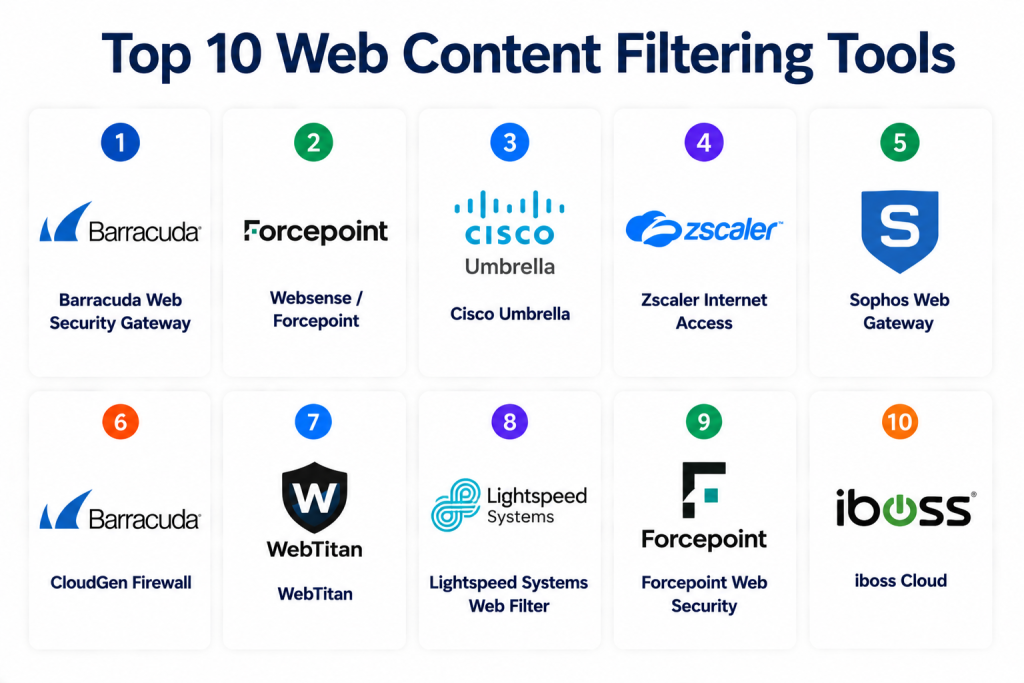
Top 10 Web Content Filtering Tools
1- Barracuda Web Security Gateway
Short description: Cloud and appliance-based web content filtering solution offering URL filtering, malware protection, and reporting
Key Features
- URL categorization and filtering
- Real-time malware and phishing protection
- Policy enforcement by user, group, or device
- Reporting dashboards and analytics
- Cloud and appliance deployment
- SSL inspection
- Integration with directory services
Pros
- Accurate filtering and threat protection
- Flexible deployment options
- Detailed analytics
Cons
- Enterprise pricing
- Requires setup for SSL inspection
Platforms / Deployment
- Web / Windows / Cloud / On-prem
Security & Compliance
- SOC 2
- TLS encryption
Integrations & Ecosystem
Integrates with Active Directory, SIEMs, and endpoint security
- API support
- Cloud and on-prem dashboards
- Threat intelligence updates
Support & Community
- Enterprise support
- Documentation and knowledge base
2- Websense / Forcepoint
Short description: Enterprise web filtering and security platform providing URL filtering, malware detection, and policy enforcement
Key Features
- URL and content categorization
- Malware and phishing detection
- Real-time updates to URL database
- Policy management by user or group
- Cloud, on-prem, and hybrid deployment
- Analytics and reporting dashboards
- Integration with endpoint and network security
Pros
- Scalable for large organizations
- Multi-platform support
- Granular policy enforcement
Cons
- Enterprise-focused pricing
- Complex initial deployment
Platforms / Deployment
- Web / Windows / Linux / Cloud / Hybrid
Security & Compliance
- SOC 2
- TLS encryption
Integrations & Ecosystem
Integrates with endpoint security, SWG, and directory services
- API and reporting endpoints
- Dashboards for compliance and usage monitoring
Support & Community
- Enterprise support
- Documentation and tutorials
3- Cisco Umbrella
Short description: Cloud-delivered web security platform offering content filtering, DNS-layer protection, and malware prevention
Key Features
- DNS and IP-based content filtering
- Cloud-delivered protection
- Malware, phishing, and ransomware prevention
- Policy enforcement by group or device
- Reporting and analytics dashboards
- Integration with endpoint protection
- Real-time threat intelligence
Pros
- Cloud-native and scalable
- Minimal deployment overhead
- Real-time threat protection
Cons
- Subscription pricing
- Advanced features may require integration expertise
Platforms / Deployment
- Web / Windows / Mac / Cloud
Security & Compliance
- SOC 2
- TLS encryption
Integrations & Ecosystem
Integrates with endpoints, SWG, and SIEM platforms
- API for reporting
- Threat intelligence feeds
Support & Community
- Enterprise support
- Documentation and forums
4- Zscaler Internet Access
Short description: Cloud-based web security platform delivering content filtering, SSL inspection, and threat protection
Key Features
- Cloud content filtering
- Malware and phishing protection
- Policy enforcement by user or group
- SSL inspection
- Real-time analytics and reporting
- Multi-device and BYOD support
- API and LMS integration
Pros
- Fully cloud-managed
- Scalable for remote and hybrid workforces
- Real-time threat intelligence
Cons
- Enterprise pricing
- Advanced analytics require premium plan
Platforms / Deployment
- Web / Windows / Mac / Cloud
Security & Compliance
- SOC 2
- GDPR
Integrations & Ecosystem
Integrates with directory services, SWG, and endpoint security
- API support
- Dashboard reporting
Support & Community
- Enterprise support
- Documentation
5- Sophos Web Gateway
Short description: Combines content filtering, malware protection, and advanced threat defense in a cloud or on-prem solution
Key Features
- URL and content categorization
- Malware and phishing protection
- Policy enforcement by user, group, or device
- Analytics and reporting dashboards
- SSL inspection
- Integration with Sophos endpoint security
- Cloud and on-prem deployment
Pros
- Strong security protection
- Flexible deployment options
- Scalable for SMBs and enterprises
Cons
- Enterprise pricing
- Requires technical setup for SSL inspection
Platforms / Deployment
- Web / Windows / Mac / Cloud / On-prem
Security & Compliance
- SOC 2
- TLS encryption
Integrations & Ecosystem
Integrates with endpoint security, directory services, and SIEM
- API and reporting endpoints
- Dashboards for compliance monitoring
Support & Community
- Enterprise support
- Documentation and knowledge base
6- Barracuda CloudGen Firewall
Short description: Web filtering and security solution integrated with network firewall capabilities for comprehensive protection
Key Features
- URL filtering and content categorization
- Malware and ransomware protection
- Policy enforcement by network, user, or device
- Cloud and on-prem deployment
- Real-time analytics and alerts
- SSL inspection
- Integration with SIEM platforms
Pros
- Combines firewall and content filtering
- Enterprise-grade protection
- Real-time threat intelligence
Cons
- Complex deployment for smaller teams
- Enterprise pricing
Platforms / Deployment
- Web / Windows / Cloud / On-prem
Security & Compliance
- SOC 2
- TLS encryption
Integrations & Ecosystem
Integrates with endpoint security, SIEM, and directory services
- API support
- Reporting dashboards
Support & Community
- Enterprise support
- Documentation
7- WebTitan
Short description: Cloud and appliance-based web filtering platform for SMBs and enterprises with real-time content and malware protection
Key Features
- URL categorization and filtering
- Malware and ransomware detection
- Policy management by user or group
- Reporting and analytics dashboards
- Cloud and appliance deployment
- SSL inspection
- Multi-device support
Pros
- Scalable for SMBs and mid-market
- Easy-to-use interface
- Real-time reporting
Cons
- Advanced analytics require premium plan
- Limited integration for large enterprises
Platforms / Deployment
- Web / Cloud / On-prem
Security & Compliance
- SOC 2
- TLS encryption
Integrations & Ecosystem
Integrates with directory services, endpoint security, and SIEM
- API and reporting support
- Dashboard analytics
Support & Community
- Enterprise support
- Documentation
8- Lightspeed Systems Web Filter
Short description: Focused on K-12 and educational environments, offering content filtering, malware protection, and reporting
Key Features
- URL and content filtering
- Malware and phishing protection
- Policy enforcement by student or group
- Real-time analytics and reporting
- Multi-device and BYOD support
- Cloud deployment
- Integration with LMS
Pros
- Designed for educational environments
- Easy-to-use interface
- Cloud deployment reduces IT overhead
Cons
- Limited enterprise-focused features
- Premium plans for advanced analytics
Platforms / Deployment
- Web / Cloud
Security & Compliance
- SOC 2
- TLS encryption
Integrations & Ecosystem
Integrates with LMS, directory services, and endpoint security
- API and reporting dashboards
Support & Community
- Enterprise support
- Documentation
9- Forcepoint Web Security
Short description: Cloud-delivered web content filtering and security solution for enterprises and SMBs
Key Features
- URL categorization and filtering
- Malware and ransomware protection
- Policy enforcement by group or device
- Real-time reporting dashboards
- SSL inspection
- Cloud and hybrid deployment
- API integration
Pros
- Enterprise-grade security
- Cloud-native deployment
- Real-time threat monitoring
Cons
- Enterprise pricing
- Technical setup for SSL inspection
Platforms / Deployment
- Web / Cloud / Hybrid
Security & Compliance
- SOC 2
- TLS encryption
Integrations & Ecosystem
Integrates with endpoint security, SIEM, and directory services
- API endpoints
- Dashboard reporting
Support & Community
- Enterprise support
- Documentation
10- iboss Cloud
Short description: Cloud-native web filtering platform providing URL filtering, malware protection, and analytics for enterprises
Key Features
- Real-time URL categorization
- Malware, ransomware, and phishing protection
- Policy enforcement by user or device
- Cloud deployment for scalability
- SSL inspection
- Analytics dashboards
- Integration with SIEM and endpoint security
Pros
- Cloud-native and scalable
- Minimal deployment overhead
- Real-time threat intelligence
Cons
- Enterprise pricing
- Some advanced features require premium plan
Platforms / Deployment
- Web / Cloud
Security & Compliance
- SOC 2
- TLS encryption
Integrations & Ecosystem
Integrates with SIEM, endpoint security, and directory services
- API support
- Dashboard analytics
Support & Community
- Enterprise support
- Documentation
Comparison Table (Top 10)
| Tool Name | Best For | Platform(s) Supported | Deployment | Standout Feature | Public Rating |
|---|---|---|---|---|---|
| Barracuda Web Security Gateway | Enterprise | Web / Windows / Cloud / On-prem | Cloud / On-prem | URL filtering + malware protection | N/A |
| Websense / Forcepoint | Enterprise | Web / Windows / Linux / Cloud / Hybrid | Hybrid | Real-time threat intelligence | N/A |
| Cisco Umbrella | Enterprise | Web / Windows / Mac / Cloud | Cloud | DNS-layer filtering | N/A |
| Zscaler Internet Access | Enterprise | Web / Windows / Mac / Cloud | Cloud | Cloud-native filtering | N/A |
| Sophos Web Gateway | SMB / Enterprise | Web / Windows / Mac / Cloud / On-prem | Hybrid | Malware + SSL inspection | N/A |
| Barracuda CloudGen Firewall | Enterprise | Web / Windows / Cloud / On-prem | Hybrid | Firewall + filtering | N/A |
| WebTitan | SMB / Mid-market | Web / Cloud / On-prem | Cloud / On-prem | Easy-to-use interface | N/A |
| Lightspeed Systems Web Filter | Education | Web / Cloud | Cloud | K-12 focused filtering | N/A |
| Forcepoint Web Security | Enterprise | Web / Cloud / Hybrid | Cloud / Hybrid | Real-time monitoring | N/A |
| iboss Cloud | Enterprise | Web / Cloud | Cloud | Cloud-native scalable filtering | N/A |
Evaluation & Scoring of Web Content Filtering Tools
| Tool Name | Core (25%) | Ease (15%) | Integrations (15%) | Security (10%) | Performance (10%) | Support (10%) | Value (15%) | Weighted Total |
|---|---|---|---|---|---|---|---|---|
| Barracuda Web Security Gateway | 9 | 8 | 8 | 8 | 8 | 8 | 7 | 8.0 |
| Websense / Forcepoint | 9 | 7 | 8 | 8 | 8 | 7 | 7 | 7.7 |
| Cisco Umbrella | 8 | 8 | 7 | 8 | 8 | 7 | 7 | 7.5 |
| Zscaler Internet Access | 8 | 7 | 7 | 8 | 8 | 7 | 7 | 7.5 |
| Sophos Web Gateway | 8 | 7 | 7 | 8 | 8 | 7 | 7 | 7.5 |
| Barracuda CloudGen Firewall | 8 | 7 | 7 | 8 | 8 | 7 | 7 | 7.5 |
| WebTitan | 7 | 8 | 7 | 7 | 7 | 7 | 7 | 7.2 |
| Lightspeed Systems Web Filter | 7 | 8 | 7 | 7 | 7 | 7 | 7 | 7.2 |
| Forcepoint Web Security | 8 | 7 | 7 | 8 | 8 | 7 | 7 | 7.5 |
| iboss Cloud | 8 | 7 | 7 | 8 | 8 | 7 | 7 | 7.5 |
Which Web Content Filtering Tool Is Right for You?
Solo / Freelancer
WebTitan or Lightspeed Systems are easy-to-use and affordable for smaller teams
SMB
Sophos Web Gateway and WebTitan offer scalable, cloud-based options
Mid-Market
Cisco Umbrella and Zscaler Internet Access provide real-time threat intelligence
Enterprise
Barracuda, Forcepoint, and iboss deliver enterprise-grade filtering with analytics and SSL inspection
Budget vs Premium
Lightspeed Systems and WebTitan suit cost-conscious users; Barracuda, Forcepoint, and Cisco provide advanced enterprise features
Feature Depth vs Ease of Use
WebTitan and Lightspeed Systems are intuitive; Cisco Umbrella, Zscaler, and Barracuda offer deep analytics and policy management
Integrations & Scalability
Barracuda, Zscaler, and Forcepoint integrate with endpoints, SIEM, and directory services for scalable deployment
Security & Compliance Needs
Enterprise SOC 2, GDPR, and TLS encryption provided by Barracuda, Websense, Cisco, and Zscaler
Frequently Asked Questions (FAQs)
1- What is a web content filtering tool?
It monitors and restricts access to internet content based on policies, ensuring security and compliance
2- Who uses these tools?
Enterprises, educational institutions, government organizations, and SMBs with network security needs
3- Can these tools block malware and phishing?
Yes, they provide real-time malware, ransomware, and phishing protection
4- Do they support mobile devices?
Yes, most tools support Windows, macOS, iOS, Android, and BYOD devices
5- Are reports provided for compliance?
Yes, detailed analytics and reporting dashboards are standard
6- Can these tools be cloud-based?
Many offer cloud-native deployment for ease of management and scalability
7- Do they integrate with directory services?
Yes, they integrate with Active Directory, LDAP, and other IAM systems
8- Are these suitable for small organizations?
WebTitan and Lightspeed Systems provide cost-effective solutions for SMBs
9- How often are URL databases updated?
Most tools update in real-time or daily to block emerging threats
10- Can web filtering be customized per user or group?
Yes, all enterprise tools allow granular policy enforcement
Conclusion
Web Content Filtering Tools protect organizations from malicious, inappropriate, or unsafe web content while enforcing compliance and productivity policies. Selection depends on organization size, deployment preferences, and threat landscape. Tools like WebTitan and Lightspeed are ideal for SMBs, while Cisco Umbrella, Barracuda, and Zscaler provide enterprise-grade filtering and analytics
