Introduction
Virtual Machine Management Tools are platforms that help organizations create, monitor, manage, and optimize virtual machines (VMs) across infrastructure environments. These tools provide centralized control over VM lifecycles, enabling efficient provisioning, scaling, monitoring, and automation.
As virtualization becomes a core part of modern IT infrastructure, VM management tools play a critical role in maintaining performance, security, and operational efficiency. They simplify complex environments and allow IT teams to manage multiple workloads seamlessly.
Real-world use cases:
- Managing large-scale virtual environments
- Automating VM provisioning and lifecycle management
- Monitoring performance and resource usage
- Supporting DevOps and testing environments
- Optimizing infrastructure costs and efficiency
What buyers should evaluate:
- Ease of VM provisioning and automation
- Performance monitoring and analytics
- Integration with virtualization platforms
- Scalability across environments
- Security and access controls
- Multi-cloud and hybrid support
- User interface and usability
- Cost and licensing
- Support and ecosystem
Best for:
IT teams, cloud architects, DevOps engineers, enterprises, and organizations managing virtualized infrastructure.
Not ideal for:
Users managing only a few VMs or those needing basic virtualization without centralized control.
Key Trends in Virtual Machine Management Tools
- Increased automation in VM lifecycle management
- Integration with cloud and hybrid infrastructure
- AI-driven performance monitoring and optimization
- Multi-cloud management capabilities
- Infrastructure-as-Code (IaC) adoption
- Enhanced security and compliance controls
- Integration with container platforms
- Real-time analytics and dashboards
- Self-service provisioning for developers
How We Selected These Tools (Methodology)
- Market adoption and enterprise usage
- Feature completeness and automation capabilities
- Integration with virtualization platforms
- Performance monitoring and scalability
- Security and compliance features
- Ease of use and management interface
- Support for hybrid and multi-cloud environments
- Vendor reliability and support
- Community and ecosystem strength
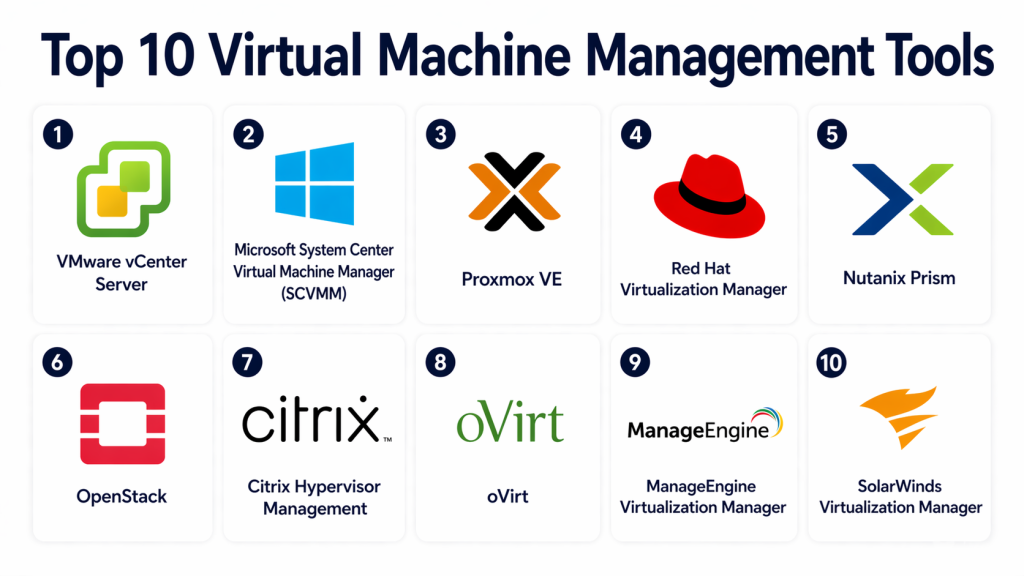
Top 10 Virtual Machine Management Tools
#1 — VMware vCenter Server
Short description:
VMware vCenter Server is a centralized management platform for VMware environments. It allows users to manage multiple virtual machines and hosts from a single interface. Organizations use it for large-scale infrastructure management. It is ideal for enterprises using VMware virtualization.
Key Features
- Centralized VM management
- Resource allocation
- Automation tools
- Performance monitoring
- Cluster management
Pros
- Enterprise-grade features
- Highly scalable
Cons
- Expensive licensing
- Complex setup
Platforms / Deployment
On-premise / Hybrid
Security & Compliance
Encryption, access control
Integrations & Ecosystem
- VMware ecosystem
- Cloud platforms
- Enterprise tools
Support & Community
Strong enterprise support
#2 — Microsoft System Center Virtual Machine Manager (SCVMM)
Short description:
SCVMM is a VM management tool designed for Microsoft Hyper-V environments. It provides centralized control and automation capabilities. Organizations use it to manage virtual infrastructure efficiently. It is ideal for Microsoft-based environments.
Key Features
- VM provisioning
- Resource management
- Automation
- Performance monitoring
- Integration with Hyper-V
Pros
- Strong integration with Microsoft tools
- Scalable
Cons
- Windows dependency
- Complex interface
Platforms / Deployment
On-premise / Cloud
Security & Compliance
Encryption, authentication
Integrations & Ecosystem
- Microsoft ecosystem
- Azure services
Support & Community
Strong support
#3 — Proxmox VE
Short description:
Proxmox VE is an open-source virtualization management platform that supports both VMs and containers. It provides a web-based interface for managing infrastructure. Organizations use it for flexible virtualization environments. It is ideal for SMBs and enterprises.
Key Features
- Web-based management
- VM and container support
- Backup and restore
- Cluster management
- Storage integration
Pros
- Free and flexible
- Easy management
Cons
- Limited enterprise support
- Learning curve
Platforms / Deployment
Linux / On-premise
Security & Compliance
Encryption
Integrations & Ecosystem
- Open-source tools
- Storage systems
Support & Community
Active community
#4 — Red Hat Virtualization Manager
Short description:
Red Hat Virtualization Manager is a centralized management tool for Red Hat virtualization environments. It provides automation, monitoring, and control capabilities. Organizations use it for enterprise infrastructure. It is ideal for Linux-based environments.
Key Features
- Centralized management
- Automation
- High availability
- Resource optimization
- Monitoring tools
Pros
- Open-source flexibility
- Strong performance
Cons
- Complex setup
- Requires expertise
Platforms / Deployment
On-premise / Hybrid
Security & Compliance
Encryption
Integrations & Ecosystem
- Linux ecosystem
- Enterprise tools
Support & Community
Strong support
#5 — Nutanix Prism
Short description:
Nutanix Prism is a management platform for Nutanix virtualization environments. It provides centralized control and automation features. Organizations use it for hyperconverged infrastructure management. It is ideal for enterprises adopting HCI.
Key Features
- Centralized management
- Automation
- Performance monitoring
- Resource optimization
- Analytics dashboard
Pros
- Easy to use
- Integrated platform
Cons
- Vendor lock-in
- Requires Nutanix ecosystem
Platforms / Deployment
On-premise / Hybrid
Security & Compliance
Encryption
Integrations & Ecosystem
- Nutanix ecosystem
- Cloud services
Support & Community
Strong support
#6 — OpenStack
Short description:
OpenStack is an open-source cloud platform that provides VM management capabilities. It allows users to manage large-scale virtual environments. Organizations use it for private and public cloud infrastructure. It is ideal for cloud-native enterprises.
Key Features
- VM provisioning
- Cloud management
- Networking
- Storage management
- Automation
Pros
- Highly scalable
- Open-source
Cons
- Complex setup
- Requires expertise
Platforms / Deployment
Cloud / Hybrid
Security & Compliance
Isolation, encryption
Integrations & Ecosystem
- Cloud tools
- APIs
Support & Community
Large community
#7 — Citrix Hypervisor Management
Short description:
Citrix Hypervisor Management provides tools for managing Citrix virtual environments. It enables centralized control and performance optimization. Organizations use it for enterprise virtualization. It is ideal for large deployments.
Key Features
- VM management
- Resource optimization
- Monitoring tools
- Automation
- Security controls
Pros
- High performance
- Enterprise features
Cons
- Complex configuration
- Licensing cost
Platforms / Deployment
On-premise / Cloud
Security & Compliance
Encryption
Integrations & Ecosystem
- Citrix ecosystem
- Enterprise tools
Support & Community
Enterprise support
#8 — oVirt
Short description:
oVirt is an open-source virtualization management platform for managing virtual machines. It provides a web-based interface and automation capabilities. Organizations use it for flexible infrastructure management. It is ideal for open-source environments.
Key Features
- Web-based interface
- VM management
- Automation
- High availability
- Resource control
Pros
- Free and open-source
- Flexible
Cons
- Limited enterprise support
- Learning curve
Platforms / Deployment
Linux / On-premise
Security & Compliance
Encryption
Integrations & Ecosystem
- Open-source tools
- Linux ecosystem
Support & Community
Active community
#9 — ManageEngine Virtualization Manager
Short description:
ManageEngine Virtualization Manager is a monitoring and management tool for virtual environments. It provides performance analytics and resource optimization features. Organizations use it for infrastructure visibility. It is ideal for SMBs and enterprises.
Key Features
- Performance monitoring
- Resource management
- Alerts and reporting
- Capacity planning
- Analytics
Pros
- Easy to use
- Good monitoring capabilities
Cons
- Limited automation
- Requires integration
Platforms / Deployment
Cloud / On-premise
Security & Compliance
Encryption
Integrations & Ecosystem
- IT tools
- APIs
Support & Community
Good support
#10 — SolarWinds Virtualization Manager
Short description:
SolarWinds Virtualization Manager is a tool designed for monitoring and optimizing virtual environments. It provides insights into performance and resource usage. Organizations use it to improve efficiency. It is ideal for IT teams managing virtual infrastructure.
Key Features
- Performance monitoring
- Resource optimization
- Capacity planning
- Alerts
- Reporting
Pros
- Strong analytics
- Easy monitoring
Cons
- Limited automation
- Licensing cost
Platforms / Deployment
Cloud / On-premise
Security & Compliance
Encryption
Integrations & Ecosystem
- IT tools
- Monitoring systems
Support & Community
Strong support
Comparison Table (Top 10)
| Tool Name | Best For | Platform(s) Supported | Deployment | Standout Feature | Public Rating |
|---|---|---|---|---|---|
| vCenter Server | Enterprise | Multi | Hybrid | Centralized control | N/A |
| SCVMM | Microsoft users | Multi | Hybrid | Integration | N/A |
| Proxmox VE | SMB | Linux | On-prem | Web UI | N/A |
| Red Hat Manager | Enterprise | Linux | Hybrid | Automation | N/A |
| Nutanix Prism | HCI | Multi | Hybrid | Simplicity | N/A |
| OpenStack | Cloud | Multi | Hybrid | Scalability | N/A |
| Citrix Hypervisor | Enterprise | Multi | Hybrid | Performance | N/A |
| oVirt | Open-source | Linux | On-prem | Flexibility | N/A |
| ManageEngine | Monitoring | Multi | Hybrid | Analytics | N/A |
| SolarWinds | Monitoring | Multi | Hybrid | Optimization | N/A |
Evaluation & Scoring of Virtual Machine Management Tools
| Tool Name | Core | Ease | Integrations | Security | Performance | Support | Value | Total |
|---|---|---|---|---|---|---|---|---|
| vCenter Server | 10 | 7 | 9 | 9 | 9 | 9 | 7 | 8.7 |
| SCVMM | 9 | 7 | 9 | 9 | 8 | 8 | 8 | 8.3 |
| Proxmox VE | 8 | 8 | 7 | 8 | 8 | 7 | 9 | 8.1 |
| Red Hat Manager | 9 | 6 | 8 | 8 | 8 | 8 | 8 | 8.1 |
| Nutanix Prism | 9 | 9 | 8 | 9 | 9 | 8 | 8 | 8.6 |
| OpenStack | 10 | 5 | 9 | 9 | 9 | 8 | 8 | 8.3 |
| Citrix Hypervisor | 9 | 6 | 8 | 9 | 9 | 8 | 7 | 8.2 |
| oVirt | 8 | 7 | 7 | 8 | 8 | 7 | 9 | 8.0 |
| ManageEngine | 8 | 8 | 7 | 8 | 8 | 7 | 8 | 8.0 |
| SolarWinds | 8 | 8 | 7 | 8 | 8 | 8 | 7 | 8.0 |
Which Virtual Machine Management Tool Is Right for You?
Solo / Freelancer
Basic virtualization tools may be sufficient; full VM management tools are often unnecessary.
SMB
Proxmox VE and ManageEngine offer cost-effective solutions.
Mid-Market
Nutanix Prism and SCVMM provide scalability and integration.
Enterprise
VMware vCenter and OpenStack are best for large environments.
Budget vs Premium
Open-source tools reduce cost; enterprise tools provide advanced features.
Feature Depth vs Ease of Use
Nutanix Prism is simple; OpenStack is feature-rich.
Integrations & Scalability
VMware and OpenStack excel.
Security & Compliance Needs
VMware and Citrix provide strong security features.
Frequently Asked Questions (FAQs)
1. What are VM management tools?
VM management tools help manage virtual machines from a central interface. They automate tasks and improve efficiency. They are essential for large infrastructures.
2. Are VM management tools necessary?
They are necessary for managing multiple VMs efficiently. Small environments may not need them. Enterprises rely heavily on them.
3. What is the difference between hypervisor and VM manager?
A hypervisor runs virtual machines, while a VM manager controls and manages them. Both work together.
4. Are these tools secure?
Yes, they include security features like encryption and access control. Proper configuration is important.
5. Can VM management tools support cloud environments?
Yes, many tools support hybrid and multi-cloud environments. This improves flexibility.
6. Are open-source tools reliable?
Yes, open-source tools can be reliable and flexible. They may require more expertise.
7. What industries use VM management tools?
IT, finance, healthcare, and cloud providers use them widely.
8. What are common challenges?
Complex setup and resource management are common issues. Proper planning helps.
9. Can these tools automate tasks?
Yes, most tools support automation for provisioning and scaling.
10. How do I choose the right tool?
Evaluate scalability, performance, integration, and cost.
Conclusion
Virtual Machine Management Tools are essential for organizations managing complex virtualized environments. They provide centralized control, automation, and monitoring capabilities that improve efficiency and reduce operational overhead.
Each tool offers unique strengths, from enterprise-grade scalability to open-source flexibility. The right choice depends on your infrastructure size, technical expertise, and operational requirements.
A practical approach is to shortlist a few tools and test them in real-world scenarios. This ensures compatibility with your workloads and management processes.
Selecting the right VM management tool will enhance performance, improve scalability, and support long-term infrastructure growth.
