Introduction
Unified Communications as a Service (UCaaS) brings all business communication tools—voice, video conferencing, messaging, collaboration, and contact center capabilities—into a single cloud-based platform. Instead of managing separate tools for calls, meetings, and chat, UCaaS consolidates everything into one integrated system accessible from anywhere.
In the modern workplace, especially in distributed and hybrid environments, UCaaS is no longer optional—it’s foundational. Teams expect seamless communication across devices, locations, and time zones. Organizations also demand scalability, AI-driven productivity, and enterprise-grade security.
Common use cases include:
- Remote team collaboration and meetings
- Customer support and contact center operations
- Internal messaging and workflow coordination
- Sales communication and outreach
- Cross-functional project collaboration
Key evaluation criteria for buyers:
- Call quality and reliability
- Video conferencing capabilities
- Messaging and collaboration features
- AI capabilities (transcription, summaries, automation)
- Security and compliance
- Integration ecosystem
- Scalability and pricing flexibility
- Admin controls and analytics
Best for: Remote-first companies, IT teams, customer support organizations, sales teams, and enterprises needing scalable communication systems.
Not ideal for: Very small teams with minimal communication needs or organizations already deeply invested in legacy on-prem PBX systems without cloud transition plans.
Key Trends in Unified Communications (UCaaS)
- AI-powered communication: Real-time transcription, meeting summaries, and sentiment analysis are becoming standard.
- Embedded collaboration: UCaaS tools are integrating directly into workflows (CRM, DevOps, HR platforms).
- Omnichannel convergence: Voice, chat, SMS, and social messaging unified into one interface.
- Security-first design: Zero-trust architecture, end-to-end encryption, and compliance automation.
- API-first ecosystems: Developer-friendly platforms enabling custom workflows and integrations.
- Usage-based pricing models: Shift from seat-based to consumption-based billing.
- Hybrid work optimization: Enhanced mobile-first and cross-device experiences.
- Contact center convergence (CCaaS): UCaaS and CCaaS merging into unified platforms.
- Low-code automation: Workflow automation without heavy engineering effort.
How We Selected These Tools (Methodology)
- Strong market presence and adoption across industries
- Comprehensive feature sets (voice, video, messaging)
- Proven reliability and uptime signals
- Security and compliance capabilities
- Integration ecosystem depth (CRM, productivity tools, APIs)
- Flexibility for SMB to enterprise use cases
- Innovation in AI and automation
- Customer support and onboarding quality
- Scalability and global infrastructure
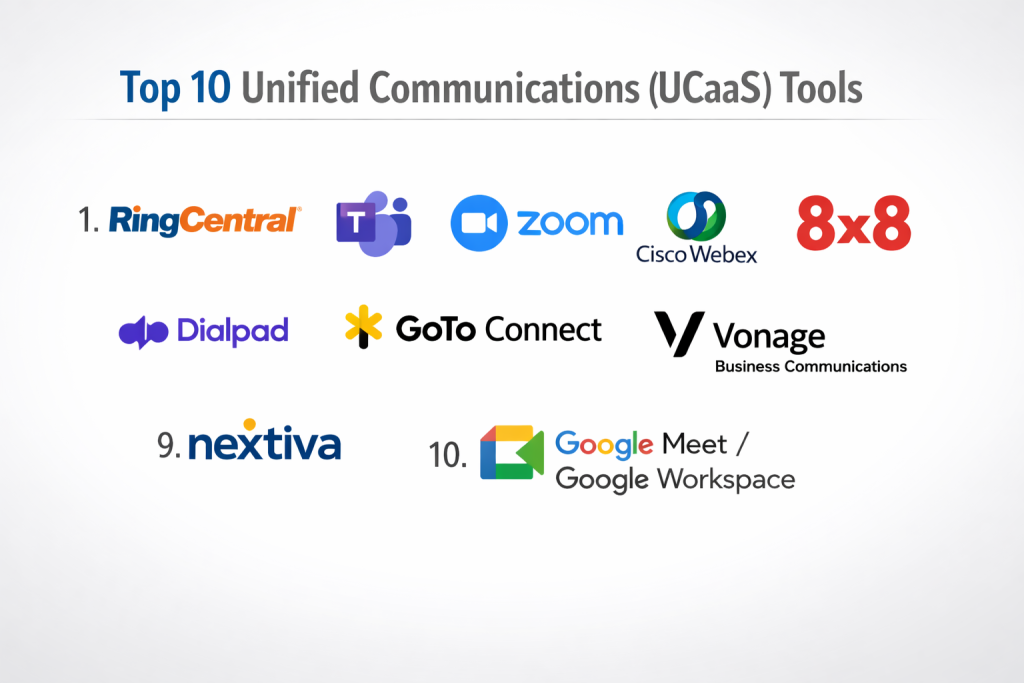
Top 10 Unified Communications (UCaaS) Tools
#1 — RingCentral
Short description: A leading enterprise-grade UCaaS platform offering voice, video, messaging, and contact center features for businesses of all sizes.
Key Features
- Cloud PBX and VoIP
- HD video conferencing
- Team messaging and collaboration
- AI-powered call insights
- Contact center integration
- Advanced analytics and reporting
Pros
- Highly scalable for enterprises
- Strong global infrastructure
Cons
- Pricing can be complex
- Learning curve for admins
Platforms / Deployment
Web / Windows / macOS / iOS / Android
Cloud
Security & Compliance
SSO, MFA, encryption, audit logs, GDPR, HIPAA (varies by plan)
Integrations & Ecosystem
Extensive integrations with CRM, productivity, and helpdesk tools.
- Salesforce
- Microsoft 365
- Google Workspace
- Zendesk
- APIs
Support & Community
Strong enterprise support, documentation, and onboarding programs.
#2 — Microsoft Teams
Short description: A collaboration-first UCaaS platform deeply integrated into the Microsoft ecosystem, ideal for enterprises and Microsoft users.
Key Features
- Chat, video meetings, and calling
- Office 365 integration
- File collaboration
- AI meeting summaries
- Enterprise security controls
Pros
- Seamless Microsoft integration
- Familiar interface for many users
Cons
- Complexity in configuration
- Can feel heavy for small teams
Platforms / Deployment
Web / Windows / macOS / iOS / Android
Cloud
Security & Compliance
SSO, MFA, encryption, compliance certifications (varies)
Integrations & Ecosystem
Deep integration with Microsoft ecosystem.
- Outlook
- SharePoint
- OneDrive
- Power Platform
Support & Community
Large global community and enterprise support options.
#3 — Zoom
Short description: A widely adopted UCaaS platform known for video conferencing, now expanded into full communication suites.
Key Features
- HD video meetings
- Zoom Phone (VoIP)
- Team chat
- AI meeting summaries
- Webinar capabilities
Pros
- Excellent video quality
- Easy to use
Cons
- Limited advanced telephony compared to competitors
- Add-ons required for full UCaaS
Platforms / Deployment
Web / Windows / macOS / iOS / Android
Cloud
Security & Compliance
Encryption, SSO, MFA (details vary)
Integrations & Ecosystem
Broad integration support.
- Slack
- Google Workspace
- Salesforce
- APIs
Support & Community
Strong documentation and widespread adoption.
#4 — Cisco Webex
Short description: Enterprise-grade UCaaS with strong security and networking capabilities, suitable for large organizations.
Key Features
- Video conferencing
- VoIP calling
- Messaging
- AI meeting assistant
- Hardware integration
Pros
- Strong security
- Reliable performance
Cons
- Higher cost
- Complex setup
Platforms / Deployment
Web / Windows / macOS / iOS / Android
Cloud / Hybrid
Security & Compliance
Enterprise-grade compliance and encryption
Integrations & Ecosystem
Integrates with enterprise systems.
- Microsoft
- CRM tools
Support & Community
Enterprise-level support with strong documentation.
#5 — 8×8
Short description: A unified platform combining UCaaS and CCaaS, ideal for businesses needing both internal and customer communication tools.
Key Features
- Voice, video, chat
- Contact center features
- Analytics dashboard
- Global calling
Pros
- Strong CCaaS integration
- Global reach
Cons
- UI can feel outdated
- Limited customization
Platforms / Deployment
Web / Desktop / Mobile
Cloud
Security & Compliance
Not publicly stated
Integrations & Ecosystem
Supports CRM and productivity integrations.
- Salesforce
- Zendesk
- APIs
Support & Community
Standard enterprise support; varies by plan.
#6 — Dialpad
Short description: AI-first UCaaS platform focused on smart communication with real-time insights and automation.
Key Features
- AI transcription
- Voice intelligence
- Video conferencing
- Messaging
- Call analytics
Pros
- Strong AI features
- Modern UI
Cons
- Limited legacy integrations
- Pricing varies
Platforms / Deployment
Web / Desktop / Mobile
Cloud
Security & Compliance
Encryption, SSO (details vary)
Integrations & Ecosystem
Modern integrations and APIs.
- Google Workspace
- Salesforce
- Slack
Support & Community
Good onboarding and growing community.
#7 — GoTo Connect
Short description: A reliable UCaaS solution combining VoIP, meetings, and messaging for SMBs.
Key Features
- Cloud VoIP
- Video meetings
- Team messaging
- Call routing
Pros
- Easy to deploy
- SMB-friendly
Cons
- Limited enterprise features
- Fewer integrations
Platforms / Deployment
Web / Desktop / Mobile
Cloud
Security & Compliance
Not publicly stated
Integrations & Ecosystem
Basic integrations.
- CRM tools
- APIs
Support & Community
Good SMB support; documentation available.
#8 — Vonage Business Communications
Short description: Flexible UCaaS platform with strong API capabilities and communication services.
Key Features
- VoIP calling
- Messaging
- Video meetings
- APIs for developers
Pros
- Strong API ecosystem
- Flexible deployment
Cons
- Pricing complexity
- UI inconsistencies
Platforms / Deployment
Web / Desktop / Mobile
Cloud
Security & Compliance
Varies / N/A
Integrations & Ecosystem
Developer-friendly integrations.
- CRM systems
- APIs
Support & Community
Moderate support and developer community.
#9 — Nextiva
Short description: Business communication platform focused on customer experience and reliability.
Key Features
- VoIP
- Video conferencing
- Messaging
- CRM features
- Analytics
Pros
- Reliable performance
- Good customer support
Cons
- Limited advanced features
- UI improvements needed
Platforms / Deployment
Web / Desktop / Mobile
Cloud
Security & Compliance
Not publicly stated
Integrations & Ecosystem
Integrates with business tools.
- CRM
- Helpdesk systems
Support & Community
Strong customer support reputation.
#10 — Google Meet / Google Workspace
Short description: Lightweight UCaaS solution integrated into Google Workspace for communication and collaboration.
Key Features
- Video meetings
- Messaging (Chat)
- File collaboration
- Calendar integration
Pros
- Simple and intuitive
- Strong integration with Google apps
Cons
- Limited telephony features
- Not full-featured UCaaS
Platforms / Deployment
Web / Mobile
Cloud
Security & Compliance
Encryption, SSO (varies)
Integrations & Ecosystem
Google-native ecosystem.
- Gmail
- Drive
- Calendar
Support & Community
Strong documentation and global usage.
Comparison Table (Top 10)
| Tool Name | Best For | Platform(s) | Deployment | Standout Feature | Public Rating |
|---|---|---|---|---|---|
| RingCentral | Enterprise | Web/Desktop/Mobile | Cloud | Global VoIP | N/A |
| Microsoft Teams | Enterprise | All major platforms | Cloud | Microsoft integration | N/A |
| Zoom | SMB/Enterprise | All platforms | Cloud | Video quality | N/A |
| Cisco Webex | Enterprise | All platforms | Hybrid | Security | N/A |
| 8×8 | Mid-market | Web/Desktop | Cloud | UC + CCaaS | N/A |
| Dialpad | AI-first teams | All platforms | Cloud | AI insights | N/A |
| GoTo Connect | SMB | All platforms | Cloud | Easy deployment | N/A |
| Vonage | Developers | All platforms | Cloud | APIs | N/A |
| Nextiva | SMB | All platforms | Cloud | CX focus | N/A |
| Google Meet | Small teams | Web/Mobile | Cloud | Simplicity | N/A |
Evaluation & Scoring of Unified Communications (UCaaS)
| Tool | Core | Ease | Integrations | Security | Performance | Support | Value | Total |
|---|---|---|---|---|---|---|---|---|
| RingCentral | 9 | 7 | 9 | 8 | 9 | 8 | 7 | 8.4 |
| Microsoft Teams | 9 | 7 | 10 | 9 | 8 | 8 | 8 | 8.6 |
| Zoom | 8 | 9 | 8 | 7 | 9 | 8 | 8 | 8.3 |
| Webex | 9 | 6 | 8 | 9 | 9 | 8 | 7 | 8.3 |
| 8×8 | 8 | 7 | 7 | 7 | 8 | 7 | 7 | 7.5 |
| Dialpad | 8 | 8 | 7 | 7 | 8 | 7 | 8 | 7.8 |
| GoTo | 7 | 8 | 6 | 6 | 7 | 7 | 8 | 7.2 |
| Vonage | 8 | 7 | 8 | 7 | 7 | 7 | 7 | 7.5 |
| Nextiva | 7 | 8 | 6 | 6 | 8 | 8 | 8 | 7.5 |
| Google Meet | 6 | 9 | 7 | 7 | 8 | 7 | 9 | 7.6 |
Interpretation:
These scores are comparative and relative to this category. A higher score doesn’t mean universally better—it reflects strengths across weighted criteria. Enterprises may prioritize security and integrations, while SMBs may value ease of use and pricing more.
Which Unified Communications (UCaaS) Tool Is Right for You?
Solo / Freelancer
Google Meet or Zoom for simplicity and low cost.
SMB
GoTo Connect or Nextiva for ease of deployment and affordability.
Mid-Market
8×8 or Dialpad for balance of features and scalability.
Enterprise
RingCentral, Microsoft Teams, or Cisco Webex for advanced capabilities.
Budget vs Premium
- Budget: Google Meet, GoTo
- Premium: RingCentral, Webex
Feature Depth vs Ease of Use
- Deep features: Teams, RingCentral
- Easy to use: Zoom, Google Meet
Integrations & Scalability
- Strong integrations: Teams, RingCentral
- Scalable APIs: Vonage
Security & Compliance Needs
- High compliance: Webex, Teams
- Moderate: Zoom, Dialpad
Frequently Asked Questions (FAQs)
1. What is UCaaS?
UCaaS is a cloud-based communication platform combining voice, video, messaging, and collaboration tools into one system.
2. How is UCaaS priced?
Typically per-user monthly pricing, sometimes with usage-based add-ons.
3. Is UCaaS secure?
Most platforms offer encryption, SSO, and compliance features, but levels vary.
4. Can UCaaS replace PBX systems?
Yes, UCaaS is the cloud replacement for traditional PBX.
5. Does UCaaS include contact center features?
Some platforms (like 8×8) combine UCaaS and CCaaS.
6. What integrations are common?
CRM, email, calendar, and productivity tools.
7. How long does implementation take?
From a few days (SMB) to several weeks (enterprise).
8. Can UCaaS scale globally?
Yes, most major providers support global deployments.
9. What are common mistakes?
Ignoring integrations, underestimating training, and not testing call quality.
10. Are there alternatives?
Yes—separate VoIP, chat, and video tools, but less efficient.
Conclusion
Unified Communications (UCaaS) has evolved into a critical foundation for modern digital workplaces, enabling seamless collaboration across distributed teams. The right platform depends heavily on your organization’s size, workflow complexity, and integration requirements rather than a single “best” option. Enterprises may lean toward platforms like Microsoft Teams or RingCentral for depth and scalability, while SMBs often benefit from simpler tools like Zoom or GoTo Connect. AI capabilities, security posture, and ecosystem integrations are increasingly key differentiators in this space. Before committing, it’s smart to shortlist two or three tools, run pilot tests, and validate real-world performance with your existing workflows. This approach ensures you choose a UCaaS solution that truly aligns with your business needs and future growth.
