Introduction
Thin Client Management Tools help IT teams centrally manage thin clients, zero clients, repurposed PCs, VDI endpoints, cloud workspace devices, and lightweight desktop terminals. In simple words, these tools help administrators configure devices, push updates, manage firmware, enforce security policies, monitor device health, deploy profiles, control peripherals, and support users without manually touching every endpoint.
Thin client management matters because many organizations use virtual desktops, remote desktops, cloud workspaces, kiosk systems, call center terminals, healthcare workstations, retail endpoints, manufacturing terminals, and secure shared devices. Without centralized management, IT teams may struggle with inconsistent device settings, outdated firmware, weak security policies, poor user experience, and slow troubleshooting. A strong thin client management platform helps keep endpoint fleets secure, standardized, and easier to operate.
Real-world use cases include:
- VDI endpoint management for Citrix, VMware, Microsoft, and cloud workspace environments
- Thin client provisioning for new branches, clinics, call centers, and shared workspaces
- Firmware and OS updates for keeping devices secure and stable
- Profile-based configuration for applying settings by location, department, role, or device type
- Remote troubleshooting for supporting users and endpoints without physical access
- Peripheral control for USB devices, printers, scanners, smart cards, and audio devices
- Kiosk and locked-down endpoint management for secure public or shared-use terminals
Evaluation Criteria for Buyers:
- Device discovery and inventory
- Remote configuration management
- Firmware and OS update control
- VDI and cloud workspace integration
- Profile and policy management
- Peripheral and USB control
- Remote support and troubleshooting
- Security lockdown and compliance
- Ease of use for endpoint administrators
- Scalability across locations and device fleets
Best for: Thin Client Management Tools are best for IT administrators, endpoint teams, VDI administrators, healthcare IT teams, call centers, banks, education institutions, retail chains, government organizations, managed service providers, and enterprises that manage many thin clients or locked-down endpoints.
Not ideal for: Thin Client Management Tools may not be ideal for very small teams with only a few standard laptops, companies without VDI or cloud workspace infrastructure, or organizations that manage all endpoints through standard desktop management platforms. In those cases, regular endpoint management, RMM, or mobile device management tools may be enough.
Key Trends in Thin Client Management Tools
- Cloud-managed thin clients are becoming more important because IT teams need to manage branch, remote, and distributed devices without relying only on local infrastructure.
- VDI and DaaS integration is now a major requirement as organizations use virtual desktops, cloud PCs, browser-based workspaces, and secure remote access platforms.
- Endpoint lockdown and zero trust access are becoming stronger priorities because thin clients often access sensitive applications and shared workspaces.
- Repurposing existing PCs as thin clients is growing because organizations want to extend hardware life while standardizing access to virtual desktops.
- Profile-based management is becoming essential for large fleets that need different settings by user group, department, location, or device model.
- Peripheral management is becoming more important for healthcare, finance, retail, and call centers that use printers, scanners, smart cards, webcams, and audio devices.
- Remote troubleshooting and shadowing are now must-have features because thin clients are often deployed in many locations with limited onsite IT staff.
- Security-focused OS updates are becoming critical as thin client operating systems need timely patches, firmware updates, and secure configuration baselines.
- Multi-vendor endpoint support is gaining attention as IT teams manage mixed fleets across Dell, HP, IGEL, Lenovo, 10ZiG, repurposed PCs, and specialized terminals.
- Monitoring user experience at the endpoint is becoming more valuable because poor VDI performance may be caused by network, device, display, peripheral, or session configuration issues.
How We Selected These Tools
The tools in this list were selected based on their relevance to thin client management, VDI endpoint administration, secure workspace endpoints, firmware management, profile control, remote support, device inventory, and multi-site endpoint operations. The goal is not to name one universal winner, but to help buyers compare credible platforms by fleet type, infrastructure model, and operational needs.
Selection factors include:
- Market recognition in thin client, VDI endpoint, or workspace endpoint management
- Support for centralized configuration, policy control, and endpoint inventory
- Ability to manage firmware, OS updates, images, profiles, and device settings
- Compatibility with VDI, DaaS, remote desktop, and cloud workspace environments
- Support for remote troubleshooting, shadowing, and endpoint monitoring
- Suitability for SMB, mid-market, enterprise, healthcare, finance, education, and MSP environments
- Security controls for lockdown, peripheral control, authentication, and compliance
- Ease of use for endpoint administrators and service desk teams
- Scalability across branches, remote sites, and large device fleets
- Documentation, vendor support, partner ecosystem, and deployment flexibility
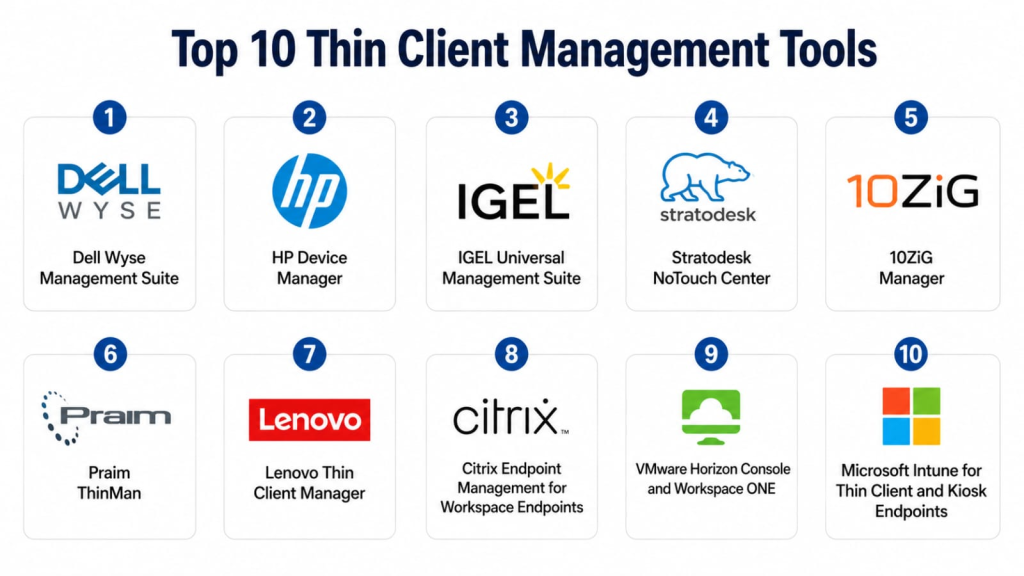
Top 10 Thin Client Management Tools
1- Dell Wyse Management Suite
Short description: Dell Wyse Management Suite helps IT teams configure, monitor, update, and manage Dell thin clients and Dell client endpoints from a centralized management platform. It is best suited for organizations with Dell Wyse thin client fleets and hybrid management requirements.
Key Features
- Centralized Dell Wyse thin client management
- Device discovery and inventory
- Configuration profile management
- Firmware and software update workflows
- Group-based policy assignment
- Remote device monitoring and administration
- Cloud and private cloud deployment options depending on edition
Pros
- Strong fit for Dell Wyse environments
- Useful for managing distributed thin client fleets
- Supports centralized configuration and endpoint visibility
Cons
- Best value comes with Dell Wyse hardware
- Mixed-vendor thin client environments may need additional tools
- Advanced deployment options should be validated by edition and scale
Platforms / Deployment
Web / Cloud / Private cloud options vary / Dell Wyse endpoints
Security & Compliance
Dell Wyse Management Suite is designed for managing enterprise client devices where secure access, administrative roles, device policies, and endpoint governance are important. Specific controls such as SSO, MFA, encryption, audit logs, data residency, and certifications should be verified directly with Dell. Not publicly stated for every configuration.
Integrations & Ecosystem
Dell Wyse Management Suite works best inside Dell endpoint environments and VDI deployments. It can support centralized endpoint management for organizations using Dell thin clients across branches, offices, remote environments, and shared workspaces.
Common integration areas include:
- Dell Wyse thin clients
- VDI brokers
- Remote desktop environments
- Directory services
- Device inventory workflows
- IT operations reporting
Support & Community
Dell provides product documentation, enterprise support, device support, firmware resources, and partner guidance. Support depth depends on licensing, support agreement, device model, and deployment size.
2- HP Device Manager
Short description: HP Device Manager helps IT teams deploy, configure, update, and manage HP thin clients across enterprise environments. It is useful for organizations with HP ThinPro, Windows IoT, or HP thin client endpoints that need centralized device lifecycle control.
Key Features
- HP thin client discovery and inventory
- Device configuration and profile management
- Firmware and image deployment
- Software package deployment
- Remote administration support
- Policy and compliance management
- Centralized fleet monitoring
Pros
- Strong fit for HP thin client environments
- Useful for standardized configuration and update workflows
- Helps manage device lifecycle across distributed locations
Cons
- Best suited for HP hardware fleets
- Mixed-vendor environments may require additional management tools
- Cloud readiness and capabilities should be validated by product version and setup
Platforms / Deployment
Web / On-premises management options vary / HP thin clients
Security & Compliance
HP Device Manager supports enterprise endpoint administration where secure access, role-based administration, device policies, and controlled deployment workflows matter. Specific controls such as SSO, MFA, encryption, audit logs, and certifications should be verified directly with HP. Not publicly stated for every configuration.
Integrations & Ecosystem
HP Device Manager is designed around HP thin client hardware and HP thin client software environments. It is useful for organizations that need consistent endpoint settings across many HP devices.
Common integration areas include:
- HP ThinPro devices
- Windows IoT thin clients
- VDI environments
- Directory services
- Software package workflows
- Endpoint reporting
Support & Community
HP provides documentation, device support, firmware resources, enterprise support, and partner assistance. Support depth depends on device type, service agreement, and deployment environment.
3- IGEL Universal Management Suite
Short description: IGEL Universal Management Suite is a centralized management platform for IGEL OS endpoints, thin clients, and repurposed devices. It is well suited for organizations that want secure, standardized endpoint access to virtual desktops, cloud workspaces, and remote applications.
Key Features
- Centralized IGEL OS endpoint management
- Profile-based policy control
- Firmware and OS update management
- Device grouping and configuration templates
- Peripheral and USB control
- VDI and cloud workspace integration
- Endpoint monitoring and reporting
Pros
- Strong fit for secure VDI and cloud workspace endpoints
- Useful for repurposing existing PCs as managed thin clients
- Provides consistent policy control across endpoint fleets
Cons
- Best value comes when standardizing on IGEL OS
- Migration from existing endpoint platforms requires planning
- Advanced configurations may require IGEL administration knowledge
Platforms / Deployment
Web / Management server / IGEL OS endpoints / Supported hardware varies
Security & Compliance
IGEL UMS supports secure endpoint management workflows where role-based access, policy control, endpoint lockdown, peripheral control, and administrative governance are important. Specific controls such as SSO, MFA, encryption, audit logs, and certifications should be verified directly with IGEL. Not publicly stated for every configuration.
Integrations & Ecosystem
IGEL UMS integrates with VDI, cloud workspace, identity, monitoring, and endpoint ecosystems. It is useful when organizations need consistent endpoint access to virtual desktops and remote apps across many devices.
Common integration areas include:
- Citrix environments
- VMware Horizon
- Microsoft remote desktop and cloud workspace platforms
- Identity providers
- Endpoint monitoring workflows
- Peripheral management systems
Support & Community
IGEL provides documentation, enterprise support, training resources, implementation partners, and endpoint management guidance. Support depth depends on agreement, deployment size, and platform scope.
4- Stratodesk NoTouch Center
Short description: Stratodesk NoTouch Center is a centralized management platform for NoTouch OS endpoints, thin clients, repurposed PCs, Raspberry Pi-based endpoints, and VDI workspace devices. It is useful for organizations seeking hardware-flexible thin client management.
Key Features
- Centralized NoTouch OS management
- Multi-vendor endpoint support
- Profile and group-based configuration
- OS and firmware update workflows
- VDI and DaaS integration
- Remote endpoint monitoring
- Device repurposing support
Pros
- Strong fit for mixed hardware and repurposed endpoint environments
- Useful for VDI and cloud workspace deployments
- Helps standardize endpoint management across different device types
Cons
- Best value comes when using NoTouch OS
- Device compatibility should be validated before rollout
- Advanced peripheral and workflow needs require testing
Platforms / Deployment
Web / Cloud or on-premises options vary / NoTouch OS endpoints
Security & Compliance
Stratodesk NoTouch Center supports endpoint management environments where secure configuration, user permissions, endpoint lockdown, and policy governance matter. Specific details such as SSO, MFA, encryption, audit logs, and certifications should be verified directly with the vendor. Not publicly stated for every configuration.
Integrations & Ecosystem
Stratodesk NoTouch Center connects thin client management with VDI, remote desktop, DaaS, cloud workspace, and endpoint workflows. It is useful for organizations that want endpoint OS management independent of a single hardware vendor.
Common integration areas include:
- Citrix environments
- VMware Horizon
- Microsoft remote desktop platforms
- Cloud workspaces
- Repurposed PC environments
- Peripheral and endpoint workflows
Support & Community
Stratodesk provides documentation, support, deployment guidance, partner assistance, and VDI endpoint expertise. Support depth varies by license, deployment scope, and customer agreement.
5- 10ZiG Manager
Short description: 10ZiG Manager is a centralized management platform for 10ZiG thin clients and zero clients. It helps IT teams configure devices, push updates, manage profiles, monitor endpoints, and support VDI endpoint fleets.
Key Features
- 10ZiG endpoint discovery and inventory
- Centralized configuration management
- Firmware and software updates
- Profile and group-based management
- Remote shadowing and troubleshooting
- VDI connection configuration
- Device monitoring and reporting
Pros
- Strong fit for 10ZiG thin client fleets
- Practical management for VDI endpoint environments
- Useful for remote support and device configuration
Cons
- Best suited for 10ZiG endpoint hardware
- Mixed-vendor environments may need additional management tools
- Feature depth should be validated for enterprise-scale requirements
Platforms / Deployment
Windows-based management environment / 10ZiG endpoints / Deployment options vary
Security & Compliance
10ZiG Manager supports endpoint management workflows where secure administration, device access, remote support control, and configuration governance are important. Specific details such as SSO, MFA, encryption, audit logs, and certifications should be verified directly with 10ZiG. Not publicly stated for every configuration.
Integrations & Ecosystem
10ZiG Manager is designed to support VDI endpoint management for 10ZiG hardware. It is useful when IT teams need to standardize connection settings, profiles, and updates across 10ZiG thin client deployments.
Common integration areas include:
- 10ZiG thin clients
- VDI brokers
- Remote desktop environments
- Directory services
- Remote support workflows
- Endpoint inventory reporting
Support & Community
10ZiG provides documentation, product support, endpoint guidance, and VDI-focused assistance. Support depth depends on product agreement, hardware model, and deployment size.
6- Praim ThinMan
Short description: Praim ThinMan is a thin client and endpoint management platform designed to manage Praim devices, thin clients, and endpoint access to virtual desktops and cloud workspaces. It is useful for organizations that need centralized control of secure endpoint fleets.
Key Features
- Centralized thin client management
- Device configuration and grouping
- Firmware and software update workflows
- Remote control and support
- VDI connection management
- Endpoint inventory and monitoring
- Policy-based administration
Pros
- Strong fit for Praim thin client environments
- Useful for secure VDI endpoint management
- Provides centralized configuration and remote support
Cons
- Best suited for Praim ecosystem deployments
- Mixed hardware compatibility should be validated
- Global enterprise scale requirements should be reviewed carefully
Platforms / Deployment
Web / Management server options vary / Praim endpoints
Security & Compliance
Praim ThinMan supports endpoint management environments where secure device administration, policy control, access permissions, and remote support governance are important. Specific controls such as SSO, MFA, encryption, audit logs, and certifications should be verified directly with Praim. Not publicly stated for every configuration.
Integrations & Ecosystem
Praim ThinMan works with virtual desktop and workspace environments where centralized endpoint control is needed. It helps administrators manage access configurations and device settings across thin client deployments.
Common integration areas include:
- Praim thin clients
- VDI platforms
- Remote desktop environments
- Directory services
- Endpoint monitoring workflows
- Remote support processes
Support & Community
Praim provides product support, documentation, implementation guidance, and endpoint management assistance. Support depth depends on region, partner, and customer agreement.
7- Lenovo Thin Client Manager
Short description: Lenovo Thin Client Manager helps organizations manage Lenovo thin client endpoints, device configuration, updates, inventory, and remote administration workflows. It is suitable for organizations using Lenovo thin client hardware in VDI or cloud workspace environments.
Key Features
- Lenovo thin client inventory
- Device configuration management
- Firmware and update workflows
- Remote administration support
- Group-based endpoint organization
- VDI connection configuration
- Monitoring and reporting
Pros
- Good fit for Lenovo thin client environments
- Useful for centralized device configuration
- Helps manage endpoint consistency across distributed locations
Cons
- Best suited for Lenovo hardware fleets
- Mixed-vendor thin client support should be validated
- Advanced enterprise features may vary by product and deployment
Platforms / Deployment
Web / Lenovo endpoint management options vary / Lenovo thin clients
Security & Compliance
Lenovo thin client management environments require secure administrative access, device policy control, endpoint governance, and controlled update workflows. Specific security controls such as SSO, MFA, encryption, audit logs, and certifications should be verified directly with Lenovo. Not publicly stated for every configuration.
Integrations & Ecosystem
Lenovo Thin Client Manager is useful for organizations standardizing on Lenovo devices for virtual desktop or cloud workspace access. It helps connect endpoint configuration with VDI and IT operations workflows.
Common integration areas include:
- Lenovo thin clients
- VDI environments
- Remote desktop platforms
- Directory services
- Endpoint inventory workflows
- IT operations reporting
Support & Community
Lenovo provides product support, documentation, device resources, and partner assistance. Support depth depends on hardware model, support agreement, and deployment scope.
8- Citrix Endpoint Management for Workspace Endpoints
Short description: Citrix Endpoint Management and related Citrix workspace administration capabilities help organizations manage endpoint access, workspace policies, and secure application delivery in Citrix-centered environments. It is useful when thin clients are part of a broader Citrix virtual apps and desktops strategy.
Key Features
- Workspace access policy management
- Endpoint and session access control
- Citrix virtual app and desktop integration
- User and device policy enforcement
- Secure remote access workflows
- Application and desktop delivery controls
- Integration with Citrix management ecosystem
Pros
- Strong fit for Citrix-centered VDI environments
- Useful for managing access policies and workspace delivery
- Helps align endpoint access with virtual app and desktop strategy
Cons
- Not always a full replacement for hardware-specific thin client management
- Device firmware and OS control may require vendor tools
- Best value comes inside Citrix workspace environments
Platforms / Deployment
Web / Cloud or on-premises options vary / Citrix workspace environments
Security & Compliance
Citrix environments commonly include secure access, policy controls, authentication integration, and administrative governance features depending on deployment. Specific details such as SSO, MFA, encryption, audit logs, and compliance coverage should be verified directly with Citrix. Not publicly stated for every configuration.
Integrations & Ecosystem
Citrix endpoint and workspace management capabilities integrate with Citrix Virtual Apps and Desktops, Citrix Gateway, identity providers, endpoint tools, and workspace security workflows. They are useful when endpoint access must align with Citrix delivery policies.
Common integration areas include:
- Citrix Virtual Apps and Desktops
- Citrix Gateway
- Identity providers
- Endpoint security tools
- Thin client vendor managers
- ITSM workflows
Support & Community
Citrix provides documentation, enterprise support, partner services, community resources, and virtualization expertise. Support depth depends on licensing, deployment model, and agreement.
9- VMware Horizon Console and Workspace ONE
Short description: VMware Horizon Console and Workspace ONE help organizations manage virtual desktop access, endpoint policies, application delivery, and workspace experiences in VMware-centered environments. They are useful when thin clients connect primarily to VMware Horizon desktops and apps.
Key Features
- Horizon desktop and app management
- User access and entitlement workflows
- Policy-based workspace management
- Integration with endpoint and device platforms
- Monitoring for sessions and desktop pools
- Application delivery workflows
- Workspace ONE endpoint and access management capabilities
Pros
- Strong fit for VMware Horizon environments
- Useful for managing virtual desktops and user access
- Works well with broader VMware and Workspace ONE ecosystems
Cons
- Not a full hardware thin client manager by itself
- Firmware and thin client OS control usually need endpoint vendor tools
- Best value comes inside VMware-centered deployments
Platforms / Deployment
Web / Cloud or on-premises options vary / VMware Horizon and Workspace ONE environments
Security & Compliance
VMware workspace and endpoint environments support identity integration, access policies, role-based administration, and security controls depending on deployment. Specific details such as SSO, MFA, encryption, audit logs, and certifications should be verified directly with the vendor. Not publicly stated for every configuration.
Integrations & Ecosystem
VMware Horizon and Workspace ONE integrate with identity, endpoint management, security, virtualization, and workspace delivery tools. They are valuable when thin client management must align with virtual desktop delivery and access control.
Common integration areas include:
- VMware Horizon
- Workspace ONE
- Identity providers
- Endpoint management tools
- Thin client vendor managers
- Monitoring and analytics tools
Support & Community
VMware provides documentation, enterprise support, training resources, partner services, and virtualization community content. Support depth depends on licensing and deployment scope.
10- Microsoft Intune for Thin Client and Kiosk Endpoints
Short description: Microsoft Intune can help organizations manage Windows-based thin clients, kiosk endpoints, shared devices, and cloud workspace access policies when devices are enrolled and compatible. It is useful for Microsoft-centered organizations that want cloud-based policy control for Windows IoT or locked-down Windows endpoints.
Key Features
- Cloud-based Windows endpoint management
- Kiosk and shared device configuration support
- Application deployment and policy control
- Compliance policies and conditional access integration
- Security baseline support
- Device inventory and reporting
- Integration with Microsoft identity and security tools
Pros
- Strong fit for Microsoft-centered environments
- Useful for Windows-based thin client or kiosk endpoints
- Helps connect device compliance with identity and access control
Cons
- Not purpose-built for all thin client operating systems
- Hardware-specific firmware management may require vendor tools
- VDI connection and peripheral management depth should be validated
Platforms / Deployment
Web / Cloud / Windows endpoints / Cross-platform support varies by feature
Security & Compliance
Microsoft Intune commonly supports enterprise security capabilities such as role-based access, device compliance, conditional access integration, encryption policy support, security baselines, and identity-based controls. Specific certifications, audit features, and compliance coverage should be verified directly with Microsoft. Not publicly stated for every configuration.
Integrations & Ecosystem
Microsoft Intune works well with Microsoft Entra, Microsoft Defender, Microsoft 365, Windows Autopilot, and cloud-based device management workflows. It is useful when thin client or kiosk endpoints are Windows-based and connected with Microsoft identity.
Common integration areas include:
- Microsoft Entra
- Microsoft Defender
- Microsoft 365
- Windows Autopilot
- Remote desktop and cloud PC workflows
- ITSM and reporting systems
Support & Community
Microsoft provides documentation, enterprise support, partner services, training resources, and a large administrator community. Support depth depends on subscription, agreement, and implementation complexity.
Comparison Table
| Tool Name | Best For | Platform Supported | Deployment | Standout Feature | Public Rating |
|---|---|---|---|---|---|
| Dell Wyse Management Suite | Dell Wyse thin client fleets | Web / Dell endpoints | Cloud / Private cloud options vary | Dell thin client lifecycle management | N/A |
| HP Device Manager | HP thin client environments | Web / HP endpoints | On-premises options vary | HP thin client deployment and updates | N/A |
| IGEL Universal Management Suite | IGEL OS and secure VDI endpoints | Web / IGEL OS endpoints | Management server options vary | Profile-based IGEL endpoint control | N/A |
| Stratodesk NoTouch Center | Multi-vendor and repurposed endpoints | Web / NoTouch OS endpoints | Cloud / On-premises options vary | Hardware-flexible NoTouch OS management | N/A |
| 10ZiG Manager | 10ZiG thin client fleets | Windows-based management / 10ZiG endpoints | Deployment options vary | 10ZiG endpoint configuration and shadowing | N/A |
| Praim ThinMan | Praim endpoint management | Web / Praim endpoints | Management server options vary | Centralized Praim thin client control | N/A |
| Lenovo Thin Client Manager | Lenovo thin client environments | Web / Lenovo endpoints | Options vary | Lenovo endpoint configuration management | N/A |
| Citrix Endpoint Management for Workspace Endpoints | Citrix-centered workspace access | Web / Citrix environments | Cloud / On-premises options vary | Citrix workspace access policy control | N/A |
| VMware Horizon Console and Workspace ONE | VMware Horizon environments | Web / VMware environments | Cloud / On-premises options vary | Virtual desktop and workspace policy management | N/A |
| Microsoft Intune for Thin Client and Kiosk Endpoints | Windows-based kiosk and thin client endpoints | Web / Windows endpoints | Cloud | Microsoft cloud-based policy and compliance control | N/A |
Evaluation & Scoring of Thin Client Management Tools
The scoring below is comparative and buyer-oriented. It should be used as a shortlisting guide, not as a final purchasing decision. A platform with a lower weighted total may still be the best choice if it matches your thin client hardware, VDI platform, operating system, security model, and management workflow.
| Tool Name | Core 25% | Ease 15% | Integrations 15% | Security 10% | Performance 10% | Support 10% | Value 15% | Weighted Total |
| Dell Wyse Management Suite | 9 | 8 | 8 | 8 | 8 | 9 | 8 | 8.30 |
| HP Device Manager | 8 | 7 | 8 | 8 | 8 | 9 | 8 | 8.00 |
| IGEL Universal Management Suite | 9 | 8 | 9 | 9 | 8 | 8 | 8 | 8.45 |
| Stratodesk NoTouch Center | 9 | 8 | 9 | 8 | 8 | 8 | 8 | 8.30 |
| 10ZiG Manager | 8 | 8 | 8 | 7 | 8 | 8 | 9 | 8.00 |
| Praim ThinMan | 8 | 7 | 8 | 7 | 8 | 8 | 8 | 7.75 |
| Lenovo Thin Client Manager | 7 | 7 | 7 | 7 | 7 | 8 | 8 | 7.30 |
| Citrix Endpoint Management for Workspace Endpoints | 8 | 7 | 9 | 8 | 8 | 8 | 7 | 7.95 |
| VMware Horizon Console and Workspace ONE | 8 | 7 | 9 | 8 | 8 | 8 | 7 | 7.95 |
| Microsoft Intune for Thin Client and Kiosk Endpoints | 8 | 8 | 9 | 9 | 8 | 9 | 8 | 8.40 |
How to interpret the scores:
- Core score reflects thin client discovery, configuration, update control, profile management, remote support, VDI integration, and endpoint lockdown.
- Ease score reflects usability for endpoint administrators, VDI teams, service desk users, and field support teams.
- Integration score reflects fit with VDI platforms, identity systems, ITSM tools, cloud workspaces, security tools, and device ecosystems.
- Security score reflects visible governance signals and expected controls, not unverified certifications.
- Performance score reflects suitability for distributed fleets, remote offices, multi-site management, and large endpoint populations.
- Value score reflects practical fit relative to capability, hardware alignment, implementation effort, and expected endpoint management impact.
Which Thin Client Management Tool Is Right for You?
Solo / Freelancer
Solo IT consultants and VDI specialists usually need tools that are easy to test, simple to explain, and practical for client environments. IGEL UMS, Stratodesk NoTouch Center, Dell Wyse Management Suite, HP Device Manager, and Microsoft Intune are useful to understand because they appear often in VDI and endpoint modernization projects.
For small client projects, the best tool usually depends on the hardware fleet. If the client uses Dell, HP, 10ZiG, or Lenovo thin clients, the vendor’s management platform may be the simplest starting point. If the client wants to repurpose existing PCs, IGEL or Stratodesk may be more relevant.
SMB
Small and mid-sized businesses should prioritize ease of setup, remote support, profile management, firmware updates, and clear device inventory. Dell Wyse Management Suite, HP Device Manager, 10ZiG Manager, Stratodesk NoTouch Center, and Microsoft Intune can be practical options depending on device type and VDI stack.
SMBs should avoid overcomplicating thin client management at the start. The first goal should be to standardize device settings, keep endpoints updated, simplify support, and ensure users can reliably access virtual desktops or cloud workspaces.
Mid-Market
Mid-market organizations often need stronger policy control, multi-site management, remote troubleshooting, VDI broker integration, peripheral management, and endpoint security settings. IGEL UMS, Stratodesk NoTouch Center, Dell Wyse Management Suite, HP Device Manager, Praim ThinMan, and 10ZiG Manager can be strong candidates.
Mid-market buyers should test device enrollment, profile assignment, remote updates, printer and USB controls, VDI connection setup, certificate handling, and reporting. A good platform should reduce manual endpoint work and improve reliability across branches.
Enterprise
Large enterprises need scalable thin client management across many sites, user groups, device models, VDI platforms, policies, and security requirements. IGEL UMS, Dell Wyse Management Suite, Stratodesk NoTouch Center, HP Device Manager, Microsoft Intune, Citrix workspace tools, and VMware workspace tools can be strong enterprise candidates depending on architecture.
Enterprise buyers should prioritize role-based administration, large fleet scalability, policy governance, update control, VDI integration, identity support, auditability, and endpoint lockdown. The best enterprise tool is usually the one that fits the existing device fleet and workspace delivery strategy.
Budget vs Premium
Budget-conscious teams should first define whether they need hardware-specific management, multi-vendor endpoint OS management, VDI access policy management, or Windows-based kiosk management. A vendor-supplied tool may be enough for a single hardware fleet.
Premium platforms are more useful when organizations need mixed-hardware support, repurposed PC management, advanced security lockdown, multi-site automation, remote troubleshooting, and deep VDI integration.
Feature Depth vs Ease of Use
IGEL UMS and Stratodesk NoTouch Center provide strong flexibility for secure VDI and cloud workspace endpoints. Dell Wyse Management Suite and HP Device Manager are strong when the hardware fleet is standardized on Dell or HP thin clients. 10ZiG Manager is practical for 10ZiG environments.
Citrix and VMware tools are more focused on workspace delivery and access management than hardware-level thin client lifecycle management. Microsoft Intune is useful when the endpoint is Windows-based and needs cloud policy control, compliance, and kiosk-style management.
Integrations & Scalability
Thin client management becomes more valuable when it integrates with VDI brokers, cloud workspaces, identity providers, certificates, peripheral systems, ITSM tools, monitoring platforms, and remote support workflows. Without integration, administrators may still need manual device configuration and disconnected troubleshooting.
Buyers should test VDI connection setup, profile changes, firmware updates, USB redirection policies, printer mapping, certificate deployment, identity integration, remote shadowing, and reporting exports. Integration quality often determines whether thin client management becomes efficient at scale.
Security & Compliance Needs
Thin clients often provide access to sensitive applications, patient records, financial systems, call center tools, remote desktops, and regulated business data. Buyers should evaluate role-based access, admin controls, audit logs, encrypted communication, device lockdown, USB control, certificate handling, firmware integrity, and remote support permissions.
Organizations in healthcare, finance, government, and regulated industries should involve security, endpoint, compliance, and VDI teams during vendor review. Teams should also validate how the tool handles shared devices, kiosk modes, session cleanup, and peripheral restrictions.
Frequently Asked Questions
1- What is a Thin Client Management Tool?
A Thin Client Management Tool helps IT teams centrally configure, update, monitor, and support thin clients, zero clients, VDI endpoints, kiosk devices, and lightweight workspace terminals. It reduces manual endpoint work and keeps device settings consistent.
2- Why do businesses need Thin Client Management Tools?
Businesses need these tools to manage endpoint fleets securely and efficiently. Without centralized management, teams may struggle with outdated firmware, inconsistent profiles, weak security settings, poor remote support, and slow device provisioning.
3- What is the difference between thin client management and endpoint management?
Thin client management focuses on lightweight endpoints used mainly for virtual desktops, cloud workspaces, remote apps, and locked-down access. Endpoint management is broader and often includes full desktops, laptops, mobile devices, servers, applications, and security policies.
4- What are the most important features?
Important features include device discovery, profile management, firmware updates, OS updates, remote troubleshooting, VDI connection configuration, peripheral control, USB restrictions, security lockdown, reporting, and role-based administration.
5- Who uses Thin Client Management Tools?
Thin Client Management Tools are used by VDI administrators, IT operations teams, endpoint administrators, service desk teams, healthcare IT teams, call centers, education institutions, MSPs, banks, government teams, and enterprises with shared or virtual desktop endpoints.
6- How much do Thin Client Management Tools cost?
Pricing varies by vendor, number of devices, deployment model, support level, hardware type, and feature package. Some hardware vendors include management tools with their endpoints, while others offer subscription or enterprise licensing. Buyers should compare total device, support, and management cost.
7- Can these tools manage mixed-vendor thin clients?
Some tools are designed mainly for one vendor’s hardware, while others support multi-vendor or repurposed endpoint environments. Stratodesk and IGEL are often considered for hardware-flexible endpoint strategies, while Dell, HP, 10ZiG, Lenovo, and Praim tools are strongest within their own ecosystems.
8- Can thin client management tools support remote workers?
Yes, many modern thin client management tools can support remote or branch users through cloud management, secure policies, remote updates, and remote troubleshooting. Buyers should validate whether devices can be managed outside the corporate network.
9- What are common mistakes when choosing thin client management software?
Common mistakes include choosing based only on hardware price, ignoring VDI compatibility, failing to test peripherals, underestimating remote support needs, and not validating update workflows. Another mistake is selecting a tool that cannot manage the full device fleet.
10- Do these tools support VDI platforms?
Yes, most thin client management tools support common VDI and remote desktop environments, but depth varies. Buyers should test Citrix, VMware, Microsoft, browser-based workspaces, cloud PCs, smart cards, printers, USB devices, webcams, and audio requirements before selection.
Conclusion
Thin Client Management Tools help organizations simplify endpoint operations for virtual desktops, cloud workspaces, kiosks, shared terminals, and secure lightweight devices. The right platform depends on hardware fleet, VDI provider, remote support needs, security requirements, peripheral complexity, and whether the organization wants vendor-specific or multi-vendor management. Dell Wyse Management Suite and HP Device Manager are strong for Dell and HP fleets, while IGEL UMS and Stratodesk NoTouch Center are powerful for secure and flexible VDI endpoint strategies. 10ZiG Manager, Praim ThinMan, and Lenovo tools fit their respective endpoint ecosystems, while Citrix, VMware, and Microsoft Intune are useful when thin client management overlaps with workspace access, cloud policy, and virtual desktop delivery. Buyers should shortlist two or three tools, test them with real devices and VDI workflows, validate security controls, review support options, and confirm that the chosen platform improves both endpoint reliability and IT efficiency.
