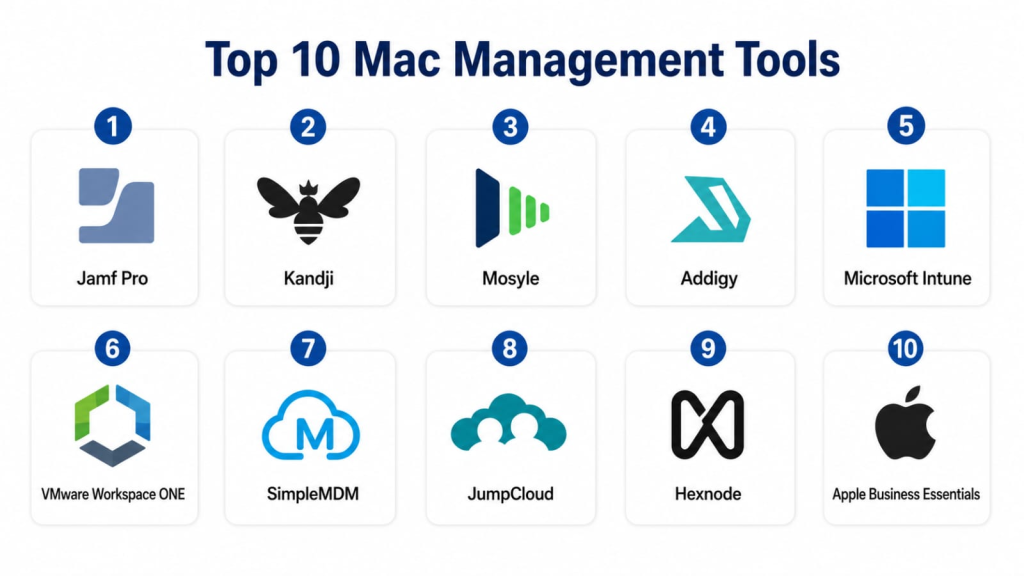
Introduction
Mac Management Tools help IT teams deploy, configure, secure, monitor, update, and support Mac devices across an organization. In simple words, these tools let companies manage MacBooks, iMacs, Mac minis, and other Apple endpoints from one central platform. Instead of manually setting up every Mac, installing apps one by one, checking security settings by hand, or relying on users to update devices, Mac management platforms help automate the full device lifecycle.
Mac management matters because more organizations now support Apple devices across engineering, design, marketing, leadership, remote work, education, and enterprise teams. A poorly managed Mac fleet can create security gaps, outdated software, inconsistent configurations, missing patches, weak compliance, and difficult support workflows. A strong Mac Management Tool helps IT teams deliver zero-touch deployment, enforce security policies, manage applications, monitor device health, support users remotely, and maintain compliance across the entire Apple fleet.
Real-world use cases include:
- Zero-touch Mac deployment for new employees, remote workers, and distributed teams.
- Application deployment for business apps, productivity tools, security agents, browsers, and developer software.
- macOS patch management to keep devices updated and reduce security exposure.
- Configuration profile management for Wi-Fi, VPN, certificates, restrictions, privacy settings, and system preferences.
- Security and compliance enforcement for FileVault, firewall, password rules, screen lock, and endpoint protection.
- Inventory and asset tracking for hardware, software, ownership, warranty, location, and lifecycle visibility.
- Remote support and troubleshooting for IT teams supporting users across offices and remote locations.
Evaluation Criteria for Buyers:
- Apple device enrollment support including automated enrollment, user enrollment, and supervised management.
- macOS management depth for profiles, restrictions, scripts, policies, patching, and app lifecycle control.
- Security and compliance controls for encryption, password policies, firewall, certificates, threat protection, and audit visibility.
- Application management for App Store apps, custom packages, third-party apps, and update workflows.
- Patch management for macOS updates, app patches, browser updates, and vulnerability reduction.
- Remote actions and support for lock, wipe, restart, inventory refresh, scripts, remote assistance, and troubleshooting.
- Identity and access integration with directory services, SSO, conditional access, and user lifecycle workflows.
- Reporting and dashboards for device health, compliance, software inventory, patch status, and security posture.
- Scalability for SMB, mid-market, enterprise, education, MSP, and global Apple fleets.
- Ease of administration for IT admins, endpoint teams, security teams, help desk agents, and managed service providers.
Best for: Mac Management Tools are best for IT administrators, endpoint management teams, security teams, MSPs, schools, universities, design agencies, SaaS companies, engineering teams, healthcare organizations, financial firms, and enterprises managing Mac devices at scale.
Not ideal for: Very small teams with only a few Mac devices may not need a full Mac management platform. If devices are personally managed, low-risk, and easy to update manually, basic Apple Business tools, manual setup, or lightweight endpoint controls may be enough until device volume and security requirements increase.
Key Trends in Mac Management Tools
- Zero-touch deployment is becoming a standard requirement because organizations need to ship Mac devices directly to employees without manual IT setup.
- Apple-first management is gaining importance as companies want tools designed specifically for macOS, iOS, iPadOS, and Apple ecosystem workflows.
- Security compliance is becoming more central as teams enforce FileVault, firewall, password rules, privacy settings, certificates, and device health checks.
- Patch management is now a major buying factor because macOS and third-party application updates are critical for reducing endpoint risk.
- Identity-centered device management is growing as organizations connect Mac management with SSO, directory services, conditional access, and user lifecycle automation.
- Remote work is increasing the need for cloud-based device management so IT teams can manage devices outside the office network.
- MSP-focused Mac management is expanding as managed service providers support multiple client Apple fleets from one console.
- Self-service app portals are improving employee experience by letting users install approved apps without admin rights or support tickets.
- Endpoint security and MDM are becoming more connected as teams combine device management, compliance checks, threat protection, and response workflows.
- Automation and scripting are becoming more important because advanced Mac admins need repeatable workflows for configuration, remediation, reporting, and support.
How We Selected These Tools
The tools in this list were selected based on their relevance to Mac management, Apple MDM, endpoint administration, patching, app deployment, security enforcement, inventory visibility, remote support, and real-world IT operations.
Evaluation logic included:
- Mac management depth across enrollment, policies, profiles, commands, scripts, patching, and app deployment.
- Market recognition and adoption among Apple admins, IT teams, enterprises, education, SMBs, and MSPs.
- Apple ecosystem alignment for Apple Business Manager, Apple School Manager, automated enrollment, and Apple platform management.
- Security and compliance capability for FileVault, firewall, password policies, privacy controls, certificates, and reporting.
- Application and patch management for App Store apps, custom packages, third-party updates, and self-service workflows.
- Remote support and automation for troubleshooting, scripts, device actions, remediation, and help desk workflows.
- Integration ecosystem with identity providers, ticketing tools, security platforms, directory services, and productivity systems.
- Scalability for small teams, schools, MSPs, mid-market companies, and enterprise Apple fleets.
- Ease of use for IT admins, help desk teams, security users, and non-specialist administrators.
- Practical buyer fit across Apple-only, mixed-device, regulated, remote-first, and MSP-managed environments.
c
1- Jamf Pro
Short description: Jamf Pro is one of the most recognized Apple device management platforms for organizations managing Mac, iPhone, iPad, and Apple TV devices. It is best suited for enterprises, schools, healthcare organizations, and large Apple-first environments that need deep macOS control and mature Apple management workflows.
Key Features
- Automated device enrollment through Apple Business Manager and Apple School Manager.
- macOS configuration profiles, policies, scripts, and smart groups.
- Application deployment, patch management, and self-service app catalog.
- Inventory management for hardware, software, users, and compliance status.
- Security controls for FileVault, restrictions, certificates, and compliance reporting.
- Remote commands for lock, wipe, restart, inventory update, and device management.
- Strong Apple ecosystem alignment and advanced admin workflows.
Pros
- Very strong Apple-specific management depth.
- Suitable for large and complex Mac fleets.
- Strong community and mature ecosystem for Apple administrators.
Cons
- Can require Apple management expertise for advanced setup.
- May be more complex than needed for small teams.
- Pricing and implementation scope can vary by environment.
Platforms / Deployment
Web / Cloud / Enterprise deployment options may vary
Security & Compliance
Jamf Pro commonly supports role-based access, audit logs, SSO options, FileVault management, compliance reporting, certificate workflows, and device security policies. Specific certifications and compliance requirements should be confirmed directly with the vendor.
Integrations & Ecosystem
Jamf Pro integrates deeply with Apple services and a wide range of enterprise IT, security, identity, and support systems.
Common integration areas include:
- Apple Business Manager.
- Apple School Manager.
- Identity providers.
- Endpoint security platforms.
- Ticketing and ITSM tools.
- Directory and certificate services.
Support & Community
Jamf provides documentation, training, certification programs, customer support, professional services, and a large Apple admin community. Its ecosystem is especially strong among enterprise Apple admins, schools, universities, healthcare IT teams, and Mac-focused IT professionals.
2- Kandji
Short description: Kandji is an Apple device management and security platform designed to help IT teams automate Mac, iPhone, iPad, and Apple TV management. It is useful for modern companies that want strong Apple fleet automation, compliance templates, app management, and security controls with a clean admin experience.
Key Features
- Automated Apple device enrollment and lifecycle management.
- Blueprint-based device configuration and policy enforcement.
- macOS update management and application deployment.
- Library items for security, apps, restrictions, scripts, and compliance controls.
- FileVault, firewall, password, and device posture management.
- Self-service app access and user-friendly deployment workflows.
- Reporting dashboards for compliance, devices, apps, and security posture.
Pros
- Clean and modern admin experience.
- Strong automation for Apple device compliance.
- Good fit for growing companies with remote and hybrid Apple fleets.
Cons
- Advanced customization should be validated for complex enterprise workflows.
- Apple-only focus may not fit organizations wanting one cross-platform endpoint tool.
- Pricing and feature packaging should be reviewed carefully.
Platforms / Deployment
Web / Cloud
Security & Compliance
Kandji commonly supports access controls, authentication options, audit logs, FileVault management, device compliance policies, and security enforcement workflows. Specific certifications and compliance requirements should be confirmed with the vendor.
Integrations & Ecosystem
Kandji connects Apple device management with identity, security, communication, and IT workflow systems.
Common integration areas include:
- Apple Business Manager.
- Identity providers.
- Security and compliance tools.
- Communication platforms.
- Ticketing systems.
- Directory services.
Support & Community
Kandji provides documentation, onboarding, customer support, implementation guidance, and Apple admin resources. Its community is strong among startups, SaaS companies, remote-first teams, security-conscious IT teams, and modern Apple-focused organizations.
3- Mosyle
Short description: Mosyle is an Apple device management platform for education, business, and MSP environments. It supports Mac, iPad, iPhone, and Apple TV management with deployment, security, app management, filtering, and compliance capabilities.
Key Features
- Apple device enrollment and profile management.
- macOS and iOS configuration workflows.
- App deployment and self-service capabilities.
- Security controls for encryption, restrictions, certificates, and compliance.
- Web filtering and endpoint protection capabilities depending on plan.
- Inventory, reporting, and device visibility.
- Support for education, business, and MSP use cases.
Pros
- Strong Apple-focused management at practical price points.
- Good fit for schools, SMBs, and managed Apple environments.
- Broad Apple management features with straightforward administration.
Cons
- Advanced enterprise workflows should be validated carefully.
- User experience and feature depth may vary by plan.
- Organizations with mixed-device fleets may need other tools alongside it.
Platforms / Deployment
Web / Cloud
Security & Compliance
Mosyle commonly supports Apple security policy management, encryption controls, restrictions, permissions, and reporting features. Specific certifications and compliance details should be verified directly with the vendor.
Integrations & Ecosystem
Mosyle connects Apple management workflows with Apple enrollment programs, identity tools, security controls, and education or business systems.
Common integration areas include:
- Apple Business Manager.
- Apple School Manager.
- Identity providers.
- Security tools.
- Education systems.
- MSP workflows.
Support & Community
Mosyle provides documentation, onboarding guidance, customer support, and Apple management resources. Its community is strong among schools, SMB IT teams, Apple administrators, and organizations seeking practical Apple device management.
4- Addigy
Short description: Addigy is an Apple device management platform designed for IT teams and managed service providers that need cloud-based control over Mac, iPhone, iPad, and Apple TV devices. It is especially useful for MSPs and distributed IT teams managing multiple Apple fleets.
Key Features
- Cloud-based Apple device management.
- Automated enrollment and configuration profiles.
- Live device management and remote commands.
- Application deployment and patch management.
- Compliance monitoring and remediation workflows.
- Scripting and automation for advanced Mac administration.
- Multi-tenant management for MSPs and distributed organizations.
Pros
- Strong fit for MSPs and multi-client Apple environments.
- Useful live device management and automation capabilities.
- Good balance of Mac administration depth and cloud-based control.
Cons
- Advanced workflows may require technical Apple admin skills.
- Smaller internal teams may not need MSP-oriented features.
- UI and process fit should be tested during evaluation.
Platforms / Deployment
Web / Cloud
Security & Compliance
Addigy commonly supports role-based permissions, auditability, FileVault management, compliance policies, remote commands, and secure device management workflows. Specific certifications and compliance requirements should be confirmed directly.
Integrations & Ecosystem
Addigy connects Mac management with Apple enrollment, IT workflows, remote support, security, and MSP tools.
Common integration areas include:
- Apple Business Manager.
- Identity providers.
- PSA and RMM tools.
- Ticketing systems.
- Security platforms.
- Directory services.
Support & Community
Addigy provides documentation, onboarding, customer support, implementation resources, and MSP-focused guidance. Its community is strongest among managed service providers, Apple consultants, Mac admins, and distributed IT teams.
5- Microsoft Intune
Short description: Microsoft Intune is a unified endpoint management platform that supports macOS, Windows, iOS, iPadOS, Android, and cloud-based device management. It is a strong fit for organizations using Microsoft Entra ID, Microsoft 365, and mixed-device environments.
Key Features
- macOS enrollment and device compliance management.
- Configuration profiles and security baselines for managed devices.
- Application deployment and app protection policies.
- Conditional access integration through Microsoft identity services.
- Compliance reporting for devices and users.
- Remote actions such as wipe, lock, restart, and sync.
- Cross-platform endpoint management for mixed fleets.
Pros
- Strong fit for Microsoft-centered organizations.
- Good option for mixed Mac, Windows, mobile, and cloud environments.
- Useful identity and conditional access integration.
Cons
- Apple-specific depth may not match Apple-first platforms for advanced Mac workflows.
- Some Mac management tasks may require additional scripting or tools.
- Admin experience can be complex for teams new to Microsoft endpoint management.
Platforms / Deployment
Web / Cloud
Security & Compliance
Microsoft Intune commonly supports role-based access, SSO through Microsoft identity services, conditional access, compliance policies, encryption controls, audit logs, and endpoint security settings. Specific compliance requirements should be confirmed with Microsoft during procurement.
Integrations & Ecosystem
Microsoft Intune connects endpoint management with Microsoft identity, security, productivity, and compliance tools.
Common integration areas include:
- Microsoft Entra ID.
- Microsoft 365.
- Microsoft Defender.
- Apple Business Manager.
- Security and compliance tools.
- Endpoint analytics and reporting systems.
Support & Community
Microsoft provides documentation, enterprise support, training, partner services, and a large administrator community. Its ecosystem is strong among Microsoft administrators, enterprise IT teams, security teams, and organizations managing mixed-device fleets.
6- VMware Workspace ONE
Short description: VMware Workspace ONE is a unified endpoint management and digital workspace platform that supports macOS, Windows, iOS, Android, and other endpoints. It is useful for enterprises that need cross-platform device management, app access, identity integration, and endpoint security controls.
Key Features
- macOS device enrollment and profile management.
- Cross-platform endpoint management.
- App deployment and access control workflows.
- Device compliance and security policy enforcement.
- Integration with identity and access management workflows.
- Remote commands and device lifecycle management.
- Reporting for device inventory, compliance, and endpoint status.
Pros
- Strong fit for large mixed-device enterprises.
- Useful for organizations managing Apple alongside Windows and mobile endpoints.
- Good digital workspace and endpoint management capabilities.
Cons
- May be more complex than Apple-only tools.
- Apple-specific workflows should be validated against requirements.
- Implementation may require experienced endpoint management resources.
Platforms / Deployment
Web / Cloud / Enterprise deployment options may vary
Security & Compliance
Workspace ONE commonly supports access controls, conditional access, device compliance, encryption-related policies, authentication integration, and administrative governance. Specific certifications and compliance requirements should be confirmed with the vendor.
Integrations & Ecosystem
Workspace ONE connects device management with identity, application access, security, and enterprise infrastructure.
Common integration areas include:
- Identity providers.
- Apple Business Manager.
- Security platforms.
- Productivity suites.
- Virtual desktop and app platforms.
- Enterprise reporting tools.
Support & Community
Workspace ONE provides documentation, enterprise support, training, partner services, and implementation resources. Its community is strong among enterprise endpoint teams, mobility admins, digital workspace teams, and organizations managing cross-platform fleets.
7- SimpleMDM
Short description: SimpleMDM is an Apple device management platform focused on straightforward management for Mac, iPhone, iPad, and Apple TV devices. It is useful for small and mid-sized teams that want clean Apple MDM workflows without unnecessary complexity.
Key Features
- Apple device enrollment and management.
- Configuration profiles for macOS and iOS devices.
- App deployment and assignment.
- Remote commands such as lock, wipe, and restart.
- Inventory tracking for devices and apps.
- Apple Business Manager integration.
- API support for automation and custom workflows.
Pros
- Simple and easy to manage.
- Good fit for small and mid-sized Apple fleets.
- Useful for teams that want basic Apple MDM without heavy administration.
Cons
- May not provide the same advanced Mac automation as larger platforms.
- Enterprise security and compliance needs should be validated.
- Mixed-device organizations may need additional tools.
Platforms / Deployment
Web / Cloud
Security & Compliance
SimpleMDM commonly supports user permissions, secure Apple device management workflows, remote commands, and device restrictions. Specific certifications and compliance requirements should be confirmed with the vendor.
Integrations & Ecosystem
SimpleMDM connects Apple device management with enrollment workflows, app deployment, APIs, and business systems.
Common integration areas include:
- Apple Business Manager.
- Apple School Manager.
- App deployment workflows.
- Directory systems.
- Automation tools.
- Reporting workflows.
Support & Community
SimpleMDM provides documentation, support resources, onboarding guidance, and Apple management education. Its community is strongest among SMB IT teams, Apple admins, agencies, and companies needing lightweight Apple MDM.
8- JumpCloud
Short description: JumpCloud is an open directory and device management platform that supports Mac, Windows, Linux, identity, access, device policies, and user lifecycle workflows. It is useful for organizations that want Mac management connected with directory services, SSO, MFA, and cross-platform identity.
Key Features
- Mac, Windows, and Linux device management.
- Directory services and user identity management.
- Device policies and compliance controls.
- SSO and MFA support.
- Commands and scripts for device administration.
- Password and access management workflows.
- Reporting for users, devices, and security posture.
Pros
- Strong fit for identity-centered device management.
- Useful for mixed-device organizations with Mac, Windows, and Linux.
- Good option for companies needing directory and device control together.
Cons
- Apple-specific MDM depth may not match dedicated Apple-first platforms.
- Advanced Mac app and patch workflows should be validated.
- Best value depends on identity and device management needs together.
Platforms / Deployment
Web / Cloud
Security & Compliance
JumpCloud commonly supports SSO, MFA, RBAC, device policies, directory security controls, audit logs, and user access management. Specific certifications and compliance requirements should be confirmed directly with the vendor.
Integrations & Ecosystem
JumpCloud connects device management with identity, access, security, directory, and productivity systems.
Common integration areas include:
- Identity providers.
- SSO applications.
- MFA workflows.
- Device management policies.
- Productivity suites.
- Security and compliance tools.
Support & Community
JumpCloud provides documentation, customer support, onboarding resources, admin training, and community content. Its ecosystem is strong among IT admins, identity teams, MSPs, startups, and mixed-device organizations.
9- Hexnode
Short description: Hexnode is a unified endpoint management platform that supports macOS, iOS, iPadOS, Android, Windows, and other device types. It is useful for teams that want Mac management as part of a broader device management strategy across multiple platforms.
Key Features
- macOS device enrollment and profile management.
- Cross-platform device management.
- App deployment and inventory tracking.
- Security policy enforcement and remote commands.
- Kiosk and restriction management for supported devices.
- Compliance reporting and device visibility.
- Integration with Apple Business Manager and other enterprise systems.
Pros
- Strong fit for mixed-device environments.
- Useful for organizations managing Apple, Windows, Android, and other endpoints.
- Practical feature set for SMB and mid-market IT teams.
Cons
- Apple-specific depth should be compared with Apple-first platforms.
- Advanced Mac patching and scripting needs should be validated.
- Large enterprise workflows may require careful planning.
Platforms / Deployment
Web / Cloud / Enterprise deployment options may vary
Security & Compliance
Hexnode commonly supports access controls, role-based permissions, device restrictions, compliance policies, remote actions, and administrative controls. Specific certifications and compliance requirements should be confirmed during vendor evaluation.
Integrations & Ecosystem
Hexnode connects device management with Apple enrollment, identity, apps, security, and business systems.
Common integration areas include:
- Apple Business Manager.
- Identity providers.
- App management workflows.
- Security platforms.
- Productivity suites.
- Reporting tools.
Support & Community
Hexnode provides documentation, support resources, onboarding guidance, training materials, and customer success assistance. Its community is strongest among SMB IT teams, MSPs, education users, and cross-platform endpoint administrators.
10- Apple Business Essentials
Short description: Apple Business Essentials is Apple’s own device management and business support solution for small organizations using Apple devices. It is useful for smaller teams that want a simple way to manage Apple devices, apps, storage, and support from the Apple ecosystem.
Key Features
- Apple device enrollment and basic management.
- App assignment and device configuration support.
- Managed Apple Accounts and business user management.
- iCloud storage and Apple business service alignment depending on plan.
- Security settings and device controls for small teams.
- Support options through Apple business services.
- Simple Apple-native administration for small organizations.
Pros
- Directly aligned with Apple’s business ecosystem.
- Simple option for smaller Apple-focused organizations.
- Useful for teams that want basic device management without complex IT tooling.
Cons
- May not offer the advanced control of dedicated enterprise Mac management platforms.
- Best fit is smaller organizations with straightforward needs.
- Advanced automation, scripting, and cross-platform management may require other tools.
Platforms / Deployment
Web / Cloud
Security & Compliance
Apple Business Essentials commonly supports Apple device security controls, managed accounts, device management settings, and Apple ecosystem security features. Specific compliance requirements should be confirmed directly with Apple.
Integrations & Ecosystem
Apple Business Essentials is designed to work with Apple devices, Apple services, and Apple business administration workflows.
Common integration areas include:
- Apple device enrollment.
- Managed Apple Accounts.
- App management workflows.
- iCloud business services.
- Apple support services.
- Apple business administration tools.
Support & Community
Apple provides documentation, support options, and business service resources. Its community is strongest among small businesses, Apple-focused teams, and organizations looking for a simple Apple-native management approach.
Comparison Table
| Tool Name | Best For | Platform Supported | Deployment | Standout Feature | Public Rating |
|---|---|---|---|---|---|
| Jamf Pro | Large Apple-first enterprises | Web | Cloud / Enterprise options may vary | Deep Apple management and mature Mac workflows | N/A |
| Kandji | Modern Apple-focused IT teams | Web | Cloud | Blueprint-based automation and compliance | N/A |
| Mosyle | Education, SMB, and Apple-focused teams | Web | Cloud | Practical Apple MDM with strong value | N/A |
| Addigy | MSPs and distributed Apple fleets | Web | Cloud | Multi-tenant Apple management and live device control | N/A |
| Microsoft Intune | Microsoft-centered mixed-device organizations | Web | Cloud | Mac management connected with identity and conditional access | N/A |
| VMware Workspace ONE | Enterprise cross-platform endpoint teams | Web | Cloud / Enterprise options may vary | Unified endpoint and digital workspace management | N/A |
| SimpleMDM | Small and mid-sized Apple fleets | Web | Cloud | Simple Apple MDM administration | N/A |
| JumpCloud | Identity-centered device management | Web | Cloud | Directory, SSO, MFA, and device policies together | N/A |
| Hexnode | Cross-platform endpoint management | Web | Cloud / Enterprise options may vary | Multi-platform MDM with Mac support | N/A |
| Apple Business Essentials | Small Apple-focused businesses | Web | Cloud | Apple-native device and business management | N/A |
Evaluation & Scoring of Mac Management Tools
| Tool Name | Core 25% | Ease 15% | Integrations 15% | Security 10% | Performance 10% | Support 10% | Value 15% | Weighted Total |
| Jamf Pro | 10 | 7 | 9 | 9 | 9 | 9 | 7 | 8.65 |
| Kandji | 9 | 9 | 8 | 9 | 9 | 8 | 8 | 8.65 |
| Mosyle | 8 | 8 | 8 | 8 | 8 | 8 | 9 | 8.15 |
| Addigy | 9 | 8 | 8 | 8 | 8 | 8 | 8 | 8.20 |
| Microsoft Intune | 8 | 7 | 10 | 9 | 9 | 9 | 8 | 8.55 |
| VMware Workspace ONE | 8 | 7 | 9 | 9 | 9 | 8 | 7 | 8.05 |
| SimpleMDM | 7 | 9 | 7 | 8 | 8 | 8 | 9 | 8.00 |
| JumpCloud | 7 | 8 | 9 | 9 | 8 | 8 | 8 | 8.00 |
| Hexnode | 8 | 8 | 8 | 8 | 8 | 8 | 8 | 8.00 |
| Apple Business Essentials | 6 | 9 | 7 | 8 | 8 | 8 | 8 | 7.45 |
The scoring is comparative and should be used as a practical starting point, not a final buying decision. Apple-first enterprises may value deep macOS policy control, scripting, self-service, and patching more than cross-platform coverage. Mixed-device organizations may prioritize identity integration, Windows and Android support, and unified endpoint visibility. A tool with a slightly lower score may still be the best fit if it matches your device count, security requirements, Apple expertise, budget, and support model. Buyers should test each platform with real enrollment, app deployment, patching, FileVault, compliance, and remote support scenarios before final selection.
Which Mac Management Tool Is Right for You?
Solo / Freelancer
Solo professionals and freelancers usually do not need a full Mac management platform unless they manage devices for clients or need strict security controls across multiple Macs. Apple Business Essentials or SimpleMDM may be enough for basic enrollment, configuration, and app management.
If a freelancer supports clients as an IT consultant or MSP, Addigy, Mosyle, JumpCloud, or Hexnode may be useful depending on whether the environment is Apple-only or mixed-device. The focus should be simple setup, remote actions, security controls, and easy reporting rather than heavy enterprise workflows.
SMB
SMBs should focus on easy deployment, simple administration, app management, security policy enforcement, and reasonable pricing. Kandji, Mosyle, SimpleMDM, JumpCloud, Hexnode, and Apple Business Essentials can all be practical depending on the number of devices and management maturity.
If the business is Apple-only, Kandji, Mosyle, SimpleMDM, or Apple Business Essentials may be strong options. If the business has Mac, Windows, and Linux together, JumpCloud, Microsoft Intune, or Hexnode may fit better. The first priority should be secure enrollment, FileVault enforcement, app installation, and update visibility.
Mid-Market
Mid-market organizations usually need stronger Mac management because they manage more users, remote teams, business apps, compliance policies, and support workflows. Jamf Pro, Kandji, Mosyle, Addigy, Microsoft Intune, JumpCloud, and Hexnode can all be relevant depending on the IT stack.
If the company is Apple-first, Jamf Pro, Kandji, Addigy, or Mosyle may be best. If the company is Microsoft-centered, Intune can be a strong choice. If identity and device management need to work together, JumpCloud can be useful. If MSP-style multi-tenant management is important, Addigy is worth evaluating.
Enterprise
Enterprises usually need automated enrollment, strong policy control, app lifecycle management, patching, compliance reporting, security integrations, remote support, role-based administration, and global scalability. Jamf Pro, Kandji, Microsoft Intune, VMware Workspace ONE, Addigy, and Hexnode are strong enterprise candidates depending on device strategy.
Enterprise buyers should focus on Apple management depth, identity integration, security posture, automation, reporting, help desk workflows, and compatibility with existing endpoint tools. The best enterprise tool is the one that balances Apple-specific control with broader IT governance.
Budget vs Premium
Budget-focused buyers should start with basic management needs: enrollment, profiles, app deployment, FileVault, inventory, and remote actions. SimpleMDM, Mosyle, Hexnode, Apple Business Essentials, and JumpCloud may provide practical value depending on device count and ecosystem fit.
Premium buyers should evaluate Jamf Pro, Kandji, Addigy, Microsoft Intune, and VMware Workspace ONE when management requirements are more complex. These platforms are better suited for larger fleets, compliance needs, remote work, security integration, automation, and advanced reporting.
Feature Depth vs Ease of Use
Jamf Pro, Addigy, Microsoft Intune, and VMware Workspace ONE offer deeper capabilities for complex IT teams. They are useful when organizations need advanced policies, integrations, scripts, automation, compliance reporting, and large-scale administration.
Kandji, Mosyle, SimpleMDM, Apple Business Essentials, JumpCloud, and Hexnode may be easier to adopt depending on the use case. Buyers should choose feature depth when device risk and scale are high, and choose ease of use when fast setup and simple management matter most.
Integrations & Scalability
Mac Management Tools become more valuable when they integrate with Apple Business Manager, identity providers, endpoint security, ITSM tools, patch systems, directory services, collaboration tools, and compliance platforms. Without strong integrations, IT teams may struggle to connect device posture with user access, security response, and support workflows.
Scalability depends on device count, user roles, locations, app volume, compliance requirements, remote support needs, and support model. Large organizations should validate API access, role permissions, reporting, device grouping, patch workflows, automation rules, and support for remote employees before final selection.
Security & Compliance Needs
Mac devices often contain sensitive business data, credentials, customer files, source code, design assets, financial data, and regulated information. Buyers should review FileVault management, firewall enforcement, password policies, certificate management, privacy controls, remote wipe, audit logs, SSO, MFA, and role-based permissions.
Highly regulated organizations should also evaluate compliance reporting, device posture checks, patch visibility, encryption evidence, administrative audit trails, and integration with endpoint security tools. A strong Mac Management Tool should make Mac devices easier to support while reducing security and compliance risk.
Frequently Asked Questions
1- What are Mac Management Tools?
Mac Management Tools help IT teams deploy, configure, secure, monitor, update, and support Mac devices from a central console. They are commonly used for Apple MDM, app deployment, patching, inventory, compliance, and remote device actions.
2- Who should use Mac Management Tools?
IT teams, Apple administrators, endpoint teams, MSPs, schools, universities, SaaS companies, creative agencies, enterprises, and remote-first organizations should use Mac management tools. They are especially useful when many Mac devices need consistent setup and security.
3- What is the difference between MDM and Mac management?
MDM is the core Apple framework used to enroll and control devices through profiles and commands. Mac management is broader and may include MDM, scripting, patching, app deployment, inventory, compliance checks, self-service portals, and endpoint security workflows.
4- What features are most important in Mac management software?
Important features include automated enrollment, configuration profiles, app deployment, patch management, FileVault control, inventory, remote lock and wipe, scripting, compliance reporting, self-service app catalog, and identity integration.
5- How much do Mac Management Tools cost?
Pricing varies by vendor, number of devices, modules, support level, deployment model, security features, and enterprise requirements. Many vendors charge per device or per user, while larger deployments may use custom pricing.
6- How long does implementation take?
Implementation depends on device count, Apple Business Manager setup, security policies, app packages, identity integration, user migration, and admin training. A small rollout can move quickly, while enterprise deployments usually require phased testing and policy design.
7- What are common mistakes when choosing a Mac management tool?
Common mistakes include ignoring Apple Business Manager setup, underestimating app packaging, skipping patch management, choosing a cross-platform tool without testing Mac depth, and failing to define security baselines. Buyers should test real enrollment and support workflows.
8- Can Mac management tools enforce FileVault?
Yes, many Mac management tools can enforce FileVault encryption, escrow recovery keys, report encryption status, and help IT teams manage compliance. Buyers should validate key escrow, reporting, and recovery workflows before rollout.
9- Do Mac management tools support remote workers?
Yes, cloud-based Mac management tools are well suited for remote workers because they can enroll, configure, update, secure, and support devices outside the office network. Remote support capabilities vary by vendor.
10- Can Mac management tools deploy applications?
Yes, Mac management platforms can deploy App Store apps, custom packages, business applications, scripts, and updates. Some tools also provide self-service catalogs so users can install approved apps without admin rights.
Conclusion
Mac Management Tools help organizations manage Apple devices with better security, consistency, automation, and visibility. The right platform can simplify device enrollment, enforce security settings, deploy apps, manage updates, support remote users, track inventory, and improve compliance across the Mac fleet. Jamf Pro is a strong choice for large Apple-first enterprises, Kandji is excellent for modern Apple automation, Mosyle offers strong value for Apple-focused teams, Addigy is especially useful for MSPs, Intune and Workspace ONE are strong for mixed-device enterprises, SimpleMDM is practical for smaller Apple fleets, JumpCloud connects Mac management with identity, Hexnode supports cross-platform MDM, and Apple Business Essentials fits small Apple-focused businesses. The best choice depends on your device count, Apple expertise, identity stack, security needs, support model, compliance requirements, and budget. Start by shortlisting two or three tools, test them with real Mac enrollment, app deployment, FileVault, patching, and remote support workflows, validate integrations and security, and then scale once IT and users trust the process.
