Introduction
Template Management Tools help teams create, organize, control, update, and reuse approved templates for documents, proposals, contracts, presentations, forms, emails, sales content, brand assets, and customer communications. Instead of letting every team create files from scratch, these tools provide a central place where approved templates can be stored, customized, automated, and shared across departments.
Template management matters because modern teams need speed, consistency, compliance, and brand control at the same time. Sales teams need faster proposals, HR teams need accurate offer letters, legal teams need approved clauses, marketing teams need on-brand assets, and operations teams need repeatable document workflows. A good template management system reduces manual formatting, prevents outdated content from being reused, and helps teams produce professional files faster.
Real-world use cases include:
- Sales proposals and quotes that need approved messaging, pricing sections, and e-signature workflows
- Legal and contract templates with reusable clauses, approval rules, and version control
- HR documents such as offer letters, onboarding forms, policy documents, and employee communications
- Marketing and brand templates for brochures, presentations, one-pagers, social graphics, and campaign assets
- Customer communication templates for account updates, renewal letters, support responses, and service documents
Evaluation Criteria for Buyers:
- Template library control: central storage, folders, permissions, search, and version management
- Ease of customization: drag-and-drop editing, variables, reusable blocks, and dynamic fields
- Automation depth: workflow triggers, data merge, approvals, document generation, and routing
- Brand governance: locked design elements, approved fonts, logos, colors, and messaging
- Integrations: CRM, ERP, document storage, e-signature, marketing tools, and productivity suites
- Security controls: role-based access, audit logs, SSO, encryption, and admin governance
- Collaboration: comments, review workflows, approval steps, and team access controls
- Scalability: support for multiple teams, regions, brands, languages, and business units
- Analytics: usage tracking, document performance, content adoption, and template effectiveness
- Support quality: onboarding, documentation, admin training, and enterprise support availability
Best for: Template Management Tools are best for sales teams, legal teams, marketing teams, HR departments, operations teams, agencies, finance teams, customer success teams, and enterprises that create repeatable documents or branded assets at scale. They are especially useful for organizations that need consistency, approval control, faster document creation, and reduced manual editing.
Not ideal for: These tools may not be necessary for individuals or very small teams that create only a few simple documents per month. Basic word processors, shared folders, or simple design tools may be enough when there is no need for approval workflows, brand governance, automation, or large-scale template control.
Key Trends in Template Management Tools
- AI-assisted template creation: More tools are adding AI features to help create first drafts, suggest layouts, generate document sections, and improve repetitive content workflows.
- Stronger brand governance: Companies want templates that keep logos, fonts, colors, disclaimers, and messaging consistent across departments.
- CRM-driven document automation: Sales, revenue, and customer teams increasingly expect templates to pull data directly from CRM records.
- Reusable content blocks: Teams are moving from static files to modular content blocks, approved clauses, reusable sections, and dynamic fields.
- Document lifecycle automation: Template tools are expanding into approvals, e-signatures, routing, storage, renewal workflows, and analytics.
- Security-first administration: Enterprise buyers now expect SSO, role-based access, audit logs, encryption, and admin-level control.
- Collaboration inside templates: Review comments, approval workflows, real-time editing, and content ownership are becoming more important.
- Multi-brand and multi-region support: Global teams need templates that adapt to language, region, business unit, product line, and local compliance.
- Design and document convergence: Marketing design templates, sales documents, pitch decks, and business forms are increasingly managed together.
- Usage analytics: Buyers want to know which templates are being used, which content performs well, and which outdated files should be retired.
How We Selected These Tools
The tools in this list were selected using a practical SaaS and product evaluation approach. Template management is a broad category, so the list includes document automation tools, brand template platforms, sales content systems, contract template tools, and form-to-document platforms.
Selection logic included:
- Market adoption and recognition across document automation, brand management, sales enablement, and business template workflows
- Template library strength including organization, search, version control, permissions, and reusable content
- Automation capabilities such as data merge, dynamic fields, approvals, routing, and document generation
- Ease of use for business users who need to create and update templates without heavy technical support
- Integration ecosystem with CRM, e-signature, productivity suites, storage tools, and marketing systems
- Security posture signals including admin controls, permissions, auditability, and enterprise governance
- Customer fit across SMBs, mid-market teams, enterprise teams, agencies, and developer-supported workflows
- Brand and compliance control for teams that need approved messaging, locked layouts, and controlled access
- Scalability for organizations managing multiple departments, regions, products, or business units
- Practical value based on faster document creation, reduced manual work, and fewer content errors
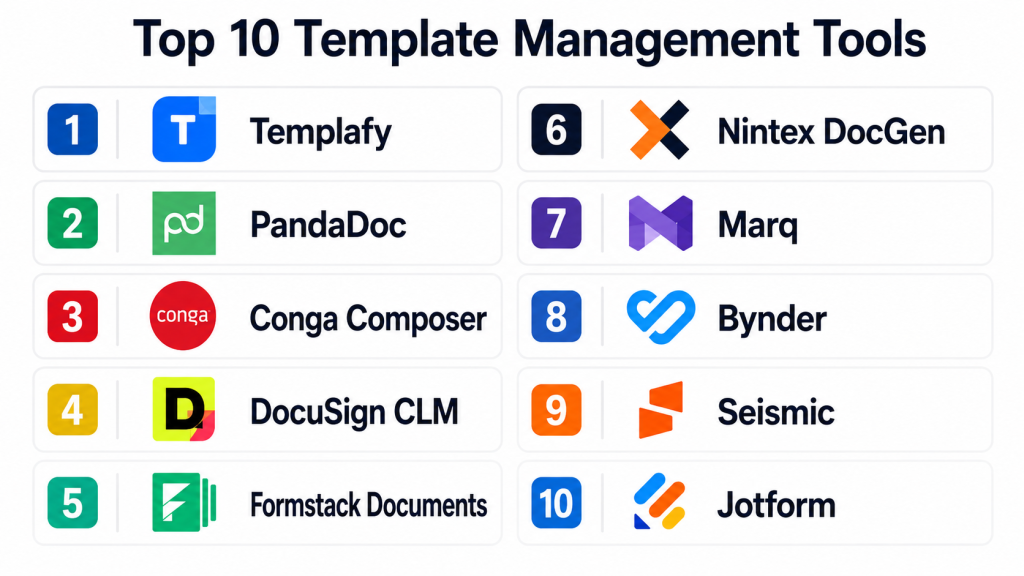
Top 10 Template Management Tools
1- Templafy
Short description: Templafy is an enterprise template and document governance platform built for organizations that need centralized control over business documents, presentations, emails, and brand content. It is especially useful for large companies that want employees to create compliant, on-brand documents inside everyday productivity tools.
Key Features
- Centralized template library for documents, presentations, and email content
- Strong brand governance for logos, fonts, disclaimers, and approved messaging
- Integration with productivity suites and business document workflows
- Dynamic content insertion based on user profile, region, department, or brand rules
- Document creation support for large, distributed teams
- Admin controls for template updates and content governance
- Usage visibility for approved templates and business content
Pros
- Strong fit for enterprise brand and document governance
- Helps reduce outdated templates and inconsistent business documents
- Works well for teams that need centralized control across departments
Cons
- May be too advanced for small teams with basic template needs
- Implementation may require planning across IT, brand, legal, and business teams
- Pricing and deployment details may vary by enterprise requirements
Platforms / Deployment
Web / Microsoft Office / Google Workspace / Varies by configuration
Cloud / Varies by product
Security & Compliance
Security details vary by contract and deployment. Buyers should verify SSO, SAML, MFA, encryption, audit logs, RBAC, SOC 2, ISO 27001, GDPR, and data residency requirements directly during procurement.
Integrations & Ecosystem
Templafy is designed to work inside enterprise document and productivity environments. It is useful where employees need approved templates without leaving their normal document creation tools.
Common integration patterns include:
- Microsoft Office
- Google Workspace
- Document management systems
- Digital asset management platforms
- CRM and business systems
- Identity and access management tools
Support & Community
Templafy is enterprise-focused, so onboarding, admin training, implementation support, and customer success resources are important parts of the buying process. Support depth may vary by contract and organization size.
2- PandaDoc
Short description: PandaDoc is a document automation and proposal management platform that helps teams create, manage, send, track, and sign business documents. It is especially useful for sales, marketing, HR, and revenue teams that rely on reusable templates for proposals, quotes, contracts, and client-facing documents.
Key Features
- Drag-and-drop document and proposal builder
- Reusable templates for proposals, quotes, contracts, and forms
- Content library for approved sections and reusable blocks
- Built-in e-signature workflows
- CRM integration for sales document automation
- Document analytics and recipient tracking
- Payment and approval workflow options depending on plan
Pros
- Strong choice for sales proposals and revenue documents
- Easy for business users to create polished templates
- Combines template creation, sending, tracking, and signing in one workflow
Cons
- Best suited for business documents, not full brand asset management
- Advanced workflow needs may require higher-tier plans
- Complex enterprise governance should be validated before rollout
Platforms / Deployment
Web / iOS / Android / API
Cloud
Security & Compliance
Security and compliance features vary by plan. Buyers should verify SSO, MFA, encryption, audit logs, role-based access, SOC 2, GDPR, and other requirements based on their organization’s needs.
Integrations & Ecosystem
PandaDoc fits well into sales and revenue workflows where templates need to connect with CRM data, approvals, signatures, and payments.
Common integration patterns include:
- CRM systems
- Payment tools
- E-signature workflows
- Cloud storage platforms
- Marketing and sales automation tools
- API-based document workflows
Support & Community
PandaDoc offers documentation, onboarding resources, and customer support options. Support levels may vary by plan, team size, and implementation complexity.
3- Conga Composer
Short description: Conga Composer is a document generation and template automation tool often used by Salesforce-centered teams. It helps businesses generate documents such as proposals, contracts, quotes, invoices, and reports using structured data and reusable templates.
Key Features
- Document generation from CRM and business data
- Reusable templates for contracts, quotes, proposals, and reports
- Data merge capabilities for personalized documents
- Support for automated document workflows
- Strong fit for Salesforce-based teams
- Output options for business documents and customer-facing files
- Workflow automation across sales, legal, and operations use cases
Pros
- Strong option for organizations deeply using Salesforce
- Useful for complex data-driven documents
- Helps reduce manual document assembly work
Cons
- May feel complex for teams with simple template needs
- Best value is often seen in CRM-heavy environments
- Implementation may require admin or technical support
Platforms / Deployment
Web / Salesforce ecosystem / API
Cloud
Security & Compliance
Security controls may depend on Conga product configuration and connected systems. Buyers should verify SSO, audit logs, encryption, RBAC, data handling, and compliance requirements directly.
Integrations & Ecosystem
Conga Composer is strongest in environments where business documents are generated from CRM records and related business data. It is commonly used by sales, legal, finance, and operations teams.
Common integration patterns include:
- Salesforce
- CRM data objects
- Contract lifecycle tools
- E-signature platforms
- Cloud storage systems
- Workflow automation tools
Support & Community
Conga has a mature ecosystem around Salesforce and document automation. Support, implementation partners, admin resources, and training options may vary by product package and customer size.
4- DocuSign CLM
Short description: DocuSign CLM helps teams manage agreement templates, contract workflows, approvals, and document lifecycle processes. It is best for organizations that need reusable agreement templates connected with review, negotiation, approval, and e-signature workflows.
Key Features
- Contract and agreement template management
- Clause and document workflow support
- Approval routing and contract lifecycle automation
- Integration with e-signature workflows
- Repository and agreement management features
- Useful for sales, legal, procurement, and HR contracts
- Workflow visibility for agreement processes
Pros
- Strong fit for contract-heavy organizations
- Connects template management with agreement execution
- Useful for legal, sales, procurement, and HR workflows
Cons
- Not designed for general marketing or brand template management
- Can require careful implementation for complex contract processes
- May be more than needed for simple document templates
Platforms / Deployment
Web / API / Varies by product
Cloud
Security & Compliance
Security capabilities vary by plan and product. Buyers should verify SSO, MFA, encryption, audit logs, RBAC, SOC 2, ISO 27001, GDPR, and industry-specific requirements during vendor evaluation.
Integrations & Ecosystem
DocuSign CLM fits into agreement workflows where templates must move through approvals, negotiation, signing, and storage.
Common integration patterns include:
- CRM systems
- E-signature workflows
- Contract repositories
- Procurement systems
- HR systems
- Cloud storage tools
Support & Community
DocuSign has broad enterprise adoption and support resources. CLM implementation often requires process design, legal workflow mapping, and admin training.
5- Formstack Documents
Short description: Formstack Documents is a document generation tool that turns form submissions, CRM records, and structured data into completed documents. It is useful for teams that need templates for contracts, invoices, reports, applications, letters, and internal business documents.
Key Features
- Template-based document generation
- Data merge from forms, CRMs, databases, and business applications
- Support for PDF, Word, and other document outputs depending on workflow
- Automation rules for generating and sending documents
- Integration with form, signature, and workflow tools
- No-code document automation for business users
- Useful for HR, legal, finance, operations, and healthcare workflows
Pros
- Strong no-code option for document automation
- Good fit for form-to-document and data-to-document workflows
- Flexible for many departments and document types
Cons
- Advanced design control may depend on template setup
- Complex workflows may require configuration support
- Pricing and feature access may vary by plan
Platforms / Deployment
Web / API
Cloud
Security & Compliance
Security features vary by product and plan. Buyers should verify encryption, audit logs, role-based access, SSO, HIPAA-related needs, GDPR, and other compliance requirements directly.
Integrations & Ecosystem
Formstack Documents works well when documents need to be created automatically from submitted data or business system records.
Common integration patterns include:
- Online forms
- CRM systems
- E-signature tools
- Cloud storage platforms
- Workflow automation platforms
- Payment and business applications
Support & Community
Formstack provides documentation, support resources, onboarding options, and product guidance. Support levels may vary by plan and workflow complexity.
6- Nintex DocGen
Short description: Nintex DocGen is a document generation and automation tool designed for teams that need to create documents from structured data and automate related workflows. It is commonly used for proposals, contracts, invoices, reports, letters, and business forms.
Key Features
- Document generation from business data
- Reusable templates with merge fields
- Workflow automation around document creation
- Support for approvals and business process automation
- Integration with CRM and enterprise systems
- Useful for sales, finance, legal, and operations teams
- Scalable document output for repeatable workflows
Pros
- Strong fit for workflow-driven document generation
- Useful for organizations already using process automation tools
- Helps standardize recurring business documents
Cons
- May require workflow planning and admin configuration
- Less focused on visual brand asset template management
- Feature depth may be more than small teams need
Platforms / Deployment
Web / API / Varies by product
Cloud / Varies by product
Security & Compliance
Security and compliance details vary by product and deployment. Buyers should verify SSO, MFA, encryption, audit logs, RBAC, data retention, SOC 2, ISO 27001, and regional compliance requirements.
Integrations & Ecosystem
Nintex DocGen is useful when document creation is part of a broader automated process. It works best when connected to business systems and workflow logic.
Common integration patterns include:
- CRM systems
- Workflow automation platforms
- Enterprise applications
- Cloud storage systems
- E-signature tools
- Business process management workflows
Support & Community
Nintex has a broader automation ecosystem, documentation resources, and partner support options. Implementation support may depend on product scope and customer requirements.
7- Marq
Short description: Marq is a brand template and design automation platform that helps teams create consistent marketing and business materials. It is useful for marketing teams, agencies, franchises, education teams, nonprofits, and distributed organizations that need on-brand templates at scale.
Key Features
- Brand-controlled design templates
- Lockable brand elements such as logos, colors, fonts, and layouts
- Template customization for non-designers
- Collaboration and approval workflows
- Digital and print-ready content creation
- Useful for marketing, sales, and local brand teams
- Centralized asset and template management
Pros
- Strong fit for brand governance and marketing templates
- Helps non-designers create approved materials
- Useful for distributed teams and multi-location organizations
Cons
- Not primarily built for legal or contract document automation
- Advanced data-driven document generation may be limited
- Best suited for visual and brand-focused templates
Platforms / Deployment
Web
Cloud
Security & Compliance
Not publicly stated for all enterprise controls. Buyers should verify SSO, audit logs, user permissions, encryption, and compliance requirements directly before adoption.
Integrations & Ecosystem
Marq is strongest for teams that need controlled brand templates and visual content creation. It can support marketing operations where brand consistency is more important than complex document logic.
Common integration patterns include:
- Brand asset libraries
- Marketing workflows
- Cloud storage systems
- Design and publishing workflows
- Sales enablement content
- Print and digital campaign assets
Support & Community
Marq provides resources for marketing and brand teams. Support, onboarding, and admin assistance may vary by plan and organization size.
8- Bynder
Short description: Bynder is a digital asset management and brand management platform that helps organizations manage brand assets, creative files, and templates. It is best for marketing and brand teams that need strong control over approved assets, campaigns, and branded content.
Key Features
- Digital asset management for approved brand assets
- Brand guidelines and content governance support
- Template-based creative production workflows
- Asset search, metadata, tagging, and permissions
- Collaboration for marketing and creative teams
- Support for campaign asset management
- Useful for distributed brand and marketing operations
Pros
- Strong option for brand asset and creative template governance
- Helps keep approved assets organized and accessible
- Useful for global marketing teams and multi-brand organizations
Cons
- May be more DAM-focused than document automation-focused
- Can be more than needed for small teams with basic file libraries
- Implementation requires asset organization and governance planning
Platforms / Deployment
Web / Varies by product
Cloud
Security & Compliance
Security features may vary by product and contract. Buyers should verify SSO, MFA, encryption, audit logs, access controls, GDPR, and other compliance requirements directly.
Integrations & Ecosystem
Bynder works well in marketing ecosystems where templates, creative files, and brand assets need to be governed centrally.
Common integration patterns include:
- Marketing technology stacks
- Content management systems
- Creative tools
- Brand portals
- Cloud storage systems
- Campaign management workflows
Support & Community
Bynder is enterprise and mid-market oriented, with onboarding and support options depending on customer needs. Implementation often includes asset migration, taxonomy setup, and governance planning.
9- Seismic
Short description: Seismic is a sales enablement platform that helps revenue teams manage, personalize, and distribute approved sales content and templates. It is useful for sales, marketing, and customer-facing teams that need approved pitch decks, proposals, one-pagers, and buyer-facing content.
Key Features
- Sales content and template management
- Personalized buyer-facing content creation
- Central library for approved sales materials
- Content recommendations and usage insights
- Integration with CRM and sales workflows
- Enablement analytics for content performance
- Governance for sales messaging and collateral
Pros
- Strong fit for enterprise sales enablement
- Helps sales teams use approved and relevant content
- Useful for aligning marketing content with sales execution
Cons
- Not a general-purpose document generation platform
- May be too advanced for smaller sales teams
- Requires content strategy and admin governance to get full value
Platforms / Deployment
Web / iOS / Android / Varies by product
Cloud
Security & Compliance
Security capabilities vary by plan and contract. Buyers should verify SSO, encryption, audit logs, RBAC, compliance documentation, and enterprise controls directly.
Integrations & Ecosystem
Seismic is best suited for revenue organizations where content, templates, CRM data, and sales workflows need to work together.
Common integration patterns include:
- CRM systems
- Sales engagement tools
- Marketing content libraries
- Learning and enablement platforms
- Analytics tools
- Productivity suites
Support & Community
Seismic supports enterprise sales and marketing organizations with onboarding, enablement resources, and customer success options. Support level may vary by contract.
10- Jotform
Short description: Jotform is a form builder and document generation platform that can turn form submissions into PDFs, contracts, reports, certificates, invoices, and other template-based documents. It is useful for SMBs, education teams, nonprofits, HR teams, healthcare teams, and operations teams that need easy form-to-document workflows.
Key Features
- Form builder with template-based data collection
- PDF template creation from form responses
- Drag-and-drop document customization
- Workflow automation for submissions and approvals
- E-signature and payment options depending on workflow
- Large template library for forms and documents
- Simple setup for non-technical users
Pros
- Very easy for small teams and non-technical users
- Good fit for forms, applications, certificates, and simple documents
- Flexible for many departments and lightweight workflows
Cons
- Not ideal for advanced enterprise document governance
- Complex contract or proposal workflows may need specialized tools
- Security and compliance needs should be verified by plan
Platforms / Deployment
Web / iOS / Android
Cloud
Security & Compliance
Security and compliance features vary by plan and use case. Buyers should verify encryption, access controls, HIPAA-related needs, GDPR, audit logs, SSO, and data retention requirements directly.
Integrations & Ecosystem
Jotform is useful when templates are connected to forms and collected data. It is practical for teams that need fast document creation without technical setup.
Common integration patterns include:
- Online forms
- Payment tools
- Cloud storage systems
- CRM tools
- E-signature workflows
- Workflow automation platforms
Support & Community
Jotform has a large user base, extensive templates, help resources, and support options. Support depth may vary by plan and business requirements.
Comparison Table
| Tool Name | Best For | Platform(s) Supported | Deployment | Standout Feature | Public Rating |
|---|---|---|---|---|---|
| Templafy | Enterprise document and brand template governance | Web / Office / Google Workspace | Cloud / Varies | Centralized business template control | N/A |
| PandaDoc | Sales proposals and revenue documents | Web / iOS / Android / API | Cloud | Templates with e-signature and tracking | N/A |
| Conga Composer | CRM-driven document generation | Web / Salesforce / API | Cloud | Data-driven documents from CRM records | N/A |
| DocuSign CLM | Contract and agreement templates | Web / API | Cloud | Agreement workflow and template control | N/A |
| Formstack Documents | No-code data-to-document automation | Web / API | Cloud | Form and CRM data merge into documents | N/A |
| Nintex DocGen | Workflow-based document generation | Web / API / Varies | Cloud / Varies | Document generation inside automation workflows | N/A |
| Marq | Brand and marketing templates | Web | Cloud | Lockable brand design templates | N/A |
| Bynder | Digital asset and brand template management | Web / Varies | Cloud | DAM plus brand content governance | N/A |
| Seismic | Sales content and template enablement | Web / iOS / Android / Varies | Cloud | Personalized sales content templates | N/A |
| Jotform | Form-to-document templates | Web / iOS / Android | Cloud | Easy PDF generation from form responses | N/A |
Evaluation & Scoring of Template Management Tools
The scoring below is comparative and based on common buyer needs. It does not mean one tool is the best for every organization. A sales team, legal team, brand team, and operations team may all need different template management capabilities.
| Tool Name | Core (25%) | Ease (15%) | Integrations (15%) | Security (10%) | Performance (10%) | Support (10%) | Value (15%) | Weighted Total (0–10) |
| Templafy | 9 | 7 | 9 | 8 | 9 | 8 | 7 | 8.25 |
| PandaDoc | 8 | 9 | 8 | 7 | 8 | 8 | 8 | 8.10 |
| Conga Composer | 9 | 6 | 9 | 7 | 8 | 8 | 7 | 7.85 |
| DocuSign CLM | 9 | 7 | 8 | 8 | 8 | 8 | 7 | 7.95 |
| Formstack Documents | 8 | 8 | 8 | 7 | 8 | 8 | 8 | 7.90 |
| Nintex DocGen | 8 | 7 | 8 | 7 | 8 | 8 | 7 | 7.55 |
| Marq | 8 | 9 | 7 | 6 | 8 | 7 | 8 | 7.70 |
| Bynder | 8 | 7 | 8 | 8 | 8 | 8 | 7 | 7.75 |
| Seismic | 8 | 7 | 8 | 8 | 8 | 8 | 7 | 7.75 |
| Jotform | 7 | 9 | 7 | 6 | 8 | 7 | 9 | 7.45 |
Scores should be interpreted as a practical comparison, not a universal ranking. Enterprise governance tools score higher on control, security, and scalability. Simpler tools score higher on ease of use and value. Sales-focused tools are stronger for proposals and customer documents, while brand-focused tools are stronger for marketing templates. Buyers should match the scorecard to their own workflow, team size, compliance needs, and integration requirements.
Which Template Management Tool Is Right for You?
Solo / Freelancer
Solo users and freelancers usually need quick templates, simple editing, and low setup effort. They may create proposals, invoices, client forms, reports, or branded PDFs without needing complex governance.
Recommended options:
- Jotform for form-based templates and quick PDF creation
- PandaDoc for proposals, contracts, and client documents
- Marq for simple branded marketing templates
For solo users, ease of use matters more than advanced admin control. A lightweight platform is usually better than a complex enterprise system.
SMB
Small and medium businesses need reusable templates that improve speed without adding heavy administration. They often need proposal templates, HR forms, marketing materials, invoices, agreements, and customer documents.
Recommended options:
- PandaDoc for sales and proposal workflows
- Formstack Documents for no-code document automation
- Jotform for forms and PDF templates
- Marq for brand-controlled marketing assets
SMBs should prioritize usability, template flexibility, pricing clarity, and integration with CRM or storage tools.
Mid-Market
Mid-market teams usually need better governance, collaboration, approvals, and system integrations. Multiple departments may need access to approved templates while still customizing content for customers, employees, or partners.
Recommended options:
- Templafy for document and brand template governance
- Conga Composer for CRM-driven document generation
- Formstack Documents for workflow-friendly document automation
- Nintex DocGen for process-driven document creation
- Bynder for marketing and brand asset control
Mid-market buyers should evaluate admin permissions, approval workflows, integrations, usage analytics, and scalability across teams.
Enterprise
Enterprises need strong governance, security, compliance, integration, and multi-department control. Template management may involve legal clauses, sales proposals, customer agreements, HR documents, marketing assets, global brand rules, and regional variations.
Recommended options:
- Templafy for enterprise document governance
- DocuSign CLM for contract and agreement templates
- Conga Composer for Salesforce-based document automation
- Bynder for global brand asset management
- Seismic for sales content and template enablement
- Nintex DocGen for automated document workflows
Enterprise buyers should run formal pilots, test permission models, validate security controls, review integration depth, and confirm support expectations before rollout.
Budget vs Premium
Budget-conscious teams should consider Jotform, Marq, or PandaDoc depending on whether their priority is forms, brand templates, or sales documents. These tools can provide quick value without heavy implementation.
Premium buyers should evaluate Templafy, DocuSign CLM, Conga Composer, Bynder, and Seismic when governance, enterprise scale, compliance workflows, or department-wide adoption are more important than lowest cost.
Feature Depth vs Ease of Use
For ease of use, Jotform, PandaDoc, Marq, and Formstack Documents are strong options. They help teams create templates quickly and reduce manual work.
For feature depth, Templafy, Conga Composer, DocuSign CLM, Nintex DocGen, Bynder, and Seismic provide stronger enterprise controls, workflow automation, integration, and governance.
Integrations & Scalability
If CRM integration is the top priority, evaluate Conga Composer, PandaDoc, DocuSign CLM, and Seismic. If workflow automation is more important, evaluate Formstack Documents and Nintex DocGen. If brand and asset ecosystem integration matters most, evaluate Templafy, Marq, and Bynder.
Scalability depends on user roles, admin controls, content ownership, template volume, multi-brand support, and reporting. Buyers should test real workflows before committing.
Security & Compliance Needs
Security-focused buyers should verify access controls, audit logs, encryption, SSO, MFA, data residency, user permissions, and compliance documentation. This is especially important for legal, healthcare, finance, government, and enterprise sales teams.
Recommended tools to evaluate for stronger governance needs include:
- Templafy for enterprise document governance
- DocuSign CLM for agreement lifecycle workflows
- Conga Composer for controlled CRM-based document creation
- Bynder for brand asset governance
- Seismic for enterprise sales content control
Never assume compliance readiness without reviewing the vendor’s security documentation and contract terms.
Frequently Asked Questions
1. What are Template Management Tools?
Template Management Tools help teams create, store, update, and reuse approved templates for documents, presentations, forms, proposals, contracts, and branded assets. They reduce manual work and improve consistency across teams.
2. Who should use template management software?
Sales, marketing, legal, HR, finance, operations, and customer success teams can use template management software. It is most useful when teams create repeatable documents or need strict brand and content control.
3. How are Template Management Tools priced?
Pricing usually depends on users, templates, document volume, automation features, integrations, storage, support level, and enterprise controls. Some tools use per-user pricing, while others use custom enterprise pricing.
4. Are Template Management Tools secure?
Security varies by vendor and plan. Buyers should verify encryption, SSO, MFA, role-based access, audit logs, data retention, and compliance documentation before using templates for sensitive documents.
5. Can Template Management Tools integrate with CRM systems?
Yes, many tools integrate with CRM systems directly or through APIs and workflow connectors. CRM integration is important for sales proposals, quotes, contracts, customer letters, and personalized documents.
6. What is the difference between template management and document automation?
Template management focuses on organizing and controlling reusable templates. Document automation goes further by filling templates with data, routing approvals, generating files, sending documents, and connecting with other systems.
7. What mistakes should buyers avoid?
Common mistakes include choosing a tool without testing real templates, ignoring permissions, underestimating migration work, skipping security review, and failing to define template ownership. A pilot helps avoid these issues.
8. How long does implementation take?
Simple tools can be used quickly with basic templates. Enterprise tools may take longer because teams need to migrate content, define permissions, build workflows, test integrations, and train users.
9. Can teams migrate existing templates?
Yes, most teams can migrate existing Word files, PDFs, presentations, design files, forms, or document templates. The challenge is cleaning up outdated content and deciding which templates should be approved.
10. What are the best alternatives to Template Management Tools?
Alternatives include shared drives, cloud document editors, design tools, CRM document features, e-signature templates, and basic file libraries. These may work for small teams but can become hard to manage at scale.
11. Do Template Management Tools support approval workflows?
Many tools support approval workflows, review steps, permissions, or admin controls. The depth varies by product, so buyers should test approval needs before buying.
12. Which Template Management Tool is best for enterprise teams?
There is no single best tool for every enterprise. Templafy, DocuSign CLM, Conga Composer, Bynder, Seismic, and Nintex DocGen are strong options depending on whether the priority is document governance, contracts, CRM documents, brand assets, or sales content.
Conclusion
Template Management Tools help organizations turn repeatable content into controlled, reusable, and scalable business assets. The right platform can reduce manual formatting, improve brand consistency, speed up document creation, support approvals, and reduce the risk of outdated content being used. The best choice depends on the type of templates your team manages: sales proposals, legal contracts, HR forms, brand assets, customer documents, or workflow-generated files. Small teams may prefer simple and affordable tools like Jotform, PandaDoc, Formstack Documents, or Marq, while larger organizations may need stronger governance from Templafy, Conga Composer, DocuSign CLM, Bynder, Seismic, or Nintex DocGen. The practical next step is to shortlist two or three tools, test them with real templates, validate integrations and security controls, confirm admin permissions, and then choose the platform that fits your team’s daily workflow and long-term governance needs.
