Introduction
Static Code Analysis Tools are platforms that analyze source code without executing it to identify bugs, security vulnerabilities, code smells, and violations of coding standards. These tools help developers catch issues early in the development lifecycle, improving code quality, maintainability, and security before deployment.
In modern development environments, where rapid releases and complex architectures are common, static analysis tools play a critical role. They enable teams to shift quality and security checks left, reducing costly fixes later in production and ensuring compliance with coding standards.
Common real-world use cases:
- Detecting bugs and vulnerabilities during development
- Enforcing coding standards across teams
- Automating security checks in CI/CD pipelines
- Improving code maintainability and readability
- Supporting compliance and audit requirements
What buyers should evaluate:
- Language and framework support
- Accuracy and false positive rates
- Integration with CI/CD pipelines
- Ease of use and developer experience
- Custom rule configuration
- Security scanning capabilities
- Performance on large codebases
- Reporting and dashboards
- Scalability for enterprise use
Best for: Developers, DevOps teams, security engineers, and organizations aiming to improve code quality and reduce risks early.
Not ideal for: Very small projects or teams that do not require formal code quality enforcement or automated analysis.
Key Trends in Static Code Analysis Tools
- AI-driven analysis improving detection accuracy and reducing false positives
- Shift-left security integration into development workflows
- Real-time feedback inside IDEs for faster fixes
- Cloud-native scanning platforms replacing legacy tools
- Policy-as-code enforcement for compliance automation
- Multi-language support expansion across modern stacks
- Integration with DevSecOps pipelines
- Automated remediation suggestions
- Advanced dashboards and reporting insights
- Scalable analysis for microservices architectures
How We Selected These Tools (Methodology)
- Strong adoption across development communities
- Comprehensive static analysis capabilities
- Proven reliability and scalability
- Security-focused feature sets
- Integration with CI/CD and DevOps tools
- Flexibility for different team sizes
- Developer experience and usability
- Support for multiple programming languages
- Active development and innovation
- Community and enterprise support
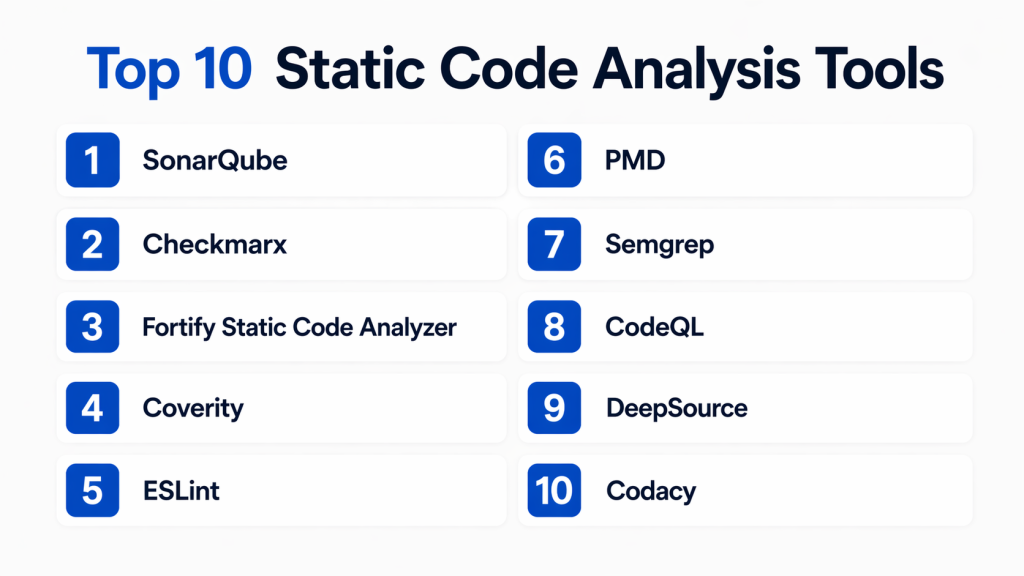
Top 10 Static Code Analysis Tools
#1 — SonarQube
Short description: SonarQube is a widely used static code analysis platform that helps teams detect bugs, vulnerabilities, and code smells across multiple languages. It supports continuous inspection and integrates seamlessly with CI/CD pipelines, making it suitable for both SMBs and enterprises.
Key Features
- Multi-language static analysis
- Code quality and security rules
- CI/CD integration
- Custom quality gates
- Code coverage tracking
- Technical debt analysis
Pros
- Comprehensive analysis capabilities
- Strong community and ecosystem
Cons
- Setup can be complex
- Requires tuning for best results
Platforms / Deployment
- Cloud / Self-hosted
Security & Compliance
- RBAC, audit logs
Integrations & Ecosystem
SonarQube integrates deeply into DevOps pipelines and developer tools.
- CI/CD platforms
- IDE integrations
- Version control systems
- DevOps toolchains
Support & Community
Large community support with enterprise options and extensive documentation.
#2 — Checkmarx
Short description: Checkmarx is a security-focused static analysis tool designed to identify vulnerabilities in source code early in development. It is widely used in enterprise environments for secure coding practices and compliance requirements.
Key Features
- Security vulnerability detection
- Custom rule creation
- CI/CD integration
- Risk prioritization
- Multi-language support
Pros
- Strong security capabilities
- Enterprise-grade features
Cons
- Expensive for small teams
- Requires configuration expertise
Platforms / Deployment
- Cloud / Self-hosted
Security & Compliance
- SSO, audit logs
Integrations & Ecosystem
Supports integration with development and security ecosystems.
- CI/CD pipelines
- Security tools
- DevOps platforms
Support & Community
Enterprise-level support with structured onboarding.
#3 — Fortify Static Code Analyzer
Short description: Fortify Static Code Analyzer provides deep security analysis for identifying vulnerabilities in applications. It is designed for large enterprises requiring advanced security testing and compliance support.
Key Features
- Deep vulnerability detection
- Compliance reporting
- Multi-language analysis
- Integration with DevSecOps pipelines
- Custom security rules
Pros
- Advanced security insights
- Strong compliance capabilities
Cons
- Complex implementation
- High cost
Platforms / Deployment
- Cloud / Self-hosted
Security & Compliance
- Not publicly stated
Integrations & Ecosystem
Integrates with enterprise security and DevOps tools.
- CI/CD systems
- Security platforms
- Development environments
Support & Community
Enterprise-focused support with structured documentation.
#4 — Coverity
Short description: Coverity is a static analysis tool focused on detecting defects and security issues in large-scale applications. It is widely used in enterprise software development environments.
Key Features
- Defect detection
- Security analysis
- Compliance support
- Scalable architecture
- Integration with CI/CD
Pros
- High accuracy
- Enterprise scalability
Cons
- Expensive
- Requires expertise
Platforms / Deployment
- Cloud / Self-hosted
Security & Compliance
- Not publicly stated
Integrations & Ecosystem
Supports integration with development workflows and pipelines.
- DevOps tools
- CI/CD systems
- Code repositories
Support & Community
Enterprise-grade support with strong documentation.
#5 — ESLint
Short description: ESLint is a popular open-source static analysis tool for JavaScript and TypeScript. It focuses on identifying code issues and enforcing coding standards in modern web development.
Key Features
- Customizable rules
- Plugin ecosystem
- Real-time IDE feedback
- JavaScript/TypeScript support
- Integration with build tools
Pros
- Highly customizable
- Strong developer adoption
Cons
- Limited to specific languages
- Requires configuration
Platforms / Deployment
- Web / Local
Security & Compliance
- Not publicly stated
Integrations & Ecosystem
Extensive plugin and ecosystem support.
- IDEs
- Build tools
- CI/CD pipelines
Support & Community
Very strong open-source community and documentation.
#6 — PMD
Short description: PMD is an open-source static analysis tool that detects common programming flaws such as unused variables and inefficient code. It supports multiple languages and is widely used in development workflows.
Key Features
- Rule-based analysis
- Multi-language support
- Code duplication detection
- Custom rules
- Integration with build tools
Pros
- Lightweight and flexible
- Open-source
Cons
- Less advanced UI
- Requires manual setup
Platforms / Deployment
- Local / CI environments
Security & Compliance
- Not publicly stated
Integrations & Ecosystem
Works with development and build systems.
- Build tools
- CI/CD pipelines
- IDE plugins
Support & Community
Active open-source community support.
#7 — Semgrep
Short description: Semgrep is a modern static analysis tool designed for speed and ease of use. It allows developers to write custom rules and detect vulnerabilities efficiently.
Key Features
- Custom rule creation
- Fast scanning engine
- Multi-language support
- Security-focused analysis
- CI/CD integration
Pros
- Fast and flexible
- Easy rule customization
Cons
- Requires rule tuning
- Limited enterprise features
Platforms / Deployment
- Cloud / Local
Security & Compliance
- Not publicly stated
Integrations & Ecosystem
Integrates well with developer workflows.
- CI/CD tools
- Code repositories
- Dev environments
Support & Community
Growing community with strong adoption.
#8 — CodeQL
Short description: CodeQL enables developers to query code as data to identify vulnerabilities and security issues. It is widely used for advanced security analysis in large projects.
Key Features
- Query-based analysis
- Security vulnerability detection
- Integration with repositories
- Custom queries
- Scalable analysis
Pros
- Powerful analysis capabilities
- Flexible query system
Cons
- Steep learning curve
- Requires expertise
Platforms / Deployment
- Cloud
Security & Compliance
- Not publicly stated
Integrations & Ecosystem
Works well with modern development ecosystems.
- CI/CD pipelines
- Dev tools
- Security platforms
Support & Community
Strong developer community and documentation.
#9 — DeepSource
Short description: DeepSource is a developer-first static analysis platform that provides automated code reviews and fixes. It focuses on improving developer productivity and code quality.
Key Features
- Automated code reviews
- Autofix suggestions
- Multi-language support
- CI/CD integration
- Analytics dashboard
Pros
- Developer-friendly
- Automated fixes
Cons
- Limited enterprise depth
- Cloud-focused
Platforms / Deployment
- Cloud
Security & Compliance
- Not publicly stated
Integrations & Ecosystem
Integrates with modern DevOps tools and workflows.
- CI/CD pipelines
- Code repositories
- Dev tools
Support & Community
Good documentation with growing community.
#10 — Codacy
Short description: Codacy is a cloud-based static code analysis tool that helps teams monitor code quality and enforce standards automatically.
Key Features
- Automated code analysis
- Quality metrics tracking
- Multi-language support
- CI/CD integration
- Security checks
Pros
- Easy to use
- Strong automation
Cons
- Cloud dependency
- Limited customization
Platforms / Deployment
- Cloud
Security & Compliance
- Not publicly stated
Integrations & Ecosystem
Supports integration with development workflows.
- Git platforms
- CI/CD pipelines
- Dev tools
Support & Community
Moderate support with good documentation.
Comparison Table (Top 10)
| Tool Name | Best For | Platform(s) Supported | Deployment | Standout Feature | Public Rating |
|---|---|---|---|---|---|
| SonarQube | All teams | Web | Hybrid | Code quality gates | N/A |
| Checkmarx | Security teams | Web | Hybrid | Vulnerability detection | N/A |
| Fortify | Enterprises | Web | Hybrid | Deep security analysis | N/A |
| Coverity | Large apps | Web | Hybrid | Defect detection | N/A |
| ESLint | JS developers | Local | Local | Custom rules | N/A |
| PMD | Multi-language | Local | Local | Rule-based analysis | N/A |
| Semgrep | Fast analysis | Web | Hybrid | Custom rules | N/A |
| CodeQL | Security analysis | Web | Cloud | Query-based analysis | N/A |
| DeepSource | Dev teams | Web | Cloud | Autofix suggestions | N/A |
| Codacy | SMB teams | Web | Cloud | Automation | N/A |
Evaluation & Scoring of Static Code Analysis Tools
| Tool Name | Core (25%) | Ease (15%) | Integrations (15%) | Security (10%) | Performance (10%) | Support (10%) | Value (15%) | Weighted Total (0–10) |
|---|---|---|---|---|---|---|---|---|
| SonarQube | 9 | 8 | 9 | 8 | 9 | 9 | 8 | 8.6 |
| Checkmarx | 9 | 7 | 8 | 9 | 8 | 8 | 7 | 8.1 |
| Fortify | 9 | 6 | 8 | 9 | 8 | 8 | 6 | 7.9 |
| Coverity | 9 | 7 | 8 | 8 | 9 | 8 | 7 | 8.2 |
| ESLint | 7 | 9 | 8 | 6 | 8 | 8 | 9 | 8.0 |
| PMD | 7 | 7 | 7 | 6 | 7 | 7 | 8 | 7.2 |
| Semgrep | 8 | 8 | 8 | 7 | 9 | 7 | 8 | 8.0 |
| CodeQL | 9 | 6 | 8 | 9 | 8 | 7 | 7 | 7.9 |
| DeepSource | 8 | 9 | 8 | 7 | 8 | 7 | 8 | 8.1 |
| Codacy | 8 | 9 | 8 | 7 | 8 | 7 | 8 | 8.1 |
How to interpret scores:
These scores are comparative across tools and not absolute benchmarks. A higher score indicates better overall capability across categories. However, the best choice depends on your use case, team size, and ecosystem. Always evaluate tools in real environments before final selection.
Which Static Code Analysis Tool Is Right for You?
Solo / Freelancer
Tools like ESLint or Codacy provide lightweight and easy-to-use solutions without heavy setup.
SMB
SonarQube and DeepSource offer balanced features with strong automation and usability.
Mid-Market
Semgrep and Coverity provide better scalability and deeper insights for growing teams.
Enterprise
Checkmarx and Fortify are ideal for advanced security and compliance requirements.
Budget vs Premium
- Budget: Open-source tools like ESLint and PMD
- Premium: Enterprise tools like Checkmarx and Fortify
Feature Depth vs Ease of Use
- Easy: Codacy, DeepSource
- Advanced: Fortify, CodeQL
Integrations & Scalability
Choose tools that integrate with CI/CD and support multi-language environments.
Security & Compliance Needs
Prioritize tools with strong vulnerability detection and compliance reporting.
Frequently Asked Questions (FAQs)
1. What is a static code analysis tool?
A static code analysis tool scans source code without executing it to detect bugs, vulnerabilities, and code quality issues. It helps developers identify problems early in the development lifecycle. This approach reduces the chances of defects reaching production and improves overall maintainability. It is widely used in modern DevOps pipelines to enforce coding standards automatically.
2. Why is static code analysis important?
Static analysis helps catch issues before runtime, reducing debugging costs and improving code quality. It ensures that coding standards are followed consistently across teams and projects. By identifying security vulnerabilities early, it also strengthens application security. This proactive approach helps teams deliver stable and secure software faster.
3. Are static code analysis tools only for large teams?
No, these tools can be used by teams of all sizes, including individual developers. Even small teams benefit from automated checks and consistent code quality. However, enterprise-grade tools are more suited for larger organizations with complex requirements. Smaller teams often prefer lightweight or open-source solutions.
4. Can static analysis tools detect security vulnerabilities?
Yes, many tools are designed to identify security flaws such as injection attacks, insecure configurations, and unsafe coding practices. They help enforce secure coding standards during development. Advanced tools provide detailed reports and remediation guidance. This makes them essential for DevSecOps practices.
5. Do these tools integrate with CI/CD pipelines?
Most modern static analysis tools integrate seamlessly with CI/CD pipelines. They automatically scan code during builds and deployments. This ensures that issues are caught before code reaches production. Integration helps maintain continuous quality and security checks without manual intervention.
6. What are false positives in static analysis?
False positives occur when a tool flags an issue that is not actually a problem. While they can be frustrating, most tools allow customization to reduce them. Fine-tuning rules and configurations helps improve accuracy over time. Choosing the right tool with good precision is important for developer productivity.
7. Is it difficult to implement static code analysis?
Implementation complexity varies depending on the tool and environment. Some tools are easy to set up and integrate quickly with existing workflows. Others, especially enterprise tools, may require configuration and expertise. Proper onboarding and documentation can significantly ease the process.
8. Can static analysis replace manual code reviews?
No, static analysis complements manual reviews rather than replacing them. Automated tools catch common issues quickly, while human reviewers focus on logic and design. Combining both approaches results in better code quality. Teams benefit from faster reviews and fewer defects.
9. How do AI features improve static analysis?
AI enhances static analysis by improving detection accuracy and reducing false positives. It can suggest fixes and identify complex patterns that traditional tools might miss. AI-driven tools also provide contextual insights for developers. This leads to faster resolution of issues and improved productivity.
10. What are alternatives to static code analysis tools?
Alternatives include manual code reviews, pair programming, and dynamic testing methods. However, these approaches are often slower and less scalable. Static analysis provides automated, consistent checks that complement these methods. Using a combination of approaches yields the best results.
Conclusion
Static code analysis tools have become essential for modern software development, enabling teams to detect issues early, enforce standards, and improve security. They play a key role in DevOps and DevSecOps pipelines by automating quality checks and reducing manual effort. While tools like SonarQube and ESLint offer strong usability and flexibility, enterprise solutions provide deeper security and compliance capabilities. The right choice depends on your team size, technical stack, and workflow requirements. Instead of choosing based on popularity alone, evaluate how well the tool fits your ecosystem and development practices. Start by testing a few options in real scenarios, measure their impact, and then scale the solution that aligns best with your long-term goals.
