Introduction
Single Sign-On (SSO) tools are identity authentication systems that allow users to access multiple applications using a single login. Instead of managing multiple passwords, users authenticate once and gain seamless access across connected platforms.
SSO is now essential in modern digital ecosystems due to SaaS adoption, remote work, and cloud-based infrastructures. It reduces login friction while improving security and identity control.
SSO tools help organizations:
- Simplify user authentication
- Reduce password-related risks
- Improve user experience
- Centralize access management
- Enable secure SaaS integration
- Support MFA and IAM systems
Best for: Enterprises, SaaS companies, fintech platforms, healthcare systems, and organizations managing multiple applications.
Not ideal for: Simple static websites with no multi-app authentication needs.
Key Trends in Single Sign-On (SSO) Tools
- Shift toward passwordless authentication
- AI-based risk scoring and adaptive login
- Zero Trust identity architecture adoption
- Biometric authentication integration
- API-first identity systems
- Continuous authentication models
- Cloud-native SSO platforms replacing legacy systems
- Strong MFA enforcement
- Identity federation expansion
- Seamless SaaS ecosystem integration
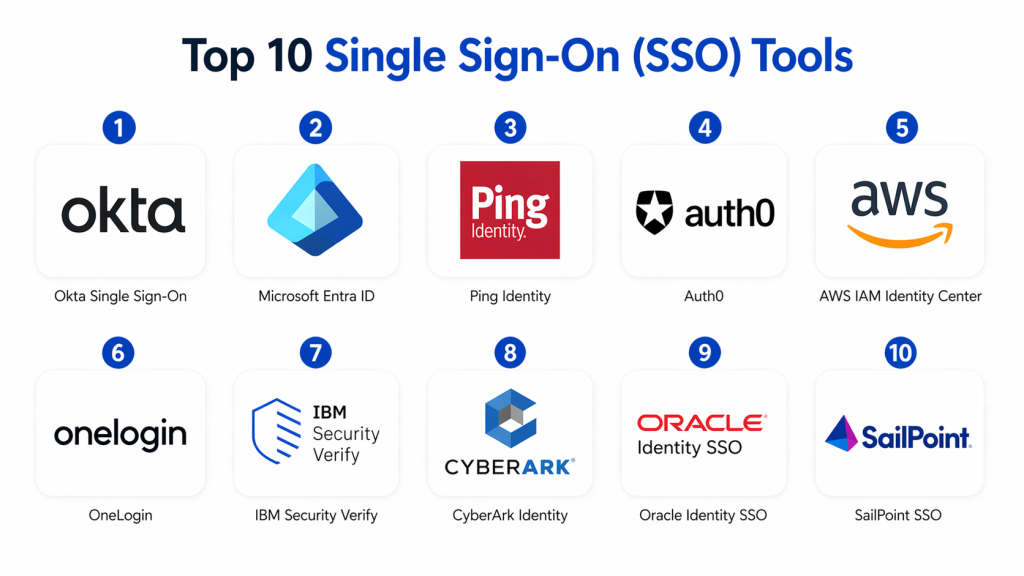
Top 10 Single Sign-On (SSO) Tools
#1 — Okta Single Sign-On
Short description :
Okta is a leading identity platform offering secure and scalable Single Sign-On for enterprises and SaaS applications. It allows users to access thousands of apps with one login. It supports adaptive authentication and strong identity controls. Okta is widely used for enterprise identity management and SaaS integration. It is known for its large ecosystem and reliability.
Key Features
- Centralized SSO access
- Adaptive authentication
- MFA integration
- Application catalog
- User lifecycle automation
- API-based identity control
Pros
- Large integration ecosystem
- Easy deployment
- High scalability
Cons
- Cost increases with scale
- Advanced setup complexity
Platforms / Deployment
- Cloud-based
Security & Compliance
- SAML, OAuth, OpenID Connect support
- MFA and encryption
Integrations & Ecosystem
- SaaS applications
- Enterprise IT systems
- API and SDK support
Support & Community
- Strong enterprise support
- Large global community
#2 — Microsoft Entra ID
Short description :
Microsoft Entra ID is a cloud identity platform deeply integrated with Microsoft 365 and Azure. It provides secure SSO access across Microsoft and third-party applications. It supports conditional access and passwordless authentication. It is widely used in enterprise environments. It offers strong hybrid identity capabilities.
Key Features
- Microsoft 365 SSO
- Conditional access policies
- MFA and passwordless login
- Hybrid identity support
- Device-based authentication
- Identity protection
Pros
- Strong Microsoft ecosystem integration
- Enterprise-grade security
- Hybrid support
Cons
- Best within Microsoft ecosystem
- Complex for non-Microsoft setups
Platforms / Deployment
- Cloud / Hybrid
Security & Compliance
- Risk-based access control
- MFA enforcement
Integrations & Ecosystem
- Microsoft 365
- Azure services
- SaaS integrations
Support & Community
- Microsoft enterprise support
- Strong documentation
#3 — Ping Identity
Short description :
Ping Identity provides enterprise SSO with strong identity federation and secure authentication capabilities. It enables seamless access across cloud and on-prem applications. It supports adaptive authentication and API security. It is highly flexible for enterprise environments. It is widely used for identity federation systems.
Key Features
- Enterprise SSO
- Identity federation
- Adaptive authentication
- API identity management
- Directory integration
- MFA support
Pros
- Highly customizable
- Strong federation support
- Flexible deployment
Cons
- Complex setup
- Requires expertise
Platforms / Deployment
- Cloud / Hybrid / On-prem
Security & Compliance
- SAML, OAuth, OpenID Connect
Integrations & Ecosystem
- Enterprise SaaS apps
- API systems
- Hybrid environments
Support & Community
- Enterprise support
- Partner ecosystem
#4 — Auth0
Short description :
Auth0 is a developer-focused identity platform offering flexible SSO and authentication flows. It allows quick integration into modern applications. It supports social login, MFA, and passwordless authentication. It is highly customizable for developers. It is widely used in SaaS application development.
Key Features
- Custom authentication flows
- Social login
- MFA support
- Passwordless login
- API authentication
- Custom UI login
Pros
- Developer-friendly
- Fast integration
- Highly flexible
Cons
- Pricing scales with usage
- Enterprise features need tuning
Platforms / Deployment
- Cloud-based
Security & Compliance
- Standard IAM protocols
- MFA support
Integrations & Ecosystem
- Social providers
- APIs and SDKs
- SaaS tools
Support & Community
- Strong developer community
- Enterprise support available
#5 — AWS IAM Identity Center
Short description :
AWS IAM Identity Center provides centralized SSO access for AWS environments. It allows secure authentication across multiple AWS accounts and applications. It supports role-based access control and temporary credentials. It is deeply integrated with AWS infrastructure. It is ideal for cloud-native organizations using AWS.
Key Features
- Multi-account SSO
- Role-based access
- Identity federation
- Temporary credentials
- Permission sets
- Centralized access control
Pros
- Deep AWS integration
- Strong security model
- Scalable
Cons
- AWS-only ecosystem
- Complex for beginners
Platforms / Deployment
- Cloud (AWS)
Security & Compliance
- IAM policies
- Encryption via AWS
Integrations & Ecosystem
- AWS services
- SaaS integrations
- API support
Support & Community
- AWS enterprise support
- Large ecosystem
#6 — OneLogin
Short description :
OneLogin is a cloud-based SSO solution designed for SMBs and mid-sized enterprises. It simplifies access to multiple applications with a single login. It supports MFA and automated provisioning. It is easy to deploy and manage. It is widely used for SaaS-based identity control.
Key Features
- Cloud SSO
- MFA support
- User provisioning
- Directory sync
- Policy-based access
- API integration
Pros
- Easy setup
- Good usability
- SMB-friendly
Cons
- Limited enterprise depth
- Smaller ecosystem
Platforms / Deployment
- Cloud-based
Security & Compliance
- MFA support
- Standard encryption
Integrations & Ecosystem
- SaaS apps
- Directory systems
- APIs
Support & Community
- Good support
- Growing adoption
#7 — IBM Security Verify
Short description :
IBM Security Verify provides enterprise SSO with AI-driven identity insights. It enables secure authentication across complex IT environments. It supports identity governance and adaptive authentication. It is designed for large enterprises and regulated industries. It offers strong compliance capabilities.
Key Features
- Enterprise SSO
- Adaptive authentication
- Identity governance
- AI-based risk detection
- Directory integration
- Lifecycle management
Pros
- Strong governance
- AI insights
- Enterprise-grade security
Cons
- Complex setup
- Higher cost
Platforms / Deployment
- Cloud / Hybrid
Security & Compliance
- MFA support
- Enterprise IAM controls
Integrations & Ecosystem
- Enterprise applications
- APIs
Support & Community
- IBM enterprise support
- Consulting services
#8 — CyberArk Identity
Short description :
CyberArk Identity provides secure SSO with strong focus on privileged access management. It enables secure authentication across enterprise systems. It supports MFA and adaptive login security. It is widely used in high-security environments. It is designed for advanced identity protection needs.
Key Features
- Secure SSO
- MFA authentication
- Privileged access integration
- Adaptive authentication
- Identity lifecycle control
- Role-based access
Pros
- Strong security focus
- Privileged access support
- Enterprise-grade
Cons
- Complex deployment
- Higher pricing
Platforms / Deployment
- Cloud / Hybrid
Security & Compliance
- MFA and encryption
- Enterprise controls
Integrations & Ecosystem
- CyberArk ecosystem
- API systems
Support & Community
- Enterprise support
- Security-focused onboarding
#9 — Oracle Identity SSO
Short description :
Oracle Identity SSO provides enterprise identity management with strong governance capabilities. It enables secure access across Oracle and third-party systems. It supports role-based access control and identity lifecycle management. It is designed for large enterprise environments. It is widely used in Oracle-heavy infrastructures.
Key Features
- Enterprise SSO
- Role-based access
- Identity governance
- Directory integration
- Policy enforcement
- Lifecycle management
Pros
- Strong governance
- Oracle ecosystem integration
- Scalable
Cons
- Complex setup
- Best for Oracle users
Platforms / Deployment
- Cloud / Hybrid / On-prem
Security & Compliance
- Enterprise IAM controls
- Access policies
Integrations & Ecosystem
- Oracle ecosystem
- Enterprise apps
Support & Community
- Oracle support
- Professional services
#10 — SailPoint SSO
Short description :
SailPoint SSO focuses on identity governance and secure access management. It provides enterprise-grade authentication and compliance controls. It supports lifecycle management and access certification. It is widely used in regulated industries. It is designed for governance-heavy environments.
Key Features
- Identity governance SSO
- Access certification
- Role-based control
- Compliance reporting
- Lifecycle automation
- Risk insights
Pros
- Strong governance
- Compliance-focused
- Scalable
Cons
- Complex implementation
- Requires expertise
Platforms / Deployment
- Cloud / Hybrid
Security & Compliance
- Governance controls
- Compliance reporting
Integrations & Ecosystem
- Enterprise systems
- SaaS integration
- APIs
Support & Community
- Enterprise support
- Governance ecosystem
Comparison Table
| Tool | Best For | Platform | Deployment | Standout Feature | Public Rating |
|---|---|---|---|---|---|
| Okta | Enterprises | Web/API | Cloud | App ecosystem | N/A |
| Entra ID | Microsoft users | Cloud | Cloud/Hybrid | Conditional access | N/A |
| Ping | Enterprises | Web/API | Hybrid | Federation | N/A |
| Auth0 | Developers | Web/API | Cloud | Custom auth flows | N/A |
| AWS IAM | AWS users | AWS | Cloud | Multi-account SSO | N/A |
| OneLogin | SMB | Web | Cloud | Simple SSO | N/A |
| IBM Verify | Enterprises | Web/API | Hybrid | AI insights | N/A |
| CyberArk | Security teams | Web/API | Hybrid | Privileged access | N/A |
| Oracle IAM | Enterprise | Web/API | Hybrid | Governance | N/A |
| SailPoint | Governance | Web/API | Hybrid | Compliance focus | N/A |
Evaluation & Scoring
| Tool | Core | Ease | Integration | Security | Performance | Support | Value | Total |
|---|---|---|---|---|---|---|---|---|
| Okta | 9 | 10 | 10 | 9 | 9 | 9 | 8 | 9.1 |
| Entra ID | 9 | 9 | 10 | 10 | 9 | 9 | 9 | 9.2 |
| Ping | 9 | 7 | 9 | 10 | 9 | 9 | 7 | 8.6 |
| Auth0 | 9 | 10 | 9 | 9 | 9 | 8 | 8 | 8.8 |
| AWS SSO | 9 | 8 | 9 | 10 | 9 | 9 | 9 | 8.9 |
| IBM Verify | 9 | 7 | 9 | 10 | 8 | 8 | 7 | 8.3 |
| OneLogin | 8 | 9 | 8 | 8 | 8 | 8 | 9 | 8.4 |
| CyberArk | 10 | 7 | 9 | 10 | 9 | 9 | 7 | 8.8 |
| Oracle IAM | 9 | 6 | 8 | 10 | 8 | 8 | 7 | 8.2 |
| SailPoint | 10 | 6 | 9 | 10 | 8 | 8 | 7 | 8.4 |
Which Single Sign-On (SSO) Is Right for You?
Solo / Freelancer
- Auth0, OneLogin
- Simple setup and low complexity
SMB
- OneLogin, Okta
- Easy deployment and cost-effective
Mid-Market
- Okta, Entra ID, Ping
- Strong integrations and scalability
Enterprise
- Okta, Entra ID, CyberArk, SailPoint
- Advanced governance and security
Budget vs Premium
- Budget: OneLogin, Auth0
- Premium: Okta, Ping, CyberArk
Feature Depth vs Ease of Use
- Easy: OneLogin, Auth0
- Advanced: Ping, CyberArk
Integrations & Scalability
- Strong: Okta, Entra ID
- Flexible: Auth0
Security & Compliance Needs
Balanced: Okta, Entra ID
Frequently Asked Questions (FAQs)
High security: CyberArk, SailPoint
1. What is SSO?
SSO allows users to access multiple applications with one login. It reduces password fatigue and improves security. It centralizes authentication for organizations. It is widely used in enterprise systems. It works with IAM platforms.
2. Is SSO secure?
Yes, SSO is secure when combined with MFA and encryption. It reduces password reuse risks. It improves centralized control. However, it must be properly configured. Security depends on implementation quality.
3. What protocols does SSO use?
SSO commonly uses SAML, OAuth, and OpenID Connect. These ensure secure authentication and authorization. They enable identity federation across systems. Modern applications rely on these standards. They are widely supported.
4. Can SSO be hacked?
SSO systems are secure but not immune to attacks. Weak configuration can create risks. MFA reduces most threats. Zero Trust improves security further. Proper monitoring is essential.
5. Does SSO improve productivity?
Yes, it reduces login time and password resets. Users access apps faster. IT teams spend less time on credential issues. It improves workflow efficiency. It enhances user experience.
6. Is SSO cloud-based?
Most modern SSO tools are cloud-based. Some support hybrid deployment. Cloud SSO is more scalable and flexible. On-prem solutions still exist. Cloud is the preferred model.
7. What is the difference between SSO and IAM?
SSO is a part of IAM. IAM manages identity lifecycle and access control. SSO focuses only on authentication. IAM is broader in scope. Both work together in security systems.
8. Who uses SSO?
Enterprises, SaaS companies, fintech, healthcare, and government organizations use SSO. Any system with multiple applications benefits from it. It is common in remote work environments. Developers also integrate it into apps.
9. Is SSO expensive?
Pricing depends on users and features. SMB tools are affordable. Enterprise solutions are more expensive. Costs increase with scale. Pricing is usually subscription-based.
10. What is Zero Trust in SSO?
Zero Trust means no user is trusted by default. Every login is verified continuously. SSO integrates with Zero Trust models. It improves identity security. It is widely adopted in modern security.
Conclusion
Single Sign-On (SSO) tools are essential for modern identity security, enabling seamless and secure access across multiple applications while reducing password-related risks.
Different platforms serve different needs—Okta, Entra ID, and Ping dominate enterprise identity ecosystems, while Auth0 and OneLogin provide developer-friendly and SMB-focused solutions. CyberArk, IBM, and SailPoint offer advanced governance and high-security identity management.
Choosing the right SSO solution depends on your infrastructure, security requirements, and integration ecosystem. A well-implemented SSO system improves security, enhances productivity, and simplifies identity management across the organization.
