Introduction
Session Replay Tools allow businesses to record and replay user interactions on websites and applications. These tools provide a visual playback of user behavior—mouse movements, clicks, scrolls, and navigation paths—helping teams understand how users actually experience digital products.
In today’s data-driven environment, session replay is essential for improving user experience, debugging issues, and optimizing conversion rates. Modern tools combine replay capabilities with heatmaps, analytics, and AI-driven insights. At the same time, they incorporate strong privacy controls aligned with Identity Management, CyberSecurity, Zero Trust, and Access Control frameworks to ensure sensitive user data is protected and compliant with regulations.
Real-world use cases:
- Identifying UX issues and usability problems
- Debugging errors and performance bottlenecks
- Improving conversion funnels and checkout flows
- Understanding user behavior and engagement
- Supporting product and design decisions
What buyers should evaluate:
- Replay quality and accuracy
- Privacy and data masking capabilities
- Integration with analytics and product tools
- Performance impact on applications
- Ease of use and setup
- Heatmaps and analytics features
- Scalability for traffic volume
- Pricing and value
Best for: Product teams, UX designers, developers, marketers, and analytics teams focused on improving user experience and conversion rates.
Not ideal for: Businesses with minimal digital presence or those that do not require detailed behavioral insights.
Key Trends in Session Replay Tools
- AI-powered behavior analysis and anomaly detection
- Privacy-first design with data masking and consent management
- Integration with product analytics and BI tools
- Real-time session monitoring and alerts
- Heatmaps combined with replay insights
- Cloud-native architectures for scalability
- API-driven integrations and extensibility
- Performance optimization to reduce load impact
- Cross-device and mobile session tracking
- Increased focus on compliance and data governance
How We Selected These Session Replay Tools (Methodology)
- Market adoption and industry recognition
- Feature completeness for replay and analytics
- Reliability and performance impact
- Security and privacy capabilities
- Integration ecosystem and API support
- Ease of use and onboarding
- Scalability across traffic volumes
- Innovation in AI and analytics
- Customer feedback trends
- Balanced mix of enterprise and SMB tools
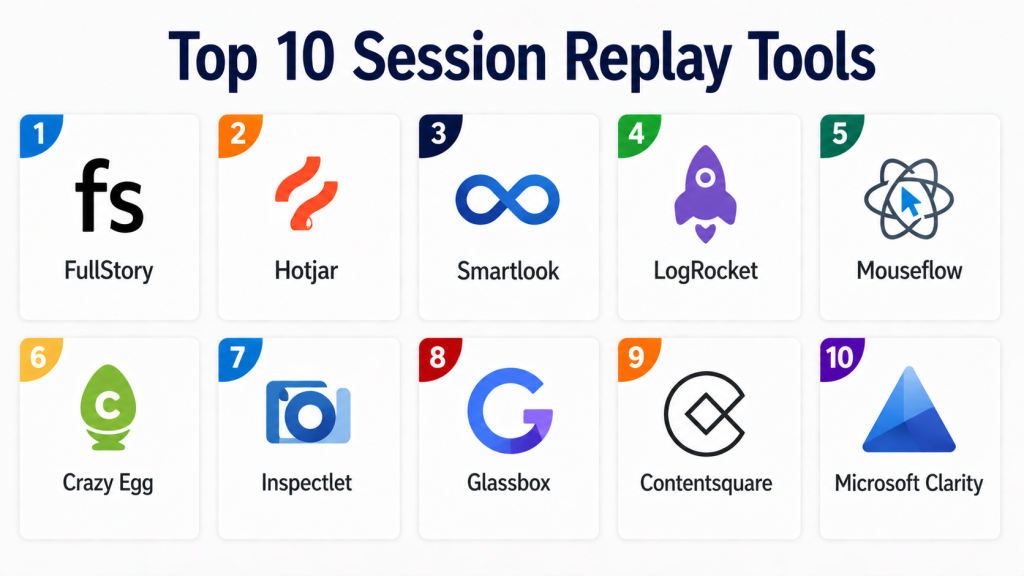
Top 10 Session Replay Tools
#1 — FullStory
Short description:
FullStory is a leading session replay and digital experience analytics platform. It provides detailed session replays, heatmaps, and insights into user behavior. The platform is widely used by product and UX teams. It offers AI-driven analytics and anomaly detection. FullStory integrates with various tools. It is suitable for enterprises and growing businesses.
Key Features
- Session replay
- Heatmaps
- AI insights
- Funnel analysis
- Error tracking
Pros
- Advanced analytics capabilities
- High-quality replay
Cons
- Pricing may be high
- Learning curve
Platforms / Deployment
Web
Cloud
Security & Compliance
SSO, encryption, data masking; compliance varies
Integrations & Ecosystem
Integrates with analytics and product tools.
- APIs
- CRM tools
Support & Community
Strong support and documentation
#2 — Hotjar
Short description:
Hotjar is a popular session replay and heatmap tool designed for SMBs and marketers. It provides visual insights into user behavior. The platform is easy to use and deploy. It includes surveys and feedback tools. Hotjar is suitable for small to mid-sized businesses. It focuses on usability and accessibility.
Key Features
- Session replay
- Heatmaps
- Surveys
- Feedback tools
- Analytics
Pros
- Easy to use
- Affordable
Cons
- Limited advanced features
- Not ideal for large enterprises
Platforms / Deployment
Web
Cloud
Security & Compliance
Data masking, encryption; compliance varies
Integrations & Ecosystem
Integrates with marketing and analytics tools.
- APIs
Support & Community
Good support for SMBs
#3 — Smartlook
Short description:
Smartlook is a session replay tool focused on mobile and web analytics. It provides detailed user behavior insights. The platform supports event tracking and funnels. It is suitable for product teams and developers. Smartlook is easy to deploy and scalable. It offers analytics and replay features.
Key Features
- Session replay
- Event tracking
- Funnels
- Heatmaps
- Analytics
Pros
- Strong mobile support
- Easy setup
Cons
- Limited advanced analytics
- Smaller ecosystem
Platforms / Deployment
Web / Mobile
Cloud
Security & Compliance
Encryption, data masking; compliance varies
Integrations & Ecosystem
Supports integrations with analytics tools.
- APIs
Support & Community
Moderate support
#4 — LogRocket
Short description:
LogRocket combines session replay with frontend monitoring. It helps developers debug issues and understand user behavior. The platform provides performance monitoring and error tracking. It is suitable for engineering teams. LogRocket integrates with development tools. It is ideal for debugging and optimization.
Key Features
- Session replay
- Error tracking
- Performance monitoring
- Analytics
- Integration tools
Pros
- Strong debugging capabilities
- Developer-focused
Cons
- Requires technical setup
- Pricing may be high
Platforms / Deployment
Web
Cloud
Security & Compliance
Encryption, access control; compliance varies
Integrations & Ecosystem
Integrates with development tools.
- APIs
- Monitoring tools
Support & Community
Good support and documentation
#5 — Mouseflow
Short description:
Mouseflow is a session replay tool with heatmaps and analytics features. It helps businesses understand user behavior and optimize UX. The platform provides funnels and feedback tools. It is suitable for SMBs and mid-market teams. Mouseflow is easy to use and deploy. It offers strong visualization features.
Key Features
- Session replay
- Heatmaps
- Funnels
- Feedback tools
- Analytics
Pros
- Easy to use
- Good visualization
Cons
- Limited enterprise features
- Smaller ecosystem
Platforms / Deployment
Web
Cloud
Security & Compliance
Data masking, encryption; compliance varies
Integrations & Ecosystem
Supports integrations with analytics tools.
- APIs
Support & Community
Moderate support
#6 — Crazy Egg
Short description:
Crazy Egg is a UX optimization tool that includes session replay and heatmaps. It provides insights into user behavior and conversion optimization. The platform is easy to use and deploy. It is suitable for SMBs. Crazy Egg focuses on improving website performance.
Key Features
- Session replay
- Heatmaps
- A/B testing
- Analytics
- Reporting
Pros
- Simple and intuitive
- Good for optimization
Cons
- Limited advanced features
- Not enterprise-focused
Platforms / Deployment
Web
Cloud
Security & Compliance
Encryption, access control; compliance varies
Integrations & Ecosystem
Basic integrations available.
- APIs
Support & Community
Good support
#7 — Inspectlet
Short description:
Inspectlet is a session replay tool with heatmaps and analytics features. It helps businesses understand user behavior and optimize UX. The platform provides detailed session recordings. It is suitable for SMBs. Inspectlet is easy to deploy and use.
Key Features
- Session replay
- Heatmaps
- Analytics
- Reporting
- Visualization
Pros
- Easy to use
- Affordable
Cons
- Limited advanced features
- Smaller ecosystem
Platforms / Deployment
Web
Cloud
Security & Compliance
Encryption, data masking; compliance varies
Integrations & Ecosystem
Basic integrations available.
- APIs
Support & Community
Moderate support
#8 — Glassbox
Short description:
Glassbox is an enterprise-grade digital experience analytics platform. It provides session replay, analytics, and AI insights. The platform is suitable for large organizations. It supports compliance and security requirements. Glassbox offers advanced features and scalability.
Key Features
- Session replay
- Analytics
- AI insights
- Reporting
- Compliance tools
Pros
- Enterprise capabilities
- Advanced analytics
Cons
- Complex implementation
- Higher cost
Platforms / Deployment
Web
Cloud
Security & Compliance
Enterprise-grade security; compliance varies
Integrations & Ecosystem
Integrates with enterprise systems.
- APIs
- Data platforms
Support & Community
Enterprise support
#9 — Contentsquare
Short description:
Contentsquare is a digital experience analytics platform with session replay capabilities. It provides insights into user behavior and engagement. The platform is widely used by enterprises. It offers analytics and optimization tools. It is suitable for large organizations.
Key Features
- Session replay
- Analytics
- Heatmaps
- Reporting
- Optimization tools
Pros
- Strong analytics
- Enterprise-ready
Cons
- Complex setup
- Pricing may be high
Platforms / Deployment
Web
Cloud
Security & Compliance
Enterprise-grade security; compliance varies
Integrations & Ecosystem
Supports integration with analytics tools.
- APIs
- Data platforms
Support & Community
Enterprise support
#10 — Microsoft Clarity
Short description:
Microsoft Clarity is a free session replay and analytics tool. It provides heatmaps and insights into user behavior. The platform is easy to use and deploy. It is suitable for SMBs and startups. Clarity integrates with Microsoft tools. It offers strong value for cost-conscious teams.
Key Features
- Session replay
- Heatmaps
- Analytics
- Reporting
- Integration support
Pros
- Free to use
- Easy setup
Cons
- Limited advanced features
- Smaller ecosystem
Platforms / Deployment
Web
Cloud
Security & Compliance
Encryption, data masking; compliance varies
Integrations & Ecosystem
Integrates with Microsoft ecosystem.
- APIs
Support & Community
Good support
Comparison Table (Top 10)
| Tool Name | Best For | Platform(s) Supported | Deployment | Standout Feature | Public Rating |
|---|---|---|---|---|---|
| FullStory | Enterprise | Web | Cloud | Advanced analytics | N/A |
| Hotjar | SMB | Web | Cloud | Heatmaps + surveys | N/A |
| Smartlook | SMB/Mid | Web, Mobile | Cloud | Mobile tracking | N/A |
| LogRocket | Developers | Web | Cloud | Debugging | N/A |
| Mouseflow | SMB | Web | Cloud | Visualization | N/A |
| Crazy Egg | SMB | Web | Cloud | A/B testing | N/A |
| Inspectlet | SMB | Web | Cloud | Affordability | N/A |
| Glassbox | Enterprise | Web | Cloud | AI insights | N/A |
| Contentsquare | Enterprise | Web | Cloud | Experience analytics | N/A |
| Microsoft Clarity | SMB | Web | Cloud | Free tool | N/A |
Evaluation & Scoring of Session Replay Tools
| Tool Name | Core | Ease | Integrations | Security | Performance | Support | Value | Weighted Total |
|---|---|---|---|---|---|---|---|---|
| FullStory | 9 | 7 | 9 | 9 | 9 | 9 | 7 | 8.6 |
| Hotjar | 8 | 9 | 7 | 7 | 8 | 8 | 9 | 8.2 |
| Smartlook | 8 | 8 | 7 | 7 | 8 | 7 | 8 | 7.9 |
| LogRocket | 9 | 7 | 9 | 8 | 9 | 8 | 6 | 8.1 |
| Mouseflow | 8 | 8 | 7 | 7 | 8 | 7 | 8 | 7.8 |
| Crazy Egg | 7 | 9 | 6 | 7 | 7 | 7 | 8 | 7.5 |
| Inspectlet | 7 | 9 | 6 | 7 | 7 | 7 | 8 | 7.5 |
| Glassbox | 9 | 6 | 8 | 9 | 9 | 8 | 6 | 8.1 |
| Contentsquare | 9 | 6 | 8 | 9 | 9 | 8 | 6 | 8.1 |
| Clarity | 7 | 9 | 6 | 7 | 7 | 7 | 10 | 7.8 |
Interpretation:
Scores are comparative and based on weighted criteria. Higher scores indicate stronger capabilities, but the best tool depends on your needs and scale.
Which Session Replay Tool Is Right for You?
Solo / Freelancer
Microsoft Clarity or Hotjar for simplicity and cost-effectiveness.
SMB
Hotjar, Smartlook, or Mouseflow for ease of use and insights.
Mid-Market
Smartlook or LogRocket for analytics and debugging.
Enterprise
FullStory, Glassbox, or Contentsquare for advanced analytics.
Budget vs Premium
Budget: Clarity, Hotjar
Premium: FullStory, Glassbox
Feature Depth vs Ease of Use
Depth: FullStory, Glassbox
Ease: Hotjar, Clarity
Integrations & Scalability
Best: FullStory, LogRocket
Moderate: Smartlook, Mouseflow
Security & Compliance Needs
Enterprise-grade: Glassbox, Contentsquare
Basic: SMB-focused tools
Frequently Asked Questions (FAQs)
1. What are Session Replay Tools?
Session replay tools record and replay user interactions on websites. They help visualize user behavior. These tools provide insights into UX issues. They are used by product and marketing teams. They improve decision-making.
2. Why are these tools important?
They help identify usability issues and bugs. They provide real user insights. They improve conversion rates. They support data-driven decisions. They enhance user experience.
3. Are these tools suitable for small businesses?
Yes, many tools are designed for SMBs. They offer affordable and simple features. Small businesses benefit from insights. However, advanced tools may not be necessary. Choosing the right tool is important.
4. What is the typical pricing model?
Most tools use subscription pricing. Costs vary by features and usage. Some tools offer free tiers. Enterprise tools require custom pricing. Pricing depends on scale.
5. How long does implementation take?
Implementation is usually quick. Most tools are easy to deploy. Setup can take hours or days. Advanced tools require integration. Training may also be needed.
6. Do these tools integrate with other systems?
Yes, they integrate with analytics and product tools. APIs allow custom integrations. Integration depth varies. Strong integrations improve workflows. This is a key factor in selection.
7. What are common mistakes when choosing tools?
Choosing overly complex tools is common. Ignoring integration needs can cause issues. Not considering scalability is risky. Poor onboarding leads to low adoption. Proper evaluation helps avoid mistakes.
8. Are these tools secure?
Most tools offer encryption and data masking. Enterprise tools provide advanced security. Compliance varies by vendor. Security aligns with Zero Trust models. Verification is essential.
9. Can businesses switch tools later?
Switching is possible but requires effort. Data migration and retraining are needed. Integration changes may be required. Planning ahead reduces risks. Choosing scalable tools helps.
10. What are alternatives to session replay tools?
Alternatives include analytics tools and heatmaps. However, they lack visual replay. Some businesses use custom solutions. Session replay tools provide deeper insights. They are ideal for UX optimization.
Conclusion
Session Replay Tools have become essential for organizations that want to deeply understand user behavior and improve digital experiences. By combining visual session playback with analytics, these platforms help teams identify friction points, debug issues, and optimize conversion paths effectively. As user expectations continue to rise, having visibility into real user interactions is critical for delivering seamless and engaging experiences.
The right tool depends on your organization’s scale and priorities. While enterprise platforms offer advanced analytics and scalability, simpler tools provide quick insights and ease of use for smaller teams. The best approach is to shortlist a few options, test them with real user scenarios, and evaluate their performance, integrations, and privacy features. This ensures long-term success in improving user experience and achieving business goals.
