Introduction
Heatmap tools are analytics solutions that visually represent how users interact with websites and applications. Instead of reading raw data tables, teams can instantly see where users click, scroll, hover, and drop off. This makes it easier to identify friction points, optimize layouts, and improve overall user experience.
In the modern digital landscape, where user attention is limited and competition is high, understanding behavior in real time has become essential. Heatmap tools now go beyond basic click tracking, offering session replays, AI-driven insights, funnel analysis, and behavioral segmentation. Businesses rely on these tools to refine design decisions, increase conversion rates, and validate product changes.
Common use cases include:
- Optimizing landing pages for higher conversions
- Identifying UX issues in web or mobile apps
- Improving e-commerce checkout flows
- Analyzing user engagement on content pages
- Testing UI/UX changes before full rollout
What buyers should evaluate:
- Heatmap types (click, scroll, move, attention)
- Session replay capabilities
- Integration with analytics and marketing tools
- Data privacy and compliance features
- Scalability for high-traffic environments
- Ease of implementation and use
- Pricing structure and ROI
- AI insights and automation features
Best for: Marketers, product managers, UX designers, CRO teams, and SaaS companies looking to optimize user journeys and conversions.
Not ideal for: Teams that only need basic traffic analytics or those without sufficient website traffic, where statistical insights may be limited.
Key Trends in Heatmap Tools
- AI-powered behavioral insights that automatically detect friction points and suggest optimizations
- Cookieless tracking models driven by privacy regulations and user consent frameworks
- Real-time analytics dashboards for immediate decision-making
- Integration with product analytics platforms for deeper behavioral context
- Mobile-first tracking with gesture-based heatmaps
- Session replay enhancements with error tracking and performance metrics
- Cross-channel analytics combining web, mobile, and app data
- Low-code/no-code deployment for faster onboarding
- Advanced segmentation based on user attributes and journeys
- Flexible pricing models including usage-based and freemium tiers
How We Evaluate Heatmap Tools (Methodology)
- Assessed market adoption and brand presence across industries
- Evaluated feature completeness, including heatmaps, replay, and analytics
- Reviewed performance and scalability signals for high-traffic environments
- Considered security posture, including compliance readiness
- Analyzed integration ecosystems with marketing and analytics tools
- Examined ease of use and onboarding experience
- Evaluated customer fit across SMB, mid-market, and enterprise segments
- Compared pricing models and perceived value
- Assessed support quality and community strength
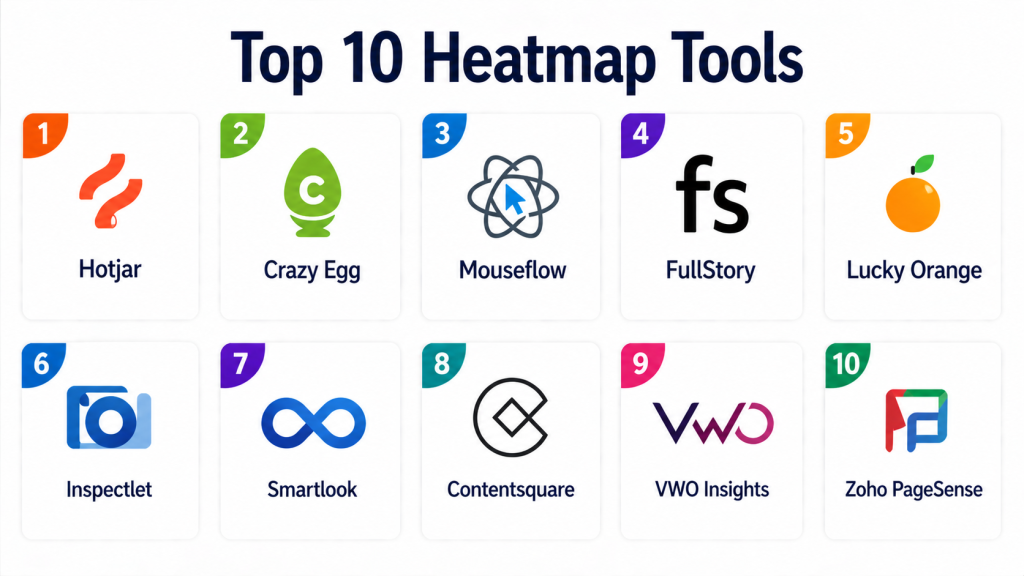
Top 10 Heatmap Tools
#1 — Hotjar
Short description:
Hotjar is a widely adopted heatmap and user behavior analytics tool designed for marketers and product teams. It combines click, scroll, and move heatmaps with session recordings and feedback tools. The platform is known for its ease of use and quick deployment. It is especially useful for small to mid-sized businesses seeking actionable UX insights without heavy technical setup. Hotjar also includes surveys and polls for direct user feedback. Its simplicity makes it a go-to entry point for many teams.
Key Features
- Click, scroll, and movement heatmaps
- Session replay
- Feedback polls and surveys
- Funnel tracking
- User segmentation
Pros
- Easy to set up and use
- All-in-one UX toolkit
Cons
- Limited advanced analytics depth
- Pricing scales with traffic
Platforms / Deployment
Web / Cloud
Security & Compliance
GDPR compliance, data masking, role-based access controls
Integrations & Ecosystem
Integrates with analytics, CMS, and marketing platforms
- Google Analytics
- HubSpot
- Slack
- Zapier
Support & Community
Strong documentation, tutorials, and active community
#2 — Crazy Egg
Short description:
Crazy Egg focuses on visual analytics and conversion optimization. It provides heatmaps, scrollmaps, and confetti reports to track user interactions. The platform also includes A/B testing, making it useful for experimentation-driven teams. It is ideal for marketers aiming to improve landing page performance. The interface is simple and geared toward quick insights. It works well for small to mid-sized businesses.
Key Features
- Heatmaps and scrollmaps
- Confetti click tracking
- A/B testing
- Session recordings
- Snapshot comparisons
Pros
- Strong visualization features
- Built-in experimentation
Cons
- Limited deep analytics
- UI feels outdated
Platforms / Deployment
Web / Cloud
Security & Compliance
Not publicly stated
Integrations & Ecosystem
Supports integrations with marketing tools
- Google Analytics
- WordPress
- Shopify
Support & Community
Basic support with knowledge base
#3 — Mouseflow
Short description:
Mouseflow provides detailed behavioral analytics with heatmaps and session replay. It is designed for teams that need deeper insights into user journeys. The platform offers funnel tracking and form analytics. It helps identify drop-off points in conversion flows. Mouseflow is suitable for both SMBs and mid-market organizations. Its analytics capabilities go beyond basic heatmaps.
Key Features
- Session replay
- Dynamic heatmaps
- Funnel analytics
- Form tracking
- User journey analysis
Pros
- Strong behavioral insights
- Good performance
Cons
- Learning curve
- Pricing complexity
Platforms / Deployment
Web / Cloud
Security & Compliance
GDPR compliance
Integrations & Ecosystem
Works with various CMS and analytics tools
- Google Analytics
- Magento
- WordPress
Support & Community
Responsive support and documentation
#4 — FullStory
Short description:
FullStory is an enterprise-grade digital experience analytics platform. It combines heatmaps, session replay, and advanced behavioral analytics. It is widely used for debugging and product optimization. The platform captures detailed user interactions and errors. It is ideal for large organizations with complex applications. FullStory provides deep insights for engineering and product teams.
Key Features
- Session replay
- Behavioral analytics
- Error tracking
- Funnel analysis
- AI insights
Pros
- Powerful analytics engine
- Enterprise scalability
Cons
- Expensive
- Requires setup effort
Platforms / Deployment
Cloud
Security & Compliance
SSO, encryption, GDPR compliance
Integrations & Ecosystem
Extensive integration ecosystem
- Slack
- Segment
- Datadog
Support & Community
Enterprise-level support
#5 — Lucky Orange
Short description:
Lucky Orange combines heatmaps with real-time visitor tracking and live chat. It allows teams to monitor user activity as it happens. The platform is useful for e-commerce and customer engagement. It includes session recordings and conversion funnels. It is a cost-effective solution for SMBs. The tool emphasizes real-time interaction.
Key Features
- Dynamic heatmaps
- Live chat
- Session recordings
- Visitor tracking
- Conversion funnels
Pros
- Real-time insights
- Affordable pricing
Cons
- Cluttered interface
- Limited advanced analytics
Platforms / Deployment
Web / Cloud
Security & Compliance
Not publicly stated
Integrations & Ecosystem
Integrates with e-commerce platforms
- Shopify
- WooCommerce
Support & Community
Live chat support available
#6 — Inspectlet
Short description:
Inspectlet focuses on session recording and behavioral analytics. It provides heatmaps and detailed user tracking. The platform is useful for debugging and UX improvements. It includes form analytics and error tracking. Inspectlet is often used by developers and analysts. It offers a technical approach to user behavior insights.
Key Features
- Heatmaps
- Session replay
- Form analytics
- Error tracking
Pros
- Developer-friendly
- Detailed insights
Cons
- Limited UI modernization
- Fewer integrations
Platforms / Deployment
Web / Cloud
Security & Compliance
Not publicly stated
Integrations & Ecosystem
Basic integrations available
Support & Community
Email-based support
#7 — Smartlook
Short description:
Smartlook provides cross-platform analytics for web and mobile apps. It combines heatmaps with event tracking and session replay. The platform is useful for product teams analyzing app behavior. It supports both web and mobile tracking. Smartlook offers flexible deployment options. It is suitable for growing companies.
Key Features
- Event tracking
- Heatmaps
- Session replay
- Funnel analysis
Pros
- Cross-platform support
- Strong event tracking
Cons
- Advanced features cost more
- Learning curve
Platforms / Deployment
Web / Mobile / Cloud
Security & Compliance
GDPR compliance
Integrations & Ecosystem
Supports analytics integrations
- Firebase
- Google Analytics
Support & Community
Documentation and support
#8 — Contentsquare
Short description:
Contentsquare is an enterprise digital experience analytics platform. It provides AI-powered heatmaps and journey analysis. The platform focuses on large-scale user behavior insights. It is widely used by enterprises for optimization. Contentsquare offers advanced segmentation and reporting. It is designed for high-traffic environments.
Key Features
- AI heatmaps
- Journey analysis
- Behavioral segmentation
- Performance insights
Pros
- Enterprise-grade analytics
- AI-driven insights
Cons
- High cost
- Complex setup
Platforms / Deployment
Cloud
Security & Compliance
Enterprise-grade controls, GDPR
Integrations & Ecosystem
Wide enterprise integrations
- Adobe Analytics
- Salesforce
Support & Community
Dedicated enterprise support
#9 — VWO Insight
Short description:
VWO Insights is part of a broader conversion optimization platform. It provides heatmaps, session recordings, and A/B testing. The platform is designed for experimentation-driven teams. It integrates with testing and personalization tools. VWO is suitable for mid-market and enterprise users. It enables data-driven decision-making.
Key Features
- Heatmaps
- Session recordings
- A/B testing
- Funnel tracking
Pros
- Strong testing capabilities
- Scalable platform
Cons
- Pricing complexity
- UI learning curve
Platforms / Deployment
Cloud
Security & Compliance
GDPR compliance
Integrations & Ecosystem
Works with marketing tools
- Google Analytics
- HubSpot
Support & Community
Support and documentation
#10 — Zoho PageSense
Short description:
Zoho PageSense is a CRO tool with heatmaps and analytics features. It is designed for small to mid-sized businesses. The platform includes A/B testing and funnel analysis. It integrates well with the Zoho ecosystem. PageSense is affordable and easy to use. It is ideal for businesses starting with optimization.
Key Features
- Heatmaps
- Funnel analysis
- A/B testing
- Form analytics
Pros
- Affordable
- Easy integration
Cons
- Limited enterprise features
- Basic analytics
Platforms / Deployment
Cloud
Security & Compliance
Standard compliance features
Integrations & Ecosystem
Strong Zoho ecosystem integration
- Zoho CRM
- Zoho Analytics
Support & Community
Zoho support ecosystem
Comparison Table
| Tool Name | Best For | Platform(s) | Deployment | Standout Feature | Public Rating |
|---|---|---|---|---|---|
| Hotjar | SMB UX teams | Web | Cloud | Feedback + heatmaps | N/A |
| Crazy Egg | Marketers | Web | Cloud | Confetti reports | N/A |
| Mouseflow | Funnel analysis | Web | Cloud | User journey tracking | N/A |
| FullStory | Enterprise | Web | Cloud | Deep behavioral analytics | N/A |
| Lucky Orange | Real-time tracking | Web | Cloud | Live chat + heatmaps | N/A |
| Inspectlet | Debugging | Web | Cloud | Detailed session replay | N/A |
| Smartlook | App analytics | Web/Mobile | Cloud | Cross-platform tracking | N/A |
| Contentsquare | Large enterprises | Web | Cloud | AI insights | N/A |
| VWO Insights | CRO teams | Web | Cloud | Testing + analytics | N/A |
| Zoho PageSense | SMBs | Web | Cloud | Affordable CRO tools | N/A |
Evaluation & Scoring of Heatmap Tools
| Tool | Core | Ease | Integrations | Security | Performance | Support | Value | Total |
|---|---|---|---|---|---|---|---|---|
| Hotjar | 9 | 9 | 8 | 8 | 8 | 9 | 9 | 8.7 |
| Crazy Egg | 8 | 8 | 7 | 7 | 8 | 7 | 8 | 7.7 |
| Mouseflow | 9 | 7 | 8 | 8 | 8 | 8 | 8 | 8.2 |
| FullStory | 10 | 7 | 9 | 9 | 9 | 9 | 7 | 8.8 |
| Lucky Orange | 8 | 8 | 7 | 7 | 7 | 8 | 9 | 7.8 |
| Inspectlet | 7 | 7 | 6 | 7 | 7 | 7 | 7 | 6.9 |
| Smartlook | 9 | 8 | 8 | 8 | 8 | 8 | 8 | 8.2 |
| Contentsquare | 10 | 7 | 9 | 9 | 9 | 9 | 6 | 8.6 |
| VWO Insights | 9 | 7 | 9 | 8 | 8 | 8 | 7 | 8.1 |
| Zoho PageSense | 8 | 9 | 8 | 7 | 7 | 8 | 9 | 8.1 |
How to interpret:
Scores are relative comparisons based on feature depth, usability, and value. Higher scores indicate stronger overall capability, but the best tool depends on your use case and budget. Enterprise tools score higher in features but may be harder to use. SMB tools balance usability and affordability.
Which Heatmap Tools Is Right for You?
Solo / Freelancer
Hotjar or Zoho PageSense are ideal due to simplicity and low cost.
SMB
Lucky Orange, Smartlook, and Crazy Egg provide balanced features and pricing.
Mid-Market
Mouseflow and VWO Insights offer deeper analytics and scalability.
Enterprise
FullStory and Contentsquare deliver advanced analytics and integrations.
Budget vs Premium
Budget tools focus on ease and core features, while premium tools offer AI insights and enterprise capabilities.
Feature Depth vs Ease of Use
Simple tools prioritize usability; advanced platforms offer deeper analytics but require training.
Integrations & Scalability
Choose tools that integrate with your existing stack and scale with traffic.
Security & Compliance Needs
Enterprises should prioritize GDPR compliance, encryption, and access controls.
Frequently Asked Questions (FAQs)
1. What are heatmap tools used for?
Heatmap tools help visualize user behavior by showing where users click, scroll, and interact. This allows teams to identify patterns and optimize layouts. They are commonly used in UX design and marketing. Businesses rely on them to improve engagement and conversions. They simplify complex analytics into visual insights.
2. Are heatmap tools accurate?
Heatmap tools are generally accurate when properly implemented. They rely on real user data collected through tracking scripts. Accuracy improves with higher traffic volume. However, sampling and tracking limitations may affect results. Always validate insights with additional analytics tools.
3. Do heatmap tools impact performance?
Most tools use lightweight scripts to minimize impact. Performance issues are rare if implemented correctly. Some tools offer asynchronous loading. High-traffic sites should monitor performance closely. Optimization settings can reduce load impact.
4. Are heatmap tools secure?
Many tools offer data masking and encryption features. Compliance with GDPR is common. Sensitive data can be anonymized. Enterprises should review security documentation carefully. Always configure privacy settings properly.
5. Can heatmaps track mobile users?
Yes, modern tools support mobile tracking. They capture touch gestures and scrolling behavior. Mobile heatmaps are essential for app optimization. Cross-device tracking provides a unified view. Ensure the tool supports mobile platforms.
6. What is session replay?
Session replay records individual user sessions. It shows how users navigate pages. This helps identify usability issues. Combined with heatmaps, it provides deeper insights. It is useful for debugging and UX improvements.
7. How much do heatmap tools cost?
Pricing varies widely based on traffic and features. Many tools offer free tiers. SMB tools are generally affordable. Enterprise tools can be expensive. Costs scale with usage and data volume.
8. Can heatmaps improve conversions?
Yes, they highlight friction points in user journeys. Businesses can optimize layouts based on insights. This leads to better engagement. Improved UX often results in higher conversions. Continuous testing enhances results.
9. Do I need technical skills?
Most tools are easy to implement. Basic setup involves adding a script. Advanced features may require technical knowledge. Many platforms offer no-code interfaces. Documentation helps with onboarding.
10. What are alternatives to heatmap tools?
Alternatives include analytics platforms and user testing tools. Surveys and feedback tools provide qualitative insights. A/B testing platforms help validate changes. Combining tools gives a complete picture. Choose based on your needs.
Conclusion
Heatmap tools have evolved into essential components of modern digital analytics, enabling businesses to understand user behavior visually and intuitively. From simple click tracking to AI-driven behavioral insights, these platforms empower teams to optimize user experiences, reduce friction, and drive conversions. While SMB-focused tools prioritize ease of use and affordability, enterprise solutions deliver deeper analytics, scalability, and integration capabilities.
The best heatmap tool ultimately depends on your organization’s size, technical requirements, and optimization goals. Instead of searching for a one-size-fits-all solution, shortlist two or three tools that align with your needs. Run pilot tests, evaluate integrations, and validate security requirements before making a final decision.
