Introduction
Secure Messaging Apps help people, teams, and organizations communicate privately using encryption, access controls, identity verification, and privacy-focused messaging features. These apps are designed to protect conversations from unauthorized access, reduce data exposure, and support safer communication across personal, business, community, and professional use cases.
Secure messaging matters because digital conversations often contain sensitive information such as business plans, customer details, personal identity data, financial discussions, healthcare conversations, legal updates, and internal team decisions. A normal chat app may be convenient, but secure messaging apps add important layers such as end-to-end encryption, disappearing messages, device verification, screenshot controls, metadata protection, admin controls, and secure file sharing.
Common use cases include private personal messaging, secure business communication, journalist-source communication, healthcare coordination, legal client updates, remote team collaboration, and privacy-first community discussions. Buyers should evaluate encryption quality, privacy policy, metadata handling, group chat controls, device support, business admin features, backup security, integrations, ease of use, and long-term reliability.
Best for: Privacy-conscious users, remote teams, journalists, consultants, legal professionals, healthcare teams, startups, enterprises, and anyone who needs safer communication.
Not ideal for: Users who only need casual social messaging, large public broadcasting, deep project management workflows, or fully regulated enterprise communication suites with advanced compliance archiving.
Key Trends in Secure Messaging Apps
- Stronger demand for end-to-end encryption across personal and business communication.
- Greater focus on metadata privacy, not just message content protection.
- More apps offering disappearing messages, screenshot controls, and message expiration.
- Rising use of secure messaging for remote teams and distributed workforces.
- More attention to open-source transparency and independent security review.
- Increased need for secure file sharing, encrypted voice calls, and encrypted video calls.
- Business teams asking for admin controls, user management, and policy enforcement.
- Privacy-conscious users choosing apps with minimal data collection.
- More organizations comparing secure messaging with collaboration tools like Slack or Microsoft Teams.
- Growing interest in decentralized or federated messaging models for more control.
How We Selected These Tools
- We considered market adoption and mindshare among privacy-focused users and professional teams.
- We reviewed core security features, including end-to-end encryption, disappearing messages, and identity verification.
- We looked at ease of use, because secure tools must still be practical for daily communication.
- We considered platform support across web, desktop, mobile, and business environments.
- We evaluated privacy posture, including metadata handling and data minimization where publicly understood.
- We reviewed team and enterprise fit, including admin controls, group management, and business plans.
- We considered ecosystem strength, such as integrations, APIs, bots, bridges, or federation.
- We included a balanced mix of mainstream, privacy-first, business-ready, and developer-friendly tools.
- We avoided guessing public ratings, certifications, or compliance claims where details are not clearly known.
- We focused on tools that are widely recognized for secure or privacy-conscious communication.
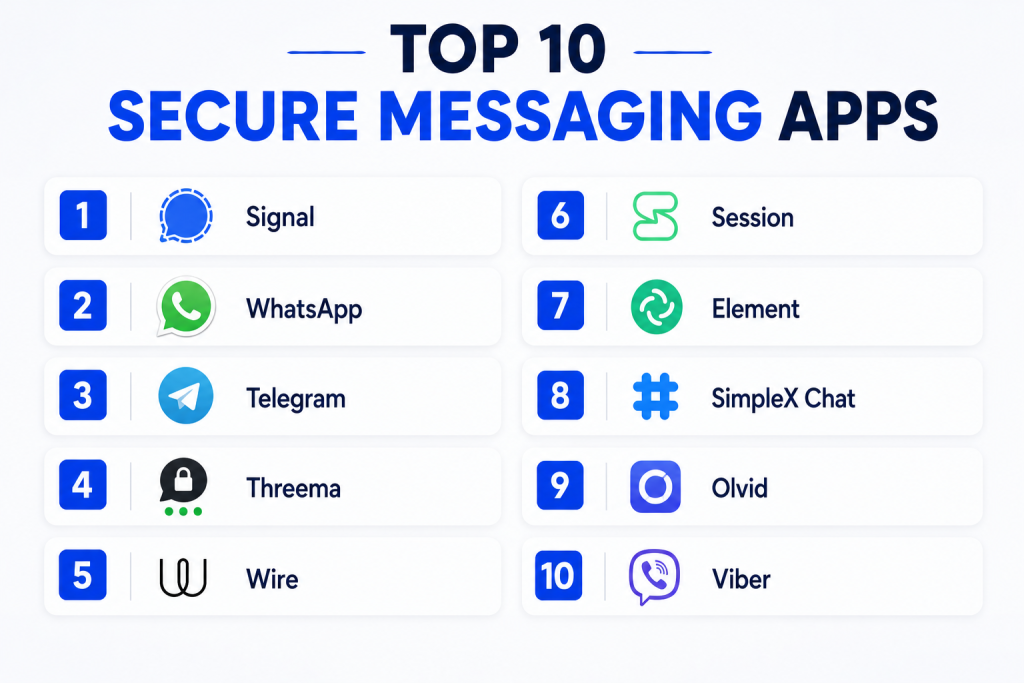
Top 10 Secure Messaging Apps
#1 — Signal
Short description: Signal is a privacy-first secure messaging app known for strong end-to-end encryption and simple user experience.
It supports private chats, group messaging, voice calls, video calls, and disappearing messages.
It is widely used by individuals, journalists, activists, and privacy-conscious professionals.
Its main strength is combining strong security with a clean and easy interface.
Key Features
- End-to-end encrypted personal and group messaging.
- Encrypted voice and video calls.
- Disappearing messages for automatic message cleanup.
- Safety number verification for contact identity checks.
- Minimal data collection approach.
- Encrypted stickers and media sharing.
- Open-source protocol and app components.
Pros
- Strong privacy reputation and simple user experience.
- Good choice for personal secure messaging and small team communication.
- Free to use and easy to onboard.
Cons
- Limited enterprise admin controls.
- Requires phone number-based registration.
- Not designed as a full workplace collaboration platform.
Platforms / Deployment
- Android / iOS / Windows / macOS / Linux
- Cloud-based messaging service
Security & Compliance
Signal is known for end-to-end encryption and privacy-focused design.
Enterprise compliance certifications are Not publicly stated.
Integrations & Ecosystem
Signal is mostly focused on secure communication rather than business integrations. It does not position itself as a heavy workflow automation platform, which keeps the experience simple but limits enterprise extensibility.
- Secure mobile and desktop apps.
- Media and document sharing.
- Group communication support.
- Limited third-party business integrations.
Support & Community
Signal provides documentation, support resources, and a strong privacy-focused user community. Community trust is high, but formal enterprise support options are limited compared with business-first messaging platforms.
#2 — WhatsApp
Short description: WhatsApp is a widely used messaging app with end-to-end encryption for personal chats and calls.
It is popular globally for everyday communication, group chats, media sharing, and voice/video calls.
For businesses, WhatsApp Business adds customer communication features.
Its strongest advantage is massive adoption and ease of use.
Key Features
- End-to-end encrypted personal messages and calls.
- Group messaging and broadcast-style communication.
- Voice notes, file sharing, images, and video support.
- WhatsApp Business features for customer communication.
- Disappearing messages and view-once media options.
- Multi-device support.
- Large global user base.
Pros
- Very familiar and easy for users to adopt.
- Strong for customer communication and personal messaging.
- Works well across mobile-first audiences.
Cons
- Metadata and ecosystem privacy concerns may matter for privacy-focused users.
- Business controls are limited compared with enterprise collaboration tools.
- Not ideal for teams needing advanced governance and compliance workflows.
Platforms / Deployment
- Android / iOS / Web / Windows / macOS
- Cloud-based messaging service
Security & Compliance
WhatsApp supports end-to-end encryption for messages and calls.
Advanced enterprise compliance details are Not publicly stated.
Integrations & Ecosystem
WhatsApp has a strong communication ecosystem, especially for customer support, commerce, and mobile-first engagement. Its business ecosystem is useful for companies that communicate directly with customers.
- WhatsApp Business app.
- WhatsApp Business Platform.
- Customer messaging workflows.
- Integration support through business solution providers.
- Media and catalog-style communication features.
Support & Community
WhatsApp has broad documentation and user support resources. Business users may receive additional support through platform partners or business service providers.
#3 — Telegram
Short description: Telegram is a fast messaging app with large group, channel, bot, and community features.
It offers secret chats with end-to-end encryption, while regular cloud chats use Telegram’s cloud-based architecture.
It is popular for communities, creators, teams, and public communication.
Its main strength is flexibility, scale, and rich ecosystem features.
Key Features
- Large group chats and public channels.
- Secret chats with end-to-end encryption.
- Bots, automation, and community management features.
- File sharing with large media support.
- Cross-device cloud messaging.
- Voice chats and video communication.
- Customizable user experience.
Pros
- Excellent for large communities and content distribution.
- Strong bot and automation ecosystem.
- Fast, flexible, and feature-rich.
Cons
- Regular cloud chats are not end-to-end encrypted by default.
- Privacy model may not fit high-security communication needs.
- Can be complex for users who only need simple secure messaging.
Platforms / Deployment
- Android / iOS / Web / Windows / macOS / Linux
- Cloud-based messaging service
Security & Compliance
Secret chats support end-to-end encryption.
Broader enterprise compliance certifications are Not publicly stated.
Integrations & Ecosystem
Telegram has one of the strongest bot and automation ecosystems among messaging apps. It works well for communities, alerts, lightweight workflows, and content distribution.
- Bot API ecosystem.
- Public and private channels.
- Community moderation tools.
- File sharing and media distribution.
- Cross-platform access.
Support & Community
Telegram has extensive community usage, documentation for bots, and broad public support resources. Formal enterprise support may vary depending on use case.
#4 — Threema
Short description: Threema is a privacy-focused messaging app designed to minimize personal data exposure.
It can be used without requiring a phone number or email address.
Threema also offers business-focused options for organizations.
It is well-suited for users and teams that value anonymity and privacy-first communication.
Key Features
- End-to-end encrypted messages, calls, and file sharing.
- No phone number required for basic identity.
- Contact verification with QR code support.
- Polls, group chats, and secure media sharing.
- Business version available for organizations.
- Minimal personal data requirement.
- Desktop and mobile access.
Pros
- Strong privacy-first identity model.
- Good option for business and personal secure messaging.
- Useful for users who want less dependency on phone numbers.
Cons
- Smaller user base compared with mainstream apps.
- Paid model may limit casual adoption.
- Some teams may need extra onboarding.
Platforms / Deployment
- Android / iOS / Web / Windows / macOS / Linux
- Cloud-based service with business options
Security & Compliance
Threema is known for end-to-end encryption and privacy-focused architecture.
Specific compliance details may vary by product edition and should be verified by buyers.
Integrations & Ecosystem
Threema focuses on private communication but also supports business use cases through its work-focused offering. It can fit organizations that need secure staff communication without relying only on mainstream consumer apps.
- Threema Work for organizations.
- Contact verification.
- Secure group messaging.
- Admin-focused business options.
- Secure file and media exchange.
Support & Community
Threema provides documentation and business support options. Its community is smaller than mainstream apps but privacy-focused and loyal.
#5 — Wire
Short description: Wire is a secure communication and collaboration platform built for teams and organizations.
It supports encrypted messaging, voice calls, video calls, file sharing, and team spaces.
Wire is more business-oriented than many consumer secure messaging apps.
It is useful for organizations needing privacy-focused collaboration with team management features.
Key Features
- End-to-end encrypted team messaging.
- Encrypted voice and video calls.
- Secure file sharing.
- Team administration and user management.
- Guest room and external collaboration options.
- Cross-platform support.
- Business-focused deployment options.
Pros
- Strong fit for professional and team communication.
- Better admin controls than many consumer messaging apps.
- Clean interface for secure collaboration.
Cons
- Smaller user base than mainstream apps.
- May require paid plans for business features.
- Some teams may prefer broader collaboration suites.
Platforms / Deployment
- Android / iOS / Web / Windows / macOS / Linux
- Cloud / Enterprise deployment options may vary
Security & Compliance
Wire provides end-to-end encryption.
Specific certifications and compliance coverage should be verified based on the selected plan.
Integrations & Ecosystem
Wire is designed more for secure collaboration than public communities. Its ecosystem focuses on team communication, external collaboration, and business administration.
- Team messaging spaces.
- Secure guest collaboration.
- File sharing.
- Admin console features.
- Enterprise-focused options.
Support & Community
Wire provides documentation and business support channels. Community visibility is moderate, while enterprise support depends on the plan and deployment model.
#6 — Session
Short description: Session is a privacy-focused messaging app designed to reduce metadata exposure and avoid phone number requirements.
It uses a decentralized network approach and supports private messaging without linking identity to a phone number.
It is suitable for users who care deeply about anonymity and metadata protection.
Its main strength is privacy-first architecture rather than business collaboration.
Key Features
- No phone number required.
- End-to-end encrypted messaging.
- Metadata-reduction approach.
- Decentralized network design.
- Private group chats.
- Cross-platform support.
- Focus on anonymous communication.
Pros
- Strong privacy positioning.
- Useful for users who do not want phone-number-based identity.
- Good option for privacy-sensitive personal communication.
Cons
- Smaller user base.
- Not ideal for enterprise workflows.
- Fewer business integrations than mainstream tools.
Platforms / Deployment
- Android / iOS / Windows / macOS / Linux
- Decentralized network-based messaging
Security & Compliance
Session focuses on end-to-end encryption and metadata minimization.
Enterprise compliance certifications are Not publicly stated.
Integrations & Ecosystem
Session is not built around enterprise integrations. Its ecosystem is focused on private communication, anonymity, and decentralized messaging.
- Private messaging.
- Group chats.
- Cross-platform apps.
- No phone number requirement.
- Privacy-first identity model.
Support & Community
Session has documentation and a privacy-focused community. Formal business support and enterprise service options are limited compared with team-focused messaging platforms.
#7 — Element
Short description: Element is a secure messaging and collaboration app built on the Matrix protocol.
It supports end-to-end encrypted messaging, rooms, communities, file sharing, and federation.
It is useful for teams that want more control, interoperability, and open communication infrastructure.
Its biggest strength is flexibility through the Matrix ecosystem.
Key Features
- End-to-end encrypted messaging.
- Federated communication through Matrix.
- Public and private rooms.
- Secure file sharing and calls.
- Self-hosting options.
- Bridges to other communication tools.
- Team and community collaboration features.
Pros
- Strong option for open and federated communication.
- Self-hosting gives organizations more control.
- Good for technical teams and communities.
Cons
- Can feel complex for non-technical users.
- Setup and administration may require technical skills.
- User experience may vary by deployment.
Platforms / Deployment
- Android / iOS / Web / Windows / macOS / Linux
- Cloud / Self-hosted / Hybrid
Security & Compliance
Element supports end-to-end encryption.
Specific compliance details depend on deployment and plan; unknown details should be treated as Not publicly stated.
Integrations & Ecosystem
Element has a strong ecosystem due to Matrix federation and bridges. It is especially useful when teams want interoperability and more infrastructure control.
- Matrix protocol support.
- Bridges to other messaging systems.
- Self-hosting options.
- Open ecosystem.
- Community and team rooms.
Support & Community
Element has active documentation, open-source community support, and business options. Technical teams may benefit most from its ecosystem and deployment flexibility.
#8 — SimpleX Chat
Short description: SimpleX Chat is a privacy-first messaging app focused on avoiding persistent user identifiers.
It is designed for users who want secure communication without phone numbers, usernames, or centralized identity exposure.
The app emphasizes privacy, security, and reduced metadata visibility.
It is best suited for privacy-conscious users rather than mainstream business teams.
Key Features
- No phone number required.
- No global user identity model.
- End-to-end encrypted messaging.
- Private group communication.
- Secure file sharing.
- Cross-platform availability.
- Privacy-first architecture.
Pros
- Strong identity privacy approach.
- Good for users who want minimal traceability.
- Useful for sensitive personal communication.
Cons
- Smaller user base.
- Less familiar for mainstream users.
- Limited enterprise administration features.
Platforms / Deployment
- Android / iOS / Windows / macOS / Linux
- Cloud-style messaging network with privacy-focused architecture
Security & Compliance
SimpleX Chat is privacy-focused and supports end-to-end encrypted communication.
Enterprise compliance certifications are Not publicly stated.
Integrations & Ecosystem
SimpleX Chat is mainly focused on secure private messaging, not workflow integrations. Its value comes from privacy architecture and reduced identity exposure.
- Private direct messaging.
- Group messaging.
- File sharing.
- No phone number dependency.
- Privacy-focused communication model.
Support & Community
SimpleX Chat has documentation and a growing privacy-focused community. Enterprise support options are limited compared with business-first tools.
#9 — Olvid
Short description: Olvid is a secure messaging app focused on strong privacy, identity protection, and encrypted communication.
It is designed to remove dependency on phone numbers and centralized directories for trust.
Olvid is used by privacy-conscious users and professional teams needing controlled secure communication.
Its main strength is identity security and private communication design.
Key Features
- End-to-end encrypted messaging.
- No phone number required for identity model.
- Secure identity verification.
- Encrypted file sharing.
- Group messaging support.
- Business-focused options.
- Privacy-first design.
Pros
- Strong identity protection model.
- Good for sensitive professional communication.
- Useful where phone-number-based messaging is not preferred.
Cons
- Smaller user base than mainstream apps.
- May require onboarding for non-technical users.
- Some business features may require paid plans.
Platforms / Deployment
- Android / iOS / Desktop support may vary
- Cloud-based secure messaging service
Security & Compliance
Olvid is known for privacy-focused secure messaging.
Detailed compliance claims should be verified by buyers before regulated use.
Integrations & Ecosystem
Olvid focuses on secure communication rather than broad integrations. It is more suitable for controlled professional messaging than open community communication.
- Secure identity verification.
- Private group messaging.
- Secure file sharing.
- Business communication options.
- Privacy-focused architecture.
Support & Community
Olvid provides documentation and support resources. Its community is smaller than major consumer apps but focused on secure communication.
#10 — Viber
Short description: Viber is a messaging and calling app offering encrypted personal communication features.
It supports chats, group messaging, voice calls, video calls, communities, and media sharing.
It is popular in many regions for personal and community communication.
Its main advantage is ease of use with familiar messaging features.
Key Features
- End-to-end encrypted one-on-one chats and calls.
- Group chats and community features.
- Voice and video calls.
- Media, stickers, and file sharing.
- Disappearing messages.
- Cross-platform access.
- Public community communication features.
Pros
- Easy to use for personal messaging.
- Good mix of calls, chats, and community features.
- Strong adoption in several regions.
Cons
- Not designed as a full enterprise collaboration platform.
- Business governance features are limited.
- Privacy-focused users may prefer more specialized tools.
Platforms / Deployment
- Android / iOS / Windows / macOS
- Cloud-based messaging service
Security & Compliance
Viber supports encrypted communication features.
Advanced enterprise compliance details are Not publicly stated.
Integrations & Ecosystem
Viber is useful for personal messaging, communities, and customer-facing communication in some markets. It does not offer the same enterprise workflow ecosystem as business collaboration platforms.
- Personal messaging.
- Group chats.
- Communities.
- Voice and video calling.
- Media sharing.
Support & Community
Viber provides help resources and broad user support. Enterprise-grade support and compliance-focused onboarding may vary.
Comparison Table
| Tool Name | Best For | Platform(s) Supported | Deployment | Standout Feature | Public Rating |
|---|---|---|---|---|---|
| Signal | Privacy-first personal messaging | Android / iOS / Windows / macOS / Linux | Cloud | Strong end-to-end encryption | N/A |
| Mass adoption and customer communication | Android / iOS / Web / Windows / macOS | Cloud | Huge global user base | N/A | |
| Telegram | Communities, channels, and bots | Android / iOS / Web / Windows / macOS / Linux | Cloud | Large groups and bot ecosystem | N/A |
| Threema | Private identity-based messaging | Android / iOS / Web / Desktop | Cloud | No phone number required | N/A |
| Wire | Secure business team messaging | Android / iOS / Web / Windows / macOS / Linux | Cloud / Enterprise options vary | Team-focused secure collaboration | N/A |
| Session | Anonymous private messaging | Android / iOS / Windows / macOS / Linux | Decentralized network | Metadata-reduction approach | N/A |
| Element | Federated secure collaboration | Android / iOS / Web / Windows / macOS / Linux | Cloud / Self-hosted / Hybrid | Matrix-based federation | N/A |
| SimpleX Chat | Identifier-free private messaging | Android / iOS / Windows / macOS / Linux | Privacy-focused network | No global user identity | N/A |
| Olvid | Secure identity protection | Android / iOS / Desktop support varies | Cloud | Phone-number-free identity model | N/A |
| Viber | Personal calls and messaging | Android / iOS / Windows / macOS | Cloud | Encrypted calls and chats | N/A |
Evaluation & Scoring of Secure Messaging Apps
| Tool Name | Core (25%) | Ease (15%) | Integrations (15%) | Security (10%) | Performance (10%) | Support (10%) | Value (15%) | Weighted Total (0–10) |
|---|---|---|---|---|---|---|---|---|
| Signal | 9 | 9 | 5 | 9 | 8 | 7 | 9 | 8.0 |
| 8 | 9 | 7 | 8 | 9 | 7 | 9 | 8.1 | |
| Telegram | 8 | 8 | 9 | 6 | 9 | 7 | 8 | 7.9 |
| Threema | 8 | 7 | 6 | 8 | 8 | 7 | 7 | 7.4 |
| Wire | 8 | 8 | 7 | 8 | 8 | 8 | 7 | 7.7 |
| Session | 7 | 7 | 5 | 8 | 7 | 6 | 8 | 6.9 |
| Element | 8 | 6 | 9 | 8 | 7 | 8 | 8 | 7.8 |
| SimpleX Chat | 7 | 6 | 5 | 8 | 7 | 6 | 8 | 6.8 |
| Olvid | 8 | 7 | 5 | 8 | 7 | 6 | 7 | 7.0 |
| Viber | 7 | 8 | 6 | 7 | 8 | 7 | 8 | 7.2 |
These scores are comparative and should be used as a practical selection guide, not as fixed technical certification results. A higher score does not always mean the app is best for every user. For example, Telegram scores well for integrations and communities, while Signal scores better for privacy-first messaging. Teams should shortlist based on their own security needs, user base, compliance expectations, and communication style.
Which Secure Messaging App Is Right for You?
Solo / Freelancer
For solo users and freelancers, Signal, Threema, Session, and SimpleX Chat are strong choices depending on privacy needs. Signal is the easiest recommendation for simple secure communication, while Session and SimpleX Chat are better for users who want reduced identity exposure.
If you mainly communicate with clients, WhatsApp may be more practical because many people already use it. However, for highly sensitive conversations, a more privacy-first tool may be better.
SMB
Small and growing businesses can consider Signal, WhatsApp Business, Wire, or Element. Signal works well for small private teams, while WhatsApp Business can support customer communication.
Wire is better when the business needs team-level control. Element is useful for technical teams that want more flexibility, rooms, and self-hosting options.
Mid-Market
Mid-market organizations should focus on secure messaging apps with better team management, onboarding, and collaboration features. Wire, Element, Threema Work, and Olvid can be suitable depending on the level of security and administration required.
For customer-facing teams, WhatsApp may still be practical, but internal secure communication may need a more controlled platform.
Enterprise
Enterprises should look beyond personal messaging and focus on governance, control, deployment flexibility, and admin features. Wire, Element, Threema, and Olvid are more relevant for business-focused secure communication.
Enterprises should also validate security documentation, compliance needs, audit requirements, data retention policies, and identity management before selecting a tool.
Budget vs Premium
For budget-conscious users, Signal, WhatsApp, Telegram, Session, and SimpleX Chat provide strong basic access without heavy cost barriers. These are useful for individuals and small teams.
Premium tools such as business-focused versions of Wire, Threema, or Olvid may be better when admin control, support, and organizational management matter more than free access.
Feature Depth vs Ease of Use
If ease of use is the priority, Signal, WhatsApp, and Viber are simpler for everyday users. If feature depth matters, Telegram and Element provide stronger community, automation, and collaboration capabilities.
For privacy depth, Session, SimpleX Chat, Threema, and Olvid may be more attractive, but they can require more user education.
Integrations & Scalability
If integrations and automation matter, Telegram and Element stand out because they support bots, bridges, or extensible communication models. Wire may work better for structured team communication.
If your organization needs CRM, helpdesk, or customer messaging workflows, WhatsApp Business may be practical, but it should be evaluated separately from internal secure messaging needs.
Security & Compliance Needs
For strong privacy-first communication, Signal, Threema, Session, SimpleX Chat, and Olvid are useful options. For business security and organizational control, Wire and Element may be stronger.
Regulated teams should not choose only based on encryption. They should also check admin controls, audit needs, retention policies, identity management, legal requirements, and support availability.
Frequently Asked Questions
1. What is a secure messaging app?
A secure messaging app protects conversations using encryption and privacy-focused features.
It helps users send messages, calls, files, and media with reduced risk of unauthorized access.
Some apps focus on personal privacy, while others support team and business communication.
The right choice depends on whether you need personal security, business control, or both.
2. Are all secure messaging apps end-to-end encrypted?
No, not all apps apply end-to-end encryption in the same way.
Some apps encrypt all personal chats by default, while others only encrypt special private chats.
Buyers should check how encryption works for direct chats, groups, calls, files, and backups.
This is important because weak defaults can create security gaps.
3. Which secure messaging app is best for personal privacy?
Signal is often a strong choice for simple personal privacy because it is easy to use and privacy-focused.
Threema, Session, SimpleX Chat, and Olvid are also useful for users who want less identity exposure.
The best option depends on whether you want phone-number-free use, metadata reduction, or mainstream adoption.
A practical app is one your contacts can also use consistently.
4. Which secure messaging app is best for business teams?
Wire, Element, Threema, and Olvid can be good options for business-focused secure communication.
They offer stronger team or organizational use cases than many consumer-only apps.
Businesses should evaluate admin controls, support, deployment, user management, and compliance needs.
For customer communication, WhatsApp Business may also be useful depending on the audience.
5. Is Telegram a secure messaging app?
Telegram includes security features and offers secret chats with end-to-end encryption.
However, regular cloud chats are not end-to-end encrypted by default.
It is excellent for large groups, communities, bots, and channels, but may not be ideal for highly sensitive communication.
Users should understand its privacy model before using it for confidential discussions.
6. Can secure messaging apps replace email?
Secure messaging apps can replace email for quick internal chats, private conversations, and urgent updates.
However, email may still be needed for formal records, external communication, invoices, contracts, and long-form documentation.
For business use, secure messaging works best when paired with clear communication policies.
Teams should define what belongs in chat and what belongs in email or document systems.
7. Are disappearing messages enough for privacy?
Disappearing messages help reduce long-term message exposure, but they are not complete protection.
Recipients may still screenshot, copy, photograph, or forward information depending on the app and device.
They should be used as one privacy feature, not as the only security method.
Strong identity verification, encryption, and careful sharing habits are also important.
8. What should companies check before choosing a secure messaging app?
Companies should check encryption model, admin controls, user management, data retention, access policies, and support.
They should also review deployment options, platform support, backup security, and compliance requirements.
A pilot test is useful before company-wide rollout.
The best app should match the company’s risk level and employee workflow.
9. Do secure messaging apps support file sharing?
Yes, most secure messaging apps support file, image, video, and document sharing.
However, file size limits, encryption handling, storage policy, and access control can vary.
Business teams should verify whether shared files remain protected after download or backup.
For sensitive files, secure document management may still be needed.
10. Can I switch from one secure messaging app to another easily?
Switching is possible, but message history, contacts, groups, and files may not transfer smoothly.
Some apps are designed around privacy and may intentionally limit data portability.
Before switching, teams should plan onboarding, contact migration, group recreation, and communication policies.
A phased rollout usually works better than forcing an instant migration.
Conclusion
Secure Messaging Apps are no longer only for privacy experts. They are now important for individuals, freelancers, small businesses, remote teams, and enterprises that want safer communication. The best app depends on your use case. Signal is strong for simple personal privacy, WhatsApp is practical for mass adoption, Telegram is powerful for communities, Wire and Element are better for team collaboration, and tools like Session, SimpleX Chat, Threema, and Olvid provide deeper privacy-focused options. Before choosing, shortlist two or three tools, test them with real users, review encryption and admin needs, and confirm whether the app fits your daily communication workflow.
