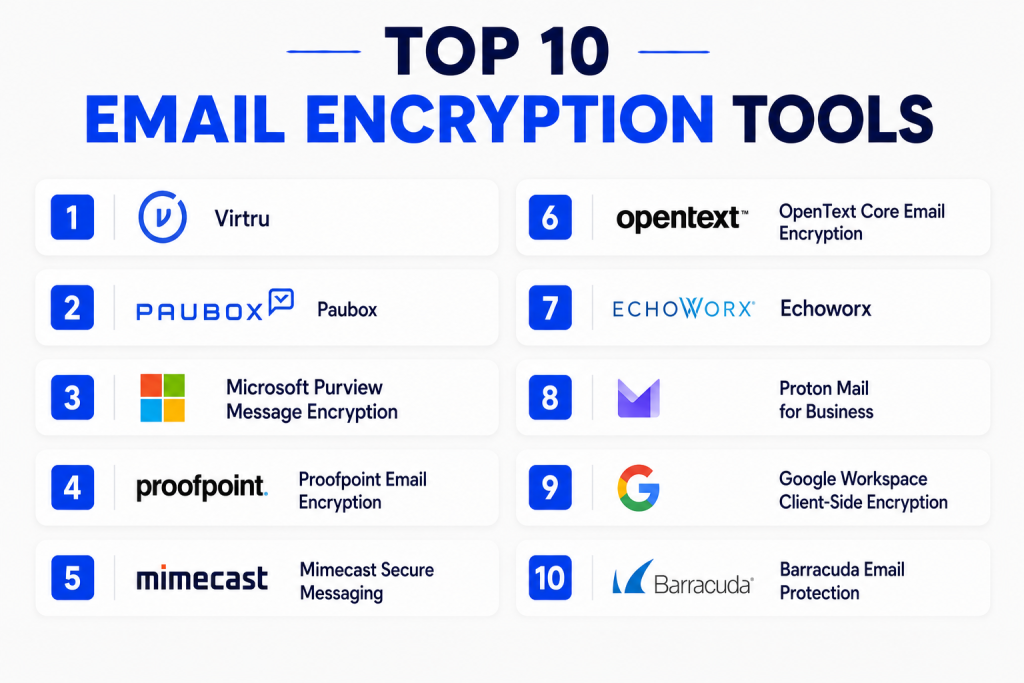
Introduction
Email encryption tools help organizations protect sensitive information sent through email. In simple words, these tools make email content unreadable to unauthorized people, even if the message is intercepted, forwarded, or accessed by mistake. For businesses, this is important because email is still one of the most common channels for sharing contracts, invoices, patient data, legal records, financial reports, passwords, HR files, and confidential business communication.
Email encryption matters because organizations now deal with more remote teams, cloud email platforms, data privacy rules, vendor communication, customer trust expectations, and cyber risks. A single exposed email can create legal, financial, and reputation damage. Strong email encryption helps reduce that risk by protecting messages, attachments, recipient access, and data-sharing workflows.
Common real-world use cases include:
- Sending financial documents securely to clients
- Protecting healthcare communication and patient records
- Sharing legal files with external parties
- Securing HR, payroll, and employee data
- Protecting confidential sales, vendor, and board communication
Buyers should evaluate:
- Ease of use for senders and recipients
- Integration with Microsoft 365 or Google Workspace
- Encryption strength and access controls
- Admin policy management
- Compliance support
- Audit logs and reporting
- Mobile and web access
- External recipient experience
- Pricing model
- Support quality
Best for: IT managers, security teams, healthcare organizations, legal firms, financial companies, government contractors, enterprises, SMBs, and any business that regularly sends sensitive information by email.
Not ideal for: very small teams that only send low-risk messages, companies already using a secure customer portal for all sensitive exchange, or teams that need full data room functionality instead of email-based protection.
Key Trends in Email Encryption Tools
- Policy-based encryption is becoming more common: Instead of relying only on users to click an encryption button, many tools can apply encryption automatically based on keywords, recipient type, data patterns, or admin rules.
- Better user experience is now a major buying factor: Older encrypted email systems often forced recipients into confusing portals. Modern tools focus on simple access, fewer passwords, and cleaner recipient workflows.
- Integration with cloud email platforms is a core requirement: Most organizations want encryption that works inside Microsoft Outlook, Microsoft 365, Gmail, and Google Workspace without changing daily email habits.
- Compliance-focused email encryption is growing: Healthcare, finance, legal, education, and public-sector teams need tools that support privacy, auditability, access control, and secure message delivery.
- More tools are combining encryption with data loss prevention: Email encryption is often bundled with DLP, email security, phishing protection, archiving, threat defense, and compliance monitoring.
- External sharing controls are becoming stronger: Businesses want features like revoke access, expire messages, prevent forwarding, watermark content, and track recipient access.
- Mobile-friendly secure email is now expected: Employees and clients often open email on phones, so encrypted messages must work smoothly on mobile browsers and mobile apps.
- Admin visibility is becoming more important: Security teams want reporting, audit logs, policy usage, failed delivery insights, and proof that sensitive emails were protected.
- Enterprise buyers prefer flexible deployment models: Some teams want cloud-first tools, while regulated organizations may prefer hybrid options, customer-managed keys, or stronger administrative control.
- Encryption is being evaluated as part of a wider data security stack: Buyers increasingly compare email encryption with secure file sharing, collaboration security, CASB, DLP, and customer communication portals.
How We Selected These Tools
The tools in this list were selected using a practical SaaS/product evaluation approach. The goal is not to name one universal winner, but to compare widely recognized email encryption tools across real business needs.
Selection factors included:
- Market adoption and visibility among business users
- Fit for SMB, mid-market, and enterprise environments
- Support for Microsoft 365, Outlook, Gmail, or Google Workspace workflows
- Encryption policy management and admin control
- Ease of use for both senders and external recipients
- Strength of security and compliance positioning
- Integration with broader email security or data protection ecosystems
- Suitability for regulated industries
- Support, documentation, and onboarding experience
- Practical value compared with implementation complexity
Top 10 Email Encryption Tools
#1 — Virtru
Short description:
Virtru is an email encryption and data protection platform built for secure sharing.
It works well for organizations that want strong control over sensitive emails without creating a difficult user experience.
It is commonly considered by teams using Gmail, Google Workspace, Microsoft 365, and Outlook.
Its strength is policy control, access management, and simple secure sharing.
Key Features
- End-to-end email encryption for sensitive communication
- Access controls for sent emails and files
- Message revocation and expiration options
- Secure sharing controls for external recipients
- Integrations with Google Workspace and Microsoft environments
- Admin policy management for data protection
- Support for secure file and email workflows
Pros
- Strong balance between usability and security
- Good fit for organizations that collaborate with external users
- Helpful for teams that want control after an email is sent
Cons
- Advanced controls may require careful policy setup
- Pricing may be higher for smaller teams
- Some workflows may require user training
Platforms / Deployment
Web / Windows / macOS / iOS / Android as applicable through email platform workflows
Cloud deployment
Security & Compliance
Encryption, access control, policy management, and admin controls are core strengths.
SSO, audit logging, and enterprise security features may vary by plan.
Specific certifications should be verified during vendor evaluation.
Integrations & Ecosystem
Virtru fits well into existing email and collaboration workflows. It is useful for organizations that want encryption without forcing teams to leave their normal inbox experience.
- Google Workspace
- Gmail
- Microsoft 365
- Outlook
- Secure file sharing workflows
- Data protection policy workflows
Support & Community
Virtru provides business-focused documentation, onboarding resources, and enterprise support options. Community depth is more vendor-driven than open-source community-driven.
#2 — Paubox
Short description:
Paubox is an email encryption solution strongly focused on secure healthcare communication.
It is often used by organizations that need simple encrypted email without forcing recipients through complex portals.
Its key value is secure email delivery with a user-friendly experience.
It is especially practical for healthcare, clinics, and regulated service providers.
Key Features
- Email encryption designed for healthcare and regulated communication
- Secure delivery without complex recipient steps in many workflows
- Inbound and outbound email protection options
- Policy-based secure email handling
- Support for compliance-focused communication
- Email security and protection features
- Admin management for business use
Pros
- Strong fit for healthcare organizations
- Easy recipient experience compared with traditional portals
- Useful for teams that need encryption with low friction
Cons
- May be less flexible for non-healthcare enterprise use cases
- Advanced customization may depend on plan
- Not ideal for teams needing broad data security platform features
Platforms / Deployment
Web / Cloud email environments
Cloud deployment
Security & Compliance
Paubox is commonly positioned for HIPAA-focused secure email use cases.
Encryption and secure delivery are core capabilities.
Specific certifications beyond stated vendor materials should be verified.
Integrations & Ecosystem
Paubox is designed to work with business email environments while reducing manual encryption steps. It is practical for teams that want protection without changing how staff send messages.
- Microsoft 365
- Google Workspace
- Business email systems
- Healthcare communication workflows
- Secure outbound email
- Email security workflows
Support & Community
Paubox offers business onboarding, support resources, and documentation. Its ecosystem is strongest in healthcare-focused secure communication rather than broad developer community adoption.
#3 — Microsoft Purview Message Encryption
Short description:
Microsoft Purview Message Encryption helps organizations send protected email from Microsoft environments.
It is a natural option for businesses already using Microsoft 365 and Outlook.
It supports encrypted email sharing with internal and external recipients.
Its biggest strength is native alignment with Microsoft security and compliance workflows.
Key Features
- Native message encryption for Microsoft 365 environments
- Works with Outlook and Microsoft email workflows
- Supports encrypted communication with external recipients
- Admin policy control through Microsoft security tools
- Integration with Microsoft compliance and information protection features
- Rights management and access control options
- Useful for enterprise governance workflows
Pros
- Strong fit for Microsoft 365 organizations
- Reduces the need for a separate email encryption vendor
- Works well with broader Microsoft security and compliance stack
Cons
- Best experience is inside Microsoft ecosystem
- Licensing and configuration can be confusing
- Some advanced use cases may require security admin expertise
Platforms / Deployment
Web / Windows / macOS / iOS / Android through Microsoft 365 and Outlook workflows
Cloud deployment
Security & Compliance
Supports Microsoft-based encryption, identity controls, admin policy management, and compliance workflows.
MFA, audit logs, RBAC, and SSO are commonly available through Microsoft identity and admin platforms.
Specific compliance coverage depends on Microsoft plan and configuration.
Integrations & Ecosystem
Microsoft Purview Message Encryption works best when organizations are already using Microsoft 365, Outlook, Entra ID, Purview, and Microsoft security tools.
- Microsoft 365
- Outlook
- Microsoft Purview
- Microsoft Entra ID
- Microsoft compliance workflows
- Microsoft security ecosystem
Support & Community
Microsoft provides extensive documentation, partner support, admin guidance, and enterprise support plans. Community support is strong due to the size of the Microsoft ecosystem.
#4 — Proofpoint Email Encryption
Short description:
Proofpoint Email Encryption is part of Proofpoint’s broader email security and compliance ecosystem.
It is designed for organizations that need secure message delivery, policy enforcement, and enterprise-grade protection.
It fits larger companies that already use Proofpoint for email security.
Its strength is combining encryption with broader threat and compliance controls.
Key Features
- Policy-based email encryption
- Secure message delivery for external recipients
- Integration with Proofpoint email security tools
- Data loss prevention support
- Admin policy and compliance controls
- Reporting and monitoring capabilities
- Enterprise-scale email protection ecosystem
Pros
- Strong choice for enterprise email security teams
- Works well with broader Proofpoint security stack
- Good fit for regulated and high-risk industries
Cons
- May be too complex for very small teams
- Best value appears when used with wider Proofpoint products
- Setup and policy tuning may require security expertise
Platforms / Deployment
Web / Cloud email environments
Cloud / Hybrid options may vary by product configuration
Security & Compliance
Proofpoint commonly supports enterprise security controls, encryption, policy enforcement, and reporting.
SSO, audit logs, and compliance features may vary by product and plan.
Specific certifications should be verified during procurement.
Integrations & Ecosystem
Proofpoint Email Encryption fits into a larger email security ecosystem, making it useful for teams that want encryption, threat protection, DLP, and compliance controls together.
- Microsoft 365
- Google Workspace
- Proofpoint email security suite
- DLP workflows
- Security operations workflows
- Compliance workflows
Support & Community
Proofpoint offers enterprise documentation, onboarding, and support channels. Community strength is strongest among enterprise security professionals and Proofpoint customers.
#5 — Mimecast Secure Messaging
Short description:
Mimecast Secure Messaging helps organizations send sensitive information securely through controlled email workflows.
It is suitable for companies already using Mimecast email security, archiving, or continuity tools.
It focuses on secure delivery, policy control, and recipient access management.
Its strength is being part of a broader email resilience and security platform.
Key Features
- Secure messaging for sensitive emails
- Policy-based protection options
- Recipient access control
- Integration with Mimecast email security ecosystem
- Secure communication for external parties
- Admin visibility and control
- Compliance-oriented email workflows
Pros
- Strong fit for Mimecast customers
- Useful for organizations wanting email security and encryption together
- Enterprise-ready control and policy options
Cons
- May not be the simplest option for small businesses
- Best value depends on using Mimecast ecosystem
- Recipient experience should be tested before rollout
Platforms / Deployment
Web / Cloud email environments
Cloud deployment
Security & Compliance
Mimecast offers enterprise email security capabilities, secure messaging controls, and admin policy features.
Specific certification and compliance claims should be verified based on the selected product and region.
Integrations & Ecosystem
Mimecast Secure Messaging works best as part of the Mimecast email security ecosystem. It supports teams that want encryption alongside email security, continuity, and governance.
- Microsoft 365
- Google Workspace
- Mimecast email security
- Archiving workflows
- Compliance workflows
- Admin security workflows
Support & Community
Mimecast provides business documentation, support plans, partner assistance, and onboarding resources. Community depth is strongest in enterprise IT and security teams.
#6 — OpenText Core Email Encryption
Short description:
OpenText Core Email Encryption helps organizations protect confidential messages through automated encryption and secure delivery.
It is closely associated with enterprise and regulated business communication.
It can support policy-driven encryption for sensitive data protection.
Its strength is structured secure messaging for compliance-heavy environments.
Key Features
- Automated email encryption based on policy
- Secure delivery of confidential messages
- Support for regulated communication workflows
- Quarantine or encryption actions based on rules
- Recipient access management
- Enterprise admin controls
- Integration with wider security and compliance processes
Pros
- Suitable for regulated industries
- Strong policy-driven encryption approach
- Useful for enterprise compliance workflows
Cons
- May require more setup than lightweight tools
- User experience should be reviewed carefully
- Product naming and packaging may require vendor clarification
Platforms / Deployment
Web / Cloud email environments
Cloud deployment
Security & Compliance
Encryption, policy controls, and secure delivery are core capabilities.
Compliance positioning is strong, but specific certifications and controls should be confirmed directly during evaluation.
Integrations & Ecosystem
OpenText Core Email Encryption can fit into broader content security, information governance, and enterprise communication workflows.
- Business email platforms
- Enterprise security workflows
- Compliance systems
- DLP-related workflows
- Admin policy environments
- Secure external communication
Support & Community
OpenText offers enterprise support, documentation, and customer onboarding. Community support is more enterprise-vendor focused than public community focused.
#7 — Echoworx
Short description:
Echoworx is an email encryption platform focused on secure, branded, and policy-driven encrypted communication.
It is useful for organizations that want control over recipient experience and external communication branding.
It supports secure email delivery at scale for businesses and service providers.
Its strength is flexible encrypted communication workflows.
Key Features
- Email encryption and secure message delivery
- Branded encrypted email experience
- Policy-based encryption workflows
- Recipient access management
- Support for multilingual or customer-facing communication
- Integration with email infrastructure
- Enterprise and service-provider friendly design
Pros
- Strong customization and branding potential
- Useful for customer-facing secure communication
- Flexible for enterprise email encryption workflows
Cons
- May require implementation planning
- Not always the simplest choice for small teams
- Pricing and packaging may need direct vendor discussion
Platforms / Deployment
Web / Cloud email environments
Cloud / Hybrid options may vary
Security & Compliance
Echoworx focuses on secure email encryption, access controls, and policy-driven message protection.
Specific certifications and controls should be verified during vendor review.
Integrations & Ecosystem
Echoworx works well for organizations that need secure external email communication with branding, automation, and enterprise controls.
- Microsoft email environments
- Google email environments
- Secure message portals
- Certificate-based workflows
- Enterprise email infrastructure
- Customer communication workflows
Support & Community
Echoworx provides vendor documentation, implementation support, and enterprise-focused assistance. Public community depth is limited compared with large platform ecosystems.
#8 — Proton Mail for Business
Short description:
Proton Mail for Business is a privacy-focused encrypted email service for individuals, teams, and businesses.
It is a strong option for organizations that want secure mailboxes rather than only an add-on encryption layer.
It is suitable for privacy-conscious teams, small businesses, and distributed teams.
Its strength is secure email hosting with encryption-first positioning.
Key Features
- Encrypted email service for business users
- Secure mailbox and email communication
- Web and mobile app access
- Custom domain support for business accounts
- Secure communication between Proton users
- Password-protected external message options
- Privacy-focused email environment
Pros
- Strong privacy-first brand positioning
- Good for small teams needing secure email accounts
- Simple for teams that want encrypted mailbox service
Cons
- May not fit organizations deeply invested in Microsoft or Google workflows
- Enterprise admin depth may not match larger security platforms
- Some external workflows may require recipient steps
Platforms / Deployment
Web / Windows / macOS / Linux through browser access
iOS / Android apps
Cloud deployment
Security & Compliance
Encryption and privacy are core product strengths.
Business security features may vary by plan.
Specific enterprise certifications and compliance details should be verified before regulated use.
Integrations & Ecosystem
Proton Mail is best viewed as a secure email service rather than only an encryption overlay. It works well for privacy-focused teams that can adopt Proton as their email environment.
- Proton ecosystem
- Custom business domains
- Webmail workflows
- Mobile email access
- Secure external message workflows
- Basic business email operations
Support & Community
Proton has strong public awareness and documentation. Business support depends on plan, and community knowledge is stronger among privacy-focused users than enterprise email administrators.
#9 — Google Workspace Client-Side Encryption
Short description:
Google Workspace Client-Side Encryption helps organizations protect sensitive Gmail and Workspace data with stronger administrative control.
It is best suited for organizations already using Google Workspace at scale.
It can support regulated communication and data sovereignty needs.
Its strength is native alignment with Google’s productivity ecosystem.
Key Features
- Encryption support within Google Workspace environments
- Admin-controlled encryption workflows
- Gmail and Workspace data protection use cases
- Support for enterprise governance needs
- Integration with Google identity and admin controls
- Useful for regulated organizations using Google Workspace
- Strong alignment with cloud productivity workflows
Pros
- Natural fit for Google Workspace organizations
- Reduces dependence on separate email encryption tools
- Strong admin control for Workspace-based teams
Cons
- Best suited for specific Google Workspace plans
- Configuration may require security and admin expertise
- External recipient experience should be tested carefully
Platforms / Deployment
Web / iOS / Android through Google Workspace and Gmail workflows
Cloud deployment
Security & Compliance
Google Workspace security features may include admin controls, identity management, encryption workflows, audit logs, and access policies depending on plan and configuration.
Specific compliance coverage depends on the Workspace edition and setup.
Integrations & Ecosystem
This option is strongest for organizations already standardized on Gmail and Google Workspace. It supports secure productivity workflows across email, documents, and admin governance.
- Gmail
- Google Workspace
- Google Admin Console
- Identity and access controls
- Enterprise productivity workflows
- Cloud security workflows
Support & Community
Google provides extensive documentation, admin guidance, and support options depending on plan. Community knowledge is strong because of broad Workspace adoption.
#10 — Barracuda Email Protection
Short description:
Barracuda Email Protection offers email security capabilities that can include secure communication and encryption-related workflows.
It is suitable for businesses that want email protection, threat defense, and secure messaging in one stack.
It fits SMBs, mid-market teams, and IT teams seeking practical email security management.
Its strength is combining email protection with broader security controls.
Key Features
- Email protection and threat defense capabilities
- Secure communication support depending on product setup
- Policy management for business email security
- Protection against email-based threats
- Admin reporting and management
- Integration with common business email platforms
- Backup, archiving, or continuity options may be available in the broader suite
Pros
- Good fit for teams wanting email security beyond encryption
- Practical for SMB and mid-market environments
- Broad email protection ecosystem
Cons
- Encryption-specific depth may depend on selected package
- Buyers should confirm exact secure messaging features
- Not ideal if the only need is lightweight encryption
Platforms / Deployment
Web / Cloud email environments
Cloud / Hybrid options may vary by product
Security & Compliance
Barracuda provides business email security controls, policy management, and protection workflows.
Specific encryption, compliance, and certification details should be confirmed for the selected product package.
Integrations & Ecosystem
Barracuda Email Protection fits into email security, backup, archiving, and continuity workflows. It is useful for IT teams looking for wider protection around email communication.
- Microsoft 365
- Google Workspace
- Email security workflows
- Backup and archiving ecosystem
- Admin reporting tools
- Security operations workflows
Support & Community
Barracuda provides documentation, business support, partner assistance, and onboarding resources. Community strength is practical among SMB and mid-market IT teams.
Comparison Table
| Tool Name | Best For | Platform(s) Supported | Deployment | Standout Feature | Public Rating |
|---|---|---|---|---|---|
| Virtru | Secure sharing with access control | Web, Microsoft 365, Google Workspace workflows | Cloud | User-friendly encryption with revoke and access controls | N/A |
| Paubox | Healthcare and regulated communication | Web, business email environments | Cloud | Healthcare-focused encrypted email delivery | N/A |
| Microsoft Purview Message Encryption | Microsoft 365 organizations | Web, Outlook, Microsoft 365 | Cloud | Native Microsoft email encryption | N/A |
| Proofpoint Email Encryption | Enterprise email security teams | Web, cloud email environments | Cloud / Hybrid | Encryption within broader email security stack | N/A |
| Mimecast Secure Messaging | Mimecast customers and enterprises | Web, cloud email environments | Cloud | Secure messaging within Mimecast ecosystem | N/A |
| OpenText Core Email Encryption | Regulated enterprise communication | Web, business email environments | Cloud | Policy-based secure email delivery | N/A |
| Echoworx | Branded secure communication | Web, enterprise email environments | Cloud / Hybrid | Customizable encrypted recipient experience | N/A |
| Proton Mail for Business | Privacy-focused teams | Web, iOS, Android | Cloud | Encrypted mailbox service | N/A |
| Google Workspace Client-Side Encryption | Google Workspace enterprises | Web, Gmail, Google Workspace | Cloud | Native Workspace encryption control | N/A |
| Barracuda Email Protection | SMB and mid-market email security | Web, Microsoft 365, Google Workspace workflows | Cloud / Hybrid | Email protection with secure communication options | N/A |
Evaluation & Scoring of Email Encryption Tools
| Tool Name | Core (25%) | Ease (15%) | Integrations (15%) | Security (10%) | Performance (10%) | Support (10%) | Value (15%) | Weighted Total (0–10) |
|---|---|---|---|---|---|---|---|---|
| Virtru | 9 | 8 | 9 | 9 | 8 | 8 | 8 | 8.55 |
| Paubox | 8 | 9 | 8 | 8 | 8 | 8 | 8 | 8.15 |
| Microsoft Purview Message Encryption | 8 | 7 | 10 | 9 | 9 | 9 | 8 | 8.45 |
| Proofpoint Email Encryption | 9 | 7 | 9 | 9 | 9 | 9 | 7 | 8.45 |
| Mimecast Secure Messaging | 8 | 7 | 8 | 8 | 9 | 8 | 7 | 7.90 |
| OpenText Core Email Encryption | 8 | 7 | 8 | 8 | 8 | 8 | 7 | 7.75 |
| Echoworx | 8 | 7 | 8 | 8 | 8 | 7 | 7 | 7.60 |
| Proton Mail for Business | 8 | 8 | 6 | 8 | 8 | 7 | 8 | 7.60 |
| Google Workspace Client-Side Encryption | 8 | 7 | 9 | 9 | 9 | 8 | 8 | 8.20 |
| Barracuda Email Protection | 7 | 8 | 8 | 8 | 8 | 8 | 8 | 7.75 |
These scores are comparative, not absolute.
A higher score does not automatically mean the tool is best for every organization.
For example, Microsoft Purview may be excellent for Microsoft-first companies, while Proton Mail may be better for privacy-focused small teams.
The best choice depends on your email platform, compliance needs, budget, recipient experience, and internal security maturity.
Which Email Encryption Tool Is Right for You?
Solo / Freelancer
Solo users and freelancers usually need simple, affordable, and reliable protection. They may not need complex admin controls, DLP policies, or enterprise reporting.
Good options include:
- Proton Mail for Business
- Virtru
- Microsoft Purview Message Encryption if already using Microsoft 365
- Google Workspace Client-Side Encryption if already using Google Workspace and eligible
For solo users, ease of use matters more than deep policy control. The tool should help send secure messages quickly without confusing clients.
SMB
Small and medium businesses need a balance of security, simplicity, and cost. They often have limited IT teams, so setup should not be too complex.
Good options include:
- Paubox for healthcare-focused SMBs
- Virtru for secure collaboration
- Barracuda Email Protection for broader email security
- Microsoft Purview Message Encryption for Microsoft 365 users
- Proton Mail for privacy-focused teams
SMBs should focus on usability, support, pricing clarity, and email platform integration.
Mid-Market
Mid-market companies usually need more policy control, stronger admin visibility, and better compliance alignment. They may also have multiple departments sending sensitive data.
Good options include:
- Virtru
- Proofpoint Email Encryption
- Mimecast Secure Messaging
- Microsoft Purview Message Encryption
- Barracuda Email Protection
- OpenText Core Email Encryption
Mid-market teams should evaluate DLP rules, audit logs, recipient experience, admin dashboards, and integration with existing security tools.
Enterprise
Enterprises need scalability, governance, compliance, reporting, and integration with identity and security systems. They often prefer tools that fit into a larger security architecture.
Good options include:
- Proofpoint Email Encryption
- Microsoft Purview Message Encryption
- Google Workspace Client-Side Encryption
- Mimecast Secure Messaging
- OpenText Core Email Encryption
- Echoworx
- Virtru
Enterprises should run pilots with real departments, test external recipient workflows, and verify compliance requirements before full rollout.
Budget vs Premium
Budget-focused teams should first check what their existing email platform already includes. Microsoft 365 and Google Workspace may already offer useful encryption capabilities depending on plan.
Premium tools are better when you need:
- Stronger policy automation
- Better recipient control
- Detailed audit logs
- Secure branded portals
- Regulated industry workflows
- Enterprise support
- DLP and email security integration
Feature Depth vs Ease of Use
Some tools offer deep controls but require more setup. Others focus on simple encrypted sending.
Choose deeper tools when you need:
- Compliance reporting
- Complex policies
- External access controls
- Enterprise governance
- Integration with security operations
Choose easier tools when your priority is:
- Fast rollout
- Simple user adoption
- Minimal recipient friction
- Lower admin overhead
Integrations & Scalability
Your chosen tool should fit your existing email environment. If your company runs on Microsoft 365, Microsoft Purview or Microsoft-friendly tools may be easier. If your company runs on Google Workspace, Google-native or Gmail-friendly tools may reduce friction.
Evaluate:
- Microsoft 365 support
- Google Workspace support
- Identity provider integration
- DLP integration
- API availability
- Admin reporting
- Mobile experience
- External recipient workflow
Security & Compliance Needs
Regulated industries should go beyond feature checklists. They should ask vendors for security documentation, data handling details, audit log capabilities, encryption model, access control options, and compliance alignment.
For healthcare, Paubox, Proofpoint, Mimecast, Virtru, and Microsoft-based options may be worth evaluating.
For finance and legal, Proofpoint, Mimecast, Microsoft Purview, Virtru, OpenText, and Echoworx may be stronger candidates.
For privacy-focused teams, Proton Mail and Virtru may be practical options.
For large cloud-first organizations, Microsoft and Google-native encryption may be easier to govern.
Frequently Asked Questions
1. What are email encryption tools?
Email encryption tools protect email messages and attachments from unauthorized access.
They make sensitive content unreadable to people who are not allowed to view it.
Many tools also add access controls, expiration, revocation, and audit logs.
Businesses use them to protect customer, employee, financial, legal, and healthcare data.
2. Are email encryption tools only for large enterprises?
No, email encryption tools are useful for businesses of all sizes.
Small teams may use simple encrypted email services or cloud email add-ons.
Larger organizations often need policy-based encryption and admin reporting.
The right tool depends on risk level, industry, and email volume.
3. How much do email encryption tools usually cost?
Pricing varies by vendor, plan, number of users, and feature depth.
Some tools are included in broader email security or productivity suites.
Enterprise tools may require custom pricing based on usage and compliance needs.
Always confirm pricing directly before making a final decision.
4. What is the biggest mistake companies make with email encryption?
The biggest mistake is choosing a tool that users find difficult to use.
If employees avoid the tool, sensitive emails may still be sent unprotected.
Companies should test both sender and recipient experience before rollout.
Training and clear policies are also important for successful adoption.
5. Do email encryption tools protect attachments too?
Many email encryption tools can protect attachments along with message content.
However, attachment protection depends on the tool, file type, and configuration.
Some tools offer secure file access, expiration, and download controls.
Buyers should test attachment workflows during evaluation.
6. Can encrypted emails be sent to people outside the company?
Yes, most business email encryption tools support external recipients.
The recipient may open the message through a secure portal, link, inbox workflow, or verified access method.
The experience varies widely between vendors.
That is why recipient testing is very important before rollout.
7. Is email encryption the same as secure email gateway protection?
No, they are related but not the same.
Email encryption protects message content and sensitive data sharing.
Secure email gateways focus more on spam, phishing, malware, and threat protection.
Many vendors combine both capabilities in one broader email security platform.
8. Which tool is best for Microsoft 365 users?
Microsoft Purview Message Encryption is a natural starting point for Microsoft 365 users.
Virtru, Proofpoint, Mimecast, Barracuda, and other tools can also support Microsoft environments.
The best choice depends on compliance, usability, budget, and policy needs.
Microsoft-first teams should compare native features with third-party controls.
9. Which tool is best for Google Workspace users?
Google Workspace Client-Side Encryption may be a strong option for eligible Workspace customers.
Virtru is also a strong choice for Gmail and Google Workspace workflows.
Proton Mail may fit teams that want a separate privacy-focused email service.
The best choice depends on whether you want native Google control or an external encryption layer.
10. Do email encryption tools help with compliance?
Yes, they can support compliance by protecting sensitive communication.
However, a tool alone does not make a company compliant.
Policies, training, audit logs, access controls, and correct configuration are also required.
Always verify industry-specific requirements before selecting a tool.
Conclusion
Email encryption tools are now an important part of business communication security. The right tool helps protect sensitive emails, reduce accidental exposure, support compliance workflows, and build trust with customers, partners, and employees. However, there is no single best email encryption tool for every organization. A healthcare clinic may prefer Paubox, a Microsoft-first enterprise may start with Microsoft Purview Message Encryption, a privacy-focused team may choose Proton Mail, and a large security-driven company may evaluate Proofpoint, Mimecast, Virtru, OpenText, or Echoworx. The best next step is to shortlist two or three tools, test them with real email workflows, validate integrations, review security controls, and confirm that both employees and external recipients can use the system comfortably.
