Introduction
Secure Browser Isolation Tools provide a critical security layer by separating web content from end-user devices. By executing browser sessions in a remote environment—cloud, virtual machine, or container—these tools prevent malicious code, phishing attacks, and malware from reaching a company’s network.
Real-world use cases include:
- Enterprise security: Preventing malware from compromising corporate endpoints.
- Remote workforce protection: Ensuring employees working from home or public networks remain secure.
- Third-party access control: Allowing contractors or vendors to access web resources without exposing internal systems.
- Regulatory compliance: Protecting sensitive data for GDPR, HIPAA, or SOC 2 requirements.
- Secure research & development: Safely accessing untrusted sites for threat analysis or market intelligence.
What buyers should evaluate:
- Deployment options (cloud, hybrid, on-premises)
- Performance and latency impact
- Integration with existing security stack (SIEM, CASB, DLP)
- User experience and browser compatibility
- AI-driven threat detection or automation
- Compliance and audit capabilities
- Cost and licensing flexibility
- Scalability for large organizations
Best for: Enterprises, IT security teams, remote workforce-heavy organizations, and regulated industries seeking strong endpoint isolation.
Not ideal for: Small teams with minimal risk exposure, low web usage, or organizations already heavily invested in secure VPNs and endpoint protection alternatives.
Key Trends in Secure Browser Isolation Tools
- AI-powered threat detection and automated session quarantine
- Cloud-native deployment with low-latency edge networks
- Zero-trust architecture integration for seamless security enforcement
- Increased browser compatibility and support for enterprise web applications
- Granular policy controls for users, groups, and device types
- Integration with SIEM, CASB, and DLP platforms for centralized monitoring
- Adoption of hybrid and containerized isolation for high-performance needs
- Subscription-based pricing with elastic scaling for SMB and enterprise users
- Advanced analytics for user behavior and threat intelligence reporting
- Support for multi-device and mobile browser isolation
How We Selected These Tools (Methodology)
- Evaluated market adoption, industry recognition, and mindshare
- Reviewed feature completeness, including isolation type, policy controls, and automation
- Assessed reliability, performance benchmarks, and latency impact
- Checked security posture: encryption, RBAC, MFA, and compliance standards
- Investigated integrations with enterprise IT and security ecosystems
- Analyzed customer fit across SMB, mid-market, and enterprise scenarios
- Considered ease of deployment, maintenance, and scalability
- Factored in support options, documentation quality, and community engagement
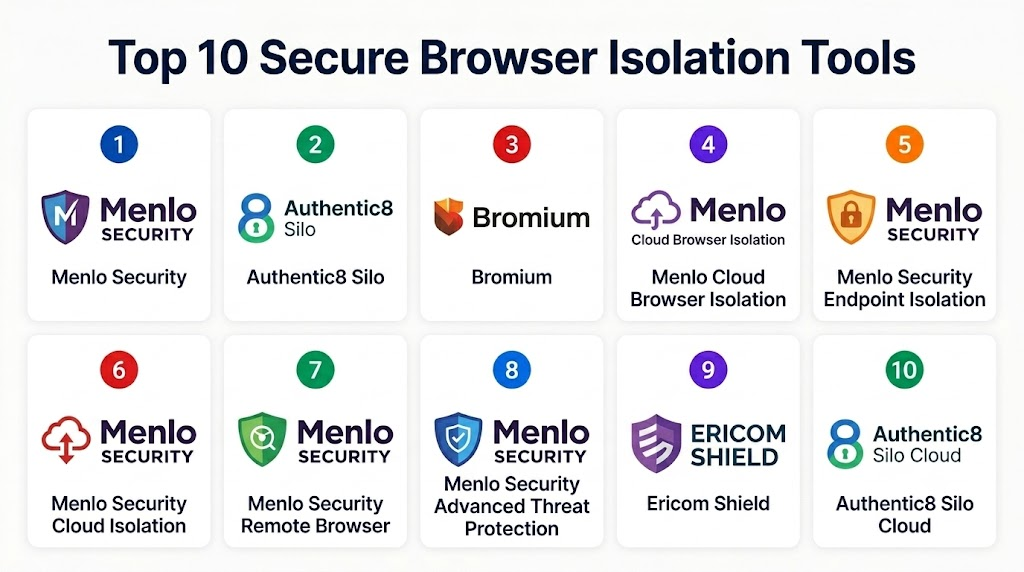
Top 10 Secure Browser Isolation Tools
1- Menlo Security
Short description: Cloud-first browser isolation for enterprises protecting against web-based threats. Ideal for large IT teams needing centralized control.
Key Features
- Remote browser execution in cloud containers
- Real-time threat analysis and URL reputation checks
- Policy enforcement per user or group
- Native integration with SIEM and CASB platforms
- AI-driven malware detection
Pros
- Strong enterprise security posture
- Transparent user experience with minimal latency
Cons
- Higher cost for smaller organizations
- Limited offline access
Platforms / Deployment
- Web, Windows, macOS
- Cloud
Security & Compliance
- SSO/SAML, MFA, encryption, audit logs
- SOC 2, ISO 27001
Integrations & Ecosystem
Supports popular SIEM, DLP, and CASB platforms:
- Splunk, ServiceNow, Microsoft Defender
- REST APIs for custom workflows
- Browser extensions for policy enforcement
Support & Community
- Extensive documentation and onboarding guides
- 24/7 enterprise support
- Active user community
2- Authentic8 Silo
Short description: Cloud-based browser isolation delivering secure access for highly regulated industries. Best for compliance-focused environments.
Key Features
- Full web isolation with encrypted sessions
- Persistent user profiles without local storage
- Role-based access control for policies
- Granular activity logging and auditing
- API support for integration
Pros
- Excellent compliance support
- Easy-to-deploy cloud solution
Cons
- Requires subscription
- Some legacy app compatibility issues
Platforms / Deployment
- Windows, macOS, Web
- Cloud
Security & Compliance
- GDPR, HIPAA, SOC 2
- SSO/SAML, MFA, encryption
Integrations & Ecosystem
- Integrates with DLP, SIEM, and CASB
- API-driven automation
- Supports Microsoft Teams, Slack
Support & Community
- Online knowledge base
- Enterprise support packages
- Community forums
3- Bromium
Short description: Endpoint isolation with micro-VM technology for preventing malware spread. Ideal for organizations requiring strong endpoint protection.
Key Features
- Hardware-based micro-VM isolation
- Seamless integration with existing endpoint solutions
- Threat containment and rollback
- Application-level policy controls
- Advanced analytics
Pros
- High security through hardware-level isolation
- Minimal user disruption
Cons
- Limited cloud-native deployment
- Requires endpoint agents
Platforms / Deployment
- Windows
- On-premises / Hybrid
Security & Compliance
- SOC 2, ISO 27001
- Encryption, RBAC, audit logs
Integrations & Ecosystem
- Endpoint security suites, SIEM, DLP
- APIs for automation
- Compatible with major antivirus platforms
Support & Community
- Enterprise-grade support
- Detailed onboarding guides
- Limited public community
4- Menlo Cloud Browser Isolation
Short description: Dedicated cloud isolation for safe web access across enterprises and remote workers.
Key Features
- Cloud container-based browsing
- URL filtering and reputation analysis
- AI threat detection
- Policy-driven access controls
- Centralized analytics
Pros
- Scalable for enterprise deployments
- Transparent user experience
Cons
- Requires robust internet connectivity
- May need user training
Platforms / Deployment
- Web, Windows, macOS
- Cloud
Security & Compliance
- SAML/SSO, encryption
- SOC 2 certified
Integrations & Ecosystem
- SIEM, DLP, CASB integrations
- REST API for custom workflows
- Browser extension support
Support & Community
- 24/7 enterprise support
- Knowledge base
- Active customer forums
5- Menlo Security Endpoint Isolation
Short description: Combines endpoint protection with browser isolation to prevent lateral malware movement. Best for hybrid environments.
Key Features
- Local endpoint isolation with cloud management
- Policy-based access and threat detection
- AI malware analytics
- Integration with existing security stack
- Centralized reporting
Pros
- Reduces endpoint infection risk
- Centralized management
Cons
- More complex deployment
- Requires endpoint agent installation
Platforms / Deployment
- Windows, macOS
- Hybrid
Security & Compliance
- SOC 2, ISO 27001
- Encryption, audit logs, RBAC
Integrations & Ecosystem
- SIEM, DLP, CASB
- Browser and endpoint integration
- API support
Support & Community
- Enterprise support packages
- Extensive guides
- Moderate community presence
6- Menlo Security Cloud Isolation
Short description: Focused on web isolation for SMB and enterprise users. Prevents web-based attacks in real-time.
Key Features
- Cloud-based browser containers
- AI-driven URL threat detection
- Role-based policy management
- Logging and analytics
- Secure file handling
Pros
- Minimal client-side footprint
- Easy to scale
Cons
- Internet-dependent
- Limited offline capability
Platforms / Deployment
- Web, Windows, macOS
- Cloud
Security & Compliance
- SSO/SAML, encryption
- SOC 2 compliance
Integrations & Ecosystem
- SIEM, DLP, API integrations
- Browser extensions
- Custom workflow automation
Support & Community
- Documentation
- Enterprise support tiers
- Community forums
7- Menlo Security Remote Browser
Short description: Browser isolation for remote work scenarios, supporting distributed teams securely.
Key Features
- Cloud containers for web sessions
- Threat analytics and policy enforcement
- File download protection
- Centralized logging
- Role-based access
Pros
- Strong remote worker protection
- Centralized control
Cons
- Requires stable connectivity
- Limited offline support
Platforms / Deployment
- Web, Windows, macOS
- Cloud
Security & Compliance
- SOC 2, ISO 27001
- Encryption, audit logs
Integrations & Ecosystem
- SIEM, CASB, DLP
- REST APIs
- Browser extensions
Support & Community
- Enterprise support
- Guides and documentation
- Active customer community
8- Menlo Security Advanced Threat Protection
Short description: Web isolation coupled with advanced threat intelligence for enterprises.
Key Features
- Cloud browser isolation
- AI-driven malware detection
- URL reputation analysis
- Granular policy controls
- Threat analytics dashboards
Pros
- Excellent for high-risk browsing
- Integrates with existing security stack
Cons
- More costly than basic solutions
- Internet-dependent
Platforms / Deployment
- Web, Windows, macOS
- Cloud
Security & Compliance
- SOC 2, ISO 27001
- Encryption, SAML/SSO
Integrations & Ecosystem
- SIEM, DLP, CASB
- REST APIs
- Workflow automation
Support & Community
- Enterprise-level support
- Knowledge base
- Community forums
9- Ericom Shield
Short description: Lightweight browser isolation for SMB and enterprise users, focusing on phishing and malware protection.
Key Features
- Cloud browser isolation
- File and download inspection
- Policy-based URL filtering
- Endpoint-independent deployment
- Analytics dashboard
Pros
- Easy to deploy
- Low footprint on user devices
Cons
- Limited AI threat intelligence
- Smaller enterprise adoption
Platforms / Deployment
- Web, Windows, macOS
- Cloud
Security & Compliance
- SOC 2, ISO 27001
- SAML/SSO, encryption
Integrations & Ecosystem
- SIEM, CASB
- REST API for automation
- Browser extension support
Support & Community
- Enterprise support tiers
- Documentation
- Smaller community
10- Authentic8 Silo Cloud
Short description: Browser isolation platform designed for regulated industries, ensuring compliance and secure web access.
Key Features
- Cloud containerized browsing
- Persistent user sessions
- Policy-based access control
- Granular logging and audit trails
- API integrations
Pros
- Strong compliance capabilities
- Scalable cloud deployment
Cons
- Requires subscription
- Some legacy app limitations
Platforms / Deployment
- Web, Windows, macOS
- Cloud
Security & Compliance
- SOC 2, HIPAA, GDPR
- Encryption, SAML/SSO, MFA
Integrations & Ecosystem
- SIEM, DLP, CASB
- APIs for custom workflows
- Browser extensions
Support & Community
- Knowledge base
- Enterprise support
- Active forums
Comparison Table (Top 10)
| Tool Name | Best For | Platform(s) Supported | Deployment | Standout Feature | Public Rating |
|---|---|---|---|---|---|
| Menlo Security | Enterprise | Web, Windows, macOS | Cloud | AI-driven threat detection | N/A |
| Authentic8 Silo | Regulated industries | Web, Windows, macOS | Cloud | Compliance-focused isolation | N/A |
| Bromium | Endpoint security | Windows | Hybrid | Hardware micro-VM isolation | N/A |
| Menlo Cloud Browser Isolation | Enterprise, Remote work | Web, Windows, macOS | Cloud | Centralized policy control | N/A |
| Menlo Security Endpoint Isolation | Hybrid environments | Windows, macOS | Hybrid | Endpoint + browser isolation | N/A |
| Menlo Security Cloud Isolation | SMB, Enterprise | Web, Windows, macOS | Cloud | Scalable cloud container browsing | N/A |
| Menlo Security Remote Browser | Distributed teams | Web, Windows, macOS | Cloud | Remote worker protection | N/A |
| Menlo Security ATP | High-risk browsing | Web, Windows, macOS | Cloud | Advanced threat intelligence | N/A |
| Ericom Shield | SMB | Web, Windows, macOS | Cloud | Lightweight browser isolation | N/A |
| Authentic8 Silo Cloud | Regulated industries | Web, Windows, macOS | Cloud | Persistent secure sessions | N/A |
Evaluation & Scoring of Secure Browser Isolation Tools
| Tool Name | Core (25%) | Ease (15%) | Integrations (15%) | Security (10%) | Performance (10%) | Support (10%) | Value (15%) | Weighted Total (0–10) |
|---|---|---|---|---|---|---|---|---|
| Menlo Security | 9 | 8 | 8 | 9 | 8 | 8 | 7 | 8.5 |
| Authentic8 Silo | 8 | 8 | 7 | 9 | 8 | 8 | 7 | 8.2 |
| Bromium | 9 | 7 | 7 | 9 | 8 | 7 | 6 | 8.0 |
| Menlo Cloud Browser Isolation | 8 | 8 | 8 | 8 | 8 | 8 | 7 | 8.0 |
| Menlo Security Endpoint Isolation | 8 | 7 | 8 | 8 | 8 | 7 | 7 | 7.8 |
| Menlo Security Cloud Isolation | 8 | 8 | 7 | 8 | 8 | 7 | 7 | 7.9 |
| Menlo Security Remote Browser | 8 | 8 | 7 | 8 | 8 | 7 | 7 | 7.9 |
| Menlo Security ATP | 9 | 7 | 8 | 9 | 8 | 7 | 6 | 7.9 |
| Ericom Shield | 7 | 8 | 6 | 7 | 7 | 7 | 8 | 7.4 |
| Authentic8 Silo Cloud | 8 | 8 | 7 | 9 | 8 | 7 | 7 | 8.0 |
Which Secure Browser Isolation Tools Tool Is Right for You?
Solo / Freelancer
- Lightweight cloud solutions like Ericom Shield provide secure browsing without heavy deployment.
SMB
- Cloud options like Menlo Security Cloud Isolation or Authentic8 Silo Cloud offer easy scaling and minimal IT overhead.
Mid-Market
- Hybrid solutions like Menlo Security Endpoint Isolation balance performance, security, and compliance.
Enterprise
- Full-featured tools like Menlo Security, Bromium, and Authentic8 Silo meet regulatory, scale, and policy requirements.
Budget vs Premium
- Budget-conscious teams can choose lightweight cloud isolation. Premium tools provide AI-driven threat intelligence, policy granularity, and compliance reporting.
Feature Depth vs Ease of Use
- Deep security features may add complexity. Tools like Menlo Security offer rich policies; cloud-native solutions like Ericom Shield are simpler.
Integrations & Scalability
- Enterprises should prioritize SIEM, CASB, and DLP integration for monitoring and automation. Cloud-native platforms scale elastically.
Security & Compliance Needs
- Highly regulated industries should select Authentic8 Silo or Bromium for SOC 2, HIPAA, and ISO 27001 adherence.
Frequently Asked Questions (FAQs)
1- What pricing models do Secure Browser Isolation Tools use?
Most tools adopt subscription-based pricing per user or per endpoint. Cloud solutions often scale elastically with usage.
2- How long does deployment take?
Cloud solutions typically deploy in days; hybrid or on-premises installations may require weeks for agent deployment and policy configuration.
3- Can these tools affect browser performance?
Modern isolation is designed to be transparent. Some latency may occur, especially in hybrid or micro-VM setups.
4- Are these tools compatible with all browsers?
Most support Chrome, Edge, and Firefox. Some enterprise apps may require testing for full compatibility.
5- How do these tools integrate with existing security stacks?
They often connect to SIEM, CASB, DLP, and endpoint management platforms via APIs or native integrations.
6- What common mistakes do organizations make?
Overlooking policy configuration, underestimating network requirements, or neglecting user training can reduce effectiveness.
7- Can users download files safely?
Yes, secure download policies and inspection mechanisms prevent malware from reaching endpoints.
8- Are mobile devices supported?
Some tools support iOS and Android browsers, but enterprise adoption varies.
9- How does AI improve browser isolation?
AI automates threat detection, flags suspicious sites, and isolates malicious content in real time.
10- Can I switch vendors easily?
Migration depends on session management, policy configuration, and integration complexity; cloud-native solutions simplify switching.
Conclusion
Secure Browser Isolation Tools are essential for modern IT security. Selection depends on scale, compliance, integrations, and user experience. Organizations should shortlist run pilots, and validate performance, security, and ecosystem fit before full deployment. These tools reduce malware exposure, support regulatory compliance, and improve safe web access across distributed environments.
