Introduction
RSS aggregators help users collect updates from multiple websites, blogs, newsletters, news sources, podcasts, research portals, and content feeds in one place. In simple English, an RSS aggregator is a digital reading dashboard that brings new articles and updates to you instead of forcing you to visit many websites one by one.
RSS aggregators matter because professionals, researchers, marketers, developers, analysts, writers, and content teams need a reliable way to track trusted information without depending only on social media algorithms. A good RSS reader saves time, reduces noise, improves research quality, and helps users stay updated on topics that matter.
Common real-world use cases include:
- Tracking industry news and competitor updates
- Monitoring blogs, publications, and research portals
- Organizing newsletters and content feeds
- Building a personal reading workflow
- Supporting content curation, market research, and trend tracking
Buyers should evaluate:
- Feed discovery and import options
- Reading experience
- Folder, tag, and filtering features
- Search quality
- AI summaries and smart filtering
- Mobile and desktop access
- Integrations with read-it-later and automation tools
- Team sharing and collaboration
- Privacy and data controls
- Pricing and long-term value
Best for: researchers, marketers, developers, founders, analysts, journalists, content creators, consultants, students, and teams that need organized access to trusted information sources.
Not ideal for: users who only read occasional news, people who prefer social media discovery, or organizations needing full media intelligence platforms with advanced sentiment analysis and enterprise reporting.
Key Trends in RSS Aggregators
- AI-powered feed summarization: RSS tools are increasingly adding summaries, topic clustering, smart highlights, and article prioritization to reduce reading overload.
- Noise reduction and filtering: Users want keyword filters, mute rules, folders, tags, and priority feeds so they can focus on useful updates.
- Newsletter and RSS convergence: Many readers now support newsletters, email-to-feed workflows, and mixed content sources beyond traditional RSS feeds.
- Research workflow integration: RSS aggregators are becoming part of broader knowledge systems through integrations with note-taking, read-it-later, bookmarking, and automation tools.
- Privacy-first reading: Users who want to avoid algorithmic feeds are returning to RSS because it gives more control over sources and reading order.
- Team knowledge sharing: Some tools now support shared boards, team feeds, collaborative curation, and internal newsletters.
- Cross-device sync: Readers expect a seamless experience across web, desktop, tablet, and mobile.
- Self-hosted options: Technical users and privacy-conscious teams continue to prefer self-hosted RSS readers for better control over data.
- Better full-text reading: Users want clean reading modes, saved articles, text extraction, and distraction-free layouts.
- Automation-ready feeds: RSS remains useful for automation workflows, alerts, content pipelines, and monitoring systems.
How We Selected These Tools
The Top 10 RSS aggregators were selected using a practical SaaS and product evaluation approach. The goal is to compare tools that are widely recognized, useful across different reading workflows, and suitable for individuals, teams, and technical users.
Selection criteria included:
- Market adoption and user recognition
- Feed management and reading experience
- Search, tagging, folders, and filtering quality
- Reliability of feed updates
- Mobile and desktop availability
- Support for newsletters, saved articles, or read-it-later workflows
- Integrations with productivity and automation tools
- Privacy, security, and data ownership signals
- Fit for solo users, professionals, teams, and self-hosted users
- Overall value across free and paid plans
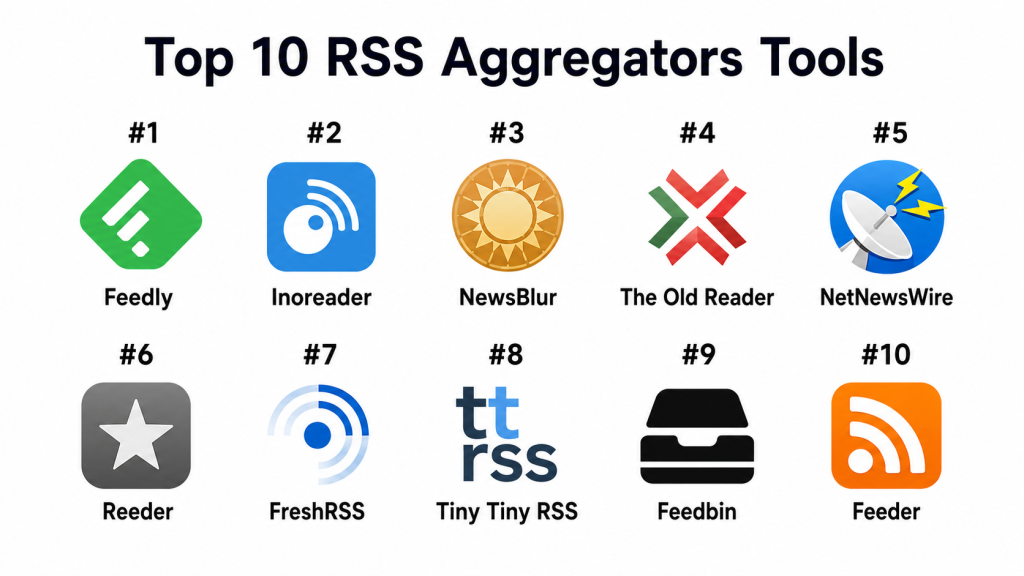
Top 10 RSS Aggregators Tools
#1 — Feedly
Short description (2–3 lines): Feedly is a popular RSS aggregator used for news reading, research, content discovery, and industry monitoring. It is best for professionals, teams, researchers, and content-heavy users who need organized feeds with filtering and smart reading features.
Key Features
- RSS feed management
- Folder-based source organization
- AI-assisted research and prioritization features where available
- Boards for saving and organizing articles
- Team collaboration options
- Keyword alerts and topic monitoring
- Web and mobile access
Pros
- Strong overall RSS and research workflow
- Good for professionals and teams
- Helpful organization and filtering features
Cons
- Advanced features may require paid plans
- Can feel too feature-heavy for casual readers
- Team and AI features may not be needed by basic users
Platforms / Deployment
Web / iOS / Android
Cloud-based service
Security & Compliance
Feedly provides account security and business-focused controls depending on plan. Specific compliance details such as SOC 2, ISO 27001, HIPAA, SSO/SAML, RBAC, and audit logs should be verified based on plan and business use case.
Integrations & Ecosystem
Feedly has a strong ecosystem for reading, research, content curation, and team knowledge sharing. It fits well into professional information workflows.
- Read-it-later integrations
- Automation tool support where available
- Team boards
- Keyword and topic tracking
- Browser extensions
- Sharing workflows
Support & Community
Feedly provides documentation and customer support resources. It has a strong user base among researchers, marketers, analysts, and content professionals.
#2 — Inoreader
Short description (2–3 lines): Inoreader is a powerful RSS reader built for advanced feed organization, filtering, automation, and content monitoring. It is best for power users, researchers, and professionals who need more control over feed rules.
Key Features
- RSS and feed subscriptions
- Rules and filters
- Keyword monitoring
- Folder and tag organization
- Saved articles
- Web and mobile access
- Automation-friendly workflows
Pros
- Excellent for power users and researchers
- Strong filtering and rule-based organization
- Useful for monitoring many sources
Cons
- Advanced setup may feel complex for beginners
- Some powerful features may require paid access
- Interface may feel more functional than minimal
Platforms / Deployment
Web / iOS / Android
Cloud-based service
Security & Compliance
Inoreader provides account-based access and privacy controls. Specific enterprise compliance details such as SOC 2, ISO 27001, HIPAA, SSO/SAML, RBAC, and audit logs are not publicly stated for general use.
Integrations & Ecosystem
Inoreader is strong for automation-heavy and research-heavy workflows. Its ecosystem supports structured feed management and advanced filtering.
- Rules and filters
- Keyword alerts
- Tags and folders
- Saved articles
- Automation integrations where available
- Browser and mobile access
Support & Community
Inoreader provides help resources and support channels. Its community is strong among RSS power users, researchers, and information professionals.
#3 — NewsBlur
Short description (2–3 lines): NewsBlur is an RSS reader focused on smart reading, training filters, original site views, and social reading features. It is useful for users who want a classic RSS experience with customization and source control.
Key Features
- RSS feed subscriptions
- Original site and text views
- Training-based story filtering
- Folder organization
- Saved stories
- Social sharing features
- Web and mobile apps
Pros
- Good balance of classic RSS and smart filtering
- Useful for users who want control over story prioritization
- Supports both original site and clean reading modes
Cons
- Interface may feel less modern than newer readers
- Advanced users may still want deeper automation
- Social features may not matter to all users
Platforms / Deployment
Web / iOS / Android
Cloud-based service / Self-hosted option may be available for technical users
Security & Compliance
Not publicly stated for SOC 2, ISO 27001, HIPAA, SSO/SAML, RBAC, audit logs, and enterprise compliance controls.
Integrations & Ecosystem
NewsBlur focuses on RSS reading, filtering, and story training rather than a broad business ecosystem. It works well for readers who want reliable source-based updates.
- Feed folders
- Story training
- Saved stories
- Social reading
- Original site view
- Mobile reading
Support & Community
NewsBlur has support resources and a loyal community of RSS users. It is appreciated by users who prefer a more traditional but customizable RSS experience.
#4 — The Old Reader
Short description (2–3 lines): The Old Reader is a simple RSS aggregator inspired by traditional feed reading workflows. It is best for users who want a clean, familiar, no-frills RSS reader.
Key Features
- RSS feed subscriptions
- Folder organization
- Basic sharing features
- Article reading interface
- Import support
- Web-based access
- Simple source management
Pros
- Easy to understand and use
- Good for users who prefer classic RSS reading
- Less overwhelming than feature-heavy tools
Cons
- Fewer advanced automation features
- Not ideal for business intelligence workflows
- Mobile and integration experience may be limited compared with larger tools
Platforms / Deployment
Web
Cloud-based service
Security & Compliance
Not publicly stated for SOC 2, ISO 27001, HIPAA, SSO/SAML, RBAC, audit logs, and enterprise compliance controls.
Integrations & Ecosystem
The Old Reader is focused on traditional RSS reading. Its ecosystem is simple and best suited for users who want a straightforward feed reader.
- Feed import
- Folder organization
- Article reading
- Basic sharing
- Web-based reading
- Classic RSS workflow
Support & Community
Support and community resources are available but less extensive than larger platforms. It appeals to users who value simplicity over advanced features.
#5 — NetNewsWire
Short description (2–3 lines): NetNewsWire is a fast RSS reader for Apple users. It is best for users who prefer a clean native app experience, especially on Mac, iPhone, and iPad.
Key Features
- Native RSS reading
- Folder organization
- Feed subscriptions
- Fast article loading
- Apple ecosystem support
- Reader-friendly interface
- Sync options where supported
Pros
- Clean and fast Apple-native experience
- Good for users who prefer app-based reading
- Simple and distraction-free interface
Cons
- Limited to Apple ecosystem
- Not built for enterprise collaboration
- Advanced AI and team features are not the focus
Platforms / Deployment
macOS / iOS
App-based deployment
Security & Compliance
Not publicly stated for SOC 2, ISO 27001, HIPAA, SSO/SAML, RBAC, audit logs, and enterprise compliance controls.
Integrations & Ecosystem
NetNewsWire works best inside the Apple ecosystem and supports simple, fast feed reading.
- Native Apple apps
- Feed subscriptions
- Folder organization
- Sync options where supported
- Sharing through device-level tools
- Clean reading experience
Support & Community
NetNewsWire has documentation and community support. It has a strong reputation among Apple users who prefer fast, simple RSS reading.
#6 — Reeder
Short description (2–3 lines): Reeder is a polished RSS and read-it-later style app for Apple users who want a premium reading experience. It is best for readers who value design, speed, and a comfortable interface.
Key Features
- RSS feed reading
- Clean reading interface
- Support for multiple feed services where available
- Read-it-later style workflows
- Keyboard-friendly navigation on desktop
- Apple device support
- Sync through supported services
Pros
- Excellent reading experience
- Strong design and usability
- Good for users who already use RSS services
Cons
- Apple-focused availability
- Depends on supported services for some workflows
- Not ideal for teams or enterprise monitoring
Platforms / Deployment
macOS / iOS
App-based deployment with supported cloud services
Security & Compliance
Not publicly stated for SOC 2, ISO 27001, HIPAA, SSO/SAML, RBAC, audit logs, and enterprise compliance controls.
Integrations & Ecosystem
Reeder works well as a front-end reading app for RSS services and personal reading workflows.
- RSS service support where available
- Read-it-later style workflows
- Device sharing options
- Clean reading mode
- Keyboard navigation
- Sync through connected services
Support & Community
Reeder has a strong user base among Apple-focused readers. Support resources are available, and the app is known for its polished reading experience.
#7 — FreshRSS
Short description (2–3 lines): FreshRSS is a self-hosted RSS aggregator for users who want control over their feeds, data, and hosting environment. It is best for technical users, developers, and privacy-conscious teams.
Key Features
- Self-hosted RSS aggregation
- Multi-user support
- Feed categories
- Web-based reading
- API support
- Import and export options
- Custom hosting control
Pros
- Strong data ownership and hosting control
- Good for technical users and self-hosted environments
- Useful for private or team-based RSS workflows
Cons
- Requires hosting and maintenance knowledge
- Less beginner-friendly than cloud services
- Support depends more on documentation and community
Platforms / Deployment
Web / Linux server environments
Self-hosted deployment
Security & Compliance
Security depends heavily on the user’s hosting environment, configuration, updates, and access controls. Specific SOC 2, ISO 27001, HIPAA, SSO/SAML, RBAC, and audit log claims are not publicly stated as standard product guarantees.
Integrations & Ecosystem
FreshRSS is useful for technical users who want RSS control and API-friendly access.
- Self-hosted setup
- API access
- Feed import and export
- Multi-user support
- Custom server control
- Community extensions or integrations where available
Support & Community
FreshRSS has open-source community support and documentation. It is strongest for users comfortable with self-hosting and technical configuration.
#8 — Tiny Tiny RSS
Short description (2–3 lines): Tiny Tiny RSS is a self-hosted RSS reader designed for users who want full control over their feed system. It is best for technical users who prefer running their own RSS platform.
Key Features
- Self-hosted RSS reader
- Feed subscriptions
- Filtering and labeling
- Web-based interface
- Plugin support
- Multi-user support where configured
- Custom deployment control
Pros
- Strong control over RSS data and hosting
- Flexible for technical users
- Avoids dependency on a public cloud reader
Cons
- Requires technical setup and maintenance
- Interface may not suit users wanting a polished consumer app
- Not ideal for non-technical beginners
Platforms / Deployment
Web / Linux server environments
Self-hosted deployment
Security & Compliance
Security depends on hosting, server hardening, updates, authentication configuration, and user management. Enterprise compliance details such as SOC 2, ISO 27001, HIPAA, SSO/SAML, RBAC, and audit logs are not publicly stated as standard guarantees.
Integrations & Ecosystem
Tiny Tiny RSS is built for users who want a configurable self-hosted RSS workflow.
- Plugin support
- Feed filtering
- Labels
- Self-hosted control
- Web reading
- Custom integrations where configured
Support & Community
Support is mainly community and documentation driven. It is suitable for users comfortable managing their own software environment.
#9 — Feedbin
Short description (2–3 lines): Feedbin is a clean RSS reader for users who want a focused, paid, privacy-conscious reading service. It is best for users who value simple design, reliable feed sync, and newsletter-style reading.
Key Features
- RSS feed subscriptions
- Clean reading interface
- Newsletter support where available
- Tagging and organization
- Search
- Web and mobile access through supported apps
- Feed syncing support
Pros
- Clean and focused user experience
- Good for users who want paid RSS without extra clutter
- Works well with third-party RSS apps
Cons
- Paid-only model may not suit all users
- Fewer team and enterprise features
- Not as broad as research-focused platforms
Platforms / Deployment
Web / Third-party app access may vary
Cloud-based service
Security & Compliance
Feedbin provides account-based access and service-level privacy controls. Specific enterprise compliance details such as SOC 2, ISO 27001, HIPAA, SSO/SAML, RBAC, and audit logs are not publicly stated for general use.
Integrations & Ecosystem
Feedbin works well as a clean RSS syncing service and can connect with compatible reading apps.
- Third-party RSS app support
- Newsletter reading
- Feed search
- Tags
- Saved articles
- Web reading
Support & Community
Feedbin provides support resources and has a loyal user base among readers who prefer a focused paid RSS experience.
#10 — Feeder
Short description (2–3 lines): Feeder is an RSS reader and monitoring tool designed for users who want simple feed tracking, browser-based access, and notifications. It is useful for professionals who need quick updates from trusted sources.
Key Features
- RSS feed subscriptions
- Browser extension support
- Feed notifications
- Folder organization
- Web and mobile access
- Team options may be available depending on plan
- Simple monitoring workflow
Pros
- Good for quick feed monitoring
- Useful browser-based workflow
- Easy for users who want alerts and simple reading
Cons
- Advanced research features may be limited
- Some features may require paid access
- Not as powerful as dedicated enterprise monitoring platforms
Platforms / Deployment
Web / Browser extensions / iOS / Android availability may vary
Cloud-based service
Security & Compliance
Not publicly stated for SOC 2, ISO 27001, HIPAA, SSO/SAML, RBAC, audit logs, and enterprise compliance controls.
Integrations & Ecosystem
Feeder is useful for users who want RSS monitoring with browser-level convenience.
- Browser extension
- Feed notifications
- Folder organization
- Mobile access where available
- Team sharing options where available
- Simple feed monitoring
Support & Community
Feeder provides support resources and is useful for individuals and small teams that want simple source monitoring.
Comparison Table
| Tool Name | Best For | Platform(s) Supported | Deployment | Standout Feature | Public Rating |
|---|---|---|---|---|---|
| Feedly | Professionals and research teams | Web / iOS / Android | Cloud | AI-assisted feed research and boards | N/A |
| Inoreader | Power users and advanced filtering | Web / iOS / Android | Cloud | Rules, filters, and keyword monitoring | N/A |
| NewsBlur | Classic RSS with smart filtering | Web / iOS / Android | Cloud / Self-hosted option may vary | Story training and original site view | N/A |
| The Old Reader | Simple classic RSS reading | Web | Cloud | Familiar traditional RSS interface | N/A |
| NetNewsWire | Apple users | macOS / iOS | App-based | Fast native RSS reading | N/A |
| Reeder | Premium Apple reading experience | macOS / iOS | App-based / Connected services | Polished reading interface | N/A |
| FreshRSS | Self-hosted RSS control | Web / Linux server environments | Self-hosted | Open-source self-hosted RSS reader | N/A |
| Tiny Tiny RSS | Technical self-hosted users | Web / Linux server environments | Self-hosted | Configurable self-hosted feed system | N/A |
| Feedbin | Focused paid RSS reading | Web / Third-party app support varies | Cloud | Clean RSS sync and newsletter support | N/A |
| Feeder | Simple feed alerts and monitoring | Web / Browser extensions / Mobile availability varies | Cloud | Browser-based feed notifications | N/A |
Evaluation & Scoring of RSS Aggregators
| Tool Name | Core (25%) | Ease (15%) | Integrations (15%) | Security (10%) | Performance (10%) | Support (10%) | Value (15%) | Weighted Total (0–10) |
|---|---|---|---|---|---|---|---|---|
| Feedly | 9 | 8 | 9 | 7 | 9 | 8 | 8 | 8.35 |
| Inoreader | 9 | 7 | 8 | 6 | 9 | 8 | 8 | 8.00 |
| NewsBlur | 8 | 7 | 6 | 5 | 8 | 7 | 8 | 7.10 |
| The Old Reader | 6 | 8 | 5 | 5 | 7 | 6 | 7 | 6.35 |
| NetNewsWire | 7 | 9 | 6 | 6 | 9 | 7 | 9 | 7.55 |
| Reeder | 7 | 9 | 7 | 6 | 9 | 7 | 7 | 7.50 |
| FreshRSS | 8 | 6 | 8 | 7 | 8 | 7 | 9 | 7.65 |
| Tiny Tiny RSS | 8 | 5 | 7 | 7 | 8 | 6 | 8 | 7.10 |
| Feedbin | 8 | 8 | 7 | 6 | 8 | 7 | 7 | 7.45 |
| Feeder | 7 | 8 | 6 | 5 | 8 | 7 | 7 | 6.95 |
These scores are comparative and should be used as a shortlist guide, not as a fixed ranking. A high score means the tool performs well across several categories, but the best choice still depends on the user’s workflow. Self-hosted tools may score higher on control but lower on ease of use. Cloud tools may score higher on convenience but require closer review of privacy, pricing, and data policies.
Which RSS Aggregators Tool Is Right for You?
Solo / Freelancer
Solo users usually need a simple reader that keeps trusted sources organized without creating extra work. The best choice depends on whether the user wants basic reading, advanced filtering, or a polished app experience.
Good options include:
- Feedly for a balanced reading and research workflow
- Inoreader for advanced filtering and source monitoring
- NetNewsWire for Apple users who want a fast native app
- Reeder for a premium Apple reading experience
- Feedbin for focused paid RSS reading
Solo users should avoid complex self-hosted tools unless they are comfortable with setup and maintenance.
SMB
Small businesses, agencies, consultants, and content teams can use RSS aggregators for competitor tracking, content curation, market research, and industry monitoring.
Good options include:
- Feedly for team research and shared boards
- Inoreader for keyword monitoring and filters
- Feeder for quick alerts and source tracking
- Feedbin for clean reading workflows
- NewsBlur for traditional RSS with smart filtering
SMBs should check team sharing, export options, source limits, and paid plan restrictions before adopting a tool.
Mid-Market
Mid-market teams may need structured source monitoring, research workflows, team sharing, content discovery, and integration with internal knowledge systems.
Good options include:
- Feedly for professional research workflows
- Inoreader for advanced rules and monitoring
- FreshRSS for controlled self-hosted reading
- Feeder for lightweight monitoring
- NewsBlur for customizable reading workflows
Mid-market buyers should review governance, user access, billing, privacy, and integration needs before deciding.
Enterprise
Enterprise buyers often need more than a basic RSS reader. They may require admin controls, SSO, audit logs, compliance documentation, team permissions, reporting, and advanced monitoring.
Better-fit options may include:
- Feedly for business-focused intelligence workflows
- Inoreader for structured monitoring
- FreshRSS for self-hosted control if the internal team can manage it
- Enterprise media monitoring platforms for advanced sentiment, analytics, and compliance needs
- Internal knowledge systems connected to RSS feeds through automation
Enterprise users should not assume compliance unless the vendor clearly states it for the relevant plan.
Budget vs Premium
Budget users can start with simple or free-friendly RSS tools, especially if they only track a limited number of sources.
Good budget-friendly options include:
- NetNewsWire
- FreshRSS
- Tiny Tiny RSS
- The Old Reader
- NewsBlur
Premium users may prefer Feedly, Inoreader, Feedbin, Reeder, or Feeder when they need better sync, filtering, alerts, team features, or a more polished reading experience.
Feature Depth vs Ease of Use
For feature depth, consider:
- Feedly
- Inoreader
- FreshRSS
- Tiny Tiny RSS
- NewsBlur
For ease of use, consider:
- The Old Reader
- NetNewsWire
- Reeder
- Feedbin
- Feeder
The best tool depends on whether the user wants powerful feed control or a simple reading habit.
Integrations & Scalability
RSS aggregators become more useful when they connect with research, automation, note-taking, bookmarking, and team knowledge workflows.
Strong integration-focused options include:
- Feedly for professional research and sharing
- Inoreader for filters and automation-style workflows
- FreshRSS for self-hosted API control
- Feedbin for third-party reader support
- Feeder for browser-based monitoring
For scalability, buyers should check feed limits, refresh frequency, team access, export options, and automation support.
Security & Compliance Needs
RSS aggregators may contain sensitive source lists, competitor research, market signals, internal monitoring feeds, or private content subscriptions. Security should be reviewed carefully.
Check for:
- Account security controls
- MFA availability
- Team permissions
- Data export options
- Feed privacy
- Access control
- Self-hosting requirements
- Vendor privacy policy
- Compliance documentation for business use
For regulated industries, do not rely on general RSS tools without validating compliance requirements.
Frequently Asked Questions
1. What is an RSS aggregator?
An RSS aggregator is a tool that collects updates from websites, blogs, publications, podcasts, and other feeds into one reading dashboard. It helps users follow trusted sources without visiting each site manually.
2. Are RSS aggregators still useful?
Yes, RSS aggregators are useful for people who want control over what they read. They reduce dependence on social media algorithms and help users follow trusted sources directly.
3. Which RSS aggregator is best for beginners?
The Old Reader, Feedly, NetNewsWire, and Feedbin are good beginner-friendly options. They are easier to start with than advanced self-hosted tools.
4. Which RSS aggregator is best for power users?
Inoreader, Feedly, FreshRSS, and Tiny Tiny RSS are strong choices for power users. They support deeper filtering, organization, monitoring, or hosting control.
5. Are RSS aggregators free?
Many RSS aggregators offer free or low-cost options, but advanced features often require paid plans. Paid features may include more feeds, faster updates, rules, search, AI features, or team sharing.
6. Can RSS aggregators track newsletters?
Some RSS aggregators support newsletter-style reading or email-to-feed workflows. The level of support varies by tool, so users should check before choosing.
7. Are self-hosted RSS readers better?
Self-hosted RSS readers offer more control over data and hosting. However, they require technical setup, maintenance, updates, and security management.
8. Can RSS aggregators help with competitor monitoring?
Yes, RSS aggregators are useful for tracking competitor blogs, product updates, press releases, news mentions, and industry publications. Advanced tools with filters and alerts are better for monitoring.
9. What is the biggest mistake when choosing an RSS reader?
The biggest mistake is choosing a complex tool when a simple reader is enough. Users should match the tool to their real workflow: casual reading, research, monitoring, automation, or team sharing.
10. Can teams use RSS aggregators?
Yes, some RSS aggregators support shared boards, team feeds, saved articles, and collaborative curation. Teams should check permissions, billing, export options, and security controls.
Conclusion
RSS aggregators remain valuable because they give users direct control over trusted information sources. Instead of relying only on social media feeds or scattered bookmarks, users can build a focused reading system for news, research, competitor tracking, learning, and content discovery. The best RSS aggregator depends on how much control, automation, privacy, and collaboration the user needs.
Feedly is a strong choice for professional research and team workflows. Inoreader is excellent for advanced filtering and monitoring. NewsBlur works well for users who like classic RSS with smart story training. NetNewsWire and Reeder are strong choices for Apple users. FreshRSS and Tiny Tiny RSS are best for technical users who want self-hosted control. Feedbin is useful for focused paid RSS reading, while Feeder is practical for alerts and browser-based monitoring.
The best next step is to shortlist two or three RSS aggregators, import a small set of feeds, test reading comfort, check filtering and export options, review privacy settings, and choose the tool that fits your real information workflow.
