Introduction
Digital reading and annotation apps help users read, highlight, comment, organize, and revisit digital content such as PDFs, ebooks, research papers, web articles, documents, study notes, and reports. Instead of reading passively, users can mark important ideas, add notes, tag content, search across highlights, and build a personal knowledge base.
These apps matter because modern work and learning involve too much information. Students read research papers, professionals review reports, legal teams examine documents, founders study market material, and writers collect insights from multiple sources. A good reading and annotation app helps users move from “just reading” to active understanding and long-term recall.
Common use cases include academic research, PDF review, ebook highlighting, legal document review, knowledge management, team feedback, personal learning, content curation, and article saving.
Buyers should evaluate supported file types, highlighting tools, note-taking quality, search, sync, offline access, export options, collaboration, AI features, integrations, privacy, pricing, and platform support.
Best for: students, researchers, writers, consultants, educators, legal professionals, product teams, founders, analysts, knowledge workers, and anyone who reads large volumes of digital material.
Not ideal for: users who only read casually without taking notes, teams that only need simple document signing, or people who prefer paper reading and handwritten notebooks without digital storage.
Key Trends in Digital Reading & Annotation Apps
- AI-powered reading assistance is becoming more useful, helping users summarize long documents, find key points, ask questions, and extract insights faster.
- PDF, ebook, and web article workflows are merging, because users want one place to read and annotate across different content formats.
- Personal knowledge management is becoming a core use case, with highlights flowing into notes, databases, flashcards, and research systems.
- Cross-device sync is now expected, especially for users who read on tablets, desktops, phones, and web browsers.
- Academic and research workflows are becoming more structured, with citation management, tagging, collections, and export features gaining importance.
- Team annotation is growing, especially for document review, legal feedback, product research, education, and collaborative editing.
- Privacy and document security are bigger concerns, because users may upload confidential PDFs, business reports, contracts, research papers, or internal notes.
- Handwriting and stylus support remain important, especially for tablet users who prefer natural marking, drawing, and margin notes.
- Offline access is still a key requirement, especially for students, travelers, field workers, and professionals who read large documents away from stable internet.
- Integration with note-taking tools is becoming a major differentiator, because highlights are more valuable when they connect to long-term knowledge systems.
How We Selected These Tools
The tools in this list were selected using a practical product-analysis approach. The focus is on real-world reading workflows, annotation depth, platform support, reliability, and suitability for different user types.
Selection factors included:
- Market adoption and general recognition among readers, students, researchers, and professionals
- Quality of annotation features such as highlights, comments, tags, drawings, and notes
- Support for PDFs, ebooks, web articles, documents, and research material
- Ease of use for daily reading and long-form review
- Sync quality across devices and operating systems
- Export, backup, and knowledge management capabilities
- Collaboration features for teams, classrooms, and document review workflows
- Security and privacy transparency where available
- Fit for solo users, SMBs, mid-market teams, and enterprise environments
- Overall value compared with feature depth and practical usefulness
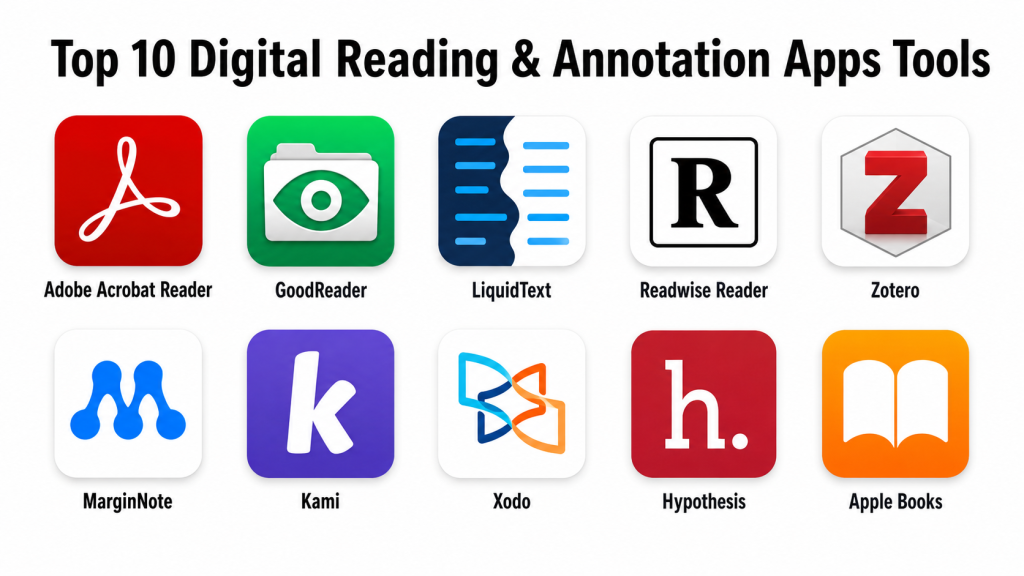
Top 10 Digital Reading & Annotation Apps Tools
1 — Adobe Acrobat Reader
Short description: Adobe Acrobat Reader is one of the most widely used PDF reading and annotation apps. It is suitable for individuals and businesses that need reliable PDF viewing, commenting, highlighting, form filling, and document review.
Key Features
- PDF viewing and annotation
- Highlighting, comments, notes, and drawing tools
- Form filling and basic document interaction
- Cloud document access
- File sharing and review workflows
- Mobile and desktop support
- Compatibility with many PDF workflows
Pros
- Strong PDF compatibility and reliability
- Familiar interface for business and personal users
- Useful for document review and feedback
Cons
- Advanced features may require paid plans
- Can feel heavy for users who only need simple reading
- More PDF-focused than knowledge-management focused
Platforms / Deployment
Web / Windows / macOS / iOS / Android
Cloud-based and desktop app deployment
Security & Compliance
Adobe business and enterprise offerings include security and admin features depending on plan. Specific compliance such as SOC 2, ISO 27001, HIPAA, SSO/SAML, audit logs, and RBAC should be validated based on product edition and contract.
Integrations & Ecosystem
Adobe Acrobat Reader fits well into PDF-heavy workflows and connects with document, storage, signing, and productivity ecosystems.
- Cloud storage integrations
- PDF sharing workflows
- Document review workflows
- Form handling
- Desktop and mobile access
- Business document ecosystem
Support & Community
Adobe provides documentation, help resources, product support, and a large user base. Enterprise support depends on plan and contract.
2 — GoodReader
Short description: GoodReader is a document reading and PDF annotation app known for strong file handling, PDF markup, and local document management. It is especially useful for users who read and organize many files on tablets and mobile devices.
Key Features
- PDF reading and annotation
- File management and folder organization
- Highlighting, notes, drawings, and markup tools
- Offline reading support
- Large document handling
- Cloud storage connections
- Document search and navigation
Pros
- Strong for PDF-heavy personal workflows
- Useful offline file management
- Good for users who prefer tablet-based reading
Cons
- Interface may feel less modern than newer apps
- Collaboration features are limited
- Best suited for individual document handling rather than team workflows
Platforms / Deployment
iOS / iPadOS
Cloud connection options vary
Local and cloud-assisted deployment
Security & Compliance
Detailed enterprise-grade security and compliance information such as SOC 2, ISO 27001, HIPAA, SSO/SAML, audit logs, and RBAC is not publicly stated.
Integrations & Ecosystem
GoodReader works well as a file-focused PDF reader with connections to storage services and document sources.
- Cloud storage connections
- Local file management
- PDF annotation workflow
- Offline document access
- Folder-based organization
- Tablet reading workflow
Support & Community
Support resources are available through documentation and app support channels. Community strength is mostly among long-term productivity and document-heavy users.
3 — LiquidText
Short description: LiquidText is a reading, annotation, and research app designed for deep document analysis. It helps users pull excerpts, connect ideas, compare documents, and work visually with complex reading material.
Key Features
- PDF and document annotation
- Visual workspace for excerpts and notes
- Multi-document comparison
- Highlighting and commenting
- Concept linking and idea mapping
- Research-focused reading workflow
- Stylus-friendly annotation support
Pros
- Excellent for deep research and complex documents
- Helps users connect ideas visually
- Strong for students, lawyers, analysts, and researchers
Cons
- Learning curve is higher than simple PDF readers
- May be more than casual readers need
- Advanced features may require paid access
Platforms / Deployment
Windows / macOS / iOS
Cloud sync availability may vary
Desktop and mobile app deployment
Security & Compliance
Detailed compliance information such as SOC 2, ISO 27001, HIPAA, SSO/SAML, RBAC, and audit logs is not publicly stated for all plans.
Integrations & Ecosystem
LiquidText focuses on deep reading and research workflows rather than broad third-party integrations.
- PDF and document import
- Visual note workspace
- Excerpt management
- Multi-document review
- Stylus-based annotation
- Export options may vary
Support & Community
LiquidText provides support resources and learning materials. Its community is strongest among academic, legal, research, and professional document-analysis users.
4 — Readwise Reader
Short description: Readwise Reader is a read-it-later and annotation app built for saving, reading, highlighting, and organizing web articles, newsletters, PDFs, and other reading material. It is useful for knowledge workers who want highlights to flow into a long-term learning system.
Key Features
- Save and read articles, newsletters, and PDFs
- Highlighting and note capture
- Tagging and organization
- Read-it-later workflow
- Highlight review support
- Export and knowledge tool connections
- Cross-device reading experience
Pros
- Strong for knowledge management workflows
- Useful for collecting highlights from many sources
- Good fit for writers, researchers, and serious readers
Cons
- May feel advanced for casual readers
- Best value comes when used consistently
- Some users may prefer simpler article-saving apps
Platforms / Deployment
Web / iOS / Android
Cloud-based deployment
Security & Compliance
Detailed enterprise compliance such as SOC 2, ISO 27001, HIPAA, SSO/SAML, RBAC, and audit logs is not publicly stated for all plans.
Integrations & Ecosystem
Readwise Reader is designed to connect reading, highlights, and knowledge workflows.
- Read-it-later workflow
- Highlight export
- Note-taking tool connections
- Newsletter reading
- PDF and article saving
- Tagging and organization
Support & Community
Support resources are available, and the product has a strong community among knowledge management users, writers, researchers, and productivity-focused readers.
5 — Zotero
Short description: Zotero is a research management tool that supports collecting, organizing, annotating, and citing academic sources. It is especially useful for students, researchers, educators, and academic teams.
Key Features
- Reference and citation management
- PDF storage and annotation
- Collections and tagging
- Browser-based source saving
- Group libraries
- Notes and research organization
- Export and citation workflows
Pros
- Strong for academic and research workflows
- Useful citation and library management features
- Good community and broad academic adoption
Cons
- More research-focused than casual reading-focused
- Interface may feel technical for basic readers
- Storage and sync requirements may need planning
Platforms / Deployment
Windows / macOS / Linux / iOS
Cloud sync available
Desktop and cloud-assisted deployment
Security & Compliance
Zotero provides account and sync features, but detailed enterprise compliance such as SOC 2, ISO 27001, HIPAA, SSO/SAML, audit logs, and RBAC is not publicly stated.
Integrations & Ecosystem
Zotero has a strong academic ecosystem built around citations, research libraries, writing workflows, and browser-based source capture.
- Browser connector
- Word processor integration
- Citation export
- Group libraries
- PDF annotation
- Research database workflows
Support & Community
Zotero has documentation, forums, community support, and strong adoption in academic environments. Community strength is one of its major advantages.
6 — MarginNote
Short description: MarginNote is a reading, annotation, mind mapping, and study app designed for learners and researchers. It helps users highlight documents, create notes, build mind maps, and turn reading into structured study material.
Key Features
- PDF and ebook annotation
- Mind mapping from highlights
- Study card creation
- Notes and outline building
- Multi-document learning workflows
- Stylus-friendly markup
- Knowledge organization tools
Pros
- Strong for students and deep learners
- Combines reading, notes, and mind maps
- Useful for exam preparation and research review
Cons
- Learning curve can be high
- May feel too complex for simple PDF reading
- Collaboration and enterprise features are limited
Platforms / Deployment
macOS / iOS
Cloud sync availability may vary
App-based deployment
Security & Compliance
Detailed compliance and enterprise controls such as SOC 2, ISO 27001, HIPAA, SSO/SAML, audit logs, and RBAC are not publicly stated.
Integrations & Ecosystem
MarginNote focuses on study and personal knowledge workflows rather than enterprise integrations.
- PDF and ebook import
- Mind map generation
- Study cards
- Outline building
- Apple ecosystem workflow
- Export options may vary
Support & Community
Support resources are available, and community strength is mostly among students, researchers, and knowledge organization users.
7 — Kami
Short description: Kami is a digital annotation and document collaboration tool widely used in education and classroom workflows. It helps teachers and students annotate PDFs, assignments, worksheets, and learning material together.
Key Features
- PDF and document annotation
- Classroom collaboration tools
- Text, drawing, comment, and highlight tools
- Assignment workflow support
- Real-time feedback features
- Integration with education platforms
- Teacher and student-friendly interface
Pros
- Strong fit for education and classroom use
- Good collaboration and feedback tools
- Useful for digital worksheets and assignments
Cons
- Less focused on personal knowledge management
- Best value is in education workflows
- Some advanced features may require paid plans
Platforms / Deployment
Web / Chrome-based workflows / iOS availability may vary
Cloud-based deployment
Security & Compliance
Kami provides education-focused security and privacy information, but specific compliance controls such as SOC 2, ISO 27001, HIPAA, SSO/SAML, RBAC, and audit logs should be validated by institutions before adoption.
Integrations & Ecosystem
Kami works well in education ecosystems and classroom document workflows.
- Learning management system integrations
- Cloud storage connections
- Classroom assignment workflows
- PDF annotation
- Teacher feedback tools
- Browser-based access
Support & Community
Kami provides educator resources, help documentation, onboarding material, and support options. Community strength is strongest in schools and digital classroom environments.
8 — Xodo
Short description: Xodo is a PDF reader, editor, and annotation app used for reading, marking up, signing, and managing PDF documents. It is suitable for students, professionals, and teams needing simple PDF handling.
Key Features
- PDF reading and annotation
- Highlighting, comments, and drawing tools
- PDF editing and organization features
- Form filling and signing support
- Cross-device access
- Cloud document workflows
- Collaboration features may vary
Pros
- Practical PDF annotation and editing tool
- Easy to use for common document workflows
- Useful across personal and business use cases
Cons
- Not as research-focused as Zotero or LiquidText
- Advanced features may vary by plan
- Compliance details are not fully clear for every use case
Platforms / Deployment
Web / Windows / iOS / Android
Cloud-based and app-based deployment
Security & Compliance
General security and privacy practices are available. Detailed compliance such as SOC 2, ISO 27001, HIPAA, SSO/SAML, RBAC, and audit logs is not publicly stated for all plans.
Integrations & Ecosystem
Xodo fits well into PDF workflows and common cloud document handling needs.
- PDF annotation
- Cloud document access
- Form filling
- PDF editing
- Document sharing
- Cross-platform use
Support & Community
Support resources and help documentation are available. Community strength is moderate and mostly focused on PDF productivity users.
9 — Hypothesis
Short description: Hypothesis is a web and document annotation platform used for collaborative reading, education, research, and public or private discussion around digital text. It is especially useful for teams and classrooms that need shared annotation.
Key Features
- Web page annotation
- PDF annotation through supported workflows
- Public and private groups
- Highlighting and comments
- Education-focused reading discussions
- Browser-based annotation
- Collaboration around digital text
Pros
- Strong for collaborative annotation
- Useful in education and research settings
- Supports discussion directly on reading material
Cons
- Not a full ebook or personal reading app
- Requires workflow setup for groups or classes
- Interface may be less polished than consumer reading apps
Platforms / Deployment
Web / Browser-based
Cloud-based deployment
Security & Compliance
Privacy and security information is available, but detailed enterprise controls such as SOC 2, ISO 27001, HIPAA, SSO/SAML, RBAC, and audit logs are not publicly stated for all use cases.
Integrations & Ecosystem
Hypothesis is strongest in collaborative web annotation and education workflows.
- Browser annotation
- Group-based reading
- Learning platform workflows
- Web article annotation
- PDF annotation support
- Research and classroom collaboration
Support & Community
Hypothesis has documentation, educator resources, and a strong community in open web annotation, academic, and classroom environments.
10 — Apple Books
Short description: Apple Books is a digital reading app for ebooks, PDFs, highlights, notes, and personal reading libraries. It is best for users in the Apple ecosystem who want a simple and polished reading experience.
Key Features
- Ebook and PDF reading
- Highlighting and notes
- Library organization
- Cross-device sync within Apple ecosystem
- Bookmarking
- Reading progress tracking
- Clean reading interface
Pros
- Simple and polished for Apple users
- Good for ebooks and personal reading
- Easy sync across supported Apple devices
Cons
- Limited outside Apple ecosystem
- Not ideal for advanced research workflows
- Collaboration features are limited
Platforms / Deployment
iOS / iPadOS / macOS
Cloud sync through Apple ecosystem
App-based deployment
Security & Compliance
Apple ecosystem security applies at account and device level, but detailed app-specific enterprise compliance such as SOC 2, ISO 27001, HIPAA, SSO/SAML, RBAC, and audit logs is not publicly stated.
Integrations & Ecosystem
Apple Books works best inside Apple’s device and content ecosystem.
- Apple device sync
- Ebook library
- PDF reading
- Notes and highlights
- Personal reading workflow
- System-level sharing options
Support & Community
Support is available through Apple help resources. Community strength is broad among Apple users but less focused on professional annotation workflows.
Comparison Table
| Tool Name | Best For | Platform(s) Supported | Deployment | Standout Feature | Public Rating |
|---|---|---|---|---|---|
| Adobe Acrobat Reader | PDF reading and business document review | Web, Windows, macOS, iOS, Android | Cloud / Desktop | Reliable PDF annotation and review | N/A |
| GoodReader | Offline PDF reading and file management | iOS, iPadOS | Local / Cloud-assisted | Strong file handling and PDF markup | N/A |
| LiquidText | Deep research and document analysis | Windows, macOS, iOS | Desktop / Cloud-assisted | Visual excerpt and idea workspace | N/A |
| Readwise Reader | Knowledge management and article reading | Web, iOS, Android | Cloud | Highlights connected to learning workflows | N/A |
| Zotero | Academic research and citation workflows | Windows, macOS, Linux, iOS | Desktop / Cloud-assisted | Research library and citation management | N/A |
| MarginNote | Study, mind mapping, and deep learning | macOS, iOS | App-based | Mind maps from reading highlights | N/A |
| Kami | Classroom document annotation | Web, Chrome-based workflows | Cloud | Collaborative education annotation | N/A |
| Xodo | PDF annotation and editing | Web, Windows, iOS, Android | Cloud / App-based | Practical PDF markup and editing | N/A |
| Hypothesis | Collaborative web annotation | Web, Browser-based | Cloud | Public and private group annotation | N/A |
| Apple Books | Apple ecosystem ebook and PDF reading | iOS, iPadOS, macOS | App-based / Cloud sync | Simple ebook highlights and notes | N/A |
Evaluation & Scoring of Digital Reading & Annotation Apps
| Tool Name | Core (25%) | Ease (15%) | Integrations (15%) | Security (10%) | Performance (10%) | Support (10%) | Value (15%) | Weighted Total (0–10) |
|---|---|---|---|---|---|---|---|---|
| Adobe Acrobat Reader | 9 | 8 | 8 | 8 | 9 | 8 | 7 | 8.15 |
| GoodReader | 8 | 7 | 6 | 5 | 8 | 6 | 8 | 7.00 |
| LiquidText | 9 | 7 | 6 | 5 | 8 | 7 | 7 | 7.25 |
| Readwise Reader | 8 | 8 | 8 | 6 | 8 | 7 | 7 | 7.55 |
| Zotero | 9 | 7 | 8 | 6 | 8 | 8 | 9 | 8.00 |
| MarginNote | 8 | 6 | 6 | 5 | 8 | 6 | 7 | 6.90 |
| Kami | 8 | 8 | 8 | 6 | 8 | 8 | 7 | 7.65 |
| Xodo | 8 | 8 | 7 | 6 | 8 | 7 | 8 | 7.55 |
| Hypothesis | 7 | 7 | 7 | 6 | 7 | 7 | 8 | 7.00 |
| Apple Books | 6 | 9 | 6 | 7 | 9 | 7 | 8 | 7.30 |
These scores are comparative and should be used for shortlisting, not as final buying advice. A higher score means the app performs well across several practical criteria, but the best choice depends on workflow. Zotero is strong for research, Adobe Acrobat Reader is strong for PDF reliability, Kami is strong for education, and Readwise Reader is strong for knowledge workflows. Security scores are conservative where detailed compliance information is not publicly stated. Buyers should validate privacy, compliance, storage, integrations, and export needs before committing.
Which Digital Reading & Annotation Apps Tool Is Right for You?
Solo / Freelancer
Solo users usually need a tool that is easy to use, affordable, and reliable across devices. Adobe Acrobat Reader and Xodo are practical choices for general PDF reading and annotation. Apple Books is a good option for Apple users who mainly read ebooks and PDFs.
If you read web articles, newsletters, and research notes regularly, Readwise Reader is a strong fit. If your work involves deep research, LiquidText and Zotero are better choices because they help you organize ideas, sources, and highlights more seriously.
SMB
Small businesses often need simple document review, feedback, and collaboration. Adobe Acrobat Reader is a strong option for PDF-heavy business workflows. Xodo can be useful for teams that want practical PDF annotation and editing without complex setup.
For content teams, consultants, and research-heavy SMBs, Readwise Reader and Zotero can help organize reading material and insights. Kami may be useful for training teams, education businesses, and digital learning workflows.
Mid-Market
Mid-market teams should look for tools that support collaboration, file control, and consistent review workflows. Adobe Acrobat Reader is a strong choice for formal document review. Kami is useful for education and learning teams. Hypothesis is suitable when teams need shared web or document annotation.
If research teams need structured source management, Zotero can be useful. For complex document analysis, LiquidText can help users work through long reports, contracts, policies, or research material.
Enterprise
Enterprise buyers should focus on security, admin controls, data handling, compliance, identity management, support, and document governance. Adobe Acrobat Reader is often a strong enterprise-friendly starting point because it is widely used in business PDF workflows.
For education-focused enterprises or institutions, Kami and Hypothesis may be relevant depending on classroom and learning needs. Enterprises should validate SSO, audit logs, access controls, retention policies, storage locations, and compliance documentation before choosing any platform.
Budget vs Premium
For budget-conscious users, Apple Books, Zotero, Xodo, and Hypothesis can be practical depending on the reading workflow. These tools can support useful reading and annotation without forcing every user into a complex premium setup.
Premium tools make sense when users need deeper workflows. LiquidText is better for advanced document analysis. Readwise Reader is better for long-term highlight management. Adobe Acrobat Reader paid plans may be useful for advanced PDF workflows.
Feature Depth vs Ease of Use
Apple Books and Xodo are easier for simple reading and annotation. Adobe Acrobat Reader offers a balance of reliability and feature depth for PDFs. Zotero and LiquidText offer deeper research features but require more learning.
MarginNote is powerful for study workflows, but it can feel complex for simple reading. Readwise Reader is easy for saving and reviewing content, but it gives the most value when connected to a consistent knowledge management routine.
Integrations & Scalability
If your workflow depends on citations, research papers, and academic writing, Zotero is one of the strongest options. If your workflow depends on knowledge exports and highlight review, Readwise Reader is more suitable.
If your organization needs document review at scale, Adobe Acrobat Reader is easier to standardize. For education, Kami and Hypothesis offer stronger classroom and collaborative reading workflows.
Security & Compliance Needs
Digital reading apps may store sensitive files, including contracts, academic research, business plans, legal documents, financial material, and private notes. Security should not be ignored.
Individuals should check account settings, sync behavior, cloud storage options, and export controls. Organizations should validate SSO, permissions, audit logs, data retention, encryption, admin controls, and compliance documentation before uploading sensitive documents.
Frequently Asked Questions
1. What is a digital reading and annotation app?
A digital reading and annotation app lets users read documents, ebooks, PDFs, web articles, or research papers while adding highlights, notes, comments, tags, and markings.
2. Which app is best for PDF annotation?
Adobe Acrobat Reader and Xodo are strong choices for general PDF annotation. GoodReader is also useful for users who want strong file handling on tablet devices.
3. Which app is best for academic research?
Zotero is a strong choice for academic research because it supports citation management, source organization, PDF annotation, and research libraries. LiquidText is also useful for deep document analysis.
4. Which app is best for students?
MarginNote, Zotero, LiquidText, Kami, and Apple Books can be useful for students depending on the need. MarginNote is good for study maps, Zotero for research, and Kami for classroom workflows.
5. Are these apps suitable for business document review?
Yes. Adobe Acrobat Reader and Xodo are practical for business PDFs. Hypothesis and Kami can support collaborative review, while LiquidText is useful for complex document analysis.
6. Do digital annotation apps support offline reading?
Many apps support offline reading, but availability depends on platform and file storage settings. GoodReader, Apple Books, Adobe Acrobat Reader, and some PDF-focused apps are useful for offline workflows.
7. Can annotation apps integrate with note-taking tools?
Some apps support export or integrations with note-taking and knowledge management tools. Readwise Reader and Zotero are especially useful for users who want highlights and references connected to a broader knowledge system.
8. Are digital reading apps secure?
Security varies by tool and plan. Users should review privacy settings, cloud sync behavior, file permissions, and account security before storing sensitive documents.
9. What is the most common mistake when choosing an annotation app?
The most common mistake is choosing a tool based only on popularity. A PDF reviewer, academic researcher, student, teacher, and business analyst may all need different workflows.
10. What are alternatives to digital reading and annotation apps?
Alternatives include printed documents, paper notebooks, standard PDF viewers, note-taking apps, citation managers, document management platforms, and learning management systems.
Conclusion
Digital reading and annotation apps help users read with more focus, capture important ideas, and turn documents into usable knowledge. Adobe Acrobat Reader is strong for reliable PDF workflows, while Xodo is practical for everyday PDF annotation. Zotero is excellent for academic research, and LiquidText is powerful for deep document analysis. Readwise Reader is useful for knowledge workers who save articles, highlights, and notes. Kami and Hypothesis are better for collaborative and education-focused reading. MarginNote is strong for study workflows, GoodReader is useful for file-heavy tablet reading, and Apple Books is simple for users in the Apple ecosystem.
The best app depends on your reading style, content type, device preference, collaboration needs, and privacy requirements. A smart next step is to shortlist two or three tools, test them with real documents, check export options, review security needs, and choose the app that helps you read, annotate, and remember information more consistently.
