Introduction
Robotic Process Automation (RPA) uses software bots to automate repetitive, rules-based tasks that humans usually perform inside applications. These bots can click buttons, copy data, move files, generate reports, log into systems, extract information, and complete workflows across multiple platforms without changing the underlying software.
RPA remains highly valuable because many organizations still rely on manual processes, legacy systems, spreadsheets, and disconnected tools. Instead of replacing entire systems, RPA helps companies improve speed, accuracy, compliance, and productivity by automating repetitive work.
Real-world use cases:
- Invoice processing and finance reconciliation
- HR onboarding and employee record updates
- Customer data entry across CRM systems
- Report generation and scheduled exports
- Claims processing and back-office operations
What buyers should evaluate:
- Ease of bot creation
- Desktop and web automation strength
- AI/document processing features
- Security and credential management
- Governance and bot orchestration
- Scalability and unattended automation
- Analytics and monitoring
- Pricing model
- Support and training resources
- Integration with enterprise systems
Best for: Enterprises, finance teams, operations departments, shared services, BPOs, healthcare admin teams, and businesses with repetitive manual tasks.
Not ideal for: Teams with only a few simple workflows, startups with modern integrated SaaS stacks, or businesses that need full system redesign instead of task automation.
Key Trends in Robotic Process Automation (RPA)
- AI-powered bots handling semi-structured data
- Intelligent document processing becoming standard
- Process mining integrated into RPA suites
- Conversational bot building with natural language prompts
- More cloud-native bot orchestration
- Stronger governance and audit controls
- Hyperautomation combining RPA + AI + workflows
- Low-code bot design for business users
- Event-driven automations replacing scheduled bots
- Outcome-based ROI measurement dashboards
How We Selected These Tools (Methodology)
- Market leadership and enterprise adoption
- Core bot automation capability
- Ease of development and maintenance
- AI and document processing innovation
- Governance and security readiness
- Reliability at scale
- Community and training ecosystem
- Support quality and enterprise services
- Fit across SMB and enterprise buyers
- Overall value versus complexity
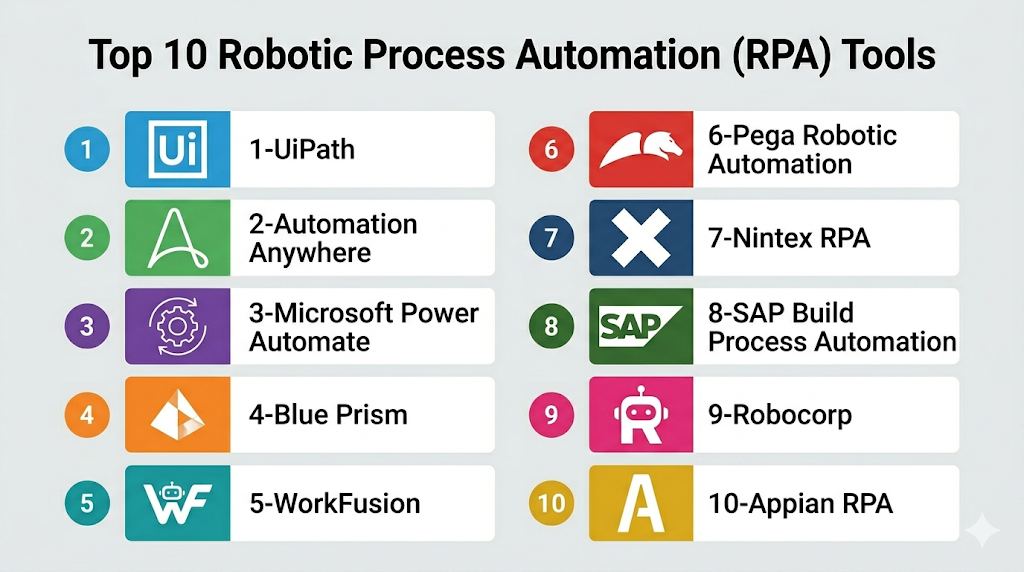
Top 10 Robotic Process Automation (RPA) Tools
Top 10 Tools List
- UiPath
- Automation Anywhere
- Microsoft Power Automate
- Blue Prism
- WorkFusion
- Pega Robotic Automation
- Nintex RPA
- SAP Build Process Automation
- Robocorp
- Appian RPA
#1 — UiPath
Short description: One of the most recognized RPA platforms with broad enterprise adoption, strong AI features, and rich automation tooling.
Key Features
- Attended and unattended bots
- Visual workflow designer
- AI document understanding
- Process mining tools
- Bot orchestration
- Analytics dashboards
- Large marketplace
Pros
- Mature enterprise platform
- Strong community and training
- Broad automation capabilities
Cons
- Premium enterprise pricing
- Advanced features need governance
- Can be complex at scale
Platforms / Deployment
Web / Windows
Cloud / Self-hosted / Hybrid
Security & Compliance
SSO, RBAC, encryption, audit logs.
Integrations & Ecosystem
- SAP
- Oracle
- Salesforce
- Microsoft apps
- Legacy desktops
Support & Community
Excellent academy resources and strong ecosystem.
#2 — Automation Anywhere
Short description: Enterprise RPA vendor focused on cloud automation, intelligent bots, and scalable operations.
Key Features
- Cloud-native automation
- Bot lifecycle management
- AI integrations
- Document automation
- Analytics
- Role-based controls
- Task automation studio
Pros
- Strong enterprise scale
- Cloud-first direction
- Good governance features
Cons
- Premium pricing
- Learning curve for admins
- Best for larger organizations
Platforms / Deployment
Web / Windows
Cloud / Hybrid
Security & Compliance
SSO, encryption, access controls.
Integrations & Ecosystem
- ERP tools
- CRM tools
- Web apps
- APIs
Support & Community
Strong enterprise support model.
#3 — Microsoft Power Automate
Short description: Combines workflow automation and RPA with desktop flows. Excellent for Microsoft-centric organizations.
Key Features
- Desktop RPA flows
- Cloud automation
- AI Builder
- Approvals
- Hundreds of connectors
- Governance tools
- Analytics
Pros
- Strong Microsoft value
- Combines workflows + RPA
- Familiar enterprise ecosystem
Cons
- Licensing complexity possible
- Best with Microsoft stack
- Advanced bot scenarios need expertise
Platforms / Deployment
Web / Windows / iOS / Android
Cloud / Hybrid
Security & Compliance
MFA, SSO, encryption, audit controls.
Integrations & Ecosystem
- Teams
- Excel
- Dynamics
- SharePoint
- Third-party apps
Support & Community
Large community and documentation.
#4 — Blue Prism
Short description: Enterprise-focused RPA platform known for governance, security, and large-scale deployments.
Key Features
- Unattended bots
- Central control room
- Secure credential management
- Scalable deployment model
- Auditability
- Workflow tools
- Enterprise connectors
Pros
- Strong governance reputation
- Reliable enterprise scaling
- Good for regulated industries
Cons
- Less beginner friendly
- Premium pricing
- Older UX compared with newer rivals
Platforms / Deployment
Windows
Self-hosted / Hybrid
Security & Compliance
RBAC, encryption, credential vaulting, logs.
Integrations & Ecosystem
- Banking systems
- ERP tools
- Desktop apps
- APIs
Support & Community
Strong enterprise services.
#5 — WorkFusion
Short description: Intelligent automation platform combining RPA with AI-heavy document and operations workflows.
Key Features
- RPA bots
- OCR/document processing
- AI models
- Workflow automation
- Analytics
- Compliance workflows
- Case handling
Pros
- Strong intelligent automation focus
- Good for document-heavy operations
- Useful in finance workflows
Cons
- Niche compared with top leaders
- Enterprise complexity
- Smaller ecosystem
Platforms / Deployment
Cloud / Hybrid
Security & Compliance
Enterprise controls vary by deployment.
Integrations & Ecosystem
- Finance systems
- Documents
- APIs
- Databases
Support & Community
Commercial support focused on enterprise accounts.
#6 — Pega Robotic Automation
Short description: RPA integrated with broader Pega process automation and case management tools.
Key Features
- Desktop automation
- Workflow orchestration
- Case management integration
- AI decisioning links
- Rules engine
- Bot management
- Analytics
Pros
- Strong if already using Pega
- Good end-to-end process automation
- Enterprise-ready
Cons
- Best within Pega ecosystem
- Complex for smaller buyers
- Premium pricing tiers
Platforms / Deployment
Cloud / Hybrid
Security & Compliance
Enterprise IAM, logging, controls.
Integrations & Ecosystem
- CRM systems
- Internal apps
- APIs
- Contact center tools
Support & Community
Strong enterprise consulting ecosystem.
#7 — Nintex RPA
Short description: RPA within Nintex’s wider process automation suite.
Key Features
- Bot automation
- Workflow integration
- Document processes
- Analytics
- Governance tools
- Low-code design
- Forms integration
Pros
- Strong combined process suite
- Good business workflow alignment
- Low-code usability
Cons
- Better for Nintex customers
- Pricing can be premium
- Smaller RPA mindshare than leaders
Platforms / Deployment
Cloud / Hybrid
Security & Compliance
RBAC, encryption, admin controls.
Integrations & Ecosystem
- Microsoft 365
- Salesforce
- SharePoint
- APIs
Support & Community
Good enterprise support.
#8 — SAP Build Process Automation
Short description: SAP-focused automation platform combining workflows and RPA for SAP customers.
Key Features
- SAP workflow automation
- RPA bots
- Forms
- AI assistance
- SAP connectors
- Process visibility
- Governance tools
Pros
- Excellent for SAP environments
- Unified automation suite
- Strong packaged use cases
Cons
- Best value in SAP stack
- Less ideal as standalone RPA tool
- Enterprise pricing levels
Platforms / Deployment
Cloud / Hybrid
Security & Compliance
SAP enterprise security model.
Integrations & Ecosystem
- SAP ERP
- SuccessFactors
- Ariba
- APIs
Support & Community
Strong SAP support network.
#9 — Robocorp
Short description: Developer-first open-source oriented RPA platform built around Python automation.
Key Features
- Python-based bots
- Open-source framework
- Cloud control options
- CI/CD friendly
- API automation
- Reusable libraries
- Flexible scripting
Pros
- Strong for developers
- Lower licensing pressure
- Highly customizable
Cons
- Less no-code friendly
- Requires coding skills
- Smaller enterprise footprint
Platforms / Deployment
Web / Windows / Linux / macOS
Cloud / Self-hosted
Security & Compliance
Depends on deployment model.
Integrations & Ecosystem
- Python libraries
- APIs
- Web apps
- Data systems
Support & Community
Growing technical community.
#10 — Appian RPA
Short description: RPA integrated into Appian’s low-code automation platform.
Key Features
- Bot automation
- Workflow orchestration
- Low-code apps
- Case management
- AI enhancements
- Analytics
- Governance controls
Pros
- Strong end-to-end automation story
- Good for Appian customers
- Enterprise controls
Cons
- Best inside Appian ecosystem
- Premium platform pricing
- Broader RPA specialization lower than leaders
Platforms / Deployment
Cloud / Hybrid
Security & Compliance
SSO, RBAC, logging, encryption.
Integrations & Ecosystem
- Enterprise apps
- APIs
- Databases
- CRM tools
Support & Community
Good enterprise onboarding and support.
Comparison Table (Top 10)
| Tool Name | Best For | Platform(s) Supported | Deployment | Standout Feature | Public Rating |
|---|---|---|---|---|---|
| UiPath | Enterprises | Web/Windows | Hybrid | Full RPA suite | N/A |
| Automation Anywhere | Large enterprises | Web/Windows | Cloud | Cloud-native bots | N/A |
| Power Automate | Microsoft users | Web/Desktop | Hybrid | Workflow + RPA | N/A |
| Blue Prism | Regulated industries | Windows | Hybrid | Governance | N/A |
| WorkFusion | Document-heavy ops | Web | Hybrid | Intelligent automation | N/A |
| Pega | Pega customers | Web | Hybrid | Case management tie-in | N/A |
| Nintex | Process teams | Web | Hybrid | Workflow + RPA | N/A |
| SAP Build | SAP users | Web | Cloud | SAP automation | N/A |
| Robocorp | Developers | Multi-platform | Cloud | Python automation | N/A |
| Appian | Appian customers | Web | Hybrid | Low-code + RPA | N/A |
Evaluation & Scoring of Robotic Process Automation (RPA)
| Tool Name | Core | Ease | Integrations | Security | Performance | Support | Value | Weighted Total |
|---|---|---|---|---|---|---|---|---|
| UiPath | 10 | 8 | 9 | 9 | 9 | 9 | 7 | 8.75 |
| Automation Anywhere | 9 | 7 | 8 | 9 | 8 | 8 | 6 | 7.95 |
| Power Automate | 9 | 8 | 8 | 9 | 8 | 8 | 9 | 8.50 |
| Blue Prism | 8 | 6 | 7 | 9 | 9 | 8 | 6 | 7.55 |
| WorkFusion | 8 | 7 | 7 | 8 | 8 | 7 | 7 | 7.45 |
| Pega | 8 | 7 | 8 | 8 | 8 | 8 | 6 | 7.55 |
| Nintex | 7 | 8 | 7 | 8 | 7 | 7 | 7 | 7.20 |
| SAP Build | 8 | 7 | 8 | 8 | 8 | 8 | 6 | 7.55 |
| Robocorp | 7 | 6 | 8 | 7 | 8 | 6 | 9 | 7.30 |
| Appian | 8 | 7 | 8 | 8 | 8 | 8 | 6 | 7.55 |
How to interpret scores:
These scores compare platforms inside the RPA category. Enterprise suites often score higher in governance and scale, while developer-first tools may score better on value and flexibility.
Which Robotic Process Automation (RPA) Tool Is Right for You?
Solo / Freelancer
Choose Power Automate or Robocorp for smaller automation needs.
SMB
Choose Power Automate, UiPath, or Nintex.
Mid-Market
Choose UiPath, Automation Anywhere, or Power Automate.
Enterprise
Choose UiPath, Blue Prism, Automation Anywhere, or Pega.
Budget vs Premium
- Budget: Robocorp, Power Automate
- Premium: UiPath, Blue Prism, Automation Anywhere
Feature Depth vs Ease of Use
- Depth: UiPath, Automation Anywhere
- Ease: Power Automate, Nintex
Integrations & Scalability
- Broad enterprise scale: UiPath, Power Automate, Automation Anywhere
Security & Compliance Needs
Choose UiPath, Blue Prism, Microsoft, or Pega.
Frequently Asked Questions (FAQs)
1. What is RPA?
RPA uses software bots to automate repetitive digital tasks.
2. Does RPA require coding?
Not always. Many platforms are low-code, though coding can help advanced use cases.
3. Is RPA the same as AI?
No. RPA follows rules; AI adds decision-making or document understanding.
4. Which tool is best for enterprises?
UiPath, Automation Anywhere, and Blue Prism are common enterprise choices.
5. Is Microsoft Power Automate true RPA?
Yes. Its desktop flows support RPA scenarios.
6. How is RPA priced?
Usually by bots, users, automation runs, or enterprise contracts.
7. Can bots work with legacy systems?
Yes. That is one of RPA’s biggest strengths.
8. What common mistakes should buyers avoid?
Automating broken processes without redesigning them first.
9. Can RPA scale?
Yes, with proper governance and orchestration.
10. What are alternatives to RPA?
APIs, workflow automation, iPaaS, custom integrations, or process redesign.
Conclusion
Robotic Process Automation remains a practical way to improve efficiency without replacing existing systems. Organizations with heavy repetitive work often see strong returns when bots are applied to finance, HR, operations, and customer workflows. UiPath and Automation Anywhere lead many enterprise programs, while Power Automate offers excellent value for Microsoft environments. Developer-led teams may prefer Robocorp, and process-centric organizations may like Appian or Pega. The best next step is to shortlist 2–3 tools, automate one measurable process, and scale after proving ROI
