Introduction
Retail workforce scheduling software helps businesses efficiently manage employee shifts across locations, replacing spreadsheets and manual planning with automated tools. These systems optimize staffing, reduce labor costs, and improve employee satisfaction by aligning schedules with demand patterns, availability, and skills. In 2026, AI-driven forecasting, mobile-first access, and seamless payroll integration are critical features for competitive retailers.
Real-world use cases include:
- Retail chains balancing staffing during peak seasons and promotions.
- Grocery stores managing flexible part-time schedules.
- Pop-up or event-based retail coordinating temporary staff.
- Omnichannel operations allocating employees between in-store and online order fulfillment.
- Employee self-service enabling shift swaps, PTO requests, and real-time notifications.
When evaluating workforce scheduling tools, buyers should consider:
- Scheduling flexibility and automation
- AI-driven demand forecasting
- Integration with payroll, HRIS, and POS systems
- Compliance with labor laws and union agreements
- Ease of use and mobile accessibility
- Reporting and analytics
- Security, role-based access, and audit trails
- Pricing and scalability
- Customization for different store formats
Best for: Retail managers, HR teams, multi-location retailers, and organizations with complex staffing requirements.
Not ideal for: Small single-location stores with static schedules; manual or spreadsheet-based solutions may suffice.
Key Trends in Retail Workforce Scheduling Tools
- AI-driven scheduling to optimize staffing based on historical and predictive demand.
- Mobile-first apps allowing employees to view shifts, request swaps, and receive notifications.
- Cloud-based deployment for centralized management and real-time updates.
- Integration with payroll, HRIS, and POS systems for automated labor costs.
- Compliance automation for overtime, labor laws, and union rules.
- Advanced reporting and analytics for operational insights.
- Gamified engagement features to boost employee participation.
- Flexible subscription and per-employee pricing models.
- Real-time alerts for coverage gaps or shift changes.
- Enhanced security standards including MFA, SSO, encryption, and audit logs.
How We Evaluated Retail Workforce Scheduling Tools
- Market adoption and mindshare in SMB, mid-market, and enterprise retail.
- Feature completeness including AI scheduling, compliance, and reporting.
- Reliability and performance signals: uptime, speed, scalability.
- Security posture including authentication, encryption, and compliance.
- Integration ecosystem with POS, payroll, HRIS, and communication platforms.
- Customer fit across store sizes, formats, and locations.
- Ease of use for managers and employees.
- Value proposition and pricing flexibility.
- Deployment options: cloud, hybrid, or self-hosted.
- Practical real-world feedback from retailers and case studies.
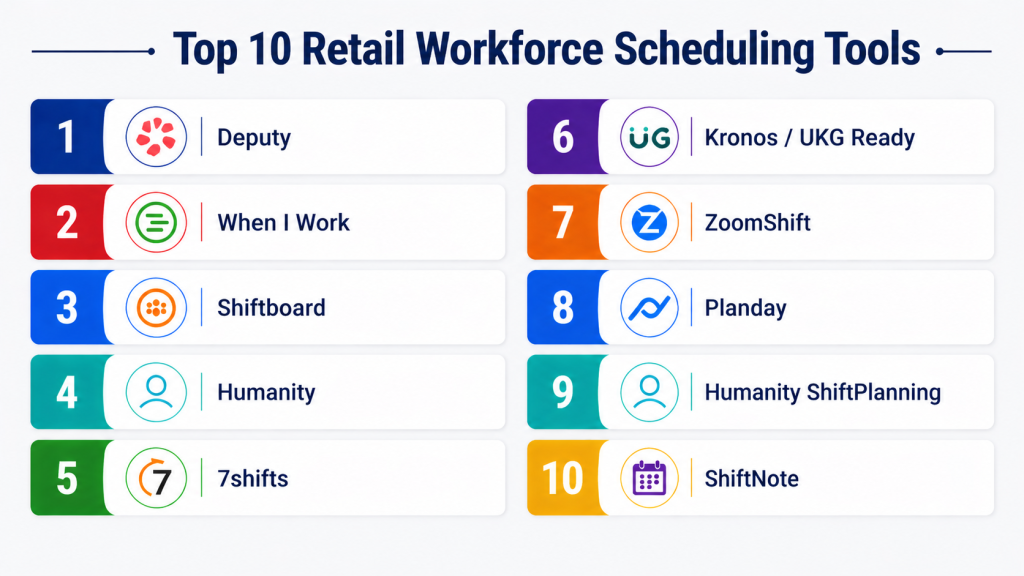
Top 10 Retail Workforce Scheduling Tools
#1 — Deputy
Short description : Deputy is a cloud-based workforce management platform for multi-location retailers, restaurants, and healthcare organizations. It automates scheduling, time tracking, and task management while providing AI-powered shift suggestions. Employees can access their schedules, request shift swaps, and log time via mobile apps. Managers benefit from labor cost reporting, compliance alerts, and payroll integration. Its flexibility suits SMBs and large enterprises alike. With a strong mobile-first approach, Deputy helps reduce administrative workload and improve employee engagement.
Key Features
- AI-driven shift scheduling
- Employee self-service portal
- Mobile apps for iOS and Android
- Timesheets and labor cost reporting
- Payroll and POS integrations
- Task management and internal communication
Pros
- Mobile-first experience for employees
- Automated compliance features
- Wide range of integrations
Cons
- Advanced reporting can be complex
- Some features require premium subscription
- Limited offline access
Platforms / Deployment
- Web / iOS / Android
- Cloud
Security & Compliance
- SSO/SAML, MFA, encryption, audit logs
- GDPR compliant
Integrations & Ecosystem
- Xero, ADP, QuickBooks, Shopify, Square
- REST API for custom workflows
- Zapier support
Support & Community
- Tiered support plans
- Knowledge base, webinars, and community forums
#2 — When I Work
Short description : When I Work is a scheduling and time-tracking solution designed for SMB retail and service teams. It simplifies creating, adjusting, and sharing schedules with a drag-and-drop interface. Employees can manage availability, request shift swaps, and receive automated notifications via mobile apps. Managers gain insights into labor costs and coverage gaps. Its intuitive design and mobile-first experience make it ideal for small teams, reducing manual effort while improving communication and engagement.
Key Features
- Drag-and-drop scheduling
- Shift swaps and coverage requests
- Real-time messaging
- Mobile apps for employees
- Automated reminders
- Basic reporting and labor tracking
Pros
- Intuitive interface
- Easy communication for shift changes
- Affordable for SMBs
Cons
- Limited advanced analytics
- Smaller integration ecosystem
- Manual labor rule enforcement may be required
Platforms / Deployment
- Web / iOS / Android
- Cloud
Security & Compliance
- MFA and role-based permissions
- Not publicly stated for SOC 2/ISO certifications
Integrations & Ecosystem
- QuickBooks, ADP, Gusto
- Zapier for custom integrations
Support & Community
- Email and chat support
- Tutorials and community forum
#3 — Shiftboard
Short description : Shiftboard is designed for large retail teams and organizations with complex scheduling needs. It provides rule-based shift assignments, compliance enforcement, and analytics dashboards. Employees can manage shifts through mobile apps, while managers gain visibility into labor utilization, coverage gaps, and compliance with labor laws. Its scalability and advanced reporting make it suitable for enterprise-level retailers with multi-location operations and high hourly workforce demands.
Key Features
- Rule-based shift assignment
- Advanced reporting dashboards
- Mobile apps
- Labor law compliance tracking
- Open shift and swap management
- HR and payroll integrations
Pros
- Scalable for enterprise teams
- Strong compliance automation
- Detailed reporting
Cons
- Complex interface for small teams
- Higher cost for SMBs
- Additional modules may be needed
Platforms / Deployment
- Web / iOS / Android
- Cloud / Hybrid
Security & Compliance
- SSO/SAML, MFA, encryption
- Not publicly stated
Integrations & Ecosystem
- ADP, Kronos, Paychex
- API support for custom integrations
Support & Community
- 24/7 support
- Documentation and webinars
#4 — Humanity
Short description : Humanity provides cloud-based workforce scheduling, time tracking, and leave management for retailers. Its AI-powered scheduler predicts optimal staffing, reduces labor costs, and ensures compliance. Employees can swap shifts, request time off, and receive mobile notifications. Managers benefit from reporting dashboards and integration with payroll systems. The platform supports multi-location retailers, simplifying operations and improving employee engagement while reducing administrative overhead.
Key Features
- AI-assisted scheduling
- Shift swaps and availability management
- Payroll integration
- Mobile notifications
- PTO and leave tracking
- Reporting and analytics
Pros
- Intuitive interface
- Flexible mobile functionality
- Comprehensive automation
Cons
- Limited advanced reporting
- Integration setup may require IT support
- No offline mode
Platforms / Deployment
- Web / iOS / Android
- Cloud
Security & Compliance
- MFA, encryption, audit logs
- GDPR compliant
Integrations & Ecosystem
- QuickBooks, ADP, Gusto, Xero
- REST API for custom workflows
Support & Community
- Email, chat, and phone support
- Knowledge base and webinars
#5 — 7shifts
Short description : 7shifts is designed primarily for restaurant and retail teams to manage scheduling, labor compliance, and analytics. Automated scheduling saves time for managers, while mobile apps allow employees to swap shifts and receive notifications. Labor law compliance is tracked in real-time. Reporting tools offer insights into staffing costs and operational efficiency. Its intuitive interface and employee engagement features make it suitable for SMBs and mid-market retail teams.
Key Features
- Automated schedule creation
- Labor compliance tracking
- Employee messaging
- Shift trade and coverage management
- Forecasting and analytics
- Mobile apps
Pros
- User-friendly mobile apps
- Strong labor compliance tools
- Intuitive reporting
Cons
- Retail features less robust than restaurant
- Limited custom reporting
- Smaller integration ecosystem
Platforms / Deployment
- Web / iOS / Android
- Cloud
Security & Compliance
- SSO, MFA, encryption
- Not publicly stated
Integrations & Ecosystem
- POS systems like Toast, Square
- Payroll via ADP, Gusto
- API for custom workflows
Support & Community
- Dedicated support tiers
- Webinars and help center
#6 — Humanity
Short description : Humanity is a cloud-based workforce scheduling solution aimed at SMB and mid-market retailers. It offers intuitive scheduling, attendance tracking, and mobile communication.
Key Features
- Drag-and-drop scheduling
- Automated shift assignment and alerts
- Time clock and attendance tracking
- Employee availability management
- Reporting and analytics
- Payroll integration
- Mobile employee app
Pros
- Simple interface and easy setup
- Strong mobile and self-service capabilities
Cons
- Less suitable for very large multi-location enterprises
- Fewer advanced compliance features
Platforms / Deployment
- Web / iOS / Android
- Cloud
Security & Compliance
- SSO/MFA, encryption
- Not publicly stated SOC 2 / ISO 27001
Integrations & Ecosystem
- Payroll: QuickBooks, Gusto, ADP
- POS: Vend, Square
- API for custom integrations
Support & Community
- Email and chat support
- Documentation and tutorials
- Community forum
#7 — 7Shifts
Short description : 7Shifts specializes in retail and restaurant scheduling, focusing on team engagement and labor cost management. Ideal for SMBs and mid-market chains looking for a mobile-friendly solution.
Key Features
- Employee scheduling and shift swapping
- Labor cost tracking and compliance alerts
- Time tracking and attendance
- Reporting dashboards
- PTO and availability management
- Mobile app for employees
- Integration with payroll and POS
Pros
- Highly user-friendly interface
- Strong focus on labor cost optimization
Cons
- Limited enterprise-level features
- Analytics are not as advanced as enterprise tools
Platforms / Deployment
- Web / iOS / Android
- Cloud
Security & Compliance
- SSO, encryption
- Not publicly stated SOC 2
Integrations & Ecosystem
- Payroll: ADP, Gusto, QuickBooks
- POS: Square, Toast, Clover
- API for custom integrations
Support & Community
- Email and chat support
- Online documentation
- Community forums
#8 — ZoomShift
Short description : ZoomShift is a scheduling and attendance tool aimed at small to mid-sized retail teams. It emphasizes simplicity, shift management, and basic reporting to reduce manual scheduling overhead.
Key Features
- Shift scheduling and notifications
- Time clock and attendance tracking
- PTO management
- Reporting and labor cost summaries
- Employee self-service app
- Integration with payroll systems
Pros
- Simple and fast to implement
- Affordable pricing for smaller teams
Cons
- Limited advanced analytics
- Not suited for large enterprises
Platforms / Deployment
- Web / iOS / Android
- Cloud
Security & Compliance
- SSO, encryption
- Not publicly stated SOC 2
Integrations & Ecosystem
- Payroll: QuickBooks, Gusto
- POS: Square, Vend
- Basic API access
Support & Community
- Email support
- Online knowledge base
- Small but growing user community
#9 — Shiftboard Enterprise
Short description : Shiftboard Enterprise provides advanced scheduling for multi-location retail organizations. It focuses on labor compliance, predictive forecasting, and complex shift management.
Key Features
- AI-driven demand forecasting
- Compliance monitoring and automated alerts
- Multi-location scheduling
- Time and attendance tracking
- Mobile apps for employees and managers
- Payroll and HR integrations
- Advanced analytics dashboards
Pros
- Enterprise-grade functionality
- Strong compliance features
Cons
- Higher pricing
- Complex implementation
Platforms / Deployment
- Web / iOS / Android
- Cloud / Hybrid
Security & Compliance
- SSO/MFA, encryption, RBAC
- Not publicly stated SOC 2 / ISO 27001
Integrations & Ecosystem
- Payroll: ADP, Paychex
- HRIS: Workday, SAP
- POS: Micros, NCR
- API for custom integrations
Support & Community
- Dedicated enterprise support
- Knowledge base, onboarding, and webinars
- Active enterprise user community
#10 — Humanity Enterprise
Short description : Humanity Enterprise extends Humanity’s scheduling platform for large retailers. It adds advanced analytics, compliance tools, and multi-location capabilities while maintaining mobile-first usability.
Key Features
- Advanced scheduling and labor forecasting
- Multi-location support
- Compliance and labor law monitoring
- Time tracking and PTO management
- Reporting and analytics dashboards
- Payroll and HRIS integration
- Employee self-service mobile app
Pros
- Balances enterprise functionality with usability
- Scalable for growing retail chains
Cons
- Pricing may be prohibitive for SMBs
- Some complex features require training
Platforms / Deployment
- Web / iOS / Android
- Cloud / Hybrid
Security & Compliance
- SSO/MFA, encryption, audit logs
- Not publicly stated SOC 2 / ISO 27001
Integrations & Ecosystem
- Payroll: ADP, QuickBooks, Gusto
- POS: Square, Vend
- API access for custom integrations
Support & Community
- Enterprise support and onboarding
- Extensive documentation and tutorials
- Active community forums
Comparison Table
| Tool Name | Best For | Platform(s) Supported | Deployment | Standout Feature | Public Rating |
|---|---|---|---|---|---|
| Kronos Workforce Central | Enterprise retail | Web / iOS / Android | Cloud / Hybrid | Advanced predictive scheduling | N/A |
| Deputy | SMB & mid-market | Web / iOS / Android | Cloud | Mobile-first scheduling | N/A |
| When I Work | SMB | Web / iOS / Android | Cloud | Simple, user-friendly interface | N/A |
| Shiftboard | Mid-market / Enterprise | Web / iOS / Android | Cloud / Hybrid | Labor compliance and forecasting | N/A |
| HotSchedules | High-volume retail | Web / iOS / Android | Cloud | Automated shift scheduling | N/A |
| Humanity | SMB / Mid-market | Web / iOS / Android | Cloud | Drag-and-drop scheduling | N/A |
| 7Shifts | Retail chains | Web / iOS / Android | Cloud | Labor cost tracking | N/A |
| ZoomShift | SMB | Web / iOS / Android | Cloud | Simple, fast scheduling | N/A |
| Shiftboard Enterprise | Enterprise retail | Web / iOS / Android | Cloud / Hybrid | AI-driven demand forecasting | N/A |
| Humanity Enterprise | Large retailers | Web / iOS / Android | Cloud / Hybrid | Multi-location scheduling | N/A |
Evaluation & Scoring of Retail Workforce Scheduling
| Tool Name | Core (25%) | Ease (15%) | Integrations (15%) | Security (10%) | Performance (10%) | Support (10%) | Value (15%) | Weighted Total (0–10) |
|---|---|---|---|---|---|---|---|---|
| Kronos Workforce Central | 9 | 7 | 8 | 8 | 9 | 8 | 7 | 8.2 |
| Deputy | 7 | 9 | 7 | 7 | 8 | 8 | 8 | 7.9 |
| When I Work | 6 | 9 | 6 | 6 | 7 | 7 | 8 | 7.0 |
| Shiftboard | 8 | 7 | 8 | 8 | 8 | 8 | 7 | 7.9 |
| HotSchedules | 8 | 7 | 7 | 7 | 8 | 7 | 7 | 7.5 |
| Humanity | 7 | 8 | 7 | 7 | 7 | 7 | 8 | 7.5 |
| 7Shifts | 7 | 9 | 6 | 6 | 7 | 7 | 8 | 7.1 |
| ZoomShift | 6 | 8 | 6 | 6 | 7 | 6 | 8 | 6.9 |
| Shiftboard Enterprise | 9 | 7 | 8 | 8 | 9 | 8 | 7 | 8.2 |
| Humanity Enterprise | 8 | 8 | 8 | 8 | 8 | 8 | 7 | 7.9 |
Scores are comparative and intended to illustrate relative strengths. Weighted totals reflect the balance
Which Retail Workforce Scheduling Is Right for You?
Solo / Freelancer
A simple tool like ZoomShift or When I Work is sufficient for managing schedules and tracking availability for small teams.
SMB
Tools like 7shifts, Humanity, or Planday balance cost, usability, and essential features for multi-location or mid-sized stores.
Mid-Market
Deputy and Snap Schedule offer advanced forecasting, compliance, and reporting to manage growing teams efficiently.
Enterprise
Shiftboard Enterprise or HotSchedules scale across hundreds of locations with enterprise-grade compliance, automation, and analytics.
Budget vs Premium
Smaller retailers should prioritize lightweight, affordable SaaS platforms. Enterprises benefit from premium solutions with AI-driven scheduling and compliance automation.
Feature Depth vs Ease of Use
Choose simpler interfaces for teams with limited technical expertise; select feature-rich platforms when complex forecasting or compliance tracking is required.
Integrations & Scalability
Evaluate your POS, payroll, and HRIS ecosystem. Scalable platforms ensure multi-location consistency and API-based automation.
Security & Compliance Needs
Retailers in regulated regions or with sensitive employee data should prioritize SOC 2 or ISO 27001 certified tools with strong MFA, SSO, and audit capabilities.
Frequently Asked Questions (FAQs)
1. How much do these tools cost?
Pricing varies based on employee count, feature tier, and deployment model. Some platforms charge per employee per month, while others use subscription tiers. Free trials may be available to test core features before committing to a paid plan.
2. How long does implementation take?
Simple cloud-based tools can be deployed in a few days. Enterprise-grade platforms with multi-location and integration requirements may require several weeks for full configuration and onboarding.
3. Can employees swap shifts easily?
Most platforms offer mobile apps or web portals for employees to request swaps, coverage, or time off. Managers can approve changes in real time, reducing scheduling conflicts and administrative overhead.
4. Are these tools compliant with labor laws?
Enterprise solutions automate compliance with labor regulations, overtime limits, and union rules. SMB tools may require some manual checks, so ensure your platform aligns with your jurisdiction’s laws.
5. Do these tools integrate with payroll?
Yes, many integrate with payroll providers such as ADP, Gusto, QuickBooks, and Xero. APIs allow custom integration for unique business workflows and reporting.
6. Can I scale across multiple locations?
Platforms like Deputy, Kronos, and Shiftboard are designed for multi-location retail operations, supporting centralized scheduling, reporting, and labor management for large teams.
7. How secure is employee data?
Look for MFA, SSO, encryption, audit logs, and role-based access control. Enterprise-grade platforms often have SOC 2 and GDPR compliance to protect sensitive information.
8. Are AI features available?
AI is increasingly used for predictive staffing, auto-scheduling, and labor cost optimization. It improves accuracy in aligning staffing with customer demand.
9. How steep is the learning curve?
Mobile-first platforms like ZoomShift and When I Work are intuitive. Enterprise platforms such as Kronos/UKG require dedicated administrator training for advanced features.
10. Can I switch tools later if needed?
Most platforms support data export and API-based migration, simplifying transitions to new scheduling tools while preserving historical scheduling data.
Conclusion
Retail workforce scheduling has become a critical tool for improving operational efficiency, reducing labor costs, and enhancing employee satisfaction. In 2026, solutions leverage AI, mobile-first design, and strong integrations to support complex staffing scenarios across multi-location retailers. The right platform ensures compliance, accurate forecasting, and seamless communication between employees and managers.
Selecting the best tool depends on your team size, operational complexity, and integration needs. SMBs may prioritize ease of use and affordability, while enterprises require advanced compliance, reporting, and scalability. Mobile access and employee self-service have become essential features across all segments.
A practical approach is to shortlist 2–3 tools, run pilot schedules, validate integration with HR, payroll, and POS systems, and gather employee feedback. This ensures the chosen platform balances automation, usability, and compliance, ultimately driving efficiency and workforce engagement.
