Introduction
Restaurant Delivery Dispatch Tools are software solutions designed to optimize the process of assigning, tracking, and managing delivery orders from restaurants to customers. These tools streamline delivery workflows, reduce delays, improve customer satisfaction, and allow restaurants to scale operations without adding unnecessary overhead. In 2026, with the continued growth of online ordering, third-party delivery platforms, and cloud kitchens, having a robust delivery dispatch system is critical to maintaining operational efficiency and meeting customer expectations.
Real-world use cases include:
- Quick-service restaurants managing high-volume delivery orders efficiently.
- Full-service restaurants coordinating in-house and third-party delivery drivers.
- Ghost kitchens optimizing multi-brand delivery logistics from a single location.
- Multi-location chains maintaining real-time visibility over orders and drivers.
- Catering services ensuring timely delivery for events and large orders.
Buyers should evaluate:
- Ease of use for staff and drivers.
- Integration capabilities with POS, online ordering, and mapping software.
- Real-time tracking and routing for deliveries.
- Driver assignment automation and route optimization.
- Analytics and reporting for performance insights.
- Scalability to handle multiple locations and high volumes.
- Custom workflows for order prioritization.
- Notification and communication features for customers and staff.
- Cloud vs on-prem deployment considerations.
- Support & community resources for onboarding and troubleshooting.
Best for: Restaurant managers, delivery coordinators, cloud kitchen operators, and multi-location restaurant chains seeking to streamline delivery operations.
Not ideal for: Small single-location restaurants with low delivery volume, or restaurants relying solely on in-house staff without real-time order tracking needs.
Key Trends in Restaurant Delivery Dispatch Tools
- AI-powered route optimization for faster deliveries and lower fuel costs.
- Cloud-based platforms offering multi-location management and scalability.
- Integration with POS systems and third-party delivery apps for seamless order flow.
- Real-time driver tracking and order status updates for better customer experience.
- Predictive analytics for demand forecasting and resource allocation.
- Mobile-first interfaces for drivers and dispatch staff.
- Customizable workflows for handling priority or high-value orders.
- Contactless delivery features integrated with customer notifications.
- Subscription and pay-as-you-grow pricing models for flexible budgeting.
- Enhanced security and compliance, including encrypted data and access controls.
How We Evaluated Restaurant Delivery Dispatch Tools
- Market adoption and brand recognition across restaurants and cloud kitchens.
- Feature completeness including routing, dispatch, and real-time tracking.
- Reliability and performance signals under peak delivery volumes.
- Security posture including encryption, role-based access, and audit trails.
- Integration ecosystem with POS systems, online ordering platforms, and mapping tools.
- Fit for diverse customer segments: SMB, mid-market, enterprise.
- Ease of onboarding for dispatch staff and drivers.
- Flexibility in deployment: cloud, hybrid, or mobile-first solutions.
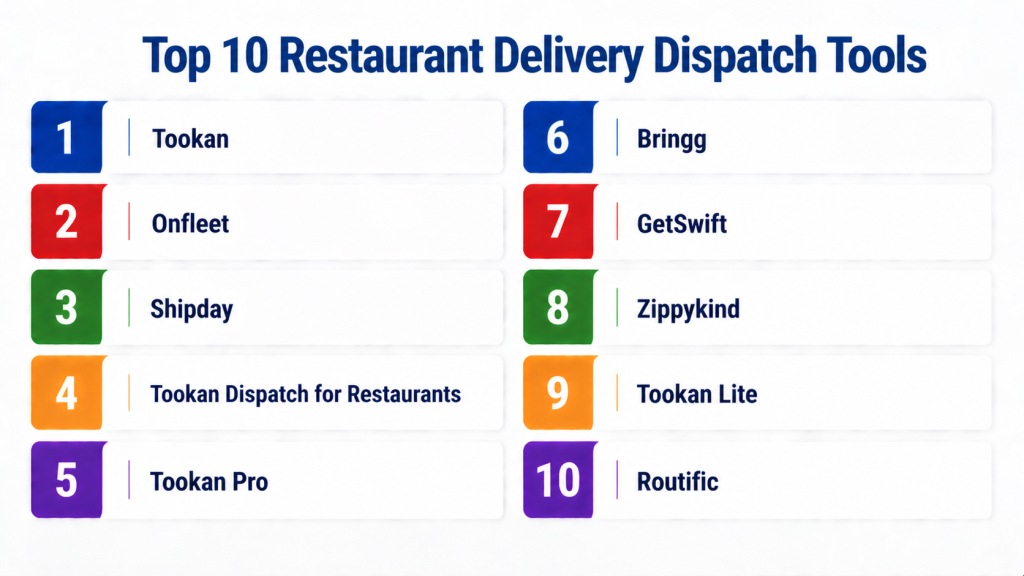
Top 10 Restaurant Delivery Dispatch Tools
#1 — Tookan
Short description: Tookan is a comprehensive delivery management platform designed for restaurants, courier services, and cloud kitchens. It streamlines dispatch, automates route assignment, and provides real-time tracking for orders and drivers.
Key Features
- Automated order assignment and route optimization
- Real-time driver tracking
- Customer notifications and SMS alerts
- Multi-location management
- Analytics dashboards for performance monitoring
- Integration with POS and online ordering platforms
Pros
- Highly customizable workflows
- Scalable for small and enterprise operations
Cons
- Can be complex for very small restaurants
- Requires initial setup and training
Platforms / Deployment
- Web / iOS / Android
- Cloud-based
Security & Compliance
- Not publicly stated, standard encryption and access controls
Integrations & Ecosystem
- POS systems, online ordering platforms, mapping APIs
- Custom API integrations supported
Support & Community
- Dedicated support, onboarding, knowledge base
#2 — Onfleet
Short description: Onfleet focuses on simplifying delivery logistics for restaurants and courier services. It offers real-time tracking, automatic dispatch, and driver communication features to enhance delivery efficiency.
Key Features
- Smart route optimization and auto-dispatch
- Real-time driver and order tracking
- Proof of delivery capture (signature, photo, or OTP)
- Customer notifications via SMS or email
- Analytics and reporting for operational insights
Pros
- Clean, intuitive user interface
- Strong mobile support for drivers
Cons
- Can be expensive for small-scale operations
- Limited built-in POS integrations
Platforms / Deployment
- Web / iOS / Android
- Cloud-based
Security & Compliance
- Not publicly stated
- Standard encryption and access controls
Integrations & Ecosystem
- Online ordering apps, POS systems, API for custom connections
Support & Community
- 24/7 support, documentation, training resources
#3 — Shipday
Short description: Shipday provides restaurants with a simple, mobile-first delivery dispatch platform. It focuses on optimizing delivery routes, assigning drivers efficiently, and tracking orders in real time.
Key Features
- Driver tracking and route optimization
- Automatic order assignment
- Customer notifications and ETAs
- Multi-location order management
- Analytics and reporting dashboards
Pros
- Easy to deploy and use
- Affordable for small to mid-size restaurants
Cons
- Limited advanced reporting
- Some integrations require third-party connectors
Platforms / Deployment
- Web / iOS / Android
- Cloud-based
Security & Compliance
- Not publicly stated
Integrations & Ecosystem
- POS platforms, delivery marketplaces, API support
Support & Community
- Email support, knowledge base, limited community forums
#4 — Tookan Dispatch for Restaurants
Short description: Specialized version of Tookan tailored for restaurants, offering automated routing, real-time tracking, and analytics to ensure fast and accurate deliveries.
Key Features
- AI-driven route optimization
- Real-time driver monitoring
- Customer communication via SMS/email
- Analytics for performance and delivery times
- Multi-brand support for cloud kitchens
Pros
- Powerful automation for high-volume operations
- Scalable across locations
Cons
- Steeper learning curve for smaller teams
- Pricing may be higher for SMBs
Platforms / Deployment
- Web / iOS / Android
- Cloud-based
Security & Compliance
- Standard encryption, access control
Integrations & Ecosystem
- POS and ordering platforms, APIs for custom integrations
Support & Community
- Onboarding support, knowledge base, customer success
#5 — Tookan Pro
Short description: Designed for enterprise delivery operations, Tookan Pro offers advanced dispatch automation, multi-location support, and detailed operational analytics for restaurant chains.
Key Features
- Enterprise-grade routing and dispatch
- Real-time driver tracking with notifications
- Multi-location and multi-brand support
- Advanced analytics and reporting
- Customer communication tools
Pros
- Scalable for large restaurant chains
- Advanced reporting and KPIs
Cons
- More expensive than SMB solutions
- Requires technical onboarding
Platforms / Deployment
- Web / iOS / Android
- Cloud-based
Security & Compliance
- Encryption in transit, standard access controls
Integrations & Ecosystem
- POS systems, online ordering, APIs
Support & Community
- Dedicated enterprise support, training programs
#6 — Bringg
Short description: Bringg offers an end-to-end delivery management platform for restaurants and food chains. It emphasizes real-time visibility, customer notifications, and integration with existing POS and ordering systems.
Key Features
- Automated driver dispatch and routing
- Real-time order tracking
- Proof of delivery and customer notifications
- Multi-location support
- Analytics for operational efficiency
Pros
- Enterprise-ready, highly customizable
- Strong mobile and web apps
Cons
- Higher pricing for smaller restaurants
- Setup may require technical resources
Platforms / Deployment
- Web / iOS / Android
- Cloud-based
Security & Compliance
- Standard encryption, access control
- Not publicly stated
Integrations & Ecosystem
- POS, delivery apps, API integration
Support & Community
- Dedicated support, onboarding, knowledge base
#7 — GetSwift
Short description: GetSwift is a cloud-based delivery dispatch system offering real-time order tracking, automated driver assignment, and route optimization for restaurants of all sizes.
Key Features
- Smart dispatch and routing
- Real-time driver and order tracking
- Customer notifications and ETA updates
- Multi-location management
- Analytics dashboards
Pros
- Simple and intuitive interface
- Cost-effective for mid-size restaurants
Cons
- Limited advanced features for enterprise
- Some integrations require API work
Platforms / Deployment
- Web / iOS / Android
- Cloud-based
Security & Compliance
- Not publicly stated
Integrations & Ecosystem
- POS, online ordering, mapping APIs
Support & Community
- Standard email support, documentation
#8 — Zippykind
Short description: Zippykind provides route optimization and delivery management for restaurants and small businesses, with real-time tracking and driver communication tools.
Key Features
- Real-time driver tracking
- Automatic order dispatch
- Route optimization for multiple stops
- Customer notifications
- Reporting dashboards
Pros
- Affordable and simple for small businesses
- Mobile-first platform
Cons
- Limited advanced analytics
- Less suitable for large enterprise operations
Platforms / Deployment
- Web / iOS / Android
- Cloud-based
Security & Compliance
- Not publicly stated
Integrations & Ecosystem
- POS, online ordering, mapping integrations
Support & Community
- Email support, knowledge base
#9 — Tookan Lite
Short description: A lightweight version of Tookan aimed at small to medium restaurants, providing core dispatch features, driver tracking, and basic reporting.
Key Features
- Automated dispatch and route assignment
- Real-time driver tracking
- Customer notifications
- Basic analytics and reporting
- Simple multi-location support
Pros
- Easy to adopt and affordable
- Ideal for SMBs
Cons
- Lacks enterprise-level analytics
- Limited integration options
Platforms / Deployment
- Web / iOS / Android
- Cloud-based
Security & Compliance
- Standard encryption, access controls
Integrations & Ecosystem
- POS and online ordering integrations
Support & Community
- Standard support, knowledge base
#10 — Routific
Short description: Routific is a delivery routing and dispatch tool that focuses on optimizing routes, reducing delivery time, and improving efficiency for restaurants and catering services.
Key Features
- Route optimization with multi-stop planning
- Real-time driver tracking
- ETA and customer notifications
- Performance analytics
- Integration with POS and ordering platforms
Pros
- Strong focus on route efficiency
- Affordable and scalable
Cons
- Limited features outside routing
- Enterprise features may require premium plans
Platforms / Deployment
- Web / iOS / Android
- Cloud-based
Security & Compliance
- Not publicly stated
Integrations & Ecosystem
- POS systems, delivery apps, API support
Support & Community
- Email and chat support, documentation
Comparison Table (Top 10)
| Tool Name | Best For | Platform(s) Supported | Deployment | Standout Feature | Public Rating |
|---|---|---|---|---|---|
| Tookan | SMB & enterprise | Web, iOS, Android | Cloud | AI routing & real-time tracking | N/A |
| Onfleet | Enterprise & chains | Web, iOS, Android | Cloud | Auto-dispatch & driver tracking | N/A |
| Shipday | SMB | Web, iOS, Android | Cloud | Simple mobile-first dispatch | N/A |
| Tookan Dispatch for Restaurants | Multi-brand kitchens | Web, iOS, Android | Cloud | AI-driven routing | N/A |
| Tookan Pro | Enterprise | Web, iOS, Android | Cloud | Advanced dispatch & analytics | N/A |
| Bringg | Enterprise | Web, iOS, Android | Cloud | End-to-end delivery management | N/A |
| GetSwift | Mid-size restaurants | Web, iOS, Android | Cloud | Route optimization & tracking | N/A |
| Zippykind | SMB | Web, iOS, Android | Cloud | Route optimization & tracking | N/A |
| Tookan Lite | SMB | Web, iOS, Android | Cloud | Core dispatch for SMB | N/A |
| Routific | SMB & catering | Web, iOS, Android | Cloud | Route efficiency & ETA | N/A |
Evaluation & Scoring of Restaurant Delivery Dispatch Tools
| Tool Name | Core (25%) | Ease (15%) | Integrations (15%) | Security (10%) | Performance (10%) | Support (10%) | Value (15%) | Weighted Total (0–10) |
|---|---|---|---|---|---|---|---|---|
| Tookan | 9 | 8 | 8 | 7 | 9 | 8 | 8 | 8.2 |
| Onfleet | 9 | 8 | 7 | 8 | 9 | 8 | 7 | 8.1 |
| Shipday | 7 | 9 | 6 | 7 | 8 | 7 | 8 | 7.5 |
| Tookan Dispatch for Restaurants | 8 | 7 | 7 | 7 | 8 | 7 | 7 | 7.5 |
| Tookan Pro | 9 | 7 | 8 | 7 | 9 | 8 | 6 | 7.9 |
| Bringg | 8 | 7 | 8 | 7 | 8 | 7 | 7 | 7.6 |
| GetSwift | 7 | 8 | 7 | 7 | 8 | 7 | 8 | 7.6 |
| Zippykind | 7 | 8 | 6 | 7 | 8 | 7 | 8 | 7.5 |
| Tookan Lite | 7 | 9 | 6 | 7 | 8 | 7 | 8 | 7.6 |
| Routific | 7 | 8 | 6 | 7 | 8 | 7 | 8 | 7.5 |
Interpretation: Scores are comparative to help restaurants evaluate dispatch tools based on core features, usability, integrations, and value. High scores indicate strong performance for delivery optimization.
Which Restaurant Delivery Dispatch Tool Is Right for You?
Solo / Freelancer
Small delivery-only restaurants or independent kitchens can use Shipday or Tookan Lite for basic dispatch, mobile tracking, and simple analytics.
SMB
Medium-sized restaurants benefit from GetSwift, Zippykind, or Tookan, balancing ease of use with real-time tracking and multi-location support.
Mid-Market
Growing chains and cloud kitchens should consider Onfleet, Tookan Dispatch, or Bringg for advanced routing, real-time monitoring, and analytics.
Enterprise
High-volume operations, multi-brand kitchens, or catering companies require Tookan Pro, Bringg, or Onfleet Enterprise for scalable workflows, custom integrations, and detailed reporting.
Budget vs Premium
Cloud-based SMB solutions reduce costs with essential dispatch features, while enterprise tools offer full customization, analytics, and multi-location management for higher budgets.
Feature Depth vs Ease of Use
Simpler tools like Shipday prioritize ease of use. Enterprise solutions like Bringg focus on full feature depth, requiring training and onboarding for staff.
Integrations & Scalability
Assess how the tool integrates with POS, online ordering, mapping services, and third-party delivery apps. Enterprise-grade tools scale across locations and support multi-brand kitchens efficiently.
Security & Compliance Needs
Consider data protection, access controls, and encryption. Enterprise tools may offer advanced security features to protect customer and order data across multiple locations.
Frequently Asked Questions (FAQs)
1. What is a restaurant delivery dispatch tool?
These tools manage the assignment, routing, and tracking of deliveries from restaurants to customers. They improve order accuracy, optimize delivery routes, and provide real-time updates to staff and customers.
2. Are these tools suitable for small restaurants?
Yes, lightweight solutions like Tookan Lite or Shipday are cost-effective and easy to deploy, allowing small teams to manage delivery efficiently without complex systems.
3. How do dispatch tools integrate with POS and ordering apps?
Most platforms provide APIs or native integrations that allow orders from POS or third-party delivery apps to appear automatically, reducing manual input and errors.
4. What devices are supported for delivery dispatch?
Web dashboards, mobile apps for iOS and Android, and tablet interfaces are common. Cloud-based solutions allow drivers and dispatch staff to use existing devices for real-time updates.
5. Can dispatch tools optimize delivery routes?
Yes, tools like Onfleet, Routific, and Bringg use AI or smart algorithms to optimize routes, reduce delivery time, and improve efficiency for multiple drivers and stops.
6. How long does setup take?
For small restaurants, setup can take a few hours. Enterprise or multi-location setups may require days for configuration, staff training, and integration with POS or ordering platforms.
7. Are these tools secure?
Most platforms implement encryption, role-based access, and audit trails. Enterprise tools may offer advanced compliance with PCI and other standards to protect customer and order data.
8. Can they handle multi-location operations?
Yes, enterprise and cloud-based dispatch tools support multi-location restaurants, enabling centralized management and real-time tracking of drivers across all sites.
9. Do these tools provide analytics?
Yes, analytics dashboards provide insights into delivery performance, driver efficiency, and customer satisfaction, helping optimize operations and reduce costs.
10. Are there alternatives for small operations?
For very small restaurants, manual tracking or simple POS-integrated order management can suffice. However, even small operations benefit from dispatch tools for real-time tracking and efficiency.
Conclusion
Restaurant Delivery Dispatch Tools are essential for managing timely and efficient deliveries in the modern food service landscape. They help restaurants optimize routes, assign drivers intelligently, and maintain high customer satisfaction. Choosing the right tool depends on restaurant size, order volume, and integration needs with POS and delivery platforms.
For small and medium restaurants, lightweight tools like Shipday, Zippykind, or Tookan Lite provide affordability, ease of use, and mobile-friendly interfaces. Growing chains and multi-location operations should consider Onfleet, Bringg, or Tookan Pro for advanced routing, analytics, and scalable workflows. Decision-makers should balance feature depth, usability, and cost when selecting a dispatch solution.
Ultimately, the best tool is one that aligns with your operational needs, supports scalability, and integrates seamlessly with your existing systems. Shortlist 2–3 platforms, run a pilot, and validate tracking, routing, and customer notifications to ensure your restaurant delivers efficiently, accurately, and profitably.
