Introduction
Remote Backup for SaaS Tools refers to software solutions that securely back up data stored in cloud applications. These tools help businesses recover critical information quickly in case of accidental deletion, security breaches, or data corruption. Unlike traditional on-premises backups, remote SaaS backups operate entirely in the cloud, offering flexibility, scalability, and seamless integration with modern software environments.
The adoption of SaaS platforms across businesses has made reliable backup solutions essential. With remote work and hybrid models becoming standard, organizations rely on cloud tools more than ever, making data protection a top priority.
Real-world use cases include:
- Recovering accidentally deleted emails, files, or contacts in SaaS applications such as Microsoft 365 or Google Workspace
- Protecting critical financial, HR, or operational data in cloud-based systems
- Ensuring compliance by storing immutable backups for auditing purposes
- Mitigating risks from ransomware, phishing attacks, or insider threats
- Supporting smooth migration or restoration when changing SaaS providers
Buyers evaluating Remote Backup for SaaS Tools should consider:
- Platform compatibility (email, CRM, storage, productivity apps)
- Backup frequency and automation
- Security and encryption features
- Compliance certifications like SOC 2, ISO 27001, GDPR, HIPAA
- Storage options and geographic redundancy
- Ease of restoration and granular recovery capabilities
- Integration with existing IT ecosystem
- Pricing model and scalability
- Support and onboarding quality
Best for: IT managers, system administrators, security teams, SaaS-heavy businesses, SMBs, and enterprises.
Not ideal for: Organizations with minimal cloud usage, businesses with already robust local backup infrastructure, or those with highly specialized custom platforms that may not integrate effectively.
Key Trends in Remote Backup for SaaS Tools
- AI-driven data classification prioritizes critical information for backup
- Automation ensures real-time monitoring and minimal data loss
- Cross-platform interoperability integrates multiple SaaS applications
- Compliance support with SOC 2, ISO 27001, GDPR, HIPAA
- Cloud-native deployments with multi-region redundancy
- Granular restoration for individual files, emails, or database entries
- Integration with ransomware detection and cybersecurity tools
- Flexible pricing models including per-user or per-app subscriptions
- Advanced reporting and analytics for administrators
- Automated data lifecycle management for retention and deletion policies
How We Selected These Tools
- Evaluated market adoption and user mindshare across industries
- Assessed feature completeness including backup, restore, automation, and reporting
- Considered reliability and performance signals from uptime and recovery testing
- Reviewed security posture including encryption, access controls, and compliance certifications
- Analyzed integrations with widely used SaaS platforms
- Measured customer fit for SMBs, mid-market, and enterprise organizations
- Examined product maturity and vendor stability
- Evaluated ease of use and onboarding experience
- Reviewed pricing transparency and scalability options
- Considered community support, documentation quality, and training resources
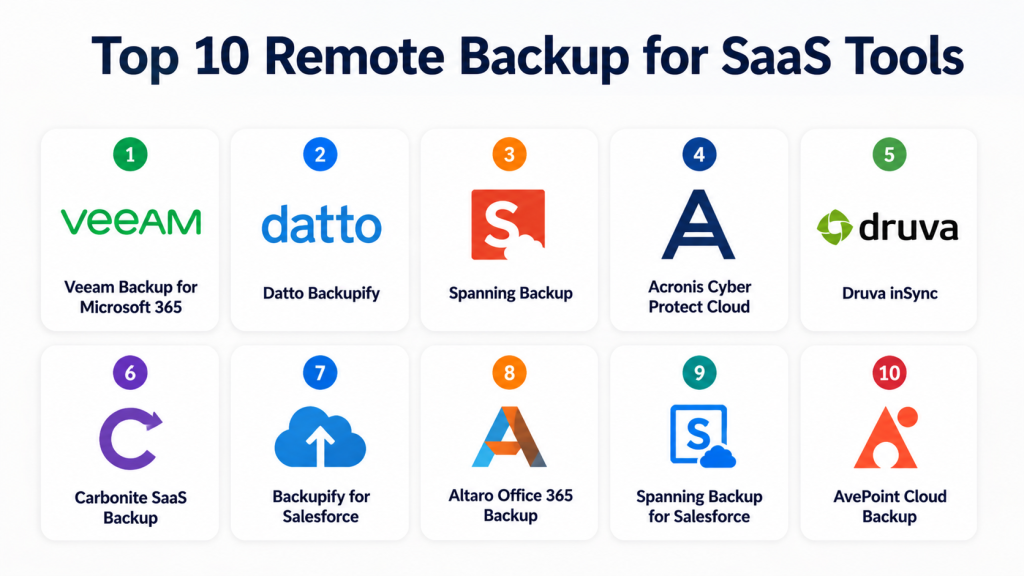
Top 10 Remote Backup for SaaS Tools
#1 — Veeam Backup for Microsoft 365
Short description: Comprehensive cloud backup for Microsoft 365, ideal for IT teams in SMBs and enterprises. Ensures emails, SharePoint, OneDrive, and Teams data is protected and recoverable.
Key Features
- Automated daily backups with incremental updates
- Granular recovery for emails, files, and Teams chats
- Role-based access controls for admins
- Multi-tenant support for service providers
- End-to-end encryption for data in transit and at rest
- Flexible retention policies
- Integration with major storage providers
Pros
- Rapid recovery reduces downtime
- Strong compliance and security capabilities
Cons
- Higher pricing for small teams
- Advanced features may require technical expertise
Platforms / Deployment
- Windows / Web
- Cloud / Hybrid
Security & Compliance
- SSO/SAML, MFA, encryption
- SOC 2, ISO 27001, GDPR
Integrations & Ecosystem
Supports Microsoft 365 apps plus:
- SharePoint, OneDrive, Teams
- APIs for custom integrations
- Cloud storage: AWS, Azure, Google Cloud
Support & Community
- Extensive documentation and webinars
- Tiered support plans
- Active user community
#2 — Datto Backupify
Short description: Cloud-to-cloud backup for SaaS applications, targeting SMBs for simple automated protection of Google Workspace and Microsoft 365 data.
Key Features
- Automated daily backups
- Unlimited storage retention
- Data encryption in transit and at rest
- Granular item-level restore
- Admin dashboards for monitoring
- Restore to original or alternate accounts
- Multi-region storage redundancy
Pros
- Quick setup and easy administration
- Strong focus on SMB cloud data protection
Cons
- Limited customization for enterprise workflows
- Pricing scales with user count
Platforms / Deployment
- Web
- Cloud
Security & Compliance
- Encryption, MFA
- SOC 2, GDPR
Integrations & Ecosystem
- Google Workspace, Microsoft 365
- API access for automation
- Extensible via Datto platform
Support & Community
- 24/7 support
- Extensive documentation
- Active community forums
#3 — Spanning Backup
Short description: Enterprise-ready SaaS backup for Google Workspace, Microsoft 365, and Salesforce, offering automated protection and recovery.
Key Features
- Daily automated backup
- Unlimited retention options
- Multi-org support
- Secure encryption for all backups
- Restore to individual items or full accounts
- Customizable retention policies
- Compliance-ready reporting
Pros
- Intuitive interface and fast restores
- Strong data security and compliance features
Cons
- Enterprise pricing may not suit SMBs
- Limited advanced analytics
Platforms / Deployment
- Web, Windows, macOS
- Cloud
Security & Compliance
- Encryption, MFA
- SOC 2, ISO 27001, HIPAA
Integrations & Ecosystem
- Google Workspace, Microsoft 365, Salesforce
- APIs for automation and reporting
Support & Community
- Responsive support teams
- Comprehensive knowledge base
- Webinars for training
#4 — Acronis Cyber Protect Cloud
Short description: Integrated platform combining backup, recovery, and cybersecurity for SaaS applications.
Key Features
- SaaS backup automation
- Cybersecurity integration for ransomware protection
- Multi-cloud backup options
- Granular recovery
- Role-based access control
- Advanced reporting
- Flexible storage options
Pros
- Combines backup and cyber protection
- Enterprise-ready features
Cons
- Steeper learning curve
- Licensing complexity
Platforms / Deployment
- Web, Windows, macOS
- Cloud / Hybrid
Security & Compliance
- Encryption, MFA, RBAC
- SOC 2, ISO 27001, GDPR
Integrations & Ecosystem
- Microsoft 365, Google Workspace, Salesforce
- APIs for automation and monitoring
Support & Community
- Multi-tier support
- Extensive documentation
- Active user forums
#5 — Druva inSync
Short description: Cloud-native backup for endpoints and SaaS applications, ideal for distributed teams needing protection and compliance.
Key Features
- Continuous backup for SaaS apps
- Endpoint protection integration
- Role-based recovery
- GDPR and HIPAA support
- Multi-region cloud storage
- AI-powered data classification
- Detailed audit logs
Pros
- Strong endpoint and SaaS coverage
- Cloud-native, minimal infrastructure overhead
Cons
- Some features complex for SMBs
- Advanced setup may require professional services
Platforms / Deployment
- Windows, macOS, iOS, Android
- Cloud
Security & Compliance
- Encryption, MFA, RBAC
- SOC 2, ISO 27001, HIPAA
Integrations & Ecosystem
- Google Workspace, Microsoft 365
- API for custom integrations
- Extensible with security solutions
Support & Community
- 24/7 global support
- Detailed online documentation
- Community forums
#6 — Carbonite SaaS Backup
Short description: Focused on SMBs to protect cloud applications with automated recovery and monitoring.
Key Features
- Automated daily backups
- SaaS app coverage: email, docs, CRM
- Granular restore options
- Multi-region storage
- Encryption in transit and at rest
- Admin reporting dashboards
- Retention management
Pros
- Affordable for SMBs
- Easy setup and maintenance
Cons
- Limited advanced customization
- Focused on small to medium environments
Platforms / Deployment
- Web, Windows
- Cloud
Security & Compliance
- Encryption
- SOC 2, GDPR
Integrations & Ecosystem
- Microsoft 365, Google Workspace
- Basic API capabilities
Support & Community
- Responsive support
- Online knowledge base
- Limited community forums
#7 — Backupify for Salesforce
Short description: Cloud-to-cloud backup solution for Salesforce data, including custom objects and attachments.
Key Features
- Daily automated Salesforce backup
- Restore individual records or objects
- Multi-org support
- Compliance reporting
- Role-based access
- Data encryption
- Unlimited storage retention
Pros
- Tailored for Salesforce
- Granular recovery options
Cons
- Focused only on Salesforce
- Enterprise-oriented pricing
Platforms / Deployment
- Web
- Cloud
Security & Compliance
- Encryption, MFA
- SOC 2, GDPR
Integrations & Ecosystem
- Salesforce CRM only
- APIs for automation
Support & Community
- Strong vendor support
- Knowledge base available
- Limited online community
#8 — Altaro Office 365 Backup
Short description: Backup and recovery for Microsoft 365 with SMB-focused simplicity.
Key Features
- Automated daily backups
- Granular restore for emails, files, SharePoint
- Multi-tenant management
- Encryption in transit and at rest
- Retention policies
- Admin dashboards
- Restore to original or alternate accounts
Pros
- Easy deployment for SMBs
- Fast restoration and simple interface
Cons
- Limited SaaS coverage outside Office 365
- Advanced enterprise features lacking
Platforms / Deployment
- Web, Windows
- Cloud
Security & Compliance
- Encryption
- SOC 2, GDPR
Integrations & Ecosystem
- Microsoft 365
- API for basic automation
Support & Community
- Online help resources
- Responsive support
- Limited community
#9 — Spanning Backup for Salesforce
Short description: Enterprise-grade backup for Salesforce, focusing on automated cloud-to-cloud protection and compliance.
Key Features
- Daily automated backups
- Granular restore and point-in-time recovery
- Multi-org support
- Encryption at rest and in transit
- Detailed auditing and reporting
- Admin dashboards
- Retention customization
Pros
- Strong Salesforce integration
- Compliance and security ready
Cons
- Not a general-purpose SaaS backup
- Pricing aimed at mid-market and enterprise
Platforms / Deployment
- Web
- Cloud
Security & Compliance
- Encryption, MFA
- SOC 2, ISO 27001
Integrations & Ecosystem
- Salesforce CRM
- API for automation
Support & Community
- Professional support
- Documentation available
- Limited online community
#10 — AvePoint Cloud Backup
Short description: Comprehensive backup platform for Microsoft 365, Teams, and SharePoint, suited for mid-market and enterprise customers.
Key Features
- Automated daily backups
- Granular recovery of files and emails
- Multi-tenant support
- Role-based access and audit logging
- Compliance-ready features
- Retention policies and flexible storage
- Admin dashboards
Pros
- Enterprise-grade scalability
- Strong Microsoft 365 coverage
Cons
- May be complex for smaller teams
- Learning curve for configuration
Platforms / Deployment
- Web, Windows, macOS
- Cloud
Security & Compliance
- Encryption, MFA, RBAC
- SOC 2, ISO 27001, GDPR
Integrations & Ecosystem
- Microsoft 365, Teams, SharePoint
- APIs for automation
Support & Community
- Extensive documentation
- Support tiers available
- Active community and webinars
Comparison Table
| Tool Name | Best For | Platform(s) Supported | Deployment | Standout Feature | Public Rating |
|---|---|---|---|---|---|
| Veeam Backup for Microsoft 365 | SMB/Enterprise IT teams | Windows, Web | Cloud / Hybrid | Granular recovery for Teams and SharePoint | N/A |
| Datto Backupify | SMBs | Web | Cloud | Unlimited storage retention | N/A |
| Spanning Backup | Enterprise | Web, Windows, macOS | Cloud | Multi-org SaaS backup | N/A |
| Acronis Cyber Protect Cloud | Enterprise/Security-conscious | Web, Windows, macOS | Cloud / Hybrid | Integrated cybersecurity + backup | N/A |
| Druva inSync | Distributed teams | Windows, macOS, iOS, Android | Cloud | Endpoint + SaaS backup | N/A |
| Carbonite SaaS Backup | SMBs | Windows, Web | Cloud | Simple SaaS backup & recovery | N/A |
| Backupify for Salesforce | Salesforce-heavy enterprises | Web | Cloud | Salesforce-specific granular backup | N/A |
| Altaro Office 365 Backup | SMBs | Windows, Web | Cloud | Fast restore for Office 365 | N/A |
| Spanning Backup for Salesforce | Mid-market/Enterprise | Web | Cloud | Point-in-time Salesforce restore | N/A |
| AvePoint Cloud Backup | Enterprise | Web, Windows, macOS | Cloud | Multi-tenant and compliance-ready | N/A |
Evaluation & Scoring
| Tool Name | Core | Ease | Integrations | Security | Performance | Support | Value | Weighted Total |
|---|---|---|---|---|---|---|---|---|
| Veeam Backup for Microsoft 365 | 9 | 8 | 8 | 9 | 9 | 8 | 7 | 8.6 |
| Datto Backupify | 8 | 9 | 7 | 8 | 8 | 8 | 9 | 8.3 |
| Spanning Backup | 9 | 8 | 8 | 9 | 8 | 8 | 7 | 8.5 |
| Acronis Cyber Protect Cloud | 9 | 7 | 8 | 9 | 9 | 8 | 6 | 8.2 |
| Druva inSync | 8 | 7 | 8 | 9 | 8 | 7 | 7 | 7.9 |
| Carbonite SaaS Backup | 7 | 9 | 6 | 8 | 7 | 7 | 9 | 7.7 |
| Backupify for Salesforce | 8 | 8 | 7 | 9 | 8 | 7 | 7 | 7.9 |
| Altaro Office 365 Backup | 7 | 9 | 6 | 8 | 7 | 7 | 8 | 7.8 |
| Spanning Backup for Salesforce | 8 | 8 | 7 | 9 | 8 | 7 | 7 | 7.9 |
| AvePoint Cloud Backup | 9 | 7 | 8 | 9 | 8 | 8 | 6 | 8.1 |
Weighted totals show comparative strengths across features, usability, integrations, security, performance, support, and value.
Which Remote Backup for SaaS Tools Is Right for You?
Solo / Freelancer
Choose lightweight, cost-effective options like Carbonite or Altaro. Focus on easy setup and quick restoration.
SMB
Datto Backupify and Veeam provide a balance of automation, cost, and compliance.
Mid-Market
Spanning Backup, AvePoint, and Backupify for Salesforce offer multi-tenant support and granular recovery.
Enterprise
Acronis, Druva, and Veeam are best for enterprise-scale environments with compliance requirements.
Budget vs Premium
Budget tools prioritize simplicity and cost; premium tools offer full automation, multi-region storage, and advanced compliance.
Feature Depth vs Ease of Use
Feature-rich tools provide granular recovery, analytics, and multi-app support; simpler tools prioritize quick deployment and user-friendliness.
Integrations & Scalability
Check SaaS stack integrations, storage platforms, and multi-tenant scalability.
Security & Compliance Needs
Evaluate encryption, MFA, RBAC, and compliance standards like SOC 2, ISO 27001, GDPR, HIPAA.
Frequently Asked Questions
1. What is the difference between cloud backup and remote SaaS backup?
Remote SaaS backup targets data in cloud applications specifically, ensuring recoverability at item level. Traditional cloud backup may not cover SaaS-specific objects.
2. How often should SaaS data be backed up?
Daily automated backups are standard; high-risk data may require near real-time backups.
3. Can I restore individual files instead of full accounts?
Yes, most tools offer granular recovery of emails, files, or records.
4. Which SaaS applications are supported?
Most tools support Microsoft 365, Google Workspace, Salesforce, and some include additional productivity or CRM apps.
5. How secure is my data with remote backups?
Leading tools encrypt data in transit and at rest, and support MFA, RBAC, and compliance standards.
6. Can backups be stored in multiple regions?
Yes, many tools offer multi-region cloud storage for redundancy and compliance.
7. How difficult is onboarding for SMBs?
SMB-focused tools are typically straightforward with guided setup, dashboards, and admin reporting.
8. Are there APIs available for automation?
Many solutions provide APIs to automate backup and recovery workflows or integrate with existing IT systems.
9. Can I switch tools easily if needed?
Data export features vary; ensure vendor supports recovery in standard formats before migrating.
10. What about pricing models?
Pricing usually depends on users, applications, or storage volume; subscription models are most common.
Conclusion
Remote Backup for SaaS Tools are essential for businesses relying heavily on cloud applications. Choosing the right solution depends on your company size, SaaS stack, budget, and security needs. Solo users may prioritize simplicity, SMBs balance cost and features, and enterprises focus on scalability and compliance. Evaluate backup frequency, restore capabilities, integrations, and security to select the solution that fits your operational requirements. Shortlist 2–3 tools, run pilots, and validate compatibility to ensure smooth implementation.
