Introduction
Cloud Migration Tools are software solutions designed to help organizations move applications, workloads, and data from on-premises environments or other cloud platforms to new cloud infrastructure. These tools simplify migration processes, reduce downtime, and ensure data integrity during complex transitions.
With businesses increasingly adopting cloud strategies, migration tools have become critical. Cloud migration enables organizations to scale efficiently, reduce operational costs, and improve overall IT flexibility. Organizations managing hybrid or multi-cloud environments rely heavily on these tools to ensure seamless transitions.
Real-world use cases include:
- Moving legacy applications to modern cloud infrastructure
- Migrating enterprise databases to cloud-hosted platforms
- Transitioning SaaS workloads across providers without downtime
- Consolidating on-premises servers into cloud environments
- Supporting disaster recovery and business continuity during platform changes
Buyers evaluating Cloud Migration Tools should consider:
- Supported source and target platforms
- Automation and scheduling capabilities
- Data validation and integrity checks
- Security and compliance features including encryption, SOC 2, ISO 27001, GDPR
- Performance monitoring and downtime minimization
- Pricing and licensing models
- Ease of use and onboarding
- Integration with existing monitoring and management tools
- Support and community ecosystem
Best for: IT managers, cloud architects, DevOps teams, enterprises, mid-market companies, and technology-forward SMBs
Not ideal for: Organizations with minimal cloud adoption, small-scale workloads that can migrate manually, or highly customized legacy applications requiring specialized handling
Key Trends in Cloud Migration Tools
- AI-assisted migration planning for risk prediction and optimization
- Automation pipelines for faster, reliable migrations
- Multi-cloud interoperability for AWS, Azure, GCP, and hybrid environments
- Compliance integration for GDPR, HIPAA, SOC 2, and ISO 27001
- Real-time monitoring and performance analytics during migration
- Containerization support for workloads in Docker and Kubernetes
- Cost optimization features and cloud resource recommendations
- Granular rollback capabilities for partial restores
- Cloud-native application support for efficiency
- Flexible pricing models including per workload, per user, or subscription-based
How We Selected These Tools
- Evaluated market adoption and industry mindshare
- Reviewed feature completeness including discovery, planning, automation, and reporting
- Assessed reliability and performance metrics
- Verified security posture including encryption, RBAC, MFA, and compliance certifications
- Checked integrations with cloud providers and enterprise platforms
- Considered suitability for SMBs, mid-market, and enterprise
- Reviewed vendor stability and product roadmap
- Measured usability and onboarding experience
- Evaluated pricing transparency and scalability
- Considered community support, documentation, and available training
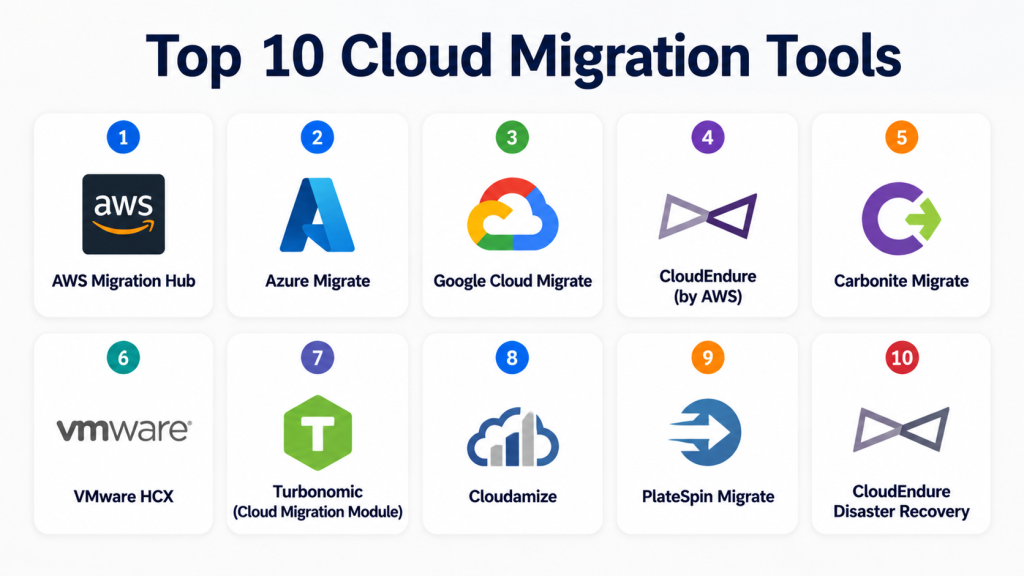
Top 10 Cloud Migration Tools
#1 — AWS Migration Hub
Short description: Centralized tool to track and manage migrations to AWS, ideal for enterprises and mid-market companies
Key Features
- Unified migration dashboard
- Automated discovery of on-premises workloads
- Progress tracking and reporting
- Integration with AWS Server Migration Service
- Bulk server and database migrations
- Cost estimates and performance analytics
- Alerts for delayed or failed migrations
Pros
- Comprehensive tracking for complex migrations
- Tight integration with AWS ecosystem
Cons
- Limited non-AWS target support
- Steep learning curve for small teams
Platforms / Deployment
- Web
- Cloud
Security & Compliance
- Encryption in transit and at rest
- SOC 2, ISO 27001
Integrations & Ecosystem
- AWS EC2, RDS, S3
- APIs for automation
- Integration with monitoring tools
Support & Community
- Extensive AWS documentation
- Tiered enterprise support
- Large active community
#2 — Azure Migrate
Short description: Microsoft-native solution for planning, assessing, and migrating workloads to Azure
Key Features
- On-premises workload assessment
- Application dependency mapping
- Integration with Azure Database Migration Service
- Automated VM and application migration
- Performance and cost optimization
- Supports VMware, Hyper-V, and physical servers
- Secure migration workflows
Pros
- Native Azure integration
- Simplifies assessment and planning
Cons
- Limited outside Azure functionality
- Complex for small organizations
Platforms / Deployment
- Web
- Cloud
Security & Compliance
- Encryption, secure credentials
- SOC 2, ISO 27001, GDPR
Integrations & Ecosystem
- Azure VMs, SQL Database, DevOps tools
- APIs for automation
- Third-party integration plugins
Support & Community
- Microsoft support plans
- Comprehensive tutorials
- Community user groups
#3 — Google Cloud Migrate
Short description: Toolset for migrating VMs and apps to Google Cloud, suitable for hybrid and enterprise workloads
Key Features
- Automated VM migration
- Application dependency mapping
- Migration performance monitoring
- Integration with Cloud Storage and Compute Engine
- Cost estimation
- Minimal downtime support
- VMware and physical server support
Pros
- Optimized for Google Cloud
- Scalable for large workloads
Cons
- Limited cross-cloud support
- Requires GCP expertise
Platforms / Deployment
- Web
- Cloud
Security & Compliance
- Encryption at rest and in transit
- SOC 2, ISO 27001, GDPR
Integrations & Ecosystem
- Compute Engine, Cloud SQL
- APIs for automation
- Monitoring and DevOps integrations
Support & Community
- GCP support tiers
- Documentation
- Active forums
#4 — CloudEndure by AWS
Short description: Near-zero downtime cloud migration and disaster recovery for critical workloads
Key Features
- Continuous replication
- Automated source conversion
- Heterogeneous environment support
- Real-time monitoring
- Minimal downtime during cutover
- AWS integration
- Recovery automation
Pros
- High reliability, minimal downtime
- Supports complex enterprise environments
Cons
- Requires AWS target environment
- May be overkill for small migrations
Platforms / Deployment
- Windows, Linux, Web
- Cloud
Security & Compliance
- Encrypted replication
- SOC 2, ISO 27001
Integrations & Ecosystem
- AWS EC2, RDS, S3
- APIs for automation
Support & Community
- AWS support
- Documentation and tutorials
- Community forums
#5 — Carbonite Migrate
Short description: Flexible migration solution for SMBs and enterprises, automating server and database moves
Key Features
- Agent-based migration
- Cross-platform support
- Continuous replication
- Real-time monitoring and alerts
- Role-based access
- Minimal downtime cutover
- Pre-migration assessments
Pros
- Easy deployment for mixed environments
- Multi-platform support
Cons
- Advanced features may need professional services
- Pricing varies for large deployments
Platforms / Deployment
- Windows, Linux
- Cloud / Hybrid
Security & Compliance
- Encryption in transit and at rest
- SOC 2, ISO 27001
Integrations & Ecosystem
- VMware, Hyper-V, physical servers
- API access
- Cloud storage integration
Support & Community
- Multi-tier support
- Knowledge base
- Community
#6 — VMware HCX
Short description: Enables large-scale migrations between VMware environments and public clouds
Key Features
- WAN optimization for live migrations
- Automated network and security configuration
- Bulk VM migration
- Hybrid cloud support
- Real-time monitoring
- Minimal downtime for critical apps
- VMware vSphere integration
Pros
- Robust hybrid cloud support
- Enterprise-grade performance
Cons
- Limited to VMware
- Complex setup
Platforms / Deployment
- Windows, Linux
- Cloud / Hybrid
Security & Compliance
- Encryption and secure network policies
- SOC 2, ISO 27001
Integrations & Ecosystem
- VMware vSphere, vCenter
- API for automation
- VMware NSX integration
Support & Community
- VMware support plans
- Documentation
- Community forums
#7 — Turbonomic Cloud Migration Module
Short description: AI-driven workload migration orchestration for enterprises and hybrid clouds
Key Features
- Automated workload assessment
- Migration recommendations
- Resource optimization
- Multi-cloud support
- Predictive performance analysis
- Container platform integration
- Analytics dashboards
Pros
- AI-driven workload management
- Optimizes resources during migration
Cons
- Requires dedicated team
- Premium pricing
Platforms / Deployment
- Web
- Cloud / Hybrid
Security & Compliance
- Encrypted data and secure communication
- SOC 2, ISO 27001
Integrations & Ecosystem
- AWS, Azure, GCP
- VMware, Kubernetes
- APIs for workflow automation
Support & Community
- Multi-tier support
- Knowledge base
- Forums
#8 — Cloudamize
Short description: Cloud migration planning and cost analysis tool for enterprises and mid-market companies
Key Features
- Discovery and assessment
- Migration cost modeling
- Dependency mapping
- Performance optimization recommendations
- Multi-cloud support
- Reporting dashboards
- Cloud provider integration
Pros
- Strong cost and performance insights
- Supports complex migrations
Cons
- Focused on planning, execution via other tools
- Pricing depends on assessment scope
Platforms / Deployment
- Web
- Cloud
Security & Compliance
- Encryption
- SOC 2, ISO 27001
Integrations & Ecosystem
- AWS, Azure, GCP
- APIs for analytics
- Third-party cloud tools
Support & Community
- Documentation
- Customer support
- Forums
#9 — PlateSpin Migrate
Short description: Enterprise solution for migrating physical, virtual, and cloud workloads
Key Features
- Agentless VM migration
- Cross-platform support
- Minimal downtime cutover
- Pre-migration analysis
- Reporting and monitoring
- Multi-cloud support
- Granular workload scheduling
Pros
- Reduces migration risk
- Flexible platform support
Cons
- Requires training
- Enterprise pricing
Platforms / Deployment
- Windows, Linux
- Cloud / Hybrid
Security & Compliance
- Encryption in transit
- SOC 2
Integrations & Ecosystem
- VMware, Hyper-V, cloud storage
- API access
- Monitoring platforms
Support & Community
- Professional support
- Knowledge base
- Forums
#10 — CloudEndure Disaster Recovery
Short description: Rapid workload migration with disaster recovery for enterprises and critical workloads
Key Features
- Continuous replication
- Automated recovery orchestration
- Minimal downtime migration
- Multi-cloud support
- Real-time monitoring
- Pre-cutover validation
- Compliance-ready
Pros
- Near-zero downtime
- Disaster recovery built-in
Cons
- Requires cloud target environment
- Advanced setup complexity
Platforms / Deployment
- Windows, Linux
- Cloud
Security & Compliance
- Encryption, MFA
- SOC 2, ISO 27001
Integrations & Ecosystem
- AWS, Azure, GCP
- APIs for automation
- Monitoring integration
Support & Community
- Enterprise support
- Documentation
- Community forums
Comparison Table
| Tool Name | Best For | Platform(s) Supported | Deployment | Standout Feature | Public Rating |
|---|---|---|---|---|---|
| AWS Migration Hub | Enterprises | Web | Cloud | Unified AWS migration tracking | N/A |
| Azure Migrate | Mid-Market, Enterprise | Web | Cloud | Azure assessment and planning | N/A |
| Google Cloud Migrate | Enterprises | Web | Cloud | VM and app migration to GCP | N/A |
| CloudEndure | Enterprises | Windows, Linux | Cloud | Near-zero downtime migration | N/A |
| Carbonite Migrate | SMBs, Enterprise | Windows, Linux | Cloud / Hybrid | Automated migration | N/A |
| VMware HCX | Enterprises | Windows, Linux | Cloud / Hybrid | Live VMware migrations | N/A |
| Turbonomic | Enterprises | Web | Cloud / Hybrid | AI-driven migration orchestration | N/A |
| Cloudamize | Enterprises, Mid-Market | Web | Cloud | Cost and performance analysis | N/A |
| PlateSpin Migrate | Enterprises | Windows, Linux | Cloud / Hybrid | Physical, virtual, cloud migration | N/A |
| CloudEndure DR | Enterprises | Windows, Linux | Cloud | Disaster recovery with migration | N/A |
Evaluation & Scoring
| Tool Name | Core | Ease | Integrations | Security | Performance | Support | Value | Weighted Total |
|---|---|---|---|---|---|---|---|---|
| AWS Migration Hub | 9 | 8 | 8 | 9 | 9 | 8 | 7 | 8.6 |
| Azure Migrate | 9 | 8 | 8 | 9 | 8 | 8 | 7 | 8.4 |
| Google Cloud Migrate | 8 | 7 | 8 | 9 | 8 | 7 | 7 | 7.9 |
| CloudEndure | 9 | 7 | 8 | 9 | 9 | 8 | 6 | 8.2 |
| Carbonite Migrate | 8 | 8 | 7 | 8 | 8 | 7 | 8 | 8.0 |
| VMware HCX | 9 | 7 | 8 | 9 | 9 | 8 | 6 | 8.2 |
| Turbonomic | 8 | 7 | 8 | 9 | 8 | 7 | 7 | 7.9 |
| Cloudamize | 8 | 8 | 7 | 8 | 8 | 7 | 7 | 7.9 |
| PlateSpin Migrate | 8 | 7 | 8 | 8 | 8 | 7 | 7 | 7.9 |
| CloudEndure DR | 9 | 7 | 8 | 9 | 9 | 8 | 6 | 8.1 |
Higher totals indicate stronger overall feature sets, usability, integrations, security, performance, support, and value. Scores are comparative across tools, not absolute.
Which Cloud Migration Tools Tool Is Right for You?
Solo / Freelancer
Lightweight, cloud-native solutions are ideal for small workloads and minimal downtime.
SMB
Carbonite Migrate and Cloudamize balance automation, cost, and ease of use.
Mid-Market
Azure Migrate and Turbonomic offer hybrid support, dependency mapping, and analytics.
Enterprise
AWS Migration Hub, CloudEndure, and VMware HCX provide scalability, multi-cloud support, and minimal downtime.
Budget vs Premium
Budget solutions prioritize simplicity; premium tools offer automation, analytics, and compliance.
Feature Depth vs Ease of Use
Enterprise workloads benefit from feature-rich tools; simple apps can use intuitive, lightweight solutions.
Integrations & Scalability
Ensure compatibility with cloud platforms, containers, and monitoring systems.
Security & Compliance Needs
Prioritize encryption, MFA, RBAC, and compliance support for sensitive workloads.
Frequently Asked Questions (FAQs)
1. What is a cloud migration tool?
Software that helps move workloads and data from on-premises or other cloud environments to a target cloud.
2. How do these tools reduce downtime?
They use replication, scheduling, and automated cutover to ensure workloads remain available.
3. Are cloud migrations secure?
Leading tools encrypt data in transit and at rest and support RBAC and compliance standards.
4. Can multiple applications be migrated simultaneously?
Yes, enterprise-grade tools support bulk migrations of servers, VMs, databases, and SaaS apps.
5. How do I estimate migration costs?
Most tools provide cost calculators and analytics to optimize cloud resource usage.
6. What platforms are supported?
Commonly Windows, Linux, VMware, Hyper-V, AWS, Azure, and Google Cloud.
7. Do I need special training?
Enterprise migrations may require training; SMB-focused tools are usually user-friendly.
8. Can I rollback a failed migration?
Yes, most tools provide granular rollback or restore features.
9. How do these tools integrate with monitoring systems?
APIs and built-in integrations allow connections to monitoring, alerting, and management platforms.
10. Are these tools suitable for hybrid cloud?
Yes, many support multi-cloud or hybrid deployments for complex enterprise scenarios.
Conclusion
Cloud Migration Tools are critical for organizations seeking agility, scalability, and cost efficiency. The right choice depends on workload complexity, cloud strategy, budget, and security requirements. Solo users prioritize simplicity, SMBs require balance, and enterprises need scalability and compliance. Evaluate features, integrations, performance, and cost before selecting a tool. Shortlist 2–3 solutions, run pilot migrations, and validate security and compatibility to ensure smooth transitions.
