Introduction
Product Analytics Tools help organizations understand how users interact with their digital products—such as websites, mobile apps, and SaaS platforms. These tools focus on tracking user behavior, events, journeys, and engagement patterns to help product teams make data-driven decisions.
In today’s competitive product landscape, simply launching a product is not enough. Teams must continuously analyze user behavior, identify friction points, and optimize experiences to improve retention and growth. Product analytics platforms provide deep insights into user actions, enabling teams to build better, more user-centric products.
Common use cases include:
- User behavior and event tracking
- Funnel and conversion analysis
- Retention and cohort analysis
- Feature usage tracking
- A/B testing and experimentation
What buyers should evaluate:
- Event tracking capabilities
- Funnel and cohort analysis
- Real-time analytics
- Integration with data pipelines and tools
- Scalability and performance
- Ease of implementation
- Data governance and privacy
- Visualization and reporting
Best for: Product managers, growth teams, SaaS companies, and mobile app developers focused on user engagement and retention.
Not ideal for: Basic websites needing only traffic analytics or teams without a structured product analytics strategy.
Key Trends in Product Analytics Tools for the Future
- AI-driven insights and anomaly detection
- Predictive analytics for user behavior
- Integration with data warehouses (reverse ETL)
- Real-time user journey tracking
- Product-led growth (PLG) analytics
- Session replay and behavioral analysis
- Privacy-first tracking and compliance
- No-code analytics setups
- Integration with experimentation platforms
- Unified analytics across web, mobile, and apps
How We Selected These Tools (Methodology)
- Evaluated adoption across SaaS and product teams
- Assessed depth of behavioral analytics features
- Compared ease of event tracking and setup
- Reviewed integrations with data and marketing tools
- Considered scalability and performance
- Analyzed AI and predictive capabilities
- Checked usability for non-technical teams
- Included tools for SMB to enterprise
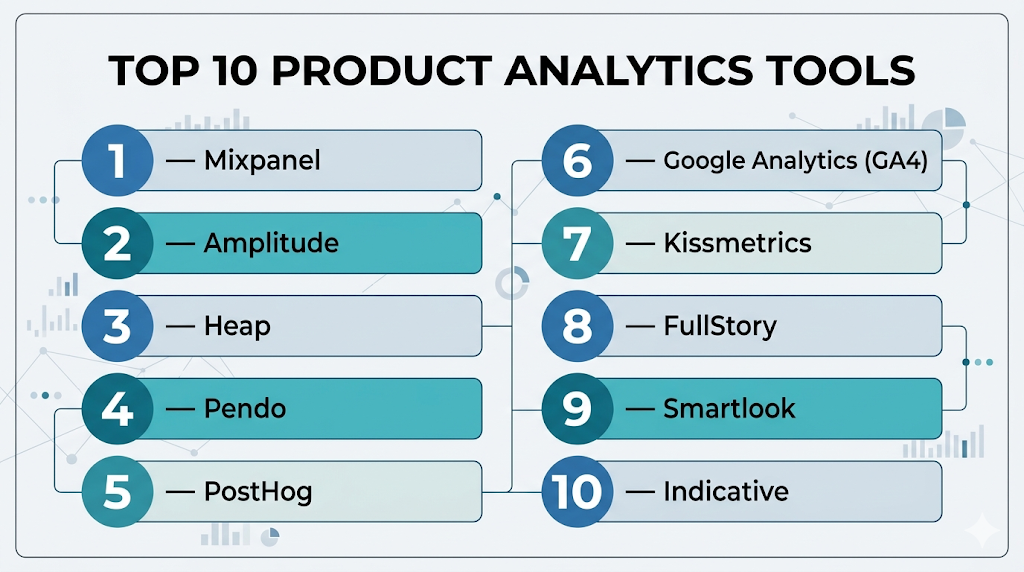
Top 10 Product Analytics Tools
#1 — Mixpanel
Short description: Leading product analytics platform focused on event-based tracking and user behavior insights.
Key Features
- Event-based tracking
- Funnel analysis
- Retention tracking
- Cohort analysis
- Real-time dashboards
- A/B testing support
- User segmentation
Pros
- Powerful behavioral analytics
- Easy event tracking
Cons
- Pricing at scale
- Limited marketing analytics
Platforms / Deployment
Web / Cloud
Security & Compliance
Basic controls (details not publicly stated)
Integrations & Ecosystem
Strong product analytics ecosystem.
- APIs
- Data pipelines
- Integration tools
Support & Community
Strong documentation and adoption.
#2 — Amplitude
Short description: Advanced analytics platform offering deep insights into user behavior and product performance.
Key Features
- Event tracking
- Behavioral cohorts
- Funnel analysis
- Retention analysis
- AI insights
- Experimentation tools
- Data visualization
Pros
- Deep insights
- Scalable for enterprises
Cons
- Learning curve
- Pricing complexity
Platforms / Deployment
Cloud
Security & Compliance
Basic enterprise controls (not publicly stated)
Integrations & Ecosystem
Wide integrations.
- APIs
- Data platforms
Support & Community
Large adoption and support.
#3 — Heap
Short description: Product analytics tool with automatic event tracking and user behavior insights.
Key Features
- Auto event tracking
- User journey analysis
- Funnel tracking
- Behavioral insights
- Data visualization
- Reporting tools
- Integration support
Pros
- No manual tracking required
- Easy setup
Cons
- Data noise
- Pricing tiers
Platforms / Deployment
Cloud
Security & Compliance
Basic controls (not publicly stated)
Integrations & Ecosystem
Moderate integrations.
- APIs
- Data tools
Support & Community
Good support.
#4 — Pendo
Short description: Product experience platform combining analytics with user feedback and guidance tools.
Key Features
- Product analytics
- In-app guides
- User feedback tools
- Feature tracking
- NPS surveys
- Segmentation
- Reporting
Pros
- Combines analytics and UX tools
- Strong onboarding features
Cons
- Expensive
- Complex setup
Platforms / Deployment
Cloud
Security & Compliance
Enterprise controls (details not publicly stated)
Integrations & Ecosystem
Enterprise integrations.
- APIs
- CRM tools
Support & Community
Enterprise support.
#5 — PostHog
Short description: Open-source product analytics platform with full-stack capabilities.
Key Features
- Event tracking
- Funnel analysis
- Session replay
- Feature flags
- A/B testing
- Data pipelines
- Self-hosting
Pros
- Open-source flexibility
- All-in-one platform
Cons
- Requires setup
- UI complexity
Platforms / Deployment
Cloud / Self-hosted
Security & Compliance
RBAC, authentication (others not publicly stated)
Integrations & Ecosystem
Flexible integrations.
- APIs
- Plugins
Support & Community
Growing open-source community.
#6 — Google Analytics (GA4)
Short description: Widely used analytics platform with event-based tracking for web and apps.
Key Features
- Event tracking
- Real-time analytics
- Audience segmentation
- Conversion tracking
- AI insights
- Cross-platform tracking
- Reporting dashboards
Pros
- Free and widely used
- Strong ecosystem
Cons
- Limited product analytics depth
- Complex interface
Platforms / Deployment
Web / Cloud
Security & Compliance
Basic controls (not publicly stated)
Integrations & Ecosystem
Google ecosystem integrations.
- Ads
- APIs
- Data tools
Support & Community
Large community.
#7 — Kissmetrics
Short description: Product and marketing analytics tool focused on customer behavior and revenue tracking.
Key Features
- Customer tracking
- Funnel analysis
- Revenue tracking
- Segmentation
- Campaign tracking
- Behavioral insights
- Reporting
Pros
- Strong marketing insights
- Revenue-focused
Cons
- Limited UI
- Pricing
Platforms / Deployment
Cloud
Security & Compliance
Basic controls (not publicly stated)
Integrations & Ecosystem
Moderate integrations.
- APIs
- CRM tools
Support & Community
Moderate community.
#8 — FullStory
Short description: Digital experience analytics platform with session replay and behavioral insights.
Key Features
- Session replay
- Heatmaps
- User journey analysis
- Error tracking
- Behavioral insights
- Analytics dashboards
- Integration tools
Pros
- Visual insights
- Strong UX analysis
Cons
- Pricing
- Data volume concerns
Platforms / Deployment
Cloud
Security & Compliance
Basic controls (not publicly stated)
Integrations & Ecosystem
Moderate integrations.
- APIs
- UX tools
Support & Community
Strong adoption.
#9 — Smartlook
Short description: Product analytics and session replay tool for web and mobile apps.
Key Features
- Session replay
- Event tracking
- Funnel analysis
- Heatmaps
- Mobile analytics
- Reporting
- User insights
Pros
- Affordable
- Visual analytics
Cons
- Limited advanced analytics
- Smaller ecosystem
Platforms / Deployment
Cloud
Security & Compliance
Basic controls (not publicly stated)
Integrations & Ecosystem
Moderate integrations.
- APIs
- App tools
Support & Community
Growing community.
#10 — Indicative
Short description: Product analytics platform focused on customer journey and funnel analysis.
Key Features
- Funnel analysis
- Customer journey mapping
- Cohort analysis
- Event tracking
- Data visualization
- Reporting
- Integration support
Pros
- Strong journey analytics
- Easy visualization
Cons
- Limited brand recognition
- Pricing
Platforms / Deployment
Cloud
Security & Compliance
Basic controls (not publicly stated)
Integrations & Ecosystem
Moderate integrations.
- APIs
- Data tools
Support & Community
Moderate community.
Comparison Table (Top 10)
| Tool Name | Best For | Platform(s) Supported | Deployment | Standout Feature | Public Rating |
|---|---|---|---|---|---|
| Mixpanel | Product teams | Web | Cloud | Event analytics | N/A |
| Amplitude | Enterprises | Web | Cloud | Behavioral insights | N/A |
| Heap | Easy tracking | Web | Cloud | Auto event capture | N/A |
| Pendo | Product experience | Web | Cloud | In-app guidance | N/A |
| PostHog | Developers | Web | Cloud/Self-hosted | Open-source platform | N/A |
| Google Analytics | All users | Web | Cloud | Free analytics | N/A |
| Kissmetrics | Marketing teams | Web | Cloud | Revenue tracking | N/A |
| FullStory | UX analysis | Web | Cloud | Session replay | N/A |
| Smartlook | SMB | Web/Mobile | Cloud | Visual analytics | N/A |
| Indicative | Journey analytics | Web | Cloud | Funnel insights | N/A |
Evaluation & Scoring of Product Analytics Tools
| Tool Name | Core (25%) | Ease (15%) | Integrations (15%) | Security (10%) | Performance (10%) | Support (10%) | Value (15%) | Weighted Total |
|---|---|---|---|---|---|---|---|---|
| Mixpanel | 9 | 8 | 8 | 7 | 9 | 8 | 7 | 8.3 |
| Amplitude | 9 | 7 | 8 | 7 | 9 | 8 | 7 | 8.2 |
| Heap | 8 | 9 | 7 | 7 | 8 | 7 | 7 | 7.9 |
| Pendo | 9 | 7 | 8 | 8 | 8 | 8 | 6 | 8.0 |
| PostHog | 8 | 7 | 8 | 7 | 8 | 7 | 9 | 7.9 |
| Google Analytics | 8 | 7 | 9 | 7 | 9 | 9 | 10 | 8.5 |
| Kissmetrics | 7 | 7 | 7 | 7 | 7 | 7 | 7 | 7.0 |
| FullStory | 8 | 8 | 7 | 7 | 8 | 8 | 7 | 7.8 |
| Smartlook | 7 | 8 | 6 | 6 | 7 | 7 | 8 | 7.2 |
| Indicative | 8 | 7 | 7 | 7 | 8 | 7 | 7 | 7.5 |
Interpretation:
Scores reflect relative strengths across behavioral analytics, usability, and value. Enterprise tools offer deeper insights, while simpler tools excel in ease of use and affordability.
Which Product Analytics Tool Is Right for You?
Solo / Freelancer
- Best: Google Analytics, Smartlook
- Simple and affordable
SMB
- Best: Heap, Smartlook
- Easy setup and insights
Mid-Market
- Best: Mixpanel, Amplitude
- Strong behavioral analytics
Enterprise
- Best: Amplitude, Pendo
- Advanced analytics and UX tools
Budget vs Premium
- Budget: PostHog, Google Analytics
- Premium: Pendo, Amplitude
Feature Depth vs Ease of Use
- Feature-heavy: Amplitude, Pendo
- Easy-to-use: Heap, Smartlook
Integrations & Scalability
- Strong: Mixpanel, Amplitude
- Moderate: Smartlook
Security & Compliance Needs
- Enterprise-grade: Pendo
- Basic: Smartlook
Frequently Asked Questions (FAQs)
What are product analytics tools?
They are tools used to track and analyze how users interact with digital products.
How are product analytics different from web analytics?
Product analytics focus on user behavior and events, while web analytics focus on traffic.
Do I need coding skills?
Some tools require setup, but many offer no-code solutions.
Are product analytics tools expensive?
Pricing varies from free to enterprise-level plans.
Can I track user journeys?
Yes, most tools offer journey and funnel tracking.
What is event tracking?
It tracks specific user actions like clicks or feature usage.
Are these tools privacy-compliant?
Many tools offer privacy features and compliance support.
Can product analytics integrate with other tools?
Yes, most platforms support integrations with CRM and data tools.
What industries use product analytics?
SaaS, mobile apps, e-commerce, and digital platforms.
What is the future of product analytics?
AI-driven insights, predictive analytics, and unified data platforms.
Conclusion
Product analytics tools are essential for building successful digital products by providing deep insights into user behavior, engagement, and retention. From powerful platforms like Mixpanel and Amplitude to flexible solutions like PostHog and Smartlook, there are options available for teams of all sizes and technical capabilities. While enterprise tools offer advanced analytics and integrations, simpler tools provide ease of use and faster implementation. The best approach is to identify your product goals, shortlist a few tools, test their tracking and reporting capabilities, and ensure they integrate seamlessly with your data stack before making a final decision.
