Introduction
A/B Testing Tools (also known as split testing tools) allow businesses to compare two or more variations of a webpage, feature, or user experience to determine which version performs better. By testing changes such as layouts, headlines, CTAs, or product features, organizations can make data-driven decisions to improve conversions, engagement, and overall user experience.
In today’s competitive digital landscape, relying on assumptions is risky. A/B testing has become a core practice in product development, marketing optimization, and growth strategies. Modern tools go beyond simple experiments by incorporating AI-driven insights, personalization, and multi-variant testing.
Common use cases include:
- Website conversion optimization
- Landing page testing
- Product feature experimentation
- Email campaign optimization
- UX/UI improvements
What buyers should evaluate:
- Experimentation capabilities (A/B, multivariate, split URL)
- Ease of setup and deployment
- Integration with analytics and marketing tools
- Real-time reporting and statistical accuracy
- Personalization and targeting features
- Performance impact on site speed
- Scalability for high traffic
- Pricing and experimentation limits
Best for: Growth teams, marketers, product managers, and SaaS companies focused on conversion optimization and user experience.
Not ideal for: Very small websites with low traffic where statistically significant results are hard to achieve.
Key Trends in A/B Testing Tools for the Future
- AI-driven experiment recommendations
- Automated experimentation and optimization
- Personalization based on user behavior
- Integration with product analytics platforms
- Server-side and feature flag testing
- Real-time experimentation dashboards
- Privacy-first experimentation frameworks
- Low-code and no-code experiment builders
- Cross-platform testing (web, mobile, apps)
- Experimentation as part of product-led growth
How We Selected These Tools (Methodology)
- Evaluated popularity among growth and product teams
- Assessed experimentation capabilities and flexibility
- Compared ease of use for marketers and developers
- Reviewed integrations with analytics and data tools
- Considered scalability and performance
- Analyzed statistical accuracy and reporting
- Checked support and documentation quality
- Included tools for SMB to enterprise
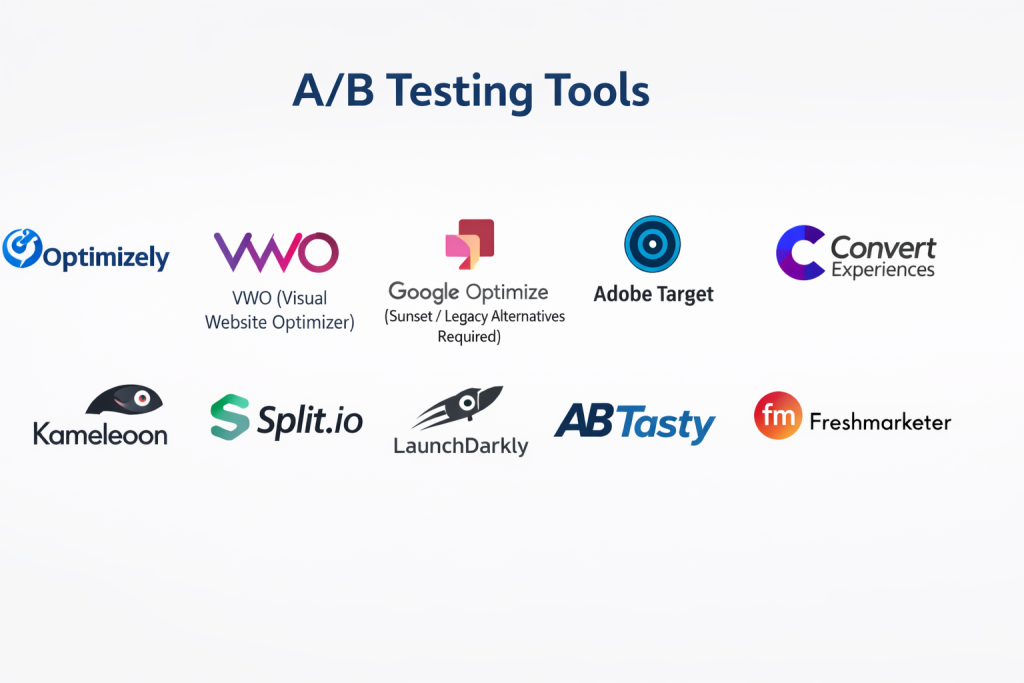
Top 10 A/B Testing Tools
#1 — Optimizely
Short description: Enterprise-grade experimentation platform offering advanced A/B testing and personalization.
Key Features
- A/B and multivariate testing
- Feature experimentation
- Personalization engine
- Real-time analytics
- AI-driven optimization
- Experimentation workflows
- Server-side testing
Pros
- Highly scalable
- Advanced experimentation features
Cons
- Expensive
- Requires expertise
Platforms / Deployment
Web / Cloud
Security & Compliance
Enterprise controls (details not publicly stated)
Integrations & Ecosystem
Strong enterprise integrations.
- Analytics tools
- APIs
- Data platforms
Support & Community
Enterprise-level support.
#2 — VWO (Visual Website Optimizer)
Short description: Comprehensive CRO platform with A/B testing, heatmaps, and analytics.
Key Features
- A/B testing
- Heatmaps
- Session recordings
- Personalization
- Funnel analysis
- Visual editor
- Reporting dashboards
Pros
- Easy to use
- All-in-one CRO platform
Cons
- Pricing tiers
- Limited advanced customization
Platforms / Deployment
Cloud
Security & Compliance
Basic controls (not publicly stated)
Integrations & Ecosystem
Moderate integrations.
- APIs
- Marketing tools
Support & Community
Good support.
#3 — Google Optimize (Sunset / Legacy Alternatives Required)
Short description: Previously a free A/B testing tool; now replaced by alternative solutions in the ecosystem.
Key Features
- A/B testing
- Integration with analytics
- Visual editor
- Experiment targeting
- Reporting
- Variants testing
- Audience segmentation
Pros
- Easy integration
- Beginner-friendly
Cons
- No longer actively supported
- Limited features
Platforms / Deployment
Cloud
Security & Compliance
Basic controls (not publicly stated)
Integrations & Ecosystem
Google ecosystem integrations.
- Analytics tools
- APIs
Support & Community
Legacy support only.
#4 — Adobe Target
Short description: Enterprise personalization and testing platform within Adobe Experience Cloud.
Key Features
- A/B testing
- Multivariate testing
- Personalization
- AI recommendations
- Automation
- Audience targeting
- Analytics integration
Pros
- Powerful personalization
- Enterprise-grade
Cons
- Expensive
- Complex setup
Platforms / Deployment
Cloud
Security & Compliance
Enterprise controls (details not publicly stated)
Integrations & Ecosystem
Adobe ecosystem integrations.
- Analytics
- Marketing tools
- APIs
Support & Community
Enterprise support.
#5 — Convert Experiences
Short description: Privacy-focused A/B testing platform with strong targeting capabilities.
Key Features
- A/B testing
- Multivariate testing
- Advanced targeting
- Privacy compliance focus
- Visual editor
- Reporting
- Integration support
Pros
- Privacy-focused
- Flexible targeting
Cons
- Smaller ecosystem
- UI complexity
Platforms / Deployment
Cloud
Security & Compliance
Privacy-focused controls (details not publicly stated)
Integrations & Ecosystem
Moderate integrations.
- APIs
- Marketing tools
Support & Community
Good support.
#6 — Kameleoon
Short description: AI-driven experimentation and personalization platform for enterprises.
Key Features
- A/B testing
- AI personalization
- Feature experimentation
- Predictive targeting
- Real-time analytics
- Experimentation workflows
- Data integration
Pros
- Strong AI capabilities
- Enterprise-ready
Cons
- Pricing
- Learning curve
Platforms / Deployment
Cloud
Security & Compliance
Enterprise controls (details not publicly stated)
Integrations & Ecosystem
Enterprise integrations.
- APIs
- Data platforms
Support & Community
Enterprise support.
#7 — Split.io
Short description: Feature experimentation platform combining A/B testing with feature flags.
Key Features
- Feature flags
- A/B testing
- Experimentation workflows
- Real-time monitoring
- Data-driven releases
- Integration tools
- Analytics
Pros
- Strong developer focus
- Continuous experimentation
Cons
- Requires technical setup
- Limited marketing features
Platforms / Deployment
Cloud
Security & Compliance
Basic controls (not publicly stated)
Integrations & Ecosystem
Developer ecosystem.
- APIs
- CI/CD tools
Support & Community
Growing adoption.
#8 — LaunchDarkly
Short description: Feature management platform with experimentation capabilities.
Key Features
- Feature flags
- Experimentation
- Rollout controls
- Real-time monitoring
- Targeting
- Analytics
- Integration support
Pros
- Strong feature management
- Scalable
Cons
- Expensive
- Developer-focused
Platforms / Deployment
Cloud
Security & Compliance
Enterprise controls (details not publicly stated)
Integrations & Ecosystem
Wide integrations.
- APIs
- DevOps tools
Support & Community
Strong enterprise support.
#9 — AB Tasty
Short description: CRO platform combining experimentation and personalization tools.
Key Features
- A/B testing
- Personalization
- Visual editor
- AI recommendations
- Campaign management
- Analytics
- Targeting
Pros
- Easy to use
- Good personalization
Cons
- Pricing
- Limited advanced dev features
Platforms / Deployment
Cloud
Security & Compliance
Basic controls (not publicly stated)
Integrations & Ecosystem
Moderate integrations.
- APIs
- Marketing tools
Support & Community
Good support.
#10 — Freshmarketer
Short description: A/B testing and CRO tool within Freshworks ecosystem.
Key Features
- A/B testing
- Heatmaps
- Session recordings
- Funnel analysis
- Personalization
- Analytics
- Reporting
Pros
- Affordable
- Easy setup
Cons
- Limited advanced features
- Smaller ecosystem
Platforms / Deployment
Cloud
Security & Compliance
Basic controls (not publicly stated)
Integrations & Ecosystem
Freshworks integrations.
- CRM
- APIs
Support & Community
Good support.
Comparison Table (Top 10)
| Tool Name | Best For | Platform(s) Supported | Deployment | Standout Feature | Public Rating |
|---|---|---|---|---|---|
| Optimizely | Enterprise | Web | Cloud | Advanced experimentation | N/A |
| VWO | SMB/Marketing | Web | Cloud | All-in-one CRO | N/A |
| Google Optimize | Beginners | Web | Cloud | Simple testing | N/A |
| Adobe Target | Enterprise | Web | Cloud | AI personalization | N/A |
| Convert Experiences | Privacy-focused | Web | Cloud | GDPR-friendly testing | N/A |
| Kameleoon | Enterprises | Web | Cloud | AI targeting | N/A |
| Split.io | Developers | Web | Cloud | Feature flags | N/A |
| LaunchDarkly | DevOps teams | Web | Cloud | Feature management | N/A |
| AB Tasty | Marketing teams | Web | Cloud | Personalization | N/A |
| Freshmarketer | SMB | Web | Cloud | Affordable CRO | N/A |
Evaluation & Scoring of A/B Testing Tools
| Tool Name | Core (25%) | Ease (15%) | Integrations (15%) | Security (10%) | Performance (10%) | Support (10%) | Value (15%) | Weighted Total |
|---|---|---|---|---|---|---|---|---|
| Optimizely | 10 | 7 | 9 | 9 | 9 | 9 | 6 | 8.9 |
| VWO | 8 | 9 | 8 | 7 | 8 | 8 | 8 | 8.2 |
| Google Optimize | 6 | 9 | 8 | 6 | 7 | 6 | 9 | 7.2 |
| Adobe Target | 10 | 6 | 9 | 9 | 9 | 9 | 6 | 8.8 |
| Convert Experiences | 8 | 7 | 7 | 8 | 8 | 7 | 8 | 7.8 |
| Kameleoon | 9 | 7 | 8 | 8 | 8 | 8 | 7 | 8.1 |
| Split.io | 8 | 6 | 9 | 7 | 8 | 7 | 7 | 7.8 |
| LaunchDarkly | 9 | 6 | 9 | 8 | 9 | 8 | 6 | 8.0 |
| AB Tasty | 8 | 8 | 7 | 7 | 8 | 7 | 7 | 7.8 |
| Freshmarketer | 7 | 9 | 7 | 6 | 7 | 7 | 9 | 7.7 |
Interpretation:
Scores reflect relative strengths across experimentation depth, usability, and value. Enterprise tools excel in scalability and advanced features, while SMB tools offer ease of use and affordability.
Which A/B Testing Tool Is Right for You?
Solo / Freelancer
- Best: Freshmarketer, VWO
- Simple and affordable
SMB
- Best: VWO, AB Tasty
- Balanced features
Mid-Market
- Best: Kameleoon, Convert
- Advanced targeting
Enterprise
- Best: Optimizely, Adobe Target
- Scalability and AI
Budget vs Premium
- Budget: Freshmarketer
- Premium: Optimizely, Adobe
Feature Depth vs Ease of Use
- Feature-heavy: Optimizely, Adobe
- Easy-to-use: VWO, Freshmarketer
Integrations & Scalability
- Strong: Optimizely, LaunchDarkly
- Moderate: Freshmarketer
Security & Compliance Needs
- Enterprise-grade: Adobe, Optimizely
- Basic: Freshmarketer
Frequently Asked Questions (FAQs)
What is A/B testing?
It is a method of comparing two versions of a webpage or feature to determine which performs better.
Why is A/B testing important?
It helps improve conversions and user experience through data-driven decisions.
How long should tests run?
Tests should run until statistically significant results are achieved.
Do I need developers?
Some tools are no-code, while others require technical setup.
What is multivariate testing?
It tests multiple variables at once to determine the best combination.
Are A/B testing tools expensive?
Pricing varies from affordable to enterprise-level.
Can I test mobile apps?
Yes, many tools support mobile experimentation.
Is A/B testing accurate?
Accuracy depends on sample size and proper setup.
Can I integrate with analytics tools?
Yes, most tools support integrations.
What is the future of A/B testing?
AI-driven experimentation and automated optimization.
Conclusion
A/B testing tools have become essential for organizations looking to optimize user experiences, improve conversions, and make data-driven product and marketing decisions. From enterprise platforms like Optimizely and Adobe Target to more accessible tools like VWO and Freshmarketer, there are solutions available for every team size and budget. While advanced tools provide deeper experimentation capabilities and AI-driven insights, simpler platforms offer quick setup and ease of use for smaller teams. The key is to clearly define your experimentation goals, shortlist a few tools, test their capabilities, and ensure they integrate seamlessly with your analytics and product stack before making a final decision.
