Introduction
Print Management Tools are software solutions designed to monitor, control, and optimize printing activities within an organization. They help reduce print costs, enforce printing policies, track usage, and improve document security. By providing visibility into printing behavior and automating workflow rules, these tools allow businesses to streamline print operations while reducing waste and overhead.
Use Cases:
- Monitoring employee printing habits to reduce paper and toner waste
- Enforcing secure print policies and access controls
- Integrating with document management systems for compliance
- Providing cost analysis and usage reporting for departments
- Automating print queues and print routing for efficiency
Evaluation Criteria:
- Print usage tracking and reporting capabilities
- Policy enforcement for color, duplex, and volume limits
- Secure print release and authentication features
- Integration with existing printers, MFPs, and document management systems
- Support for networked and remote printers
- Cost and resource optimization features
- Ease of deployment and administration
- User-friendly dashboards for IT administrators
- Mobile printing and BYOD support
Best for: IT managers, facilities managers, and administrators in medium to large organizations looking to optimize printing operations and reduce costs.
Not ideal for: Small offices with minimal printing needs or organizations relying entirely on digital workflows.
Key Trends in Print Management Tools
- Cloud-based print management solutions for remote and hybrid offices
- AI-driven print analytics for cost optimization
- Secure release printing with authentication and mobile verification
- Integration with document management and ERP systems
- Automated routing to reduce idle print queues
- Green printing initiatives with duplex and color restrictions
- Support for BYOD and mobile printing apps
- Multi-site print management with centralized dashboards
- Enhanced auditing for regulatory compliance
- Subscription-based and per-user licensing models
How We Selected These Tools
- Evaluated market adoption and brand recognition
- Assessed feature completeness for cost optimization, security, and workflow control
- Monitored reliability and performance metrics across large deployments
- Reviewed security features, encryption, and authentication methods
- Examined integration options with printers, MFPs, and enterprise systems
- Considered scalability for SMBs, mid-market, and enterprise organizations
- Prioritized ease of use and administrator onboarding
- Analyzed reporting and analytics capabilities
- Reviewed customer feedback and use-case effectiveness
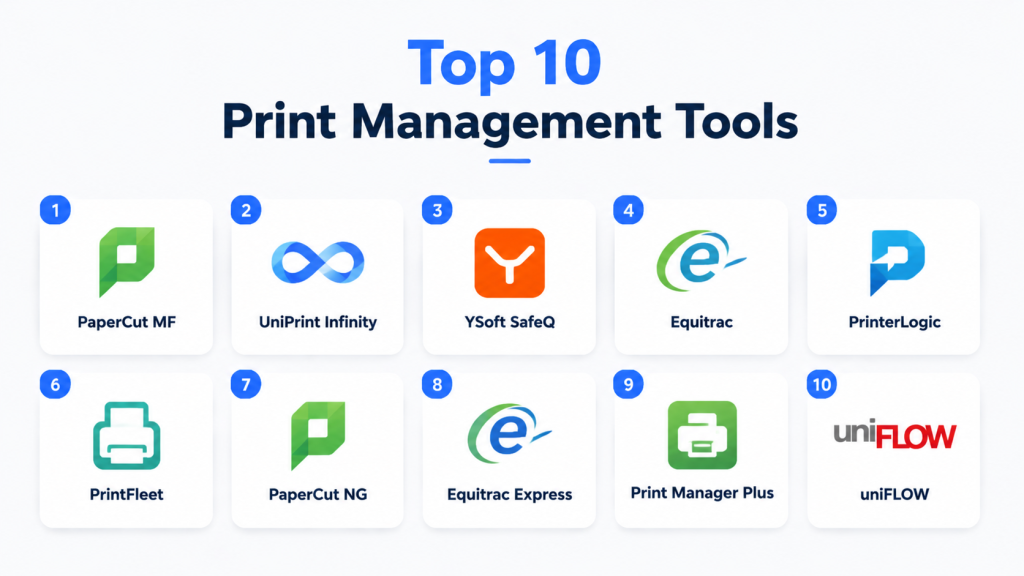
Top 10 Print Management Tools
#1 — PaperCut MF
Short description (2–3 lines): PaperCut MF provides comprehensive print tracking and cost control for organizations of all sizes, ideal for schools, offices, and healthcare facilities.
Key Features
- Print, copy, scan, and fax monitoring
- Secure print release
- Cost allocation by user or department
- Mobile and BYOD printing support
- Centralized dashboard and reporting
Pros
- Reduces waste and cost
- Strong security features
- Flexible deployment options
Cons
- Advanced features require additional licensing
- Setup can be complex for large environments
Platforms / Deployment
- Web / Windows / macOS / Linux / iOS / Android
- Cloud / On-premise / Hybrid
Security & Compliance
- SSO, encryption
- SOC 2, ISO 27001, GDPR
Integrations & Ecosystem
- Active Directory, LDAP
- Google Workspace, Microsoft 365
- APIs for custom integrations
Support & Community
- Documentation
- Email and phone support
- Community forums
#2 — UniPrint Infinity
Short description (2–3 lines): UniPrint Infinity optimizes printing with centralized management and secure print release, suitable for large enterprises.
Key Features
- Cloud and local print management
- Pull printing and secure release
- Reporting dashboards
- Integration with MFPs and ERP systems
- Mobile printing
Pros
- Enterprise-grade scalability
- Supports multi-site deployments
Cons
- Higher cost for small offices
- Admin interface may be complex
Platforms / Deployment
- Web / Windows / macOS / iOS / Android
- Cloud / On-premise
Security & Compliance
- SSO, MFA, encryption
- ISO 27001, GDPR
Integrations & Ecosystem
- ERP systems
- Directory services
- Printer vendors APIs
Support & Community
- Documentation
- Training webinars
- Technical support
#3 — YSoft SafeQ
Short description (2–3 lines): YSoft SafeQ delivers secure and cost-efficient print management for educational and corporate institutions.
Key Features
- Print job tracking and reporting
- User authentication and secure release
- Quota management
- Mobile printing
- Analytics and auditing
Pros
- Strong security and compliance
- Efficient resource management
Cons
- Pricing can be high for small organizations
- Advanced features require admin training
Platforms / Deployment
- Web / Windows / iOS / Android
- Cloud / On-premise
Security & Compliance
- ISO 27001, SOC 2
- SSO, encryption
Integrations & Ecosystem
- MFP vendors
- Active Directory
- APIs for custom workflows
Support & Community
- Email and phone support
- Knowledge base
#4 — Equitrac
Short description (2–3 lines): Equitrac provides print auditing, cost control, and secure release printing for enterprises and mid-market organizations.
Key Features
- Print tracking and cost allocation
- Secure print release
- Policy-based printing
- Detailed reporting
- Multi-site management
Pros
- Strong auditing and compliance
- Reduces waste and cost
Cons
- Admin interface requires learning
- Limited mobile support
Platforms / Deployment
- Web / Windows / iOS / Android
- Cloud / On-premise
Security & Compliance
- SSO, encryption
- GDPR
Integrations & Ecosystem
- MFP vendors
- Directory services
- API support
Support & Community
- Documentation
- Technical support
#5 — PrinterLogic
Short description (2–3 lines): PrinterLogic eliminates print servers while providing centralized management, ideal for SMBs and enterprises.
Key Features
- Serverless printing
- Self-service printer installation
- Secure release printing
- Analytics dashboards
- Mobile printing
Pros
- Reduces infrastructure costs
- Simplifies printer management
Cons
- Initial setup may require IT support
- Advanced reporting limited on basic plans
Platforms / Deployment
- Web / Windows / macOS / iOS / Android
- Cloud / On-premise
Security & Compliance
- SSO, encryption
- Not publicly stated
Integrations & Ecosystem
- Directory services
- MFPs
- API support
Support & Community
- Documentation
- Email support
#6 — PrintFleet
Short description (2–3 lines): PrintFleet provides real-time monitoring and management of print devices, best for multi-location offices.
Key Features
- Device tracking and reporting
- Usage analytics
- Cost management
- Secure print release
- Alerts and notifications
Pros
- Detailed device insights
- Supports enterprise deployments
Cons
- Limited mobile interface
- May require training for admins
Platforms / Deployment
- Web / Windows / iOS / Android
- Cloud
Security & Compliance
- Not publicly stated
Integrations & Ecosystem
- MFP vendors
- ERP systems
Support & Community
- Help center
- Email support
#7 — PaperCut NG
Short description (2–3 lines): PaperCut NG offers cost control and secure printing for SMBs and educational institutions.
Key Features
- Print usage tracking
- Quotas and restrictions
- Secure release printing
- Mobile and BYOD support
- Reporting dashboards
Pros
- Affordable and easy to implement
- Flexible deployment
Cons
- Lacks some enterprise features
- Basic analytics
Platforms / Deployment
- Web / Windows / macOS / iOS / Android
- Cloud / On-premise
Security & Compliance
- SSO, encryption
- GDPR
Integrations & Ecosystem
- Directory services
- Printer vendors
- APIs
Support & Community
- Documentation
- Email support
#8 — Equitrac Express
Short description (2–3 lines): Simplified version of Equitrac for SMBs needing essential print management features.
Key Features
- Print tracking
- Secure release
- Quota management
- Reporting dashboards
- Mobile printing
Pros
- Simple and cost-effective
- Easy to deploy
Cons
- Limited advanced features
- Not ideal for large enterprises
Platforms / Deployment
- Web / Windows / iOS / Android
- Cloud
Security & Compliance
- Not publicly stated
Integrations & Ecosystem
- Directory services
- Printer APIs
Support & Community
- Documentation
- Email support
#9 — Print Manager Plus
Short description (2–3 lines): Print Manager Plus provides cost tracking and secure printing for SMBs and educational institutions.
Key Features
- Usage tracking
- Quota enforcement
- Reporting
- Secure release printing
- Alerts and notifications
Pros
- Affordable for SMBs
- Easy to use
Cons
- Limited integrations
- Basic analytics
Platforms / Deployment
- Web / Windows / iOS / Android
- Cloud / On-premise
Security & Compliance
- Not publicly stated
Integrations & Ecosystem
- Printer vendors
- Directory services
Support & Community
- Documentation
- Email support
#10 — uniFLOW
Short description (2–3 lines): uniFLOW provides enterprise-level print management with secure release and analytics.
Key Features
- Print tracking and auditing
- Secure print release
- Policy enforcement
- Mobile printing
- Reporting dashboards
Pros
- Enterprise-grade security
- Supports multi-location environments
Cons
- High cost for small businesses
- Setup requires IT expertise
Platforms / Deployment
- Web / Windows / macOS / iOS / Android
- Cloud / On-premise
Security & Compliance
- SSO, encryption
- SOC 2, ISO 27001
Integrations & Ecosystem
- MFP vendors
- Directory services
- API support
Support & Community
- Documentation
- Technical support
Comparison Table (Top 10)
| Tool Name | Best For | Platform(s) Supported | Deployment | Standout Feature | Public Rating |
|---|---|---|---|---|---|
| PaperCut MF | SMB & enterprise | Web/Windows/macOS/iOS/Android | Cloud/On-premise/Hybrid | Comprehensive tracking & cost control | N/A |
| UniPrint Infinity | Enterprises | Web/Windows/macOS/iOS/Android | Cloud/On-premise | Centralized print management | N/A |
| YSoft SafeQ | Education & corporate | Web/Windows/iOS/Android | Cloud/On-premise | Secure release printing | N/A |
| Equitrac | Enterprises | Web/Windows/iOS/Android | Cloud/On-premise | Policy-based print management | N/A |
| PrinterLogic | SMB & enterprise | Web/Windows/macOS/iOS/Android | Cloud/On-premise | Serverless printing | N/A |
| PrintFleet | Multi-site offices | Web/Windows/iOS/Android | Cloud | Real-time device monitoring | N/A |
| PaperCut NG | SMB & education | Web/Windows/macOS/iOS/Android | Cloud/On-premise | Affordable cost control | N/A |
| Equitrac Express | SMB | Web/Windows/iOS/Android | Cloud | Simplified print management | N/A |
| Print Manager Plus | SMB & education | Web/Windows/iOS/Android | Cloud/On-premise | Quota enforcement | N/A |
| uniFLOW | Enterprise | Web/Windows/macOS/iOS/Android | Cloud/On-premise | Secure release & analytics | N/A |
Evaluation & Scoring of Print Management Tools
| Tool Name | Core (25%) | Ease (15%) | Integrations (15%) | Security (10%) | Performance (10%) | Support (10%) | Value (15%) | Weighted Total |
|---|---|---|---|---|---|---|---|---|
| PaperCut MF | 9 | 8 | 8 | 9 | 9 | 8 | 8 | 8.5 |
| UniPrint Infinity | 9 | 7 | 8 | 9 | 9 | 8 | 7 | 8.2 |
| YSoft SafeQ | 8 | 7 | 8 | 9 | 8 | 8 | 7 | 7.9 |
| Equitrac | 8 | 7 | 7 | 9 | 8 | 8 | 7 | 7.8 |
| PrinterLogic | 8 | 8 | 7 | 7 | 8 | 8 | 7 | 7.7 |
| PrintFleet | 7 | 8 | 7 | 7 | 8 | 8 | 7 | 7.5 |
| PaperCut NG | 8 | 8 | 7 | 8 | 8 | 8 | 7 | 7.8 |
| Equitrac Express | 7 | 8 | 7 | 7 | 7 | 7 | 7 | 7.2 |
| Print Manager Plus | 7 | 8 | 7 | 7 | 7 | 7 | 7 | 7.2 |
| uniFLOW | 9 | 7 | 8 | 9 | 9 | 8 | 7 | 8.2 |
Scores are comparative and guide tool selection based on organizational needs.
Which Print Management Tool Is Right for You?
Solo / Freelancer
- PaperCut NG or PrinterLogic for simple deployments and basic cost control.
SMB
- PaperCut MF, PrinterLogic, or PrintFleet for medium-scale print management with reporting.
Mid-Market
- Equitrac, YSoft SafeQ for enterprise-grade features and multi-site support.
Enterprise
- UniPrint Infinity, uniFLOW for secure, multi-location, and analytics-driven print management.
Budget vs Premium
- Entry-level plans suit small offices; premium tiers recommended for enterprise-level analytics, compliance, and integrations.
Feature Depth vs Ease of Use
- UniPrint Infinity and uniFLOW offer depth but require onboarding; PaperCut NG or PrinterLogic are simpler.
Integrations & Scalability
- Ensure compatibility with directory services, MFPs, and ERP systems for future-proofing.
Security & Compliance Needs
- Enterprises should prioritize SOC 2, ISO 27001, GDPR, encryption, and SSO/MFA support.
Frequently Asked Questions (FAQs)
1. How is pricing typically structured?
Pricing is generally subscription-based per user, device, or location, with entry-level and premium tiers.
2. Can these tools integrate with existing printers and MFPs?
Yes, most top platforms integrate with networked printers, MFPs, and document management systems.
3. Are mobile print options supported?
Yes, leading tools support iOS, Android, and BYOD printing workflows.
4. How secure is print data?
Top tools offer encryption, SSO, MFA, and compliance with SOC 2 or ISO 27001 standards.
5. Can multi-site organizations manage all locations centrally?
Yes, enterprise solutions like UniPrint Infinity and uniFLOW provide centralized dashboards for multiple sites.
6. Do these tools offer reporting and analytics?
Yes, dashboards provide insights on usage patterns, costs, and compliance adherence.
7. How easy is administration?
Small office tools are intuitive, while enterprise solutions may require IT expertise for configuration.
8. Can these tools reduce print costs?
Yes, by enforcing quotas, duplex printing, and monitoring usage to eliminate waste.
9. Are secure print release features included?
Yes, most tools support PIN, QR code, or authentication-based secure release.
10. Can these tools replace manual print tracking?
Absolutely, they eliminate paper logs, enhance compliance, and provide actionable insights.
Conclusion
Print Management Tools help organizations control costs, enforce secure workflows, and optimize printing operations. The “best” tool depends on size, volume, and security requirements. SMBs may start with PaperCut NG or PrinterLogic, while enterprises should evaluate UniPrint Infinity, YSoft SafeQ, or uniFLOW for analytics and compliance. Shortlist 2–3 tools, pilot test, and confirm integrations and security to select the right solution. Effective print management enhances efficiency, reduces waste, and improves workplace operations.
