Introduction
Document redaction tools are specialized software solutions that help organizations securely remove or obscure sensitive information from documents before sharing, archiving, or publishing. They prevent unauthorized access to confidential data such as personal information, financial records, or legal documents, ensuring compliance with privacy regulations and organizational policies.
These tools are widely used in legal, financial, healthcare, government, and corporate settings to redact PDFs, Word files, images, and scanned documents. Beyond redaction, they often provide automated workflows, audit logs, and version tracking, minimizing human error while maintaining document integrity.
Best for: Legal teams, compliance officers, IT security managers, and organizations handling sensitive data. Suitable for small to large enterprises.
Not ideal for: Teams with minimal sensitive data or occasional redaction needs. Simple manual methods or built-in PDF editors may suffice.
Key evaluation criteria:
- Redaction accuracy and completeness
- Support for multiple document types (PDF, Word, images)
- Automation and batch processing capabilities
- Integration with document management and collaboration tools
- Security and compliance features
- Audit trails and logging
- Ease of use and workflow efficiency
- Scalability for multiple users or offices
- Cloud or on-premise deployment options
- Cost and licensing flexibility
Key Trends in Document Redaction Tools
- AI-assisted content detection for sensitive information
- Bulk redaction and batch processing automation
- Integration with enterprise content management systems
- Cloud-based redaction with remote access
- Multi-format support including PDFs, Office files, and scanned images
- Audit trails, logging, and compliance reporting
- Mobile access and redaction on the go
- Role-based access control and user authentication
- Document versioning to maintain integrity
- Hybrid deployment for on-premise security and cloud scalability
How We Selected These Tools
- Market adoption and recognition in legal, financial, and corporate sectors
- Feature completeness covering redaction, batch processing, and compliance
- Reliability and performance under high-volume document processing
- Security posture and regulatory compliance signals
- Integration capabilities with DMS, collaboration, and workflow platforms
- Customer fit across industries, company sizes, and workflow complexity
- User interface and ease of adoption
- Vendor support and community engagement
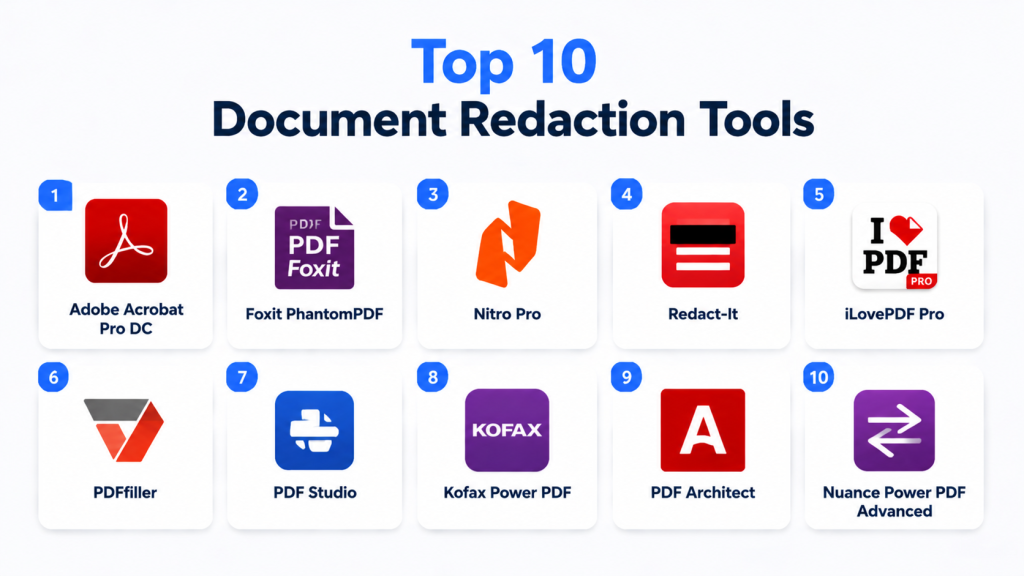
Top 10 Document Redaction Tools
#1 — Adobe Acrobat Pro DC
Short description: Industry-standard PDF editor with advanced redaction features for sensitive information protection.
Key Features
- Redaction of text, images, and metadata
- Search and remove sensitive content automatically
- Batch redaction capabilities
- Audit trails and version tracking
- Integration with document management systems
- Encryption and password protection
Pros
- Reliable and widely used
- Supports multiple formats and workflows
- Strong security features
Cons
- Premium pricing
- May require training for advanced features
Platforms / Deployment
- Windows, macOS, iOS, Android
- Cloud / On-premise
Security & Compliance
- SSO, encryption, MFA
- SOC 2, ISO 27001, GDPR
Integrations & Ecosystem
Integrates with Microsoft Office, SharePoint, Google Drive, and DMS platforms.
- Microsoft Office
- SharePoint
- Google Drive
Support & Community
Comprehensive documentation, customer support, and large user community.
#2 — Foxit PhantomPDF
Short description: PDF editor and redaction solution for businesses seeking document privacy and compliance.
Key Features
- Text and image redaction
- Batch processing
- OCR for scanned documents
- Metadata removal
- Role-based access control
- Integration with collaboration platforms
Pros
- Cost-effective compared to alternatives
- Lightweight and fast
- Enterprise-ready
Cons
- User interface less intuitive
- Advanced automation limited
Platforms / Deployment
- Windows, macOS, iOS, Android
- Cloud / On-premise
Security & Compliance
- Encryption, SSO
- Not publicly stated
Integrations & Ecosystem
Supports SharePoint, Google Workspace, and DMS tools.
Support & Community
Documentation, email support, and knowledge base.
#3 — Nitro Pro
Short description: PDF editor with redaction tools, batch processing, and collaboration features for corporate use.
Key Features
- Redaction of text, images, and annotations
- Automated search and redact
- Batch processing
- Audit logs
- Integration with cloud storage
- PDF conversion and editing
Pros
- User-friendly interface
- Strong batch processing
- Affordable for SMBs
Cons
- Limited advanced analytics
- Smaller user community than Adobe
Platforms / Deployment
- Windows, Web
- Cloud / On-premise
Security & Compliance
- Encryption, password protection
- Not publicly stated
Integrations & Ecosystem
Microsoft Office, cloud storage platforms, and DMS integrations.
Support & Community
Documentation, support tickets, and online tutorials.
#4 — Redact-It
Short description: Purpose-built redaction software for sensitive documents in legal and corporate environments.
Key Features
- Automatic detection of sensitive information
- Batch redaction
- OCR support for scanned files
- Metadata removal
- Audit logs and compliance reporting
- Integration with DMS
Pros
- Specialized for redaction
- Fast processing for large document sets
- Compliance-focused features
Cons
- Limited to certain file formats
- Interface less modern
Platforms / Deployment
- Windows
- On-premise / Cloud
Security & Compliance
- Encryption, audit logs
- Not publicly stated
Integrations & Ecosystem
Works with document management and workflow systems.
Support & Community
Email support, documentation, and training resources.
#5 — iLovePDF Pro
Short description: Online PDF management platform with basic redaction and document editing tools.
Key Features
- Text and image redaction
- Merge and split PDFs
- Metadata removal
- Cloud storage support
- Batch processing
Pros
- Simple to use
- Web-based, accessible anywhere
- Affordable for SMBs
Cons
- Limited advanced security features
- Less suitable for enterprise compliance
Platforms / Deployment
- Web, iOS, Android
- Cloud
Security & Compliance
- SSL encryption
- Not publicly stated
Integrations & Ecosystem
Google Drive, Dropbox, and OneDrive integration.
Support & Community
Documentation and email support.
#6 — PDFfiller
Short description: Cloud PDF platform with redaction, e-signature, and workflow automation features.
Key Features
- Redact text and images
- eSign and fill forms
- Batch processing
- Metadata removal
- Cloud collaboration
Pros
- Multi-functional platform
- Easy web access
- Suitable for SMBs and enterprise
Cons
- Advanced redaction automation limited
- Mobile experience can be slower
Platforms / Deployment
- Web, iOS, Android
- Cloud
Security & Compliance
- Encryption, SSO
- SOC 2, GDPR
Integrations & Ecosystem
Google Workspace, Dropbox, Salesforce, and DMS systems.
Support & Community
Documentation, online support, and tutorials.
#7 — PDF Studio
Short description: Desktop PDF solution offering comprehensive redaction and editing tools.
Key Features
- Redaction of text, images, and annotations
- Batch processing
- OCR support
- Metadata removal
- Document security and permissions
Pros
- Strong offline capabilities
- Affordable license
- Cross-platform support
Cons
- Interface not as modern as competitors
- Limited cloud integration
Platforms / Deployment
- Windows, macOS, Linux
- On-premise
Security & Compliance
- Encryption, password protection
- Not publicly stated
Integrations & Ecosystem
Supports DMS, document workflows, and collaboration tools.
Support & Community
Documentation, email support, and tutorials.
#8 — Kofax Power PDF
Short description: Enterprise-grade PDF editor with redaction, security, and workflow capabilities.
Key Features
- Redaction for text and images
- Batch processing
- Metadata removal
- Integration with document workflows
- Audit trails
Pros
- Enterprise-ready features
- High security
- Scalable for large organizations
Cons
- Higher cost
- Learning curve for advanced features
Platforms / Deployment
- Windows, macOS
- Cloud / On-premise
Security & Compliance
- Encryption, audit logs
- SOC 2, ISO 27001
Integrations & Ecosystem
Microsoft Office, SharePoint, and DMS integrations.
Support & Community
Enterprise support, documentation, and training.
#9 — PDF Architect
Short description: Modular PDF solution with redaction, editing, and security features.
Key Features
- Redact sensitive content
- Module-based functionality
- Metadata removal
- Batch processing
- Cloud collaboration
Pros
- Flexible modules
- Affordable
- Supports multiple workflows
Cons
- Some modules require extra purchase
- Limited analytics
Platforms / Deployment
- Windows
- Cloud / On-premise
Security & Compliance
- Encryption
- Not publicly stated
Integrations & Ecosystem
Microsoft Office, DMS, cloud storage.
Support & Community
Documentation and email support.
#10 — Nuance Power PDF Advanced
Short description: Advanced PDF solution for document security, redaction, and enterprise workflows.
Key Features
- Redaction of text and images
- Batch processing
- Metadata removal
- Audit logs
- Integration with DMS and ERP
Pros
- Enterprise-grade security
- Scalable for large volumes
- Workflow automation
Cons
- Higher cost
- Less intuitive for casual users
Platforms / Deployment
- Windows
- Cloud / On-premise
Security & Compliance
- Encryption, audit logs, MFA
- SOC 2, ISO 27001
Integrations & Ecosystem
Microsoft Office, SharePoint, cloud storage, ERP/DMS systems.
Support & Community
Documentation, enterprise support, and training.
Comparison Table (Top 10)
| Tool Name | Best For | Platform(s) Supported | Deployment | Standout Feature | Public Rating |
|---|---|---|---|---|---|
| Adobe Acrobat Pro DC | Enterprise | Windows, macOS, iOS, Android | Cloud / On-premise | Advanced redaction & compliance | N/A |
| Foxit PhantomPDF | SMB & Enterprise | Windows, macOS, iOS, Android | Cloud / On-premise | Cost-effective & lightweight | N/A |
| Nitro Pro | SMB & Mid-Market | Windows, Web | Cloud / On-premise | Batch redaction & editing | N/A |
| Redact-It | Legal / Enterprise | Windows | On-premise / Cloud | Automated sensitive info detection | N/A |
| iLovePDF Pro | SMB | Web, iOS, Android | Cloud | Simple online redaction | N/A |
| PDFfiller | SMB & Enterprise | Web, iOS, Android | Cloud | Multi-functional (redaction + eSign) | N/A |
| PDF Studio | SMB & Mid-Market | Windows, macOS, Linux | On-premise | Offline redaction | N/A |
| Kofax Power PDF | Enterprise | Windows, macOS | Cloud / On-premise | Enterprise security & audit | N/A |
| PDF Architect | SMB | Windows | Cloud / On-premise | Modular functionality | N/A |
| Nuance Power PDF Advanced | Enterprise | Windows | Cloud / On-premise | Advanced workflows & compliance | N/A |
Evaluation & Scoring of Document Redaction Tools
| Tool Name | Core (25%) | Ease (15%) | Integrations (15%) | Security (10%) | Performance (10%) | Support (10%) | Value (15%) | Weighted Total |
|---|---|---|---|---|---|---|---|---|
| Adobe Acrobat Pro DC | 9 | 8 | 9 | 9 | 8 | 8 | 7 | 8.5 |
| Foxit PhantomPDF | 8 | 8 | 8 | 8 | 8 | 7 | 8 | 8.0 |
| Nitro Pro | 8 | 8 | 7 | 7 | 8 | 7 | 8 | 7.7 |
| Redact-It | 9 | 7 | 7 | 8 | 8 | 7 | 7 | 7.9 |
| iLovePDF Pro | 7 | 9 | 6 | 7 | 7 | 6 | 8 | 7.2 |
| PDFfiller | 7 | 8 | 7 | 8 | 7 | 7 | 7 | 7.4 |
| PDF Studio | 8 | 7 | 7 | 7 | 8 | 7 | 7 | 7.4 |
| Kofax Power PDF | 9 | 7 | 8 | 9 | 8 | 7 | 7 | 8.1 |
| PDF Architect | 7 | 8 | 6 | 7 | 7 | 6 | 7 | 7.0 |
| Nuance Power PDF Advanced | 9 | 7 | 8 | 9 | 8 | 7 | 7 | 8.1 |
Interpretation: Weighted totals provide a comparative view of core features, ease of use, integrations, security, performance, support, and value. Higher scores indicate stronger overall solutions.
Which Document Redaction Tool Is Right for You?
Solo / Freelancer
iLovePDF Pro or PDF Studio for affordable, easy-to-use redaction.
SMB
Foxit PhantomPDF, Nitro Pro, and PDFfiller for a balance of cost, functionality, and ease.
Mid-Market
Nitro Pro, PDFfiller, PDF Studio, Redact-It for batch processing and compliance.
Enterprise
Adobe Acrobat Pro DC, Kofax Power PDF, Nuance Power PDF Advanced for enterprise-grade security, compliance, and workflow automation.
Budget vs Premium
Budget: iLovePDF Pro, PDF Studio
Premium: Adobe Acrobat Pro DC, Kofax Power PDF, Nuance Power PDF Advanced
Feature Depth vs Ease of Use
Advanced enterprise tools offer deeper redaction and compliance features but require training; SMB-focused tools prioritize usability.
Integrations & Scalability
Evaluate DMS, ERP, and collaboration integrations for smooth adoption across teams.
Security & Compliance Needs
High-volume or regulated environments should prioritize SOC 2, ISO 27001, encryption, and audit logs.
Frequently Asked Questions (FAQs)
1. What pricing models are used?
Subscription, perpetual licenses, or cloud-based SaaS models, often tiered by users or features.
2. Are these tools easy to install?
Web-based solutions are plug-and-play; enterprise tools may require IT setup.
3. Can they handle batch redaction?
Yes. Most support automated batch processing for multiple documents.
4. How secure are redacted documents?
Leading platforms provide encryption, audit trails, and access controls.
5. Do these tools support multiple document types?
Yes. PDFs, Word, Excel, images, and scanned documents are commonly supported.
6. Can they integrate with document management systems?
Yes. SharePoint, Google Workspace, Microsoft 365, and ERP/DMS platforms are typically supported.
7. Are there mobile apps?
Some platforms, like PDFfiller and iLovePDF, provide mobile access for editing and redaction.
8. Can metadata be removed automatically?
Yes. Most tools remove hidden metadata alongside visible redaction.
9. How do I ensure compliance?
Choose tools with audit logs, encryption, and certifications like SOC 2 or ISO 27001.
10. How do I select the right tool?
Consider document volume, regulatory needs, deployment preference, integrations, and budget. Pilot 2–3 tools before final adoption.
Conclusion
Document redaction tools are essential for protecting sensitive information, ensuring compliance, and streamlining workflows. The “best” tool depends on your organizational size, document volume, security requirements, and workflow complexity. Start by shortlisting 2–3 platforms, test key features, and confirm integration with existing document systems. Prioritize usability, security, and scalability to maximize efficiency and mitigate risks.
