Introduction
Postal mail automation tools help businesses create, print, send, track, and manage physical mail without depending on manual printing, envelope stuffing, postage handling, or spreadsheet-based mailing workflows. These platforms connect traditional postal communication with modern digital systems such as CRMs, ERPs, billing platforms, marketing automation tools, customer support systems, and developer APIs. Instead of treating physical mail as a slow back-office task, teams can trigger postcards, letters, invoices, checks, statements, notices, and compliance mail directly from business workflows.
Postal mail automation matters now because companies still rely on physical mail for regulated communication, customer engagement, billing, healthcare notices, insurance documents, financial statements, legal letters, and high-impact marketing campaigns. As digital channels become crowded, physical mail is being used more strategically with personalization, automation, address validation, delivery tracking, and omnichannel campaign measurement.
Real-world use cases include:
- Invoice and statement delivery for finance, utilities, insurance, healthcare, and public sector teams
- Customer lifecycle marketing such as onboarding mailers, renewal notices, loyalty campaigns, and win-back offers
- Compliance communication including legal notices, policy updates, healthcare letters, and regulated documents
- Developer-led mail workflows where applications trigger letters, postcards, checks, or notices through APIs
- Operational mailrooms that need to reduce manual sorting, printing, postage, and dispatch errors
Evaluation Criteria for Buyers:
- Mail type coverage: letters, postcards, checks, invoices, statements, certified mail, and marketing mail
- Automation depth: triggers, batch processing, templates, personalization, rules, and workflow logic
- API maturity: REST APIs, webhooks, SDKs, documentation, and developer experience
- Address validation: address cleansing, deduplication, deliverability checks, and postal formatting
- Tracking and analytics: delivery status, campaign reporting, response tracking, and audit trails
- Integrations: CRM, ERP, billing, marketing automation, e-commerce, and data warehouse connections
- Security controls: role-based access, audit logs, encryption, SSO, and compliance posture
- Scalability: support for both one-off mailings and high-volume recurring mail operations
- Cost structure: pay-per-piece, subscription, volume discounts, postage costs, and implementation fees
- Support quality: onboarding, print network reliability, documentation, and enterprise support options
Best for: Postal mail automation tools are best for operations leaders, marketing teams, finance teams, compliance teams, developers, healthcare administrators, insurance teams, banks, SaaS companies, utilities, nonprofits, and enterprises that send recurring physical mail at scale. They are especially valuable for companies that need accuracy, tracking, personalization, and integration with digital systems.
Not ideal for: These tools may not be necessary for individuals or very small teams that send only a few letters per month and do not need automation, tracking, compliance workflows, or integrations. Basic local printing, postal services, or simple office mailing may be enough when mail volume is low and personalization is minimal.
Key Trends in Postal Mail Automation Tools
- API-first physical mail workflows: More companies are treating postal mail like email or SMS by triggering letters, postcards, and notices directly from software applications.
- AI-assisted personalization: AI is increasingly used to segment audiences, personalize content, optimize send timing, and improve campaign targeting.
- Omnichannel campaign coordination: Postal mail is being combined with email, SMS, ads, CRM workflows, and sales engagement sequences.
- Compliance-focused mail tracking: Regulated industries are demanding stronger audit trails, delivery visibility, user permissions, and document history.
- Address intelligence and data quality: Address verification, standardization, deduplication, and deliverability checks are becoming core buying criteria.
- Hybrid operational and marketing use cases: Buyers want one platform that can support invoices, notices, statements, postcards, and customer engagement campaigns.
- Template-driven automation: Teams are moving from static PDFs to dynamic templates with merge fields, conditional content, and brand controls.
- Enterprise integration expectations: CRM, ERP, billing, helpdesk, marketing automation, and data platform integrations are now expected rather than optional.
- Print network reliability: Buyers are evaluating production capacity, geographic coverage, turnaround time, and vendor redundancy more carefully.
- Usage-based pricing: Many platforms are shifting toward flexible pricing based on mail volume, mail format, postage, and advanced features.
How We Selected These Tools
The tools in this list were selected using a practical SaaS/product evaluation approach rather than a single popularity metric. Postal mail automation is a broad category, so the list includes API-first platforms, campaign-focused tools, mailroom automation solutions, SMB-friendly products, and enterprise document delivery platforms.
Selection logic included:
- Market adoption and recognition across direct mail automation, print-and-mail, mailroom automation, and business mail workflows
- Feature completeness across mail creation, printing, sending, tracking, templates, address handling, and reporting
- Automation depth including triggers, batch sends, APIs, CRM workflows, and scheduled campaigns
- Reliability and scalability signals such as support for high-volume mail, production networks, and operational use cases
- Security posture signals including access controls, auditability, and enterprise administration where publicly visible
- Integration ecosystem covering CRM, ERP, marketing automation, billing, e-commerce, and developer APIs
- Customer segment fit for solo users, SMBs, mid-market teams, developers, and enterprise operations
- Ease of implementation for non-technical teams and technical teams building automated workflows
- Use-case diversity across marketing mail, transactional mail, compliance mail, invoices, statements, and checks
- Practical buyer value based on automation, cost control, reduced manual effort, and workflow visibility
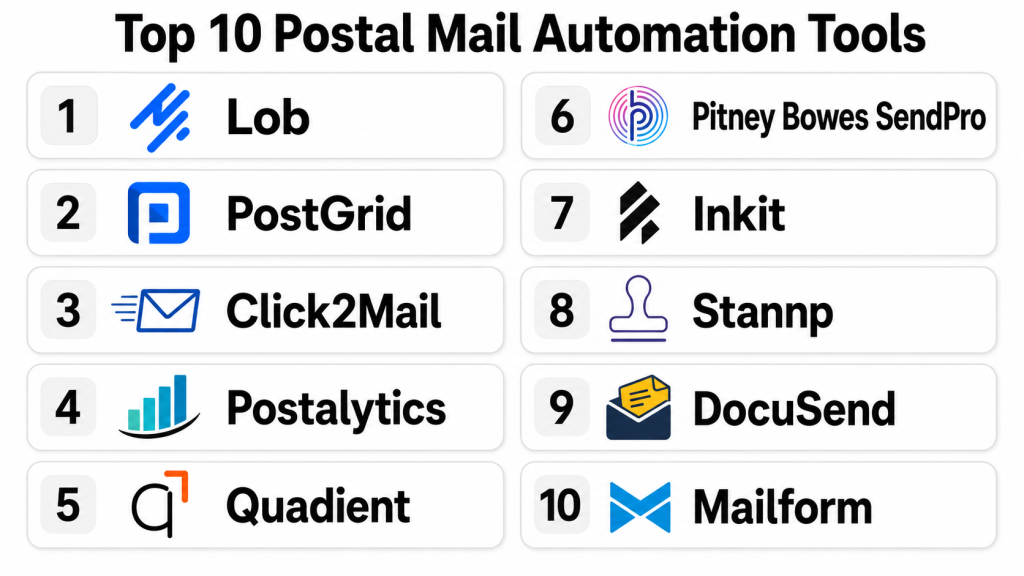
Top 10 Postal Mail Automation Tools
1- Lob
Short description: Lob is an API-first postal mail automation platform built for businesses that want to send postcards, letters, checks, and address-verified mail from software workflows. It is especially useful for developers, SaaS teams, fintech companies, insurance businesses, healthcare teams, and enterprises that need scalable physical mail automation.
Key Features
- API-driven postcard, letter, and check sending
- Address verification and address intelligence capabilities
- Templates for personalized mail pieces
- Webhooks and delivery tracking for workflow visibility
- Batch mail support for large campaigns and operational mail
- Developer-friendly documentation and integration patterns
- Suitable for transactional and marketing mail use cases
Pros
- Strong fit for developer-led and API-driven mail workflows
- Scales well for recurring, high-volume, and automated mail operations
- Useful for both operational mail and personalized customer communication
Cons
- May require technical resources for full workflow customization
- Can be more advanced than needed for very simple mail sending
- Pricing may vary depending on volume, mail format, and usage needs
Platforms / Deployment
Web / API
Cloud
Security & Compliance
Not publicly stated for all controls in a way that should be generalized here. Buyers should verify SSO, MFA, encryption, audit logs, RBAC, SOC 2, HIPAA, and GDPR requirements directly during vendor evaluation.
Integrations & Ecosystem
Lob is strongest when connected to software systems through APIs, webhooks, and automated business workflows. It is commonly used where physical mail needs to be triggered from customer lifecycle, billing, compliance, or application events.
Common integration patterns include:
- CRM and customer data platforms
- Billing and invoicing systems
- SaaS application backends
- Marketing automation workflows
- Data pipelines and operational databases
- Custom applications using APIs and webhooks
Support & Community
Lob is known for developer-oriented resources and API documentation. Enterprise support, onboarding, and implementation assistance may vary by plan and customer size, so buyers should confirm support tiers before purchase.
2- PostGrid
Short description: PostGrid is a postal mail automation and direct mail API platform for businesses that need to create, send, automate, and track physical mail from digital systems. It supports use cases such as letters, postcards, checks, address verification, and CRM-connected mailing workflows.
Key Features
- Direct mail API for programmatic mail sending
- Support for letters, postcards, self-mailers, and checks
- Address verification and mailing list management
- Template creation and mail personalization
- Dashboard-based campaign management
- Tracking and reporting for mail activity
- Useful for both developer and business-user workflows
Pros
- Balanced option for API users and non-technical campaign teams
- Good fit for businesses that need both address validation and mail automation
- Supports operational, transactional, and marketing mail workflows
Cons
- Advanced use cases may still need technical setup
- Pricing and implementation details may vary by volume and region
- Some enterprise compliance requirements should be verified directly
Platforms / Deployment
Web / API
Cloud
Security & Compliance
Not publicly stated for all controls in a consistent way. Buyers should verify encryption, access controls, audit logs, SSO, data residency, SOC 2, HIPAA, GDPR, and other compliance requirements before deployment.
Integrations & Ecosystem
PostGrid is commonly used as a connector between customer systems and physical mail delivery. It fits teams that want to automate mail directly from CRMs, applications, databases, or business workflows.
Common integration patterns include:
- CRM systems
- Billing platforms
- Marketing automation tools
- Custom applications
- Address verification workflows
- APIs and webhooks
Support & Community
PostGrid provides product resources and sales-led onboarding for business use cases. Support depth may depend on the plan, use case, and volume, so buyers should confirm implementation support and service-level expectations.
3- Click2Mail
Short description: Click2Mail is an online mailing platform that helps users send letters, postcards, certified letters, and other mail pieces without managing printing and postage manually. It is a practical option for small businesses, agencies, nonprofits, and teams that want fast setup without heavy technical implementation.
Key Features
- Online mail creation and sending
- Support for letters, postcards, certified mail, and business mail formats
- API options for automated mail workflows
- Mailing applications for business users
- No heavy infrastructure requirement for printing and postage
- Useful for low-volume and moderate-volume mail campaigns
- Simple upload, design, and send workflows
Pros
- Easy to use for SMBs and non-technical users
- Good option for occasional and recurring mail needs
- Can support both manual and API-based workflows
Cons
- May not offer the same enterprise depth as larger API-first platforms
- Advanced reporting and workflow customization may be limited for complex teams
- Large-scale enterprise buyers should validate scalability and compliance needs
Platforms / Deployment
Web / API
Cloud
Security & Compliance
Not publicly stated. Buyers should verify access controls, user permissions, data handling, encryption, audit logs, and compliance requirements based on their industry.
Integrations & Ecosystem
Click2Mail supports both web-based mailing and API-based automation. It is useful for teams that want to start with simple online mail sending and later connect mail workflows into business applications.
Common integration patterns include:
- API-based mailing applications
- Uploaded mailing lists
- CRM exports
- Document workflows
- Small business mailing operations
- Campaign-based postal workflows
Support & Community
Click2Mail is approachable for business users and provides practical product guidance. Support availability, onboarding depth, and technical assistance may vary by use case and customer plan.
4- Postalytics
Short description: Postalytics is a direct mail automation platform focused on marketing teams that want to send personalized postcards and letters from CRM and marketing workflows. It is useful for demand generation, customer reactivation, fundraising, local marketing, and multichannel campaign programs.
Key Features
- Direct mail campaign automation
- Personalized postcards and letters
- CRM-connected audience targeting
- Delivery and response tracking
- Campaign analytics and reporting
- Trigger-based mail workflows
- Templates for marketing mail campaigns
Pros
- Strong fit for marketing automation and CRM-connected direct mail
- Helps teams measure direct mail performance more clearly
- Useful for personalized campaigns and lead nurturing
Cons
- Less focused on pure back-office mailroom automation
- May not be the first choice for complex transactional mail APIs
- Best results require good customer data and campaign planning
Platforms / Deployment
Web / API
Cloud
Security & Compliance
Not publicly stated for all enterprise security controls. Buyers should confirm MFA, SSO, audit logs, encryption, data retention, and compliance obligations during procurement.
Integrations & Ecosystem
Postalytics is designed to connect postal mail with modern marketing and CRM workflows. It is a strong fit for teams that want direct mail to work alongside email, digital ads, and sales campaigns.
Common integration patterns include:
- CRM systems
- Marketing automation platforms
- Lead nurturing workflows
- Campaign reporting tools
- Contact lists and audience segments
- API-based direct mail workflows
Support & Community
Postalytics provides onboarding and marketing-focused guidance for direct mail campaigns. Support depth may vary by customer tier, campaign complexity, and integration needs.
5- Quadient
Short description: Quadient offers mail automation, document automation, customer communication, and mailing operations solutions for organizations with complex mail, document, invoice, and compliance communication needs. It is best suited for enterprises, mailrooms, financial services, insurance, healthcare, utilities, and public sector environments.
Key Features
- Mail preparation and automation workflows
- Document output and customer communication capabilities
- Invoice delivery and presentment support
- Operational mailroom automation use cases
- Addressing, sorting, and postal process optimization
- Enterprise document workflow support
- Useful for regulated and high-volume environments
Pros
- Strong fit for enterprise mail operations and document-heavy workflows
- Supports broader communication management beyond simple direct mail
- Useful for organizations with compliance and operational complexity
Cons
- May be too complex for small businesses with basic mailing needs
- Implementation can require planning, process mapping, and stakeholder alignment
- Pricing and deployment model may vary significantly by solution
Platforms / Deployment
Web / Windows / Varies by product
Cloud / Hybrid / Varies by product
Security & Compliance
Varies by product. Buyers should verify SSO, audit logs, encryption, role-based access, data residency, SOC 2, ISO 27001, GDPR, HIPAA, and other compliance requirements for the specific Quadient solution being evaluated.
Integrations & Ecosystem
Quadient is often used in enterprise environments where postal mail connects with customer communications, billing, document generation, and operational mail processes. It can support complex ecosystems where mail is part of a broader document lifecycle.
Common integration patterns include:
- ERP systems
- Billing and invoice platforms
- Customer communication management systems
- Mailroom hardware and postal workflows
- Enterprise document repositories
- Compliance and operational reporting systems
Support & Community
Quadient generally serves enterprise and mid-market customers with structured onboarding and support models. Exact support levels, implementation services, and documentation access vary by product and contract.
6- Pitney Bowes SendPro
Short description: Pitney Bowes SendPro is a shipping and mailing solution designed to help organizations manage postage, sending, mailing, and office mail operations more efficiently. It is useful for companies that need a trusted mailing workflow provider with strong operational focus.
Key Features
- Mailing and postage workflow support
- Shipping and sending management capabilities
- Office mail and business sending tools
- Label, postage, and mail preparation features
- Useful for organizations with recurring outbound mail
- Operational visibility for mailing activities
- Fit for physical mail and shipping-adjacent workflows
Pros
- Strong brand recognition in mailing and postage operations
- Good fit for organizations with office mail and shipping needs
- Practical for teams that want mailing efficiency rather than only marketing automation
Cons
- May not be as developer-first as API-native direct mail platforms
- Some use cases may require product-specific configuration
- Advanced digital campaign automation may be better handled by marketing-focused tools
Platforms / Deployment
Web / Varies by product
Cloud / Varies by product
Security & Compliance
Not publicly stated for all controls in this context. Buyers should verify user access, encryption, audit logs, SSO, compliance, and data handling based on the selected SendPro product and deployment model.
Integrations & Ecosystem
Pitney Bowes SendPro works well for mailing and shipping operations where teams need to manage physical sending workflows. Its ecosystem is more operational than developer-only, making it useful for office and business mail teams.
Common integration patterns include:
- Office mailing workflows
- Shipping and sending processes
- Postage management
- Administrative operations
- Mailroom workflows
- Business sending systems
Support & Community
Pitney Bowes typically provides business support, product resources, and customer service channels. Support details vary by product, region, and service agreement.
7- Inkit
Short description: Inkit is a document generation and mail automation platform that helps organizations create, manage, and send physical mail from digital workflows. It is especially relevant for teams that need secure document automation, transactional mail, and workflow-driven communication.
Key Features
- Document generation and automation
- Physical mail workflow support
- Template-based communication creation
- API and workflow-driven sending
- Useful for transactional and compliance mail
- Document management and delivery workflows
- Support for personalized communication
Pros
- Good fit for document-heavy and workflow-driven mail needs
- Useful when postal mail is part of a larger document automation process
- Suitable for operational and transactional communication use cases
Cons
- May require implementation planning for complex document workflows
- Could be more than needed for simple postcard or one-off mail campaigns
- Buyers should validate integrations and compliance requirements carefully
Platforms / Deployment
Web / API
Cloud / Varies by product
Security & Compliance
Not publicly stated for all controls in this context. Buyers should verify encryption, RBAC, SSO, audit logs, data retention, and industry-specific compliance requirements.
Integrations & Ecosystem
Inkit is commonly positioned around document generation and automated delivery workflows. It fits organizations that need to generate accurate documents and send them through postal or digital channels.
Common integration patterns include:
- Document generation workflows
- CRM systems
- Business applications
- APIs and workflow automation
- Compliance communication systems
- Transactional customer communication workflows
Support & Community
Support and onboarding may vary based on plan, document complexity, and enterprise requirements. Buyers should confirm implementation assistance, technical support, and documentation availability.
8- Stannp
Short description: Stannp is a direct mail automation platform focused on helping businesses create and send personalized mail campaigns such as postcards, letters, and marketing mail. It is useful for agencies, SMBs, retailers, nonprofits, and marketing teams that want direct mail campaign execution without building print infrastructure.
Key Features
- Direct mail campaign creation
- Personalized postcards and letters
- Mailing list management
- Campaign tracking and reporting
- API support for automated workflows
- Useful for marketing and customer engagement campaigns
- Support for recurring and targeted sends
Pros
- Practical option for marketing teams and agencies
- Easier to use than highly technical API-only platforms
- Good fit for personalized direct mail campaigns
Cons
- May not be ideal for complex enterprise transactional mail
- Advanced compliance workflows should be verified before adoption
- Best results require clean audience data and campaign planning
Platforms / Deployment
Web / API
Cloud
Security & Compliance
Not publicly stated. Buyers should verify MFA, SSO, encryption, audit logs, data handling, and compliance requirements depending on campaign type and region.
Integrations & Ecosystem
Stannp is useful when direct mail needs to connect with customer data, marketing lists, and campaign workflows. It works well for audience-based direct mail programs rather than heavy mailroom operations.
Common integration patterns include:
- CRM data imports
- Marketing campaigns
- API-based sending
- Audience segmentation workflows
- Agency campaign management
- Customer engagement programs
Support & Community
Stannp provides user-focused product support and campaign resources. Support tiers, onboarding, and integration assistance may vary by account type and region.
9- DocuSend
Short description: DocuSend is a print-and-mail platform that helps businesses upload documents and send them as postal mail without managing printing, envelopes, and postage internally. It is a strong fit for small businesses, accounting teams, billing teams, property managers, legal offices, and companies that need simple document mailing.
Key Features
- Upload-and-mail document workflows
- Letter and document mailing support
- Batch document processing
- Simple online workflow for business users
- Useful for invoices, notices, statements, and letters
- Reduces manual printing and postage handling
- Practical for recurring operational mail
Pros
- Simple and approachable for non-technical users
- Good fit for document-heavy small business mailing
- Helps reduce manual mail preparation work
Cons
- Less developer-centric than API-first platforms
- May not offer deep omnichannel campaign automation
- Enterprise-grade workflow customization may be limited
Platforms / Deployment
Web
Cloud
Security & Compliance
Not publicly stated. Buyers should verify encryption, user permissions, audit logs, file handling, retention policies, and any industry-specific compliance requirements.
Integrations & Ecosystem
DocuSend is most useful for document upload and print-to-mail workflows. It may not require complex integrations for basic use, but teams should evaluate whether it fits their existing document and billing processes.
Common integration patterns include:
- PDF document workflows
- Accounting and billing exports
- Statement mailing
- Legal and property notices
- Small business operations
- Batch upload processes
Support & Community
DocuSend is generally suitable for users who need straightforward print-and-mail execution. Support details, onboarding resources, and advanced service options should be confirmed based on use case and volume.
10- Mailform
Short description: Mailform helps users print and mail documents online, making it useful for individuals, freelancers, small businesses, legal teams, finance teams, and operations staff that need a quick way to send documents by post. It is best for simple document mailing rather than highly complex enterprise automation.
Key Features
- Online document printing and mailing
- PDF upload and postal sending
- Support for letters and business documents
- Simple workflow for one-off or recurring mailing
- Useful for notices, invoices, forms, and letters
- Reduces manual printing, envelopes, and postage
- Accessible for non-technical users
Pros
- Easy to use for simple mailing needs
- Good option for individuals and small teams
- Minimal technical setup required
Cons
- Not ideal for complex API-first enterprise workflows
- Limited compared with full direct mail automation platforms
- Advanced reporting and campaign automation may be limited
Platforms / Deployment
Web
Cloud
Security & Compliance
Not publicly stated. Buyers should verify document handling, encryption, access controls, retention policies, and compliance needs before sending sensitive information.
Integrations & Ecosystem
Mailform is designed for simple document-to-mail workflows. It is best used when teams need to send documents quickly without investing in a larger automation platform.
Common integration patterns include:
- PDF upload workflows
- Manual document mailing
- Small business document operations
- Legal and administrative letters
- Invoice and notice mailing
- Lightweight postal workflows
Support & Community
Mailform is aimed at ease of use and simple mailing execution. Support options and onboarding depth may vary, so buyers with sensitive or high-volume use cases should validate support expectations in advance.
Comparison Table
| Tool Name | Best For | Platform(s) Supported | Deployment | Standout Feature | Public Rating |
|---|---|---|---|---|---|
| Lob | API-first mail automation | Web / API | Cloud | Developer-friendly postal mail APIs | N/A |
| PostGrid | Direct mail API and address automation | Web / API | Cloud | Mail automation plus address verification | N/A |
| Click2Mail | SMB online mail sending | Web / API | Cloud | Simple online mailing with API options | N/A |
| Postalytics | Marketing direct mail automation | Web / API | Cloud | CRM-connected direct mail campaigns | N/A |
| Quadient | Enterprise mail and document workflows | Web / Windows / Varies | Cloud / Hybrid / Varies | Enterprise mailroom and document automation | N/A |
| Pitney Bowes SendPro | Office mailing and sending operations | Web / Varies | Cloud / Varies | Mailing, postage, and sending operations | N/A |
| Inkit | Document generation and mail workflows | Web / API | Cloud / Varies | Document automation with mail delivery | N/A |
| Stannp | Direct mail marketing campaigns | Web / API | Cloud | Personalized campaign mail automation | N/A |
| DocuSend | Simple document print-and-mail | Web | Cloud | Upload documents and mail them easily | N/A |
| Mailform | Lightweight online document mailing | Web | Cloud | Fast PDF-to-mail workflow | N/A |
Evaluation & Scoring of Postal Mail Automation Tools
The scoring below is comparative and based on practical buyer criteria. It does not represent a universal ranking for every organization. A tool with a lower score may still be the best choice for a specific use case, such as simple document mailing, office postage management, or campaign-focused direct mail.
| Tool Name | Core (25%) | Ease (15%) | Integrations (15%) | Security (10%) | Performance (10%) | Support (10%) | Value (15%) | Weighted Total (0–10) |
| Lob | 9 | 7 | 9 | 7 | 9 | 8 | 8 | 8.25 |
| PostGrid | 9 | 8 | 8 | 7 | 8 | 8 | 8 | 8.20 |
| Postalytics | 8 | 8 | 8 | 7 | 8 | 8 | 8 | 7.90 |
| Quadient | 9 | 6 | 8 | 8 | 9 | 8 | 7 | 7.85 |
| Click2Mail | 7 | 9 | 7 | 6 | 8 | 7 | 9 | 7.55 |
| Pitney Bowes SendPro | 8 | 7 | 6 | 7 | 8 | 8 | 7 | 7.35 |
| Inkit | 8 | 7 | 8 | 7 | 8 | 7 | 7 | 7.55 |
| Stannp | 7 | 8 | 7 | 6 | 7 | 7 | 8 | 7.15 |
| DocuSend | 6 | 9 | 5 | 6 | 7 | 7 | 8 | 6.85 |
| Mailform | 5 | 9 | 4 | 5 | 7 | 6 | 8 | 6.35 |
Scores should be interpreted as a structured comparison, not a final buying decision. API-first tools score higher on integrations and automation, while simpler tools score higher on ease of use and value. Enterprise platforms may score strongly on performance and operational depth but require more planning. Buyers should shortlist tools based on actual mail volume, compliance needs, technical resources, and integration requirements.
Which Postal Mail Automation Tool Is Right for You?
Solo / Freelancer
Solo users and freelancers usually need speed, simplicity, and low setup effort. They may need to mail contracts, invoices, notices, client letters, or forms without buying printing supplies or visiting a post office.
Recommended options:
- Mailform for quick PDF-to-mail workflows
- DocuSend for simple document mailing
- Click2Mail for easy online letters and postcards
These tools are better suited when the goal is to send mail quickly rather than build a deeply automated system.
SMB
Small and medium businesses often need a mix of affordability, repeatable workflows, basic automation, and marketing support. They may send invoices, customer letters, postcards, renewal notices, appointment reminders, or local marketing mail.
Recommended options:
- Click2Mail for simple business mail
- Postalytics for CRM-connected campaigns
- Stannp for marketing-focused direct mail
- PostGrid for growing teams that need API and address verification features
SMBs should prioritize ease of use, transparent pricing, address quality, and basic tracking before investing in complex enterprise platforms.
Mid-Market
Mid-market companies usually need more automation, better integration, and stronger reporting. They may have multiple teams using postal mail for marketing, finance, operations, customer success, and compliance communication.
Recommended options:
- PostGrid for direct mail API and address automation
- Lob for developer-led workflows
- Postalytics for marketing automation
- Inkit for document-driven mail workflows
Mid-market buyers should evaluate API maturity, CRM integration, template controls, reporting, approval workflows, and security administration.
Enterprise
Enterprises need scale, governance, auditability, workflow controls, integration flexibility, and reliable production. Postal mail may be tied to regulated documents, high-volume campaigns, billing, policyholder communication, customer statements, or legal notices.
Recommended options:
- Quadient for enterprise mailroom and document communication workflows
- Lob for scalable API-based mail automation
- PostGrid for high-volume direct mail and address workflows
- Pitney Bowes SendPro for office mailing and business sending operations
- Inkit for document generation and mail automation
Enterprise buyers should run formal pilots, validate data handling, review vendor security documentation, test integrations, and confirm production reliability.
Budget vs Premium
Budget-conscious teams should start with Mailform, DocuSend, or Click2Mail because they reduce manual effort without requiring a major implementation. These tools are practical when mail volume is modest and workflows are simple.
Premium buyers should evaluate Lob, PostGrid, Quadient, and Inkit when automation depth, API flexibility, enterprise workflows, and operational reliability are more important than lowest upfront cost.
Feature Depth vs Ease of Use
For ease of use, Mailform, DocuSend, and Click2Mail are strong choices. They help users get mail out quickly with minimal technical work.
For feature depth, Lob, PostGrid, Quadient, and Inkit offer stronger automation, integration, and workflow options. These platforms are better when postal mail must connect with applications, customer data, compliance workflows, or large-scale operations.
Integrations & Scalability
If integrations are the top priority, start with Lob, PostGrid, Postalytics, or Inkit. These tools are more suitable for API-driven, CRM-connected, or workflow-based mail automation.
If scalability is the primary need, evaluate production capacity, print network reliability, API limits, address validation, batch processing, and support coverage. High-volume teams should avoid choosing based only on ease of use.
Security & Compliance Needs
For sensitive mail such as healthcare notices, financial statements, legal documents, insurance letters, or government communication, security should be a primary buying factor. Buyers should ask vendors for clear documentation on encryption, access controls, audit logs, user roles, data retention, SSO, compliance certifications, and incident response.
Recommended tools to evaluate for stronger governance needs include:
- Quadient for enterprise document and communication workflows
- Lob for API-driven operational mail
- PostGrid for address and mail automation
- Inkit for document workflow automation
Do not assume compliance readiness based only on marketing claims. Always verify security controls during procurement.
Frequently Asked Questions
1. What is postal mail automation software?
Postal mail automation software helps businesses create, print, send, and track physical mail from online dashboards, APIs, or business systems. It reduces manual printing, envelope stuffing, postage handling, and spreadsheet-based mailing processes.
2. Who uses postal mail automation tools?
Marketing teams, finance teams, healthcare organizations, insurers, banks, legal teams, utilities, nonprofits, SaaS companies, and government agencies use these tools. They are useful wherever physical mail must be accurate, repeatable, personalized, and trackable.
3. How are postal mail automation tools priced?
Pricing commonly depends on mail volume, mail format, postage, printing, subscription tier, API usage, support level, and advanced features. Some tools are pay-per-mail, while others use subscription or enterprise pricing.
4. Are postal mail automation tools secure?
Security varies by vendor and product. Buyers should verify encryption, access controls, audit logs, SSO, MFA, RBAC, data retention, and compliance documentation before sending sensitive or regulated mail.
5. Can these tools integrate with CRM systems?
Yes, many postal mail automation platforms support CRM integration through native connectors, APIs, webhooks, or data imports. CRM integration is especially important for personalized campaigns, customer lifecycle workflows, and triggered mail.
6. What are common mistakes when choosing a postal mail automation tool?
Common mistakes include ignoring address quality, underestimating postage costs, skipping integration testing, assuming compliance without verification, and choosing a tool based only on price. Teams should run a pilot before scaling.
7. How long does implementation usually take?
Simple tools can be used quickly through document upload or online campaign creation. API-first or enterprise workflows may require more time for templates, data mapping, security review, integration testing, and approval processes.
8. Can postal mail automation replace email marketing?
No, it usually complements email rather than replacing it. Postal mail works best when used for high-value messages, regulated communication, account notices, reactivation campaigns, and multichannel customer journeys.
9. What should developers evaluate in a postal mail API?
Developers should evaluate API documentation, SDKs, test environments, webhooks, address validation, template management, error handling, rate limits, reporting, and production reliability. Good developer experience can reduce implementation risk.
10. Can I switch from one postal mail automation tool to another?
Yes, but switching requires planning. Teams should export templates, mailing lists, campaign history, API logic, address data, suppression lists, and reporting data before migration. A parallel test period is recommended.
11. What alternatives exist for low-volume mail?
For low-volume mail, local printing, office postage meters, basic online mailing services, or manual postal services may be enough. Automation becomes more valuable when mail volume, personalization, tracking, or compliance requirements increase.
12. Which tool is best for enterprise postal mail automation?
There is no single best tool for every enterprise. Quadient, Lob, PostGrid, Pitney Bowes SendPro, and Inkit are strong options to evaluate depending on whether the priority is mailroom operations, API automation, address workflows, document generation, or business sending.
Conclusion
Postal mail automation tools help organizations modernize physical mail by connecting it with digital workflows, customer data, APIs, templates, reporting, and compliance processes. The best tool depends on what your business sends, how often you send it, who owns the workflow, and how deeply postal mail must integrate with existing systems. Simple tools like Mailform, DocuSend, and Click2Mail are useful for lightweight document mailing and SMB workflows, while platforms like Lob, PostGrid, Postalytics, Inkit, Pitney Bowes SendPro, and Quadient support more advanced automation, marketing, document, and enterprise mail operations. Buyers should avoid choosing only by brand name or price because mail quality, address accuracy, integration depth, security, and support can have a major impact on long-term success. The practical next step is to shortlist two or three tools, test them with real mail formats and real data, validate integrations and security controls, compare total cost, and then scale the platform that best matches your operational, marketing, and compliance needs.
