Introduction
Online fundraising tools help nonprofits, charities, schools, faith-based groups, community organizations, and social impact teams collect donations digitally, manage campaigns, engage supporters, and track fundraising performance from one organized platform.
Traditional fundraising often depends on manual follow-ups, offline donation records, basic forms, spreadsheets, and scattered payment tools. This can create donor data gaps, weak reporting, poor campaign visibility, and missed engagement opportunities. Online fundraising tools solve this by giving organizations donation pages, recurring giving options, peer-to-peer campaigns, event fundraising, donor communication, and payment processing in one place.
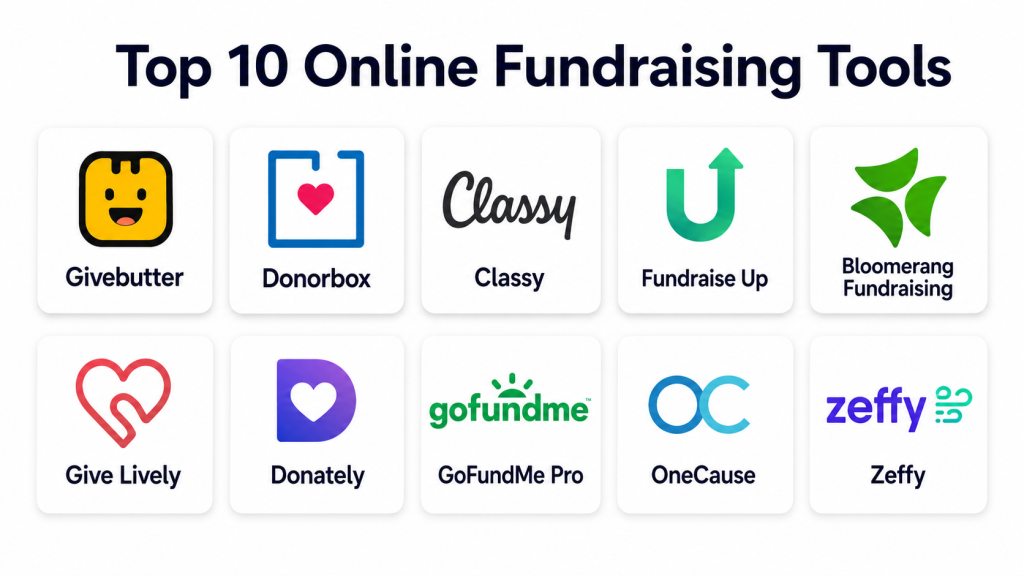
Many online fundraising platforms now support donation forms, campaign pages, text-to-give, event ticketing, auctions, donor management, recurring gifts, payment integrations, and analytics. Platforms such as Givebutter, Give Lively, Fundraise Up, and Bloomerang Fundraising position themselves around nonprofit online giving, donor experience, and campaign management.
The best online fundraising tool should be easy for donors, simple for staff, secure for payments, flexible for campaigns, and strong enough to support reporting, donor retention, and long-term fundraising growth.
Key Trends in Online Fundraising Tools
Online fundraising is becoming more donor-friendly, automated, and data-driven. Nonprofits now need tools that can support digital campaigns across websites, email, social media, events, mobile giving, and recurring donations.
Important trends include:
- More focus on frictionless donation forms
- Mobile-first donation experiences
- Recurring giving programs for predictable revenue
- Peer-to-peer fundraising for supporter-led campaigns
- Event-based fundraising with ticketing and auctions
- Text-to-give and QR-based donation flows
- AI-assisted donor engagement and campaign optimization
- Better CRM and email marketing integrations
- More transparent reporting for campaign performance
- Stronger fraud prevention and payment security
- Donor-covered fees and flexible payment options
- Easier campaign setup for small teams
Methodology
This list is based on practical fundraising usefulness, platform popularity, campaign flexibility, donor experience, payment support, recurring giving, peer-to-peer fundraising, reporting, ease of use, integrations, security posture, and suitability for nonprofits of different sizes.
The selected tools include platforms for donation pages, campaign fundraising, nonprofit events, peer-to-peer fundraising, recurring gifts, donor engagement, and digital fundraising growth.
Top 10 Online Fundraising Tools
1. Givebutter
Givebutter is an online fundraising platform for nonprofits that combines donation forms, campaign pages, events, auctions, peer-to-peer fundraising, donor management, and supporter engagement tools. It is popular with nonprofits that want an all-in-one fundraising platform with a modern donor experience.
Key Features
- Donation forms and fundraising pages
- Peer-to-peer fundraising campaigns
- Event ticketing and auctions
- Donor management tools
- Text-to-give support
- Email and supporter engagement tools
- Campaign performance reporting
Pros
- Strong all-in-one fundraising functionality
- Good fit for small and mid-sized nonprofits
- Modern and easy donor experience
Cons
- Advanced needs may require careful setup
- Some organizations may still need a deeper CRM
- Pricing and processing structure should be reviewed before adoption
Platforms / Deployment
Cloud-based web platform.
Security & Compliance
Payment and donor data security features are available, but exact compliance certifications should be confirmed directly with the vendor.
Integrations & Ecosystem
Givebutter supports fundraising workflows across donation forms, campaigns, events, auctions, CRM-style donor tracking, and engagement tools. Integration depth may vary by plan and setup.
Support & Community
Support resources, help documentation, and customer assistance are available. Support level may depend on plan and organization needs.
2. Donorbox
Donorbox is an online donation and fundraising platform used by nonprofits, churches, schools, and community organizations. It focuses on donation forms, recurring giving, campaign pages, donor management, and payment processing.
Key Features
- Online donation forms
- Recurring donations
- Campaign pages
- Peer-to-peer fundraising
- Donor management
- Membership support
- Payment processor integrations
Pros
- Easy to launch donation forms
- Strong recurring donation support
- Good fit for small and growing nonprofits
Cons
- Advanced CRM features may be limited compared with dedicated nonprofit CRMs
- Some features may depend on plan or add-ons
- Larger organizations may need more customization
Platforms / Deployment
Cloud-based web platform.
Security & Compliance
Payment security features are available through supported payment processors. Specific compliance details should be verified directly with the vendor.
Integrations & Ecosystem
Donorbox connects donation workflows with payment processors and common nonprofit operations. Integration options may vary depending on plan and technical setup.
Support & Community
Help resources, onboarding materials, and customer support are available.
3. Classy
Classy is a fundraising platform used by nonprofits for online donations, campaign pages, peer-to-peer fundraising, event fundraising, recurring giving, and supporter engagement. It is often used by organizations that want polished campaign experiences and scalable digital fundraising.
Key Features
- Donation pages
- Peer-to-peer fundraising
- Event fundraising
- Recurring giving
- Campaign analytics
- Donor experience tools
- Fundraising page customization
Pros
- Strong campaign and peer-to-peer fundraising experience
- Good for established nonprofits
- Supports branded fundraising pages
Cons
- May be more than very small teams need
- Pricing may vary by organization size and requirements
- Setup and campaign design may require planning
Platforms / Deployment
Cloud-based web platform.
Security & Compliance
Security and payment protection features are available, but specific compliance requirements should be confirmed with the vendor.
Integrations & Ecosystem
Classy supports integrations with nonprofit CRM, marketing, payment, and analytics systems depending on configuration.
Support & Community
Support, onboarding, training resources, and customer guidance are available depending on contract and plan.
4. Fundraise Up
Fundraise Up is a digital fundraising platform focused on improving the online donation experience. It is designed to help nonprofits optimize donation forms, payment flows, donor journeys, and campaign conversion.
Key Features
- Optimized donation forms
- AI-assisted giving experience
- Recurring donation support
- Multiple payment options
- Donor analytics
- A/B testing capabilities
- Fraud prevention features
Pros
- Strong focus on donation conversion
- Good donor experience design
- Useful for nonprofits that rely heavily on digital giving
Cons
- May be best suited for organizations with strong online traffic
- Pricing and implementation should be reviewed carefully
- Some teams may need separate campaign or CRM tools
Platforms / Deployment
Cloud-based web platform.
Security & Compliance
Security and fraud prevention features are part of the platform experience. Exact compliance details should be confirmed directly with the vendor.
Integrations & Ecosystem
Fundraise Up can connect with CRM, analytics, payment, and marketing workflows depending on organizational needs.
Support & Community
Support and implementation resources are available. Service level may depend on plan and agreement.
5. Bloomerang Fundraising
Bloomerang Fundraising, formerly known as Qgiv, is built for nonprofit fundraising teams that need online donation forms, peer-to-peer campaigns, event registration, text fundraising, and donor engagement workflows.
Key Features
- Online donation forms
- Peer-to-peer fundraising
- Event registration
- Text fundraising
- Auctions and campaigns
- Donor reporting
- Fundraising dashboards
Pros
- Strong fit for nonprofit fundraising campaigns
- Supports multiple fundraising methods
- Useful for events, donations, and peer-to-peer giving
Cons
- May require setup for larger campaigns
- Some advanced features may depend on plan
- Organizations may need separate CRM depth depending on needs
Platforms / Deployment
Cloud-based web platform.
Security & Compliance
Security features are available, but specific certifications should be confirmed directly with the vendor.
Integrations & Ecosystem
Bloomerang Fundraising connects with nonprofit fundraising and donor engagement workflows. Integration options may vary by product configuration.
Support & Community
Customer support, onboarding resources, and help materials are available.
6. Give Lively
Give Lively is a fundraising platform designed for nonprofits that need donation pages, campaign pages, text-to-donate, peer-to-peer fundraising, and event-related giving. It is known for offering a free platform model for eligible nonprofits.
Key Features
- Donation pages
- Peer-to-peer fundraising
- Text-to-donate
- Event fundraising
- Team fundraising pages
- Donor data exports
- Payment processor support
Pros
- Attractive option for budget-conscious nonprofits
- Good basic fundraising functionality
- Simple donor-facing giving experience
Cons
- Eligibility and availability should be checked
- May not provide deep enterprise-level customization
- Some organizations may need additional CRM tools
Platforms / Deployment
Cloud-based web platform.
Security & Compliance
Payment processing depends on supported processors. Specific security and compliance details should be reviewed before adoption.
Integrations & Ecosystem
Give Lively supports core online fundraising workflows and connects with payment and data export processes.
Support & Community
Support resources are available, but response options may vary based on platform model and nonprofit needs.
7. Donately
Donately is an online donation platform designed for nonprofits and organizations that need donation forms, campaign pages, recurring giving, and donor management. It is useful for teams that want a flexible and focused donation tool.
Key Features
- Donation forms
- Campaign pages
- Recurring donations
- Donor management
- Customizable giving pages
- Payment integrations
- Basic reporting
Pros
- Simple donation setup
- Good for recurring giving and campaign pages
- Practical for small and mid-sized organizations
Cons
- Advanced nonprofit CRM features may be limited
- Enterprise reporting needs may require additional tools
- Some integrations may depend on plan or configuration
Platforms / Deployment
Cloud-based web platform.
Security & Compliance
Payment security is supported through payment processors. Specific compliance certifications are not publicly stated.
Integrations & Ecosystem
Donately supports payment, donation, and campaign workflows. Integration options may vary by plan.
Support & Community
Customer support and help resources are available depending on plan.
8. GoFundMe Pro
GoFundMe Pro is designed for nonprofit fundraising teams that need branded campaigns, peer-to-peer fundraising, events, donation pages, and supporter engagement. It is suitable for organizations that want a recognizable fundraising ecosystem with campaign flexibility.
Key Features
- Branded campaign pages
- Peer-to-peer fundraising
- Online donations
- Event fundraising
- Recurring giving
- Campaign analytics
- Donor engagement tools
Pros
- Strong campaign fundraising experience
- Good for public-facing fundraising appeals
- Useful for nonprofits with active supporter communities
Cons
- May require setup and campaign planning
- Pricing and features should be reviewed carefully
- Some organizations may need deeper donor database features
Platforms / Deployment
Cloud-based web platform.
Security & Compliance
Security and payment features are available, but exact compliance requirements should be confirmed directly with the vendor.
Integrations & Ecosystem
GoFundMe Pro supports digital fundraising workflows and campaign engagement. Integration availability may vary by plan.
Support & Community
Support and onboarding options are available depending on organization requirements.
9. OneCause
OneCause is an online fundraising and event fundraising platform used by nonprofits for auctions, peer-to-peer campaigns, donation campaigns, mobile bidding, event management, and donor engagement.
Key Features
- Online fundraising campaigns
- Peer-to-peer fundraising
- Event fundraising
- Auctions and mobile bidding
- Ticketing and registration
- Donor engagement tools
- Reporting dashboards
Pros
- Strong for fundraising events and auctions
- Useful for gala, school, and community campaigns
- Supports multiple fundraising formats
Cons
- Event-focused features may be more than some teams need
- Pricing may vary based on modules
- Setup may require planning for larger events
Platforms / Deployment
Cloud-based web platform.
Security & Compliance
Security features are available, but specific compliance certifications should be confirmed directly with the vendor.
Integrations & Ecosystem
OneCause supports event fundraising, donor engagement, and campaign workflows. Integration options may vary.
Support & Community
Support, onboarding, training, and event guidance resources are available depending on plan.
10. Zeffy
Zeffy is an online fundraising platform for nonprofits that supports donation forms, ticketing, event fundraising, peer-to-peer campaigns, membership payments, raffles where allowed, and donor management basics. It is often considered by small nonprofits looking for a low-cost fundraising option.
Key Features
- Donation forms
- Event ticketing
- Peer-to-peer campaigns
- Donor records
- Membership payments
- Fundraising pages
- Payment processing support
Pros
- Good for small and budget-conscious nonprofits
- Supports multiple fundraising activities
- Simple to start for basic campaigns
Cons
- Advanced enterprise features may be limited
- Availability and feature fit may vary by region
- Larger nonprofits may need deeper CRM and analytics
Platforms / Deployment
Cloud-based web platform.
Security & Compliance
Payment and donor data handling should be reviewed directly with the vendor. Specific certifications are not publicly stated.
Integrations & Ecosystem
Zeffy supports core fundraising workflows. Integration depth may vary depending on nonprofit needs.
Support & Community
Support resources are available, but support depth may vary by platform model and organization requirements.
Comparison Table
| Tool Name | Best For | Platform(s) Supported | Deployment | Standout Feature | Public Rating |
|---|---|---|---|---|---|
| Givebutter | All-in-one nonprofit fundraising | Web | Cloud | Donation forms, events, auctions, and CRM-style tools | Varies / N/A |
| Donorbox | Simple online donations and recurring gifts | Web | Cloud | Easy donation forms and recurring giving | Varies / N/A |
| Classy | Branded nonprofit campaigns | Web | Cloud | Peer-to-peer and campaign fundraising | Varies / N/A |
| Fundraise Up | Donation conversion optimization | Web | Cloud | AI-assisted donation experience | Varies / N/A |
| Bloomerang Fundraising | Multi-channel nonprofit fundraising | Web | Cloud | Donation, event, text, and peer-to-peer tools | Varies / N/A |
| Give Lively | Budget-conscious nonprofit fundraising | Web | Cloud | Free fundraising platform model for eligible nonprofits | Varies / N/A |
| Donately | Flexible donation pages | Web | Cloud | Simple campaign and donation forms | Varies / N/A |
| GoFundMe Pro | Public-facing nonprofit campaigns | Web | Cloud | Recognizable campaign fundraising ecosystem | Varies / N/A |
| OneCause | Events, auctions, and fundraising campaigns | Web | Cloud | Auction and event fundraising tools | Varies / N/A |
| Zeffy | Small nonprofit fundraising | Web | Cloud | Donation forms, events, and donor basics | Varies / N/A |
Evaluation & Scoring Table
| Tool Name | Core Features 25% | Ease of Use 15% | Integrations 15% | Security 10% | Performance 10% | Support 10% | Value 15% | Weighted Total |
|---|---|---|---|---|---|---|---|---|
| Givebutter | 9 | 8 | 8 | 8 | 8 | 8 | 9 | 8.35 |
| Donorbox | 8 | 9 | 7 | 8 | 8 | 8 | 8 | 8.00 |
| Classy | 9 | 8 | 8 | 8 | 8 | 8 | 7 | 8.10 |
| Fundraise Up | 9 | 8 | 8 | 8 | 9 | 8 | 7 | 8.25 |
| Bloomerang Fundraising | 9 | 8 | 8 | 8 | 8 | 8 | 8 | 8.25 |
| Give Lively | 7 | 8 | 7 | 7 | 8 | 7 | 9 | 7.60 |
| Donately | 7 | 8 | 7 | 7 | 8 | 7 | 8 | 7.45 |
| GoFundMe Pro | 8 | 8 | 7 | 8 | 8 | 8 | 7 | 7.75 |
| OneCause | 9 | 7 | 7 | 8 | 8 | 8 | 7 | 7.85 |
| Zeffy | 7 | 8 | 6 | 7 | 8 | 7 | 9 | 7.45 |
Practical Decision Guide
Choose Givebutter if:
You want an all-in-one online fundraising tool with donation forms, events, auctions, peer-to-peer campaigns, and donor engagement features.
Choose Donorbox if:
You need a simple and reliable donation platform with recurring giving and campaign page support.
Choose Classy if:
You are an established nonprofit that needs branded campaign pages, peer-to-peer fundraising, and polished supporter experiences.
Choose Fundraise Up if:
You want to improve donation conversion and create a highly optimized online giving experience.
Choose Bloomerang Fundraising if:
You need a fundraising platform that supports donation forms, events, peer-to-peer campaigns, and text fundraising.
Choose Give Lively if:
You are a budget-conscious nonprofit looking for a practical platform for online donations and campaigns.
Choose Donately if:
You want a focused donation form and campaign tool without unnecessary complexity.
Choose GoFundMe Pro if:
You need public-facing fundraising campaigns with strong brand recognition and supporter reach.
Choose OneCause if:
Your fundraising strategy includes events, auctions, mobile bidding, and peer-to-peer campaigns.
Choose Zeffy if:
You are a small nonprofit that needs basic online fundraising, event ticketing, and donor tracking at a low operating cost.
Best Online Fundraising Tools by Use Case
| Use Case | Best-Fit Tools |
|---|---|
| All-in-one fundraising | Givebutter, Bloomerang Fundraising |
| Simple donation forms | Donorbox, Donately |
| Recurring giving | Donorbox, Fundraise Up |
| Peer-to-peer fundraising | Classy, Givebutter, Bloomerang Fundraising |
| Event fundraising | OneCause, Givebutter, Bloomerang Fundraising |
| Auction fundraising | OneCause, Givebutter |
| Budget-conscious nonprofits | Give Lively, Zeffy |
| Donation conversion optimization | Fundraise Up |
| Public campaign fundraising | GoFundMe Pro, Classy |
| Small nonprofit fundraising | Zeffy, Donorbox, Donately |
Key Features to Look For in Online Fundraising Tools
A good online fundraising platform should make donation collection easier for donors and campaign management easier for staff.
Important features include:
- Custom donation forms
- Recurring giving options
- Peer-to-peer fundraising
- Campaign landing pages
- Event ticketing
- Auction support
- Text-to-give tools
- Mobile-friendly donation experience
- Donor-covered fees
- Multiple payment methods
- Donor management
- Automated receipts
- Email notifications
- Campaign analytics
- CRM integrations
- Payment security
- Role-based access
- Data exports
- Branded giving pages
- Support for donor communication
Common Mistakes to Avoid
Choosing only by platform cost
A low-cost platform can be useful, but it should still support donor experience, reporting, payment security, and campaign growth.
Ignoring donor experience
If the donation form is slow, confusing, or not mobile-friendly, donors may abandon the process.
Not checking payment options
Modern donors expect flexible payment methods. Limited payment choices can reduce completed donations.
Using too many disconnected tools
Separate tools for donations, events, email, CRM, and reporting can create duplicate data and manual work.
Skipping recurring giving strategy
Recurring donations can improve predictable revenue, but they need clear messaging and easy donor controls.
Not testing campaign pages before launch
Always test donation forms, receipts, mobile experience, tracking, and thank-you messages before promoting a campaign.
Ignoring data ownership and exports
Your organization should be able to access donor and campaign data when needed.
Overlooking fees
Review platform fees, transaction fees, optional tips, donor-covered fees, and payment processor costs carefully.
Not planning staff training
Even simple tools need proper setup, ownership, and internal usage guidelines.
Failing to measure performance
Track conversion rates, recurring donor growth, average gift size, campaign performance, and donor retention.
Frequently Asked Questions
1. What are online fundraising tools?
Online fundraising tools are digital platforms that help nonprofits collect donations, create campaigns, manage donor information, process payments, and track fundraising performance.
2. Who uses online fundraising tools?
Nonprofits, charities, schools, churches, community groups, foundations, clubs, and social impact organizations use online fundraising tools.
3. What is the difference between donation software and fundraising software?
Donation software mainly helps collect gifts, while fundraising software may also include campaigns, peer-to-peer fundraising, events, auctions, donor engagement, and reporting.
4. Are online fundraising tools useful for small nonprofits?
Yes. Small nonprofits can use these tools to launch donation forms, collect recurring gifts, manage campaigns, and reduce manual fundraising work.
5. Which online fundraising tool is best for recurring donations?
Donorbox, Fundraise Up, Givebutter, and Classy are strong options for recurring donation programs.
6. Which tool is best for fundraising events?
OneCause, Givebutter, and Bloomerang Fundraising are strong choices for event fundraising, ticketing, auctions, and peer-to-peer campaigns.
7. Can online fundraising tools connect with CRM systems?
Yes. Many platforms offer CRM integrations, data exports, APIs, or built-in donor management features. Integration depth varies by vendor.
8. Are online fundraising platforms secure?
Most reputable platforms include payment security and donor data protection features, but organizations should verify security, compliance, and data handling before choosing a tool.
9. Do online fundraising tools charge fees?
Many platforms charge transaction fees, processing fees, subscription fees, or optional platform fees. Pricing varies, so nonprofits should review the full cost structure.
10. How should nonprofits choose the right fundraising tool?
Nonprofits should compare donation experience, campaign features, recurring giving, event support, integrations, reporting, security, support, and total cost before selecting a platform.
Conclusion
Online fundraising tools help nonprofits move from manual donation tracking to organized, digital-first fundraising. The right platform can improve donor experience, simplify campaign management, support recurring giving, and give teams better visibility into fundraising performance. Givebutter is a strong all-in-one option, Donorbox is practical for donation forms and recurring giving, Classy fits branded campaigns, Fundraise Up is useful for donation optimization, and OneCause works well for event-focused fundraising. Smaller organizations may prefer Give Lively, Zeffy, or Donately for simpler needs. Before choosing a platform, define your campaign goals, review the donor journey, test reporting needs, check payment fees, confirm integrations, and make sure your team can manage the system comfortably.
