Introduction
Fundraising Platforms help nonprofits, charities, schools, churches, community groups, advocacy organizations, and social impact teams collect donations, manage campaigns, engage supporters, and track fundraising performance in one organized system. Instead of depending only on manual bank transfers, offline collections, spreadsheets, and scattered payment links, these platforms provide donation forms, campaign pages, recurring giving, peer-to-peer fundraising, event fundraising, donor records, and reporting tools.
These platforms matter because donor behavior has become more digital, mobile-first, and campaign-driven. Supporters expect simple donation pages, trusted payment options, quick receipts, and clear communication. Fundraising teams also need better visibility into campaign performance, donor retention, recurring gifts, and payment success.
Common use cases include online donations, recurring giving, peer-to-peer campaigns, event fundraising, auctions, crowdfunding, giving days, emergency appeals, school fundraisers, faith-based giving, and donor engagement.
Buyers should evaluate donation form flexibility, payment processing, recurring giving, campaign pages, donor management, peer-to-peer features, event tools, reporting, integrations, ease of use, pricing, security, support, and scalability.
Best for: nonprofits, charities, schools, churches, foundations, associations, advocacy teams, community groups, and fundraising teams that want to collect donations and manage campaigns more professionally.
Not ideal for: organizations that only collect very occasional donations, teams that do not need online giving, or groups that already use a complete CRM with strong built-in fundraising tools.
Key Trends in Fundraising Platforms
- Fundraising platforms are becoming more donor-experience focused, with cleaner donation forms and faster checkout flows.
- Recurring giving is becoming a major priority for nonprofits seeking predictable revenue.
- Peer-to-peer fundraising is growing because supporters can raise funds from their own networks.
- Mobile-friendly donation pages are now essential because many donors give from phones.
- Fundraising teams are using automation for thank-you messages, receipts, reminders, and campaign updates.
- AI-assisted donor insights and campaign optimization are becoming more common in advanced platforms.
- Nonprofits are looking for stronger reporting to understand donation trends and campaign performance.
- Event fundraising, auctions, ticketing, and donation pages are being combined into single platforms.
- Integration with CRM, email marketing, accounting, analytics, and payment tools is becoming more important.
- Security, payment protection, access controls, and data privacy are now important buying criteria.
How We Selected These Tools
The tools below were selected based on fundraising platform relevance, nonprofit adoption, feature depth, usability, and suitability across different organization sizes.
- Platforms with strong online donation and campaign capabilities were prioritized.
- Tools supporting recurring giving, peer-to-peer fundraising, and event fundraising were rated higher.
- Ease of use for both fundraising teams and donors was considered important.
- Platforms suitable for small nonprofits, growing organizations, and larger fundraising teams were included.
- Reporting, donor records, and campaign tracking were reviewed.
- Payment flexibility and donation form customization were considered.
- Integrations with CRM, email, accounting, event, and analytics tools were considered where clearly available.
- Security and compliance details were included only when confidently known.
- Public ratings were not guessed; “N/A” is used where confidence is not clear.
- The list includes both all-in-one fundraising platforms and specialized online giving tools.
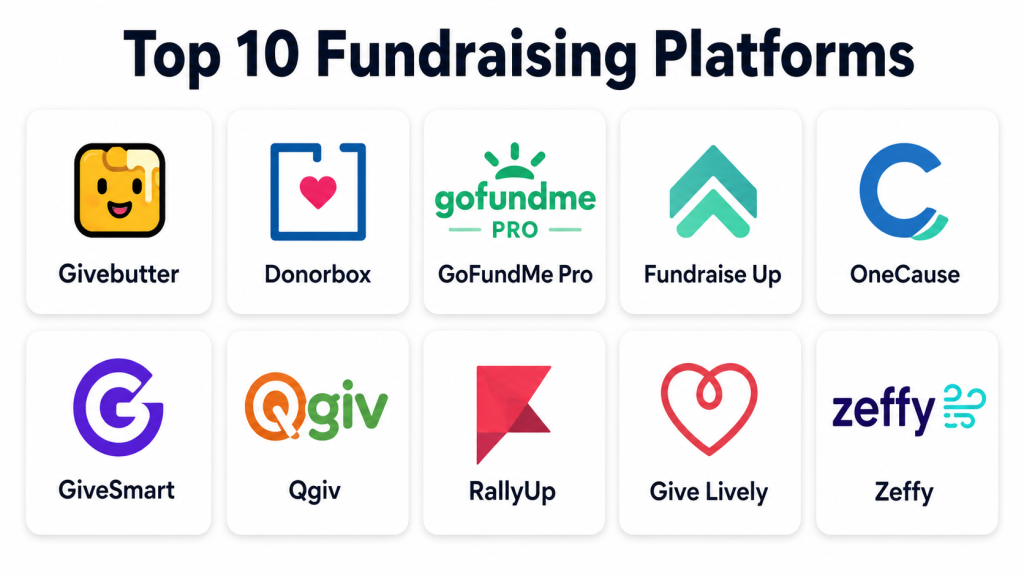
Top 10 Fundraising Platforms
1 — Givebutter
Overview: Givebutter is an all-in-one fundraising platform for nonprofits, schools, teams, clubs, and community organizations. It supports donation pages, campaigns, events, auctions, peer-to-peer fundraising, donor management, and communication workflows.
Key Features
- Online donation forms and campaign pages.
- Peer-to-peer fundraising support.
- Event ticketing and registration.
- Auction and raffle-style fundraising tools where applicable.
- Donor management and supporter records.
- Email and text communication tools.
- Reporting and campaign performance tracking.
Pros
- Strong all-in-one fundraising feature set.
- Good fit for small and growing nonprofits.
- Useful for teams that want donations, events, and communication in one place.
Cons
- Some organizations may prefer a deeper standalone CRM.
- Advanced needs may require reviewing plan limits.
- Teams with complex enterprise workflows may need additional tools.
Platforms / Deployment
Web
Cloud
Security & Compliance
Security features may include secure payment handling, account controls, and data protection practices. Specific certifications such as SOC 2, ISO 27001, or HIPAA should be verified directly. If uncertain: Not publicly stated.
Integrations & Ecosystem
Givebutter supports common nonprofit fundraising workflows and can fit into a broader donor engagement stack.
- Donation forms.
- Event fundraising.
- Peer-to-peer campaigns.
- Donor records.
- Email and text communication.
- Integration availability may vary by plan.
Support & Community
Givebutter provides help resources, onboarding guidance, and support options. Its community strength is strong among nonprofits, schools, and community fundraising teams.
2 — Donorbox
Overview: Donorbox is an online fundraising and donation platform used by nonprofits, churches, schools, charities, and social impact organizations. It is especially useful for donation forms, recurring giving, donor management, and campaign pages.
Key Features
- Custom donation forms.
- Recurring donation support.
- Crowdfunding campaign pages.
- Peer-to-peer fundraising options.
- Donor management tools.
- Payment processing support.
- Donation receipts and reporting.
Pros
- Strong donation form and recurring giving capabilities.
- Easy for smaller nonprofits to launch online fundraising.
- Flexible for websites, campaigns, and donor collection workflows.
Cons
- Some advanced CRM features may require another system.
- Platform fees and payment processing costs should be reviewed.
- Larger teams may need deeper reporting or workflow controls.
Platforms / Deployment
Web
Cloud
Security & Compliance
Donorbox supports secure online donation processing through connected payment workflows. Specific compliance certifications should be verified directly. If uncertain: Not publicly stated.
Integrations & Ecosystem
Donorbox fits well into donation-focused nonprofit operations.
- Donation forms.
- Website donation buttons.
- Payment processor connections.
- Donor records.
- Recurring giving.
- CRM and email integration availability may vary.
Support & Community
Donorbox provides help documentation, support resources, and nonprofit-focused guidance. It has broad use among smaller and growing fundraising teams.
3 — GoFundMe Pro
Overview: GoFundMe Pro is a nonprofit fundraising platform designed for branded campaigns, donation pages, peer-to-peer fundraising, events, and supporter engagement. It is useful for nonprofits that want campaign-based fundraising with broader donor reach and professional fundraising workflows.
Key Features
- Branded fundraising campaigns.
- Peer-to-peer fundraising.
- Donation pages and forms.
- Event fundraising support.
- Campaign reporting.
- Donor engagement workflows.
- Supporter and team fundraising features.
Pros
- Strong fit for nonprofit campaign fundraising.
- Useful for peer-to-peer and community-driven campaigns.
- Good option for larger fundraising programs and branded giving experiences.
Cons
- May be more than needed for very small donation needs.
- Pricing and implementation requirements should be reviewed.
- Some teams may need training to use advanced campaign features well.
Platforms / Deployment
Web
Cloud
Security & Compliance
Security features may include account controls, payment security practices, and donor data protection. Specific compliance certifications should be verified directly. If uncertain: Not publicly stated.
Integrations & Ecosystem
GoFundMe Pro supports nonprofit fundraising and donor engagement workflows.
- Campaign pages.
- Peer-to-peer fundraising.
- Event fundraising.
- Donation forms.
- Reporting.
- CRM and marketing integration availability may vary.
Support & Community
GoFundMe Pro provides fundraising support, customer resources, and campaign guidance. Community strength is high due to its nonprofit fundraising and crowdfunding ecosystem.
4 — Fundraise Up
Overview: Fundraise Up is a digital fundraising platform focused on optimizing the online donation experience. It is useful for nonprofits that want modern donation flows, recurring giving, donor-friendly checkout, and conversion-focused fundraising.
Key Features
- Optimized donation checkout.
- Recurring giving support.
- AI-assisted donation experience features.
- Multi-step and embedded donation options.
- Donor payment flexibility.
- Campaign and donation tracking.
- Reporting and analytics.
Pros
- Strong focus on donation conversion.
- Good fit for nonprofits that depend heavily on online giving.
- Useful for improving donor checkout experience.
Cons
- May be less suitable for teams needing full event or auction fundraising.
- Pricing and advanced features should be reviewed carefully.
- Some organizations may need a separate CRM for deeper donor management.
Platforms / Deployment
Web
Cloud
Security & Compliance
Security features may include payment security, data protection, and access controls. Specific certifications should be verified directly. If uncertain: Not publicly stated.
Integrations & Ecosystem
Fundraise Up fits well in a digital fundraising stack.
- Donation forms.
- Payment processor support.
- CRM connections.
- Analytics tools.
- Recurring giving.
- API or advanced integration availability may vary.
Support & Community
Fundraise Up provides customer resources and support options. It is best suited for teams that want to improve online donation performance and donor experience.
5 — OneCause
Overview: OneCause is a fundraising platform designed for nonprofits that manage events, auctions, peer-to-peer campaigns, online giving, and donor engagement. It is especially useful for organizations that run gala events, auctions, giving campaigns, and community fundraisers.
Key Features
- Event fundraising tools.
- Auction management.
- Peer-to-peer fundraising.
- Online giving pages.
- Ticketing and registration.
- Mobile bidding support.
- Reporting and donor activity tracking.
Pros
- Strong for event-based fundraising.
- Useful for auctions, galas, and campaign-style giving.
- Good fit for nonprofits with active fundraising events.
Cons
- May be more complex than simple donation form tools.
- Smaller teams may not need all event features.
- Pricing and package structure should be reviewed carefully.
Platforms / Deployment
Web, mobile-friendly access
Cloud
Security & Compliance
Security features may include user access controls and payment-related protections. Specific certifications should be verified directly. If uncertain: Not publicly stated.
Integrations & Ecosystem
OneCause supports event and campaign fundraising workflows.
- Auction tools.
- Event registration.
- Donation pages.
- Peer-to-peer fundraising.
- Reporting.
- CRM integration availability may vary.
Support & Community
OneCause provides nonprofit-focused support, fundraising resources, training, and customer assistance. It has strong relevance among event-driven fundraising teams.
6 — GiveSmart
Overview: GiveSmart is a fundraising platform focused on events, auctions, mobile bidding, donation campaigns, and donor engagement. It is useful for nonprofits that run live events, virtual events, hybrid fundraisers, and auction-based campaigns.
Key Features
- Mobile bidding.
- Auction management.
- Event fundraising.
- Donation pages.
- Ticketing and registration.
- Text-to-give features.
- Reporting and supporter tracking.
Pros
- Strong fit for event and auction fundraising.
- Useful for organizations running recurring fundraising events.
- Supports mobile-first donor participation.
Cons
- May not be the best choice for simple donation-only needs.
- Event-heavy features may require planning and training.
- Pricing can vary based on package and fundraising needs.
Platforms / Deployment
Web, mobile-friendly access
Cloud
Security & Compliance
Security details may include payment processing protections and user controls. Specific certifications are not publicly stated unless verified directly.
Integrations & Ecosystem
GiveSmart supports fundraising events and donor engagement workflows.
- Auction management.
- Event registration.
- Donation campaigns.
- Mobile giving.
- Reporting.
- CRM integration options may vary.
Support & Community
GiveSmart provides customer support, training resources, and event fundraising guidance. It is widely used by organizations running auctions and campaigns.
7 — Qgiv
Overview: Qgiv is a fundraising platform that supports donation forms, peer-to-peer fundraising, events, text fundraising, and donor engagement. It is suitable for nonprofits that want flexible campaign tools with a focus on online giving and supporter participation.
Key Features
- Online donation forms.
- Peer-to-peer fundraising.
- Event registration.
- Text fundraising.
- Recurring giving support.
- Reporting and analytics.
- Donor and campaign tracking.
Pros
- Balanced fundraising feature set.
- Useful for online giving and peer-to-peer campaigns.
- Good fit for nonprofits that want multiple campaign types.
Cons
- Advanced needs may require plan review.
- Teams may need setup time for custom campaigns.
- CRM depth may not replace a dedicated donor management system.
Platforms / Deployment
Web
Cloud
Security & Compliance
Security features may include secure payment workflows and access controls. Specific compliance certifications should be verified directly. If uncertain: Not publicly stated.
Integrations & Ecosystem
Qgiv works well with nonprofit fundraising and donor engagement workflows.
- Donation forms.
- Peer-to-peer tools.
- Event registration.
- Text giving.
- Reporting.
- CRM integration availability may vary.
Support & Community
Qgiv provides help resources, support, and fundraising education. It is a practical fit for nonprofit teams managing online and event-based giving.
8 — RallyUp
Overview: RallyUp is a fundraising platform for nonprofits, schools, teams, clubs, and community groups. It supports raffles, auctions, a-thon campaigns, peer-to-peer fundraising, sales campaigns, and donation pages.
Key Features
- Raffle-style fundraising tools where allowed.
- Auction fundraising.
- Peer-to-peer campaigns.
- Donation pages.
- A-thon fundraising.
- Event and campaign reporting.
- Supporter participation tools.
Pros
- Strong variety of campaign types.
- Useful for schools, clubs, teams, and nonprofits.
- Good for organizations that want creative fundraising formats.
Cons
- Some fundraising types may depend on local rules.
- Not every organization needs raffles or auction-style campaigns.
- CRM depth may be limited compared with donor management systems.
Platforms / Deployment
Web
Cloud
Security & Compliance
Security and payment protection practices may apply through the platform and payment workflows. Specific certifications are not publicly stated.
Integrations & Ecosystem
RallyUp supports flexible campaign-based fundraising.
- Auctions.
- Donation pages.
- Peer-to-peer campaigns.
- A-thon fundraising.
- Team fundraising.
- Reporting tools.
Support & Community
RallyUp provides help resources and support options. It is useful for organizations looking for campaign variety and creative supporter participation.
9 — Give Lively
Overview: Give Lively is a fundraising platform for nonprofits that supports donation pages, text-to-donate, peer-to-peer fundraising, and campaign tools. It is useful for eligible nonprofits seeking accessible fundraising technology.
Key Features
- Online donation pages.
- Text-to-donate support.
- Peer-to-peer fundraising.
- Campaign pages.
- Recurring donation support.
- Event-style fundraising support.
- Donor data access and reporting.
Pros
- Useful for nonprofits seeking accessible fundraising tools.
- Good fit for online donations and simple campaigns.
- Supports recurring giving and peer-driven fundraising.
Cons
- Eligibility and access requirements should be reviewed.
- Advanced enterprise customization may be limited.
- Support and feature depth may vary by organization need.
Platforms / Deployment
Web
Cloud
Security & Compliance
Security details should be verified directly. Specific compliance certifications are not publicly stated.
Integrations & Ecosystem
Give Lively supports essential online fundraising workflows.
- Donation pages.
- Text giving.
- Peer-to-peer campaigns.
- Donor data exports.
- Recurring gifts.
- Integration availability may vary.
Support & Community
Give Lively provides resources and platform support. It is commonly considered by nonprofits looking for simple online fundraising capabilities.
10 — Zeffy
Overview: Zeffy is a fundraising platform for nonprofits that supports donations, ticketing, events, forms, raffles where permitted, donor management, and campaign workflows. It is useful for organizations looking for a simple fundraising platform with broad nonprofit use cases.
Key Features
- Donation forms.
- Event ticketing.
- Fundraising campaigns.
- Donor management.
- Recurring donation support.
- Forms and registrations.
- Reporting and payment tracking.
Pros
- Easy to use for small and growing nonprofits.
- Covers several common fundraising workflows.
- Useful for donations, events, and donor records.
Cons
- Advanced enterprise features may be limited.
- Some fundraising options may depend on location or rules.
- Larger organizations may need deeper integrations and governance.
Platforms / Deployment
Web
Cloud
Security & Compliance
Security details should be verified directly. Specific certifications such as SOC 2, ISO 27001, or HIPAA are not publicly stated.
Integrations & Ecosystem
Zeffy supports day-to-day nonprofit fundraising workflows.
- Donation forms.
- Ticketing.
- Donor records.
- Campaign pages.
- Reporting.
- Integration availability may vary.
Support & Community
Zeffy provides support resources and nonprofit guidance. It is a practical option for small and growing teams that want simple fundraising operations.
Comparison Table
| Tool Name | Best For | Platform(s) Supported | Deployment | Standout Feature | Public Rating |
|---|---|---|---|---|---|
| Givebutter | All-in-one nonprofit fundraising | Web | Cloud | Donations, events, auctions, and communication in one platform | N/A |
| Donorbox | Donation forms and recurring giving | Web | Cloud | Flexible online donation forms | N/A |
| GoFundMe Pro | Branded nonprofit campaigns | Web | Cloud | Peer-to-peer and campaign fundraising | N/A |
| Fundraise Up | Donation conversion optimization | Web | Cloud | Donor-friendly checkout experience | N/A |
| OneCause | Event and auction fundraising | Web, mobile-friendly access | Cloud | Auctions and fundraising events | N/A |
| GiveSmart | Mobile bidding and events | Web, mobile-friendly access | Cloud | Event fundraising and mobile bidding | N/A |
| Qgiv | Online giving and peer-to-peer campaigns | Web | Cloud | Multi-channel fundraising tools | N/A |
| RallyUp | Creative fundraising campaigns | Web | Cloud | Raffles, auctions, and a-thon campaigns | N/A |
| Give Lively | Accessible online fundraising | Web | Cloud | Donation pages and text-to-donate | N/A |
| Zeffy | Simple nonprofit fundraising | Web | Cloud | Donations, events, and donor records | N/A |
Evaluation & Scoring of Fundraising Platforms
| Tool Name | Core (25%) | Ease (15%) | Integrations (15%) | Security (10%) | Performance (10%) | Support (10%) | Value (15%) | Weighted Total |
|---|---|---|---|---|---|---|---|---|
| Givebutter | 9 | 9 | 8 | 7 | 8 | 8 | 9 | 8.40 |
| Donorbox | 8 | 9 | 8 | 7 | 8 | 8 | 8 | 8.10 |
| GoFundMe Pro | 9 | 8 | 8 | 8 | 8 | 8 | 7 | 8.10 |
| Fundraise Up | 9 | 8 | 8 | 8 | 9 | 8 | 7 | 8.20 |
| OneCause | 9 | 8 | 7 | 7 | 8 | 8 | 7 | 7.85 |
| GiveSmart | 8 | 8 | 7 | 7 | 8 | 8 | 7 | 7.60 |
| Qgiv | 8 | 8 | 8 | 7 | 8 | 8 | 8 | 7.95 |
| RallyUp | 8 | 8 | 7 | 6 | 8 | 7 | 8 | 7.50 |
| Give Lively | 7 | 8 | 6 | 6 | 7 | 7 | 9 | 7.20 |
| Zeffy | 7 | 8 | 6 | 6 | 7 | 7 | 9 | 7.20 |
The scores are comparative and should be used as a practical selection guide, not as a universal ranking. A small nonprofit may value simplicity and low cost more than deep integrations. A large organization may prioritize campaign reporting, CRM connectivity, access controls, and support quality. The best platform depends on your fundraising model, campaign type, donor volume, budget, and internal team capacity.
Which Fundraising Platform Is Right for You?
Solo / Small Nonprofit
Small nonprofits usually need donation forms, simple campaigns, recurring giving, and basic donor records without heavy setup. Donorbox, Givebutter, Give Lively, and Zeffy are practical options because they are easier to launch and manage.
Best fit: Donorbox, Givebutter, Give Lively, Zeffy.
SMB / Growing Nonprofit
Growing nonprofits need stronger fundraising workflows, better reporting, recurring donation management, and campaign flexibility. Givebutter, Donorbox, Qgiv, and Fundraise Up are useful for teams that want reliable online giving and campaign management.
Best fit: Givebutter, Donorbox, Qgiv, Fundraise Up.
Mid-Market Organization
Mid-sized nonprofits often need peer-to-peer fundraising, event support, donation optimization, CRM integration, and campaign reporting. OneCause, GoFundMe Pro, GiveSmart, Qgiv, and Fundraise Up are strong candidates depending on event and campaign needs.
Best fit: GoFundMe Pro, OneCause, GiveSmart, Qgiv, Fundraise Up.
Enterprise / Large Nonprofit
Large nonprofits need branded campaigns, donor segmentation, reporting depth, integration support, security controls, and scalable fundraising operations. GoFundMe Pro, Fundraise Up, OneCause, GiveSmart, and Qgiv are suitable options for more structured fundraising teams.
Best fit: GoFundMe Pro, Fundraise Up, OneCause, GiveSmart, Qgiv.
Budget vs Premium
Budget-conscious organizations may prefer Give Lively, Zeffy, Donorbox, or Givebutter depending on eligibility, platform model, and payment fees. Premium or event-heavy organizations may prefer OneCause, GiveSmart, GoFundMe Pro, or Fundraise Up. Always compare total cost, including platform fees, payment processing, add-ons, and support needs.
Feature Depth vs Ease of Use
Givebutter and Donorbox are strong for ease of use and broad fundraising needs. Fundraise Up is better for donation conversion and digital giving optimization. OneCause and GiveSmart are stronger for events and auctions. RallyUp is useful for creative campaign types, while Qgiv provides a balanced mix of online giving and peer-to-peer fundraising.
Integrations & Scalability
If your nonprofit uses a CRM, email marketing tool, accounting system, analytics platform, or donor database, integration support is important. Larger organizations should evaluate API access, data exports, CRM sync options, payment workflows, and reporting structure before choosing a platform.
Security & Compliance Needs
Fundraising platforms handle donor names, email addresses, payment details, giving history, receipts, and campaign activity. Buyers should review payment security, user permissions, MFA, data export controls, donor privacy settings, and vendor security documentation. If a certification or compliance requirement is important, confirm it directly before purchase.
Frequently Asked Questions
1. What is a Fundraising Platform?
A Fundraising Platform helps organizations collect donations, run campaigns, manage supporters, process payments, and track fundraising results. It is commonly used by nonprofits, schools, churches, and community groups.
2. How is a fundraising platform different from a nonprofit CRM?
A fundraising platform focuses mainly on donation collection, campaign pages, events, and giving workflows. A nonprofit CRM focuses more on long-term relationship management, donor history, segmentation, and broader engagement tracking.
3. Which fundraising platform is best for small nonprofits?
Small nonprofits often prefer platforms that are easy to launch and manage. Givebutter, Donorbox, Give Lively, and Zeffy are practical options for simple online giving and campaign needs.
4. Do fundraising platforms support recurring donations?
Yes, many fundraising platforms support recurring donations. This is useful for nonprofits that want predictable monthly giving and stronger donor retention.
5. Can fundraising platforms support peer-to-peer campaigns?
Many platforms support peer-to-peer fundraising, where supporters create their own fundraising pages and invite friends, family, or networks to donate.
6. Are fundraising platforms secure?
Most established fundraising platforms include secure payment workflows and basic account protections. However, nonprofits should verify payment security, user access controls, privacy practices, and any required compliance details directly.
7. What pricing models are common?
Common pricing models include platform fees, payment processing fees, monthly subscriptions, transaction-based pricing, optional donor tips, and custom enterprise pricing. Costs vary by platform and feature package.
8. Can these platforms integrate with CRM systems?
Many fundraising platforms offer CRM integrations, exports, or API-based connections. Integration depth varies, so nonprofits should test data flow before choosing a platform.
9. What mistakes should nonprofits avoid when choosing a fundraising platform?
Common mistakes include choosing only by price, ignoring donor experience, skipping integration checks, not reviewing payment fees, failing to test mobile donation forms, and not planning donor follow-up workflows.
10. What are alternatives to fundraising platforms?
Alternatives include nonprofit CRM donation modules, payment processors, website forms, crowdfunding sites, event tools, manual bank transfers, or spreadsheet-based tracking. These may work for simple needs but become difficult as fundraising grows.
Conclusion
Fundraising Platforms help nonprofits and mission-driven organizations collect donations, manage campaigns, improve donor experience, and understand fundraising performance more clearly. Givebutter and Donorbox are strong choices for broad online fundraising and recurring giving. GoFundMe Pro and Fundraise Up are useful for branded campaigns and digital donation optimization. OneCause and GiveSmart are strong for event and auction fundraising, while Qgiv offers a balanced fundraising toolkit. RallyUp is practical for creative campaign formats, and Give Lively or Zeffy may fit smaller organizations seeking simple fundraising workflows. The best choice depends on your campaign type, donor volume, budget, integration needs, and internal team skills. Start by shortlisting two or three platforms, testing donation forms, reviewing payment fees, checking integrations, and confirming security before making a final decision.
