Introduction
Nutrition tracking apps help users record meals, calories, macros, water intake, weight goals, exercise, and daily food habits in one place. These tools are useful for people who want to lose weight, gain muscle, manage eating patterns, improve meal quality, or simply understand what they eat every day.
They matter now because users want more personalized, data-driven, and easy-to-use health tools. Modern nutrition apps now include barcode scanning, food databases, recipe logging, wearable integrations, AI-style food suggestions, macro targets, fasting timers, and progress reports.
Common use cases include weight management, muscle gain, meal planning, diabetes-friendly food awareness, sports nutrition, habit building, and personal wellness tracking.
Buyers should evaluate food database quality, logging speed, macro and micronutrient depth, mobile experience, privacy controls, wearable integrations, reporting, pricing, coaching support, and long-term usability. MyFitnessPal highlights calorie, macro, food, workout, and weight tracking, while Cronometer emphasizes detailed macro and micronutrient tracking.
Best for: individuals, athletes, fitness coaches, diet-conscious users, wellness teams, health-focused startups, personal trainers, and nutrition professionals who need structured food tracking.
Not ideal for: users who need medical nutrition therapy, eating disorder treatment, clinical diagnosis, or professional medical supervision. In those situations, a qualified doctor or registered dietitian is a better choice.
Key Trends in Nutrition Tracking Apps
- AI-style meal recognition is becoming more common, helping users log meals faster with photos, smart suggestions, and pattern-based recommendations.
- Macro tracking is now a core feature, not just an advanced option for athletes.
- Micronutrient tracking is gaining attention as users look beyond simple calorie counting.
- Wearable integrations are becoming more important for connecting food intake with activity, sleep, recovery, and fitness goals.
- Personalized calorie and macro targets are replacing static diet plans.
- Subscription-based pricing is common, especially for barcode scanning, advanced reports, coaching, and custom plans.
- Privacy expectations are increasing because nutrition apps may collect sensitive health and lifestyle data.
- Apps are adding fasting timers, meal plans, recipe logging, grocery support, and habit coaching.
- Food database accuracy remains a major differentiator because poor entries can mislead users.
- More users want simple dashboards instead of complex clinical-style nutrition reports.
How We Selected These Tools
- We prioritized apps with strong market awareness and consistent user recognition.
- We considered food logging quality, calorie tracking, macro tracking, and meal planning depth.
- We looked for tools that support different goals such as weight loss, muscle gain, fasting, general wellness, and nutrient awareness.
- We included apps with strong mobile experiences because most users track meals from phones.
- We considered integrations with fitness apps, wearables, and health ecosystems where relevant.
- We evaluated practical usability, including barcode scanning, recipe creation, saved meals, and progress reporting.
- We avoided guessing private security certifications or ratings.
- We selected a mix of beginner-friendly, advanced, coaching-focused, and budget-friendly options.
- We considered support, documentation, and learning resources where publicly clear.
- We kept the list focused on widely recognized nutrition tracking apps.
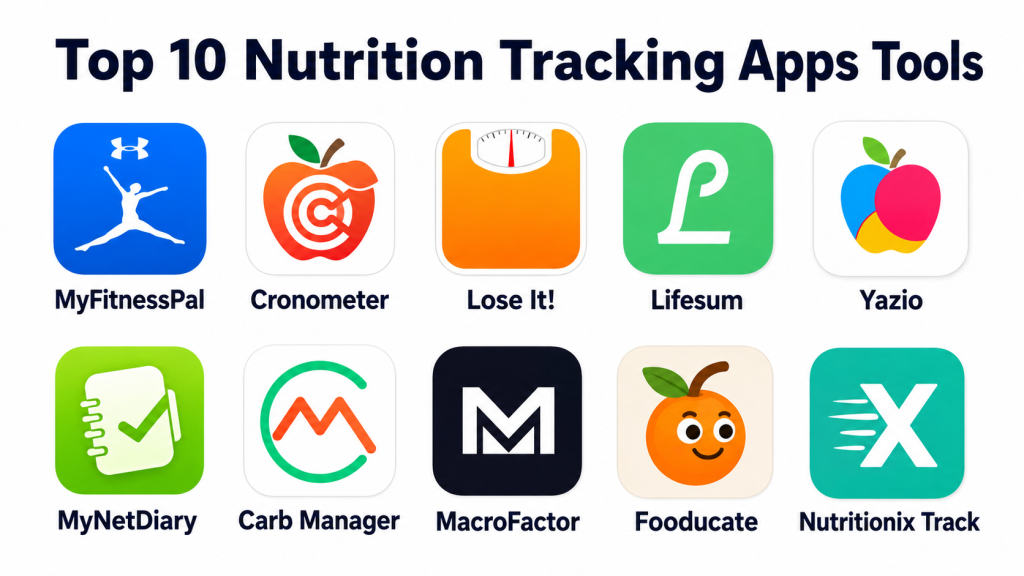
Top 10 Nutrition Tracking Apps Tools
#1 — MyFitnessPal
Short description: MyFitnessPal is one of the most widely recognized nutrition tracking apps for calorie counting, macro tracking, weight goals, and fitness logging. It is suitable for beginners, fitness users, and people who want a large food database.
Key Features
- Calorie and macro tracking
- Large food database
- Barcode scanning
- Meal and recipe logging
- Exercise and weight tracking
- Goal-based nutrition insights
- Fitness app integrations
Pros
- Easy for beginners to start tracking food
- Strong ecosystem and broad user awareness
- Good balance of food, fitness, and weight tracking
Cons
- Some advanced features require a paid plan
- Food database entries may need user verification
- Can feel too broad for users who only want simple tracking
Platforms / Deployment
Web / iOS / Android
Cloud
Security & Compliance
SSO/SAML: Not publicly stated
MFA: Not publicly stated
Encryption: Not publicly stated
Audit logs: Not publicly stated
RBAC: Not publicly stated
SOC 2 / ISO 27001 / HIPAA: Not publicly stated
GDPR: Not publicly stated
Integrations & Ecosystem
MyFitnessPal has a broad fitness and health ecosystem, making it useful for users who want nutrition and activity data together.
- Fitness tracking integrations
- Wearable ecosystem support
- Mobile health app connections
- Food database ecosystem
- Community and progress features
Support & Community
Support is available through help resources and app support channels. The user community is large, which helps with motivation, recipes, and general tracking habits.
#2 — Cronometer
Short description: Cronometer is a detailed nutrition tracking app focused on accurate calorie, macro, and micronutrient tracking. It is strong for users who care about vitamins, minerals, and deeper nutrition data.
Key Features
- Calorie tracking
- Macro and micronutrient tracking
- Custom foods and recipes
- Nutrition reports
- Biometrics and progress tracking
- Fasting support
- Professional plan options
Pros
- Excellent for detailed nutrient tracking
- Better suited for data-focused users
- Useful for people who want more than calorie counting
Cons
- May feel detailed for casual beginners
- Some reporting features may require paid access
- Food logging can require more attention for accuracy
Platforms / Deployment
Web / iOS / Android
Cloud
Security & Compliance
SSO/SAML: Not publicly stated
MFA: Not publicly stated
Encryption: Not publicly stated
Audit logs: Not publicly stated
RBAC: Not publicly stated
SOC 2 / ISO 27001 / HIPAA: Not publicly stated
GDPR: Not publicly stated
Integrations & Ecosystem
Cronometer works well for users who want structured nutrition data and health tracking in one place.
- Health app integrations
- Wearable data support
- Custom food database
- Recipe tracking
- Professional nutrition workflows
Support & Community
Cronometer provides help documentation and customer support resources. Its community is especially useful for users who value detailed nutrition tracking.
#3 — Lose It!
Short description: Lose It! is a beginner-friendly calorie tracking app focused on weight management, goal setting, food logging, and visual progress tracking.
Key Features
- Calorie budget tracking
- Barcode scanning
- Food and meal logging
- Weight goal tracking
- Progress charts
- Recipe and meal planning
- Premium tracking options
Pros
- Simple and easy to understand
- Strong for weight loss tracking
- Good visual experience for beginners
Cons
- Advanced features may require premium access
- Less detailed than Cronometer for micronutrients
- May not be ideal for advanced sports nutrition users
Platforms / Deployment
iOS / Android / Web
Cloud
Security & Compliance
SSO/SAML: Not publicly stated
MFA: Not publicly stated
Encryption: Not publicly stated
Audit logs: Not publicly stated
RBAC: Not publicly stated
SOC 2 / ISO 27001 / HIPAA: Not publicly stated
GDPR: Not publicly stated
Integrations & Ecosystem
Lose It! is useful for users who want food tracking connected with basic health and fitness data.
- Health app integrations
- Wearable support
- Barcode scanning ecosystem
- Meal and recipe tools
- Goal-based progress tracking
Support & Community
Support resources are available through help channels. The app is easy to use, so onboarding needs are usually low.
#4 — Lifesum
Short description: Lifesum is a lifestyle-focused nutrition tracking app that combines food logging, meal plans, diet preferences, and healthy habit guidance.
Key Features
- Food and calorie tracking
- Macro tracking
- Meal plans
- Diet-style programs
- Water tracking
- Recipe suggestions
- Health score-style feedback
Pros
- Attractive and beginner-friendly design
- Good for users who want lifestyle guidance
- Strong fit for meal planning and healthy habits
Cons
- Advanced plans may require premium access
- Not as detailed as Cronometer for micronutrients
- Some users may prefer more flexible tracking
Platforms / Deployment
iOS / Android / Web
Cloud
Security & Compliance
SSO/SAML: Not publicly stated
MFA: Not publicly stated
Encryption: Not publicly stated
Audit logs: Not publicly stated
RBAC: Not publicly stated
SOC 2 / ISO 27001 / HIPAA: Not publicly stated
GDPR: Not publicly stated
Integrations & Ecosystem
Lifesum fits well into personal wellness routines and basic fitness tracking workflows.
- Health app connections
- Wearable integrations
- Meal plan ecosystem
- Recipe support
- Lifestyle tracking tools
Support & Community
Support is available through app help resources. Community depth is moderate, but the guided user experience helps reduce confusion.
#5 — Yazio
Short description: Yazio is a nutrition tracking app focused on calorie tracking, fasting, meal plans, recipes, and personal weight goals.
Key Features
- Calorie and macro tracking
- Intermittent fasting timer
- Meal plans
- Recipe library
- Water tracking
- Progress tracking
- Personal goal setup
Pros
- Good mix of nutrition and fasting tools
- Simple design for everyday users
- Useful for meal planning and weight goals
Cons
- Full feature access may require a paid plan
- Less advanced for detailed micronutrient tracking
- Some users may not need fasting features
Platforms / Deployment
iOS / Android / Web
Cloud
Security & Compliance
SSO/SAML: Not publicly stated
MFA: Not publicly stated
Encryption: Not publicly stated
Audit logs: Not publicly stated
RBAC: Not publicly stated
SOC 2 / ISO 27001 / HIPAA: Not publicly stated
GDPR: Not publicly stated
Integrations & Ecosystem
Yazio is useful for users who want food tracking, fasting, and meal guidance in one app.
- Health app integrations
- Fasting tools
- Meal plan support
- Recipe ecosystem
- Mobile-first tracking
Support & Community
Support resources are available through help channels. The app is straightforward for new users, especially those focused on weight goals.
#6 — MyNetDiary
Short description: MyNetDiary is a nutrition and calorie tracking app built for food logging, diet planning, macro tracking, and weight management.
Key Features
- Calorie and macro tracking
- Barcode scanning
- Food database
- Weight tracking
- Diet planning
- Nutrient insights
- Reports and charts
Pros
- Good balance of simplicity and detail
- Useful for calorie and weight management
- Strong tracking tools for daily habits
Cons
- Some features may require premium access
- Interface preference may vary by user
- Less community-driven than some competitors
Platforms / Deployment
Web / iOS / Android
Cloud
Security & Compliance
SSO/SAML: Not publicly stated
MFA: Not publicly stated
Encryption: Not publicly stated
Audit logs: Not publicly stated
RBAC: Not publicly stated
SOC 2 / ISO 27001 / HIPAA: Not publicly stated
GDPR: Not publicly stated
Integrations & Ecosystem
MyNetDiary offers practical nutrition tracking features for individual users and health-focused routines.
- Health app connections
- Food database tools
- Barcode scanning
- Recipe and meal tracking
- Progress reports
Support & Community
Support and learning resources are available. Community strength is moderate compared with larger platforms, but the app is practical for consistent tracking.
#7 — Carb Manager
Short description: Carb Manager is a nutrition tracking app focused on low-carb, keto, diabetes-conscious food tracking, macros, recipes, and meal planning.
Key Features
- Carb and macro tracking
- Keto and low-carb food logging
- Recipe database
- Meal planning
- Barcode scanning
- Progress reports
- Fasting support
Pros
- Strong for keto and low-carb users
- Good macro-focused tracking
- Useful recipe and meal planning support
Cons
- Less suitable for users who do not follow macro-specific diets
- Premium access may be needed for advanced features
- Can feel specialized compared with general trackers
Platforms / Deployment
iOS / Android / Web
Cloud
Security & Compliance
SSO/SAML: Not publicly stated
MFA: Not publicly stated
Encryption: Not publicly stated
Audit logs: Not publicly stated
RBAC: Not publicly stated
SOC 2 / ISO 27001 / HIPAA: Not publicly stated
GDPR: Not publicly stated
Integrations & Ecosystem
Carb Manager is best for users who need macro-focused food decisions, especially around carbs.
- Health app integrations
- Recipe ecosystem
- Meal planning tools
- Barcode scanning
- Fasting and macro support
Support & Community
Support resources are available. Community value is strongest among low-carb and keto-focused users.
#8 — MacroFactor
Short description: MacroFactor is a nutrition coaching and macro tracking app designed for users who want adaptive calorie and macro recommendations based on real progress.
Key Features
- Macro tracking
- Adaptive coaching engine
- Food logging
- Weight trend analysis
- Goal-based recommendations
- Fast food logging workflow
- Nutrition progress insights
Pros
- Strong for serious macro tracking
- Useful for fitness-focused users
- Adaptive recommendations reduce manual guesswork
Cons
- May be too advanced for casual users
- Typically better for users already comfortable tracking food
- Free access may be limited or trial-based
Platforms / Deployment
iOS / Android
Cloud
Security & Compliance
SSO/SAML: Not publicly stated
MFA: Not publicly stated
Encryption: Not publicly stated
Audit logs: Not publicly stated
RBAC: Not publicly stated
SOC 2 / ISO 27001 / HIPAA: Not publicly stated
GDPR: Not publicly stated
Integrations & Ecosystem
MacroFactor is built around coaching-style macro tracking rather than broad wellness content.
- Mobile app support
- Food logging system
- Weight trend analysis
- Adaptive macro planning
- Fitness-focused workflows
Support & Community
Support resources are available, and the app has a strong following among fitness and nutrition-focused users.
#9 — Fooducate
Short description: Fooducate helps users track food while also understanding food quality, ingredients, and healthier alternatives.
Key Features
- Food logging
- Calorie tracking
- Food quality grading
- Ingredient awareness
- Barcode scanning
- Weight goal support
- Healthier food suggestions
Pros
- Good for users who want food quality insights
- Helpful for grocery and packaged food decisions
- Beginner-friendly for healthier choices
Cons
- Less detailed for advanced macro coaching
- Food grading may not fit every diet preference
- Premium features may vary
Platforms / Deployment
iOS / Android
Cloud
Security & Compliance
SSO/SAML: Not publicly stated
MFA: Not publicly stated
Encryption: Not publicly stated
Audit logs: Not publicly stated
RBAC: Not publicly stated
SOC 2 / ISO 27001 / HIPAA: Not publicly stated
GDPR: Not publicly stated
Integrations & Ecosystem
Fooducate works well for users who want to understand packaged food quality and improve daily choices.
- Barcode scanning
- Food grading system
- Healthier alternative suggestions
- Mobile tracking
- Diet awareness features
Support & Community
Support information varies. Its value comes mainly from simple food quality guidance and practical product-level insights.
#10 — Nutritionix Track
Short description: Nutritionix Track is a food and nutrition tracking app supported by a large food database and simple logging tools for calories and nutrients.
Key Features
- Food logging
- Calorie tracking
- Nutrition database
- Restaurant food data
- Barcode scanning
- Exercise tracking
- Simple meal records
Pros
- Useful food database coverage
- Good for quick food and restaurant logging
- Simple tracking experience
Cons
- Less coaching-focused than some alternatives
- Advanced personalization may be limited
- Community and support depth may vary
Platforms / Deployment
iOS / Android / Web
Cloud
Security & Compliance
SSO/SAML: Not publicly stated
MFA: Not publicly stated
Encryption: Not publicly stated
Audit logs: Not publicly stated
RBAC: Not publicly stated
SOC 2 / ISO 27001 / HIPAA: Not publicly stated
GDPR: Not publicly stated
Integrations & Ecosystem
Nutritionix Track is useful for users who need a strong nutrition database and simple daily logging.
- Food database ecosystem
- Restaurant food tracking
- Barcode support
- Mobile app support
- Web access
Support & Community
Support resources are available, but community strength is not as visible as some larger consumer apps.
Comparison Table
| Tool Name | Best For | Platform(s) Supported | Deployment | Standout Feature | Public Rating |
|---|---|---|---|---|---|
| MyFitnessPal | General calorie and macro tracking | Web, iOS, Android | Cloud | Large food database and fitness ecosystem | N/A |
| Cronometer | Detailed nutrient tracking | Web, iOS, Android | Cloud | Macro and micronutrient depth | N/A |
| Lose It! | Beginner weight management | Web, iOS, Android | Cloud | Simple calorie budgeting | N/A |
| Lifesum | Lifestyle nutrition and meal planning | Web, iOS, Android | Cloud | Meal plans and healthy habit guidance | N/A |
| Yazio | Calorie tracking with fasting support | Web, iOS, Android | Cloud | Fasting timer and meal plans | N/A |
| MyNetDiary | Balanced calorie and diet tracking | Web, iOS, Android | Cloud | Practical reports and daily tracking | N/A |
| Carb Manager | Keto and low-carb tracking | Web, iOS, Android | Cloud | Carb and keto-focused tracking | N/A |
| MacroFactor | Adaptive macro coaching | iOS, Android | Cloud | Progress-based macro recommendations | N/A |
| Fooducate | Food quality awareness | iOS, Android | Cloud | Food grading and ingredient insights | N/A |
| Nutritionix Track | Simple food database tracking | Web, iOS, Android | Cloud | Restaurant and packaged food database | N/A |
Evaluation & Scoring of Nutrition Tracking Apps
| Tool Name | Core (25%) | Ease (15%) | Integrations (15%) | Security (10%) | Performance (10%) | Support (10%) | Value (15%) | Weighted Total (0–10) |
|---|---|---|---|---|---|---|---|---|
| MyFitnessPal | 9 | 9 | 9 | 6 | 9 | 8 | 8 | 8.35 |
| Cronometer | 9 | 8 | 8 | 6 | 9 | 8 | 8 | 8.10 |
| Lose It! | 8 | 9 | 7 | 6 | 8 | 7 | 8 | 7.70 |
| Lifesum | 8 | 9 | 7 | 6 | 8 | 7 | 7 | 7.55 |
| Yazio | 8 | 8 | 7 | 6 | 8 | 7 | 8 | 7.55 |
| MyNetDiary | 8 | 8 | 7 | 6 | 8 | 7 | 8 | 7.55 |
| Carb Manager | 8 | 8 | 7 | 6 | 8 | 7 | 7 | 7.40 |
| MacroFactor | 9 | 7 | 7 | 6 | 8 | 7 | 7 | 7.55 |
| Fooducate | 7 | 8 | 6 | 6 | 7 | 6 | 7 | 6.90 |
| Nutritionix Track | 7 | 8 | 6 | 6 | 7 | 6 | 7 | 6.90 |
The scoring is comparative and based on practical buyer needs, not medical effectiveness.
A higher score means the app is stronger across usability, features, ecosystem, support, and value.
Security scores are conservative because many detailed compliance claims are not publicly stated.
Users should choose based on their goal: weight loss, muscle gain, food quality, keto, fasting, or detailed nutrient analysis.
For health conditions, validate any app choice with a qualified healthcare professional.
Which Nutrition Tracking Apps Tool Is Right for You?
Solo / Freelancer
Solo users should start with the app that matches their main goal. MyFitnessPal is a strong all-round choice, Lose It! is good for simple weight tracking, and Cronometer is better for detailed nutrition visibility. If budget is important, compare free features before choosing a paid plan.
SMB
Small wellness teams, fitness studios, and coaching businesses should focus on ease of use and client adoption. MyFitnessPal, Cronometer, and MyNetDiary are practical options because they offer structured logging and useful reports. Coaches should avoid tools that clients find too complex.
Mid-Market
Mid-market wellness programs should evaluate onboarding, privacy terms, reporting needs, and employee adoption. Lifesum, MyFitnessPal, and Cronometer can work well depending on whether the program focuses on lifestyle, weight goals, or nutrient education.
Enterprise
Enterprise buyers should be careful with privacy, compliance, support, and data handling. Before selecting any nutrition app for employees, ask about SSO, admin controls, data retention, regional privacy requirements, and reporting. Do not assume enterprise security unless the vendor clearly confirms it.
Budget vs Premium
Budget-conscious users can start with free plans from apps like MyFitnessPal, Cronometer, Lose It!, Medito-style nutrition alternatives, or Nutritionix Track. Premium plans are better when users need barcode scanning, detailed reports, meal plans, fasting tools, or adaptive macro coaching.
Feature Depth vs Ease of Use
For simplicity, Lose It!, Lifesum, and Yazio are good choices. For deeper data, Cronometer and MacroFactor are stronger. For general fitness and nutrition tracking, MyFitnessPal remains a practical all-round option.
Integrations & Scalability
Users who already track workouts, steps, sleep, or recovery should choose apps with strong health and wearable integrations. MyFitnessPal and Cronometer are strong choices for users who want nutrition data connected with a broader fitness ecosystem.
Security & Compliance Needs
Nutrition data can be personal and sensitive. Users should review privacy settings, data sharing controls, account security options, and vendor policies. Business buyers should request written confirmation for compliance needs rather than relying on assumptions.
Frequently Asked Questions (FAQs)
1. What is a nutrition tracking app?
A nutrition tracking app helps users log food, calories, macros, water, weight, and health goals. Many apps also offer meal plans, barcode scanning, recipes, and progress reports.
2. Are nutrition tracking apps free?
Many nutrition apps offer free plans with basic food tracking. Premium plans usually unlock advanced reports, barcode scanning, custom goals, fasting tools, recipes, and coaching-style features.
3. Which nutrition app is best for beginners?
Lose It!, MyFitnessPal, Lifesum, and Yazio are beginner-friendly options. They offer simple food logging, clean dashboards, and easy goal setup.
4. Which app is best for detailed nutrient tracking?
Cronometer is a strong choice for users who want detailed macro and micronutrient tracking. It is useful for people who care about vitamins, minerals, and deeper nutrition analysis.
5. Which app is best for macro tracking?
MacroFactor, MyFitnessPal, Cronometer, and Carb Manager are strong for macro tracking. MacroFactor is especially useful for users who want adaptive macro recommendations.
6. Can nutrition tracking apps help with weight loss?
Yes, they can help users understand calorie intake, food patterns, and progress. However, results depend on consistency, realistic goals, and healthy eating habits.
7. Are nutrition apps safe for health data?
Most apps provide privacy information, but detailed security certifications are not always publicly stated. Users should check privacy settings and avoid sharing unnecessary sensitive information.
8. Can these apps replace a dietitian?
No. Nutrition apps can support daily tracking, but they do not replace professional medical or dietitian advice, especially for medical conditions or complex nutrition needs.
9. What is the biggest mistake users make?
The biggest mistake is logging food inconsistently or relying on inaccurate food database entries. Users should check serving sizes and verify entries when possible.
10. Do nutrition apps work with fitness trackers?
Many nutrition apps support integrations with health apps, smartwatches, and fitness platforms. Integration availability varies by app and device.
Conclusion
Nutrition tracking apps are useful because they turn everyday eating habits into clear, practical data. The best app depends on the user’s goal. MyFitnessPal is a strong all-round choice, Cronometer is better for detailed nutrient analysis, Lose It! is simple for weight management, Lifesum and Yazio are useful for lifestyle and meal planning, Carb Manager is strong for low-carb users, and MacroFactor is better for adaptive macro coaching. No app is perfect for everyone, so the smartest next step is to shortlist two or three apps, test food logging speed, check privacy settings, compare free and premium features, and choose the one that feels easy enough to use consistently.
