Introduction
Grocery list apps are digital tools that help users create, organize, share, and manage shopping lists from a phone, tablet, desktop, or web browser. Instead of using paper notes, scattered messages, or memory-based shopping, these apps keep grocery planning simple and structured. Many grocery list apps also support shared household lists, item categories, reminders, meal planning, recipe-based shopping, pantry tracking, and real-time syncing.
These apps are useful because grocery shopping is no longer just about remembering items. Many users want to save money, reduce food waste, plan meals better, avoid duplicate purchases, and coordinate shopping with family members or roommates. A good grocery list app can make shopping faster, cleaner, and less stressful.
Common use cases include:
- Creating weekly grocery lists
- Sharing lists with family or roommates
- Planning meals and ingredients
- Tracking pantry items
- Managing office or household supplies
Buyers should evaluate:
- Ease of use
- Shared list support
- Real-time syncing
- Mobile and web access
- Item categorization
- Voice assistant support
- Recipe and meal planning features
- Pantry tracking
- Offline access
- Privacy and security controls
Best for: families, students, roommates, home cooks, busy professionals, caregivers, meal planners, and small teams that need a simple way to manage shopping lists.
Not ideal for: users who shop rarely, people who prefer paper lists, or businesses needing full inventory, procurement, supplier, and cost-control systems.
Key Trends in Grocery List Apps
- Smarter list suggestions: Many grocery list apps are improving repeat-item suggestions so users can quickly add regular purchases.
- Shared household planning: Real-time shared lists are becoming important for families, couples, roommates, and caregivers.
- Recipe-to-list workflows: Users increasingly want grocery lists generated from saved recipes and meal plans.
- Pantry-aware shopping: Apps with pantry list features help users avoid buying items they already have at home.
- Voice-based item entry: Voice assistants make it easier to add items while cooking, cleaning, or checking kitchen supplies.
- Mobile-first design: Grocery apps must be fast, simple, and easy to use during real shopping trips.
- Budget-focused planning: Users want tools that help reduce impulse buying, duplicate purchases, and food waste.
- Store-friendly organization: Category grouping and aisle-style sorting help users shop faster inside stores.
- Family coordination: Notifications, shared updates, and list syncing help multiple people manage one household list.
- Privacy awareness: Grocery habits can reveal lifestyle and household details, so users are paying more attention to data handling and account controls.
How We Selected These Tools
The tools below were selected using practical grocery shopping and household planning criteria:
- Strong recognition among grocery list and household planning app users.
- Core features such as list creation, sharing, syncing, and item check-off.
- Ease of use for non-technical users.
- Good support for mobile shopping workflows.
- Useful collaboration features for families and roommates.
- Grocery-specific features such as categories, pantry lists, recipes, or meal planning.
- Availability across common platforms such as iOS, Android, web, and desktop.
- Practical value for solo users, households, and small teams.
- Integration strength with productivity tools, voice assistants, or ecosystem services.
- Security and compliance details included only when confidently known.
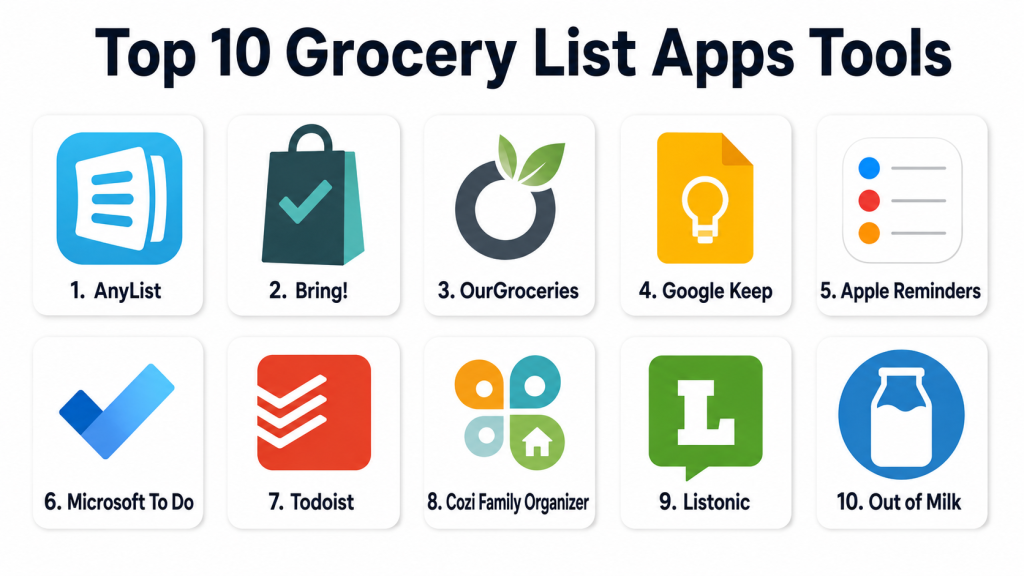
Top 10 Grocery List Apps Tools
#1 — AnyList
Short description: AnyList is a dedicated grocery list and recipe management app built for shared shopping. It is useful for families, couples, roommates, and meal planners who want a clean list system with real-time updates.
Key Features
- Shared grocery lists
- Real-time syncing across devices
- Recipe storage and recipe-to-list support
- Meal planning features
- Item categorization
- Multiple list support
- Voice assistant support may vary by platform and region
Pros
- Excellent for shared household grocery planning.
- Strong balance of grocery lists, recipes, and meal planning.
- Easy enough for daily use while still offering useful depth.
Cons
- Some advanced features may require paid access.
- Not built for business inventory or procurement workflows.
- Users who only need a basic checklist may find it more than necessary.
Platforms / Deployment
Web / iOS / Android
Cloud
Security & Compliance
Not publicly stated for SOC 2, ISO 27001, HIPAA, SSO/SAML, audit logs, and enterprise RBAC.
Integrations & Ecosystem
AnyList works well as a household grocery planning system. Its ecosystem is focused on shared lists, recipes, and meal planning.
- Shared household lists
- Recipe-to-list workflow
- Meal planning support
- Cloud sync
- Voice assistant support may vary
Support & Community
AnyList provides product support and help resources. It has strong recognition among users who need shared grocery and recipe workflows.
#2 — Bring!
Short description: Bring! is a visual grocery list app designed for simple and collaborative shopping. It is useful for users who prefer a clean, icon-based shopping experience instead of long text-heavy lists.
Key Features
- Shared grocery lists
- Visual item tiles
- Real-time list syncing
- List templates
- Category-based organization
- Notifications for list updates
- Recipe and inspiration features may vary
Pros
- Very easy to use.
- Visual design makes grocery planning simple.
- Good for families, couples, and casual shoppers.
Cons
- Advanced pantry tracking may be limited.
- Not ideal for users needing detailed meal planning.
- Some features may vary by region or platform.
Platforms / Deployment
iOS / Android / Web availability may vary
Cloud
Security & Compliance
Not publicly stated for SOC 2, ISO 27001, HIPAA, SSO/SAML, audit logs, and enterprise RBAC.
Integrations & Ecosystem
Bring! focuses on simple shared grocery planning rather than heavy integrations.
- Shared lists
- Visual categories
- Notifications
- Reusable list templates
- Recipe inspiration may vary
Support & Community
Bring! provides standard app support. Its user community is strongest among people who want simple and visual grocery planning.
#3 — OurGroceries
Short description: OurGroceries is a shared grocery list app made for families and households that need synchronized lists across multiple devices. It is practical, simple, and focused on everyday shopping coordination.
Key Features
- Shared grocery lists
- Real-time syncing
- Multiple list support
- Recipe-related list support
- Item categories
- Simple check-off workflow
- Family-friendly list sharing
Pros
- Easy to understand and use.
- Good for families that need one common list.
- Works well for basic shared shopping routines.
Cons
- Interface may feel simpler than newer apps.
- Limited advanced meal planning features.
- Not suitable for professional inventory management.
Platforms / Deployment
Web / iOS / Android
Cloud
Security & Compliance
Not publicly stated for SOC 2, ISO 27001, HIPAA, SSO/SAML, audit logs, and enterprise RBAC.
Integrations & Ecosystem
OurGroceries is mainly focused on shared family lists.
- Shared household lists
- Multiple list support
- Recipe-related list creation
- Real-time syncing
- Mobile and web access
Support & Community
OurGroceries offers standard app support resources. It is known among users who prefer simple grocery list sharing.
#4 — Google Keep
Short description: Google Keep is a note-taking app that can work well as a simple grocery list tool. It is useful for users already using Google services who want shared checklists without installing a dedicated grocery app.
Key Features
- Checklist notes
- Shared notes
- Labels and color organization
- Voice notes
- Image notes
- Cross-device syncing
- Google account-based access
Pros
- Very simple for quick grocery lists.
- Easy to share with family members.
- Flexible for groceries, notes, reminders, and household tasks.
Cons
- Not grocery-specific.
- No deep recipe-to-list workflow.
- Lists can become messy without good organization.
Platforms / Deployment
Web / iOS / Android
Cloud
Security & Compliance
Security depends on Google account controls and account type. Grocery-specific compliance details are not publicly stated.
Integrations & Ecosystem
Google Keep works well for users already using Google services.
- Google account sync
- Shared notes
- Voice notes
- Labels
- Reminders
- Mobile and web access
Support & Community
Google provides help resources for Keep. Community support is broad, but grocery-specific workflows are mostly user-created.
#5 — Apple Reminders
Short description: Apple Reminders is a built-in task and checklist app that can be used for grocery lists. It is best for Apple users who want a simple shopping list without adding another app.
Key Features
- Checklist-style lists
- Shared reminders
- Siri support
- iCloud syncing
- Location-based reminders
- Tags and smart lists
- Built-in Apple device availability
Pros
- No separate app needed for Apple users.
- Works well with Siri and iCloud.
- Good for simple personal or shared grocery lists.
Cons
- Less useful outside the Apple ecosystem.
- Not a dedicated grocery app.
- Limited recipe and pantry support.
Platforms / Deployment
iOS / macOS / Web via iCloud availability may vary
Cloud
Security & Compliance
Security depends on Apple ID and iCloud account controls. Grocery-specific compliance details are not publicly stated.
Integrations & Ecosystem
Apple Reminders is strongest inside the Apple ecosystem.
- Siri voice entry
- iCloud sync
- Shared lists
- Apple device integration
- Notifications
- Location-based reminders
Support & Community
Apple provides documentation and device support. Grocery-specific usage depends on how users customize lists.
#6 — Microsoft To Do
Short description: Microsoft To Do is a task management app that can be used for grocery lists, errands, and household planning. It works well for users already using Microsoft accounts or productivity tools.
Key Features
- Task and checklist creation
- Shared lists
- Due dates and reminders
- Cross-platform syncing
- Microsoft account integration
- List grouping
- Mobile and desktop access
Pros
- Good for users already in the Microsoft ecosystem.
- Works across many devices.
- Useful for groceries, work tasks, and personal planning.
Cons
- Not grocery-specific.
- No advanced pantry or recipe features.
- May feel too generic for users wanting a shopping-focused app.
Platforms / Deployment
Web / Windows / macOS / iOS / Android
Cloud
Security & Compliance
Security depends on Microsoft account or organization setup. Grocery-specific compliance details are not publicly stated.
Integrations & Ecosystem
Microsoft To Do works well for users who manage tasks inside Microsoft services.
- Microsoft account sync
- Outlook-related task workflows
- Shared lists
- Reminders
- Desktop and mobile access
- Productivity ecosystem support
Support & Community
Microsoft provides support resources and documentation. Community help is broad, though grocery-specific workflows are user-defined.
#7 — Todoist
Short description: Todoist is a task management app that can be adapted for grocery lists, recurring shopping, errands, and household planning. It is useful for productivity-focused users who want groceries inside a broader task system.
Key Features
- Projects and task lists
- Shared projects
- Recurring tasks
- Labels and filters
- Priority levels
- Cross-platform support
- Productivity integrations
Pros
- Strong for users who like structured task management.
- Useful for recurring grocery routines.
- Works well across personal, work, and household planning.
Cons
- Not designed specifically for grocery shopping.
- Grocery categories require manual setup.
- May feel too advanced for users who only need a simple list.
Platforms / Deployment
Web / Windows / macOS / Linux / iOS / Android
Cloud
Security & Compliance
Business and account security features may vary by plan. Grocery-specific compliance details are not publicly stated.
Integrations & Ecosystem
Todoist has a broad productivity ecosystem.
- Calendar integrations
- Browser extensions
- Shared projects
- Recurring tasks
- Labels and filters
- API availability may vary by plan
Support & Community
Todoist provides documentation, support, templates, and community resources. It is strong for productivity users, though grocery usage is a custom workflow.
#8 — Cozi Family Organizer
Short description: Cozi Family Organizer is a household planning app that includes grocery lists, calendars, reminders, and family coordination tools. It is helpful for families that want shopping connected with daily schedules.
Key Features
- Shared family calendar
- Shopping lists
- To-do lists
- Family reminders
- Meal planning support may vary
- Household coordination tools
- Web and mobile access
Pros
- Good for families managing groceries and schedules together.
- Combines lists, reminders, and calendars.
- Useful for household coordination beyond shopping.
Cons
- Grocery list features may not be as deep as dedicated grocery apps.
- Solo users may not need the full family organizer setup.
- Some features may require paid access.
Platforms / Deployment
Web / iOS / Android
Cloud
Security & Compliance
Not publicly stated for SOC 2, ISO 27001, HIPAA, SSO/SAML, audit logs, and enterprise RBAC.
Integrations & Ecosystem
Cozi focuses on family organization more than grocery-only workflows.
- Family calendar
- Shopping lists
- To-do lists
- Reminders
- Meal planning support may vary
- Shared household access
Support & Community
Cozi provides consumer support and help resources. Its community is mainly families using it for daily household organization.
#9 — Listonic
Short description: Listonic is a dedicated grocery shopping list app focused on fast list creation, sharing, and convenient shopping. It is useful for users who want grocery-specific features without a complex setup.
Key Features
- Grocery list creation
- Shared list support
- Item suggestions
- Category organization
- Multiple lists
- Shopping history or repeat-item support may vary
- Mobile-first shopping workflow
Pros
- Grocery-focused and simple to use.
- Item suggestions can speed up list creation.
- Good for everyday household shopping.
Cons
- Advanced meal planning may be limited.
- Some features may vary by region.
- Not built for business procurement or inventory control.
Platforms / Deployment
iOS / Android / Web availability may vary
Cloud
Security & Compliance
Not publicly stated for SOC 2, ISO 27001, HIPAA, SSO/SAML, audit logs, and enterprise RBAC.
Integrations & Ecosystem
Listonic is focused on grocery list creation and mobile shopping.
- Shared lists
- Item suggestions
- Category grouping
- Multiple lists
- Repeat shopping support may vary
- Mobile grocery workflow
Support & Community
Listonic provides standard app support. Its user base is focused on grocery planning and quick shopping workflows.
#10 — Out of Milk
Short description: Out of Milk is a grocery list and pantry list app that helps users manage what they need to buy and what they already have. It is useful for shoppers who want basic pantry awareness along with grocery planning.
Key Features
- Grocery lists
- Pantry lists
- Shopping list sharing
- To-do lists
- Category organization
- Sync support
- Mobile grocery management
Pros
- Useful for grocery and pantry tracking together.
- Helps reduce duplicate buying when updated regularly.
- Simple shopping-focused workflow.
Cons
- Pantry tracking requires user discipline.
- Platform experience may vary.
- Not suitable for full business inventory management.
Platforms / Deployment
iOS / Android / Web availability may vary
Cloud
Security & Compliance
Not publicly stated for SOC 2, ISO 27001, HIPAA, SSO/SAML, audit logs, and enterprise RBAC.
Integrations & Ecosystem
Out of Milk is built around grocery, pantry, and household list management.
- Grocery lists
- Pantry lists
- Shared shopping
- To-do lists
- Category-based shopping
- Cloud sync availability may vary
Support & Community
Out of Milk provides app support resources. Its community is mainly users who want grocery and pantry planning in one app.
Comparison Table
| Tool Name | Best For | Platform(s) Supported | Deployment | Standout Feature | Public Rating |
|---|---|---|---|---|---|
| AnyList | Families and shared grocery planning | Web, iOS, Android | Cloud | Shared lists with recipe support | N/A |
| Bring! | Visual collaborative shopping | iOS, Android, Web varies | Cloud | Visual grocery list experience | N/A |
| OurGroceries | Simple household list syncing | Web, iOS, Android | Cloud | Real-time family lists | N/A |
| Google Keep | Lightweight shared checklists | Web, iOS, Android | Cloud | Simple notes and checklists | N/A |
| Apple Reminders | Apple users needing built-in lists | iOS, macOS, Web via iCloud varies | Cloud | Siri and iCloud support | N/A |
| Microsoft To Do | Microsoft users managing shopping as tasks | Web, Windows, macOS, iOS, Android | Cloud | Task-based grocery planning | N/A |
| Todoist | Productivity-focused grocery workflows | Web, Windows, macOS, Linux, iOS, Android | Cloud | Recurring tasks and labels | N/A |
| Cozi Family Organizer | Families managing groceries and schedules | Web, iOS, Android | Cloud | Family calendar plus lists | N/A |
| Listonic | Dedicated grocery list users | iOS, Android, Web varies | Cloud | Grocery item suggestions | N/A |
| Out of Milk | Grocery and pantry tracking | iOS, Android, Web varies | Cloud | Pantry and shopping lists | N/A |
Evaluation & Scoring of Grocery List Apps
| Tool Name | Core (25%) | Ease (15%) | Integrations (15%) | Security (10%) | Performance (10%) | Support (10%) | Value (15%) | Weighted Total |
|---|---|---|---|---|---|---|---|---|
| AnyList | 9 | 9 | 8 | 5 | 8 | 7 | 8 | 7.85 |
| Bring! | 8 | 9 | 6 | 5 | 8 | 7 | 8 | 7.35 |
| OurGroceries | 8 | 8 | 6 | 5 | 8 | 7 | 8 | 7.20 |
| Google Keep | 6 | 9 | 8 | 7 | 8 | 8 | 10 | 7.80 |
| Apple Reminders | 6 | 9 | 8 | 7 | 8 | 8 | 10 | 7.80 |
| Microsoft To Do | 6 | 8 | 8 | 7 | 8 | 8 | 10 | 7.65 |
| Todoist | 7 | 8 | 9 | 7 | 8 | 8 | 8 | 7.80 |
| Cozi Family Organizer | 7 | 8 | 6 | 5 | 7 | 7 | 7 | 6.85 |
| Listonic | 8 | 8 | 6 | 5 | 7 | 6 | 8 | 7.00 |
| Out of Milk | 8 | 7 | 6 | 5 | 7 | 6 | 7 | 6.75 |
These scores are comparative and based on grocery planning needs, not general app popularity. A higher score means the tool performs well across the selected criteria.
Dedicated grocery apps score strongly for shopping workflows. General productivity apps score well when users already use those ecosystems.
Security scores are conservative where compliance details are not clearly published. For personal use, basic account security may be enough, but teams should review privacy and admin controls carefully.
Which Grocery List Apps Tool Is Right for You?
Solo / Freelancer
Solo users should focus on speed and simplicity. Google Keep, Apple Reminders, and Microsoft To Do are good choices if you already use those ecosystems. They are quick, simple, and easy to access.
If you want a dedicated grocery app, Bring!, Listonic, or AnyList may feel more natural during shopping.
SMB
Small businesses, home kitchens, office admins, and small teams can use grocery list apps for light purchasing coordination. AnyList is good when lists need to be shared and reused. Microsoft To Do and Todoist are better when grocery tasks are part of a broader work system.
For serious stock control, supplier management, or purchase approvals, a dedicated inventory or procurement platform is a better fit.
Mid-Market
Mid-market teams should use grocery list apps only for informal planning, office pantry restocking, or team shopping tasks. Todoist, Microsoft To Do, and Google Keep may fit better because they connect with broader productivity habits.
For family-style planning or simple shared grocery workflows, AnyList, OurGroceries, and Cozi Family Organizer can be useful.
Enterprise
Enterprise teams should avoid consumer grocery list apps for official procurement or inventory management. Most grocery apps do not provide formal approval workflows, advanced permissions, supplier records, audit logs, or procurement reporting.
For informal team lists, general task apps may be acceptable. For official buying, enterprises should use procurement, inventory, or facility management tools.
Budget vs Premium
Budget-focused users can start with Google Keep, Apple Reminders, or Microsoft To Do. These tools provide simple checklist functionality and work well for basic shopping needs.
Users who want stronger grocery-specific features can consider AnyList, Bring!, Cozi Family Organizer, Listonic, or Out of Milk depending on their household needs.
Feature Depth vs Ease of Use
For feature depth, AnyList is a strong option because it supports shared lists, recipes, and meal planning. Out of Milk is useful if pantry lists matter.
For ease of use, Bring!, Google Keep, and Apple Reminders are strong choices. They work well for users who want a simple list that is easy to update.
Integrations & Scalability
Choose based on your daily ecosystem. Apple Reminders works best for Apple users. Google Keep works best for Google users. Microsoft To Do works best for Microsoft users.
For productivity-focused scalability, Todoist is strong. For household scalability, AnyList, OurGroceries, and Cozi Family Organizer are practical choices.
Security & Compliance Needs
For personal shopping, basic account protection, device security, and careful sharing are usually the main concerns. Avoid sharing lists with the wrong people and review app permissions.
For teams or businesses, review privacy settings, admin controls, data export options, and sharing rules. Do not assume a consumer grocery list app is suitable for formal business use unless the requirements are very light.
Frequently Asked Questions
1. What is a grocery list app?
A grocery list app is a digital tool that helps users create, organize, share, and manage shopping lists. Many apps also support categories, reminders, syncing, recipes, or pantry tracking.
2. Are grocery list apps free?
Many grocery list apps offer free features, while some advanced options may require paid access. The best choice depends on whether you need simple lists or deeper planning features.
3. Which grocery list app is best for families?
AnyList, OurGroceries, Bring!, and Cozi Family Organizer are strong family-friendly choices. They support shared lists and household coordination.
4. Can grocery list apps sync between users?
Yes, many grocery list apps support shared lists and real-time syncing. This helps family members or roommates add, remove, and check off items from the same list.
5. Can I use Google Keep as a grocery list app?
Yes, Google Keep works well for simple grocery checklists. It is not grocery-specific, but it is easy to share and update.
6. Can Apple Reminders manage grocery lists?
Yes, Apple Reminders can manage grocery lists for Apple users. It supports shared lists, Siri entry, reminders, and iCloud syncing.
7. Which grocery list app is best for meal planning?
AnyList is strong for grocery lists with recipe and meal planning support. Cozi Family Organizer is also useful for families that want groceries connected with schedules.
8. What is the biggest mistake when choosing a grocery list app?
The biggest mistake is choosing only by design. Test sharing, syncing, item grouping, speed, and ease of use during real shopping before deciding.
9. Can grocery list apps track pantry items?
Some apps, such as Out of Milk, include pantry list support. Pantry tracking works best when users update items regularly after shopping and cooking.
10. Are grocery list apps secure?
Most grocery list apps provide basic account-based access, but formal compliance details are often not publicly stated. Users should review sharing settings and account security.
Conclusion
Grocery list apps can make shopping more organized, faster, and easier to manage. The best app depends on how you shop, who shares the list, and whether you need simple checklists, shared household planning, recipe support, pantry tracking, or productivity integrations. AnyList is strong for shared grocery and recipe workflows. Bring! is simple and visual. OurGroceries is practical for families. Out of Milk is useful for pantry-aware shoppers. Google Keep, Apple Reminders, Microsoft To Do, and Todoist are strong choices when grocery planning is part of a broader notes or task system.
There is no single best grocery list app for every user. A solo shopper, a family, a roommate group, and a small team may all need different workflows. The best next step is to shortlist two or three apps, create the same sample grocery list in each, test sharing and syncing, and choose the tool that feels easiest during real shopping.
