Introduction
Network Monitoring Tools are platforms that help organizations track, analyze, and optimize the performance, availability, and health of their network infrastructure. In simple terms, these tools continuously monitor devices like routers, switches, servers, and endpoints to detect issues, measure performance, and ensure everything runs smoothly.
In today’s environment of hybrid networks, cloud infrastructure, and distributed systems, network visibility is critical. Downtime, latency, or packet loss can directly impact business operations and user experience. Network monitoring tools help teams detect issues early, troubleshoot faster, and maintain uptime. Common use cases include real-time network monitoring, performance optimization, traffic analysis, fault detection, and capacity planning. Buyers should evaluate scalability, alerting capabilities, real-time analytics, integration support, ease of deployment, visualization dashboards, automation features, security monitoring, and cost efficiency.
Best for: IT operations teams, network engineers, DevOps teams, and enterprises managing complex or distributed networks. Not ideal for: very small setups with minimal infrastructure where basic tools or manual checks may be sufficient.
Key Trends in Network Monitoring Tools
- AI-driven anomaly detection is improving issue detection accuracy
- Cloud and hybrid network monitoring is becoming essential
- Real-time analytics and dashboards are standard expectations
- Integration with observability platforms is increasing
- Automation and self-healing networks are emerging
- Network security monitoring integration is growing
- Agentless monitoring approaches are gaining popularity
- Advanced traffic analysis and visibility tools are improving
- Scalability for large distributed systems is critical
- Unified monitoring platforms are replacing standalone tools
How We Selected These Tools (Methodology)
- Focused on tools with strong market adoption and reliability
- Evaluated monitoring capabilities and performance insights
- Assessed ease of deployment and usability
- Reviewed integration ecosystem with IT and DevOps tools
- Considered scalability for enterprise environments
- Evaluated alerting and automation features
- Included tools for SMB, mid-market, and enterprise teams
- Assessed real-time analytics and reporting
- Considered security monitoring capabilities
- Compared value vs cost efficiency
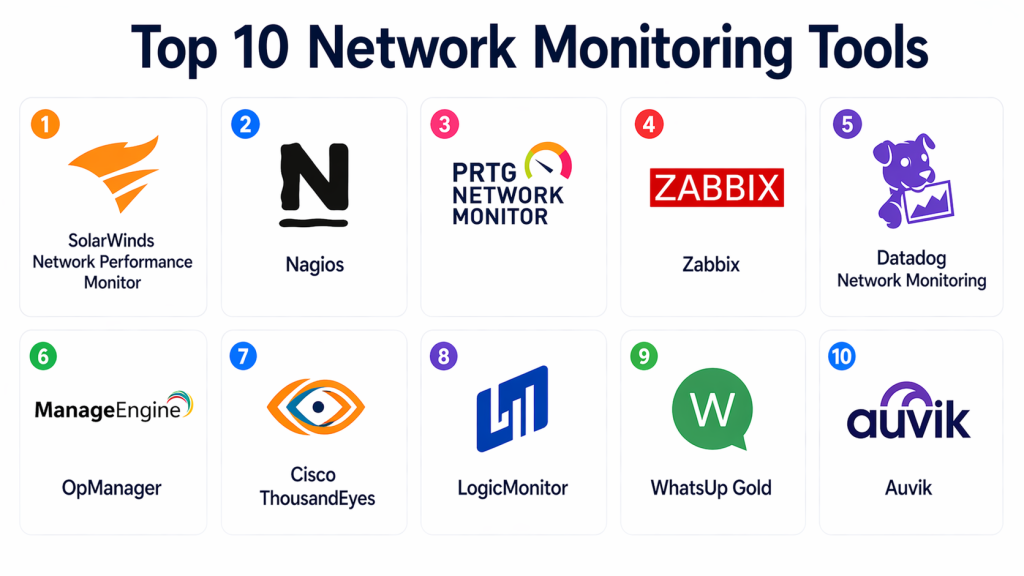
Top 10 Network Monitoring Tools
#1 — SolarWinds Network Performance Monitor
Short description : SolarWinds Network Performance Monitor is a widely used tool for monitoring network performance and availability. It provides deep visibility into network devices and traffic. It is suitable for enterprise environments. It supports real-time monitoring and alerting. It helps troubleshoot issues quickly. It is known for strong reporting capabilities.
Key Features
- Real-time network monitoring
- Performance metrics tracking
- Alerting and notifications
- Network visualization
- Custom dashboards
- Traffic analysis
Pros
- Comprehensive monitoring capabilities
- Strong visualization tools
- Scalable for large networks
Cons
- Expensive
- Complex setup
- Requires training
Platforms / Deployment
- Web / Windows
- Self-hosted
Security & Compliance
- RBAC: Supported
Integrations & Ecosystem
Integrates with IT infrastructure and monitoring tools.
- APIs
- Network devices
- IT systems
Support & Community
Strong enterprise support and documentation.
#2 — Nagios
Short description : Nagios is a popular open-source network monitoring tool known for flexibility and extensibility. It allows monitoring of network devices, services, and applications. It is widely used by IT teams. It supports plugins for customization. It is suitable for various environments.
Key Features
- Open-source monitoring
- Plugin architecture
- Alerting system
- Infrastructure monitoring
- Custom configurations
Pros
- Highly customizable
- Free open-source version
- Large community
Cons
- Requires setup and maintenance
- Complex configuration
- Outdated UI
Platforms / Deployment
- Linux
- Self-hosted
Security & Compliance
- Not publicly stated
Integrations & Ecosystem
Supports plugins and API integrations.
- Plugins
- APIs
- Monitoring tools
Support & Community
Large open-source community support.
#3 — PRTG Network Monitor
Short description : PRTG Network Monitor provides an all-in-one monitoring solution with an easy-to-use interface. It monitors bandwidth, devices, and applications. It is suitable for SMB and enterprise environments. It offers customizable dashboards. It supports multiple monitoring methods.
Key Features
- Unified monitoring
- Bandwidth monitoring
- Alerts and notifications
- Custom dashboards
- Sensor-based monitoring
Pros
- Easy to use
- Flexible monitoring options
- Good visualization
Cons
- Licensing complexity
- Limited scalability for large setups
- Windows-based
Platforms / Deployment
- Web / Windows
- Self-hosted
Security & Compliance
- Not publicly stated
Integrations & Ecosystem
Supports integration with IT systems.
- APIs
- Monitoring tools
Support & Community
Good documentation and support.
#4 — Zabbix
Short description : Zabbix is an open-source monitoring platform that provides real-time network and infrastructure monitoring. It offers strong scalability and flexibility. It supports large environments. It provides detailed analytics. It is widely used by enterprises.
Key Features
- Real-time monitoring
- Alerting
- Data visualization
- Scalability
- API support
Pros
- Free and open-source
- Scalable
- Strong analytics
Cons
- Complex setup
- Requires expertise
- UI can be improved
Platforms / Deployment
- Web / Linux
- Self-hosted
Security & Compliance
- Not publicly stated
Integrations & Ecosystem
Supports API integrations and monitoring tools.
- APIs
- Infrastructure tools
Support & Community
Strong open-source community.
#5 — Datadog Network Monitoring
Short description : Datadog provides network monitoring as part of its observability platform. It offers real-time insights and analytics. It is widely used in cloud environments. It supports integration with DevOps tools. It is ideal for modern infrastructure.
Key Features
- Network performance monitoring
- Real-time analytics
- Traffic analysis
- Cloud integration
- Alerts
Pros
- Easy to use
- Strong integrations
- Scalable
Cons
- Cost increases with usage
- Requires configuration
- Limited deep packet analysis
Platforms / Deployment
- Web
- Cloud
Security & Compliance
- Not publicly stated
Integrations & Ecosystem
Integrates with cloud and DevOps tools.
- APIs
- Cloud platforms
Support & Community
Large user community.
#6 — ManageEngine OpManager
Short description : ManageEngine OpManager provides network monitoring with performance insights and alerts. It is suitable for SMB and enterprise teams. It offers easy setup. It supports device monitoring. It is a practical solution for IT teams.
Key Features
- Network monitoring
- Device management
- Alerts
- Performance analytics
- Dashboards
Pros
- Easy deployment
- Affordable
- Good for SMB
Cons
- Limited advanced features
- UI can feel outdated
- Less scalable
Platforms / Deployment
- Web / Windows / Linux
- Self-hosted
Security & Compliance
- Not publicly stated
Integrations & Ecosystem
Supports integration with IT tools.
- APIs
- IT systems
Support & Community
Good documentation.
#7 — Cisco ThousandEyes
Short description : Cisco ThousandEyes provides network intelligence and visibility across internet and cloud networks. It helps monitor performance and detect issues. It is suitable for enterprises. It provides deep insights. It is widely used in global networks.
Key Features
- Internet monitoring
- Network visibility
- Performance analytics
- Cloud monitoring
- Alerts
Pros
- Strong visibility
- Enterprise-grade
- Cloud support
Cons
- Expensive
- Complex setup
- Requires expertise
Platforms / Deployment
- Web
- Cloud
Security & Compliance
- Not publicly stated
Integrations & Ecosystem
Integrates with enterprise systems.
- APIs
- Cloud tools
Support & Community
Enterprise support.
#8 — LogicMonitor
Short description : LogicMonitor provides network monitoring with AI-driven insights and analytics. It supports cloud and hybrid environments. It is easy to use. It is suitable for mid-market and enterprise teams. It offers automation features.
Key Features
- Monitoring and analytics
- AI insights
- Alerts
- Dashboards
- Automation
Pros
- Easy to use
- Good analytics
- Scalable
Cons
- Limited advanced features
- Smaller ecosystem
- Requires setup
Platforms / Deployment
- Web
- Cloud
Security & Compliance
- Not publicly stated
Integrations & Ecosystem
Supports integration with cloud and monitoring tools.
- APIs
- Cloud platforms
Support & Community
Good support.
#9 — WhatsUp Gold
Short description : WhatsUp Gold provides network monitoring and performance tracking. It offers visibility into devices and applications. It is suitable for SMB and mid-market teams. It provides alerts and dashboards. It is easy to use.
Key Features
- Device monitoring
- Alerts
- Network mapping
- Performance tracking
- Reporting
Pros
- Easy to use
- Good visibility
- Affordable
Cons
- Limited scalability
- Basic analytics
- Smaller ecosystem
Platforms / Deployment
- Web / Windows
- Self-hosted
Security & Compliance
- Not publicly stated
Integrations & Ecosystem
Supports integration with IT tools.
- APIs
- Monitoring systems
Support & Community
Good documentation.
#10 — Auvik
Short description : Auvik is a cloud-based network monitoring tool designed for ease of use and automation. It provides visibility into network devices and traffic. It is suitable for MSPs and SMBs. It offers real-time insights. It is known for simplicity.
Key Features
- Cloud-based monitoring
- Network mapping
- Alerts
- Traffic analysis
- Automation
Pros
- Easy to deploy
- Good for SMBs
- Cloud-based
Cons
- Limited enterprise features
- Subscription pricing
- Less customization
Platforms / Deployment
- Web
- Cloud
Security & Compliance
- Not publicly stated
Integrations & Ecosystem
Integrates with IT tools and APIs.
- APIs
- IT systems
Support & Community
Good onboarding and support.
Comparison Table (Top 10)
| Tool | Best For | Platforms | Deployment | Standout Feature | Public Rating |
|---|---|---|---|---|---|
| SolarWinds | Enterprise | Web/Windows | On-prem | Deep monitoring | N/A |
| Nagios | Developers | Linux | On-prem | Open-source | N/A |
| PRTG | SMB | Windows | On-prem | Easy setup | N/A |
| Zabbix | Enterprises | Linux | On-prem | Scalability | N/A |
| Datadog | Cloud teams | Web | Cloud | Real-time insights | N/A |
| OpManager | SMB | Web | On-prem | Affordable | N/A |
| ThousandEyes | Enterprise | Web | Cloud | Internet visibility | N/A |
| LogicMonitor | Mid-market | Web | Cloud | AI insights | N/A |
| WhatsUp Gold | SMB | Windows | On-prem | Simple UI | N/A |
| Auvik | SMB/MSP | Web | Cloud | Easy deployment | N/A |
Evaluation & Scoring of Network Monitoring Tools
| Tool | Core | Ease | Integrations | Security | Performance | Support | Value | Total |
|---|---|---|---|---|---|---|---|---|
| SolarWinds | 9.0 | 7.5 | 8.5 | 8.0 | 9.0 | 8.5 | 7.0 | 8.35 |
| Nagios | 8.0 | 6.5 | 8.5 | 7.5 | 8.0 | 7.5 | 9.0 | 7.95 |
| PRTG | 8.5 | 9.0 | 8.0 | 7.5 | 8.0 | 8.0 | 8.5 | 8.35 |
| Zabbix | 8.5 | 7.0 | 8.5 | 7.5 | 8.5 | 8.0 | 9.0 | 8.30 |
| Datadog | 8.5 | 9.0 | 9.0 | 7.5 | 8.5 | 8.5 | 7.5 | 8.40 |
| OpManager | 8.0 | 8.5 | 7.5 | 7.5 | 8.0 | 8.0 | 8.5 | 8.05 |
| ThousandEyes | 9.0 | 7.5 | 8.5 | 8.0 | 9.0 | 8.5 | 7.0 | 8.35 |
| LogicMonitor | 8.0 | 8.5 | 8.0 | 7.5 | 8.0 | 8.0 | 8.5 | 8.05 |
| WhatsUp Gold | 7.5 | 8.5 | 7.0 | 7.0 | 7.5 | 7.5 | 8.5 | 7.75 |
| Auvik | 7.8 | 9.0 | 7.5 | 7.0 | 7.8 | 8.0 | 8.5 | 7.95 |
These scores are comparative and should guide your evaluation based on your needs.
Which Network Monitoring Tool Is Right for You?
Solo / Freelancer
Use Auvik or basic monitoring tools.
SMB
PRTG, OpManager, Auvik are good options.
Mid-Market
LogicMonitor, Datadog provide scalability.
Enterprise
SolarWinds, Zabbix, ThousandEyes are ideal.
Budget vs Premium
- Budget: Nagios, Zabbix
- Premium: SolarWinds, Datadog
Feature Depth vs Ease of Use
- Easy: PRTG, Auvik
- Advanced: SolarWinds
Integrations & Scalability
- Best: Datadog, LogicMonitor
Security & Compliance Needs
- Strong: Enterprise tools
Frequently Asked Questions (FAQs)
1. What is network monitoring?
Network monitoring is the process of tracking network performance and health. It helps detect issues like downtime, latency, or failures. Monitoring tools collect data from devices and analyze it. This ensures smooth operation of systems. It is essential for IT operations.
2. Why is network monitoring important?
It helps prevent downtime and ensures optimal performance. By detecting issues early, teams can resolve them quickly. It improves user experience and system reliability. It also helps maintain security. It is critical for modern infrastructure.
3. Can network monitoring tools detect security threats?
Some tools include basic security monitoring features. They can detect unusual traffic patterns or anomalies. However, they are not full security solutions. For advanced security, dedicated tools are needed. Integration improves protection.
4. Do small teams need network monitoring tools?
Small teams may use basic tools initially. As infrastructure grows, monitoring becomes necessary. Even simple monitoring can provide valuable insights. It helps maintain performance. It also prepares teams for scaling.
5. What features should I look for?
Look for real-time monitoring, alerts, dashboards, and integration capabilities. Scalability and ease of use are also important. Automation features can improve efficiency. Security monitoring is a bonus. Choose based on your needs.
6. Are network monitoring tools expensive?
Costs vary widely depending on features and scale. Open-source tools are free but require setup. Enterprise tools can be expensive. Pricing often depends on usage. Evaluate value carefully.
7. Can these tools integrate with DevOps tools?
Yes, most tools support integration with DevOps and cloud platforms. This improves visibility and automation. It also enables better workflows. Integration is essential for modern environments. It enhances efficiency.
8. What is the difference between monitoring and observability?
Monitoring tracks known metrics and alerts. Observability provides deeper insights into system behavior. It helps understand unknown issues. Both are important. Observability is more advanced.
9. How difficult is it to implement these tools?
Implementation depends on the tool. Some are easy to deploy, while others require expertise. Cloud-based tools are simpler. On-prem tools need setup. Training may be required.
10. What is the biggest benefit?
The biggest benefit is improved visibility and faster issue resolution. It helps reduce downtime. It improves performance and reliability. It supports better decision-making. It is essential for modern IT operations.
Conclusion
Network monitoring tools are essential for maintaining performance, reliability, and visibility in modern IT environments. They help detect issues early, optimize network performance, and ensure smooth operations across distributed systems. While enterprise tools like SolarWinds and Cisco ThousandEyes offer deep capabilities, solutions like PRTG, Auvik, and Datadog provide flexibility for smaller teams. The right tool depends on your network size, complexity, and operational goals. Start by identifying your requirements, test a few tools, and ensure they integrate well with your infrastructure before making a final decision.
