Introduction
Capacity Planning Tools help organizations forecast, monitor, and optimize resource usage across infrastructure, applications, and services. In simple terms, these tools ensure that your systems have enough capacity (CPU, memory, storage, network, or workforce) to handle current and future demand without over-provisioning or risking outages.
With modern cloud environments, microservices, and unpredictable workloads, capacity planning has become more complex and critical. Businesses need to balance performance, cost, and scalability. These tools enable proactive decision-making by analyzing trends, predicting future demand, and optimizing resource allocation. Common use cases include infrastructure scaling, cloud cost optimization, workload forecasting, performance planning, and resource allocation. Buyers should evaluate forecasting accuracy, data integration, reporting capabilities, scalability, automation features, ease of use, real-time analytics, cost optimization insights, and integration with monitoring tools.
Best for: DevOps teams, IT operations, SREs, cloud architects, and enterprises managing dynamic workloads. Not ideal for: small teams with static workloads where manual planning or basic monitoring is sufficient.
Key Trends in Capacity Planning Tools
- AI-driven forecasting models are improving accuracy of capacity predictions
- Cloud cost optimization features are becoming core capabilities
- Integration with observability platforms is now standard
- Real-time analytics and dashboards are widely expected
- Multi-cloud and hybrid environment support is essential
- Automation of scaling decisions is increasing
- Predictive alerts for capacity shortages are becoming common
- Visualization and reporting tools are more advanced
- Integration with FinOps practices is growing
- Self-optimizing infrastructure concepts are emerging
How We Selected These Tools (Methodology)
- Focused on tools with strong market adoption and reliability
- Evaluated forecasting and analytics capabilities
- Assessed ease of use and dashboard quality
- Reviewed integration ecosystem with monitoring and cloud tools
- Considered scalability for enterprise workloads
- Evaluated automation and optimization features
- Included tools for SMB, mid-market, and enterprise teams
- Assessed real-world use cases and performance insights
- Considered cost optimization capabilities
- Compared value vs pricing flexibility
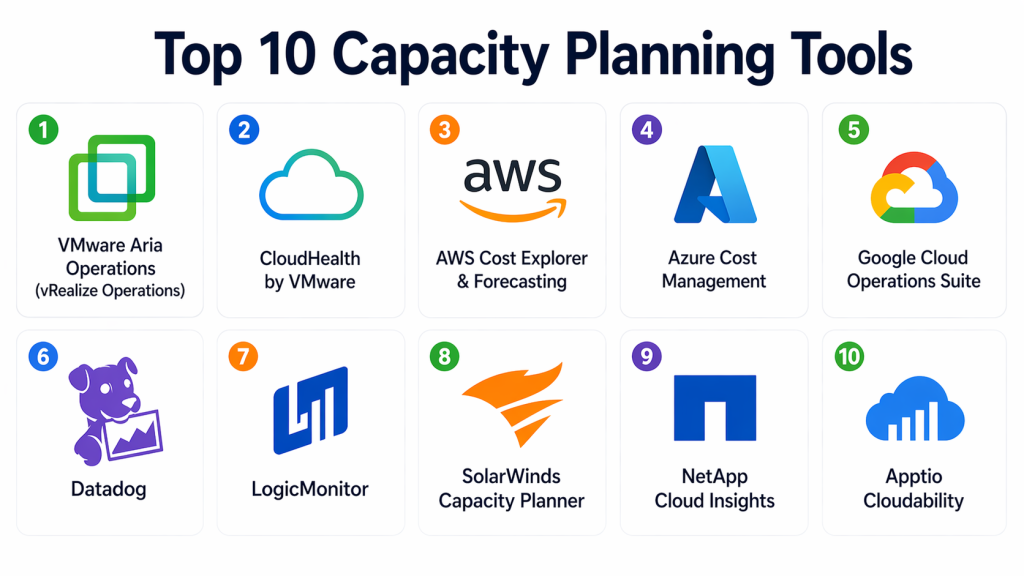
Top 10 Capacity Planning Tools
#1 — VMware Aria Operations (vRealize Operations)
Short description : VMware Aria Operations is a comprehensive capacity planning and monitoring platform designed for virtualized and cloud environments. It provides predictive analytics and resource optimization. It is widely used in enterprise data centers. It supports hybrid cloud environments. It helps optimize performance and cost. It is ideal for VMware-heavy infrastructures.
Key Features
- Predictive capacity analytics
- Resource optimization
- Real-time monitoring
- AI-driven insights
- Custom dashboards
- Cloud and hybrid support
Pros
- Strong enterprise capabilities
- Deep VMware integration
- Advanced analytics
Cons
- Complex setup
- Expensive
- Requires expertise
Platforms / Deployment
- Web
- Cloud / Self-hosted
Security & Compliance
- RBAC: Supported
Integrations & Ecosystem
Integrates with VMware ecosystem and cloud platforms.
- VMware tools
- APIs
- Cloud platforms
Support & Community
Enterprise-level support and documentation.
#2 — CloudHealth by VMware
Short description : CloudHealth is a cloud management and capacity planning tool focused on cost optimization and resource utilization. It helps organizations manage cloud spend and forecast usage. It is widely used in multi-cloud environments. It provides actionable insights. It is suitable for enterprises and FinOps teams.
Key Features
- Cloud cost optimization
- Usage analytics
- Forecasting tools
- Multi-cloud support
- Reporting dashboards
Pros
- Strong cost visibility
- Good for multi-cloud
- Easy reporting
Cons
- Limited deep infrastructure insights
- Enterprise pricing
- Requires integration setup
Platforms / Deployment
- Web
- Cloud
Security & Compliance
- Not publicly stated
Integrations & Ecosystem
Integrates with major cloud providers and APIs.
- AWS, Azure, GCP
- APIs
Support & Community
Good enterprise support.
#3 — AWS Cost Explorer & Forecasting
Short description : AWS Cost Explorer provides insights into usage patterns and forecasts future costs and capacity needs. It is built into AWS. It helps teams plan resources effectively. It is ideal for AWS users. It provides detailed cost breakdowns. It is easy to use.
Key Features
- Cost analysis
- Usage forecasting
- Reporting dashboards
- AWS integration
- Trend analysis
Pros
- Native AWS tool
- Easy to use
- Accurate forecasting
Cons
- AWS-only
- Limited customization
- Basic features
Platforms / Deployment
- Web
- Cloud
Security & Compliance
- RBAC: Supported
Integrations & Ecosystem
Works within AWS ecosystem.
- AWS services
- APIs
Support & Community
Strong AWS support.
#4 — Azure Cost Management
Short description : Azure Cost Management helps organizations monitor and forecast cloud usage and costs. It provides insights into resource consumption. It supports budgeting and optimization. It is ideal for Azure users. It offers strong reporting tools. It integrates with Azure services.
Key Features
- Cost tracking
- Budgeting tools
- Forecasting
- Reporting dashboards
- Azure integration
Pros
- Native Azure integration
- Easy to use
- Good reporting
Cons
- Azure-only
- Limited advanced analytics
- Requires Azure expertise
Platforms / Deployment
- Web
- Cloud
Security & Compliance
- RBAC: Supported
Integrations & Ecosystem
Works within Azure ecosystem.
- Azure services
- APIs
Support & Community
Enterprise-level support.
#5 — Google Cloud Operations Suite
Short description : Google Cloud Operations Suite provides monitoring, logging, and capacity insights for GCP environments. It helps teams optimize resources and plan capacity. It is suitable for cloud-native teams. It offers analytics and reporting. It is ideal for GCP users.
Key Features
- Monitoring and logging
- Capacity insights
- Analytics dashboards
- Forecasting tools
- Integration with GCP
Pros
- Strong GCP integration
- Good analytics
- Scalable
Cons
- GCP-focused
- Limited cross-cloud features
- Requires setup
Platforms / Deployment
- Web
- Cloud
Security & Compliance
- RBAC: Supported
Integrations & Ecosystem
Works within GCP ecosystem.
- GCP services
- APIs
Support & Community
Strong support.
#6 — Datadog
Short description : Datadog provides monitoring and analytics with capacity planning capabilities. It helps teams visualize usage trends and predict future needs. It is widely used in cloud environments. It supports multiple integrations. It is ideal for DevOps teams.
Key Features
- Monitoring and analytics
- Forecasting dashboards
- Real-time insights
- Integration support
- Alerting
Pros
- Easy to use
- Strong integrations
- Scalable
Cons
- Cost increases with usage
- Limited deep forecasting
- Requires configuration
Platforms / Deployment
- Web
- Cloud
Security & Compliance
- Not publicly stated
Integrations & Ecosystem
Supports many integrations.
- APIs
- Cloud tools
Support & Community
Large community.
#7 — LogicMonitor
Short description : LogicMonitor provides monitoring and capacity planning with AI-driven insights. It helps teams predict resource usage. It supports cloud and on-prem environments. It is easy to use. It is suitable for mid-market and enterprise.
Key Features
- Capacity forecasting
- Monitoring
- AI insights
- Dashboards
- Alerts
Pros
- Easy to use
- Good forecasting
- Strong monitoring
Cons
- Limited advanced analytics
- Smaller ecosystem
- Requires setup
Platforms / Deployment
- Web
- Cloud
Security & Compliance
- Not publicly stated
Integrations & Ecosystem
Supports integrations with cloud and monitoring tools.
- APIs
- Monitoring tools
Support & Community
Good support.
#8 — SolarWinds Capacity Planner
Short description : SolarWinds Capacity Planner helps organizations analyze infrastructure and forecast future needs. It is designed for IT operations teams. It provides simulation and modeling features. It is suitable for enterprise environments. It helps reduce risk.
Key Features
- Capacity modeling
- Forecasting
- Simulation tools
- Reporting
- Infrastructure analysis
Pros
- Strong simulation capabilities
- Good for infrastructure planning
- Enterprise-ready
Cons
- Complex setup
- Requires expertise
- Higher cost
Platforms / Deployment
- Web / Windows
- Self-hosted
Security & Compliance
- Not publicly stated
Integrations & Ecosystem
Integrates with IT systems.
- APIs
- Infrastructure tools
Support & Community
Enterprise support.
#9 — NetApp Cloud Insights
Short description : NetApp Cloud Insights provides monitoring and capacity planning for hybrid cloud environments. It helps optimize storage and compute resources. It offers analytics and reporting. It is suitable for enterprise teams. It supports cloud and on-prem systems.
Key Features
- Resource monitoring
- Capacity analytics
- Storage optimization
- Reporting dashboards
- Hybrid support
Pros
- Strong storage insights
- Good hybrid support
- Enterprise-ready
Cons
- Complex setup
- Limited SMB usage
- Requires expertise
Platforms / Deployment
- Web
- Cloud
Security & Compliance
- Not publicly stated
Integrations & Ecosystem
Works with cloud and storage tools.
- APIs
- Storage systems
Support & Community
Enterprise support.
#10 — Apptio Cloudability
Short description : Apptio Cloudability focuses on cloud cost and capacity optimization. It provides insights into resource usage and forecasting. It supports multi-cloud environments. It is ideal for FinOps teams. It helps optimize spending and capacity.
Key Features
- Cost optimization
- Usage analytics
- Forecasting
- Reporting dashboards
- Multi-cloud support
Pros
- Strong cost insights
- Good for FinOps
- Scalable
Cons
- Limited deep infrastructure analytics
- Enterprise pricing
- Requires integration
Platforms / Deployment
- Web
- Cloud
Security & Compliance
- Not publicly stated
Integrations & Ecosystem
Integrates with cloud platforms.
- AWS, Azure, GCP
- APIs
Support & Community
Enterprise support.
Comparison Table (Top 10)
| Tool | Best For | Platforms | Deployment | Standout Feature | Public Rating |
|---|---|---|---|---|---|
| VMware Aria | Enterprises | Web | Hybrid | Predictive analytics | N/A |
| CloudHealth | FinOps teams | Web | Cloud | Cost optimization | N/A |
| AWS Cost Explorer | AWS users | Web | Cloud | Native forecasting | N/A |
| Azure Cost Mgmt | Azure users | Web | Cloud | Budget tracking | N/A |
| GCP Ops Suite | GCP users | Web | Cloud | Analytics | N/A |
| Datadog | DevOps teams | Web | Cloud | Real-time insights | N/A |
| LogicMonitor | Mid-market | Web | Cloud | AI forecasting | N/A |
| SolarWinds | IT ops | Web | On-prem | Simulation | N/A |
| NetApp | Enterprises | Web | Cloud | Storage insights | N/A |
| Cloudability | FinOps | Web | Cloud | Cost forecasting | N/A |
Evaluation & Scoring of Capacity Planning Tools
| Tool | Core | Ease | Integrations | Security | Performance | Support | Value | Total |
|---|---|---|---|---|---|---|---|---|
| VMware | 9.5 | 7.5 | 9.0 | 8.5 | 9.0 | 8.5 | 7.0 | 8.55 |
| CloudHealth | 8.5 | 8.5 | 8.5 | 7.5 | 8.5 | 8.0 | 8.0 | 8.25 |
| AWS | 8.0 | 9.0 | 8.0 | 8.0 | 8.5 | 8.0 | 8.5 | 8.30 |
| Azure | 8.0 | 9.0 | 8.0 | 8.0 | 8.5 | 8.0 | 8.5 | 8.30 |
| GCP | 8.0 | 8.5 | 8.0 | 8.0 | 8.5 | 8.0 | 8.5 | 8.25 |
| Datadog | 8.5 | 9.0 | 9.0 | 7.5 | 8.5 | 8.5 | 7.5 | 8.40 |
| LogicMonitor | 8.0 | 8.5 | 8.0 | 7.5 | 8.0 | 8.0 | 8.5 | 8.05 |
| SolarWinds | 8.5 | 7.0 | 7.5 | 7.5 | 8.5 | 8.0 | 7.5 | 7.90 |
| NetApp | 8.5 | 7.5 | 8.0 | 7.5 | 8.5 | 8.0 | 7.5 | 8.00 |
| Cloudability | 8.5 | 8.5 | 8.5 | 7.5 | 8.5 | 8.0 | 8.0 | 8.25 |
These scores are comparative and should be used to shortlist tools based on your needs.
Which Capacity Planning Tool Is Right for You?
Solo / Freelancer
Use AWS, Azure, or GCP native tools.
SMB
Datadog, LogicMonitor are ideal.
Mid-Market
CloudHealth, LogicMonitor offer balance.
Enterprise
VMware, NetApp, Apptio Cloudability are best.
Budget vs Premium
- Budget: Cloud-native tools
- Premium: VMware, Cloudability
Feature Depth vs Ease of Use
- Easy: AWS, Azure
- Advanced: VMware
Integrations & Scalability
- Best: Datadog, VMware
Security & Compliance Needs
- Strong: VMware, enterprise tools
Frequently Asked Questions (FAQs)
1. What is capacity planning?
Capacity planning is the process of forecasting future resource needs based on current usage and trends. It helps ensure systems can handle demand without overloading or wasting resources. Organizations use it to balance performance and cost. It is essential for maintaining reliability. It is widely used in IT and cloud environments.
2. Why is capacity planning important?
Capacity planning helps prevent system outages caused by resource shortages. It also avoids unnecessary costs from over-provisioning. By analyzing trends, teams can make better decisions about scaling. It improves performance and user experience. It is critical for growing businesses.
3. Can capacity planning tools predict future demand?
Yes, most modern tools use analytics and machine learning to forecast future demand. They analyze historical data and usage patterns. This helps teams plan resources proactively. However, predictions depend on data quality. Continuous monitoring improves accuracy over time.
4. Do small teams need capacity planning tools?
Small teams may not need advanced tools initially. Basic monitoring and manual planning may be enough. However, as systems grow, capacity planning becomes more important. Even simple tools can provide valuable insights. Early adoption can improve scalability.
5. What is the difference between monitoring and capacity planning?
Monitoring focuses on real-time system performance, while capacity planning looks at future needs. Monitoring detects issues as they happen. Capacity planning helps prevent those issues in advance. Both are complementary. Together, they provide a complete operational strategy.
6. Can these tools help reduce cloud costs?
Yes, many capacity planning tools include cost optimization features. They identify underutilized resources and recommend changes. This helps reduce unnecessary spending. It also ensures efficient resource usage. It is a key benefit for cloud environments.
7. Are capacity planning tools difficult to use?
Ease of use depends on the tool. Some platforms are simple with dashboards and visualizations. Others require technical expertise and setup. Training may be needed for advanced tools. Choosing the right tool depends on team skills and needs.
8. Can capacity planning tools integrate with DevOps tools?
Yes, most tools integrate with monitoring, logging, and DevOps platforms. This allows data to flow between systems for better insights. Integration improves automation and decision-making. It also enables real-time updates. It is essential for modern workflows.
9. What industries benefit most from capacity planning?
Industries with high demand variability benefit the most. This includes SaaS, e-commerce, banking, telecom, and healthcare. These sectors require high availability and performance. Capacity planning helps them manage growth effectively. It also supports compliance and efficiency.
10. What is the biggest benefit of capacity planning tools?
The biggest benefit is optimized resource usage. Teams can ensure systems perform well without overspending. It also reduces downtime and improves reliability. Better planning leads to better performance. Overall, it supports business growth and efficiency.
Conclusion
Capacity planning tools are essential for organizations that want to balance performance, scalability, and cost in modern IT environments. They provide insights into resource usage, help forecast future demand, and enable proactive decision-making. While enterprise solutions like VMware Aria Operations and NetApp Cloud Insights offer deep capabilities, tools like Datadog and cloud-native options provide flexibility for smaller teams. The right tool depends on your infrastructure complexity, cloud strategy, and operational goals. Start by identifying your needs, test a few platforms, and ensure they align with your monitoring and cost optimization strategy.
