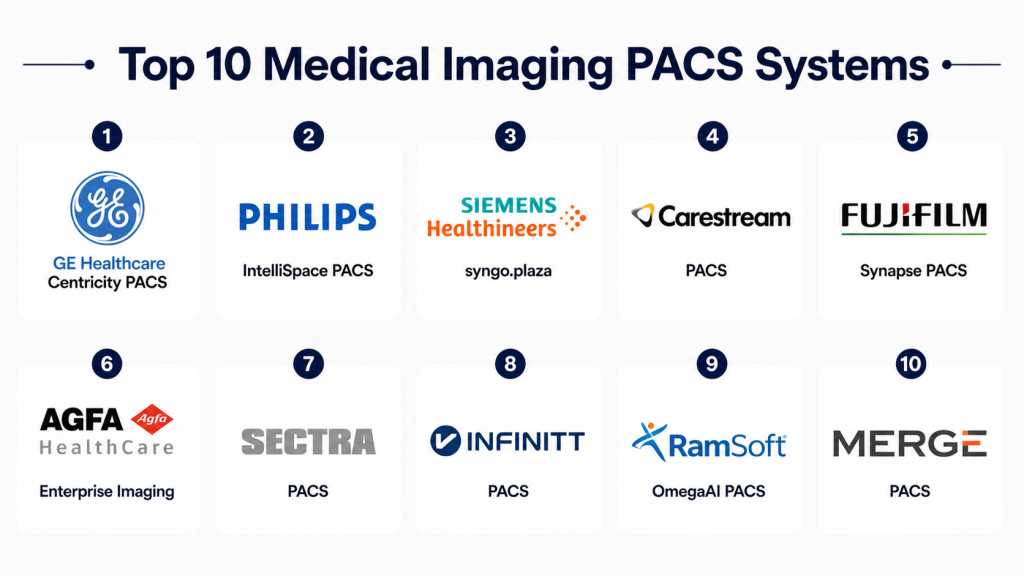
Introduction
Medical Imaging PACS Systems Picture Archiving and Communication Systems are specialized healthcare platforms used to store, manage, retrieve, and share medical imaging data such as X-rays, CT scans, MRIs, ultrasounds, and other diagnostic images. These systems eliminate the need for physical film and allow radiologists and clinicians to access imaging data digitally from anywhere within a secure environment.
A modern PACS system is not just about storage. It supports image viewing, workflow automation, radiology reporting, integration with hospital systems, and secure data sharing. PACS plays a critical role in radiology departments, diagnostic centers, and hospitals by improving efficiency, reducing turnaround time, and enabling better clinical decisions. Choosing the right PACS depends on image volume, scalability, integration needs, performance, compliance, and ease of use.
Key Trends in Medical Imaging PACS Systems
- Shift toward cloud-based PACS deployment
- Integration with RIS, EHR, and hospital systems
- AI-assisted imaging analysis and reporting
- Faster image retrieval and remote access
- Growth of teleradiology services
- Improved imaging compression and storage efficiency
- Mobile and web-based image viewing
- Enhanced cybersecurity and data protection
- Vendor-neutral archives gaining adoption
- Scalable PACS for multi-location healthcare networks
How We Selected These Tools
- Imaging storage and retrieval capabilities
- Image viewing performance and usability
- Workflow automation for radiology departments
- Integration with RIS, EHR, and hospital systems
- Scalability for small to enterprise healthcare providers
- Security, compliance, and data protection features
- Reporting and diagnostic workflow support
- Deployment flexibility and performance
- Vendor reputation and reliability
- Overall value and operational efficiency
Top 10 Medical Imaging PACS Systems
#1 — GE Healthcare Centricity PACS
Short description: GE Healthcare Centricity PACS is a widely used imaging platform designed for hospitals and radiology departments. It supports image storage, viewing, workflow automation, and diagnostic processes. The system helps radiologists manage large imaging volumes efficiently. It is suitable for enterprise healthcare organizations with complex imaging workflows. It provides scalability and integration capabilities. It is best for large hospitals and imaging centers.
Key Features
- Image storage and retrieval
- Advanced image viewing
- Workflow automation
- Diagnostic support tools
- Reporting integration
- Multi-modality support
- Enterprise scalability
Pros
- Strong enterprise capabilities
- Scalable for large imaging volumes
- Reliable performance
Cons
- Complex implementation
- High cost for small facilities
- Training required
Platforms / Deployment
Cloud and on-premise options may vary.
Security & Compliance
Healthcare security features are available, but exact details vary by deployment.
Integrations & Ecosystem
Supports integration with radiology workflows, hospital systems, and diagnostic tools.
Support & Community
Enterprise support is available depending on contract.
#2 — Philips IntelliSpace PACS
Short description: Philips IntelliSpace PACS provides advanced imaging management with clinical workflow support and data integration. It enables radiologists to access and analyze images efficiently. The platform supports enterprise imaging strategies and multi-site operations. It is suitable for large healthcare systems. It offers scalability and advanced visualization tools. It is best for hospitals with high imaging demands.
Key Features
- Advanced imaging workflows
- Image analysis tools
- Clinical integration
- Reporting capabilities
- Multi-site support
- Visualization tools
- Data management
Pros
- Strong imaging analytics
- Enterprise-ready platform
- Good integration capabilities
Cons
- High implementation effort
- Cost may be significant
- Requires training
Platforms / Deployment
Cloud and enterprise deployment options vary.
Security & Compliance
Healthcare-grade security features are available, but exact details vary.
Integrations & Ecosystem
Integrates with clinical systems, imaging workflows, and hospital infrastructure.
Support & Community
Vendor support varies by agreement.
#3 — Siemens Healthineers syngo.plaza
Siemens Healthineers syngo.plaza is a PACS solution designed for advanced imaging visualization and workflow management. It supports multi-modality imaging and clinical decision-making. The system offers advanced visualization and reporting tools. It is suitable for hospitals and diagnostic centers. It helps improve radiology efficiency. It is best for imaging-heavy healthcare environments.
Key Features
- Multi-modality imaging
- Advanced visualization
- Workflow automation
- Reporting tools
- Clinical decision support
- Data management
- Image sharing
Pros
- Strong visualization tools
- Good clinical integration
- Reliable performance
Cons
- Requires training
- Setup complexity
- Cost considerations
Platforms / Deployment
Cloud and on-premise options may vary.
Security & Compliance
Healthcare security features are available, but exact details vary.
Integrations & Ecosystem
Supports integration with hospital systems, imaging workflows, and reporting tools.
Support & Community
Support depends on deployment and contract.
#4 — Carestream PACS
Short description: Carestream PACS is an imaging platform designed for radiology departments and healthcare organizations. It supports image storage, retrieval, and workflow management. The system helps improve diagnostic efficiency and reduce turnaround time. It is suitable for hospitals and imaging centers. It offers scalable solutions. It is best for mid to large healthcare providers.
Key Features
- Image storage
- Viewing tools
- Workflow management
- Reporting integration
- Data sharing
- Multi-modality support
- Scalable infrastructure
Pros
- Reliable imaging workflows
- Scalable architecture
- Good usability
Cons
- Customization may be required
- Integration setup needed
- Cost may vary
Platforms / Deployment
Cloud and on-premise options available.
Security & Compliance
Healthcare security features are available, but exact details vary.
Integrations & Ecosystem
Supports integration with clinical systems and imaging workflows.
Support & Community
Vendor support available depending on plan.
#5 — Fujifilm Synapse PACS
Short description: Fujifilm Synapse PACS provides imaging management with advanced visualization and workflow tools. It helps radiologists access and analyze images efficiently. The platform supports enterprise imaging strategies. It is suitable for hospitals and diagnostic centers. It offers flexibility and scalability. It is best for organizations needing high-performance imaging systems.
Key Features
- Image storage and retrieval
- Advanced visualization
- Workflow tools
- Reporting integration
- Data sharing
- Multi-site support
- Scalability
Pros
- Strong performance
- Flexible deployment
- Good imaging tools
Cons
- Requires training
- Cost considerations
- Implementation effort
Platforms / Deployment
Cloud and hybrid deployment options may vary.
Security & Compliance
Healthcare security features are available, but exact details vary.
Integrations & Ecosystem
Supports clinical workflows, imaging systems, and hospital integration.
Support & Community
Support depends on vendor agreement.
#6 — Agfa HealthCare Enterprise Imaging
Short description: Agfa HealthCare Enterprise Imaging is a comprehensive imaging platform designed for enterprise healthcare organizations. It supports image management, workflow automation, and clinical collaboration. The system helps improve diagnostic accuracy and operational efficiency. It is suitable for large hospitals and healthcare networks. It provides scalability and integration capabilities. It is best for enterprise imaging environments.
Key Features
- Enterprise imaging management
- Workflow automation
- Image sharing
- Clinical collaboration
- Reporting tools
- Data integration
- Multi-modality support
Pros
- Strong enterprise capabilities
- Good scalability
- Supports collaboration
Cons
- Complex setup
- Requires training
- Cost may be high
Platforms / Deployment
Cloud and enterprise deployment options vary.
Security & Compliance
Healthcare security features available, details vary.
Integrations & Ecosystem
Supports integration with hospital systems, imaging workflows, and clinical tools.
Support & Community
Vendor support available based on contract.
#7 — Sectra PACS
Short description :Sectra PACS is a radiology-focused imaging system designed for efficient workflow and high-performance image management. It supports diagnostic imaging, reporting, and collaboration. The system is known for reliability and speed. It is suitable for hospitals and radiology departments. It offers strong workflow support. It is best for organizations needing efficient radiology operations.
Key Features
- Image management
- Workflow support
- Diagnostic tools
- Reporting
- Collaboration features
- Data sharing
- Performance optimization
Pros
- High performance
- Reliable workflows
- Strong usability
Cons
- Cost considerations
- Requires setup planning
- Integration effort
Platforms / Deployment
Cloud and on-premise options vary.
Security & Compliance
Healthcare security features available, details vary.
Integrations & Ecosystem
Supports imaging workflows and hospital system integration.
Support & Community
Vendor support depends on agreement.
#8 — INFINITT PACS
Short description:INFINITT PACS is an imaging solution designed for hospitals and diagnostic centers. It supports image storage, viewing, and workflow management. The system helps improve radiology efficiency and reduce turnaround time. It is suitable for mid-sized healthcare organizations. It offers flexibility and scalability. It is best for organizations seeking cost-effective PACS solutions.
Key Features
- Image storage
- Viewing tools
- Workflow automation
- Reporting
- Data management
- Multi-modality support
- Scalability
Pros
- Cost-effective
- Flexible deployment
- Good performance
Cons
- Advanced features may vary
- Integration setup required
- Customization may be needed
Platforms / Deployment
Cloud and on-premise options available.
Security & Compliance
Not publicly stated in detail.
Integrations & Ecosystem
Supports integration with imaging workflows and hospital systems.
Support & Community
Vendor support available depending on plan.
#9 — RamSoft OmegaAI PACS
Short description: RamSoft OmegaAI PACS is a cloud-based imaging platform designed for radiology workflows and diagnostic efficiency. It supports image management, reporting, and analytics. The system helps improve turnaround time and operational performance. It is suitable for imaging centers and healthcare providers. It offers scalability and cloud accessibility. It is best for organizations adopting cloud imaging solutions.
Key Features
- Cloud-based PACS
- Image management
- Reporting tools
- Workflow automation
- Analytics
- Data sharing
- Scalability
Pros
- Cloud-native architecture
- Good workflow efficiency
- Scalable solution
Cons
- Internet dependency
- Integration may vary
- Advanced customization limited
Platforms / Deployment
Cloud-based.
Security & Compliance
Healthcare security features available, details vary.
Integrations & Ecosystem
Supports radiology workflows, reporting systems, and cloud imaging environments.
Support & Community
Vendor support available depending on plan.
#10 — Merge PACS
Short description: Merge PACS is an imaging solution designed for healthcare providers needing efficient image storage and management. It supports radiology workflows and diagnostic processes. The system offers flexibility and integration capabilities. It is suitable for hospitals and imaging centers. It provides reliable performance. It is best for organizations seeking a balanced PACS solution.
Key Features
- Image storage
- Viewing tools
- Workflow management
- Reporting
- Data sharing
- Integration support
- Scalability
Pros
- Reliable imaging platform
- Flexible deployment
- Good integration options
Cons
- Requires setup planning
- Feature depth may vary
- Training required
Platforms / Deployment
Cloud and on-premise options vary.
Security & Compliance
Healthcare security features available, details vary.
Integrations & Ecosystem
Supports integration with clinical workflows, imaging systems, and hospital infrastructure.
Support & Community
Vendor support available based on agreement.
Comparison Table
| Tool | Best For | Deployment | Core Strength | Scalability | Standout Feature |
|---|---|---|---|---|---|
| GE Healthcare Centricity PACS | Enterprise hospitals | Cloud / On-premise | Imaging workflows | High | Enterprise imaging system |
| Philips IntelliSpace PACS | Large health systems | Cloud / Enterprise | Analytics and visualization | High | Advanced imaging tools |
| Siemens syngo.plaza | Imaging-heavy hospitals | Hybrid | Visualization | High | Multi-modality support |
| Carestream PACS | Mid to large hospitals | Cloud / On-premise | Workflow efficiency | High | Reliable imaging workflows |
| Fujifilm Synapse PACS | Diagnostic centers | Hybrid | Performance | High | Advanced visualization |
| Agfa Enterprise Imaging | Enterprise healthcare | Cloud / Enterprise | Collaboration | High | Enterprise imaging platform |
| Sectra PACS | Radiology departments | Hybrid | Performance | High | Fast image access |
| INFINITT PACS | Mid-sized providers | Cloud / On-premise | Cost efficiency | Medium | Affordable solution |
| RamSoft OmegaAI PACS | Cloud imaging users | Cloud | Workflow automation | Medium to High | Cloud-native PACS |
| Merge PACS | Balanced imaging needs | Hybrid | Flexibility | Medium to High | Integration support |
Evaluation & Scoring Table
| Tool | Core | Ease | Integrations | Security | Performance | Support | Value | Weighted Total |
|---|---|---|---|---|---|---|---|---|
| GE Healthcare Centricity PACS | 10 | 7 | 9 | 9 | 9 | 8 | 7 | 8.5 |
| Philips IntelliSpace PACS | 9 | 7 | 9 | 9 | 9 | 8 | 7 | 8.4 |
| Siemens syngo.plaza | 9 | 7 | 8 | 9 | 9 | 8 | 7 | 8.3 |
| Carestream PACS | 8 | 8 | 8 | 8 | 8 | 8 | 8 | 8.0 |
| Fujifilm Synapse PACS | 9 | 8 | 8 | 8 | 9 | 8 | 7 | 8.2 |
| Agfa Enterprise Imaging | 9 | 7 | 9 | 9 | 8 | 8 | 7 | 8.3 |
| Sectra PACS | 9 | 8 | 8 | 8 | 9 | 8 | 7 | 8.2 |
| INFINITT PACS | 8 | 8 | 7 | 8 | 8 | 7 | 8 | 7.8 |
| RamSoft OmegaAI PACS | 8 | 8 | 7 | 8 | 8 | 7 | 8 | 7.8 |
| Merge PACS | 8 | 8 | 8 | 8 | 8 | 7 | 8 | 7.9 |
Which Medical Imaging PACS System Is Right for You?
Choosing the right PACS system depends on imaging volume, workflow complexity, and organization size. Large hospitals and enterprise health systems should consider GE Healthcare Centricity PACS, Philips IntelliSpace, Siemens syngo.plaza, and Agfa Enterprise Imaging. These platforms support high-volume imaging, advanced diagnostics, and multi-department workflows.
Mid-sized hospitals and diagnostic centers can benefit from Carestream PACS, Fujifilm Synapse, and Sectra PACS. These systems offer strong performance and balanced functionality without extreme complexity. They are suitable for organizations that need reliable imaging workflows with scalability.
Smaller healthcare providers and cost-sensitive organizations should consider INFINITT PACS, RamSoft OmegaAI PACS, and Merge PACS. These platforms provide essential imaging capabilities, flexibility, and easier deployment. Cloud-based options are especially useful for reducing infrastructure costs and improving accessibility.
FAQs
1. What is a PACS system?
A PACS system is a digital platform used to store, manage, and access medical imaging data such as X-rays, MRIs, and CT scans. It replaces traditional film-based systems. It allows healthcare providers to view images quickly. It improves diagnostic efficiency. It is widely used in hospitals and imaging centers.
2. Why are PACS systems important?
PACS systems improve access to medical images and reduce delays in diagnosis. They eliminate the need for physical storage. They allow multiple users to view images simultaneously. They improve workflow efficiency. They help healthcare providers make faster decisions.
3. Can PACS systems integrate with EHR systems?
Yes, most PACS systems can integrate with EHR and hospital systems. Integration helps streamline workflows. It allows clinicians to access imaging data alongside patient records. It improves coordination. It reduces duplication of data.
4. Are PACS systems secure?
PACS systems include security features such as access control and data protection. Security depends on the vendor and deployment model. Healthcare providers must ensure proper configuration. Protecting patient data is critical. Compliance requirements should be reviewed.
5. What types of imaging can PACS handle?
PACS systems can handle X-rays, CT scans, MRIs, ultrasounds, and other imaging formats. They support multiple modalities. They allow efficient storage and retrieval. They are essential for radiology workflows. They support diagnostic processes.
6. Are cloud-based PACS systems better?
Cloud-based PACS systems offer flexibility and remote access. They reduce infrastructure requirements. On-premise systems offer more control. The choice depends on organization needs. Both options have advantages.
7. Who uses PACS systems?
PACS systems are used by hospitals, clinics, imaging centers, and radiology departments. Radiologists and clinicians rely on them daily. They support diagnostic workflows. They are essential in modern healthcare. They improve patient care.
8. How scalable are PACS systems?
Modern PACS systems are highly scalable. They can handle growing imaging volumes. They support multi-location healthcare organizations. Cloud solutions offer flexible scaling. Scalability is important for future growth.
9. What should be considered before choosing a PACS system?
Organizations should consider features, scalability, integration, security, cost, and support. Workflow requirements should also be evaluated. A system should match clinical needs. Ease of use is important. Proper selection improves efficiency.
10. Which PACS system is best?
There is no single best PACS system. Enterprise solutions like GE Healthcare, Philips, and Siemens are suitable for large hospitals. Mid-sized providers may prefer Carestream or Fujifilm. Smaller organizations can consider INFINITT or RamSoft. The best choice depends on requirements.
Conclusion
Medical Imaging PACS Systems are essential for modern healthcare organizations that rely on accurate and efficient diagnostic imaging. These systems enable faster access to images, improved workflow efficiency, and better collaboration between healthcare professionals. They play a critical role in radiology departments and imaging centers.
Choosing the right PACS system depends on the size and needs of the organization. Enterprise platforms offer advanced capabilities, while smaller solutions provide flexibility and cost efficiency. By evaluating performance, integration, security, and usability, healthcare providers can select a PACS system that supports long-term growth and improves patient care.
