Introduction
LLM gateways and model routing platforms help teams manage how applications connect to large language models. Instead of every application directly calling OpenAI, Anthropic, Google, AWS, Azure, or open-source models separately, an LLM gateway creates one controlled layer for routing, security, monitoring, fallback, cost tracking, and governance.
This matters because companies are no longer using one model for everything. Teams now compare models for cost, speed, quality, privacy, compliance, and availability. A gateway helps route each request to the right model based on rules, performance, budget, or business needs. Recent industry comparisons consistently highlight routing, observability, guardrails, cost control, and governance as major buyer priorities for production AI gateways.
Common use cases include AI chatbots, internal copilots, customer support automation, developer assistants, document processing, compliance-controlled AI workflows, and multi-model experimentation.
Buyers should evaluate:
- Multi-model and multi-provider support
- Routing and fallback logic
- Latency and reliability controls
- Cost tracking and budget controls
- Observability and logs
- Prompt and response governance
- Security, RBAC, and audit trails
- Deployment flexibility
- API compatibility
- Developer experience
Best for: platform teams, AI engineering teams, SaaS companies, enterprises, DevOps teams, security teams, and product teams building production AI applications.
Not ideal for: very small teams using only one AI model with low traffic, simple one-off prototypes, or teams that do not need governance, observability, routing, or cost controls.
Key Trends in LLM Gateways & Model Routing Platforms
- Multi-model routing is becoming standard as teams use different models for coding, reasoning, summarization, search, and customer support.
- Cost-aware routing is growing because expensive premium models are not always needed for every request.
- Fallback routing is now critical when model providers face rate limits, latency spikes, or temporary failures.
- AI observability is becoming a core requirement with teams tracking tokens, latency, errors, prompts, responses, and user-level usage.
- Guardrails are moving closer to the gateway layer so companies can enforce safety, privacy, and policy checks before and after model calls.
- OpenAI-compatible APIs are gaining adoption because they reduce integration work across multiple providers.
- Enterprise governance is becoming stronger with RBAC, audit logs, key management, approval flows, and policy controls.
- Hybrid and self-hosted options are important for companies with strict privacy, data residency, and compliance needs.
- Prompt management and evaluation are becoming connected to gateways so teams can test quality before production rollout.
- LLM gateways are moving from developer tools to business-critical infrastructure for teams running AI at scale.
How We Selected These Tools
The tools below were selected using practical buyer-focused criteria:
- Market visibility and developer mindshare
- Fit for production LLM applications
- Support for multiple model providers
- Routing, fallback, retry, and load-balancing features
- Observability, logging, and analytics capabilities
- Security controls such as keys, RBAC, and audit logs
- Integration flexibility through APIs and SDKs
- Suitability for startups, SMBs, mid-market, and enterprise teams
- Open-source availability where relevant
- Real-world fit for cost control, governance, and scaling
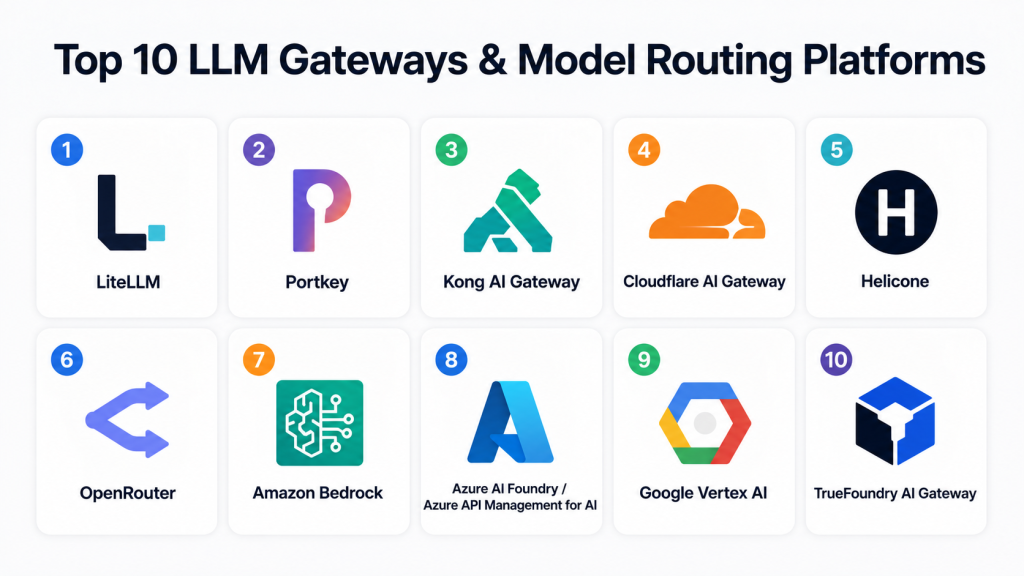
Top 10 LLM Gateways & Model Routing Platforms
1 — LiteLLM
Short description: LiteLLM is a popular open-source LLM gateway that gives teams a unified API for accessing many model providers. It is especially useful for developers who want OpenAI-compatible access, routing, retries, budgeting, and provider abstraction without heavy platform lock-in.
Key Features
- Unified API across multiple LLM providers
- OpenAI-compatible interface
- Model routing and fallback support
- Budget and spend tracking controls
- Retry and timeout handling
- Self-hosted deployment option
- Works well for developer-first AI applications
Pros
- Strong choice for engineering teams that want flexibility.
- Open-source approach makes it attractive for experimentation and self-hosted control.
- Good fit for teams moving from single-model usage to multi-model operations.
Cons
- May require engineering effort to configure and operate properly.
- Enterprise governance features may need additional setup.
- Non-technical teams may prefer a more managed platform.
Platforms / Deployment
Cloud / Self-hosted / Hybrid
Security & Compliance
Supports common enterprise patterns such as key management and access controls depending on deployment and configuration. Specific certifications are Not publicly stated.
Integrations & Ecosystem
LiteLLM is designed for broad provider compatibility and developer workflows. It works well where teams want one gateway layer across many model providers.
- OpenAI-compatible applications
- Multiple LLM providers
- Observability tools
- Internal AI platforms
- Custom APIs and SDKs
- Self-hosted infrastructure
Support & Community
LiteLLM has strong developer community visibility and documentation. Enterprise support availability may vary depending on deployment and vendor arrangement.
2 — Portkey
Short description: Portkey is an AI gateway and LLMOps platform focused on routing, observability, governance, guardrails, and production control. It is suitable for teams that want a more complete gateway layer with enterprise-friendly features. Portkey is often discussed as a full-stack AI gateway option for production teams, with routing, governance, and observability as core themes.
Key Features
- Multi-provider AI gateway
- Model routing and fallback
- Observability and request tracing
- Guardrails and governance workflows
- Virtual key management
- Prompt and response monitoring
- Enterprise controls for production AI
Pros
- Strong fit for teams that need governance plus routing.
- Useful for regulated or policy-sensitive AI workflows.
- Reduces the need to build internal gateway tooling from scratch.
Cons
- May be more than needed for very small teams.
- Advanced governance features may require careful setup.
- Pricing and packaging can vary by use case.
Platforms / Deployment
Cloud / Hybrid / Varies by plan
Security & Compliance
Supports enterprise-style controls such as key management, access control, and audit-oriented workflows. Specific certifications are Not publicly stated unless confirmed in buyer documentation.
Integrations & Ecosystem
Portkey fits into modern AI application stacks where teams need a central control plane for models, usage, and policies.
- LLM providers
- AI application backends
- Observability workflows
- Prompt management workflows
- Governance and guardrail systems
- API-based integrations
Support & Community
Portkey offers documentation and enterprise support options. Community strength is growing because of strong interest in AI gateway and governance use cases.
3 — Kong AI Gateway
Short description: Kong AI Gateway extends API gateway principles into AI and LLM traffic management. It is well suited for organizations already using API gateways and wanting to apply similar security, routing, policy, and observability patterns to AI traffic.
Key Features
- AI traffic routing
- API gateway-style control
- Plugin-based architecture
- Authentication and access policy support
- Rate limiting and traffic governance
- Enterprise API management alignment
- Works well with existing API platforms
Pros
- Strong fit for enterprises already using API gateway patterns.
- Good for teams that want AI traffic managed like other production APIs.
- Mature gateway mindset helps with reliability and security.
Cons
- May feel complex for small AI teams.
- AI-specific features may depend on configuration and plugins.
- Best value appears when an organization already understands API gateway operations.
Platforms / Deployment
Cloud / Self-hosted / Hybrid
Security & Compliance
Kong commonly supports API security patterns such as authentication, rate limiting, RBAC, and enterprise access controls depending on edition and setup. Specific AI gateway compliance details are Not publicly stated.
Integrations & Ecosystem
Kong fits naturally into API-first environments, platform engineering teams, and enterprises managing distributed services.
- API management systems
- Kubernetes environments
- Identity providers
- Monitoring tools
- LLM providers through AI gateway patterns
- DevOps and platform workflows
Support & Community
Kong has a mature API gateway ecosystem, documentation, enterprise support, and community familiarity. AI-specific gateway adoption depends on customer architecture.
4 — Cloudflare AI Gateway
Short description: Cloudflare AI Gateway helps teams observe, cache, rate-limit, and control AI provider traffic. It is useful for teams already using Cloudflare infrastructure and wanting a lightweight control layer for AI application requests.
Key Features
- AI request logging and analytics
- Caching support
- Rate limiting
- Provider traffic control
- Centralized AI request monitoring
- Developer-friendly setup
- Useful for edge and web application teams
Pros
- Good fit for teams already using Cloudflare.
- Helps reduce repeated model calls through caching.
- Simple gateway layer for observability and control.
Cons
- May not replace deeper enterprise LLMOps platforms.
- Advanced model evaluation and governance may require other tools.
- Best suited when Cloudflare is already part of the infrastructure stack.
Platforms / Deployment
Cloud
Security & Compliance
Security depends on Cloudflare account configuration and related platform controls. Specific AI Gateway certifications are Not publicly stated.
Integrations & Ecosystem
Cloudflare AI Gateway works well for web-first teams and developers who want AI traffic visibility without building a full internal gateway.
- Web applications
- Cloudflare Workers
- AI provider APIs
- Edge application workflows
- Monitoring dashboards
- Developer tooling
Support & Community
Cloudflare has broad documentation and developer community support. Enterprise support depends on the customer plan.
5 — Helicone
Short description: Helicone is an observability-focused platform for LLM applications with gateway-style logging, monitoring, analytics, and request tracking. It is a strong choice for teams that want visibility into model usage, cost, latency, and production behavior.
Key Features
- LLM request logging
- Usage and cost analytics
- Latency and error tracking
- Prompt and response visibility
- Developer-friendly integration
- Open-source-friendly ecosystem
- Helpful debugging workflows
Pros
- Excellent for teams that need visibility quickly.
- Useful for debugging production LLM applications.
- Strong developer experience for AI observability.
Cons
- Routing depth may not match dedicated routing-first platforms.
- Governance features may require additional tools.
- Best fit is observability-led, not full enterprise AI control plane.
Platforms / Deployment
Cloud / Self-hosted / Hybrid
Security & Compliance
Access controls and privacy features depend on plan and deployment. Specific certifications are Not publicly stated.
Integrations & Ecosystem
Helicone fits well into developer workflows where teams want to understand what their AI applications are doing in production.
- LLM provider APIs
- Application backends
- Monitoring workflows
- Analytics dashboards
- Developer debugging tools
- Self-hosted deployments
Support & Community
Helicone has strong developer appeal and useful documentation. Support options vary by plan and deployment model.
6 — OpenRouter
Short description: OpenRouter provides a unified interface for accessing many AI models through one API. It is useful for developers, startups, and product teams that want to compare models, route requests, and reduce the complexity of managing multiple provider integrations.
Key Features
- Unified access to many models
- Model comparison and switching
- API-based integration
- Useful for experimentation
- Supports many model categories
- Simplifies provider management
- Developer-focused experience
Pros
- Great for testing many models quickly.
- Reduces provider-by-provider integration work.
- Useful for teams exploring model quality and cost trade-offs.
Cons
- Enterprise governance depth may vary.
- Not always the best fit for strict self-hosted requirements.
- Compliance needs should be validated carefully.
Platforms / Deployment
Cloud
Security & Compliance
Security and compliance details should be validated based on enterprise requirements. Specific certifications are Not publicly stated.
Integrations & Ecosystem
OpenRouter is useful when teams want broad model access through one interface.
- AI applications
- Chatbot backends
- Model evaluation workflows
- Developer prototypes
- Multi-model experimentation
- API-based tools
Support & Community
OpenRouter has strong developer visibility. Support and onboarding depth may vary depending on customer size and plan.
7 — Amazon Bedrock
Short description: Amazon Bedrock is a managed foundation model platform from AWS that supports access to multiple model families with enterprise cloud controls. While it is broader than a pure gateway, it can serve as a model access and routing layer for organizations already invested in AWS.
Key Features
- Managed access to multiple foundation models
- AWS-native security and identity integration
- Enterprise cloud deployment alignment
- Model customization options
- Monitoring through AWS ecosystem
- Suitable for regulated cloud environments
- Strong infrastructure integration
Pros
- Strong fit for AWS-first enterprises.
- Helpful for teams needing cloud-native identity and governance.
- Reduces operational overhead for managed model access.
Cons
- Best value is inside AWS-heavy environments.
- May not be as provider-neutral as independent gateways.
- Cross-cloud routing may require additional architecture.
Platforms / Deployment
Cloud
Security & Compliance
Uses AWS cloud security controls depending on service configuration. Compliance coverage depends on AWS service documentation and region. Specific buyer needs should be validated.
Integrations & Ecosystem
Amazon Bedrock integrates naturally with AWS services and enterprise cloud workflows.
- AWS IAM
- Cloud monitoring tools
- Serverless applications
- Data pipelines
- Enterprise applications
- AI and ML workflows
Support & Community
AWS provides extensive documentation, support tiers, and enterprise account support. Community knowledge is broad due to AWS adoption.
8 — Azure AI Foundry / Azure API Management for AI
Short description: Azure AI Foundry and Azure API Management can support enterprise AI application development, model access, policy enforcement, and governance in Microsoft environments. This is a strong option for organizations standardized on Azure and Microsoft identity.
Key Features
- Azure-native AI application workflows
- API policy and governance capabilities
- Enterprise identity integration
- Monitoring through Azure ecosystem
- Works with Microsoft cloud services
- Suitable for enterprise security processes
- Helpful for centralized AI operations
Pros
- Strong fit for Microsoft and Azure-first organizations.
- Good alignment with enterprise identity and governance.
- Useful for large companies standardizing AI delivery.
Cons
- May be complex for smaller teams.
- Less attractive for teams avoiding cloud lock-in.
- Multi-provider routing depth depends on architecture.
Platforms / Deployment
Cloud / Hybrid depending on Azure architecture
Security & Compliance
Supports Microsoft enterprise cloud security patterns. Specific compliance depends on Azure service configuration and customer environment.
Integrations & Ecosystem
Azure AI and API Management fit into Microsoft-first application and platform engineering environments.
- Microsoft Entra ID
- Azure Monitor
- Azure OpenAI workflows
- Enterprise APIs
- DevOps pipelines
- Business applications
Support & Community
Microsoft provides extensive documentation and enterprise support. Community support is strong among Azure-focused teams.
9 — Google Vertex AI
Short description: Google Vertex AI is a managed AI platform that supports model development, deployment, monitoring, and access to Google’s AI ecosystem. While not only an LLM gateway, it can act as a managed AI control layer for teams using Google Cloud.
Key Features
- Managed AI platform capabilities
- Access to Google AI models
- Model deployment and monitoring
- Cloud-native security controls
- Integration with Google Cloud services
- Suitable for AI lifecycle management
- Enterprise cloud alignment
Pros
- Strong fit for Google Cloud users.
- Useful for teams managing broader AI workflows.
- Good option when model serving and governance need to sit within one cloud ecosystem.
Cons
- Not a neutral gateway across every provider.
- May require Google Cloud expertise.
- Smaller teams may find the platform broader than needed.
Platforms / Deployment
Cloud
Security & Compliance
Uses Google Cloud security and compliance controls depending on configuration and service usage. Specific requirements should be validated.
Integrations & Ecosystem
Vertex AI is best for organizations already building on Google Cloud.
- Google Cloud services
- Data and analytics platforms
- MLOps workflows
- Application backends
- Monitoring tools
- AI model lifecycle systems
Support & Community
Google provides documentation, enterprise support, and cloud community resources. Adoption is strongest among Google Cloud customers.
10 — TrueFoundry AI Gateway
Short description: TrueFoundry AI Gateway focuses on model orchestration, observability, routing, governance, and production AI infrastructure. It is suitable for teams that want gateway capabilities combined with broader AI platform operations. TrueFoundry’s public guidance highlights multi-provider support, routing, cost controls, observability, RBAC, secure key management, and availability as important AI gateway features.
Key Features
- Multi-model gateway capabilities
- Routing and fallback support
- Usage analytics and observability
- Cost tracking
- RBAC and access control focus
- Production AI infrastructure alignment
- Suitable for platform teams
Pros
- Good fit for teams building production AI platforms.
- Combines gateway needs with broader operational controls.
- Useful for teams that care about reliability and governance.
Cons
- May be too platform-heavy for simple use cases.
- Evaluation should include deployment and pricing fit.
- Smaller teams may prefer lighter open-source options.
Platforms / Deployment
Cloud / Hybrid / Varies by customer setup
Security & Compliance
RBAC and secure key management are commonly emphasized. Specific certifications are Not publicly stated unless validated during procurement.
Integrations & Ecosystem
TrueFoundry fits organizations building internal AI platforms and needing controlled access to multiple models.
- LLM providers
- Internal AI platforms
- Observability systems
- Model deployment workflows
- Platform engineering stacks
- Enterprise governance workflows
Support & Community
Documentation and enterprise support are available depending on customer plan. Community visibility is growing in AI platform engineering circles.
Comparison Table
| Tool Name | Best For | Platform(s) Supported | Deployment | Standout Feature | Public Rating |
|---|---|---|---|---|---|
| LiteLLM | Developer teams and self-hosted AI gateways | Web / Linux / API-based | Cloud / Self-hosted / Hybrid | OpenAI-compatible multi-provider gateway | N/A |
| Portkey | Enterprise AI governance and routing | Web / API-based | Cloud / Hybrid | Gateway with observability, guardrails, and governance | N/A |
| Kong AI Gateway | API-first enterprises | Web / Linux / Kubernetes / API-based | Cloud / Self-hosted / Hybrid | API gateway-style AI traffic control | N/A |
| Cloudflare AI Gateway | Web and edge application teams | Web / API-based | Cloud | AI traffic analytics, caching, and rate limiting | N/A |
| Helicone | LLM observability and debugging | Web / API-based | Cloud / Self-hosted / Hybrid | Request logging and usage analytics | N/A |
| OpenRouter | Multi-model experimentation | Web / API-based | Cloud | Unified access to many models | N/A |
| Amazon Bedrock | AWS-first enterprises | Web / API-based | Cloud | Managed foundation model access inside AWS | N/A |
| Azure AI Foundry / Azure API Management for AI | Microsoft and Azure-first enterprises | Web / API-based | Cloud / Hybrid | Enterprise AI governance in Azure ecosystem | N/A |
| Google Vertex AI | Google Cloud AI teams | Web / API-based | Cloud | Managed AI platform with model lifecycle support | N/A |
| TrueFoundry AI Gateway | Platform teams building production AI systems | Web / API-based | Cloud / Hybrid | AI gateway plus platform operations | N/A |
Evaluation & Scoring of LLM Gateways & Model Routing Platforms
| Tool Name | Core (25%) | Ease (15%) | Integrations (15%) | Security (10%) | Performance (10%) | Support (10%) | Value (15%) | Weighted Total |
|---|---|---|---|---|---|---|---|---|
| LiteLLM | 8 | 7 | 9 | 7 | 8 | 7 | 9 | 8.0 |
| Portkey | 9 | 8 | 8 | 8 | 8 | 8 | 8 | 8.3 |
| Kong AI Gateway | 8 | 7 | 8 | 9 | 8 | 9 | 7 | 8.0 |
| Cloudflare AI Gateway | 7 | 9 | 7 | 8 | 8 | 8 | 8 | 7.8 |
| Helicone | 7 | 9 | 8 | 7 | 8 | 7 | 8 | 7.7 |
| OpenRouter | 8 | 9 | 8 | 6 | 8 | 7 | 8 | 7.8 |
| Amazon Bedrock | 8 | 7 | 8 | 9 | 9 | 9 | 7 | 8.1 |
| Azure AI Foundry / Azure API Management for AI | 8 | 7 | 8 | 9 | 8 | 9 | 7 | 8.0 |
| Google Vertex AI | 8 | 7 | 8 | 9 | 8 | 9 | 7 | 8.0 |
| TrueFoundry AI Gateway | 8 | 7 | 8 | 8 | 8 | 8 | 8 | 7.9 |
These scores are comparative, not absolute. A higher score does not mean the tool is universally better for every team. For example, LiteLLM may be better for a developer-led team that wants open-source flexibility, while Azure or AWS may be better for a large enterprise already using those cloud platforms. Always validate security, pricing, deployment fit, and integration requirements before choosing.
Which LLM Gateway & Model Routing Platform Is Right for You?
Solo / Freelancer
Solo developers and freelancers usually need simplicity, low cost, and fast setup. LiteLLM, OpenRouter, and Helicone are practical choices. LiteLLM is useful when you want control and provider flexibility. OpenRouter is helpful when you want to test multiple models quickly. Helicone is useful when you mainly need observability and debugging.
SMB
Small and mid-sized businesses should focus on cost control, reliability, and easy monitoring. Cloudflare AI Gateway, Portkey, LiteLLM, and Helicone are good options. If the team already uses Cloudflare, its AI Gateway can be easy to adopt. If governance and guardrails matter, Portkey may be a stronger choice.
Mid-Market
Mid-market companies usually need routing, observability, budget controls, and internal access policies. Portkey, Kong AI Gateway, TrueFoundry AI Gateway, and LiteLLM are strong candidates. Teams with API gateway experience may prefer Kong. Platform teams that want broader AI infrastructure may evaluate TrueFoundry.
Enterprise
Enterprises should prioritize security, governance, identity integration, compliance validation, audit trails, support, and deployment control. Amazon Bedrock is suitable for AWS-first organizations. Azure AI Foundry and Azure API Management fit Microsoft-first companies. Google Vertex AI fits Google Cloud teams. Kong and Portkey are also strong options for centralized governance and traffic control.
Budget vs Premium
Budget-conscious teams should begin with LiteLLM, Helicone, OpenRouter, or Cloudflare AI Gateway depending on their use case. Premium enterprise teams should evaluate Portkey, Kong, AWS, Azure, Google Cloud, and TrueFoundry based on governance, support, and compliance requirements.
Feature Depth vs Ease of Use
For ease of use, OpenRouter, Helicone, and Cloudflare AI Gateway are easier starting points. For deeper controls, Portkey, Kong, TrueFoundry, AWS, Azure, and Google Vertex AI provide more enterprise-oriented capabilities.
Integrations & Scalability
If you need broad model provider flexibility, LiteLLM, Portkey, and OpenRouter are strong. If you need cloud-native scaling, Amazon Bedrock, Azure AI Foundry, and Google Vertex AI are stronger fits. If you need API management alignment, Kong AI Gateway is a natural option.
Security & Compliance Needs
For strict governance, start with enterprise-grade platforms such as Portkey, Kong AI Gateway, Amazon Bedrock, Azure AI Foundry, Google Vertex AI, or TrueFoundry AI Gateway. Always confirm SSO, RBAC, audit logs, encryption, data retention, compliance certifications, and regional data handling before purchase.
Frequently Asked Questions
1. What is an LLM gateway?
An LLM gateway is a control layer between your application and one or more AI model providers. It helps manage routing, security, cost, observability, retries, and governance.
2. Why do companies need model routing?
Model routing helps send each request to the best model based on cost, speed, quality, availability, or business rules. This prevents teams from overusing expensive models for simple tasks.
3. Are LLM gateways only for enterprises?
No. Developers and startups also use them for provider flexibility, cost control, and debugging. Enterprises usually need deeper governance, identity, and audit features.
4. What pricing models are common?
Pricing varies. Some tools are open-source, some charge by usage, some by seats, and some by enterprise contract. If pricing is unclear, treat it as Varies / N/A during evaluation.
5. How long does implementation take?
Simple API-based setup can be quick for small teams. Enterprise implementation may take longer because of identity, security reviews, logging, compliance checks, and integration testing.
6. What are common mistakes when choosing an LLM gateway?
Common mistakes include choosing only by price, ignoring latency, skipping security review, not testing fallback behavior, and failing to monitor token usage by team or application.
7. Do LLM gateways improve security?
They can improve security by centralizing API keys, access rules, logging, and policy controls. However, security depends on configuration, deployment model, and the tool’s actual controls.
8. Can an LLM gateway reduce AI costs?
Yes, especially when it supports caching, budgets, usage tracking, and cost-aware routing. Teams can route simple tasks to cheaper models and reserve premium models for complex work.
9. Can I switch tools later?
Yes, but switching can require changes to APIs, logs, routing rules, dashboards, and governance workflows. OpenAI-compatible APIs can reduce migration friction.
10. What are alternatives to LLM gateways?
Alternatives include direct provider integration, cloud-native model platforms, custom internal middleware, API gateways with AI plugins, or full LLMOps platforms.
Conclusion
LLM gateways and model routing platforms are becoming an important part of production AI infrastructure. The right platform helps teams control costs, improve reliability, manage multiple models, monitor usage, and apply security policies in one place. There is no single best option for every company. LiteLLM is strong for developer flexibility, Portkey is strong for governance, Kong is strong for API-first enterprises, Helicone is useful for observability, and cloud-native platforms like Amazon Bedrock, Azure AI Foundry, and Google Vertex AI fit teams already committed to those ecosystems. The best next step is to shortlist two or three tools, test them with real application traffic, compare latency and cost, validate security controls, and confirm that the platform fits your team’s long-term AI architecture.
