Introduction
iOS App Builders are platforms and tools that help individuals and organizations design, develop, test, and deploy applications for Apple devices like iPhones and iPads. These tools range from full-code development environments to no-code and low-code platforms that simplify app creation without deep programming knowledge.
In today’s fast-moving digital landscape, iOS apps remain a critical channel for customer engagement, internal operations, and revenue generation. With increasing demand for mobile-first experiences, businesses are prioritizing faster development cycles, better user experience, and seamless integrations. Modern iOS app builders now incorporate AI-assisted coding, automation, and cross-platform capabilities to meet these needs.
Common use cases include:
- Building customer-facing mobile apps for e-commerce or services
- Creating internal enterprise apps for workflows and productivity
- Rapid prototyping and MVP development
- Launching startup mobile products quickly
- Developing cross-platform apps with shared codebases
Key evaluation criteria:
- Ease of development (code vs no-code/low-code)
- UI/UX capabilities
- Performance and scalability
- Integration support (APIs, backend services)
- Security and compliance features
- Deployment and App Store readiness
- Cost and licensing model
- Developer ecosystem and community support
Best for: Developers, startups, product teams, enterprises, and non-technical users looking to build iOS apps quickly and efficiently.
Not ideal for: Extremely niche, hardware-dependent applications or teams needing highly specialized native optimizations beyond standard tooling.
Key Trends in iOS App Builders
- AI-assisted development (code generation, UI suggestions, debugging)
- Rise of no-code and low-code platforms for faster app delivery
- Cross-platform frameworks gaining dominance (single codebase for iOS & Android)
- Increased focus on privacy-first and compliance-ready architectures
- Backend-as-a-Service (BaaS) integration becoming standard
- Real-time collaboration features for distributed development teams
- Modular and component-based app design approaches
- Improved performance optimization for hybrid and cross-platform apps
- Growth of serverless and cloud-native mobile architectures
- Flexible pricing models including usage-based and freemium tiers
How We Selected These Tools (Methodology)
- Strong market presence and developer adoption
- Feature completeness across development lifecycle
- Proven performance and scalability in production use
- Security capabilities and enterprise readiness
- Integration ecosystem and API flexibility
- Suitability across different user segments (beginner to enterprise)
- Continuous innovation and product evolution
- Community support and documentation quality
- Platform compatibility and deployment flexibility
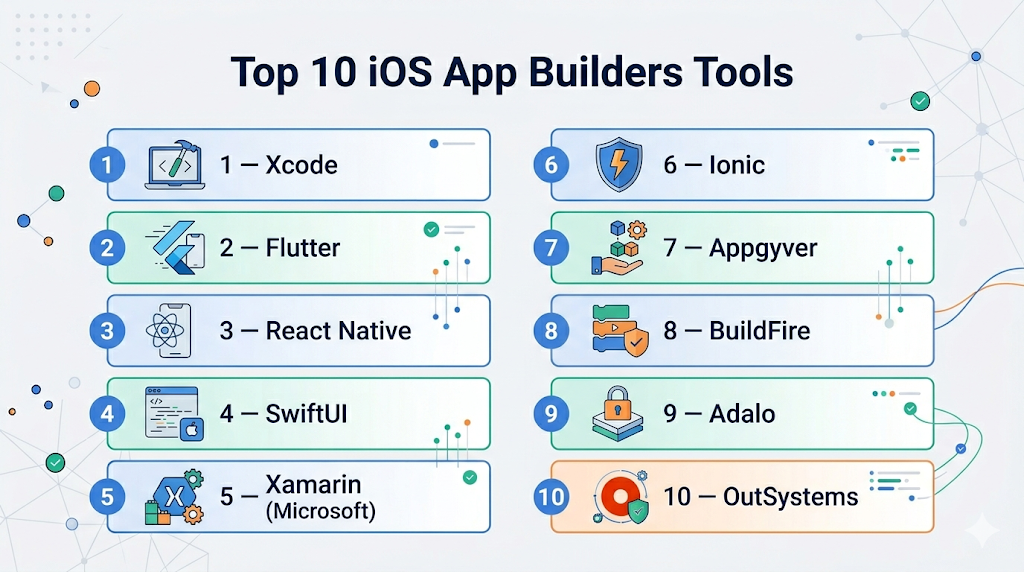
Top 10 iOS App Builders Tools
#1 — Xcode
Short description: Apple’s official IDE for iOS app development, designed for native app creation using Swift and Objective-C.
Key Features
- Native iOS development environment
- Interface Builder for UI design
- SwiftUI support for modern UI development
- Integrated debugging and testing tools
- Simulator for multiple Apple devices
- Performance profiling tools
Pros
- Full control over native performance
- Deep integration with Apple ecosystem
Cons
- Steep learning curve for beginners
- macOS-only environment
Platforms / Deployment
macOS / iOS
Local development
Security & Compliance
Code signing, sandboxing, encryption
Other compliance: Not publicly stated
Integrations & Ecosystem
Strong Apple ecosystem integration
- App Store Connect
- TestFlight
- Core ML
- CloudKit
Support & Community
Extensive documentation and large developer community
#2 — Flutter
Short description: Google’s UI toolkit for building cross-platform apps using a single codebase.
Key Features
- Single codebase for iOS and Android
- Rich UI widgets
- Hot reload for fast development
- Strong performance via native compilation
- Dart programming language
Pros
- Fast development cycles
- Consistent UI across platforms
Cons
- Larger app size
- Requires learning Dart
Platforms / Deployment
iOS / Android / Web
Cloud / Local
Security & Compliance
Encryption support, secure APIs
Other: Not publicly stated
Integrations & Ecosystem
- Firebase
- REST APIs
- Third-party plugins
Support & Community
Strong global developer community
#3 — React Native
Short description: A popular framework for building mobile apps using JavaScript and React.
Key Features
- Cross-platform development
- Reusable components
- Hot reloading
- Large plugin ecosystem
- Native module support
Pros
- Huge developer community
- Faster time-to-market
Cons
- Performance limitations in complex apps
- Dependency management complexity
Platforms / Deployment
iOS / Android
Cloud / Local
Security & Compliance
Basic encryption and secure APIs
Other: Not publicly stated
Integrations & Ecosystem
- Node.js ecosystem
- APIs and SDKs
- Third-party libraries
Support & Community
Very strong community and resources
#4 — SwiftUI
Short description: Apple’s modern UI framework for building declarative user interfaces.
Key Features
- Declarative syntax
- Live previews
- Native performance
- Integration with Xcode
- Dynamic UI updates
Pros
- Simplifies UI development
- Future-focused Apple framework
Cons
- Limited backward compatibility
- Still evolving
Platforms / Deployment
iOS / macOS
Local
Security & Compliance
Same as Apple ecosystem standards
Integrations & Ecosystem
- Core Data
- Combine framework
- Apple APIs
Support & Community
Growing community with strong official support
#5 — Xamarin (Microsoft)
Short description: A cross-platform development framework using C# and .NET.
Key Features
- Shared codebase
- Native API access
- Visual Studio integration
- Performance optimization tools
Pros
- Strong enterprise support
- Code reusability
Cons
- Larger app size
- Slower updates compared to newer tools
Platforms / Deployment
iOS / Android / Windows
Cloud / Local
Security & Compliance
Microsoft security ecosystem
Other: Not publicly stated
Integrations & Ecosystem
- Azure
- .NET libraries
- APIs
Support & Community
Enterprise-grade support
#6 — Ionic
Short description: Hybrid app framework using web technologies like HTML, CSS, and JavaScript.
Key Features
- Cross-platform development
- UI components library
- Capacitor for native access
- Progressive Web App support
Pros
- Easy for web developers
- Fast prototyping
Cons
- Performance trade-offs
- Limited native features
Platforms / Deployment
iOS / Android / Web
Cloud / Local
Security & Compliance
Standard web security practices
Integrations & Ecosystem
- Angular / React / Vue
- APIs
- Plugins
Support & Community
Active community
#7 — Appgyver
Short description: A no-code platform for building mobile apps without programming.
Key Features
- Drag-and-drop interface
- Logic builder
- Backend integration
- Cross-platform deployment
Pros
- No coding required
- Fast development
Cons
- Limited customization
- Dependency on platform
Platforms / Deployment
iOS / Android
Cloud
Security & Compliance
Not publicly stated
Integrations & Ecosystem
- APIs
- Backend services
Support & Community
Moderate support
#8 — BuildFire
Short description: A no-code app builder focused on business apps and plugins.
Key Features
- Plugin-based architecture
- Custom features support
- Push notifications
- Analytics tools
Pros
- Business-friendly
- Easy customization
Cons
- Pricing can be high
- Limited flexibility for developers
Platforms / Deployment
iOS / Android
Cloud
Security & Compliance
Not publicly stated
Integrations & Ecosystem
- CRM tools
- APIs
- Marketing tools
Support & Community
Good support
#9 — Adalo
Short description: A no-code platform for creating mobile apps with visual tools.
Key Features
- Drag-and-drop builder
- Database integration
- Custom actions
- App publishing support
Pros
- Beginner-friendly
- Fast MVP creation
Cons
- Limited scalability
- Performance constraints
Platforms / Deployment
iOS / Android
Cloud
Security & Compliance
Not publicly stated
Integrations & Ecosystem
- APIs
- Zapier-like integrations
Support & Community
Growing community
#10 — OutSystems
Short description: A low-code platform for enterprise-grade mobile and web applications.
Key Features
- Visual development environment
- AI-assisted development
- Scalable architecture
- Enterprise integrations
Pros
- High scalability
- Enterprise-ready
Cons
- Expensive
- Learning curve
Platforms / Deployment
iOS / Android / Web
Cloud / Hybrid
Security & Compliance
Enterprise-grade security
Other: Not publicly stated
Integrations & Ecosystem
- ERP systems
- APIs
- Databases
Support & Community
Strong enterprise support
Comparison Table (Top 10)
| Tool Name | Best For | Platform(s) Supported | Deployment | Standout Feature | Public Rating |
|---|---|---|---|---|---|
| Xcode | Native dev | macOS/iOS | Local | Apple-native tools | N/A |
| Flutter | Cross-platform | iOS/Android/Web | Hybrid | Fast UI rendering | N/A |
| React Native | JS developers | iOS/Android | Hybrid | Large ecosystem | N/A |
| SwiftUI | UI design | iOS/macOS | Local | Declarative UI | N/A |
| Xamarin | Enterprise | iOS/Android | Hybrid | .NET integration | N/A |
| Ionic | Web devs | iOS/Android/Web | Hybrid | Web-based apps | N/A |
| Appgyver | No-code users | iOS/Android | Cloud | Drag-and-drop | N/A |
| BuildFire | Business apps | iOS/Android | Cloud | Plugin system | N/A |
| Adalo | Beginners | iOS/Android | Cloud | Visual builder | N/A |
| OutSystems | Enterprises | Multi-platform | Hybrid | AI + scalability | N/A |
Evaluation & Scoring of iOS App Builders
| Tool | Core | Ease | Integrations | Security | Performance | Support | Value | Total |
|---|---|---|---|---|---|---|---|---|
| Xcode | 10 | 6 | 8 | 9 | 10 | 9 | 8 | 8.8 |
| Flutter | 9 | 8 | 8 | 7 | 9 | 8 | 9 | 8.5 |
| React Native | 8 | 8 | 9 | 7 | 8 | 9 | 9 | 8.4 |
| SwiftUI | 9 | 7 | 7 | 9 | 9 | 8 | 8 | 8.3 |
| Xamarin | 8 | 7 | 8 | 8 | 8 | 8 | 7 | 7.9 |
| Ionic | 7 | 9 | 7 | 6 | 7 | 8 | 9 | 7.7 |
| Appgyver | 6 | 9 | 6 | 5 | 6 | 7 | 8 | 7.0 |
| BuildFire | 7 | 8 | 7 | 6 | 7 | 8 | 7 | 7.2 |
| Adalo | 6 | 9 | 6 | 5 | 6 | 7 | 8 | 7.0 |
| OutSystems | 9 | 7 | 9 | 9 | 9 | 9 | 6 | 8.4 |
How to interpret scores:
These scores are comparative and reflect overall positioning across multiple criteria. A higher score indicates a more balanced tool, not necessarily the best for every use case. Developers may prioritize performance, while businesses may value ease of use and cost. Always align scores with your specific requirements.
Which iOS App Builders Tool Is Right for You?
Solo / Freelancer
Choose Adalo, Appgyver, or Flutter for fast and cost-effective development.
SMB
React Native, Ionic, or BuildFire provide balance between cost and functionality.
Mid-Market
Flutter, Xamarin, or SwiftUI offer scalability and flexibility.
Enterprise
OutSystems, Xamarin, and Xcode are best for complex, secure applications.
Budget vs Premium
- Budget: Adalo, Appgyver
- Premium: OutSystems, Xamarin
Feature Depth vs Ease of Use
- Feature-rich: Xcode, Flutter
- Easy-to-use: Adalo, BuildFire
Integrations & Scalability
- Strong integrations: React Native, OutSystems
- Limited: No-code tools
Security & Compliance Needs
- High security: Xcode, OutSystems
- Basic: No-code platforms
Frequently Asked Questions (FAQs)
What is an iOS app builder?
A tool or platform used to create apps for Apple devices with varying levels of coding.
Do I need coding skills?
Not always. No-code platforms eliminate the need for programming.
Which tool is best for beginners?
Adalo and Appgyver are beginner-friendly.
Are cross-platform tools good?
Yes, they reduce development time and cost.
Can I publish apps to App Store?
Yes, most tools support App Store deployment.
Are these tools secure?
Depends on the tool; enterprise platforms offer stronger security.
How much do they cost?
Varies from free to enterprise-level pricing.
Can I scale apps later?
Yes, but no-code tools may have limitations.
What integrations are supported?
Most support APIs and third-party services.
Can I switch tools later?
Possible but may require rebuilding parts of the app.
Conclusion
iOS app builders have evolved significantly, offering a wide spectrum of solutions from full-code native development to no-code platforms. The right choice depends heavily on your technical expertise, budget, and long-term scalability needs. While tools like Xcode and SwiftUI provide unmatched control and performance, platforms like Flutter and React Native strike a balance between speed and flexibility. No-code tools, on the other hand, are ideal for rapid experimentation and MVP development. Ultimately, there is no one-size-fits-all solution. The best approach is to shortlist two or three tools, test them with a small project, and evaluate how well they align with your goals, integrations, and security requirements before making a final decision.
