Introduction
Android App Builders are platforms that help you create mobile applications for Android devices without needing deep coding expertise. These tools range from no-code and low-code platforms to developer-focused frameworks that accelerate app development using reusable components, visual interfaces, and automation.
In today’s fast-moving digital landscape, businesses are expected to launch mobile apps quickly while maintaining performance, security, and scalability. Android remains one of the largest mobile ecosystems globally, making app builders essential for startups, enterprises, and developers looking to reduce development time and cost.
Common use cases include:
- Building MVPs for startups
- Creating internal business apps (HR, CRM, inventory)
- Launching eCommerce or service apps
- Developing customer engagement apps
- Rapid prototyping and testing ideas
What buyers should evaluate:
- Ease of use (drag-and-drop vs coding)
- Customization flexibility
- Integration capabilities
- Performance and scalability
- Security features
- Deployment options
- Pricing model
- Support and documentation
Best for: startups, SMBs, product teams, non-technical founders, and enterprises looking for faster mobile app delivery.
Not ideal for: highly complex, performance-critical apps requiring deep native optimization or custom architecture beyond platform limitations.
Key Trends in Android App Builders
- AI-assisted development: Platforms increasingly offer AI-powered UI generation, code suggestions, and workflow automation.
- No-code to pro-code convergence: Tools now support both visual builders and custom code extensions.
- Cross-platform-first approach: Android builders often support iOS and web from a single codebase.
- API-first architecture: Seamless integration with backend services, microservices, and SaaS tools.
- Security-first design: Built-in encryption, RBAC, and compliance-ready infrastructure.
- Cloud-native deployment: Most platforms are SaaS-based with scalable backend services.
- Real-time data capabilities: Live updates, push notifications, and event-driven architectures.
- Modular app development: Reusable components and templates reduce time-to-market.
- Subscription-based pricing: Flexible pricing tiers based on usage and features.
How We Selected These Tools (Methodology)
- Evaluated market adoption and brand recognition
- Assessed feature completeness and flexibility
- Considered performance and scalability signals
- Reviewed security capabilities and compliance readiness
- Analyzed integration ecosystems and APIs
- Examined ease of use for different user segments
- Compared support quality and documentation
- Balanced tools across enterprise, SMB, and developer audiences
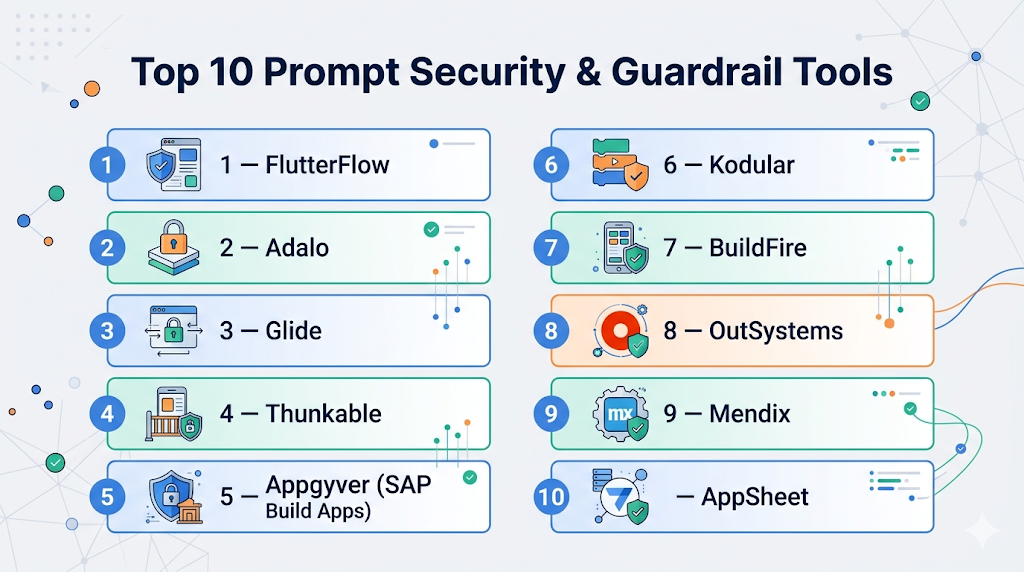
Top 10 Android App Builders Tools
#1 — FlutterFlow
Short description: A visual app builder based on Flutter, ideal for startups and developers who want UI control with backend integrations.
Key Features
- Drag-and-drop UI builder
- Flutter code export
- Firebase integration
- API integrations
- Real-time previews
- Custom actions and logic
Pros
- Strong UI flexibility
- Exportable production-ready code
Cons
- Learning curve for non-developers
- Limited advanced backend logic
Platforms / Deployment
Web / Cloud
Security & Compliance
Not publicly stated
Integrations & Ecosystem
Supports Firebase, REST APIs, and third-party services.
- Firebase
- Stripe
- APIs
- Backend services
Support & Community
Growing community, good documentation, active tutorials.
#2 — Adalo
Short description: A no-code app builder designed for beginners to quickly create Android apps.
Key Features
- Drag-and-drop builder
- Built-in database
- Marketplace components
- Native publishing
- Push notifications
Pros
- Beginner-friendly
- Fast prototyping
Cons
- Limited scalability
- Performance constraints
Platforms / Deployment
Web / Cloud
Security & Compliance
Not publicly stated
Integrations & Ecosystem
Supports APIs and plugins.
- Zapier
- APIs
- Third-party plugins
Support & Community
Good onboarding resources, moderate community.
#3 — Glide
Short description: Converts spreadsheets into mobile apps, ideal for internal tools and simple apps.
Key Features
- Spreadsheet-based logic
- Pre-built templates
- Real-time updates
- Simple UI builder
Pros
- Extremely easy to use
- Fast deployment
Cons
- Limited customization
- Not suited for complex apps
Platforms / Deployment
Web / Cloud
Security & Compliance
Not publicly stated
Integrations & Ecosystem
Focuses on data integrations.
- Google Sheets
- Airtable
- APIs
Support & Community
Strong documentation and active community.
#4 — Thunkable
Short description: A drag-and-drop platform for building cross-platform apps without coding.
Key Features
- Visual programming blocks
- Cross-platform support
- Live testing
- API integrations
Pros
- No coding required
- Flexible logic building
Cons
- UI limitations
- Performance issues for large apps
Platforms / Deployment
Web / Cloud
Security & Compliance
Not publicly stated
Integrations & Ecosystem
Supports APIs and services.
- REST APIs
- Firebase
- Webhooks
Support & Community
Active community and learning resources.
#5 — Appgyver (SAP Build Apps)
Short description: Enterprise-grade no-code platform for building complex apps.
Key Features
- Advanced logic builder
- Enterprise integrations
- Responsive design
- Data binding
Pros
- Powerful for complex apps
- Enterprise-ready
Cons
- Steeper learning curve
- UI complexity
Platforms / Deployment
Web / Cloud
Security & Compliance
Not publicly stated
Integrations & Ecosystem
Strong enterprise integrations.
- SAP
- APIs
- Backend systems
Support & Community
Enterprise support, good documentation.
#6 — Kodular
Short description: A free Android app builder focused on monetization and ease of use.
Key Features
- Drag-and-drop builder
- Monetization components
- Block-based coding
- Extensions support
Pros
- Free to use
- Monetization features
Cons
- Limited scalability
- UI constraints
Platforms / Deployment
Web
Security & Compliance
Not publicly stated
Integrations & Ecosystem
Supports extensions and APIs.
- Ad networks
- APIs
- Extensions
Support & Community
Active community, decent documentation.
#7 — BuildFire
Short description: A customizable app builder with plugin architecture for businesses.
Key Features
- Plugin marketplace
- Custom development options
- Analytics tools
- Push notifications
Pros
- Highly customizable
- Scalable architecture
Cons
- Higher cost
- Requires technical support for advanced features
Platforms / Deployment
Cloud
Security & Compliance
Not publicly stated
Integrations & Ecosystem
Wide plugin ecosystem.
- CRM tools
- Analytics tools
- APIs
Support & Community
Strong support, business-focused.
#8 — OutSystems
Short description: A leading low-code platform for enterprise-grade applications.
Key Features
- Full-stack development
- AI-assisted development
- DevOps integration
- Scalability tools
Pros
- Enterprise scalability
- Advanced capabilities
Cons
- Expensive
- Complex setup
Platforms / Deployment
Cloud / Hybrid
Security & Compliance
Supports enterprise-grade security features (RBAC, encryption).
Integrations & Ecosystem
Extensive integration support.
- APIs
- Enterprise systems
- Databases
Support & Community
Strong enterprise support and community.
#9 — Mendix
Short description: A low-code platform for building scalable enterprise apps.
Key Features
- Visual development
- Collaboration tools
- Cloud-native deployment
- AI assistance
Pros
- Scalable and robust
- Strong collaboration features
Cons
- Costly
- Requires training
Platforms / Deployment
Cloud / Hybrid
Security & Compliance
Enterprise-grade security features available.
Integrations & Ecosystem
Rich integration ecosystem.
- APIs
- Databases
- Enterprise systems
Support & Community
Large global community and enterprise support.
#10 — AppSheet
Short description: A no-code platform for building apps directly from data sources.
Key Features
- Data-driven app creation
- Automation workflows
- AI features
- Offline support
Pros
- Easy integration with data
- Fast development
Cons
- Limited UI customization
- Dependency on data structure
Platforms / Deployment
Web / Cloud
Security & Compliance
Not publicly stated
Integrations & Ecosystem
Strong data integrations.
- Google Workspace
- APIs
- Databases
Support & Community
Good documentation and support resources.
Comparison Table (Top 10)
| Tool Name | Best For | Platform(s) Supported | Deployment | Standout Feature | Public Rating |
|---|---|---|---|---|---|
| FlutterFlow | Developers & startups | Web | Cloud | Flutter code export | N/A |
| Adalo | Beginners | Web | Cloud | Drag-and-drop builder | N/A |
| Glide | Internal tools | Web | Cloud | Spreadsheet-based apps | N/A |
| Thunkable | No-code builders | Web | Cloud | Visual logic blocks | N/A |
| Appgyver | Enterprise apps | Web | Cloud | Advanced logic builder | N/A |
| Kodular | Hobby developers | Web | Cloud | Monetization features | N/A |
| BuildFire | Businesses | Web | Cloud | Plugin ecosystem | N/A |
| OutSystems | Enterprises | Web | Cloud/Hybrid | Full-stack low-code | N/A |
| Mendix | Enterprises | Web | Cloud/Hybrid | Collaboration tools | N/A |
| AppSheet | Data-driven apps | Web | Cloud | Data integration | N/A |
Evaluation & Scoring of Android App Builders
| Tool Name | Core (25%) | Ease (15%) | Integrations (15%) | Security (10%) | Performance (10%) | Support (10%) | Value (15%) | Weighted Total |
|---|---|---|---|---|---|---|---|---|
| FlutterFlow | 9 | 7 | 8 | 6 | 8 | 7 | 8 | 7.9 |
| Adalo | 7 | 9 | 6 | 5 | 6 | 7 | 8 | 7.1 |
| Glide | 6 | 10 | 7 | 5 | 6 | 8 | 9 | 7.3 |
| Thunkable | 7 | 8 | 7 | 5 | 6 | 7 | 8 | 7.2 |
| Appgyver | 8 | 6 | 8 | 6 | 7 | 7 | 7 | 7.3 |
| Kodular | 6 | 8 | 6 | 5 | 6 | 6 | 9 | 6.9 |
| BuildFire | 8 | 7 | 8 | 6 | 7 | 8 | 6 | 7.4 |
| OutSystems | 10 | 6 | 9 | 9 | 9 | 9 | 5 | 8.4 |
| Mendix | 9 | 7 | 9 | 9 | 9 | 9 | 5 | 8.3 |
| AppSheet | 7 | 9 | 8 | 6 | 7 | 8 | 8 | 7.8 |
How to interpret scores:
- Scores are relative comparisons across tools in this category.
- Higher scores indicate better overall balance of features and usability.
- Enterprise tools score higher on security and scalability but lower on value.
- No-code tools score higher on ease but lower on advanced capabilities.
Which Android App Builders Tool Is Right for You?
Solo / Freelancer
Glide, Adalo, and Kodular are ideal due to ease of use and low cost.
SMB
FlutterFlow, BuildFire, and AppSheet offer a balance of flexibility and scalability.
Mid-Market
Appgyver and Thunkable provide more control and integration options.
Enterprise
OutSystems and Mendix are best for large-scale, secure applications.
Budget vs Premium
- Budget: Glide, Kodular
- Premium: OutSystems, Mendix
Feature Depth vs Ease of Use
- Ease: Adalo, Glide
- Depth: FlutterFlow, OutSystems
Integrations & Scalability
- Strong integrations: Mendix, OutSystems
- Moderate: FlutterFlow, Appgyver
Security & Compliance Needs
- Enterprise-grade: OutSystems, Mendix
- Basic: Adalo, Glide
Frequently Asked Questions (FAQs)
What is an Android App Builder?
An Android App Builder is a platform that allows users to create mobile apps without deep coding, using visual tools or low-code frameworks.
Are no-code app builders scalable?
They work well for simple to mid-level apps, but complex enterprise apps may require low-code or custom development.
How much do these tools cost?
Pricing varies widely from free tiers to enterprise-level subscriptions depending on features and usage.
Can I publish apps to the Play Store?
Yes, most platforms support exporting or publishing apps directly to the Play Store.
Do these tools support integrations?
Yes, most support APIs, third-party tools, and backend services.
Are these platforms secure?
Security varies; enterprise tools offer advanced features, while basic tools have limited controls.
Can I switch platforms later?
Migration is possible but may require rebuilding parts of the app.
Do I need coding knowledge?
No-code tools require none, while low-code tools may need some technical understanding.
What are common mistakes when choosing a tool?
Choosing based only on price or ease without considering scalability and integrations.
What alternatives exist?
Custom native development or cross-platform frameworks like Flutter or React Native.
Conclusion
Android App Builders have become essential for businesses aiming to launch apps quickly without heavy development overhead. From no-code tools like Glide and Adalo to enterprise-grade platforms like OutSystems and Mendix, the market offers solutions for every level of complexity and budget. The right choice depends on your technical expertise, scalability needs, and integration requirements. Instead of searching for a one-size-fits-all solution, focus on your specific use case and growth plans. Start by shortlisting two or three tools, test them with a small project, and validate how well they align with your workflow, performance expectations, and long-term strategy.
