Introduction
A Headless CMS (Content Management System) is a backend-only content platform where content is created, managed, and stored independently from the front-end presentation layer. Instead of being tied to a website or app, content is delivered via APIs to any digital channel—websites, mobile apps, IoT devices, or even AR/VR experiences.
In today’s multi-channel digital ecosystem, businesses need flexibility, speed, and scalability. That’s where headless CMS platforms shine. They enable developers to build modern experiences using frameworks like React or Vue while allowing marketers to manage content independently.
Common use cases include:
- Omnichannel content delivery (web, mobile, kiosks)
- E-commerce product content management
- Digital experience platforms (DXP)
- Mobile app backends
- API-driven content ecosystems
What buyers should evaluate:
- API performance and flexibility
- Content modeling capabilities
- Developer experience (SDKs, CLI tools)
- Workflow and collaboration features
- Scalability and performance
- Security and compliance
- Integration ecosystem
- Pricing and usage limits
- Hosting and deployment options
Best for: Developers, digital agencies, enterprises, and product teams building scalable, multi-channel experiences.
Not ideal for: Simple blogs, small static websites, or users who prefer visual page builders over API-driven systems.
Key Trends in Headless CMS
- AI-powered content generation integrated directly into CMS workflows
- Composable architecture adoption (headless + microservices)
- Edge delivery and CDN-first content APIs
- Low-code / no-code interfaces for marketers
- Real-time collaboration and versioning improvements
- Enhanced security frameworks (Zero Trust, API protection)
- GraphQL-first API approaches replacing REST
- Content personalization using AI and user data
- Hybrid CMS (headless + traditional UI rendering)
- Usage-based pricing models becoming standard
How We Selected These Tools (Methodology)
- Evaluated market adoption and developer popularity
- Assessed feature completeness and flexibility
- Reviewed API performance and scalability indicators
- Considered security posture and compliance visibility
- Compared integration ecosystems and extensibility
- Checked documentation quality and developer support
- Evaluated fit across SMB to enterprise use cases
- Looked at deployment flexibility (cloud vs self-hosted)
- Considered community strength and open-source adoption
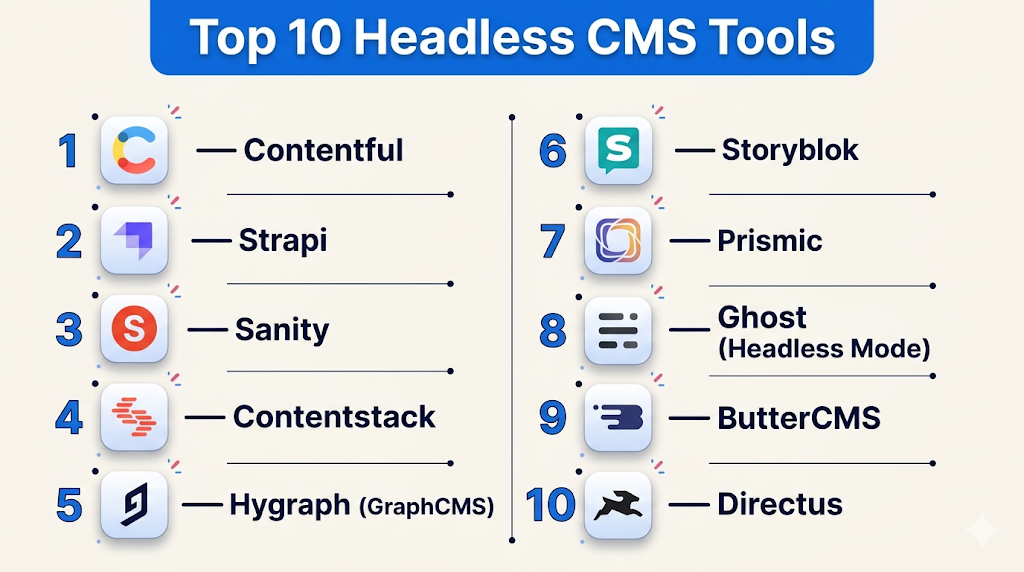
Top 10 Headless CMS Tools
#1 — Contentful
Short description: A leading enterprise-grade headless CMS known for scalability and API-first architecture.
Key Features
- API-first content delivery
- Flexible content modeling
- Multi-language support
- Role-based permissions
- Webhooks and automation
- Rich media management
- Content preview environments
Pros
- Highly scalable for enterprises
- Strong developer ecosystem
Cons
- Expensive for large teams
- Complex setup for beginners
Platforms / Deployment
Cloud
Security & Compliance
SSO, RBAC, GDPR, encryption, audit logs (specific certifications not publicly stated)
Integrations & Ecosystem
Strong API ecosystem with integrations across marketing, analytics, and frontend tools.
- REST & GraphQL APIs
- CDN delivery
- Third-party plugins
- Webhooks support
Support & Community
Extensive documentation, strong enterprise support, active developer community.
#2 — Strapi
Short description: Open-source headless CMS focused on flexibility and self-hosting.
Key Features
- Fully customizable backend
- REST & GraphQL APIs
- Plugin marketplace
- Role-based access control
- Media library
- Content-type builder
- Self-hosting capability
Pros
- Open-source and flexible
- Full control over data
Cons
- Requires DevOps management
- Hosting overhead
Platforms / Deployment
Cloud / Self-hosted
Security & Compliance
RBAC, JWT auth (certifications not publicly stated)
Integrations & Ecosystem
Highly extensible with custom plugins and APIs.
- Node.js ecosystem
- GraphQL support
- Custom plugins
- Webhooks
Support & Community
Large open-source community, good documentation.
#3 — Sanity
Short description: Developer-first CMS with real-time collaboration and structured content.
Key Features
- Real-time editing
- Custom content studio
- GROQ query language
- Image optimization
- Live preview
- Version control
- Structured content schema
Pros
- Excellent developer experience
- Real-time collaboration
Cons
- Learning curve (GROQ)
- UI customization required
Platforms / Deployment
Cloud
Security & Compliance
RBAC, encryption (others not publicly stated)
Integrations & Ecosystem
Flexible APIs and integrations.
- CDN delivery
- Webhooks
- JavaScript SDKs
Support & Community
Active developer community and modern docs.
#4 — Contentstack
Short description: Enterprise headless CMS with strong governance and workflow features.
Key Features
- Content workflows
- Multi-site management
- API-first architecture
- Personalization tools
- Automation rules
- Multi-language support
- Asset management
Pros
- Enterprise-ready features
- Strong governance
Cons
- Pricing not transparent
- Requires onboarding effort
Platforms / Deployment
Cloud
Security & Compliance
SSO, RBAC, GDPR (others not publicly stated)
Integrations & Ecosystem
Rich integration ecosystem.
- APIs
- Marketing tools
- Webhooks
- Extensions
Support & Community
Enterprise-level support, smaller public community.
#5 — Hygraph (GraphCMS)
Short description: GraphQL-native CMS designed for high-performance content APIs.
Key Features
- GraphQL-first API
- Content federation
- Schema stitching
- Localization
- Asset management
- Webhooks
- Role permissions
Pros
- GraphQL native
- High performance APIs
Cons
- Limited REST support
- Developer-focused
Platforms / Deployment
Cloud
Security & Compliance
RBAC, API security (certifications not publicly stated)
Integrations & Ecosystem
Strong GraphQL ecosystem.
- GraphQL APIs
- Webhooks
- SDKs
Support & Community
Growing community with strong developer focus.
#6 — Storyblok
Short description: Headless CMS with visual editor for marketers and developers.
Key Features
- Visual editor
- Component-based content
- Multi-language support
- API-first delivery
- Workflows
- Asset manager
- Preview functionality
Pros
- Easy for marketers
- Visual editing
Cons
- Limited backend customization
- Pricing tiers restrictive
Platforms / Deployment
Cloud
Security & Compliance
RBAC, SSO (others not publicly stated)
Integrations & Ecosystem
Balanced ecosystem for dev + marketing.
- APIs
- Webhooks
- Plugins
Support & Community
Good documentation and support.
#7 — Prismic
Short description: API-based CMS focused on simplicity and developer experience.
Key Features
- Slice-based content
- API delivery
- Multi-language support
- Content previews
- Media management
- Versioning
- Integration tools
Pros
- Easy to use
- Fast setup
Cons
- Limited customization
- Less enterprise features
Platforms / Deployment
Cloud
Security & Compliance
Basic RBAC (others not publicly stated)
Integrations & Ecosystem
Simple integration ecosystem.
- APIs
- Webhooks
- SDKs
Support & Community
Helpful docs, moderate community.
#8 — Ghost (Headless Mode)
Short description: Open-source publishing platform that can operate as a headless CMS.
Key Features
- API-based content delivery
- Membership features
- SEO tools
- Content editor
- REST APIs
- Open-source
- Publishing workflows
Pros
- Great for publishing
- Simple setup
Cons
- Limited headless features
- Not fully API-first
Platforms / Deployment
Cloud / Self-hosted
Security & Compliance
Basic security (details not publicly stated)
Integrations & Ecosystem
Focused ecosystem.
- REST API
- Themes
- Plugins
Support & Community
Strong community, good docs.
#9 — ButterCMS
Short description: Lightweight headless CMS focused on simplicity and speed.
Key Features
- API-first delivery
- Blog engine
- Multi-language support
- Media library
- SEO features
- Webhooks
- Content scheduling
Pros
- Easy onboarding
- Fast implementation
Cons
- Limited scalability
- Fewer enterprise features
Platforms / Deployment
Cloud
Security & Compliance
Not publicly stated
Integrations & Ecosystem
Basic integrations.
- APIs
- SDKs
- Webhooks
Support & Community
Good support, smaller community.
#10 — Directus
Short description: Open-source data platform that turns databases into headless CMS.
Key Features
- Database-first approach
- REST & GraphQL APIs
- No-code admin app
- Role permissions
- Extensions
- Real-time data
- Self-hosting
Pros
- Full control over data
- Flexible architecture
Cons
- Setup complexity
- Requires technical knowledge
Platforms / Deployment
Cloud / Self-hosted
Security & Compliance
RBAC, authentication (others not publicly stated)
Integrations & Ecosystem
Highly flexible integrations.
- APIs
- Extensions
- Database connectors
Support & Community
Strong open-source community.
Comparison Table (Top 10)
| Tool Name | Best For | Platform(s) Supported | Deployment | Standout Feature | Public Rating |
|---|---|---|---|---|---|
| Contentful | Enterprise | Web | Cloud | API-first scalability | N/A |
| Strapi | Developers | Web | Cloud/Self-hosted | Open-source flexibility | N/A |
| Sanity | Dev teams | Web | Cloud | Real-time editing | N/A |
| Contentstack | Enterprise | Web | Cloud | Workflow automation | N/A |
| Hygraph | GraphQL users | Web | Cloud | GraphQL-native CMS | N/A |
| Storyblok | Marketers + Devs | Web | Cloud | Visual editor | N/A |
| Prismic | SMB | Web | Cloud | Slice-based content | N/A |
| Ghost | Publishers | Web | Cloud/Self-hosted | Blogging engine | N/A |
| ButterCMS | Startups | Web | Cloud | Simplicity | N/A |
| Directus | Data-driven teams | Web | Cloud/Self-hosted | Database-first CMS | N/A |
Evaluation & Scoring of Headless CMS
| Tool Name | Core (25%) | Ease (15%) | Integrations (15%) | Security (10%) | Performance (10%) | Support (10%) | Value (15%) | Weighted Total |
|---|---|---|---|---|---|---|---|---|
| Contentful | 9 | 7 | 9 | 8 | 9 | 8 | 6 | 8.2 |
| Strapi | 8 | 6 | 8 | 7 | 7 | 7 | 9 | 7.6 |
| Sanity | 9 | 7 | 8 | 7 | 9 | 8 | 7 | 8.1 |
| Contentstack | 9 | 7 | 8 | 8 | 9 | 8 | 6 | 8.1 |
| Hygraph | 8 | 6 | 8 | 7 | 9 | 7 | 7 | 7.8 |
| Storyblok | 8 | 9 | 7 | 7 | 8 | 7 | 7 | 7.9 |
| Prismic | 7 | 9 | 7 | 6 | 8 | 7 | 8 | 7.8 |
| Ghost | 7 | 9 | 6 | 6 | 7 | 8 | 8 | 7.6 |
| ButterCMS | 6 | 9 | 6 | 6 | 7 | 7 | 8 | 7.2 |
| Directus | 8 | 6 | 8 | 7 | 8 | 7 | 9 | 7.9 |
How to interpret:
- Scores are comparative, not absolute benchmarks.
- Higher “Core” reflects feature depth and flexibility.
- “Ease” indicates usability for non-developers.
- “Value” considers pricing vs capability.
- Choose based on priorities, not just highest score.
Which Headless CMS Tool Is Right for You?
Solo / Freelancer
- Best: Prismic, ButterCMS, Ghost
- Focus on ease of use and quick deployment.
SMB
- Best: Storyblok, Strapi, Sanity
- Balance between flexibility and usability.
Mid-Market
- Best: Contentful, Hygraph, Directus
- Need scalability and integration depth.
Enterprise
- Best: Contentstack, Contentful
- Strong governance, workflows, security.
Budget vs Premium
- Budget: Strapi, Directus, Ghost
- Premium: Contentful, Contentstack
Feature Depth vs Ease of Use
- Feature-heavy: Contentful, Directus
- Easy-to-use: Storyblok, Prismic
Integrations & Scalability
- Strong: Contentful, Sanity, Hygraph
- Moderate: ButterCMS, Ghost
Security & Compliance Needs
- Enterprise-grade: Contentful, Contentstack
- Basic: ButterCMS, Ghost
Frequently Asked Questions (FAQs)
What is a headless CMS?
A headless CMS separates content management from presentation, delivering content via APIs to any platform.
Is headless CMS better than traditional CMS?
It depends on use case. Headless is better for flexibility and scalability, while traditional CMS is easier for simple websites.
How much does a headless CMS cost?
Pricing varies widely, from free open-source options to enterprise subscriptions.
Do I need developers to use a headless CMS?
Yes, most headless CMS platforms require developer involvement for frontend integration.
Can I migrate from WordPress to a headless CMS?
Yes, but it requires restructuring content and rebuilding the frontend.
Are headless CMS platforms secure?
Most offer strong API security, but implementation and hosting also impact security.
What APIs do headless CMS platforms use?
Most support REST and/or GraphQL APIs.
Can non-technical users manage content?
Yes, many platforms offer user-friendly dashboards and editors.
What are the disadvantages of headless CMS?
Higher complexity, need for developers, and lack of built-in frontend.
What are alternatives to headless CMS?
Traditional CMS, hybrid CMS, and digital experience platforms.
Conclusion
Headless CMS platforms have become essential for organizations building modern, scalable, and omnichannel digital experiences. They provide unmatched flexibility, enabling teams to deliver content across websites, apps, and emerging platforms without being locked into a single frontend framework. However, choosing the right solution depends heavily on your team structure, technical capabilities, and long-term scalability goals. While enterprise tools like Contentful and Contentstack offer advanced governance and performance, open-source options like Strapi and Directus provide flexibility and cost control. The best approach is to shortlist two or three tools, test their APIs, validate integrations, and ensure they align with your development workflow and security requirements before making a final decision.
