Introduction
Database administration tools help teams manage, monitor, secure, optimize, and maintain databases from one interface. In simple terms, these tools make it easier for database administrators, developers, and IT teams to handle everyday work such as running queries, managing users, tuning performance, comparing schemas, tracking changes, and maintaining uptime. As database environments become more distributed across cloud, on-premises, and hybrid setups, the need for reliable administration tooling has grown significantly.
These tools matter now because database operations are no longer limited to one engine or one team. A single organization may run SQL Server, PostgreSQL, MySQL, Oracle, and cloud-managed databases at the same time. Real-world use cases include query tuning, database object management, user and access control, backup and restore workflows, schema comparison, migration support, and routine health checks. Buyers should evaluate engine support, usability, automation, security controls, performance diagnostics, deployment flexibility, integration depth, collaboration features, support quality, and overall value.
Best for: DBAs, platform engineers, DevOps teams, database developers, IT operations teams, managed service providers, and enterprises running business-critical data systems across one or more database platforms.
Not ideal for: very small teams with only occasional database needs, or organizations that rely almost entirely on simple managed cloud dashboards and do not need advanced administration, tuning, or workflow control.
Key Trends in Database Administration Tools
- AI-assisted SQL and troubleshooting are becoming more common, especially in modern database IDEs and administration suites.
- Automation is replacing repetitive DBA work such as schema comparison, sync tasks, user provisioning, and maintenance routines.
- Multi-database support is now a major buying factor because many organizations operate mixed environments instead of a single engine.
- Security expectations are higher with stronger focus on role-based access, auditability, secure connections, and privileged access visibility.
- Hybrid and cloud-connected administration has become standard, even for teams that still run some core databases on-premises.
- Database DevOps features are gaining importance including change tracking, comparison tools, synchronization, and integration with delivery workflows.
- Cross-platform availability matters more as teams work across Windows, macOS, Linux, browser interfaces, and remote environments.
- Team collaboration features are growing beyond single-user desktop tools toward server-based and shared administration models.
- Commercial vendors are expanding enterprise controls while open-source tools continue to win on flexibility and cost efficiency.
- Value-based pricing decisions are becoming sharper as buyers compare free native tools against premium suites with broader workflow depth.
How We Evaluate Database Administration Tools (Methodology)
We selected the top tools in this category using a practical evaluation framework focused on real administration needs:
- Market adoption and mindshare among DBAs, developers, and operations teams
- Feature completeness across object management, SQL editing, monitoring, tuning, user administration, and maintenance
- Reliability and operational fit for production database work
- Security posture signals such as secure connections, role controls, audit support, and enterprise governance features
- Multi-engine coverage for organizations with mixed database environments
- Usability for both specialists and broader technical teams
- Integration ecosystem including APIs, drivers, version control compatibility, and workflow extensibility
- Customer fit across segments from solo users to large enterprises
- Support and documentation quality including community depth and onboarding clarity
- Price-to-value balance for both free and premium buying scenarios
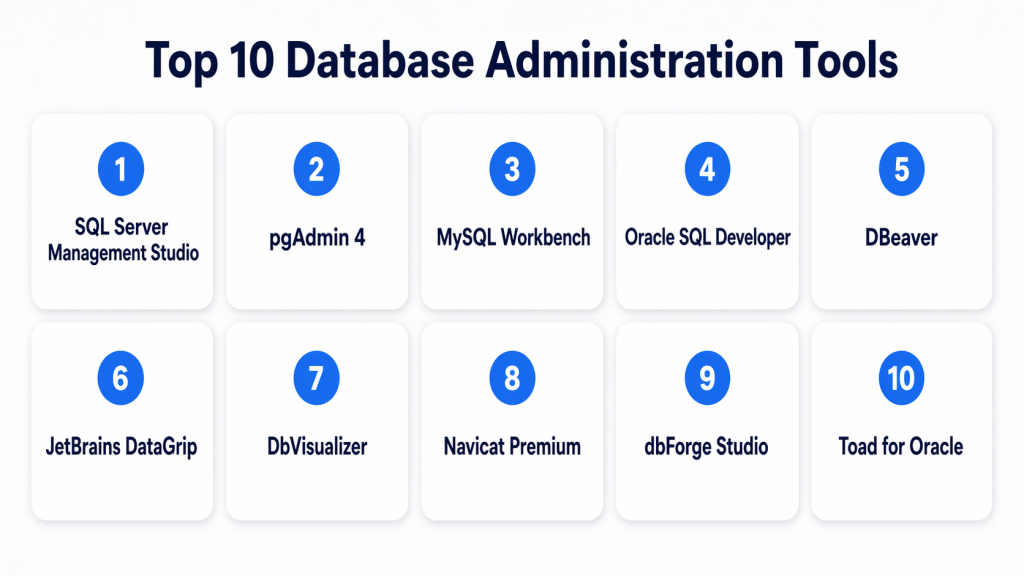
Top 10 Database Administration Tools
#1 — SQL Server Management Studio
Short description : SQL Server Management Studio is the standard administration environment for Microsoft SQL Server teams. It gives DBAs and database developers a deep interface for managing servers, security, jobs, backups, maintenance plans, performance analysis, and query execution. It is one of the strongest choices for organizations built around the Microsoft data stack. The tool is mature, widely known, and operationally dependable. It is best suited for teams that need serious SQL Server administration depth rather than broad multi-engine coverage.
Key Features
- Database object management for SQL Server environments
- Query editor with execution plans and tuning visibility
- SQL Agent job management
- Backup, restore, and maintenance support
- Security and permission management
- Integration with Microsoft cloud-connected database services
- Administrative scripting and performance workflows
Pros
- Deepest native administration experience for SQL Server
- Strong operational tooling for production environments
- Familiar and widely adopted in enterprise teams
Cons
- Primarily focused on Microsoft database environments
- Windows-first workflow may limit some mixed-platform teams
- Can feel heavy for lightweight or occasional database use
Platforms / Deployment
- Windows
- Self-hosted client
Security & Compliance
Supports database roles, permission management, secure connection workflows, administrative audit visibility, and related SQL Server security operations. Broader product certifications: Not publicly stated.
Integrations & Ecosystem
SQL Server Management Studio fits naturally into Microsoft-centric environments and works best when SQL Server is a strategic platform. It also aligns well with operational teams already using Microsoft infrastructure and database tooling.
- SQL Server
- Azure-connected SQL environments
- Administrative scripting workflows
- Database projects and deployment workflows
- Performance tuning and maintenance ecosystem
Support & Community
Documentation is strong, community knowledge is extensive, and enterprise familiarity is extremely high. Hiring and onboarding are usually easier because many DBAs already know this tool well.
#2 — pgAdmin 4
Short description : pgAdmin 4 is one of the most recognized administration tools for PostgreSQL environments. It is designed for both new and experienced PostgreSQL users who need a graphical way to manage servers, objects, queries, roles, and maintenance tasks. It is a practical choice for organizations that run PostgreSQL as a primary database platform. The tool offers strong value because it is widely trusted and accessible. It is best for PostgreSQL-centric teams rather than highly mixed-database organizations.
Key Features
- PostgreSQL object and server management
- Query execution and editing interface
- User and role management
- Backup and restore workflows
- Monitoring dashboards and status views
- Multiple deployment models including desktop and server mode
- Multi-user administration support in server deployments
Pros
- Strong official-style fit for PostgreSQL administration
- Excellent value for teams focused on Postgres
- Broad community familiarity and documentation
Cons
- Mostly limited to PostgreSQL use cases
- Less useful as a universal admin tool
- Interface experience may feel less polished than some premium tools
Platforms / Deployment
- Web / Windows / macOS / Linux
- Self-hosted / Hybrid
Security & Compliance
Supports user management, administrative account controls, and secure Postgres administration workflows. Formal compliance certifications: Not publicly stated.
Integrations & Ecosystem
pgAdmin works best inside PostgreSQL environments and aligns naturally with PostgreSQL-native operational practices. It is especially useful when the team wants a focused administration experience rather than a broad cross-database console.
- PostgreSQL
- Postgres object administration
- Server-mode multi-user deployments
- Query and routine maintenance workflows
Support & Community
Community strength is excellent, documentation is extensive, and onboarding is straightforward for Postgres users. It benefits from the broader PostgreSQL ecosystem and long-term familiarity among DBAs.
#3 — MySQL Workbench
Short description : MySQL Workbench is a unified administration and development tool for MySQL environments. It combines data modeling, SQL development, user administration, backup workflows, and server configuration in one interface. It is well suited for MySQL DBAs, developers, and teams that want an official-style management experience. The tool balances practicality with broad everyday functionality. It is strongest when MySQL is central to the organization’s application stack.
Key Features
- MySQL server administration
- SQL development and query management
- User administration and server configuration
- Backup and recovery support
- Visual database design and modeling
- Logs and health visibility
- Data export and import workflows
Pros
- Strong all-in-one experience for MySQL teams
- Useful mix of development and administration features
- Familiar option for MySQL-based production environments
Cons
- Limited value outside MySQL-focused teams
- Some advanced enterprise needs may require a broader tool stack
- Less attractive for mixed-database estates
Platforms / Deployment
- Windows / macOS / Linux
- Self-hosted client
Security & Compliance
Supports user administration, secure connection workflows, audit-related visibility, and server-level administration tasks. Broader compliance certifications: Not publicly stated.
Integrations & Ecosystem
MySQL Workbench fits naturally into MySQL operational workflows and is most valuable when teams want design, SQL work, and administration in a single tool.
- MySQL Server
- Data modeling
- Import and export workflows
- Backup and recovery workflows
- Query and configuration management
Support & Community
Documentation is solid, adoption is broad, and onboarding is relatively easy for MySQL teams. Community discussion and learning resources are also widely available.
#4 — Oracle SQL Developer
Short description : Oracle SQL Developer is a free integrated environment for Oracle database management and development. It helps DBAs and developers manage Oracle databases, run queries and scripts, handle data modeling, and support migration-related work. It is one of the most practical starting points for Oracle-centered database teams. The tool is especially useful for organizations that want Oracle-aligned workflows without immediate premium licensing pressure. It is strongest in Oracle estates rather than broad universal administration scenarios.
Key Features
- Oracle database administration console
- SQL and PL/SQL development support
- Data modeling capabilities
- Query worksheet and scripting tools
- Reports and object management
- Migration support for third-party databases
- Traditional and cloud deployment support
Pros
- Strong native fit for Oracle environments
- Free to adopt for Oracle-focused teams
- Broad scope across development and admin workflows
Cons
- Best value mainly in Oracle ecosystems
- Less appealing for highly mixed database estates
- Some users may prefer more modern premium interfaces
Platforms / Deployment
- Windows / macOS / Linux / Web
- Self-hosted / Hybrid
Security & Compliance
Supports Oracle administrative security workflows and role-based management inside Oracle environments. Product certifications: Not publicly stated.
Integrations & Ecosystem
Oracle SQL Developer works best when paired with Oracle operational practices, Oracle cloud-connected workflows, and Oracle-focused database teams.
- Oracle Database
- PL/SQL workflows
- Data modeling ecosystem
- Database migration tooling
- Reports and administrative consoles
Support & Community
Documentation is broad and the Oracle user base is large. Teams already invested in Oracle usually benefit from strong institutional knowledge and established support paths.
#5 — DBeaver
Short description : DBeaver is a popular universal database tool built for professionals working across multiple database engines. It is used by DBAs, developers, analysts, and operations teams that want one interface for querying, managing schemas, browsing data, and handling administration tasks across mixed environments. It is especially attractive for teams that need flexibility and cross-platform support. The tool combines strong capability with good value, especially in community editions. It is one of the best choices for heterogeneous database estates.
Key Features
- Support for a wide range of databases
- SQL editor and data browser
- Schema management and migration workflows
- Session and connection monitoring
- Plugin and extension support
- Team-oriented deployment options
- Broad driver compatibility
Pros
- Excellent fit for multi-database environments
- Strong value across free and commercial options
- Cross-platform and widely adopted
Cons
- Some advanced collaboration and enterprise features require paid editions
- Initial setup can feel dense for new users
- Experience may vary by specific driver or engine
Platforms / Deployment
- Windows / macOS / Linux
- Cloud / Self-hosted / Hybrid
Security & Compliance
Supports secure connection handling and enterprise-style team options. Detailed formal certifications: Not publicly stated.
Integrations & Ecosystem
DBeaver stands out for its broad engine support and extensibility, making it a strong standardization layer for teams that do not want separate tools for every database platform.
- Multiple relational databases
- Driver-based connectivity
- Plugin ecosystem
- Team collaboration options
- Data migration and schema workflows
Support & Community
Community support is strong, documentation is extensive, and commercial support is available for teams that want a more structured vendor relationship.
#6 — JetBrains DataGrip
Short description : DataGrip is a database IDE designed for technical professionals who spend a large portion of their time writing and maintaining SQL. It supports multiple relational and NoSQL databases and is especially appealing to developers, data engineers, and power users who want smart code assistance with database administration capabilities. It is polished, productive, and well suited to teams already familiar with JetBrains tools. It is not the deepest DBA console for every engine, but it excels in SQL-heavy workflows. It is ideal when administration and development overlap closely.
Key Features
- Intelligent SQL editor with code completion
- Database introspection and navigation
- Refactoring and error highlighting
- Data comparison and query result comparison
- Multi-database support
- Schema browsing and editing
- Productivity-oriented developer workflow
Pros
- Excellent user experience for SQL-heavy teams
- Strong productivity features and clean interface
- Good fit for mixed database development environments
Cons
- Less engine-native admin depth than vendor-specific tools
- Commercial licensing may not suit every budget
- Best value comes from frequent daily use
Platforms / Deployment
- Windows / macOS / Linux
- Self-hosted client
Security & Compliance
Supports secure database connections and structured data source management. Formal compliance certifications: Not publicly stated.
Integrations & Ecosystem
DataGrip benefits from the broader JetBrains ecosystem and fits especially well where database work is part of a broader software development workflow.
- Multi-database connectivity
- JetBrains IDE ecosystem
- Query and schema workflows
- Comparison and productivity features
Support & Community
Documentation quality is strong, onboarding is smooth for IDE users, and the product has a loyal technical audience. Commercial vendor support is also available.
#7 — DbVisualizer
Short description : DbVisualizer is a universal database client and management platform used across many relational database environments. It offers a single interface for object browsing, SQL work, data editing, and general administration. The tool is attractive for organizations that want multi-engine support without immediately moving into heavier enterprise software. It is practical, easy to understand, and suitable for both developers and DBAs. It works well as a balanced middle-ground option between simple native clients and more specialized premium suites.
Key Features
- Multi-database connectivity
- SQL editor and result visualization
- Spreadsheet-style data editing
- Visual table and object handling
- Support for database-specific objects
- Driver management support
- Cross-platform usability
Pros
- Good balance of simplicity and broad engine support
- Friendly for both administrators and technical users
- Practical choice for mixed environments
Cons
- Not always as deep as engine-native administration tools
- Some advanced features require commercial licensing
- Highly specialized DBA tasks may still need vendor tools
Platforms / Deployment
- Windows / macOS / Linux
- Self-hosted client
Security & Compliance
Supports secure database connectivity and administrative workflows. Formal certifications: Not publicly stated.
Integrations & Ecosystem
DbVisualizer is designed around broad compatibility and practical usability, which makes it useful for organizations running multiple database platforms with varied workflows.
- Multi-engine connectivity
- JDBC-based workflows
- Table and object editing
- Driver and connection management
Support & Community
Documentation is solid, onboarding is manageable, and the tool has a stable market presence. It is a good fit for teams that want vendor-backed reliability without excessive complexity.
#8 — Navicat Premium
Short description : Navicat Premium is a commercial all-in-one database development and administration suite for teams managing several databases from one application. It supports a broad set of popular relational and selected non-relational platforms, making it useful for mixed operational environments. The interface is polished, and the product is aimed at users who value convenience and breadth. It is well suited for teams that prefer a premium GUI-first experience. It works best when the business is willing to pay for cross-database efficiency.
Key Features
- Broad multi-database support
- Database design, management, and maintenance workflows
- Backup and restore capabilities
- Secure connection options
- Automation support
- Centralized connection management in higher tiers
- Native GUI across supported platforms
Pros
- Strong convenience for mixed-database estates
- Polished user experience
- Broad commercial feature set in one suite
Cons
- Licensing cost may be high for small teams
- Feature depth can vary across engines
- Some organizations may still prefer native tools for critical admin work
Platforms / Deployment
- Windows / macOS / Linux
- Cloud / Self-hosted / Hybrid
Security & Compliance
Supports secure connections including SSH and SSL/TLS-related workflows, with authentication options in higher editions. Formal compliance certifications: Not publicly stated.
Integrations & Ecosystem
Navicat’s key ecosystem advantage is broad engine coverage and strong convenience for teams managing many systems from one GUI.
- MySQL
- PostgreSQL
- SQL Server
- Oracle
- MariaDB
- Redis and selected cloud database services
Support & Community
Commercial support is available and the product is mature. It is generally best for organizations that prefer vendor-backed software over community-led tooling.
#9 — dbForge Studio
Short description : dbForge Studio is a family of database IDE and administration products aimed at developers, DBAs, analysts, and DevOps-focused teams. It is known for rich workflow support around schema comparison, data comparison, synchronization, SQL productivity, and operational database work. This makes it a strong option for organizations that care about database change control and structured administration. It is more workflow-heavy than many basic clients. It is especially useful when teams want database management combined with compare-and-sync discipline.
Key Features
- Schema compare and synchronization
- Data compare and synchronization
- SQL editing and productivity features
- Monitoring and analysis capabilities
- Test data generation and database documentation
- Support for version-control-friendly workflows
- Multiple product options for major database platforms
Pros
- Strong feature depth for controlled database change workflows
- Useful for structured teams with repeatable processes
- Good fit for database DevOps use cases
Cons
- Premium licensing may not fit every team
- Product family can feel fragmented across database engines
- More than smaller teams may actually need
Platforms / Deployment
- Windows / Varies by product
- Self-hosted / Hybrid
Security & Compliance
Supports secure management and operational workflows. Formal compliance certifications: Not publicly stated.
Integrations & Ecosystem
dbForge products are strongest when database administration is tied closely to synchronization, versioning, release control, and operational consistency.
- SQL Server
- MySQL
- Oracle
- PostgreSQL
- Version control workflows
- Schema and data sync ecosystem
Support & Community
Commercial support is a core strength. Documentation is structured, and the product family is attractive for teams that prefer formal vendor tooling over purely community-driven tools.
#10 — Toad for Oracle
Short description : Toad for Oracle is a long-established premium database management platform focused on Oracle environments. It helps DBAs and developers manage performance, automate routine work, improve SQL and PL/SQL productivity, and strengthen operational control. It is especially valuable in Oracle-heavy enterprises where database administration is formal and high stakes. The platform is specialist rather than universal, which is part of its strength. It is best for mature Oracle estates that need depth, structure, and workflow discipline.
Key Features
- Oracle database administration
- SQL and PL/SQL development workflows
- Performance optimization tools
- Routine administration automation
- Sensitive data protection support
- Security auditing support
- Role-based management capabilities
Pros
- Strong specialist depth for Oracle administration
- Valuable for mature enterprise DBA practices
- Good for performance and workflow discipline
Cons
- Premium pricing can be difficult for smaller teams
- Limited relevance outside Oracle-heavy environments
- May be excessive for light administration needs
Platforms / Deployment
- Windows
- Self-hosted client
Security & Compliance
Includes role-based management features, security auditing support, and sensitive data protection workflows. Broader compliance certifications: Not publicly stated.
Integrations & Ecosystem
Toad for Oracle is best when used as a serious Oracle operations platform rather than a lightweight universal client. It aligns well with teams that already run structured Oracle administration practices.
- Oracle Database
- SQL and PL/SQL workflows
- Performance tuning ecosystem
- Automation and security-oriented admin tasks
Support & Community
Commercial support is available, documentation is mature, and the product is well known among experienced Oracle professionals.
Comparison Table (Top 10)
| Tool Name | Best For | Platform(s) Supported | Deployment | Standout Feature | Public Rating |
|---|---|---|---|---|---|
| SQL Server Management Studio | Microsoft SQL Server administration | Windows | Self-hosted | Deep native SQL Server administration | N/A |
| pgAdmin 4 | PostgreSQL teams | Web, Windows, macOS, Linux | Self-hosted / Hybrid | Focused PostgreSQL administration | N/A |
| MySQL Workbench | MySQL DBAs and developers | Windows, macOS, Linux | Self-hosted | Unified admin plus modeling | N/A |
| Oracle SQL Developer | Oracle database teams | Windows, macOS, Linux, Web | Self-hosted / Hybrid | Oracle-native admin and development | N/A |
| DBeaver | Mixed database estates | Windows, macOS, Linux | Cloud / Self-hosted / Hybrid | Broad multi-database support | N/A |
| JetBrains DataGrip | SQL-heavy technical teams | Windows, macOS, Linux | Self-hosted | Intelligent SQL IDE experience | N/A |
| DbVisualizer | Practical cross-database management | Windows, macOS, Linux | Self-hosted | Balanced universal database workflow | N/A |
| Navicat Premium | Premium multi-engine teams | Windows, macOS, Linux | Cloud / Self-hosted / Hybrid | Broad engine coverage in one suite | N/A |
| dbForge Studio | Structured change and sync workflows | Windows / Varies by product | Self-hosted / Hybrid | Compare and synchronization depth | N/A |
| Toad for Oracle | Oracle enterprise administration | Windows | Self-hosted | Oracle-focused automation and tuning | N/A |
Evaluation & Scoring of Database Administration Tools
| Tool Name | Core (25%) | Ease (15%) | Integrations (15%) | Security (10%) | Performance (10%) | Support (10%) | Value (15%) | Weighted Total (0–10) |
|---|---|---|---|---|---|---|---|---|
| SQL Server Management Studio | 9.5 | 7.5 | 8.0 | 8.5 | 9.0 | 9.0 | 9.0 | 8.65 |
| pgAdmin 4 | 8.5 | 7.5 | 6.5 | 7.5 | 8.0 | 8.5 | 9.5 | 8.08 |
| MySQL Workbench | 8.5 | 8.0 | 6.5 | 8.0 | 8.0 | 8.5 | 8.5 | 8.00 |
| Oracle SQL Developer | 8.5 | 7.5 | 6.5 | 7.5 | 8.0 | 8.0 | 8.5 | 7.85 |
| DBeaver | 9.0 | 8.0 | 9.0 | 7.5 | 8.0 | 8.5 | 9.0 | 8.53 |
| JetBrains DataGrip | 8.5 | 8.5 | 8.0 | 7.0 | 8.0 | 8.5 | 7.5 | 8.08 |
| DbVisualizer | 8.0 | 8.5 | 8.0 | 7.0 | 8.0 | 8.0 | 7.5 | 7.93 |
| Navicat Premium | 8.5 | 8.5 | 8.5 | 7.5 | 8.0 | 8.0 | 7.0 | 8.08 |
| dbForge Studio | 9.0 | 7.5 | 8.5 | 7.5 | 8.5 | 8.0 | 7.0 | 8.08 |
| Toad for Oracle | 9.0 | 7.0 | 6.5 | 8.0 | 8.5 | 8.5 | 6.5 | 7.88 |
These scores are comparative, not absolute. A higher score means a tool performs better across this specific evaluation model, not that it is the best choice for every team. Native tools often score higher in depth for their own engines, while universal tools perform better in flexibility and multi-database coverage. Free tools often score strongly on value, while premium tools may justify cost through workflow depth, support, and operational efficiency. Use the table as a shortlist guide rather than a final buying decision.
Which Database Administration Tools Is Right for You?
Solo / Freelancer
If you are working alone or managing a small number of databases, cost and simplicity matter most. DBeaver, pgAdmin 4, MySQL Workbench, and Oracle SQL Developer are strong choices depending on your primary engine. They offer solid functionality without forcing enterprise-level spend. If your daily work is very SQL-heavy and productivity-focused, DataGrip can also be worth the investment.
SMB
Small and midsize businesses usually need a balance of value, usability, and enough depth for reliable operations. DBeaver is one of the safest choices for mixed environments. MySQL Workbench and pgAdmin 4 are excellent if your company is centered around one database platform. DbVisualizer is also a good fit for SMBs that want a straightforward universal tool without too much complexity.
Mid-Market
Mid-market teams often need stronger governance, repeatable processes, and better collaboration between DBAs and developers. dbForge Studio is a strong option when schema comparison, synchronization, and structured database change workflows matter. Navicat Premium works well for organizations that want a polished commercial experience across multiple engines. If your environment is strongly Microsoft-based, SQL Server Management Studio remains a leading option.
Enterprise
Enterprises should choose based on platform standardization, security expectations, and process maturity. SQL Server Management Studio is the clear leader for Microsoft environments. Toad for Oracle and Oracle SQL Developer are logical options for Oracle-heavy estates, with Toad appealing more when premium workflow depth is needed. For large mixed-database environments, DBeaver, Navicat Premium, and dbForge Studio offer stronger cross-team flexibility.
Budget vs Premium
If budget is your main concern, start with pgAdmin 4, MySQL Workbench, Oracle SQL Developer, or DBeaver. These tools can cover a large amount of real administration work at low cost. Premium tools such as Navicat Premium, dbForge Studio, and Toad for Oracle make sense when workflow efficiency, collaboration, specialized controls, or structured support justify the investment.
Feature Depth vs Ease of Use
If you need the deepest database-specific administration experience, native tools usually win. That includes SQL Server Management Studio, pgAdmin 4, MySQL Workbench, and Oracle SQL Developer. If you want one easier interface across multiple databases, DBeaver, DbVisualizer, and Navicat Premium are more attractive. DataGrip is especially strong where developer productivity is just as important as administration.
Integrations & Scalability
For organizations managing multiple database technologies, scalability often means standardizing on a flexible universal tool. DBeaver, Navicat Premium, DbVisualizer, and DataGrip are strong here. For organizations scaling mainly within one platform, a native tool may offer a better long-term operational fit.
Security & Compliance Needs
If security and compliance are key buying factors, prioritize tools that fit your operational controls and database architecture rather than just broad connectivity. Native tools often align better with engine-specific permissions, audit workflows, and security management. Premium tools such as Toad for Oracle or structured platforms like dbForge Studio can also support stronger governance-oriented workflows.
Frequently Asked Questions (FAQs)
1. What are database administration tools used for?
Database administration tools are used to manage databases more efficiently and safely. They help with running queries, creating and editing objects, monitoring health, managing users and roles, handling backups, and troubleshooting performance issues. They also reduce manual effort by offering visual workflows and automation. For many teams, they become the main console for daily database operations. The best tools combine usability with enough operational depth for real production work.
2. Are free database administration tools good enough for professional use?
Yes, in many cases they are. Tools like pgAdmin 4, MySQL Workbench, Oracle SQL Developer, and DBeaver can cover a large share of professional administration needs. The real difference appears when teams need advanced collaboration, compare-and-sync workflows, enterprise support, or deeper process controls. Free tools are often excellent for focused platform use or smaller teams. Premium tools become more valuable as complexity, scale, and governance demands increase.
3. Should I choose a native tool or a universal database admin tool?
A native tool is usually best when your environment is built around one database engine and you want the deepest platform-specific controls. A universal tool is better when your team supports many database types and wants one common interface. Native tools often win on depth and engine alignment. Universal tools win on flexibility and standardization. Many mature teams use both depending on the use case.
4. What should I look for first when comparing database admin tools?
Start with database engine support and operational fit. After that, review query performance tools, user management, backup support, automation, deployment flexibility, and security-related controls. Do not focus only on interface design because long-term value usually comes from workflow depth and reliability. Also check how easily the tool fits into your team’s existing processes. A good shortlist should reflect real day-to-day administration needs.
5. Can these tools help with database security?
Yes, but to different degrees. Most database administration tools support security-related tasks such as managing users, roles, permissions, and secure connections. Some also support auditing, sensitive data visibility, or access-control-oriented workflows. However, they are not always a full replacement for broader security platforms. Think of them as important operational security enablers rather than complete cybersecurity solutions.
6. Are these tools suitable for cloud databases too?
Many of them are. A lot of modern administration tools can connect to cloud-hosted database services as long as the underlying engine is supported. Some tools are especially strong in hybrid environments where part of the database estate is on-premises and part is cloud-based. The main thing to verify is deployment compatibility, authentication methods, and connection security requirements. Cloud readiness is now a common expectation in this category.
7. How difficult is onboarding for a new database administration tool?
Onboarding difficulty depends on how different the new tool is from your current workflow. Teams switching between similar graphical clients often adapt quickly. More advanced suites may take longer because they include synchronization, automation, compare tools, and process-oriented features. A small pilot with real databases is the safest way to evaluate fit. Training becomes easier when the tool has strong documentation and a familiar interface style.
8. What are the most common mistakes when buying one of these tools?
One common mistake is choosing only by popularity rather than operational fit. Another is ignoring the fact that different database engines often require different levels of administrative depth. Teams also underestimate future needs such as schema comparison, audit visibility, automation, or collaboration. Some buyers overspend on premium tooling they do not fully use. Others underbuy and later struggle with scale, process discipline, or visibility.
9. Can I switch tools later without too much disruption?
Usually yes, because the databases themselves do not have to change. The bigger challenge is retraining users, recreating saved connections, updating scripts, and adapting team habits. Switching is easier when your workflows are documented and your team understands what problems the new tool is meant to solve. A phased rollout is often safer than a complete overnight replacement. In mixed teams, running old and new tools in parallel for a short period can help.
10. Do I need a separate tool for monitoring and performance tuning?
Sometimes yes. Many database administration tools include useful monitoring and tuning capabilities, but dedicated monitoring platforms often provide broader observability across infrastructure, applications, and multiple services. If your environment is simple, a strong admin tool may be enough for day-to-day diagnostics. If your environment is large or highly critical, you may still want separate monitoring and alerting systems. The admin tool and the monitoring stack often work best together.
Conclusion
Database administration tools are no longer just convenience software for writing queries or browsing tables. They are now important operational platforms that help teams manage security, performance, reliability, user access, schema changes, and day-to-day database health across increasingly complex environments. The right choice depends on whether your organization is standardized on a single database engine or managing a mixed estate, and whether you value native depth, universal flexibility, or premium workflow control.
There is no single universal winner for every team. SQL Server Management Studio, pgAdmin 4, MySQL Workbench, and Oracle SQL Developer are strong native choices, while DBeaver, DataGrip, DbVisualizer, Navicat Premium, dbForge Studio, and Toad for Oracle serve different mixed-platform or premium workflow needs. The smartest next step is to shortlist two or three tools, test them against real administration tasks, and validate security, deployment, and integration fit before making a final decision.
