Introduction
Customer Relationship Management (CRM) platforms are software systems designed to help businesses manage interactions with customers, prospects, and partners. At their core, CRMs centralize customer data, streamline sales processes, automate marketing, and improve customer service—all in one place.
In the current landscape, CRM platforms have evolved beyond basic contact management. They now integrate with identity management, cybersecurity, zero trust architectures, and access control systems to ensure secure, compliant, and scalable customer engagement. As businesses handle more sensitive data and operate in distributed environments, CRM security and governance are just as critical as functionality.
Common use cases include:
- Managing sales pipelines and forecasting revenue
- Automating marketing campaigns and customer journeys
- Providing omnichannel customer support
- Tracking customer behavior and analytics
- Enabling secure collaboration across teams
Key evaluation criteria:
- Feature depth (sales, marketing, service)
- Ease of use and onboarding
- Integration ecosystem
- Security and compliance capabilities
- Scalability and performance
- Customization and automation
- Pricing and value
- AI and analytics capabilities
Best for: Sales teams, marketers, customer success teams, SMBs, enterprises, SaaS companies, and service-driven organizations.
Not ideal for: Very small teams with simple spreadsheets or businesses with minimal customer interaction workflows.
Key Trends in CRM Platforms
- AI-powered automation: Predictive lead scoring, automated workflows, and conversational AI are becoming standard.
- Zero Trust integration: CRM platforms increasingly align with zero trust models for secure access.
- Embedded cybersecurity: Encryption, identity verification, and access control are built-in rather than optional.
- Composable CRM architectures: Businesses can mix and match modules instead of adopting monolithic systems.
- Customer data platforms (CDP) convergence: CRMs are merging with CDPs for unified customer views.
- API-first ecosystems: Strong developer support and extensibility are key differentiators.
- Low-code/no-code customization: Enables non-technical users to build workflows.
- Omnichannel engagement: Integration across email, chat, social, and voice.
- Privacy-first design: Compliance with GDPR, HIPAA, and other regulations is critical.
- Usage-based pricing models: More flexible pricing aligned with usage and value.
How We Evaluated CRM Platforms (Methodology)
- Assessed market adoption and brand recognition
- Evaluated feature completeness across sales, marketing, and support
- Considered performance and reliability signals
- Reviewed security posture (identity, encryption, compliance)
- Measured integration ecosystem strength
- Analyzed customer fit across SMB to enterprise
- Checked AI and automation capabilities
- Compared ease of onboarding and usability
- Looked at pricing flexibility and value
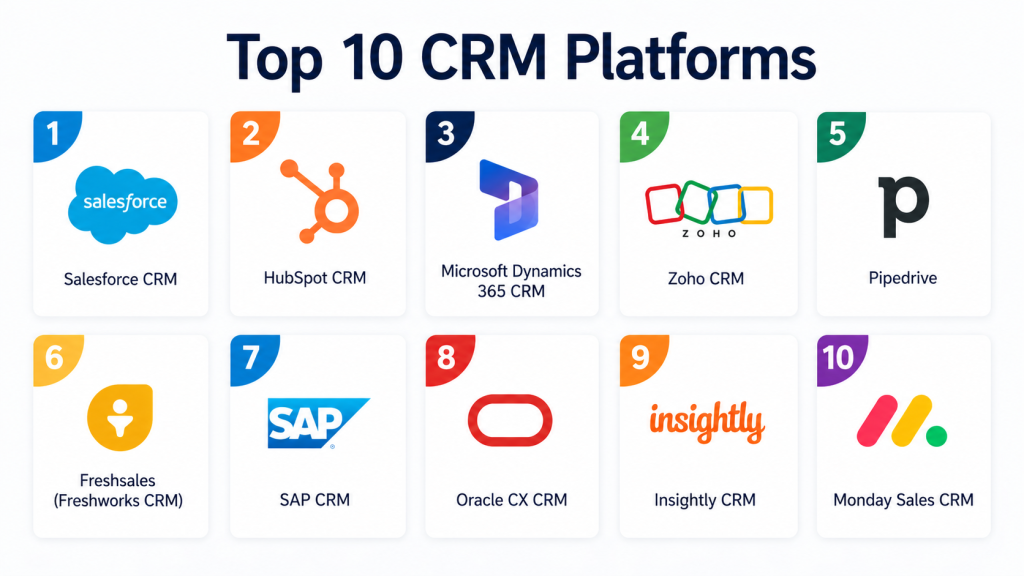
Top 10 CRM Platforms
#1 — Salesforce CRM
Short description: Salesforce is a leading enterprise CRM platform offering a comprehensive suite for sales, marketing, service, and analytics. It is highly customizable and supports complex workflows across industries. Known for its scalability, it suits large organizations with advanced requirements. Its ecosystem is vast, with thousands of integrations and extensions. Salesforce also integrates deeply with identity and access management systems. It is widely used across global enterprises. However, it may require dedicated administration.
Key Features
- Advanced sales automation
- AI-powered insights (Einstein AI)
- Custom workflows and automation
- Multi-cloud architecture
- Extensive app marketplace
- Role-based access control
- Analytics and reporting
Pros
- Extremely scalable and customizable
- Strong ecosystem and integrations
Cons
- Complex setup and administration
- Higher cost compared to competitors
Platforms / Deployment
Web / iOS / Android
Cloud
Security & Compliance
SSO, MFA, RBAC, encryption, audit logs
Supports GDPR, HIPAA, SOC 2 (varies by edition)
Integrations & Ecosystem
Salesforce has one of the largest ecosystems with thousands of integrations.
- Slack, Google Workspace, Microsoft 365
- ERP systems
- Marketing tools
- API-first extensibility
Support & Community
Extensive documentation, global support, large community, strong partner network.
#2 — HubSpot CRM
Short description: HubSpot CRM is a user-friendly platform designed for growing businesses. It offers integrated sales, marketing, and service tools with a focus on simplicity. The platform provides a free tier with essential CRM features. It is ideal for SMBs and startups. HubSpot emphasizes ease of use and quick onboarding. It also supports automation and analytics. Security features are improving with enterprise tiers.
Key Features
- Contact and deal management
- Marketing automation
- Email tracking and templates
- Pipeline management
- Reporting dashboards
- Workflow automation
Pros
- Easy to use and quick setup
- Strong free plan
Cons
- Limited customization for enterprises
- Advanced features require upgrades
Platforms / Deployment
Web / iOS / Android
Cloud
Security & Compliance
SSO, MFA, encryption
GDPR compliant
Integrations & Ecosystem
HubSpot integrates with popular business tools.
- Gmail, Outlook
- Slack
- Shopify
- API access
Support & Community
Good documentation, active community, tiered support.
#3 — Microsoft Dynamics 365 CRM
Short description: Microsoft Dynamics 365 combines CRM and ERP capabilities into a unified platform. It integrates deeply with Microsoft products like Azure and Office. It supports enterprise-level operations and advanced analytics. The platform is highly customizable. It suits organizations already using Microsoft ecosystems. Security and compliance are strong. However, implementation can be complex.
Key Features
- Sales and customer service modules
- AI insights
- Integration with Microsoft tools
- Workflow automation
- Advanced reporting
- Customer data platform
Pros
- Deep Microsoft integration
- Strong enterprise capabilities
Cons
- Complex setup
- Requires technical expertise
Platforms / Deployment
Web / Windows / iOS / Android
Cloud / Hybrid
Security & Compliance
SSO, MFA, RBAC, encryption
Supports ISO 27001, GDPR, HIPAA
Integrations & Ecosystem
Seamless integration with Microsoft ecosystem.
- Azure
- Teams
- Power BI
- APIs
Support & Community
Strong enterprise support, large ecosystem.
#4 — Zoho CRM
Short description: Zoho CRM is a cost-effective platform offering a wide range of features for SMBs and mid-market companies. It provides automation, analytics, and omnichannel communication. Zoho integrates with its own suite of business apps. It is flexible and scalable. It offers AI features through Zia. The platform is suitable for budget-conscious organizations.
Key Features
- Sales automation
- AI assistant (Zia)
- Workflow automation
- Omnichannel communication
- Custom modules
- Analytics
Pros
- Affordable pricing
- Strong feature set
Cons
- UI can feel cluttered
- Learning curve for customization
Platforms / Deployment
Web / iOS / Android
Cloud
Security & Compliance
MFA, encryption, RBAC
GDPR compliant
Integrations & Ecosystem
Strong integration within Zoho ecosystem.
- Zoho apps
- Google Workspace
- APIs
Support & Community
Good documentation, moderate community.
#5 — Pipedrive
Short description: Pipedrive is a sales-focused CRM designed for small and mid-sized businesses. It emphasizes pipeline management and ease of use. The platform is highly visual and intuitive. It helps teams track deals and activities efficiently. It includes automation features. However, it lacks deeper marketing capabilities.
Key Features
- Visual sales pipeline
- Deal tracking
- Workflow automation
- Reporting
- Activity reminders
Pros
- Simple and intuitive
- Great for sales teams
Cons
- Limited marketing features
- Not ideal for enterprises
Platforms / Deployment
Web / iOS / Android
Cloud
Security & Compliance
MFA, encryption
Not publicly stated certifications
Integrations & Ecosystem
Integrates with common tools.
- Slack
- Google Workspace
- APIs
Support & Community
Responsive support, smaller community.
#6 — Freshsales (Freshworks CRM)
Short description: Freshsales offers a modern CRM with built-in communication tools. It includes email, phone, and chat capabilities. It is designed for growing businesses. The platform provides AI insights and automation. It is easy to deploy. It balances features and usability well.
Key Features
- Built-in communication tools
- AI-based lead scoring
- Workflow automation
- Contact management
- Reporting
Pros
- All-in-one platform
- Easy setup
Cons
- Limited advanced customization
- Scaling limitations
Platforms / Deployment
Web / iOS / Android
Cloud
Security & Compliance
MFA, encryption
GDPR compliant
Integrations & Ecosystem
Supports common integrations.
- Email platforms
- Chat tools
- APIs
Support & Community
Good support, growing ecosystem.
#7 — SAP CRM
Short description: SAP CRM is an enterprise-grade solution integrated with SAP ERP systems. It supports large-scale operations. It offers deep customization and analytics. It is suitable for large enterprises. Implementation is complex and resource-intensive. It provides strong compliance capabilities.
Key Features
- Enterprise sales management
- Customer analytics
- Integration with SAP ERP
- Workflow automation
- Reporting
Pros
- Strong enterprise capabilities
- Deep integration with SAP
Cons
- High complexity
- Expensive implementation
Platforms / Deployment
Web / Windows
Cloud / On-premise
Security & Compliance
RBAC, encryption
Supports enterprise compliance standards
Integrations & Ecosystem
Strong SAP ecosystem.
- ERP systems
- Analytics tools
- APIs
Support & Community
Enterprise support, strong partner network.
#8 — Oracle CX CRM
Short description: Oracle CX CRM offers a comprehensive customer experience platform. It includes sales, marketing, and service modules. It is designed for large enterprises. It integrates with Oracle Cloud infrastructure. It provides AI-driven insights. It is highly scalable but complex.
Key Features
- Customer experience suite
- AI analytics
- Workflow automation
- Omnichannel support
- Data management
Pros
- Enterprise-grade capabilities
- Strong analytics
Cons
- Complex implementation
- High cost
Platforms / Deployment
Web
Cloud
Security & Compliance
SSO, MFA, encryption
Supports enterprise compliance frameworks
Integrations & Ecosystem
Oracle ecosystem integration.
- Oracle Cloud
- APIs
- Enterprise tools
Support & Community
Enterprise-level support.
#9 — Insightly CRM
Short description: Insightly is a CRM designed for small to mid-sized businesses. It combines CRM with project management features. It is easy to use and deploy. It offers workflow automation and reporting. It is suitable for teams needing both CRM and project tracking.
Key Features
- Contact management
- Project management
- Workflow automation
- Reporting
- Email integration
Pros
- Easy to use
- Combined CRM and project features
Cons
- Limited scalability
- Fewer integrations
Platforms / Deployment
Web / iOS / Android
Cloud
Security & Compliance
Encryption, MFA
Not publicly stated certifications
Integrations & Ecosystem
Basic integrations available.
- Email tools
- APIs
Support & Community
Moderate support and documentation.
#10 — Monday Sales CRM
Short description: Monday Sales CRM is built on the Monday.com platform. It offers a flexible and visual approach to CRM. It supports customization and automation. It is ideal for teams that prefer visual workflows. It integrates with many tools. It is suitable for SMBs and mid-market teams.
Key Features
- Visual dashboards
- Workflow automation
- Custom pipelines
- Integration support
- Collaboration tools
Pros
- Highly customizable
- User-friendly interface
Cons
- Limited deep CRM features
- Scaling limitations
Platforms / Deployment
Web / iOS / Android
Cloud
Security & Compliance
MFA, encryption
GDPR compliant
Integrations & Ecosystem
Strong integration capabilities.
- Slack
- Google Workspace
- APIs
Support & Community
Good support, active user base.
Comparison Table (Top 10)
| Tool Name | Best For | Platform(s) Supported | Deployment | Standout Feature | Public Rating |
|---|---|---|---|---|---|
| Salesforce | Enterprise | Web, Mobile | Cloud | Customization | N/A |
| HubSpot | SMB | Web, Mobile | Cloud | Ease of use | N/A |
| Dynamics 365 | Enterprise | Web, Windows | Cloud/Hybrid | Microsoft integration | N/A |
| Zoho CRM | SMB | Web, Mobile | Cloud | Affordability | N/A |
| Pipedrive | Sales teams | Web, Mobile | Cloud | Pipeline visualization | N/A |
| Freshsales | SMB | Web, Mobile | Cloud | Built-in communication | N/A |
| SAP CRM | Enterprise | Web, Windows | Hybrid | SAP integration | N/A |
| Oracle CX | Enterprise | Web | Cloud | CX suite | N/A |
| Insightly | SMB | Web, Mobile | Cloud | Project + CRM | N/A |
| Monday CRM | SMB | Web, Mobile | Cloud | Visual workflows | N/A |
Evaluation & Scoring of CRM Platforms
| Tool | Core | Ease | Integrations | Security | Performance | Support | Value | Total |
|---|---|---|---|---|---|---|---|---|
| Salesforce | 10 | 7 | 10 | 9 | 9 | 9 | 7 | 8.9 |
| HubSpot | 8 | 9 | 8 | 8 | 8 | 8 | 9 | 8.4 |
| Dynamics | 9 | 7 | 9 | 9 | 9 | 8 | 7 | 8.5 |
| Zoho | 8 | 8 | 8 | 7 | 8 | 7 | 9 | 8.1 |
| Pipedrive | 7 | 9 | 7 | 7 | 8 | 7 | 8 | 7.8 |
| Freshsales | 8 | 8 | 7 | 7 | 8 | 7 | 8 | 7.9 |
| SAP | 9 | 6 | 9 | 9 | 9 | 8 | 6 | 8.3 |
| Oracle | 9 | 6 | 9 | 9 | 9 | 8 | 6 | 8.3 |
| Insightly | 7 | 8 | 6 | 7 | 7 | 7 | 8 | 7.4 |
| Monday | 7 | 9 | 8 | 7 | 8 | 7 | 8 | 7.9 |
Scores are comparative and based on weighted evaluation. Higher scores indicate stronger overall capability. Enterprise tools score high on features but may lose points on usability and cost.
Which CRM Platforms Is Right for You?
Solo / Freelancer
Choose HubSpot or Pipedrive. They are easy to use, affordable, and quick to set up.
SMB
Zoho CRM, Freshsales, or Monday CRM offer strong features without complexity.
Mid-Market
Dynamics 365 and HubSpot scale well with growing teams and integrations.
Enterprise
Salesforce, SAP, and Oracle provide advanced customization, compliance, and scalability.
Budget vs Premium
Budget: Zoho, HubSpot
Premium: Salesforce, Oracle
Feature Depth vs Ease of Use
Depth: Salesforce, SAP
Ease: HubSpot, Pipedrive
Integrations & Scalability
Best: Salesforce, Dynamics
Moderate: Zoho, Freshsales
Security & Compliance Needs
High compliance: Salesforce, SAP, Oracle
Basic needs: HubSpot, Pipedrive
Frequently Asked Questions (FAQs)
1. What is a CRM platform used for?
CRM platforms help businesses manage customer relationships, sales pipelines, and communication. They centralize data and improve collaboration across teams. Modern CRMs also include automation, analytics, and AI features. They support marketing, sales, and customer service functions. Businesses use them to improve customer experience and revenue growth.
2. How much do CRM platforms cost?
Pricing varies widely depending on features and scale. Some platforms offer free tiers, while enterprise solutions can be expensive. Costs depend on users, modules, and customization. Subscription models are common. Businesses should evaluate ROI rather than just price.
3. Are CRM platforms secure?
Most modern CRMs include encryption, MFA, and access control. Enterprise platforms offer advanced compliance features. Security depends on configuration and usage. Businesses should review vendor certifications. Data protection is a critical consideration.
4. How long does implementation take?
Implementation can range from days to months. Simple CRMs are quick to deploy. Enterprise systems require planning and customization. Data migration and training add time. Proper onboarding is essential for success.
5. Can CRM platforms scale with business growth?
Yes, most platforms are designed to scale. Enterprise solutions handle large data volumes. SMB tools may have limitations. Choosing a scalable CRM is important. Future needs should be considered during selection.
6. What integrations are important?
Common integrations include email, ERP, marketing tools, and analytics. API support is critical. Integration flexibility improves efficiency. Businesses should prioritize tools they already use. Ecosystem strength matters.
7. Is AI important in CRM platforms?
AI enhances automation, insights, and forecasting. It helps prioritize leads and personalize interactions. Many CRMs now include AI features. Adoption is increasing rapidly. It improves decision-making.
8. Can CRM platforms support compliance?
Yes, many support GDPR, HIPAA, and other regulations. Compliance depends on configuration. Enterprise platforms offer stronger controls. Businesses must ensure proper usage. Auditing features are important.
9. What are common mistakes when choosing a CRM?
Choosing based only on price is a mistake. Ignoring scalability can cause issues later. Lack of training reduces adoption. Over-customization adds complexity. Integration gaps can limit value.
10. How do you switch CRM platforms?
Switching involves data migration and retraining teams. Planning is essential. Tools often provide migration support. Testing is important before full rollout. Gradual transition reduces risk.
Conclusion
CRM platforms have become foundational systems for modern businesses, combining customer engagement with automation, analytics, and security. The evolution toward AI-driven insights, zero trust security, and integrated ecosystems makes CRM selection more strategic than ever. While enterprise platforms like Salesforce, SAP, and Oracle deliver unmatched depth and scalability, tools like HubSpot, Zoho, and Pipedrive provide excellent value and usability for smaller teams. The right choice depends heavily on your organization’s size, technical maturity, and long-term growth plans.
There is no single “best” CRM for every business. The smartest approach is to shortlist two or three platforms that align with your requirements, run pilot implementations, and validate integrations, usability, and security. Focus on how well the CRM fits your workflows rather than just feature lists. A well-chosen CRM can transform customer relationships, improve operational efficiency, and drive sustainable growth.
